Page 334 of 720
334
LC200_OM_OM60F57U_(U)
3-1. Using the air conditioning
system and defogger
Front air conditioning
system ........................... 336
Rear air conditioning
system ........................... 347
Rear window and
outside rear view
mirror defoggers ............ 351
Windshield wiper
de-icer ............................ 352
3-2. Using the audio system
Audio system type............ 353
Using the radio ................. 356
Using the CD player ......... 365
Playing back MP3 and
WMA discs ..................... 373
Operating an iPod ............ 380
Operating a
USB memory ................. 387
Optimal use of the
audio system .................. 395
Using the AUX port .......... 397
Using the steering
switches ......................... 398
Page 335 of 720
Interior features3
335
LC200_OM_OM60F57U_(U)
3-3. Using the Bluetooth®
audio system
Bluetooth
® audio
system ........................... 402
Using the Bluetooth
®
audio system.................. 406
Operating a Bluetooth
®
enabled portable
player ............................. 412
Setting up a Bluetooth
®
enabled portable
player ............................. 415
Bluetooth
® audio system
setup .............................. 422
3-4. Using the hands-free system
(for cellular phone)
Hands-free system
(for cellular phone) ......... 423
Using the hands-free
system ........................... 428
Making a phone call ......... 436
Setting a cellular
phone ............................. 441
Security and system
setup .............................. 447
Using the phone book ...... 453
3-5. Using the interior lights
Interior lights list ............... 462
• Interior lights .................. 463
• Personal lights ............... 4643-6. Using the storage features
List of storage features .... 466
• Glove box....................... 467
• Console box ................... 468
• Overhead console .......... 469
• Cup holders ................... 470
• Bottle holders ................. 472
• Card holders .................. 474
• Auxiliary boxes ............... 474
3-7. Other interior features
Cool box ........................... 475
Sun visors ........................ 477
Vanity mirror..................... 478
Clock ................................ 479
Outside temperature
display............................ 480
Ashtrays ........................... 482
Cigarette lighter................ 484
Power outlets ................... 485
Heated steering wheel ..... 487
Seat heaters
and ventilators ............... 489
Armrest ............................ 491
Assist grips....................... 492
Floor mats ........................ 493
Luggage compartment
features .......................... 495
Garage door opener......... 497
Safety Connect ................ 504
Page 353 of 720
353
3
Interior features
LC200_OM_OM60F57U_(U)
3-2. Using the audio system
Audio system type
With navigation system
Owners of models equipped with a navigation system should
refer to the “Navigation System Owner’s Manual”.
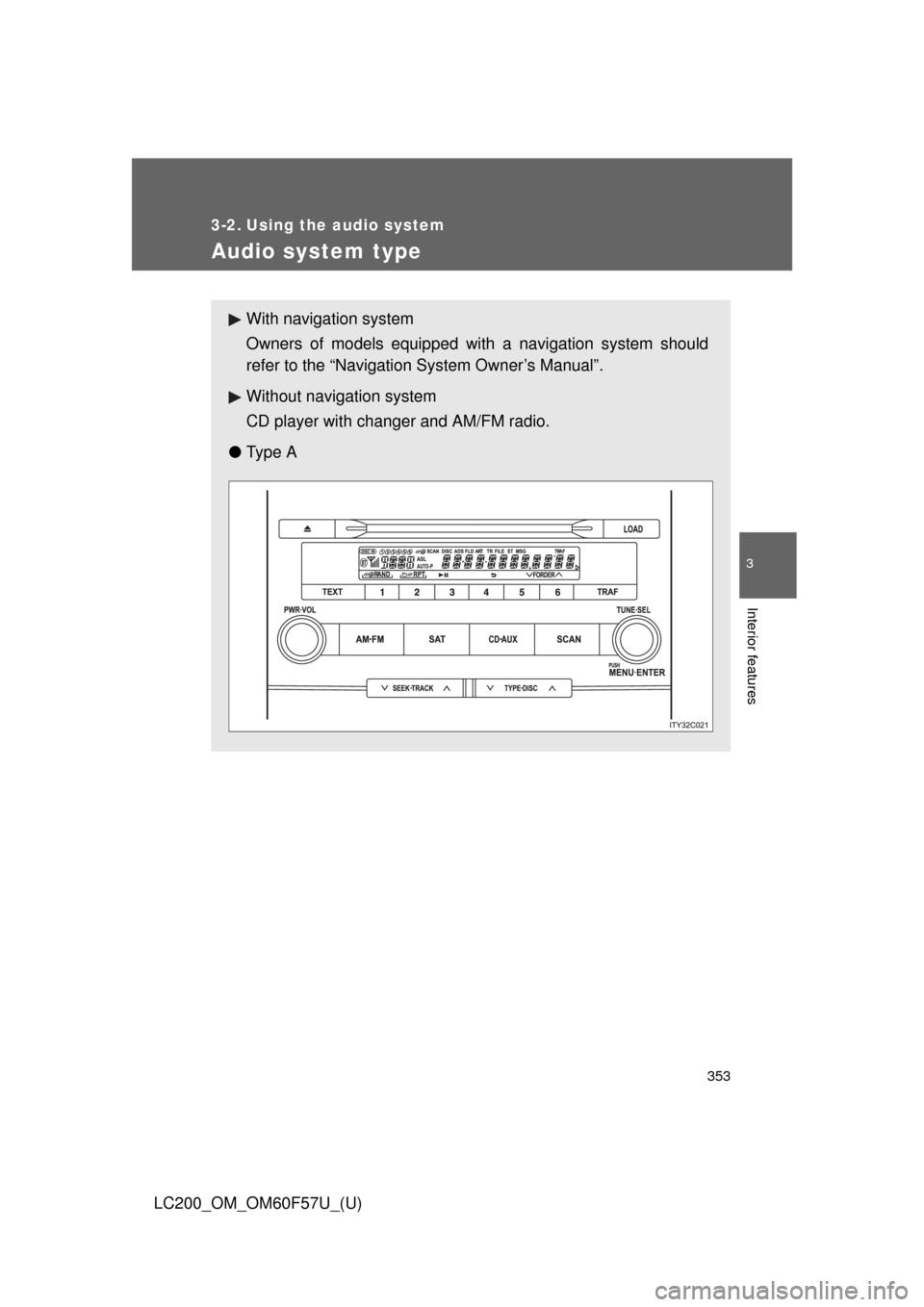
Without navigation system
CD player with changer and AM/FM radio.
●Ty p e A
Page 354 of 720
354 3-2. Using the audio system
LC200_OM_OM60F57U_(U)
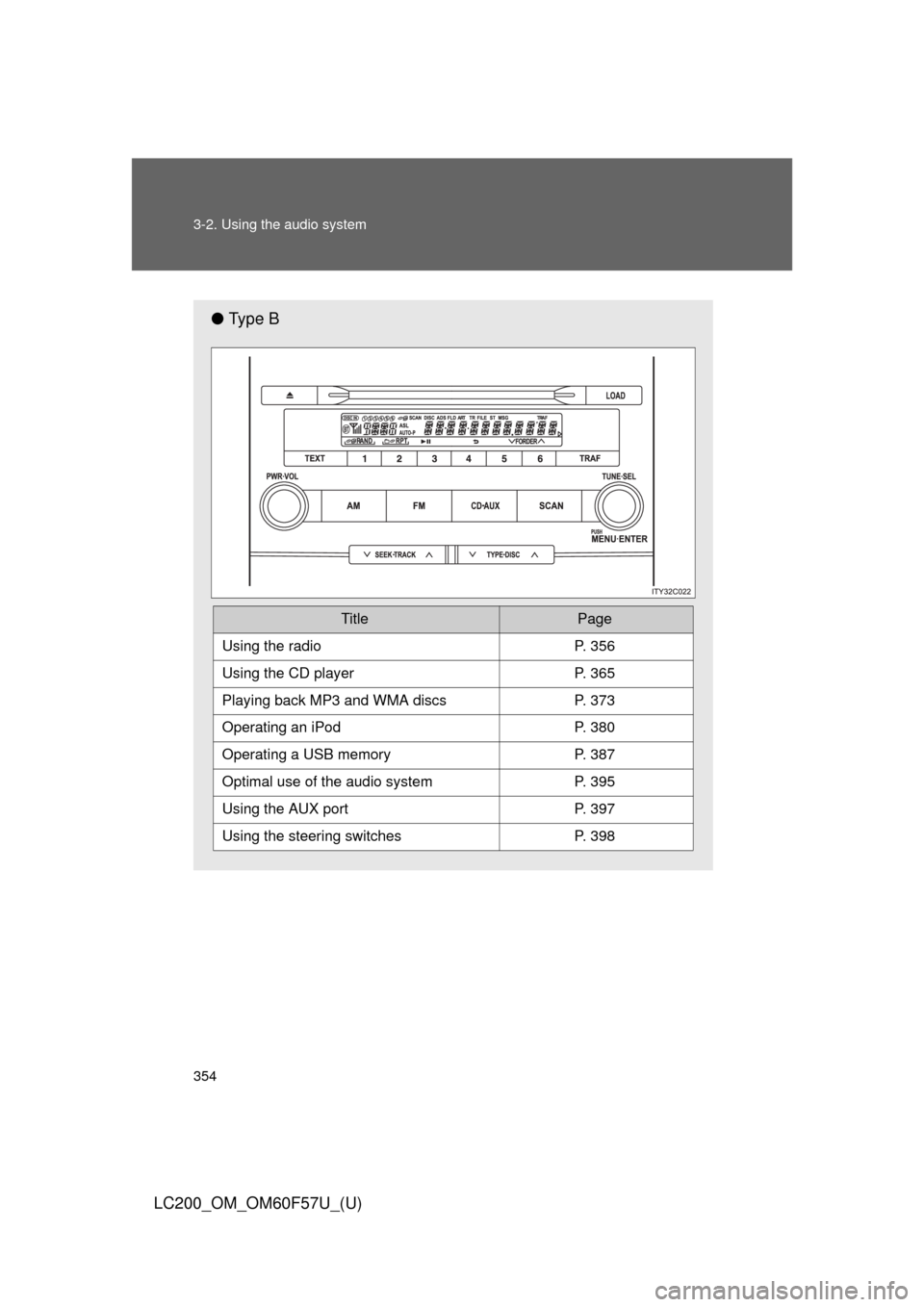
●Ty p e B
TitlePage
Using the radioP. 356
Using the CD playerP. 365
Playing back MP3 and WMA discs P. 373
Operating an iPodP. 380
Operating a USB memoryP. 387
Optimal use of the audio systemP. 395
Using the AUX portP. 397
Using the steering switchesP. 398
Page 355 of 720
355 3-2. Using the audio system
3
Interior features
LC200_OM_OM60F57U_(U)
■Using cellular phones
Interference may be heard through the audio system’s speakers if a cellular
phone is being used inside or close to the vehicle while the audio system is
operating.
CAUTION
■For vehicles sold in the U.S.A.
●Part 15 of the FCC Rules
FCC Warning:
Any unauthorized changes or modifications to this equipment will void the
user’s authority to operate this device.
●Laser products
• Do not take this unit apart or attempt to make any changes yourself.
This is an intricate unit that uses a laser pickup to retrieve information
from the surface of compact discs. The laser is carefully shielded so
that its rays remain inside the cabinet. Therefore, never try to disas-
semble the player or alter any of its parts since you may be exposed to
laser rays and dangerous voltages.
• This product utilizes a laser.
Use of controls or adjustments or performance of procedures other
than those specified herein may result in hazardous radiation expo-
sure.
NOTICE
■To prevent battery discharge
Do not leave the audio system on longer than necessary with the engine off.
■To avoid damaging the audio system
Take care not to spill drinks or other fluids over the audio system.
Page 356 of 720
356
3-2. Using the audio system
LC200_OM_OM60F57U_(U)
Using the radio
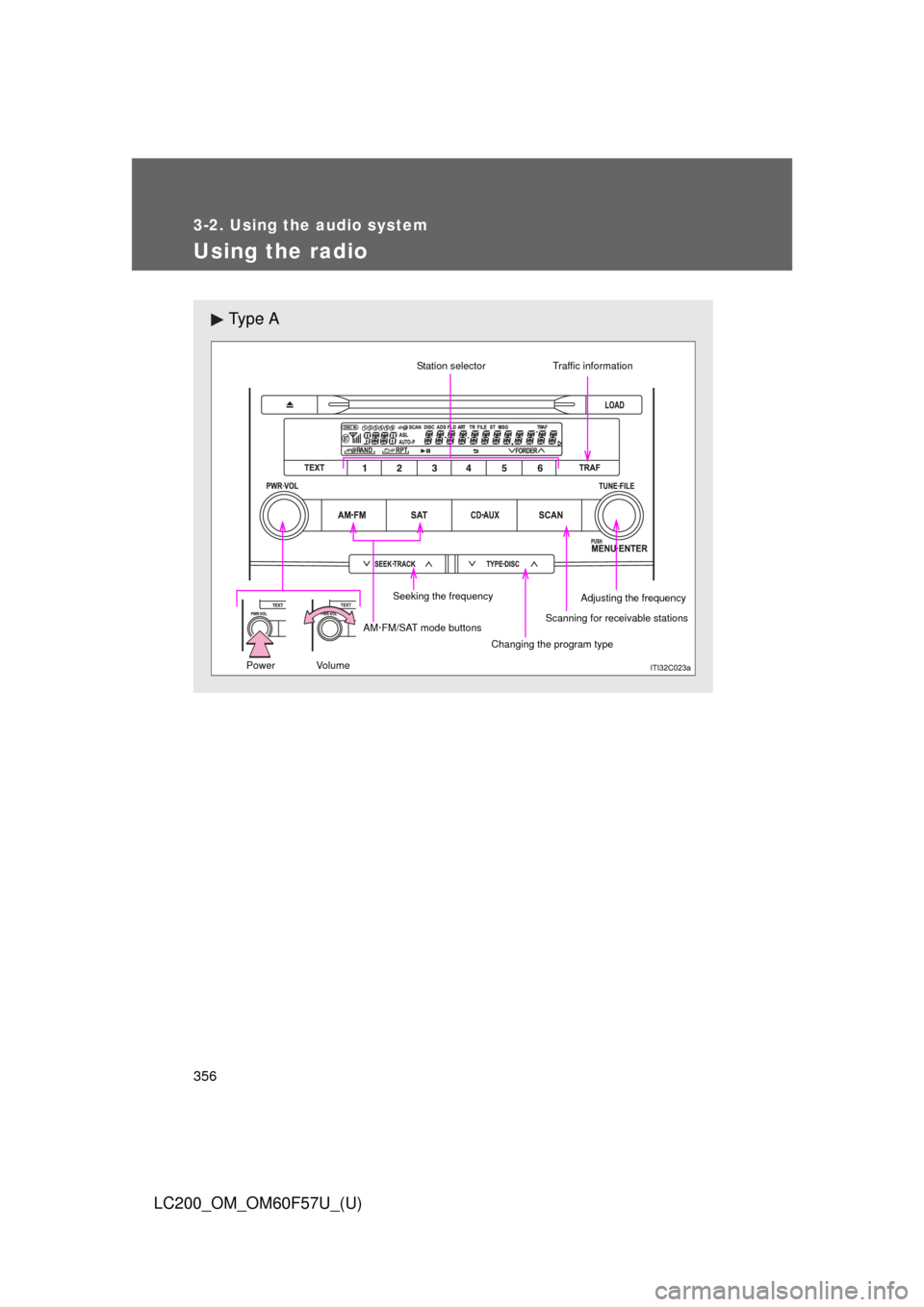
Ty p e A
Scanning for receivable stations Seeking the frequencyStation selector
AM·FM/SAT mode buttons
Changing the program typeAdjusting the frequency
Power Volume
Traffic information
Page 357 of 720
357 3-2. Using the audio system
3
Interior features
LC200_OM_OM60F57U_(U)
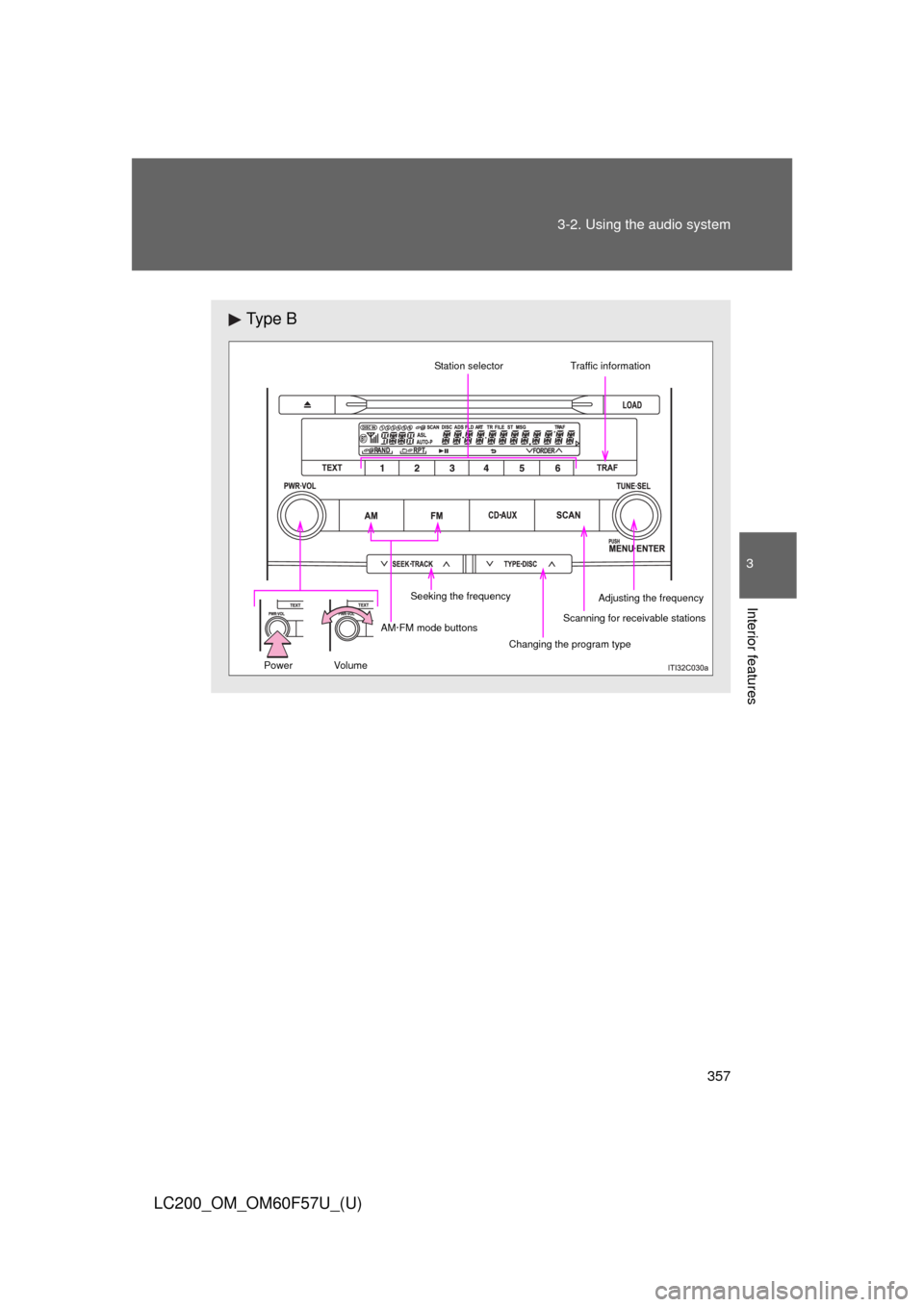
Ty p e B
Scanning for receivable stations Seeking the frequencyStation selector
AM·FM mode buttons
Changing the program typeAdjusting the frequency
Power Volume
Traffic information
Page 358 of 720
358 3-2. Using the audio system
LC200_OM_OM60F57U_(U)
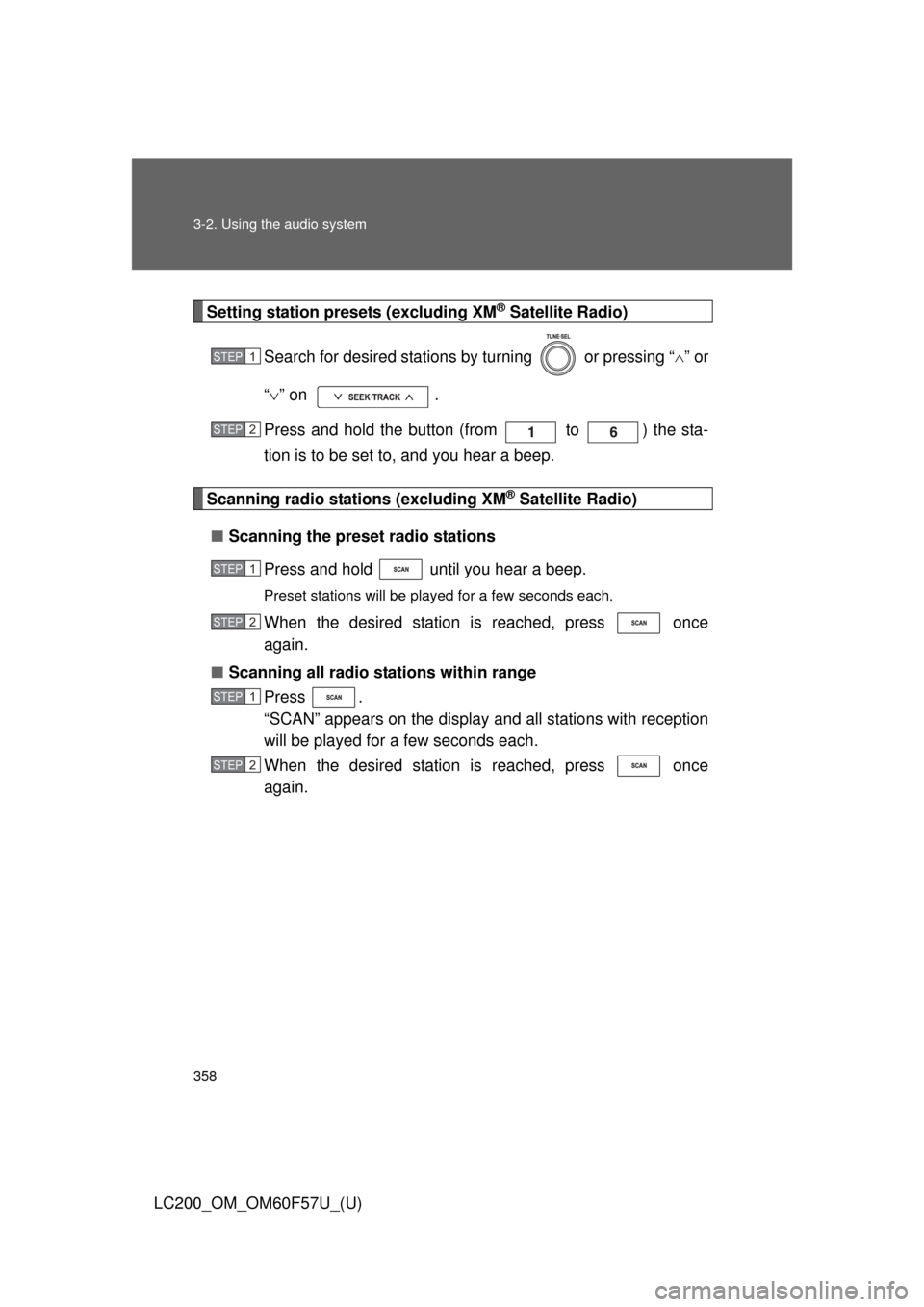
Setting station presets (excluding XM® Satellite Radio)
Search for desired stations by turning or pressing “” or
“” on .
Press and hold the button (from to ) the sta-
tion is to be set to, and you hear a beep.
Scanning radio stations (excluding XM® Satellite Radio)
■Scanning the preset radio stations
Press and hold until you hear a beep.
Preset stations will be played for a few seconds each.
When the desired station is reached, press once
again.
■Scanning all radio stations within range
Press .
“SCAN” appears on the display and all stations with reception
will be played for a few seconds each.
When the desired station is reached, press once
again.
STEP1
STEP2
STEP1
STEP2
STEP1
STEP2