Page 404 of 644
404 3-3. Using the “touch screen”
HILUX_OM_OM0K134E_(EE)Dialing from history
You can call using the call history which has the 4 functions below.
“All”: all the calls below which were memorized
“Missed”: calls which you missed
“Incoming”: calls which you received
“Outgoing”: calls which you called
Display the “Telephone” screen. (P. 395)
Touch “Call history” on the “Telephone” screen.
Select the desired tab and
choose the desired data from the
list.
Press on the steering wheel
or touch .
STEP1
STEP2
STEP3
STEP4
Page 405 of 644
405 3-3. Using the “touch screen”
3
Interior features
HILUX_OM_OM0K134E_(EE)
Call history list
If you make a call to or receive a call from a number registered in the
phonebook, the name is displayed in the call history.
If you make multiple calls to the same number, only the last call made is
displayed in the call history.
International calls
You may not be able to make international calls, depending on the mobile
phone in use.
Calling by using the latest call history item
Press on the steering wheel to display the “Telephone” screen.
Press on the steering wheel to display the “Call history” screen.
Press on the steering wheel to select the latest history item.
Press on the steering wheel or touch to call the latest his-
tory item.
STEP1
STEP2
STEP3
STEP4
Page 406 of 644
406 3-3. Using the “touch screen”
HILUX_OM_OM0K134E_(EE)
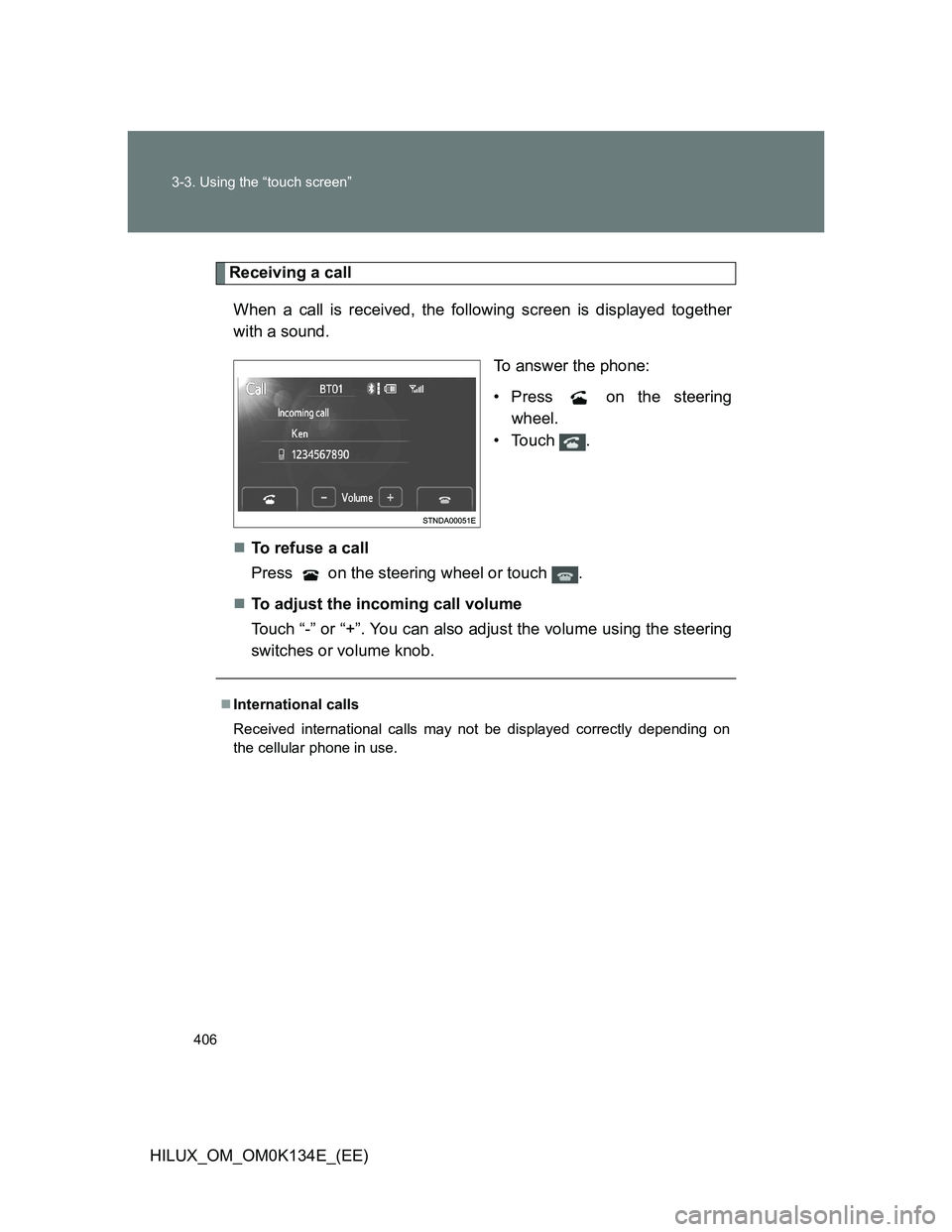
Receiving a call
When a call is received, the following screen is displayed together
with a sound.
To answer the phone:
• Press on the steering
wheel.
•Touch .
To refuse a call
Press on the steering wheel or touch .
To adjust the incoming call volume
Touch “-” or “+”. You can also adjust the volume using the steering
switches or volume knob.
International calls
Received international calls may not be displayed correctly depending on
the cellular phone in use.
Page 407 of 644
407 3-3. Using the “touch screen”
3
Interior features
HILUX_OM_OM0K134E_(EE)
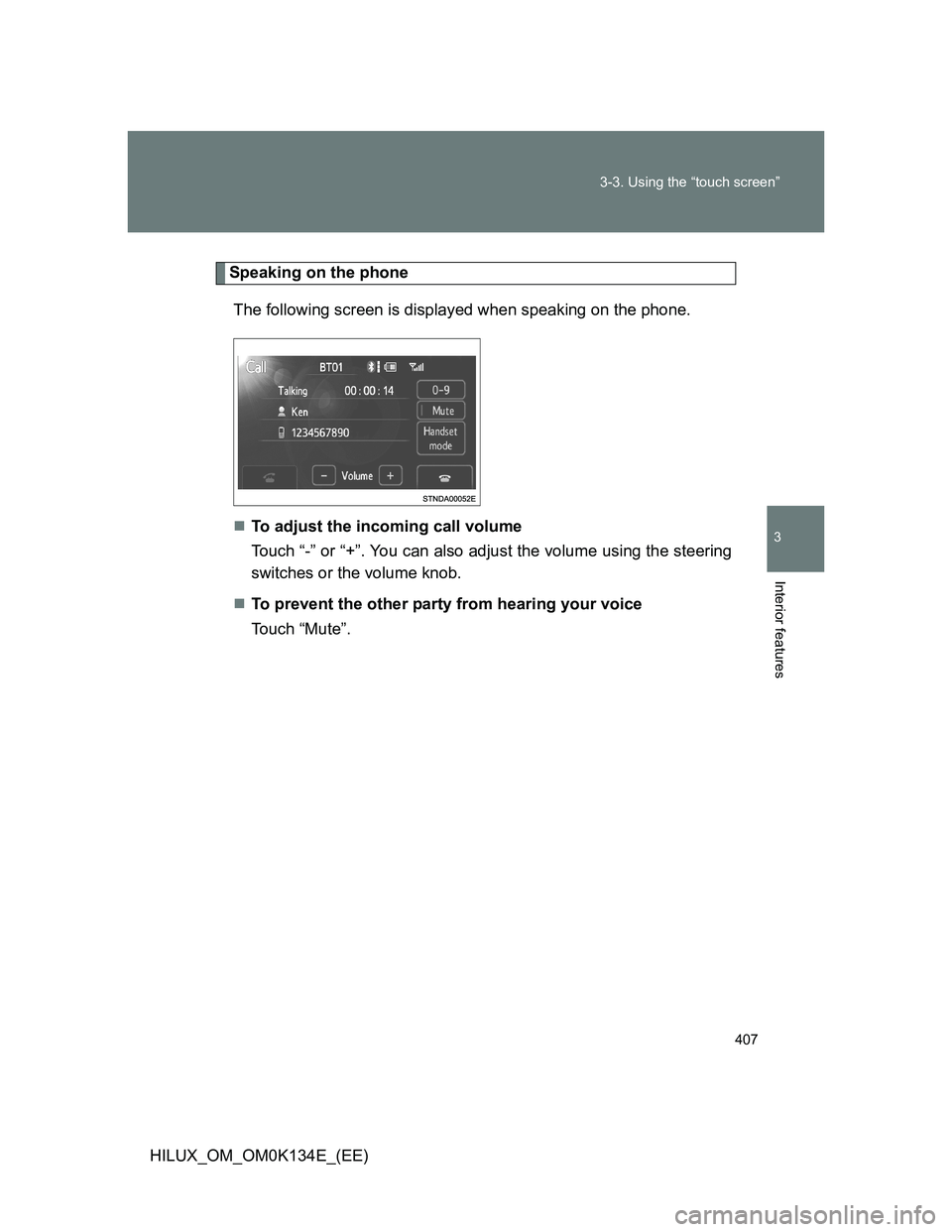
Speaking on the phone
The following screen is displayed when speaking on the phone.
To adjust the incoming call volume
Touch “-” or “+”. You can also adjust the volume using the steering
switches or the volume knob.
To prevent the other party from hearing your voice
Touch “Mute”.
Page 408 of 644
408 3-3. Using the “touch screen”
HILUX_OM_OM0K134E_(EE)Inputting tones
When using phone services such as an answering service or a
bank, you can store phone numbers and code numbers in the
phonebook.
Touch “0-9”.
Input the number.
If repeated tone symbols* are
stored in the phone book, “Send”
and “Exit” are displayed on the
right side of the screen.
*: Repeated tone symbols are sym-
bols or numbers displayed as p or
w, that come after the phone
number. (e.g. 056133w0123p#1
)
Confirm the number displayed on the screen, and touch
“Send”.
If you touch “Exit”, this function will end.
STEP1
STEP2
STEP3
STEP4
Page 409 of 644
409 3-3. Using the “touch screen”
3
Interior features
HILUX_OM_OM0K134E_(EE)To transfer a call
Touch “Handset Mode” to change from Hands-free call to cellular
phone call.
Touch “Handsfree Mode” to change from cellular phone call to
Hands-free call.
To hang up
Press on the steering wheel or touch .
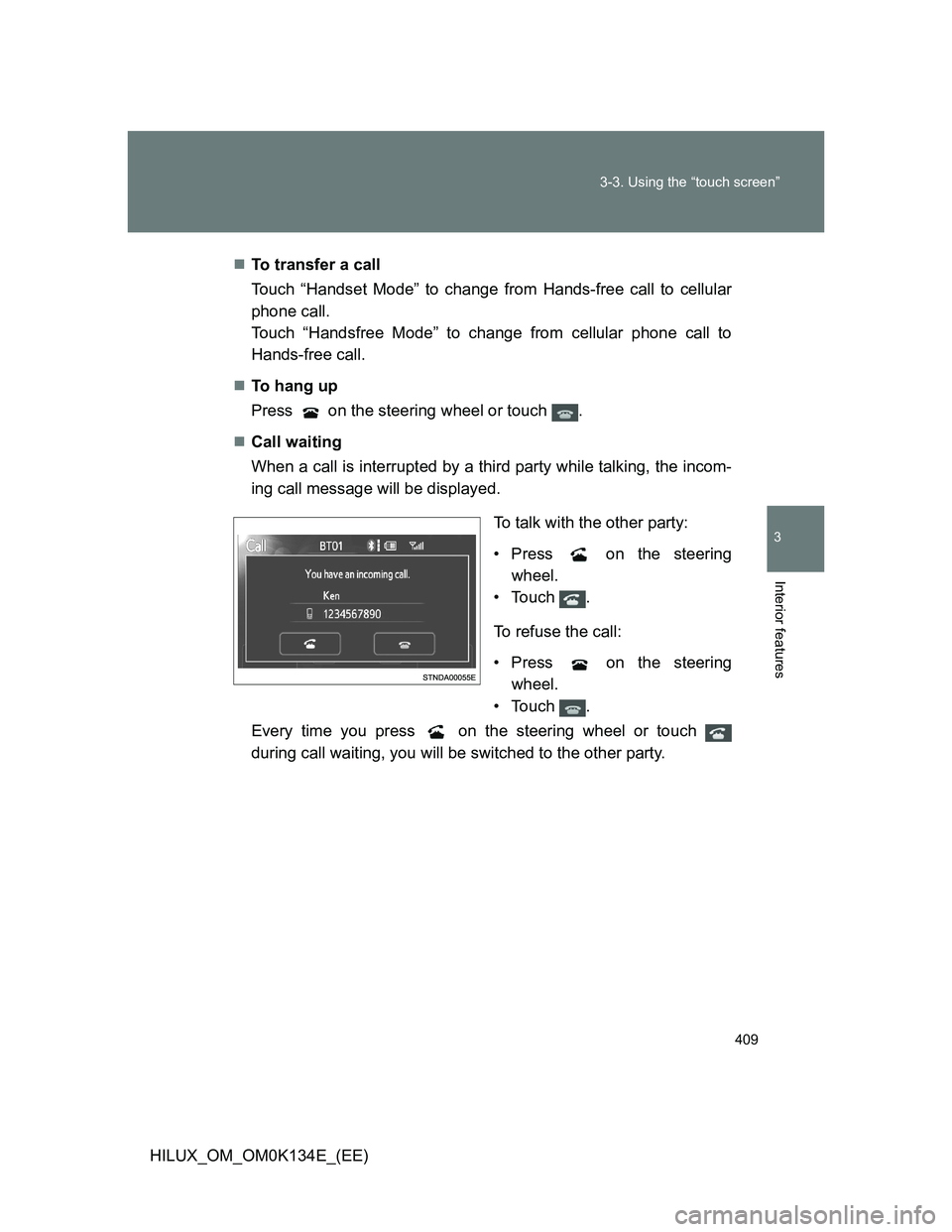
Call waiting
When a call is interrupted by a third party while talking, the incom-
ing call message will be displayed.
To talk with the other party:
• Press on the steering
wheel.
•Touch .
To refuse the call:
• Press on the steering
wheel.
•Touch .
Every time you press on the steering wheel or touch
during call waiting, you will be switched to the other party.
Page 410 of 644
410 3-3. Using the “touch screen”
HILUX_OM_OM0K134E_(EE)
Transferring calls
It is not possible to transfer from hands-free to the cellular phone while
driving.
If you transfer from the cellular phone to hands-free, the hands-free
screen will be displayed, and you can operate the system using the
screen.
Transfer method and operate may vary according to the cellular phone
used.
For operation of the cellular phone in use, see the phone’s manual.
Call waiting operation
Call waiting operation may differ depending on your phone company and
cellular phone.
Page 411 of 644
411
3-3. Using the “touch screen”
3
Interior features
HILUX_OM_OM0K134E_(EE)
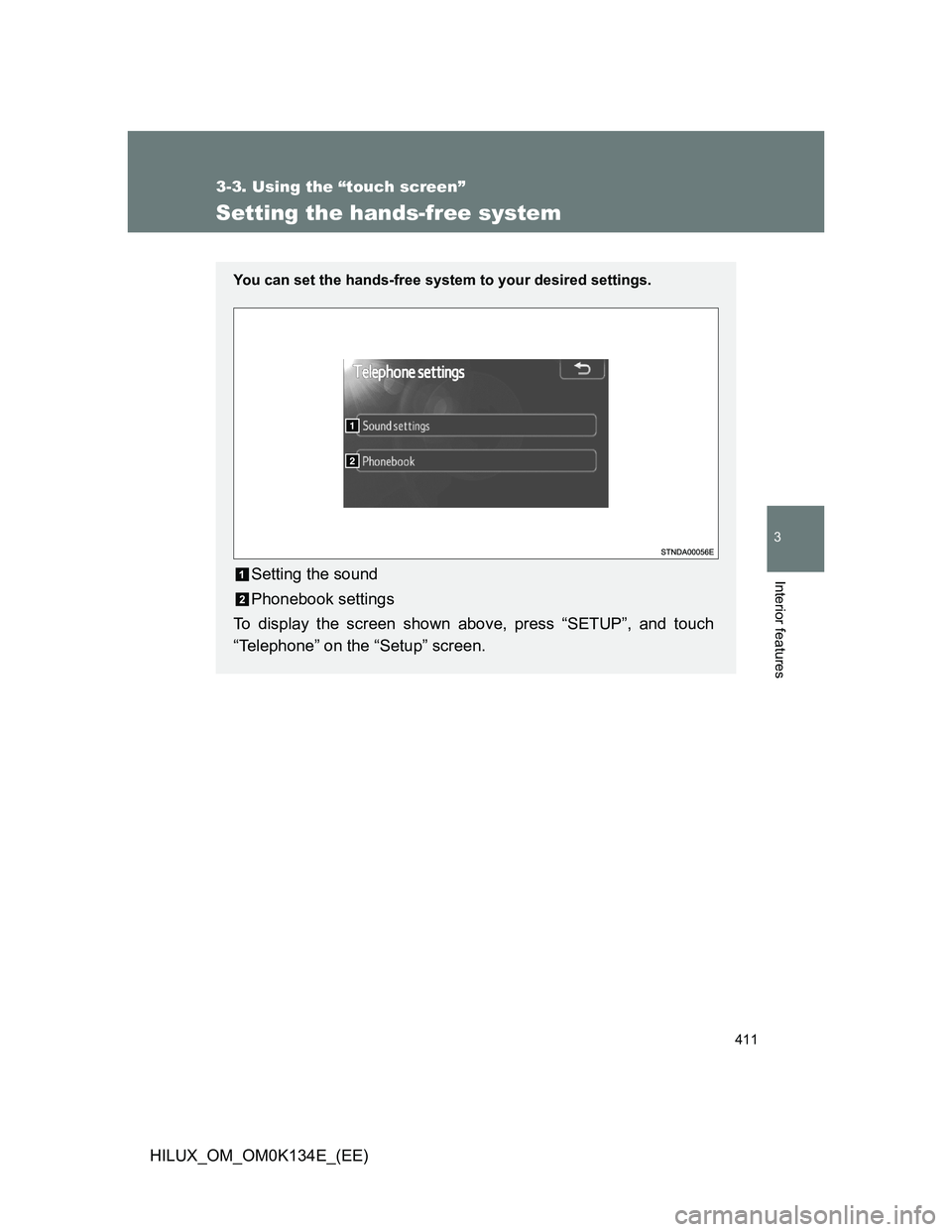
Setting the hands-free system
You can set the hands-free system to your desired settings.
Setting the sound
Phonebook settings
To display the screen shown above, press “SETUP”, and touch
“Telephone” on the “Setup” screen.