Page 272 of 684

272
3-1. Using the air conditioning system and defogger
Front manual air conditioning system ....... 274
Front automatic air conditioning system ....... 281
Rear manual air conditioning system ....... 289
Rear automatic air conditioning system ....... 292
Rear window and outside rear view
mirror defoggers ............ 295
Windshield wiper de-icer ............................ 297
Using the steering wheel climate remote control
switches ......................... 298
3-2. Using the audio system Audio system ................... 299
Using the radio ................. 307
Using the CD player ......... 314
Playing back MP3 and WMA discs ..................... 322
Operating an iPod ............ 330
Operating a USB memory .......................... 337
Optimal use of the audio system ........................... 345
Using the AUX port .......... 349
Using the steering wheel audio switches ............... 351
Detachable pole antenna .......................... 354 3-3. Using the Bluetooth®
audio system
Bluetooth
® audio
system ........................... 357
Using the Bluetooth
®
audio system.................. 360
Operating a Bluetooth
®
enabled portable
player ............................. 365
Setting up a Bluetooth
®
enabled portable
player ............................. 367
Bluetooth
® audio system
setup .............................. 372
3-4. Using the hands-free phone system
(for cellular phone)
Hands-free phone system (for cellular phone)
features .......................... 373
Using the hands-free phone system ................ 377
Making a phone call ......... 386
Setting a cellular phone ... 390
Security and system setup .............................. 395
Using the phone book ...... 399
Interior features3
Page 299 of 684
299
3
Interior features
3-2. Using the audio system
Audio system
Without Display Audio system or navigation system
Type A: CD player and AM/FM radio
Type B: CD player and AM/FM radio (with CD changer controller)
Page 300 of 684
300 3-2. Using the audio system
Type C: CD player with changer and AM/FM radio
TitlePage
Using the radioP. 307
Using the CD playerP. 314
Playing back MP3 and WMA discsP. 322
Operating an iPodP. 330
Operating a USB memoryP. 337
Optimal use of the audio systemP. 345
Using the AUX portP. 349
Using the steering wheel audio switchesP. 351
Page 303 of 684
303
3-2. Using the audio system
3
Interior features
■
Trademark owned by SRS Labs, Inc. (if equipped)
The audio systems utilize SRS FOCUS
® and SRS TruBass® audio
enhancement technologies, under license from SRS Labs, Inc., in all modes
except AM radio mode.
FOCUS, TruBass, SRS and
symbol are trademarks of SRS Labs,
Inc.
FOCUS and TruBass technologies are incorporated under license from
SRS Labs, Inc.
TruBass
® enhances the perception of bass frequencies to provide deep, rich
bass response from any size speaker.
SRS FOCUS
® raises the audio image from non-optimally placed speakers
up to the natural listening height at ear level.
Page 305 of 684
305
3-2. Using the audio system
3
Interior features
CAUTION
FCC Warning:
Changes or modifications not expressly approved by the party responsible
for compliance could void the user’s authority to operate the equipment.
This device complies with Part 15 of the FCC Rules. Operation is subject to
the following two conditions: (1) this device may not cause harmful interfer-
ence, and (2) this device must accept any interference received, including
interference that may cause undesired operation.
This equipment complies with FCC radiation exposure limits set forth for an
uncontrolled environment and meets
the FCC radio frequency (RF) Expo-
sure Guidelines in Supplement C to OET65. This equipment has very low
levels of RF energy that it deemed to comply without maximum permissive
exposure evaluation (MPE). But it is desirable that it should be installed and
operated keeping the radiator at least 20cm or more away from person’s
body (excluding extremities: hands, wrists, feet and ankles).
NOTE: This equipment has been tested and found to comply with the limits
for a Class B digital device, pursuant to Part 15 of the FCC Rules. These lim-
its are designed to provide reasonable protection against harmful interfer-
ence in a residential installation. This equipment generates, uses and can
radiate radio frequency energy and, if not installed and used in accordance
with the instructions, may cause harmful interference to radio communica-
tions. However, there is no guarantee that interference will not occur in a
particular installation.
If this equipment does cause harmful interference to radio or television
reception, which can be determined by turning the equipment off and on, the
user is encouraged to try to correct the interference by one or more of the
following measures:
- Reorient or relocate the receiving antenna.
- Increase the separation between the equipment and receiver.
- Connect the equipment into an outlet on a circuit different from that to which the receiver is connected.
- Consult the dealer or an experienced radio/TV technician for help.
This transmitter must not be co-located or operated in conjunction with any
other antenna or transmitter.
Page 307 of 684
307
3-2. Using the audio system
3
Interior features
Using the radio
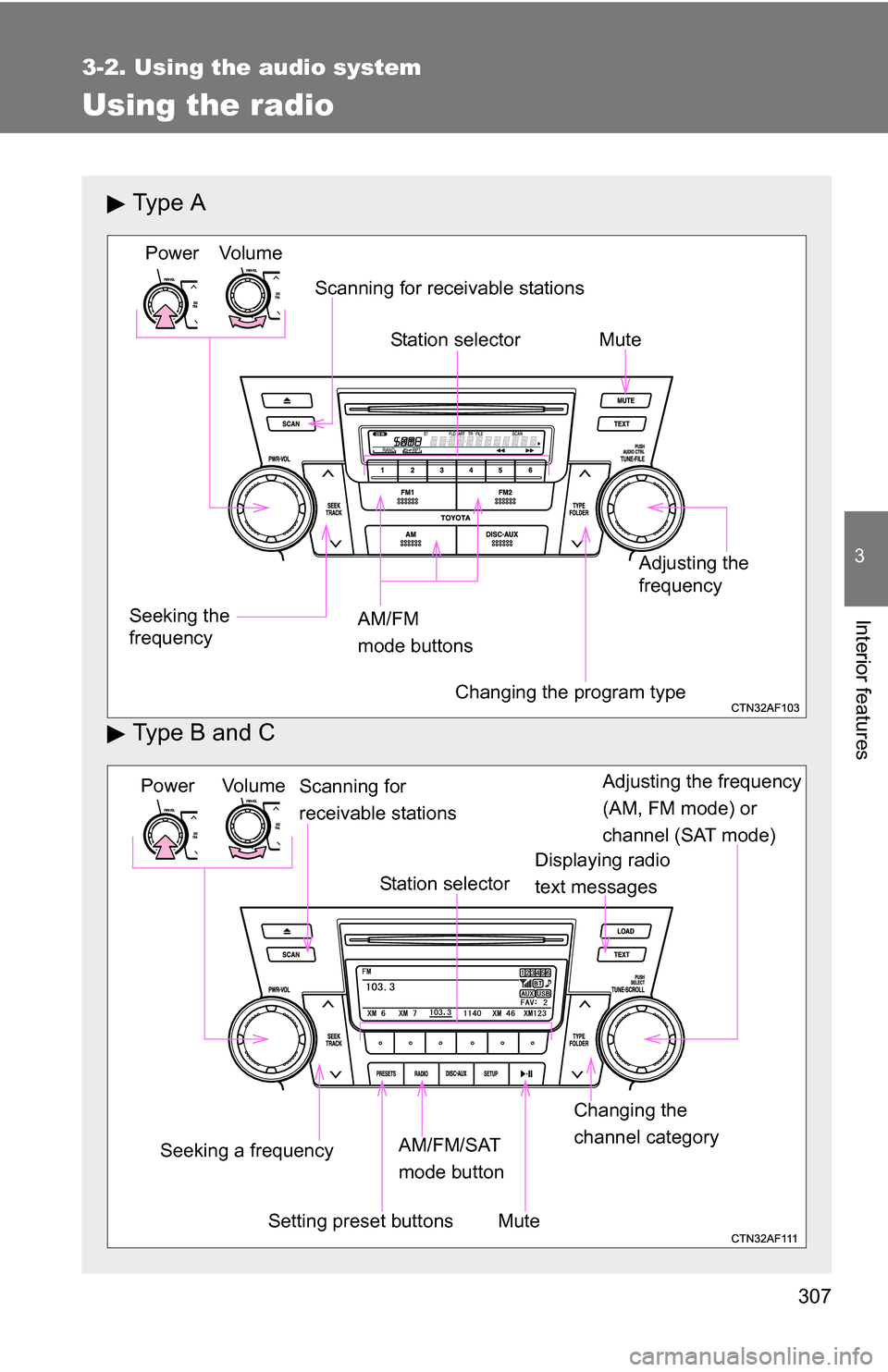
Ty p e A
Type B and C
Vo lu m e
Seeking the
frequency Station selector
AM/FM
mode buttons Adjusting the
frequency Power
Scanning for receivable stations
Changing the program type
Mute
Power Volume
Adjusting the frequency
(AM, FM mode) or
channel (SAT mode)
Seeking a frequency Displaying radio
text messages
AM/FM/SAT
mode button
Scanning for
receivable stations
Station selector
Setting preset buttons Changing the
channel category
Mute
Page 308 of 684
308 3-2. Using the audio system
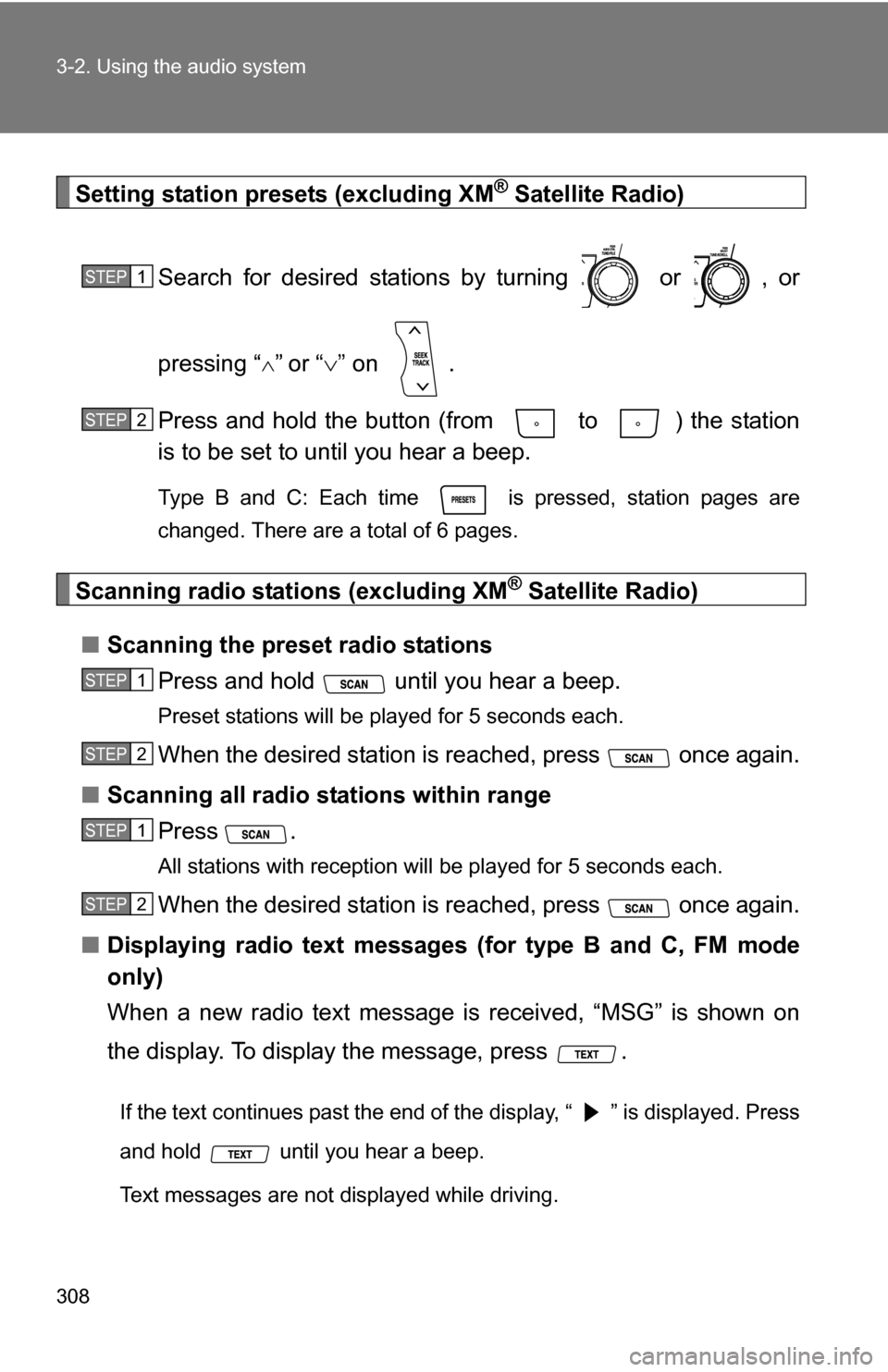
Setting station presets (excluding XM® Satellite Radio)
Search for desired stations by turning or , or
pressing “
”or “ ” on .
Press and hold the button (from to ) the station
is to be set to until you hear a beep.
Type B and C: Each time is pressed, station pages are
changed. There are a total of 6 pages.
Scanning radio stations (excluding XM® Satellite Radio)
■ Scanning the preset radio stations
Press and hold until you hear a beep.
Preset stations will be played for 5 seconds each.
When the desired station is reached, press once again.
■ Scanning all radio stations within range
Press
.
All stations with reception will be played for 5 seconds each.
When the desired station is reached, press once again.
■ Displaying radio text messages (for type B and C, FM mode
only)
When a new radio text message is received, “MSG” is shown on
the display. To display the message, press .
If the text continues past the end of the display, “ ” is displayed. Press
and hold until you hear a beep.
Text messages are not displayed while driving.
STEP1
STEP2
STEP1
STEP2
STEP1
STEP2
Page 309 of 684
309
3-2. Using the audio system
3
Interior features
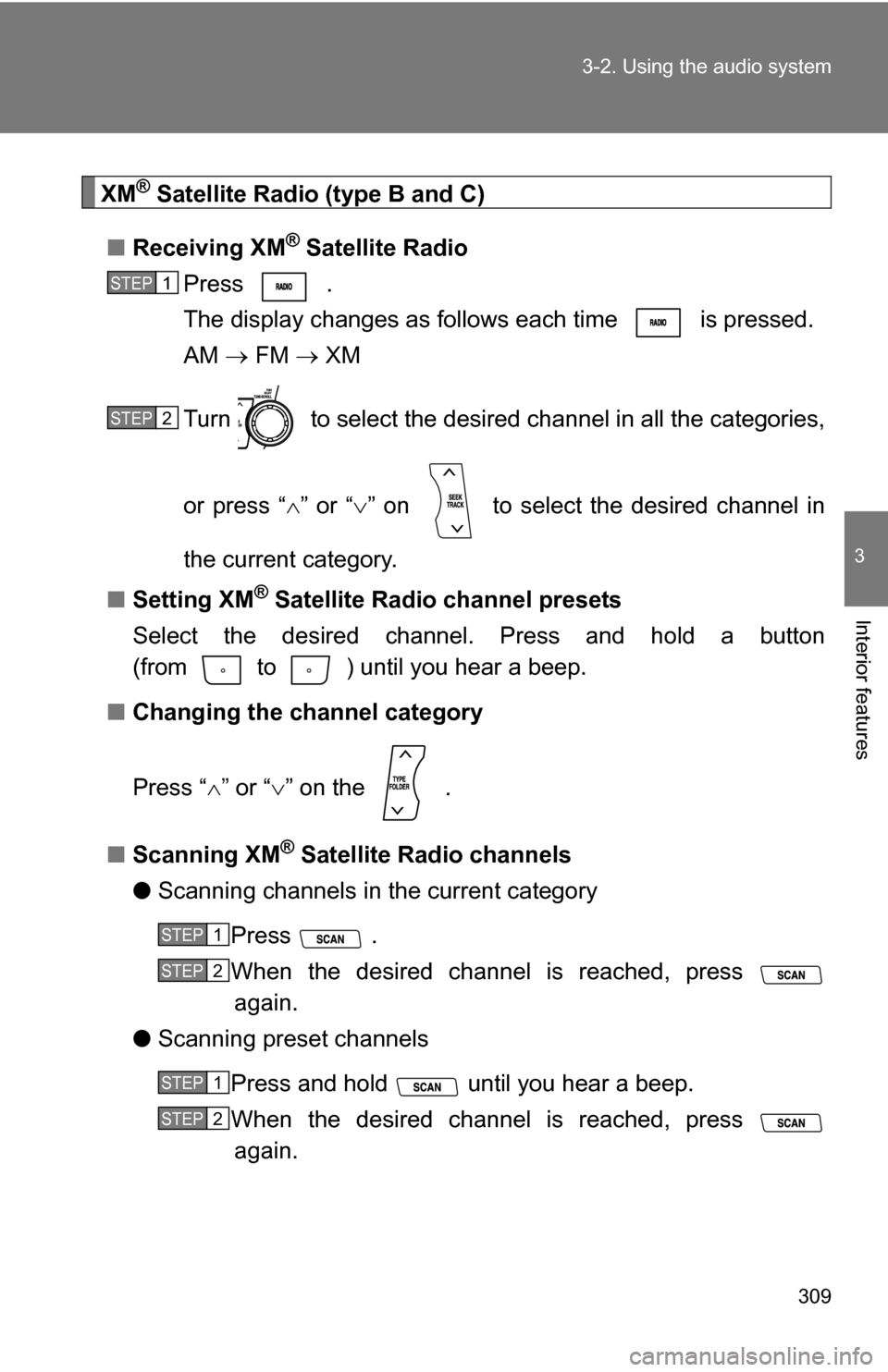
XM® Satellite Radio (type B and C)
■ Receiving XM
® Satellite Radio
Press .
The display changes as follows each time is pressed.
AM FM XM
Turn to select the desired channel in all the categories,
or press “ ” or “ ” on to select the desired channel in
the current category.
■ Setting XM
® Satellite Radio channel presets
Select the desired channel. Press and hold a button
(from to ) until you hear a beep.
■ Changing the channel category
Press “ ” or “ ” on the .
■ Scanning XM
® Satellite Radio channels
● Scanning channels in the current category
Press .
When the desired channel is reached, press again.
● Scanning preset channels
Press and hold until you hear a beep.
When the desired channel is reached, press again.
STEP1
STEP2
STEP1
STEP2
STEP1
STEP2