Page 225 of 532
225
3-2. Using the audio system
3
Interior features
CAUTION
■
U.S.A. (type B: without Display Audio system)
FCC ID: ACJ932PTA184
FCC WARNING:
Changes or modifications not expressly approved by the party responsible
for compliance could void the user’s authority to operate the equipment.
This transmitter must not be co-located or operated in conjunction with any
other antenna or transmitter.
This equipment complies with FCC radiation exposure limits set forth for an
uncontrolled environment and meets the FCC radio frequency (RF) Expo-
sure Guidelines in Supplement C to OET65. This equipment has very low
levels of RF energy that it deemed to comply without maximum permissive
exposure evaluation (MPE). But it is desirable that it should be installed and
operated keeping the radiator at least 20cm or more away from person's
body (excluding extremities: hands, wrists, feet and ankles).
● Laser products
• Do not take this unit apart or attempt to make any changes yourself.
This is an intricate unit that uses a laser pickup to retrieve information
from the surface of compact discs.
The laser is carefully shielded so that its rays remain inside the cabinet.
Therefore, never try to disassemble the player or alter any of its parts
since you may be exposed to laser rays and dangerous voltages.
• This product utilizes a laser. Use of controls or adjustments or performance of procedures other
than those specified herein may result in hazardous radiation expo-
sure.
• The use of optical instruments with this product will increase eye haz- ard.
Page 226 of 532
226 3-2. Using the audio system
CAUTION
■U.S.A. (type C: with Display Audio system)
This device complies with Part 15 of FCC Rules and Industry Canada
licence-exempt RSS standard(s).
Operation is subject to the following two conditions:
(1) this device may not cause interference, and
(2) this device must accept any interference, including interference that may
cause undesired operation of this device.
FCC Warning:
Changes or modifications not expressly approved by the party responsible
for compliance could void the user’s authority to operate the equipment.
● Laser products
• Do not take this unit apart or attempt to make any changes yourself.
This is an intricate unit that uses a laser pickup to retrieve information
from the surface of compact discs.
The laser is carefully shielded so that its rays remain inside the cabinet.
Therefore, never try to disassemble the player or alter any of its parts
since you may be exposed to laser rays and dangerous voltages.
• This product utilizes a laser. Use of controls or adjustments or performance of procedures other
than those specified herein may result in hazardous radiation expo-
sure.
• The use of optical instruments with this product will increase eye haz- ard.
Page 228 of 532
228 3-2. Using the audio system
CAUTION
●Laser products
• Do not take this unit apart or attempt to make any changes yourself.
This is an intricate unit that uses a laser pickup to retrieve information
from the surface of compact discs.
The laser is carefully shielded so that its rays remain inside the cabinet.
Therefore, never try to disassemble the player or alter any of its parts
since you may be exposed to laser rays and dangerous voltages.
• This product utilizes a laser. Use of controls or adjustments or performance of procedures other
than those specified herein may result in hazardous radiation expo-
sure.
• The use of optical instruments with this product will increase eye haz- ard.
Page 237 of 532
237
3-2. Using the audio system
3
Interior features
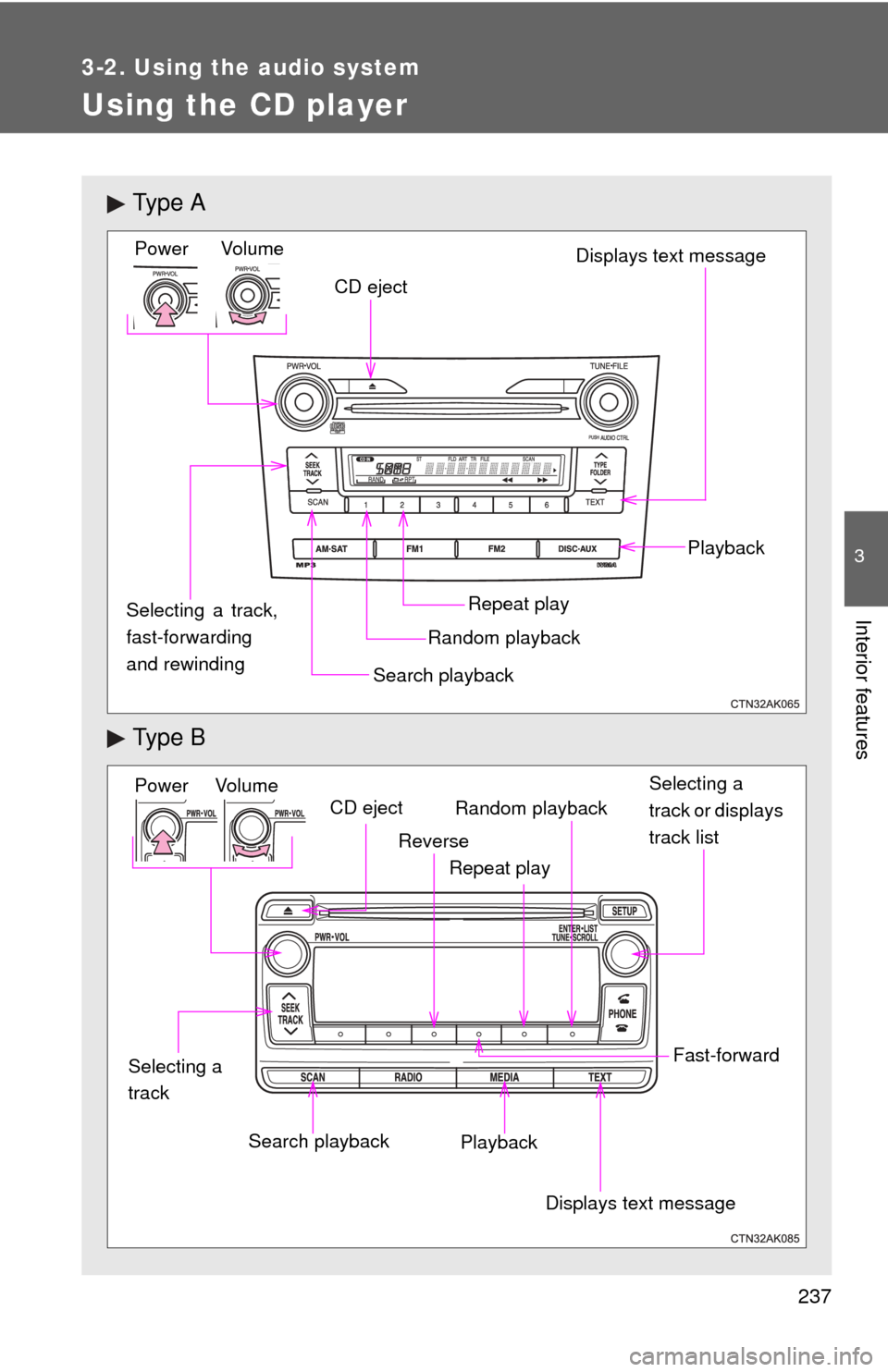
Using the CD player
Ty p e A
Ty p e B
Vol um eRandom playbackRepeat play Playback
Power
CD eject
Displays text message
Search playback
Selecting a track,
fast-forwarding
and rewinding
Power Volume Search playbackCD eject
Displays text message
Playback Selecting a
track or displays
track list
Repeat play
Random playback
Selecting a
track
Reverse
Fast-forward
Page 241 of 532
241
3-2. Using the audio system
3
Interior features
■
Error messages
“ERROR” (type B): This indicates a problem either in the CD or inside the
player.
“CD CHECK”: The CD may be dirty, damaged or inserted up-side down.
“WAIT” or “PLEASE WAIT”: Operation has stopped due to a high tempera- ture inside the player. Wait for a while and then
press or . If the CD still
cannot be played back, contact your Toyota
dealer.
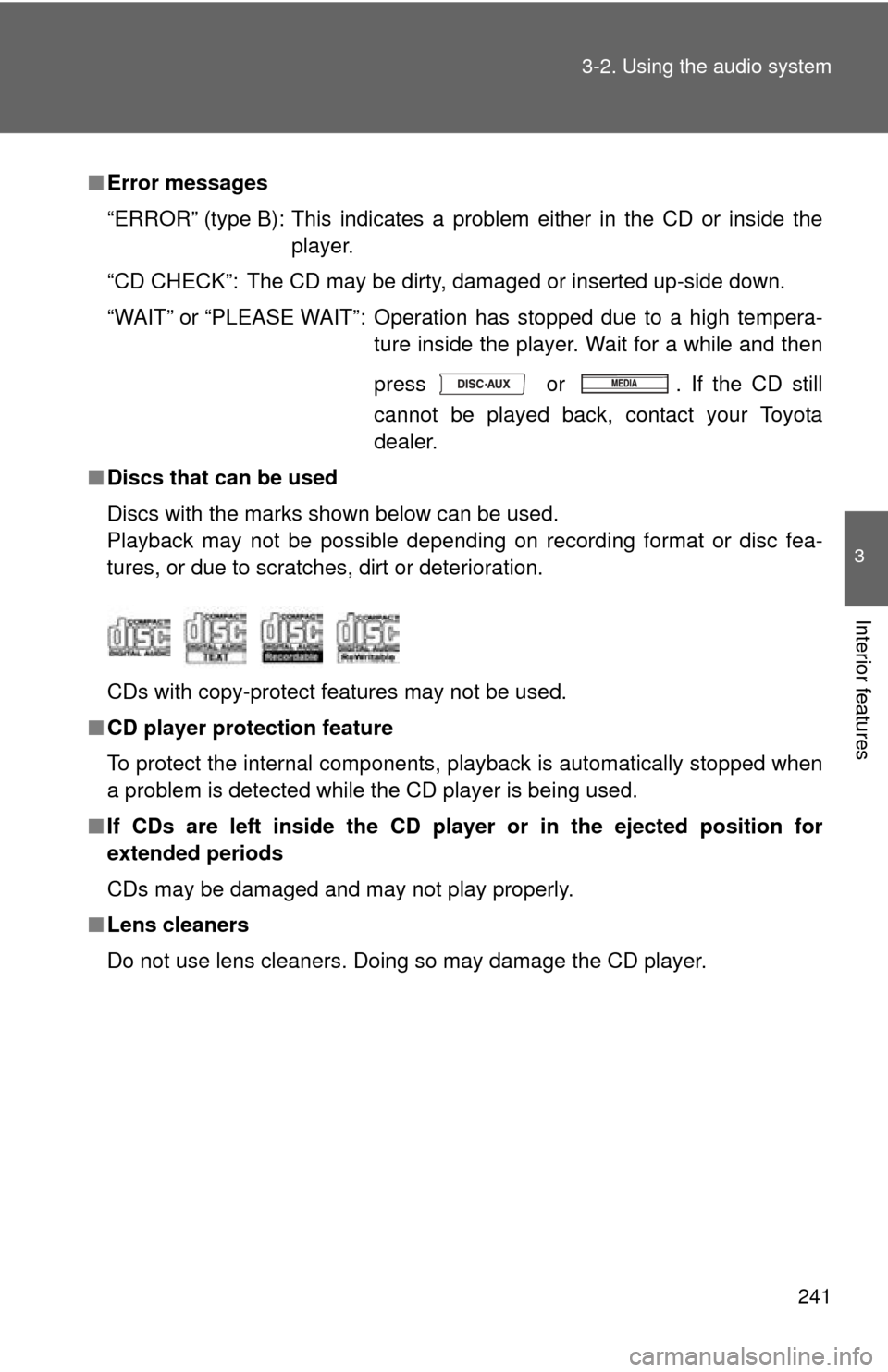
■ Discs that can be used
Discs with the marks shown below can be used.
Playback may not be possible depending on recording format or disc fea-
tures, or due to scratches, dirt or deterioration.
CDs with copy-protect features may not be used.
■ CD player protection feature
To protect the internal components, playback is automatically stopped when
a problem is detected while the CD player is being used.
■ If CDs are left inside the CD player or in the ejected position for
extended periods
CDs may be damaged and may not play properly.
■ Lens cleaners
Do not use lens cleaners. Doing so may damage the CD player.
Page 242 of 532
242 3-2. Using the audio system
NOTICE
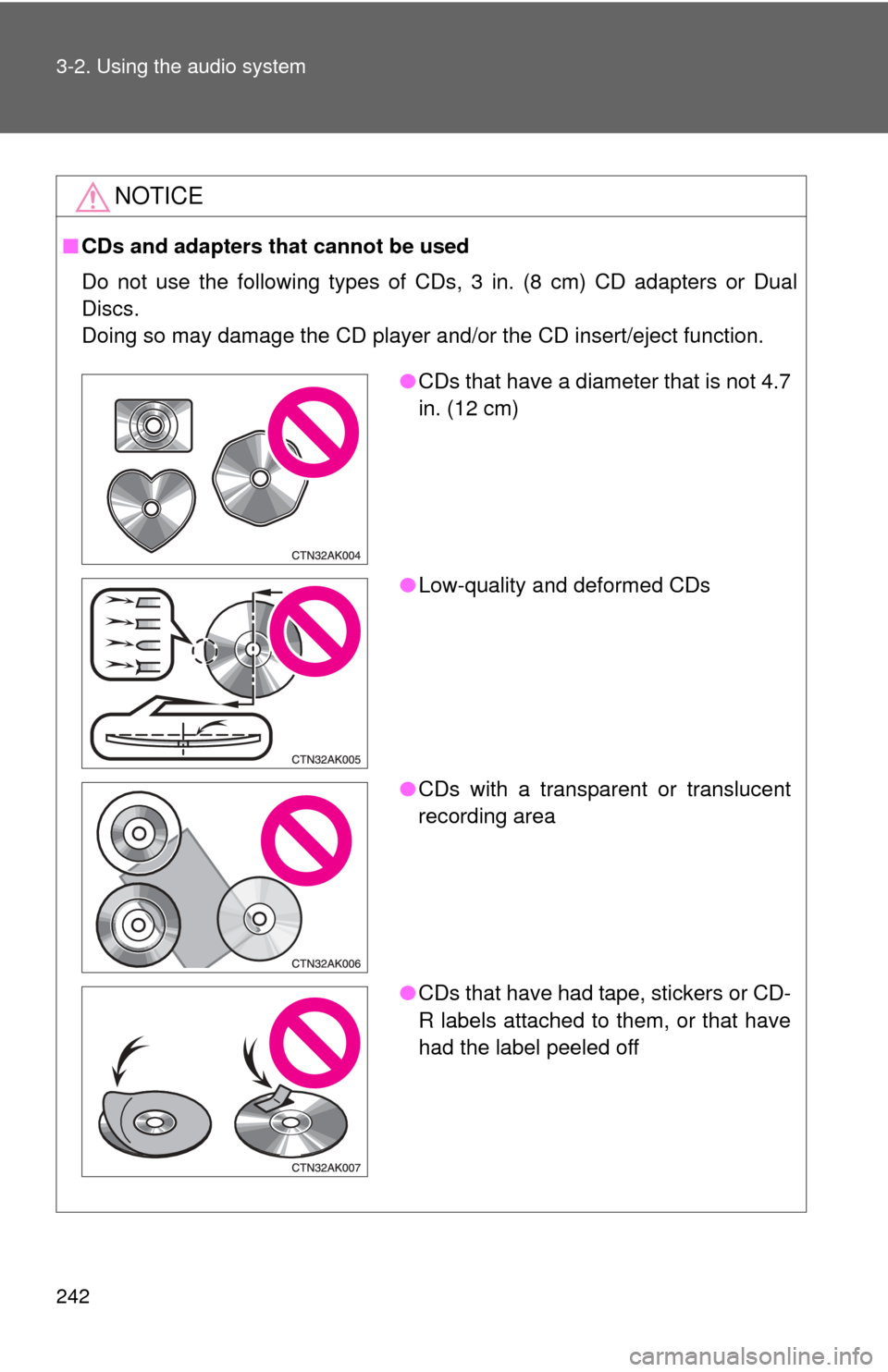
■CDs and adapters that cannot be used
Do not use the following types of CDs, 3 in. (8 cm) CD adapters or Dual
Discs.
Doing so may damage the CD player and/or the CD insert/eject function.
●CDs that have a diameter that is not 4.7
in. (12 cm)
● Low-quality and deformed CDs
● CDs with a transparent or translucent
recording area
● CDs that have had tape, stickers or CD-
R labels attached to them, or that have
had the label peeled off
Page 243 of 532
243
3-2. Using the audio system
3
Interior features
NOTICE
■
CD player precautions
Failure to follow the precautions below may result in serious damage to the
CDs or the player itself.
●Do not insert anything other than CDs into the CD slot.
● Do not apply oil to the CD player.
● Store CDs away from direct sunlight.
● Never try to disassemble any part of the CD player.
Page 249 of 532
249
3-2. Using the audio system
3
Interior features
■
Display
P. 240
■ Error messages
“CD CHECK”: This indicates a problem eit her in the CD or inside the player.
The CD may be dirty, damaged or inserted up-side down.
“NO MUSIC” (type A): This indicates that MP3/WMA files are not included in the CD.
“WAIT” or “PLEASE WAIT” (type A): Operation has stopped due to a high temperature inside the player. Wait for
a while and then press .
Contact your Toyota dealer if the CD
still cannot be played.
“ERROR” (type B): This indicates a problem either in the CD or inside the player.
“NO SUPPORT” (type B):This indicates that MP3/WMA files are not included in the CD.
■ Discs that can be used
P. 241
■ CD player protection feature
P. 241
■ If CDs are left inside the CD player or in the ejected position for
extended periods
P. 241
■ Lens cleaners
P. 241