Page 157 of 420
3-26Instruments and controls/Multi function display (vehicles without a genuine SUBARU navigation system)
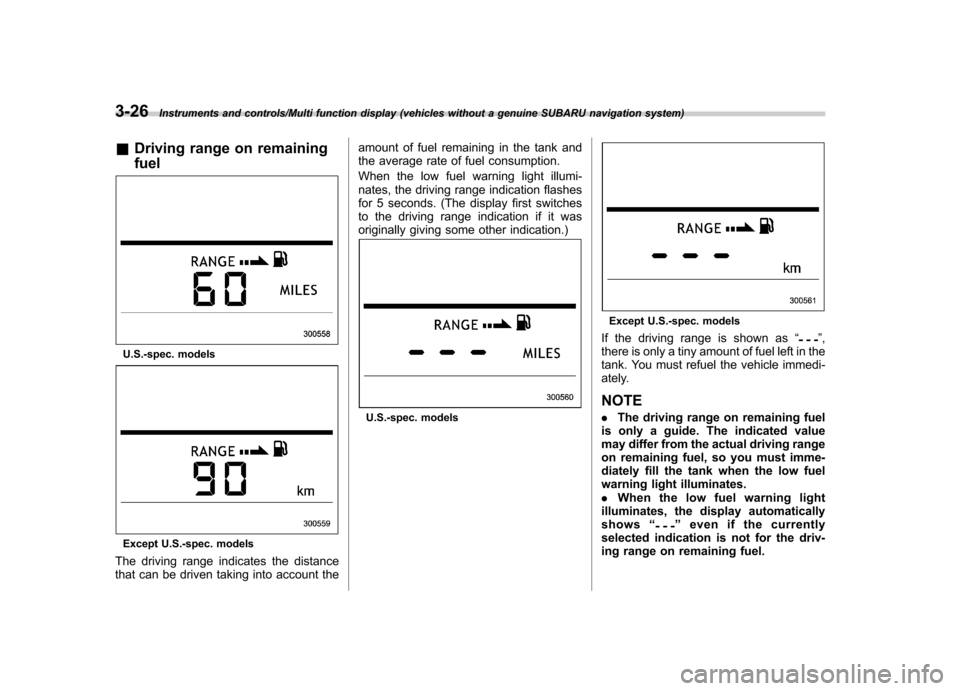
&Driving range on remaining fuel
U.S.-spec. models
Except U.S.-spec. models
The driving range indicates the distance
that can be driven taking into account the amount of fuel remaining in the tank and
the average rate of fuel consumption.
When the low fuel warning light illumi-
nates, the driving range indication flashes
for 5 seconds. (The display first switches
to the driving range indication if it was
originally giving some other indication.)
U.S.-spec. models
Except U.S.-spec. models
If the driving range is shown as “
”,
there is only a tiny amount of fuel left in the
tank. You must refuel the vehicle immedi-
ately. NOTE . The driving range on remaining fuel
is only a guide. The indicated value
may differ from the actual driving range
on remaining fuel, so you must imme-
diately fill the tank when the low fuel
warning light illuminates.. When the low fuel warning light
illuminates, the display automaticallyshows “
”even if the currently
selected indication is not for the driv-
ing range on remaining fuel.
Page 216 of 420
*1: The frequency last received in the selectedwaveband will be displayed.
*2: Only when a CD is in the player.
*3: Only vehicle equipped with RSE (Rear Seat Entertainment)
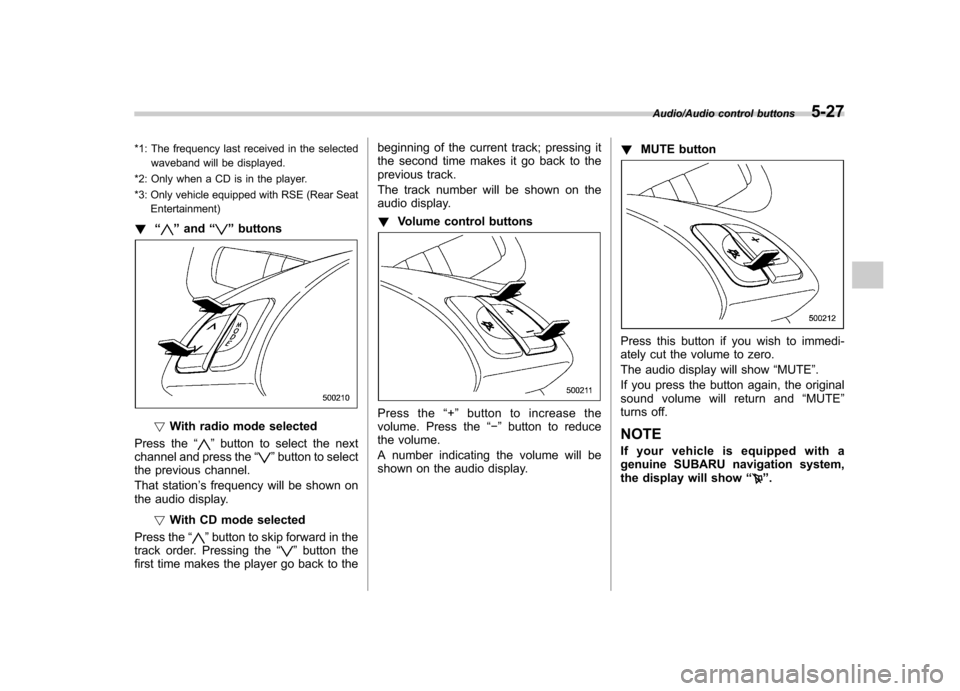
! “
”and “”buttons
! With radio mode selected
Press the “
”button to select the next
channel and press the “”button to select
the previous channel.
That station ’s frequency will be shown on
the audio display.
!With CD mode selected
Press the “
”button to skip forward in the
track order. Pressing the “”button the
first time makes the player go back to the beginning of the current track; pressing it
the second time makes it go back to the
previous track.
The track number will be shown on the
audio display. !
Volume control buttons
Press the “+ ” button to increase the
volume. Press the “ ” button to reduce
the volume.
A number indicating the volume will be
shown on the audio display. !
MUTE button
Press this button if you wish to immedi-
ately cut the volume to zero.
The audio display will show “MUTE ”.
If you press the button again, the original
sound volume will return and “MUTE ”
turns off.
NOTE
If your vehicle is equipped with a
genuine SUBARU navigation system,
the display will show “
”.
Audio/Audio control buttons5-27
Page 218 of 420
Rear Seat Entertainment
(RSE) system operation (ifequipped)
If your vehicle is equipped with the Rear
Seat Entertainment (RSE) system, you
can listen to the audio via the vehicle
speakers. Push the“RSE AUX ”button to
play a DVD using the Rear Seat Entertain-
ment system.
For detailed operating procedures, refer to
the Owner ’s Manual supplement for the
Rear Seat Entertainment (RSE) system.
NOTE . To watch a DVD in the front seats
using the monitor of the navigation
system, park the vehicle in a safe
location and apply the parking brake.
Images of the DVD will not be displayed
on the front monitor unless the parking
brake is applied.. The harman/kardon
®audio system
is a stereo system with 2 channels. If a
harman/kardon
®audio system is
equipped, the Rear Seat Entertainment
(RSE) system may not generate a
satisfying realistic sound when playing
5.1 channel audio sources. Precautions to observe when
handling a compact disc
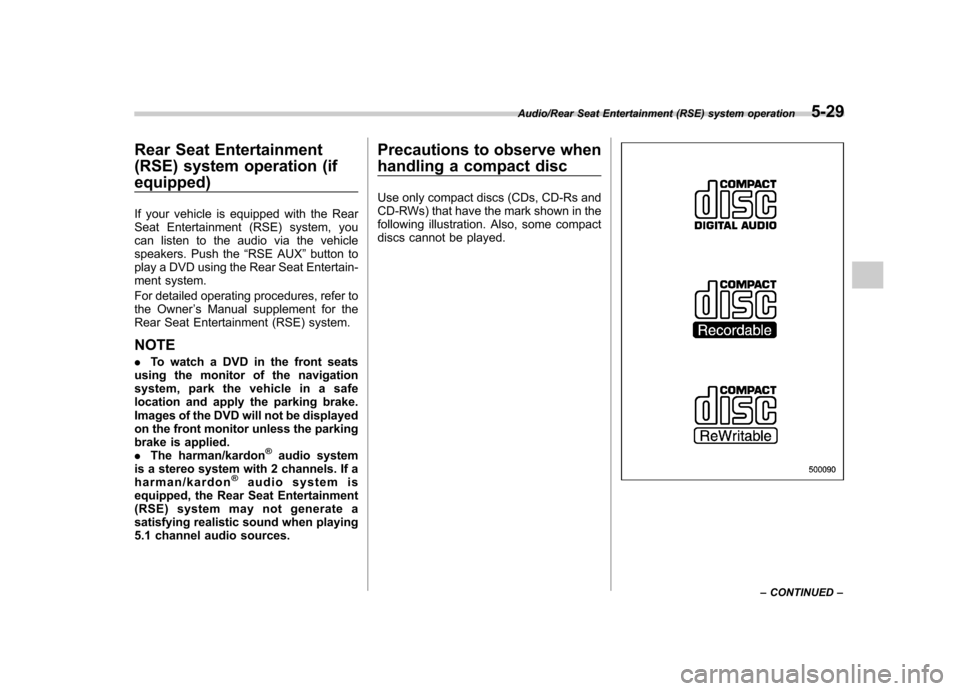
Use only compact discs (CDs, CD-Rs and
CD-RWs) that have the mark shown in the
following illustration. Also, some compact
discs cannot be played.
Audio/Rear Seat Entertainment (RSE) system operation5-29
– CONTINUED –
Page 240 of 420
opener by pressing the programmed HomeLink®button.
& Programming other devices
To program other devices such as door
locks, home lighting and security systems,
contact HomeLink at www.homelink.com
or call 1-800-355-3515. & Operating the HomeLink
®
Wireless Control System
Once programmed, the HomeLink
®Wire-
less Control System can be used to
remote-control the devices to which its
buttons are programmed. To activate a
device, simply press the appropriate but-
ton. The indicator light illuminates, indicat-
ing that the signal is being transmitted.
& Erasing HomeLink
®button
memory
NOTE . Performing this procedure erases
the memory of all the preprogrammed
buttons simultaneously. The memory
of individual buttons cannot be erased. . It is recommended that upon the
sale of the vehicle, the memory of all
programmed HomeLink
®buttons be
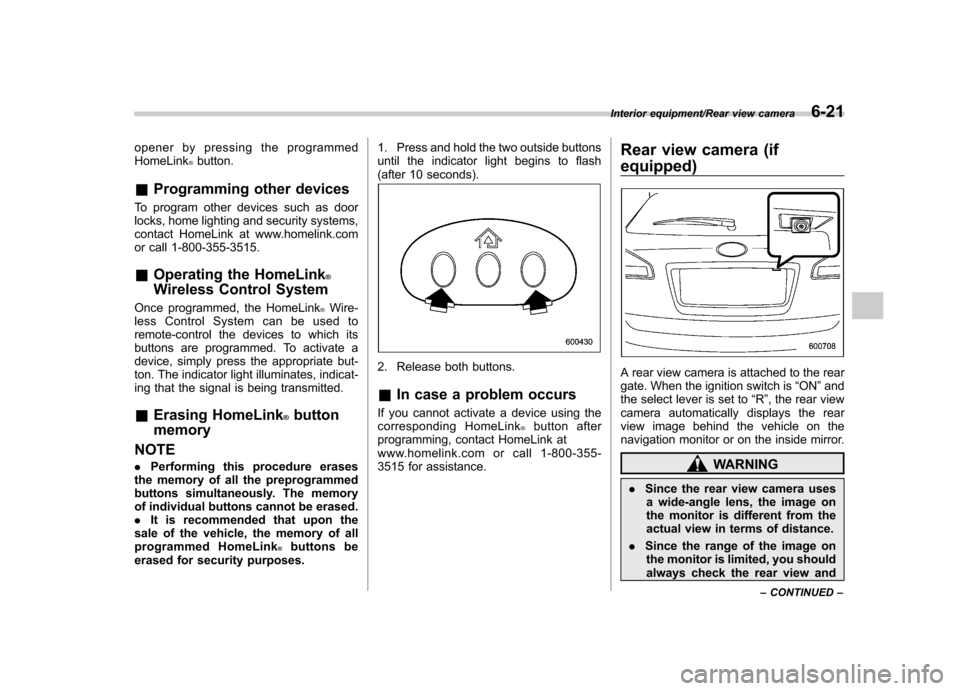
erased for security purposes. 1. Press and hold the two outside buttons
until the indicator light begins to flash
(after 10 seconds).
2. Release both buttons. &
In case a problem occurs
If you cannot activate a device using the
corresponding HomeLink
®button after
programming, contact HomeLink at
www.homelink.com or call 1-800-355-
3515 for assistance. Rear view camera (if
equipped)
A rear view camera is attached to the rear
gate. When the ignition switch is
“ON ”and
the select lever is set to “R ”, the rear view
camera automatically displays the rear
view image behind the vehicle on the
navigation monitor or on the inside mirror.
WARNING
. Since the rear view camera uses
a wide-angle lens, the image on
the monitor is different from the
actual view in terms of distance.
. Since the range of the image on
the monitor is limited, you should
always check the rear view and
Interior equipment/Rear view camera6-21
– CONTINUED –
Page 243 of 420
6-24Interior equipment/Rear view camera
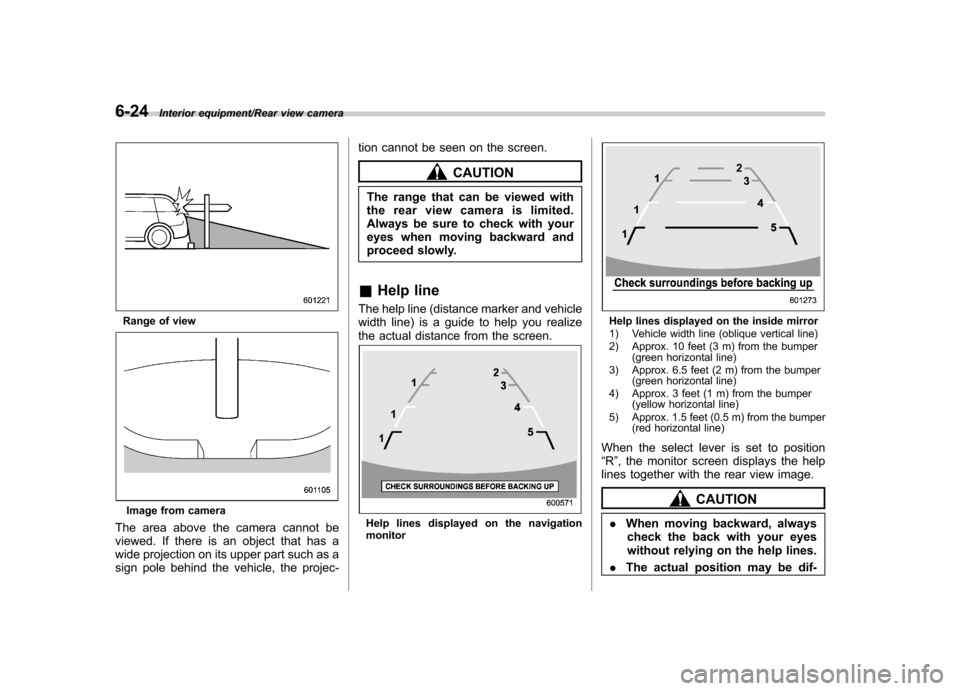
Range of view
Image from camera
The area above the camera cannot be
viewed. If there is an object that has a
wide projection on its upper part such as a
sign pole behind the vehicle, the projec- tion cannot be seen on the screen.
CAUTION
The range that can be viewed with
the rear view camera is limited.
Always be sure to check with your
eyes when moving backward and
proceed slowly.
& Help line
The help line (distance marker and vehicle
width line) is a guide to help you realize
the actual distance from the screen.
Help lines displayed on the navigation monitor
Help lines displayed on the inside mirror
1) Vehicle width line (oblique vertical line)
2) Approx. 10 feet (3 m) from the bumper (green horizontal line)
3) Approx. 6.5 feet (2 m) from the bumper (green horizontal line)
4) Approx. 3 feet (1 m) from the bumper (yellow horizontal line)
5) Approx. 1.5 feet (0.5 m) from the bumper (red horizontal line)
When the select lever is set to position “ R ”, the monitor screen displays the help
lines together with the rear view image.
CAUTION
. When moving backward, always
check the back with your eyes
without relying on the help lines.
. The actual position may be dif-
Page 326 of 420
Exterior care....................................................... 10-2
Washing ............................................................. 10-2
Waxing and polishing ......................................... 10-3
Cleaning aluminum wheels ................................. 10-3
Corrosion protection .......................................... 10-4
Most common causes of corrosion ..................... 10-4
To help prevent corrosion ................................... 10-4 Cleaning the interior
.......................................... 10-5
Seat fabric ......................................................... 10-5
Leather seat materials ........................................ 10-5
Synthetic leather upholstery ............................... 10-5
Climate control panel, audio panel, instrument panel, console panel, switches, combination
meter, and other plastic surface ....................... 10-5
Navigation monitor (if equipped) ........................ 10-6
Appearance care
10
Page 331 of 420
10-6Appearance care/Cleaning the interior
that contain silicone on the vehi-
cle audio system, electrical com-
ponents of the air-conditioner or
any switches. If silicone adheres
to these parts, it may cause
damage to electrical compo-nents.
& Navigation monitor (if equipped)
To clean the navigation monitor, wipe it
with a silicone cloth or with a soft cloth. If
the navigation monitor is extremely dirty,
clean it with a soft cloth moistened with
neutral detergent then carefully wipe off
any remaining detergent. NOTE . Do not spray neutral detergent di-
rectly onto the monitor. Doing so could
damage the monitor ’s components.
. Do not wipe the monitor with a hard
cloth. Doing so could scratch the
monitor.. Do not use cleaning fluid that con-
tains thinner, gasoline, or any other
volatile substance. Such cleaning fluid
could erase the lettering on the
switches at the bottom of the monitor.