Page 3 of 484
1
2
3
4
5
6
7
3
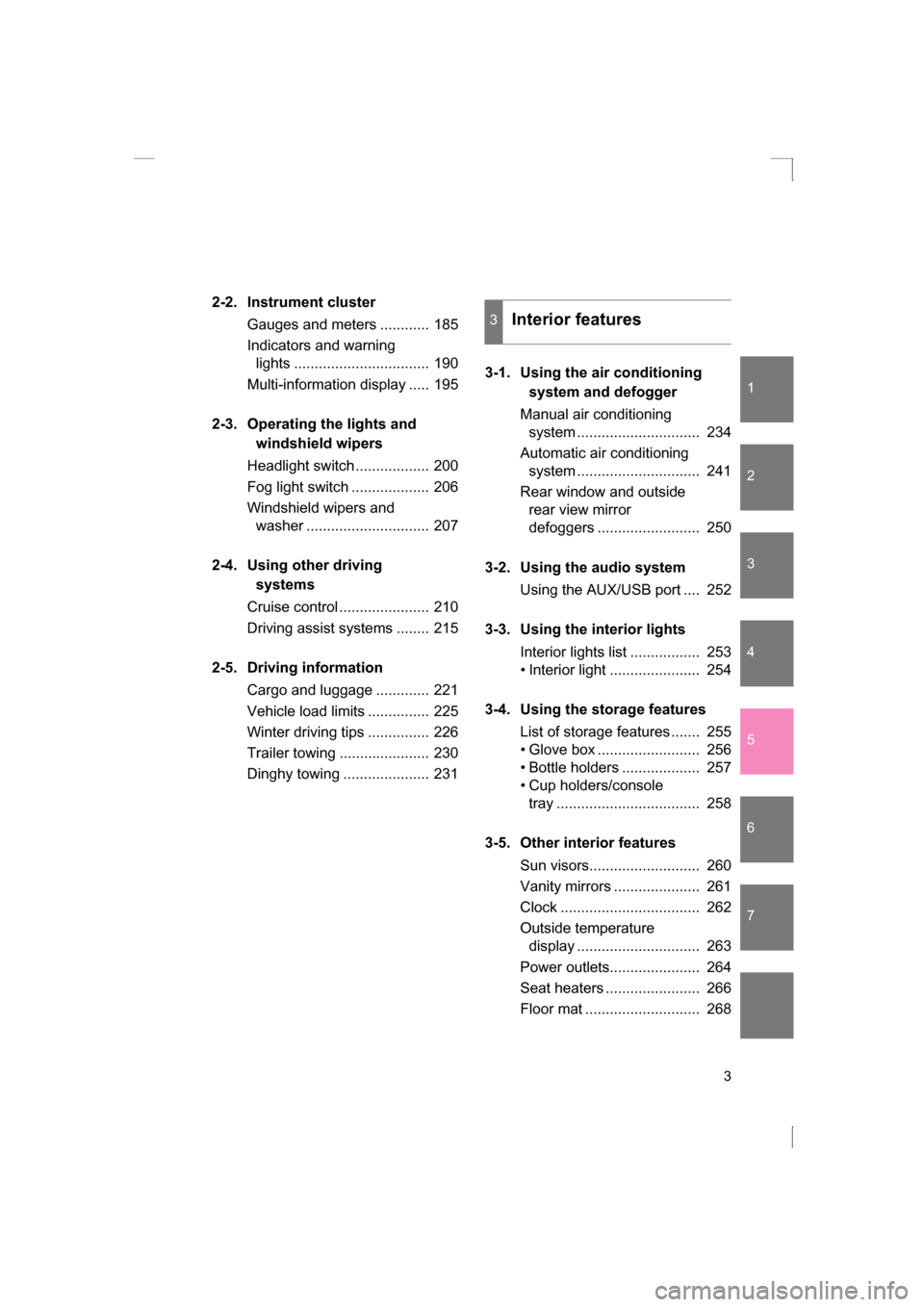
2-2. Instrument cluster
Gauges and meters ............ 185
Indicators and warning lights ................................. 190
Multi-information display ..... 195
2-3. Operating the lights and windshield wipers
Headlight switch .................. 200
Fog light switch ................... 206
Windshield wipers and washer .............................. 207
2-4. Using other driving systems
Cruise control ...................... 210
Driving assist systems ........ 215
2-5. Driving information Cargo and luggage ............. 221
Vehicle load limits ............... 225
Winter driving tips ............... 226
Trailer towing ...................... 230
Dinghy towing ..................... 231 3-1. Using the air conditioning
system and defogger
Manual air conditioning system .............................. 234
Automatic air conditioning
system .............................. 241
Rear window and outside rear view mirror
defoggers ......................... 250
3-2. Using the audio system Using the AUX/USB port .... 252
3-3. Using the interior lights Interior lights list ................. 253
Page 11 of 484
11
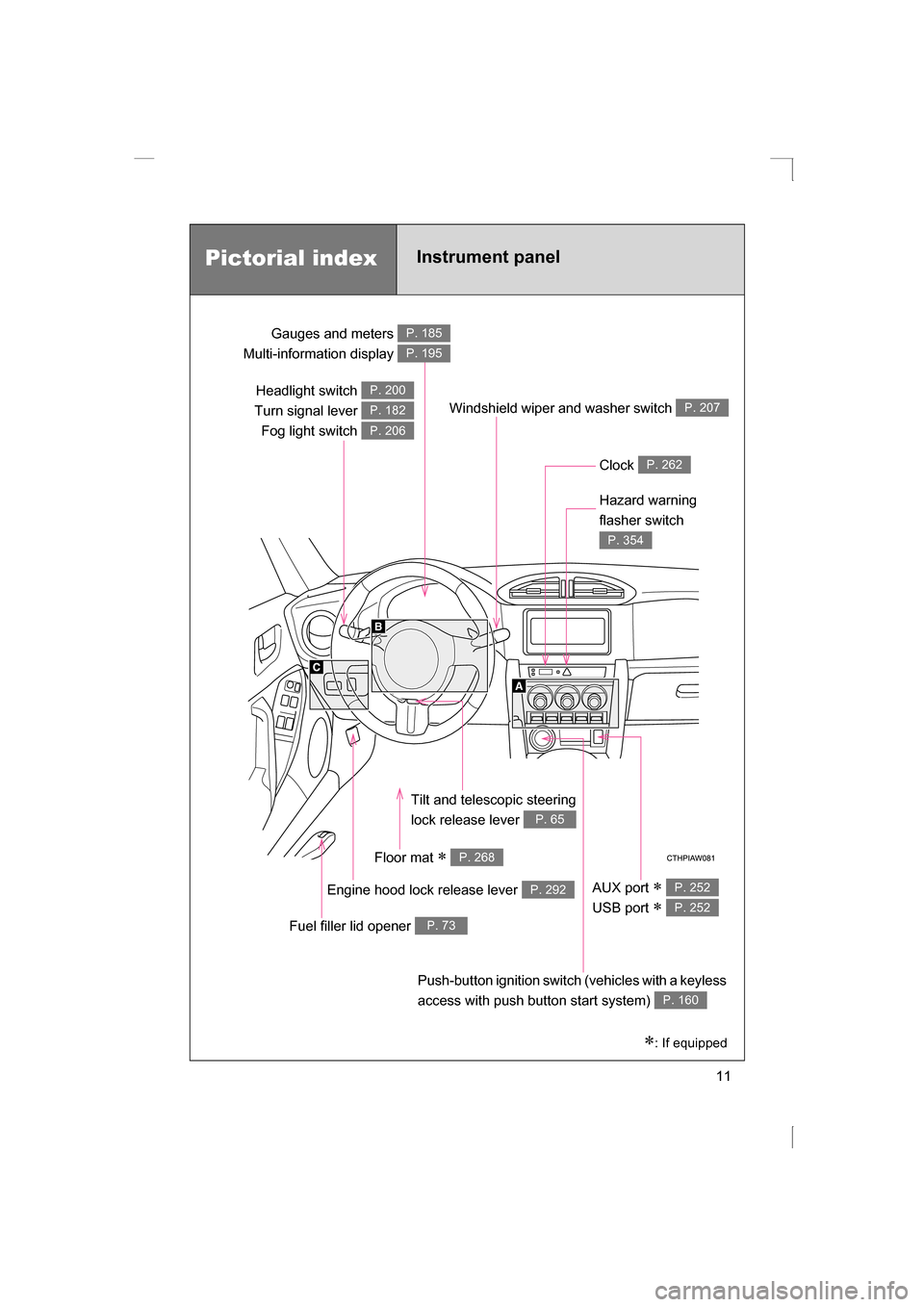
Headlight switch
Turn signal lever Fog light switch P. 200
P. 182
P. 206
Gauges and meters
Multi-information display P. 185
P. 195
Clock P. 262
Windshield wiper and washer switch P. 207
Hazard warning
flasher switch
P. 354
Tilt and telescopic steering
lock release lever
P. 65
Floor mat ∗ P. 268
Engine hood lock release lever P. 292
Fuel filler lid opener P. 73
Push-button ignition switch (vehicles with a keyless
access with push button start system)
P. 160
AUX port ∗
USB port ∗ P. 252
P. 252
Pictorial index
Instrument panel
∗: If equipped
Page 136 of 484
136
1-7. Safety information
Installing child restraints
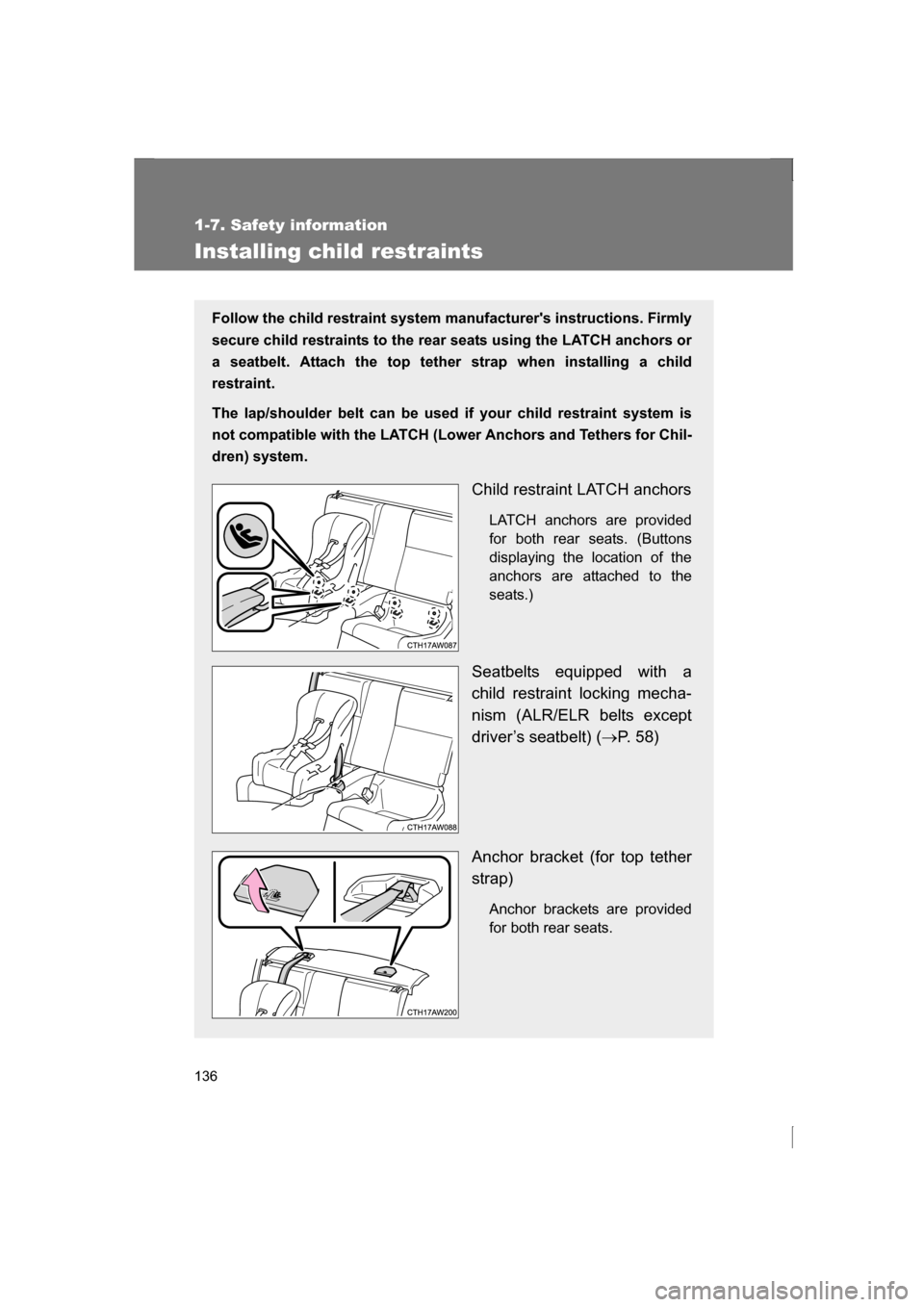
Follow the child restraint system manufacturer's instructions. Firmly
secure child restraints to the rear seats using the LATCH anchors or
a seatbelt. Attach the top tether strap when installing a child
restraint.
The lap/shoulder belt can be used if your child restraint system is
not compatible with the LATCH (Lower Anchors and Tethers for Chil-
dren) system.
Child restraint LATCH anchorsLATCH anchors are provided
for both rear seats. (Buttons
displaying the location of the
anchors are attached to the
seats.)
Seatbelts equipped with a
child restraint locking mecha-
nism (ALR/ELR belts except
driver’s seatbelt) ( →P. 5 8 )
Anchor bracket (for top tether
strap) Anchor brackets are provided
for both rear seats.
Page 145 of 484
When driving2
145
2-1. Driving proceduresDriving the vehicle............ 146
Push-button ignition switch ............................. 160
Engine (ignition) switch .... 169
Automatic transmission .... 172
Manual Transmission ....... 179
Turn signal lever .............. 182
Parking brake ................... 183
Horn ................................. 184
2-2. Instrument cluster Gauges and meters ......... 185
Indicators and warning lights .............................. 190
Multi-information display............................ 195 2-3. Operating the lights and
windshield wipers
Headlight switch ............... 200
Fog light switch ................ 206
Windshield wipers and washer ........................... 207
2-4. Using other driving systems
Cruise control ................... 210
Driving assist systems ..... 215
2-5. Driving information Cargo and luggage .......... 221
Vehicle load limits ............ 225
Winter driving tips ............ 226
Trailer towing ................... 230
Dinghy towing .................. 231
Page 173 of 484
173
2-1. Driving procedures
2
When driving
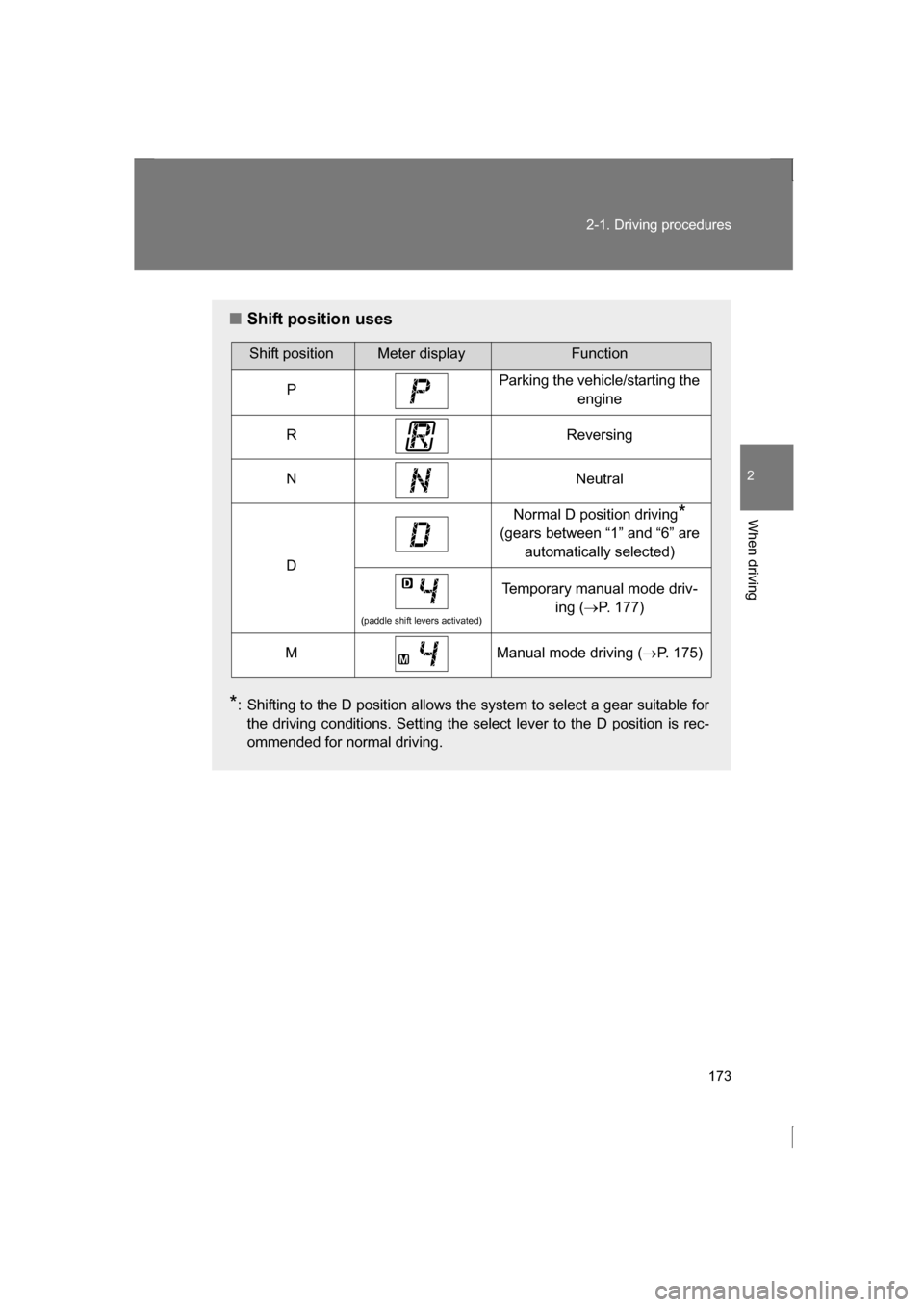
■Shift position uses
* : Shifting to the D position allows the system to select a gear suitable for
the driving conditions. Setting the select lever to the D position is rec-
ommended for normal driving.
Shift positionMeter displayFunction
PParking the vehicle/starting the engine
RReversing
NNeutral
D
Normal D position driving *
(gears between “1” and “6” are automatically selected)
(paddle shift levers activated)
Temporary manual mode driv- ing (→P. 177)
MManual mode driving ( →P. 175)
Page 175 of 484
175
2-1. Driving procedures
2
When driving
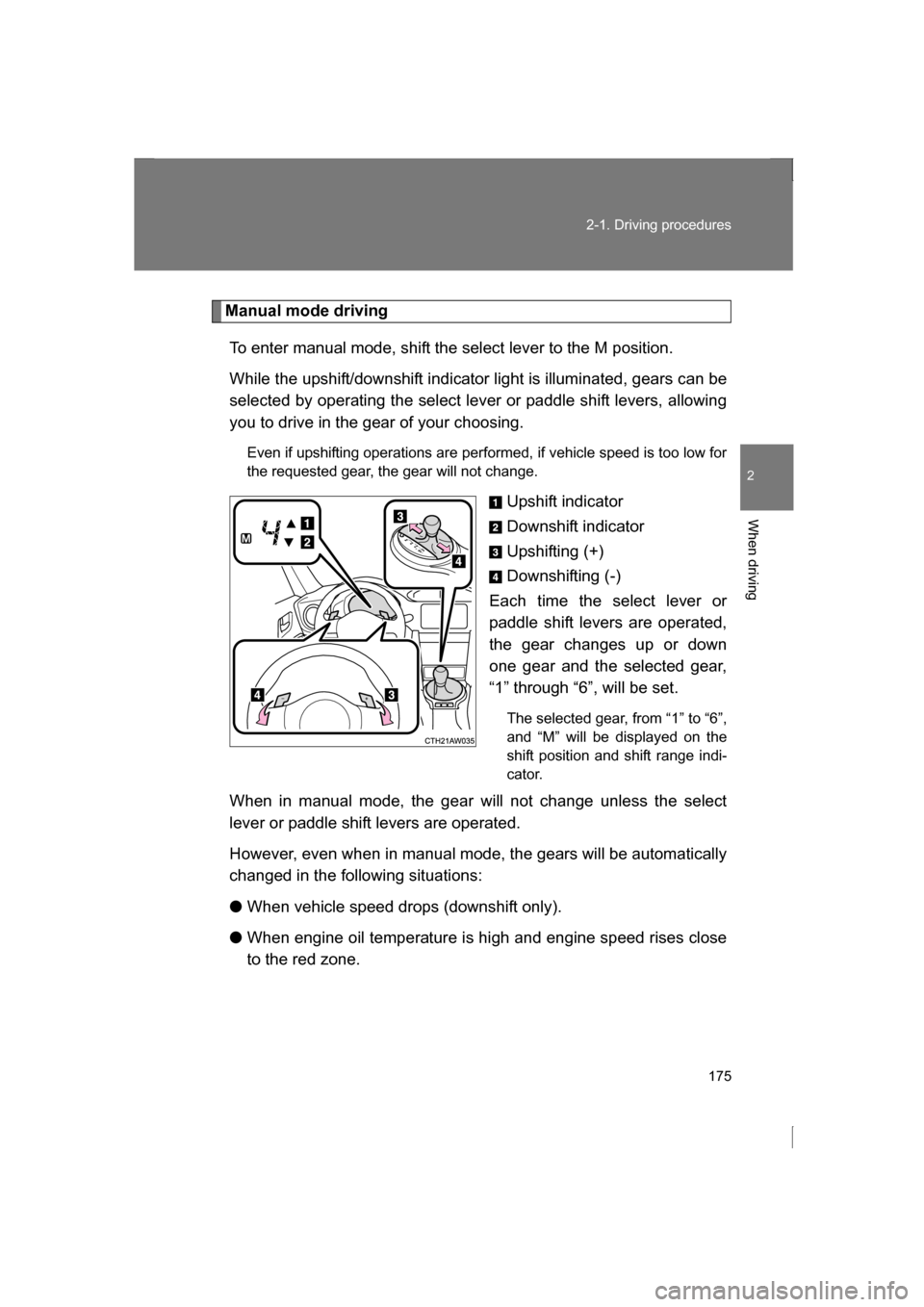
Manual mode drivingTo enter manual mode, shift the select lever to the M position.
While the upshift/downshift indicator light is illuminated, gears can be
selected by operating the select lever or paddle shift levers, allowing
you to drive in the gear of your choosing. Even if upshifting operations are performed, if vehicle speed is too low for
the requested gear, the gear will not change.
Upshift indicator
Downshift indicator
Upshifting (+)
Downshifting (-)
Each time the select lever or
paddle shift levers are operated,
the gear changes up or down
one gear and the selected gear,
“1” through “6”, will be set.
The selected gear, from “1” to “6”,
and “M” will be displayed on the
shift position and shift range indi-
cator.
When in manual mode, the gear will not change unless the select
lever or paddle shift levers are operated.
However, even when in manual mode, the gears will be automatically
changed in the following situations: ● When vehicle speed drops (downshift only).
● When engine oil temperature is high and engine speed rises close
to the red zone.
Page 177 of 484
177
2-1. Driving procedures
2
When driving
■Automatic gear selection when the vehicle is stopped
When the vehicle is idling at high rpm in order to warm up, and the vehicle is
on a slippery road, the transmission may automatically shift to 2nd
gear for
stopping and starting off.
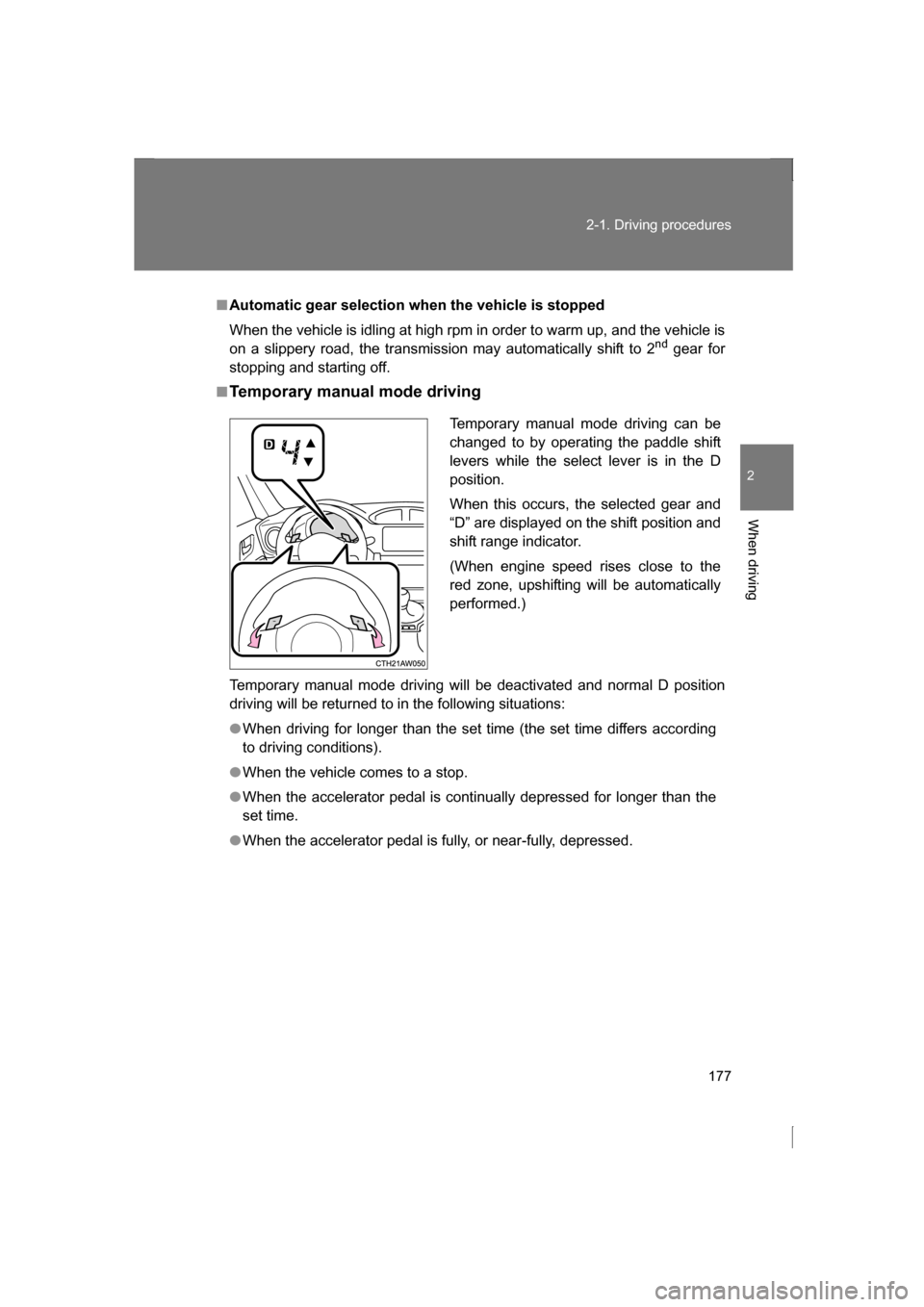
■Temporary manual mode driving
Temporary manual mode driving will be deactivated and normal D position
driving will be returned to in the following situations:
●When driving for longer than the set time (the set time differs according
to driving conditions).
●When the vehicle comes to a stop.
●When the accelerator pedal is continually depressed for longer than the
set time.
●When the accelerator pedal is fully, or near-fully, depressed. Temporary manual mode driving can be
changed to by operating the paddle shift
levers while the select lever is in the D
position.
When this occurs, the selected gear and
“D” are displayed on the shift position and
shift range indicator.
(When engine speed rises close to the
red zone, upshifting will be automaticallyperformed.)
Page 185 of 484
185
2
When driving
2-2. Instrument cluster
Gauges and meters
Analog Speedometer
Displays the vehicle speed.
Tachometer
Displays the engine speed in revolutions per minute.
Digital Speedometer
Displays the vehicle speed.
Fuel gauge
Displays the quantity of fuel remaining in the tank.
Engine coolant temperature gauge
Displays the engine coolant temperature.
Odometer, trip meter and multi-information display
Odometer: Displays the total distance the vehicle has been driven.
Trip meter: Displays the distance the vehicle has been driven since the
meter was last reset. Trip meters A and B can be used to record and
display different distances independently.
Multi-information display: Presents the driver with a variety of driving-
related data. ( →P. 195)