Page 186 of 484
186
2-2. Instrument cluster
“DISP” switch
→P. 196
“ODO/TRIP” switch
→ P. 187
“km/h MPH” switch
Each time the switch is pressed, the display inside the meter changes
between km/h and MPH.
Page 187 of 484
187
2-2. Instrument cluster
2
When driving
Switch the displayEach time the “ODO/TRIP” switch is pressed, the display changes as
follows.
Odometer
Trip meter A *1
Trip meter B *1
Setting screen for tachometer indicator needle movement function
when starting the vehicle *2
Setting screen for the shift position indicator and shift-up indica-
tor *2
(vehicles with a manual transmission)
*1 : Pressing and holding the “ODO/TRIP” switch will reset the trip meter that
is currently displayed.
*2 : Only displayed when the engine switch is in the “ACC” or “LOCK” position
(vehicles without a keyless access with push button start system), or
when the push-button ignition switch is in “ACC” mode or turned off (vehi-
cles with a keyless access with push button start system).
Page 188 of 484
188
2-2. Instrument cluster
Tachometer indicator needle movement function when starting
the vehicleWhen the engine switch is turned to “ON” position (vehicles without a
keyless access with push button start system), or the push-button
ignition switch is turned to “ON” mode (vehicles with a keyless access
with push button start system), the tachometer indicator needle points
to the highest value once and then quickly returns.
■Changing between activated/deactivated Press the “ODO/TRIP” switch repeatedly until the setting
screen is displayed. ( →P. 187)
Each time the switch is pressed and held, the function
changes between activated/deactivated.
“S-on”: Activated
“S-oFF”: Deactivated
Setting the shift position indicator and shift-up indicator
(vehicles with a manual transmission)
Displaying of the shift position indicator and shift-up indicator can be
turned on/off. Press the “ODO/TRIP” switch repeatedly until the setting
screen is displayed. ( →P. 187)
Each time the switch is pressed and held, the display changes
between on/off.
“G-on”: Display on
“G-oFF”: Display off
STEP 1
STEP 2
STEP 1
STEP 2
Page 190 of 484
190
2-2. Instrument cluster
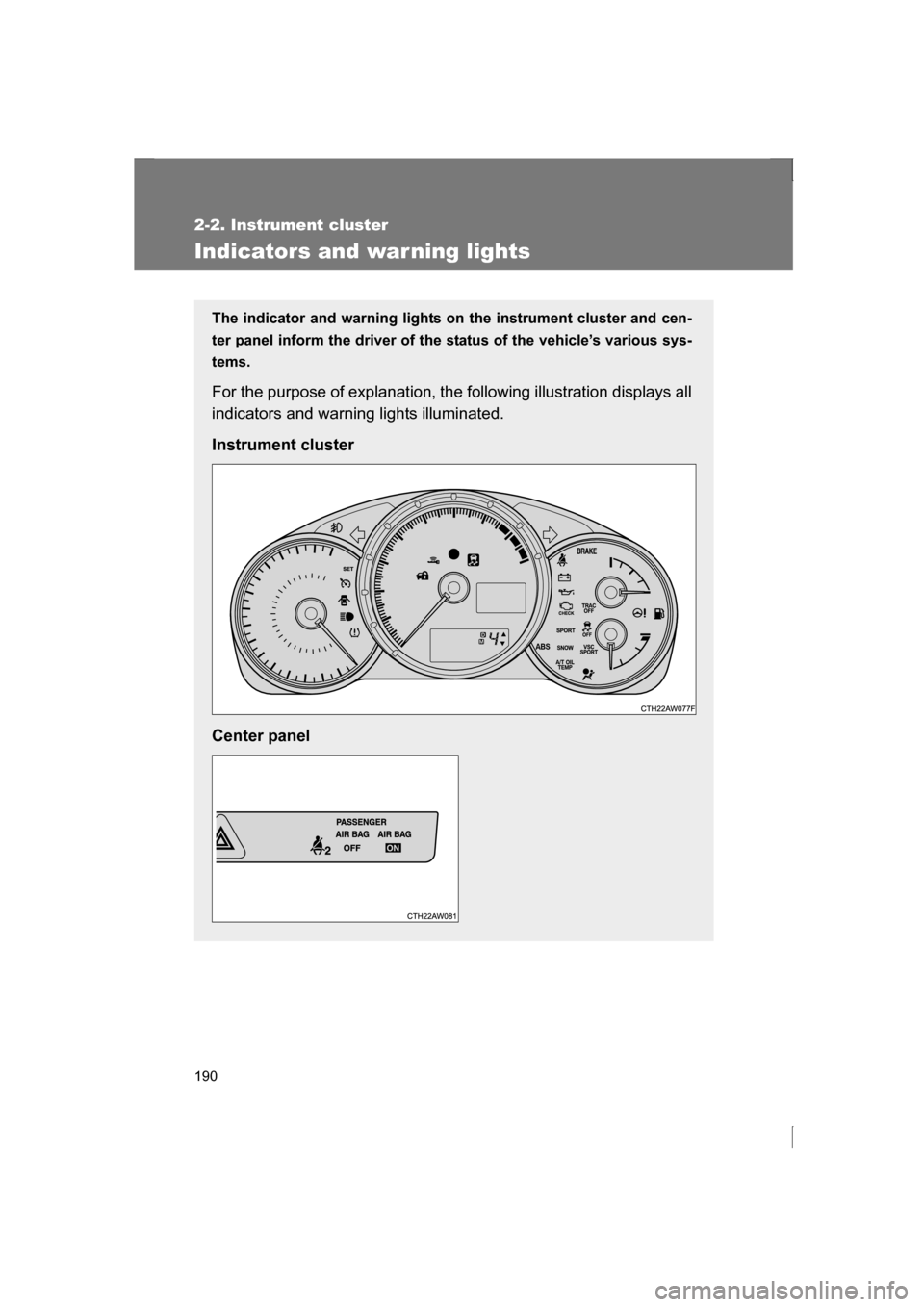
Indicators and war ning lights
The indicator and warning lights on the instrument cluster and cen-
ter panel inform the driver of the status of the vehicle’s various sys-
tems.
For the purpose of explanation, the following illustration displays all
indicators and warning lights illuminated.
Instrument cluster
Center panel
Page 195 of 484
195
2-2. Instrument cluster
2
When driving
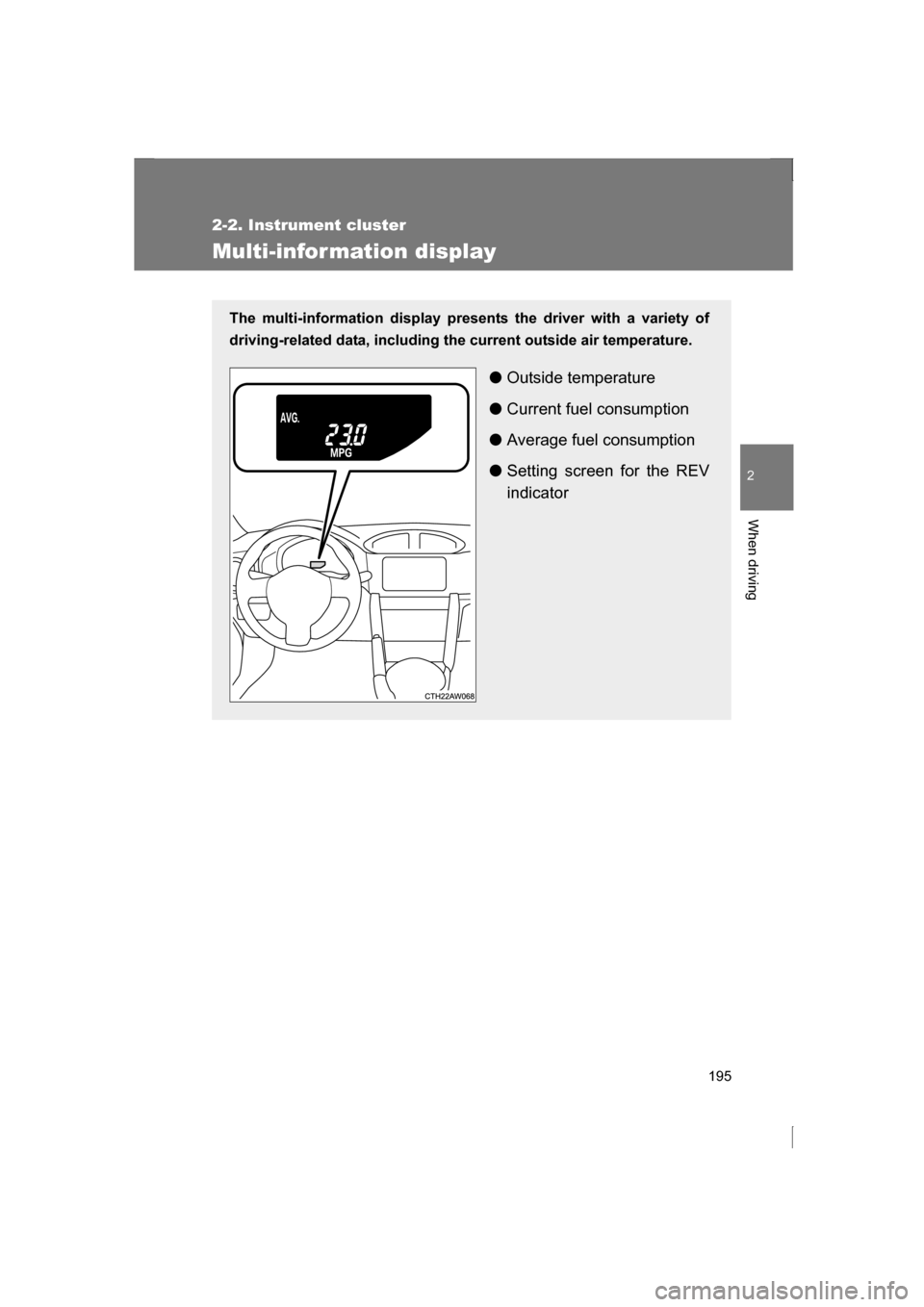
Multi-infor mation display
The multi-information display presents the driver with a variety of
driving-related data, including the current outside air temperature.
●Outside temperature
● Current fuel consumption
● Average fuel consumption
● Setting screen for the REV
indicator
Page 196 of 484
196
2-2. Instrument cluster
Switch the displayEach time the “DISP” switch is pressed, the display changes as fol-
lows.
Outside temperature
→P. 263
Current fuel consumption
Displays the current rate of fuel consumption.
Average fuel consumption
Displays the average fuel consumption since the function was
reset.
Page 197 of 484
197
2-2. Instrument cluster
2
When driving
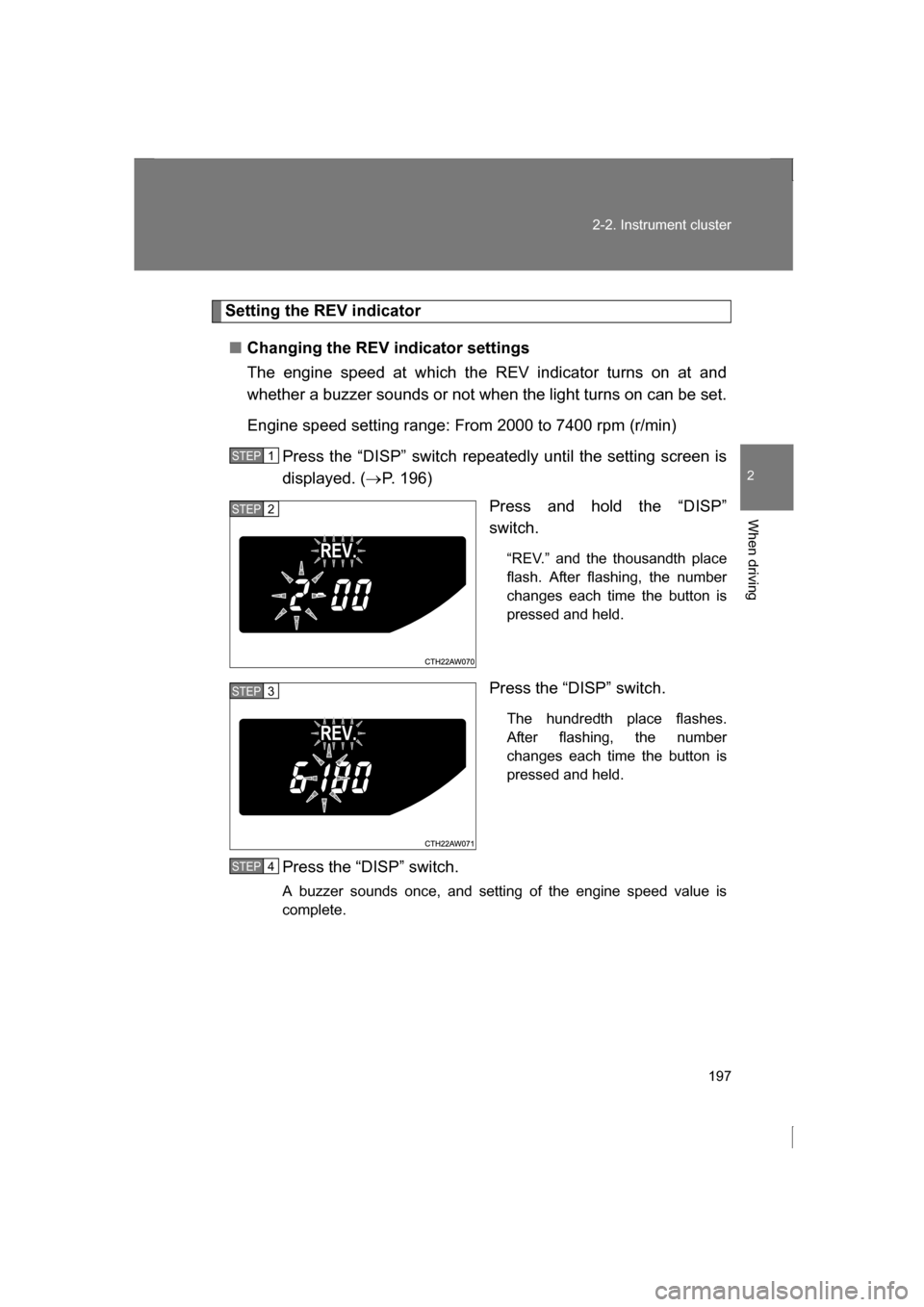
Setting the REV indicator
■Changing the REV indicator settings
The engine speed at which the REV indicator turns on at and
whether a buzzer sounds or not when the light turns on can be set.
Engine speed setting range: From 2000 to 7400 rpm (r/min)Press the “DISP” switch repeatedly until the setting screen is
displayed. ( →P. 196)
Press and hold the “DISP”
switch.
“REV.” and the thousandth place
flash. After flashing, the number
changes each time the button is
pressed and held.
Press the “DISP” switch. The hundredth place flashes.
After flashing, the number
changes each time the button is
pressed and held.
Press the “DISP” switch.
A buzzer sounds once, and setting of the engine speed value is
complete.
STEP 1
STEP 2
STEP 3
STEP 4
Page 198 of 484
198
2-2. Instrument cluster
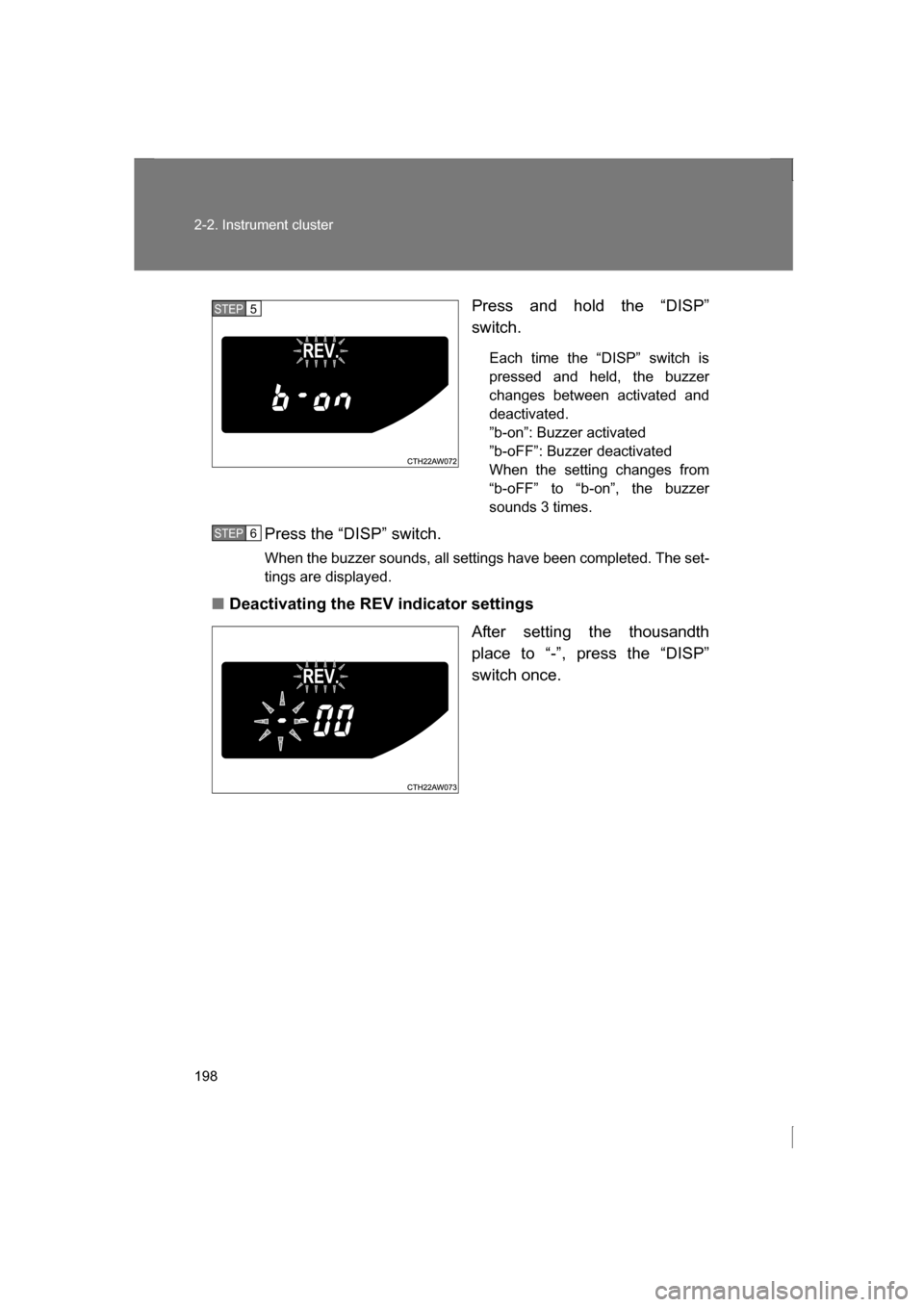
Press and hold the “DISP”
switch.Each time the “DISP” switch is
pressed and held, the buzzer
changes between activated and
deactivated.
”b-on”: Buzzer activated
”b-oFF”: Buzzer deactivated
When the setting changes from
“b-oFF” to “b-on”, the buzzer
sounds 3 times.
Press the “DISP” switch.
When the buzzer sounds, all settings have been completed. The set-
tings are displayed.
■Deactivating the REV indicator settings
After setting the thousandth
place to “-”, press the “DISP”
switch once.
STEP 5
STEP 6