Page 213 of 484
213
2-4. Using other driving systems
2
When driving
■Accelerating after setting the vehicle speed
●The vehicle can be accelerated normally. After acceleration, the set
speed resumes.
●Even without canceling the cruise control, the set speed can be
increased by first accelerating the vehicle to the desired speed and then
pushing the lever down to set the new speed.
■Automatic cruise control cancelation
Cruise control will stop maintaining the vehicle speed in any of the following
situations.
●Actual vehicle speed is below approximately 20 mph (32 km/h).
●Vehicle stability control (VSC) is activated.
■The system may be malfunctioning when
In the following situations, the system may be malfunctioning. Have the vehi-
cle inspected by your SUBARU dealer.
●The cruise control indicator light comes on in yellow.
●The cruise control indicator does not come on even when the “ON-OFF”
button is pressed while the engine is running.
Page 214 of 484

214
2-4. Using other driving systems
WARNING
■Cruise control precaution (vehicles with an automatic transmission)
You can cancel the cruise control by shifting the select lever into the N posi-
tion. However, do not shift the lever into the N position while driving except in
case of emergency. If the select lever is shifted into the N position, the
engine brake will no longer work. This could result in an accident.
■To avoid operating the cruise control by mistake
Switch the cruise control off using the “ON-OFF” button when not in use.
■Situations unsuitable for cruise control
Do not use cruise control in any of the following situations.
Doing so may result in loss of control and could cause an accident resulting
in death or serious injury.
●In heavy traffic
●On roads with sharp bends
●On winding roads
●On slippery roads, such as those covered with rain, ice or snow
●On steep hills
Vehicle speed may exceed the set speed when driving down a steep hill.
●During emergency towing
Page 215 of 484
215
2-4. Using other driving systems
2
When driving
Driving assist systems
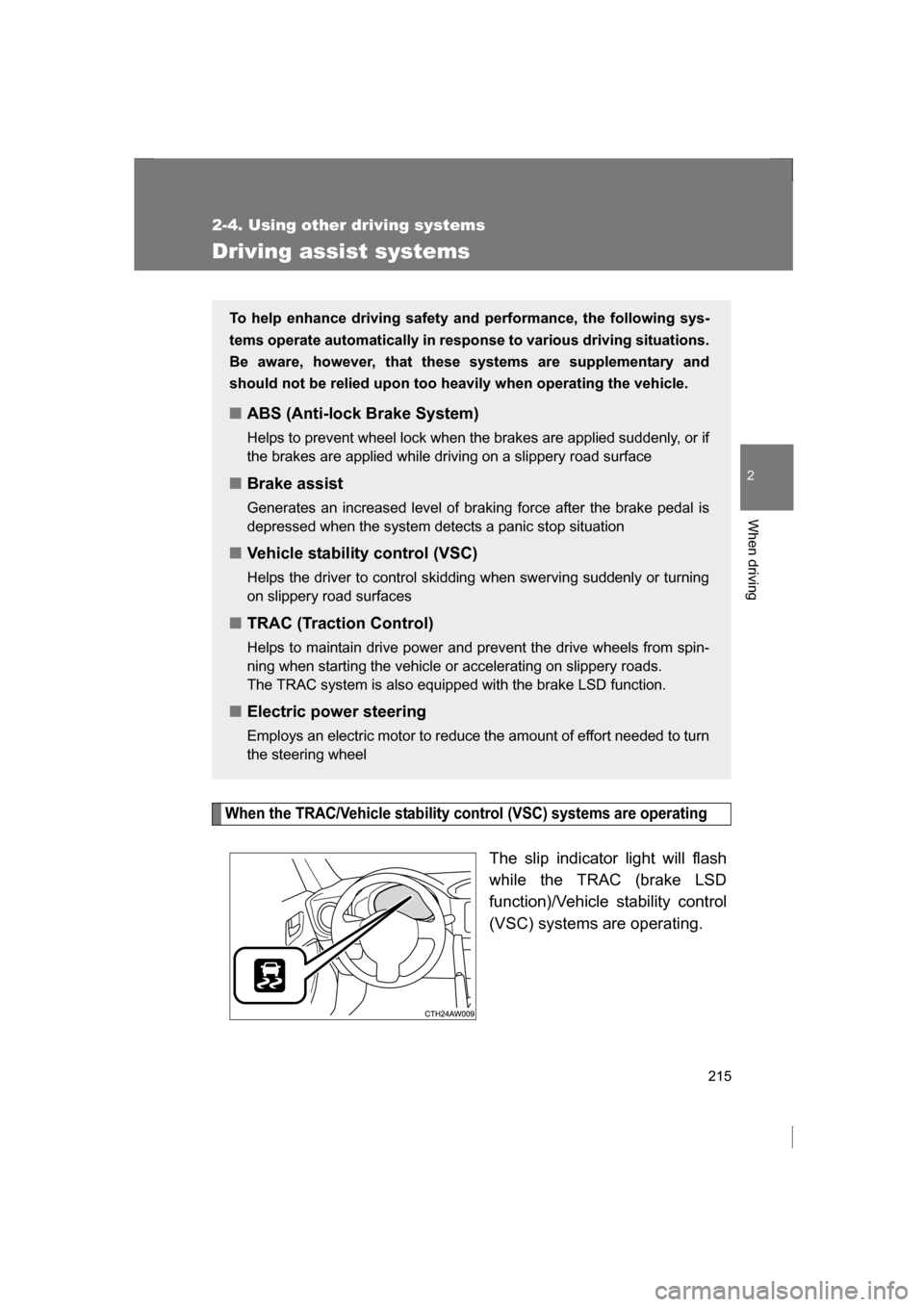
When the TRAC/Vehicle stability control (VSC) systems are operating
The slip indicator light will flash
while the TRAC (brake LSD
function)/Vehicle stability control
(VSC) systems are operating.
To help enhance driving safety and performance, the following sys-
tems operate automatically in response to various driving situations.
Be aware, however, that these systems are supplementary and
should not be relied upon too heavily when operating the vehicle.
■ABS (Anti-lock Brake System)
Helps to prevent wheel lock when the brakes are applied suddenly, or if
the brakes are applied while driving on a slippery road surface
■Brake assist
Generates an increased level of braking force after the brake pedal is
depressed when the system detects a panic stop situation
■Vehicle stability control (VSC)
Helps the driver to control skidding when swerving suddenly or turning
on slippery road surfaces
■TRAC (Traction Control)
Helps to maintain drive power and pr event the drive wheels from spin-
ning when starting the vehicle or accelerating on slippery roads.
The TRAC system is also equipped with the brake LSD function.
■Electric power steering
Employs an electric motor to reduce the amount of effort needed to turn
the steering wheel
Page 218 of 484
218
2-4. Using other driving systems
■Turning off both TRAC and Vehicle stability control (VSC) systems
To turn the TRAC and Vehicle stability control (VSC) systems off, press and
hold for more than 3 seconds while the vehicle is stopped.
The Traction Control System OFF indicator light and the Vehicle stability
control (VSC) off indicator light will come on.
In this case, the brake LSD function remains on.
Press the button again to turn the systems back on.
■Automatic reactivation of TRAC and Vehicle stability control (VSC) sys- tems
After turning the TRAC and Vehicle stability control (VSC) systems off, the
systems will be automatically reactivated in the following situations:
●Vehicles without a keyless access with push button start system: When
the engine switch is turned to “LOCK” position
●Vehicles with a keyless access with push button start system: When the
push-button ignition switch is turned off
●If only the TRAC system is turned off, the TRAC will turn on when vehicle
speed is more than approximately 31 mph (50 km/h).
If both the TRAC and Vehicle stability control (VSC) systems are turned
off, automatic reactivation will not occur when vehicle speed increases.
■Automatic deactivation of Vehicle stability control (VSC) SPORT mode
Vehicles without a keyless access with push button start system
When the engine switch is turned to “LOCK” position after driving in Vehicle
stability control (VSC) SPORT mode, the mode is automatically deactivated.
Vehicles with a keyless access with push button start system
When the push-button ignition switch is turned off after driving in Vehicle sta-
bility control (VSC) SPORT mode, the mode is automatically deactivated.
■Sounds and vibrations caused by the ABS, brake assist, TRAC and
Vehicle stability control (VSC) systems
●A sound may be heard from the engine compartment when the brake
pedal is depressed repeatedly, when the engine is started or just after the
vehicle begins to move. This sound does not indicate that a malfunction
has occurred in any of these systems.
Page 227 of 484

227
2-5. Driving information
2
When driving
●If a door is opened and closed when its side window is frozen,
the window safety device will operate and the side window
open/close function linked to door operation may not operate
correctly. If this occurs, perform the following after the ice has
melted.
Open the side window until it is approximately halfway open
with the door closed.
Fully close the window by pulling the switch up to the one-
touch closing position and continue holding the switch for 1
second or more after the window fully closes.
The window position is reset and the safety device operations will
be released.
■When driving the vehicle
Accelerate the vehicle slowly, keep a safe distance between you
and the vehicle ahead, and drive at a reduced speed suitable to
road conditions.
■When parking the vehicle (in the winter time or in the cold
latitudes)
Park the vehicle and move the select lever to P (automatic trans-
mission) or shift lever to 1 or R (manual transmission) without
setting the parking brake. The parking brake may freeze up, pre-
venting it from being released. If necessary, block the wheels to
prevent inadvertent sliding or creeping.
STEP 1
STEP 2
Page 233 of 484
Interior features3
233
3-1. Using the air conditioning system and defogger
Manual air conditioning system ........................... 234
Automatic air conditioning system ....... 241
Rear window and outside rear view mirror
defoggers ....................... 250
3-2. Using the audio system Using the AUX/USB port................................. 252
3-3. Using the interior lights Interior lights list ............... 253
Page 235 of 484
235
3-1. Using the air conditioning system and defogger
3
Interior features
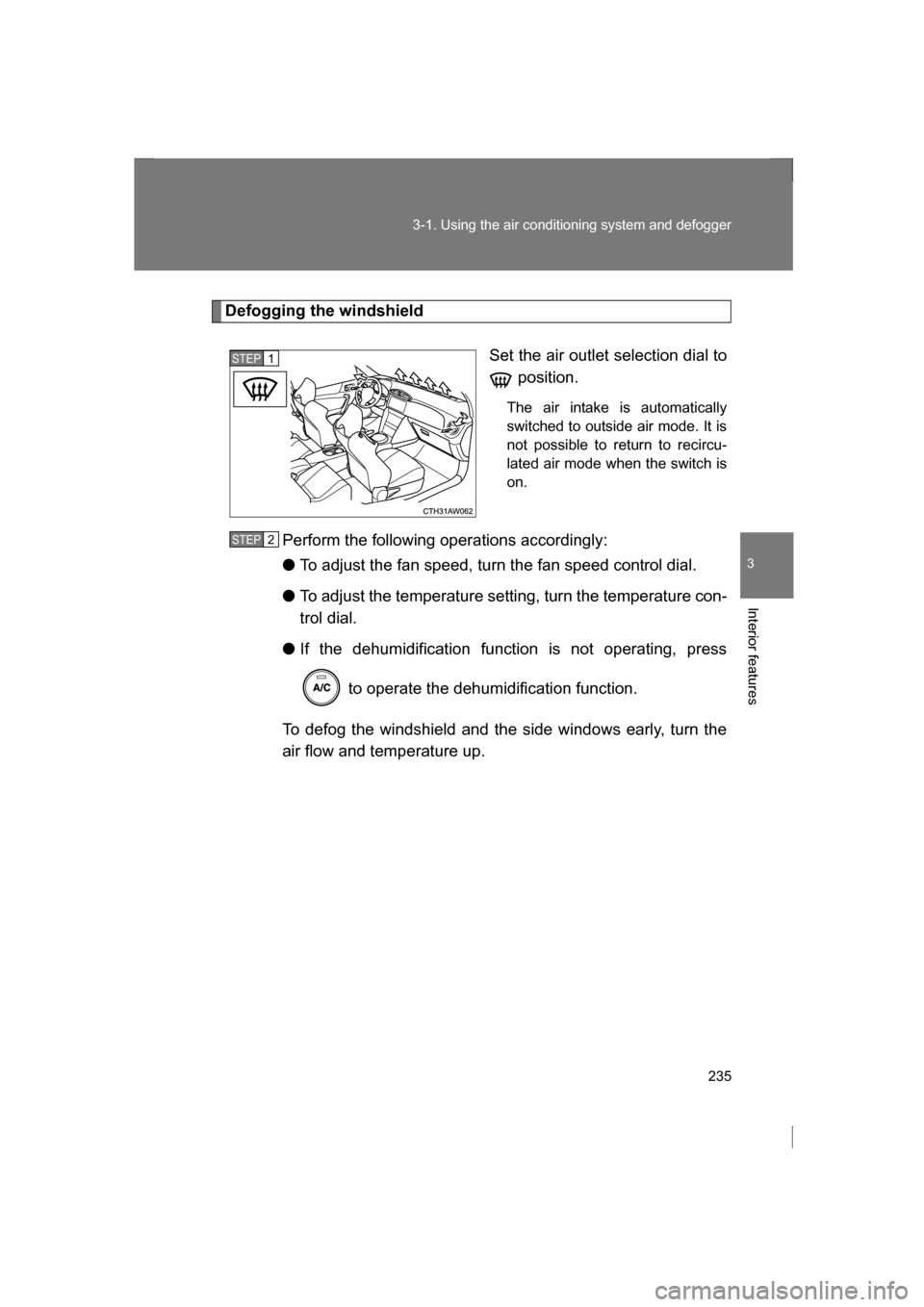
Defogging the windshieldSet the air outlet selection dial to position.
The air intake is automatically
switched to outside air mode. It is
not possible to return to recircu-
lated air mode when the switch ison.
Perform the following operations accordingly: ● To adjust the fan speed, turn the fan speed control dial.
● To adjust the temperature setting, turn the temperature con-
trol dial.
● If the dehumidification function is not operating, press
to operate the dehumidification function.
To defog the windshield and the side windows early, turn the
air flow and temperature up.
STEP 1
STEP 2
Page 236 of 484
236
3-1. Using the air conditioning system and defogger
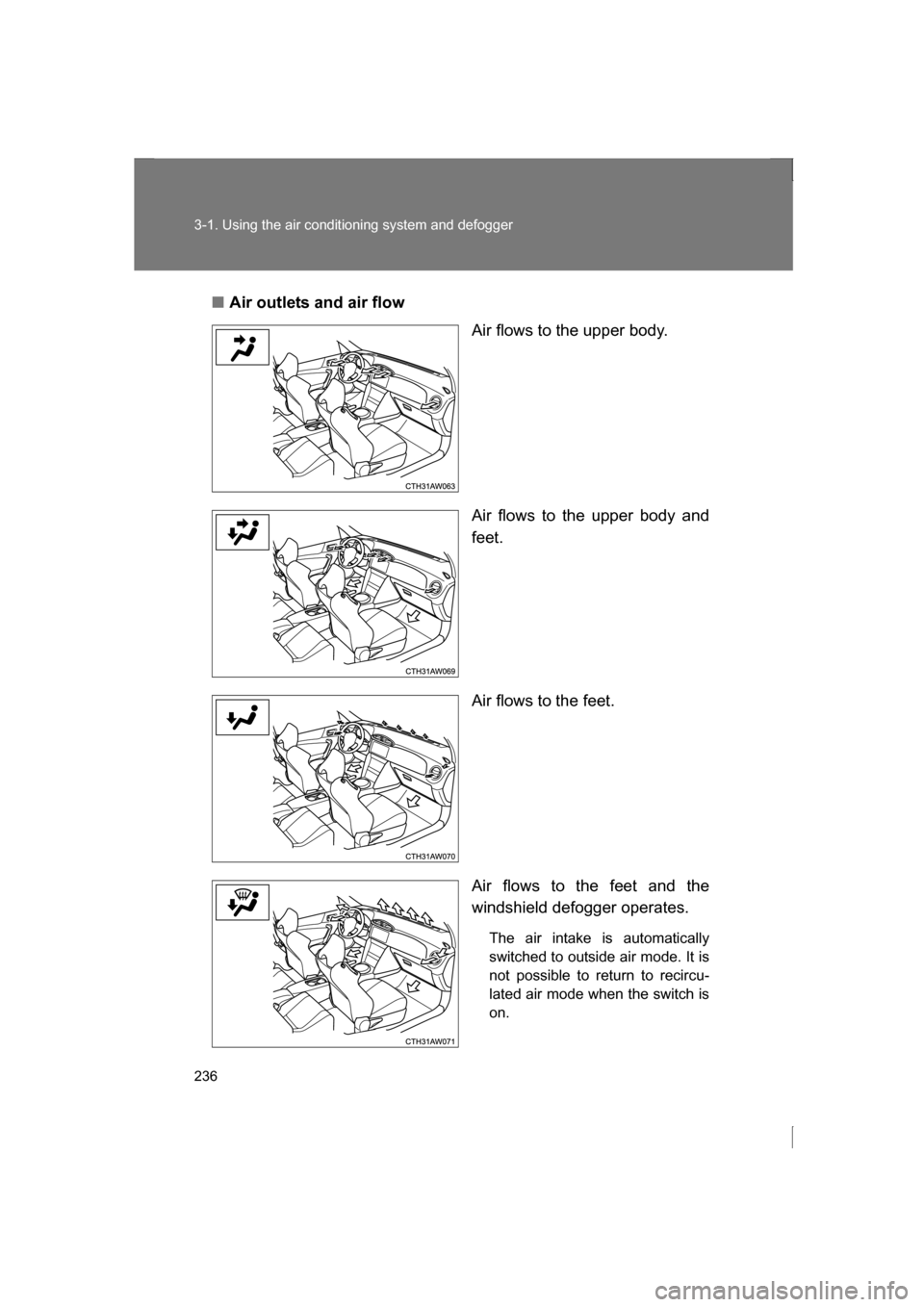
■Air outlets and air flowAir flows to the upper body.
Air flows to the upper body and
feet.
Air flows to the feet.
Air flows to the feet and the
windshield defogger operates.
The air intake is automatically
switched to outside air mode. It is
not possible to return to recircu-
lated air mode when the switch ison.