Page 71 of 308
1
69
Instruments and controls
Setting the date and time
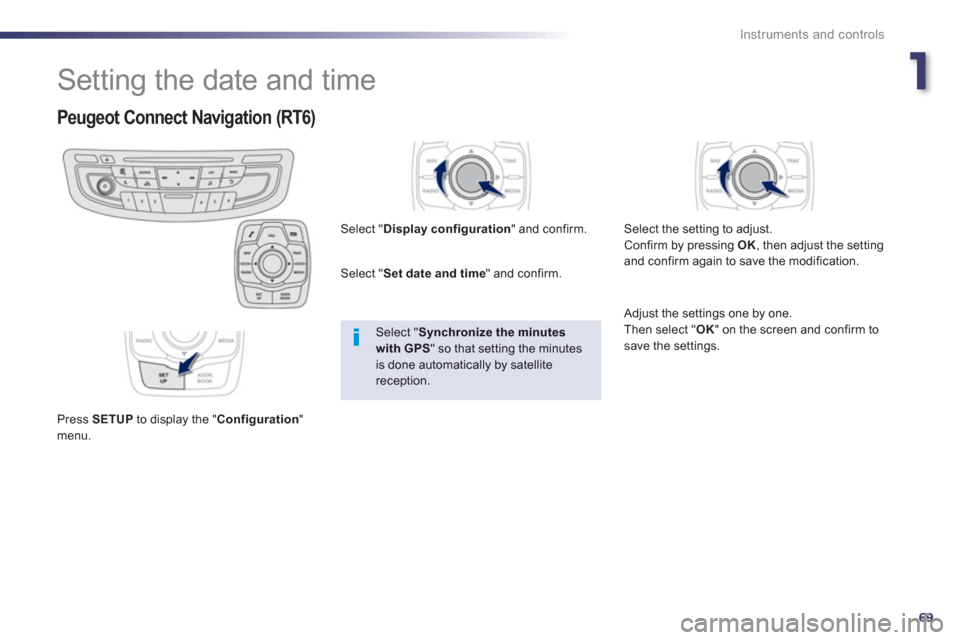
Peugeot Connect Navigation (RT6)
Press SETUPto display the "Configuration
"menu. Select "
Display configuration
" and confirm.
Select " Set date and time" and confirm.
Select "Synchronize the minutes with GPS
" so that setting the minutes is done automatically by satellite reception.
Select the settin
g to adjust.
Confirm by pressing OK, then adjust the settingand confirm again to save the modification.
Adjust the settings one by one.
Then select "OK
" on the screen and confirm tosave the settings.
Page 74 of 308
72
Access
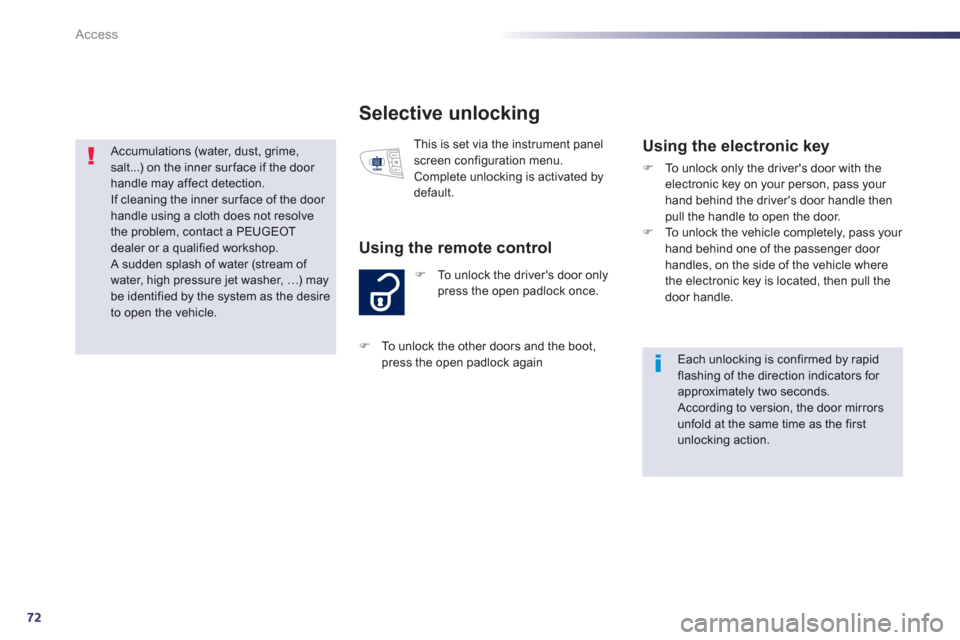
Selective unlocking
)To unlock the driver's door onlypress the open padlock once.
Using the remote control
This is set via the instrument panel
screen configuration menu.
Complete unlocking is activated by default.
Using the electronic key
)To unlock only the driver's door with theelectronic key on your person, pass your hand behind the driver's door handle thenpull the handle to open the door.
)To unlock the vehicle completely, pass your hand behind one of the passenger door handles, on the side of the vehicle where
the electronic key is located, then pull the door handle.
Each unlocking is confirmed by rapid flashing of the direction indicators for approximately two seconds. According to version, the door mirrors unfold at the same time as the first unlocking action.
)
To unlock the other doors and the boot,
press the open padlock again
Accumulations (water, dust, grime,
salt...) on the inner surface if the door handle may affect detection.
If cleaning the inner sur face of the door handle using a cloth does not resolve the problem, contact a PEUGEOTdealer or a qualified workshop. A sudden splash of water (stream of water, high pressure jet washer,
Page 139 of 308
4
137
Driving
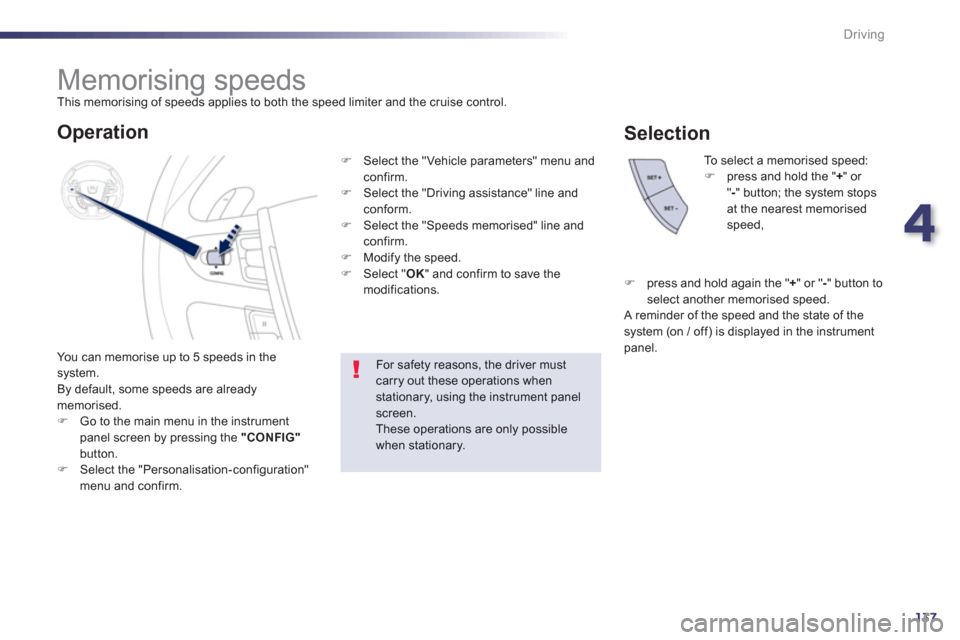
Memorising speeds
This memorising of speeds applies to both the speed limiter and the cruise control.
You can memorise u
p to 5 speeds in the system.
By default, some speeds are already memorised.)Go to the main menu in the instrument
panel screen by pressing the "CONFIG"button.)Select the "Personalisation-configuration" menu and confirm.
To select a memorised speed:)press and hold the "+" or
" -" button; the system stopsat the nearest memorisedspeed,
For safety reasons, the driver mustcarry out these operations when stationary, using the instrument panel screen.These operations are only possible when stationary.
Operation
)
Select the "Vehicle parameters" menu andconfirm.)
Select the "Driving assistance" line and conform.)
Select the "Speeds memorised" line andconfirm.)
Modify the speed. )
Select " OK" and confirm to save the
modifications.
Selection
)
press and hold again the "+ " or " - " button toselect another memorised speed.
A reminder of the speed and the state of thesystem (on / off) is displayed in the instrument
panel.
Page 153 of 308

5
151
Visibility
The sidelamps and dipped beam headlamps are
switched on automatically, without any action
on the part of the driver, when a low level of external light is detected or in certain cases of
activation of the windscreen wipers.
As soon as the brightness returns to a sufficient
level or after the windscreen wipers are switched
o
ff, the lamps are switched off automatically.
Automatic illumination of
headlam
ps
Activation
)Turn the ring to the "AUTO"position. The automatic
illumination of headlamps is accompanied by a message in the instrument panel screen.
Deactivation
)Turn the ring to another position.
Deactivation is accompanied by a message
in the instrument panel screen.
Association with automaticguide-me-home lighting
Association with automatic illumination of headlamps provides the guide-me-home lighting with the following additional options:
- selection of the lighting duration of 15, 30
or 60 seconds,
- automatic activation o
f guide-me-home lighting when the automatic illumination of
headlamps is in operation.
Operating fault
In the event of a fault with the sunshine sensor, the lighting comes on, this warning lamp
is displayed in the instrument panel and/or
a message appears in the instrument panel screen, accompanied by an audible signal.
Contact a PEUGEOT dealer or a qualified
workshop.
In fog or snow, the sunshine sensor maydetect sufficient light. In this case, the lighting will not come on automatically. Do not cover the sunshine sensor,coupled with the rain sensor and located in the centre of the windscreenbehind the rear view mirror; theassociated functions would no longer be controlled.
Programming
Selection of the duration of theguide-me-home lighting is done
in the configuration menu vehicle
parameters, in the instrument panel screen.
Page 155 of 308

5
153
Visibility
Exterior welcome
lighting
Remote switching on of the lighting makes your
approach to the vehicle easier in poor light. It is
activated according to the level of light detected
by the sunshine sensor.
Switching on
Switchin
g off
The exterior welcome lighting switches off
automatically after a set time, when the ignitionis switched on or on locking the vehicle.
Programming
The lighting duration is selected
via the instrument panel screen
configuration menu.
) Press the open padlock on the
remote control.
The dipped beam headlamps
and the sidelamps come on; your
vehicle is also unlocked.
Door mirror spotlamps
Switching on
The spotlamps come on:
- when you unlock the vehicle,
- when you remove the key from the ignition,
- when you open a door,
- when you use the remote control.
Switching off
They are timed to go off automatically. To m a k e
your approach to the vehicle easier,
these illuminate:
- the zones facing the driver’s and
passenger’s doors,
- the zones forward of the door mirrors andrearward of the front doors.
Page 157 of 308
5
155
Visibility
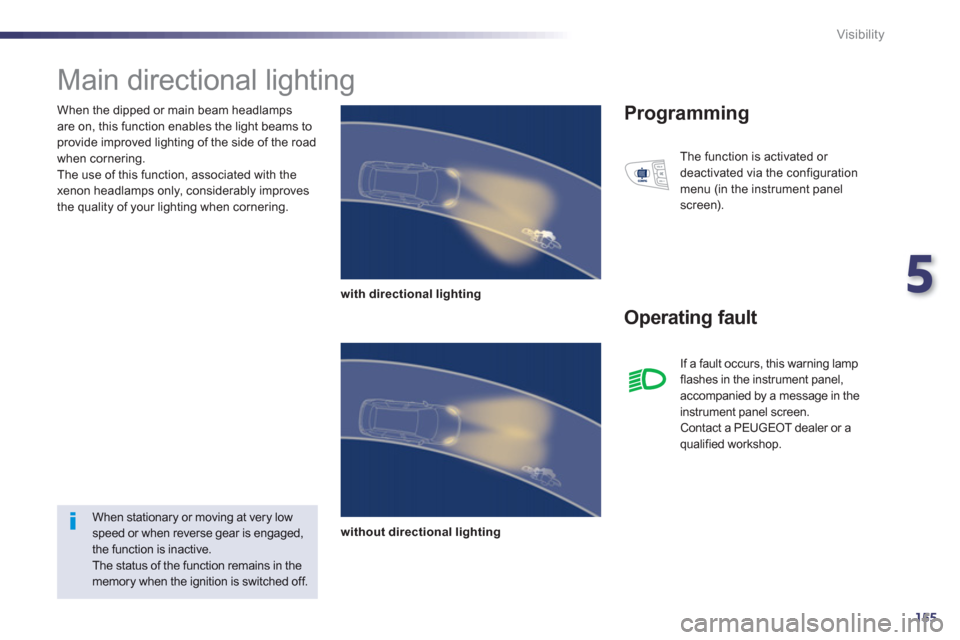
When the dipped or main beam headlamps
are on, this function enables the light beams toprovide improved lighting of the side of the road
when cornering.
The use of this function, associated with the
xenon headlamps only, considerably improves
the quality of your lighting when cornering.
Main directional lighting
with directional lighting
without directional lighting
Programming
Operating fault
The function is activated or
deactivated via the configuration
menu (in the instrument panel
screen).
When stationary or moving at very lowspeed or when reverse gear is engaged,the function is inactive.
The status of the function remains in the memory when the ignition is switched off. I
f a fault occurs, this warning lampflashes in the instrument panel,
accompanied by a message in the
instrument panel screen.
Contact a PEUGEOT dealer or a qualified workshop.
Page 159 of 308
5
157
Visibility
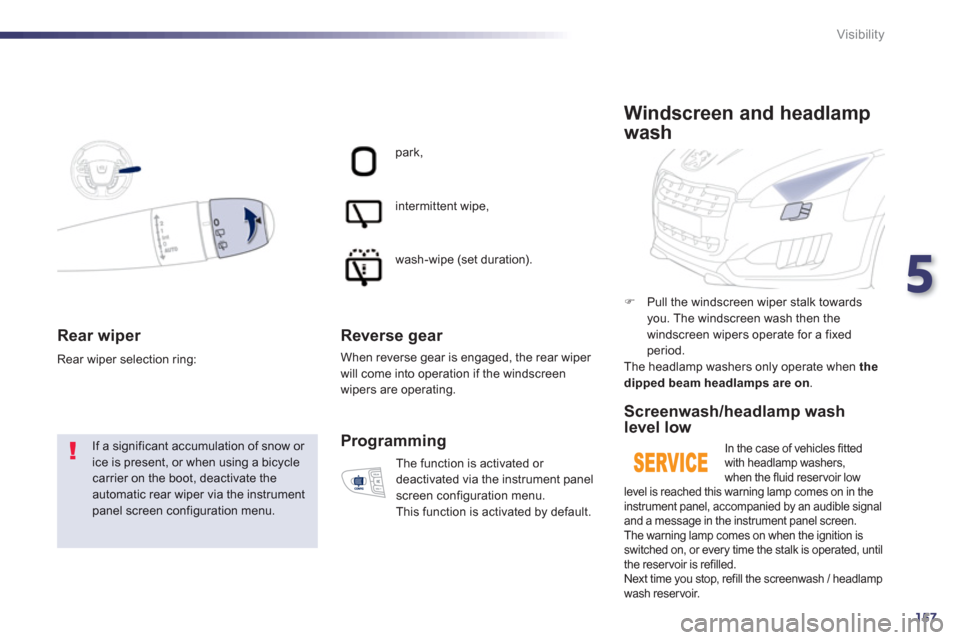
Rear wiper
If a significant accumulation of snow or ice is present, or when using a bicycle carrier on the boot, deactivate theautomatic rear wiper via the instrumentpanel screen configuration menu. Rear wiper selection rin
g:
park,
intermittent wipe,
wash-wipe
(set duration).
Reverse gear
When reverse gear is engaged, the rear wiper will come into operation if the windscreen wipers are operating.
Th
e function is activated or
deactivated via the instrument panel
screen confi
guration menu.
This function is activated by default.
Programming
)
Pull the windscreen wiper stalk towards you. The windscreen wash then the
windscreen wipers operate for a fixed period.
The headlamp washers only operate when the
dipped beam headlamps are on .
Windscreen and headlamp
wash
Screenwash/headlamp wash level low
In the case of vehicles fittedwith headlamp washers,
when the fluid reservoir low level is reached this warning lamp comes on in the
instrument panel, accompanied by an audible signal
and a message in the instrument panel screen.
The warning lamp comes on when the ignition isswitched on, or every time the stalk is operated, until
the reservoir is refilled.
Next time you stop, refill the screenwash / headlamp
wash reservoir.
Page 241 of 308
239
The system is protected in such a way that it will onlyoperate in your vehicle.
Peugeot Connect Navigation (RT6)
01 First steps - Control panel
For safety reasons, the driver must carry out operations
which require prolonged attention while the vehicle is stationary.
When the en
gine is switched off and to prevent
discharging of the battery, the system switches off following the activation of the energy economy mode.
CONTENTS
02 Steering mounted controls
03 General operation
04 Navigation - Guidance
05 Traffic information
06 Using the telephone
07 Contacts - ADDR BOOK
08 Radio
09 Music media players
10 Audio settings
11 Configuration
12 Screen menu map p.
p.
p.
p.
p.
p.
p.
p.
p.
p.
p.
p.
240
2
42
243
245
2
58
261
269
272
275
2
81
282
283
Frequently asked questions p. 286
SATELLITE NAVIGATION SYSTEM
MULTIMEDIA BLUETOOTH TELEPHONE AUDIO
SYSTEM