Page 242 of 308

240
01 FIRST STEPS
TA (Traffi c
Announcement)function On / Off.
Displa
y the list of radio stations received, CD/MP3/Apple Æ
player tracks or folders.
Lon
g press: management of the classifi cation of MP3/WMA fi les/update the list of stations received.
Select the source: CD,USB, AUX, Apple®
player, Bluetooth Streaming, Radio.
Access to " Audio
settings": musicalambiences, bass, treble,loudness, distribution, left/right balance, front/rear fader, automatic volume
adjustment.
Abandon the current
operation, go up one level.
Lon
g press: return topermanent display.
Select the FM waveband (AM not available onHybrid vehicles).
Displa
y black screen.
MODE button: select thetype of permanent display.
Short
press: mute / restoresound. Pr
ess and hold: reinitialise thesystem.
Short press: select a
preset ra
dio station.
Long press: store
th
e current radiostation.
Select:
- the
previous/next line in a list or menu.
- the previous next media folder.
- step b
y step previous/next radio frequency.
- previous
/next MP3 folder.
Move up
/down, in "Move the map" mode. Rotation: ad
just volume (each source is independent,
including TA messages and
navigation instructions).
Select:
- automaticall
y the previous/next radio frequency.
- the previous/next CD, MP3 or media track.
Move le
ft/right, in " Move the map " mode.
On / Off.
Page 278 of 308
276
09MUSIC MEDIA PLAYERS
CD, MP3 CD / USB PLAYER
The audio equipment will only play audio fi les with ".wma, .aac, .fl ac, .ogg and .mp3" fi le extensions and with a bit rate of between 32 Kbps
and 320 Kbps.
It also supports VBR
(Variable Bit Rate) mode.
No other t
ype of fi le (.mp4, .m3u...) can be played.
WMA fi les must be of the standard wma 9 t
ype.
The samplin
g rates supported are 11, 22, 44 and 48 KHz.
It is advisable to restrict fi le names to 20 characters, without usin
g of special characters (e.g.: " " ?; ù) to avoid any playing and displayingproblems.
In order to be able to play a recorded
CDR or CDRW, when recording
it is preferable to select the ISO 9660 level 1, 2 or Joliet standard.
I
f the disc is recorded in another format it may not be played correctly.
It is recommended that the same recordin
g standard is always used
for an individual disc, with as low a speed as possible (4x maximum)for optimum sound quality.
In the particular case of a multi-session CD, the Joliet standard is
recommended.
INFORMATION AND ADVICE
The s
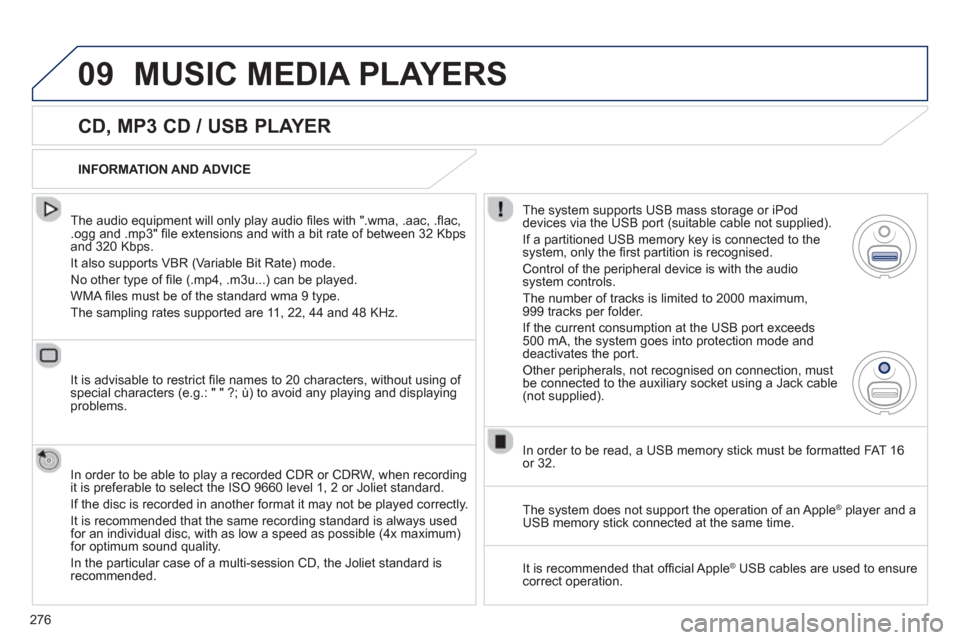
ystem supports USB mass storage or iPod
devices via the USB port (suitable cable not supplied).
I
f a partitioned USB memory key is connected to the system, only the fi rst partition is recognised.
Control of the peripheral device is with the audiosystem controls.
The number of tracks is limited to 2000 maximum,
999 tracks per folder.
If the current consumption at the USB port exceeds
500 mA, the system goes into protection mode and deactivates the port.
Other peripherals, not recognised on connection, must
be connected to the auxiliary socket using a Jack cable (not supplied).
In order to be read, a U
SB memory stick must be formatted FAT 16
or 32.
The s
ystem does not support the operation of an AppleÆ
player and aÆ
USB memory stick connected at the same time.
It is recommended that o
ffi cial AppleÆ
USB cables are used to ensureÆ
correct operation.
Page 281 of 308
279
09
AUDIO STREAMING
Streaming allows audio fi les on your telephone to be played via the
vehicle's speakers.
Connect the telephone: see "USING THE TELEPHONE".
Select " Audio" or " All" profi le.
I
f play does not start automatically, it may be necessary to start the audio playback from the telephone.
Control is from the peripheral device or b
y using the audio system buttons.
Once connected in streaming mode, the telephone is considered to bea media source.
It is recommended that
you activate " Repeat" on the Bluetooth
peripheral.
MUSIC MEDIA PLAYERS
CONNECTING APPLE ®
PLAYERS
Connect the Apple®
player to the USB port using a suitable cable®
(not supplied).
Play starts automatically.
Control is via the audio system.
The classi
fi cations available are those of the portable device connected (artists / albums / genres / playlists / audiobooks / podcasts).
The default classifi cation used is b
y artist. To modify the classifi cation
used, return to the fi rst level of the menu then select the desired
classifi cation (playlists for example) and confi rm to go down through
the menu to the desired track.
The "
Shuffl e tracks" mode on an iPod Æcorresponds to the "Random"mode on the audio system.
Th
e "Shuffl e albums" mode on an iPod Æcorresponds to the "Random
all" on the audio system.
"Shuffl e tracks" is restored b
y default on each connection.
The version of software in the audio s
ystem may not be compatible
with the generation of your Apple® player.®
Page 293 of 308
291
ANSWER SOLUTION
With the engine off, the system switches off after a few minutes of use.When the en
gine is switched off, the system's operating time depends on
the battery charge.
The switch-o
ff is normal: the system switches to economy mode and
switches off to prevent discharging of the vehicle's battery. Start the vehicle's en
gine to increase the batterycharge.
Pla
yback of my USB memory stick starts only
after a very long wait (around 2 to 3 minutes).Some fi les supplied with the memor
y stick may greatly slow down access
to reading the memory stick (multiplication by 10 of the catalogue time). Delete the fi les supplied with the memory stickand limit the number of sub-folders in the fi le structure on the memory stick.
When I connect m
yiPhone as telephone and
to the USB port at thesame time, I am unable
to play the music fi les. When the iPhone connects automaticall
y as a telephone, it forces the
streaming function. The streaming function takes the place of the USBfunction which is then not useable, there is a period without sound of the
track being played with AppleÆ players.Æ
Disconnect and reconnect to the USB port (the USB function takes priority over streaming).
When I connect m
yApple Æ
player or my Æ
BlackBerryÆ
to theÆ
USB port, I have alert messages on the currentconsumption by the USBport. When char
ging, the current consumption of these smartphones is greater
than the rating of the USB port, which is 500 mA.
FREQUENTLY ASKED QUESTIONS