2013 NISSAN QUEST audio
[x] Cancel search: audioPage 9 of 485
Black plate (1,1)
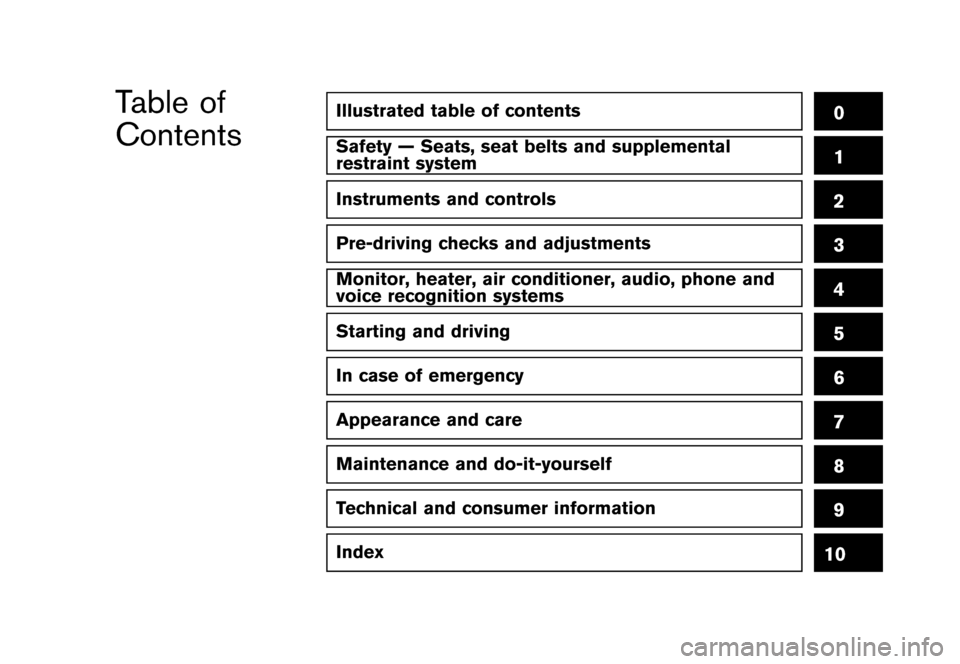
Illustrated table of contents0
Safety — Seats, seat belts and supplemental
restraint system1
Instruments and controls
Pre-driving checks and adjustments
Monitor, heater, air conditioner, audio, phone and
voice recognition systems
Starting and driving
In case of emergency
Appearance and care
Maintenance and do-it-yourself
Technical and consumer information
Index
2
3
4
5
6
7
8
9
10
Table of
Contents
[ Edit: 2013/ 3/ 26 Model: E52-D ]Condition:
Page 16 of 485
![NISSAN QUEST 2013 RE52 / 4.G Owners Manual Black plate (12,1)
[ Edit: 2013/ 3/ 26 Model: E52-D ]
0-6Illustrated table of contents
GUID-F7B216D8-F960-48DA-8767-559E890BB396
SSI0825
1. Vehicle Dynamic Control (VDC) OFF switch(P.2-40)
2. Blind Sp](/manual-img/5/336/w960_336-15.png "NISSAN QUEST 2013 RE52 / 4.G Owners Manual Black plate (12,1)
[ Edit: 2013/ 3/ 26 Model: E52-D ]
0-6Illustrated table of contents
GUID-F7B216D8-F960-48DA-8767-559E890BB396
SSI0825
1. Vehicle Dynamic Control (VDC) OFF switch(P.2-40)
2. Blind Sp")
Black plate (12,1)
[ Edit: 2013/ 3/ 26 Model: E52-D ]
0-6Illustrated table of contents
GUID-F7B216D8-F960-48DA-8767-559E890BB396
SSI0825
1. Vehicle Dynamic Control (VDC) OFF switch(P.2-40)
2. Blind Spot Warning (BSW) switch* (P.2-39) — Blind Spot Warning (BSW)* (P.5-17)
3. Sliding door switch* (driver’s side) (P.3-9)
4. Sliding door switch* (passenger’s side) (P.3-9)
5. Instrument brightness control switch (P.2-37) 6. Power lift gate switch* (P.3-26)
7. Headlight, fog light and turn signal switch
— Headlight (P.2-33)
— Turn signal (P.2-37)
— Fog light* (P.2-37)
8. Trip computer switch (P.2-22) 9. TRIP/RESET switch for twin trip odometer
(P.2-6)
10. Wiper and washer switch (P.2-30)
11. Fuse box cover (P.8-20)
12. Fuel-filler door opener handle (P.3-30)
13. Hood release handle (P.3-25)
14. Headlight aiming control* (P.2-36)
15. Power door main switch* (P.3-9, P.3-27)
16. Steering-wheel-mounted controls (left side) — Audio control steering switch* (P.4-102)
— Hands-Free Phone System switch* (P.4-115,
P.4-126)
17. Horn (P.2-38)
18. Steering-wheel-mounted controls (right side) — Cruise control system (P.5-24)
*: if so equipped
COCKPIT
Condition:
Page 17 of 485
![NISSAN QUEST 2013 RE52 / 4.G Owners Manual Black plate (13,1)
[ Edit: 2013/ 3/ 26 Model: E52-D ]
GUID-3F5BDD52-9AA5-463B-87CB-C132C6049CB4
SSI0824
1. Side ventilator (P.4-38)
2. Meters and gauges (P.2-5)
3. Push-button ignition switch (P.5-8)](/manual-img/5/336/w960_336-16.png "NISSAN QUEST 2013 RE52 / 4.G Owners Manual Black plate (13,1)
[ Edit: 2013/ 3/ 26 Model: E52-D ]
GUID-3F5BDD52-9AA5-463B-87CB-C132C6049CB4
SSI0824
1. Side ventilator (P.4-38)
2. Meters and gauges (P.2-5)
3. Push-button ignition switch (P.5-8)")
Black plate (13,1)
[ Edit: 2013/ 3/ 26 Model: E52-D ]
GUID-3F5BDD52-9AA5-463B-87CB-C132C6049CB4
SSI0824
1. Side ventilator (P.4-38)
2. Meters and gauges (P.2-5)
3. Push-button ignition switch (P.5-8)
4. Hazard warning flasher switch (P.6-2)
5. Selector lever (P.5-13)
6. Center display— Center color display* (P.4-3) — Navigation system**
7. Center multi-function control panel* (P.4-3) — Navigation system**
— Vehicle information and setting buttons*
(P.4-8)
— RearView Monitor* (P. 4-23)
— Around View Monitor* (P. 4-29) 8.
Rear window and outside mirror* defroster
switch (P.2-32)
9. Center ventilator (P.4-38)
10. Heater/air conditioner control (P.4-39) or audio system (P.4-53)
11. Parking brake (P.5-17)
12. Tilting telescopic steering wheel lever (P.3-32)
13. Front passenger air bag status light (P.1-54)
14. Heated seat switch* (P.2-38)
15. Cup holders (P.2-43)
16. Power outlet (P.2-40)
17. Instrument lower box (P.2-46) or CD/DVD slot (P.4-105)
18. Power outlet main switch* (P.2-40)
19. Audio system (P.4-53)
20. Glove box (P.2-45)
*: if so equipped
**: Refer to the separate Navigation System Own- er’s Manual (if so equipped) .
Illustrated table of contents0-7
INSTRUMENT PANEL
Condition:
Page 85 of 485
![NISSAN QUEST 2013 RE52 / 4.G Owners Manual Black plate (81,1)
[ Edit: 2013/ 3/ 26 Model: E52-D ]
GUID-DCC2794A-4B62-4A96-BA3A-A529DCB296EE
SSI0825
1. Vehicle Dynamic Control (VDC) OFF switch
2. Blind Spot Warning (BSW) switch*— Blind Spot Wa](/manual-img/5/336/w960_336-84.png "NISSAN QUEST 2013 RE52 / 4.G Owners Manual Black plate (81,1)
[ Edit: 2013/ 3/ 26 Model: E52-D ]
GUID-DCC2794A-4B62-4A96-BA3A-A529DCB296EE
SSI0825
1. Vehicle Dynamic Control (VDC) OFF switch
2. Blind Spot Warning (BSW) switch*— Blind Spot Wa")
Black plate (81,1)
[ Edit: 2013/ 3/ 26 Model: E52-D ]
GUID-DCC2794A-4B62-4A96-BA3A-A529DCB296EE
SSI0825
1. Vehicle Dynamic Control (VDC) OFF switch
2. Blind Spot Warning (BSW) switch*— Blind Spot Warning (BSW)*
3. Sliding door switch* (driver’s side)
4. Sliding door switch* (passenger’s side)
5. Instrument brightness control switch
6. Power lift gate switch* 7. Headlight, fog light and turn signal switch
— Headlight
— Turn signal
— Fog light*
8. Trip computer switch
9. TRIP/RESET switch for twin trip odometer
10. Wiper and washer switch 11. Fuse box cover
12. Fuel-filler door opener handle
13. Hood release handle
14. Headlight aiming control*
15. Power door main switch*
16. Steering-wheel-mounted controls (left side)
— Audio control steering switch*
— Hands-Free Phone System switch*
17. Horn
18. Steering-wheel-mounted controls (right side) — Cruise control system
*: if so equipped
Instruments and controls2-3
COCKPIT
Condition:
Page 86 of 485
![NISSAN QUEST 2013 RE52 / 4.G Owners Manual Black plate (82,1)
[ Edit: 2013/ 3/ 26 Model: E52-D ]
2-4Instruments and controls
GUID-0C8F786C-EE91-435E-980B-4A330DFE7B46
SSI0824
1. Side ventilator
2. Meters and gauges
3. Push-button ignition swit](/manual-img/5/336/w960_336-85.png "NISSAN QUEST 2013 RE52 / 4.G Owners Manual Black plate (82,1)
[ Edit: 2013/ 3/ 26 Model: E52-D ]
2-4Instruments and controls
GUID-0C8F786C-EE91-435E-980B-4A330DFE7B46
SSI0824
1. Side ventilator
2. Meters and gauges
3. Push-button ignition swit")
Black plate (82,1)
[ Edit: 2013/ 3/ 26 Model: E52-D ]
2-4Instruments and controls
GUID-0C8F786C-EE91-435E-980B-4A330DFE7B46
SSI0824
1. Side ventilator
2. Meters and gauges
3. Push-button ignition switch
4. Hazard warning flasher switch
5. Selector lever
6. Center display— Center color display* — Navigation system**
7. Center multi-function control panel* — Navigation system**
— Vehicle information and setting buttons*
— RearView Monitor*
— Around View Monitor*
8. Rear window and outside mirror* defroster switch
9. Center ventilator
10. Heater/air conditioner control or audio system
11. Parking brake
12. Tilting telescopic steering wheel lever
13. Front passenger air bag status light
14. Heated seat switch*
15. Cup holders
16. Power outlet
17. Instrument lower box or CD/DVD slot
18. Power outlet main switch*
19. Audio system
20. Glove box
*: if so equipped
**: Refer to the separate Navigation System Own- er’s Manual (if so equipped) .
INSTRUMENT PANEL
Condition:
Page 109 of 485
![NISSAN QUEST 2013 RE52 / 4.G Owners Manual Black plate (105,1)
[ Edit: 2013/ 3/ 26 Model: E52-D ]
Push theswitch*Bto select other menus.
DETAIL:
GUID-D73A39BF-43C8-459F-9C24-47B7F579C407This item is available only when a warning is
displayed.](/manual-img/5/336/w960_336-108.png "NISSAN QUEST 2013 RE52 / 4.G Owners Manual Black plate (105,1)
[ Edit: 2013/ 3/ 26 Model: E52-D ]
Push theswitch*Bto select other menus.
DETAIL:
GUID-D73A39BF-43C8-459F-9C24-47B7F579C407This item is available only when a warning is
displayed.")
Black plate (105,1)
[ Edit: 2013/ 3/ 26 Model: E52-D ]
Push theswitch*Bto select other menus.
DETAIL:
GUID-D73A39BF-43C8-459F-9C24-47B7F579C407This item is available only when a warning is
displayed.
Select this menu to see the details of warnings.
GUID-1DA67D67-9764-4420-8B43-5CA25C056F36
SIC4717
Your vehicle has two types of security systems,
as follows:
. Vehicle security system
. NISSAN Vehicle Immobilizer System
The security condition will be shown by the
security indicator light.
VEHICLE SECURITY SYSTEMGUID-A4B1DF8A-E0E9-47D0-B1DC-2F43B0CC0B71The vehicle security system provides visual and
audio alarm signals if someone opens the doors
or lift gate when the system is armed. It is not,
however, a motion detection type system that
activates when a vehicle is moved or when a
vibration occurs.
The system helps deter vehicle theft but cannot
prevent it, nor can it prevent the theft of interior
or exterior vehicle components in all situations.
Always secure your vehicle even if parking for a
brief period. Never leave your Intelligent Key(s)
in the vehicle, and always lock it when un-
attended. Be aware of your surroundings, and
park in secure, well-lit areas whenever possible.
Many devices offering additional protection,
such as component locks, identification markers,
and tracking systems, are available at auto
supply stores and specialty shops. Your
NISSAN dealer may also offer such equipment.
Check with your insurance company to see if
you may be eligible for discounts for various
theft protection features.
Instruments and controls2-27
SECURITY SYSTEMS
Condition:
Page 158 of 485
![NISSAN QUEST 2013 RE52 / 4.G Owners Manual Black plate (154,1)
[ Edit: 2013/ 3/ 26 Model: E52-D ]
3-14Pre-driving checks and adjustments
computer.
. When the vehicle is parked near a parking
meter.
In such cases, correct the operating conditio](/manual-img/5/336/w960_336-157.png "NISSAN QUEST 2013 RE52 / 4.G Owners Manual Black plate (154,1)
[ Edit: 2013/ 3/ 26 Model: E52-D ]
3-14Pre-driving checks and adjustments
computer.
. When the vehicle is parked near a parking
meter.
In such cases, correct the operating conditio")
Black plate (154,1)
[ Edit: 2013/ 3/ 26 Model: E52-D ]
3-14Pre-driving checks and adjustments
computer.
. When the vehicle is parked near a parking
meter.
In such cases, correct the operating conditions
before using the Intelligent Key function or use
the mechanical key.
Although the life of the battery varies depending
on the operating conditions, the battery’s life is
approximately 2 years. If the battery is dis-
charged, replace it with a new one.
Since the Intelligent Key is continuously receiv-
ing radio signals, if the key is left near equipment
which transmits strong radio signals such as
from a TV and personal computer, the battery life
may become shorter.
For information regarding replacement of a
battery, see “Intelligent Key battery replacement”
(P.8-22) .
As many as 4 Intelligent Keys can be registered
and used with one vehicle. For information about
the purchase and use of additional Intelligent
Keys, contact a NISSAN dealer.
CAUTION
. Do not allow the Intelligent Key,
which contains electrical compo-
nents, to come into contact with water or salt water. This could affect
the system function.
. Do not drop the Intelligent Key.
. Do not strike the Intelligent Key
sharply against another object.
. Do not change or modify the Intel-
ligent Key.
. Wetting may damage the Intelligent
Key. If the Intelligent Key gets wet,
immediately wipe until it is comple-
tely dry.
. If the outside temperature is below
148F (−108C) , the battery of the
Intelligent Key may not function
properly.
. Do not place the Intelligent Key for
an extended period in an area where
temperatures exceed 1408F (608C) .
. Do not attach the Intelligent Key
with a key holder that contains a
magnet.
. Do not place the Intelligent Key near
equipment that produces a mag-
netic field, such as a TV, audio
equipment, personal computer or
cellular phone. If an Intelligent Key is lost or stolen, NISSAN
recommends erasing the ID code of that
Intelligent Key from the vehicle. This may prevent
the unauthorized use of the Intelligent Key to
operate the vehicle. For information regarding
the erasing procedure, contact a NISSAN deal-
er.
The Intelligent Key function can be disabled. For
information about disabling the Intelligent Key
function, contact a NISSAN dealer.
Condition:
Page 185 of 485
![NISSAN QUEST 2013 RE52 / 4.G Owners Manual Black plate (181,1)
[ Edit: 2013/ 3/ 26 Model: E52-D ]
4 Monitor, heater, air conditioner, audio, phoneand voice recognition systems
Safety note ...
...................................................](/manual-img/5/336/w960_336-184.png "NISSAN QUEST 2013 RE52 / 4.G Owners Manual Black plate (181,1)
[ Edit: 2013/ 3/ 26 Model: E52-D ]
4 Monitor, heater, air conditioner, audio, phoneand voice recognition systems
Safety note ...
...................................................")
Black plate (181,1)
[ Edit: 2013/ 3/ 26 Model: E52-D ]
4 Monitor, heater, air conditioner, audio, phoneand voice recognition systems
Safety note ...
........................................................................\
.......... 4-3
Center multi-function control panel (if so equipped) ...
...... 4-3
How to use multi-function controller ...
.............................. 4-5
How to use touch screen (models with
navigation system) ...
.............................................................. 4-5
Menu options (models with navigation system) ...
.......... 4-7
How to select menus on the screen ...
.............................. 4-8
Vehicle information and settings (models with center
multi-function control panel) ...
.................................................. 4-8
How to use STATUS button ...
............................................. 4-8
How to use brightness control and display
ON/OFF button ...
................................................................... 4-8
How to use DISP button (models without
navigation system) ...
.............................................................. 4-8
How to use ECON button (models without
navigation system) ...
.............................................................. 4-9
How to use INFO button ...
.................................................. 4-9
How to use SETTING button ...
....................................... 4-13
Rearview monitor (if so equipped) ...
.................................... 4-23
How to read the displayed lines ...
.................................. 4-23
How to park with predictive course lines (if
so equipped) ...
..................................................................... 4-24
Difference between predictive and
actual distances ...
................................................................ 4-26
Predictive course line settings (if so equipped) ...
...... 4-28
How to adjust the screen ...
.............................................. 4-28 Operating tips
...
................................................................. 4-29
Around ViewTMMonitor (if so equipped) ...
........................ 4-29
How to switch the display ...
........................................... 4-31
How to see each view ...
.................................................. 4-32
Difference between predictive and
actual distances ...
............................................................. 4-36
How to adjust the screen ...
............................................ 4-38
Operating tips ...
................................................................. 4-38
Ventilators ...
........................................................................\
........ 4-38
Center ventilators ...
........................................................... 4-38
Side ventilators ...
............................................................... 4-39
Rear ventilators ...
............................................................... 4-39
Heater and air conditioner ...
.................................................. 4-39
Operating tips (for automatic air conditioner) ...
........ 4-40
Manual air conditioner ...
.................................................. 4-41
Automatic air conditioner ...
............................................. 4-46
Servicing air conditioner ...
.............................................. 4-52
In-cabin microfilter ...
......................................................... 4-53
Audio system ...
........................................................................\
.. 4-53
Audio operation precautions ...
....................................... 4-53
FM-AM radio with Compact Disc (CD) player ...
....... 4-69
FM-AM-SAT radio with Compact Disc (CD) player
(Type A) ...
........................................................................\
.... 4-73
FM-AM-SAT radio with compact disc (CD) player
(Type B) ...
........................................................................\
.... 4-81
Condition: