Page 296 of 444
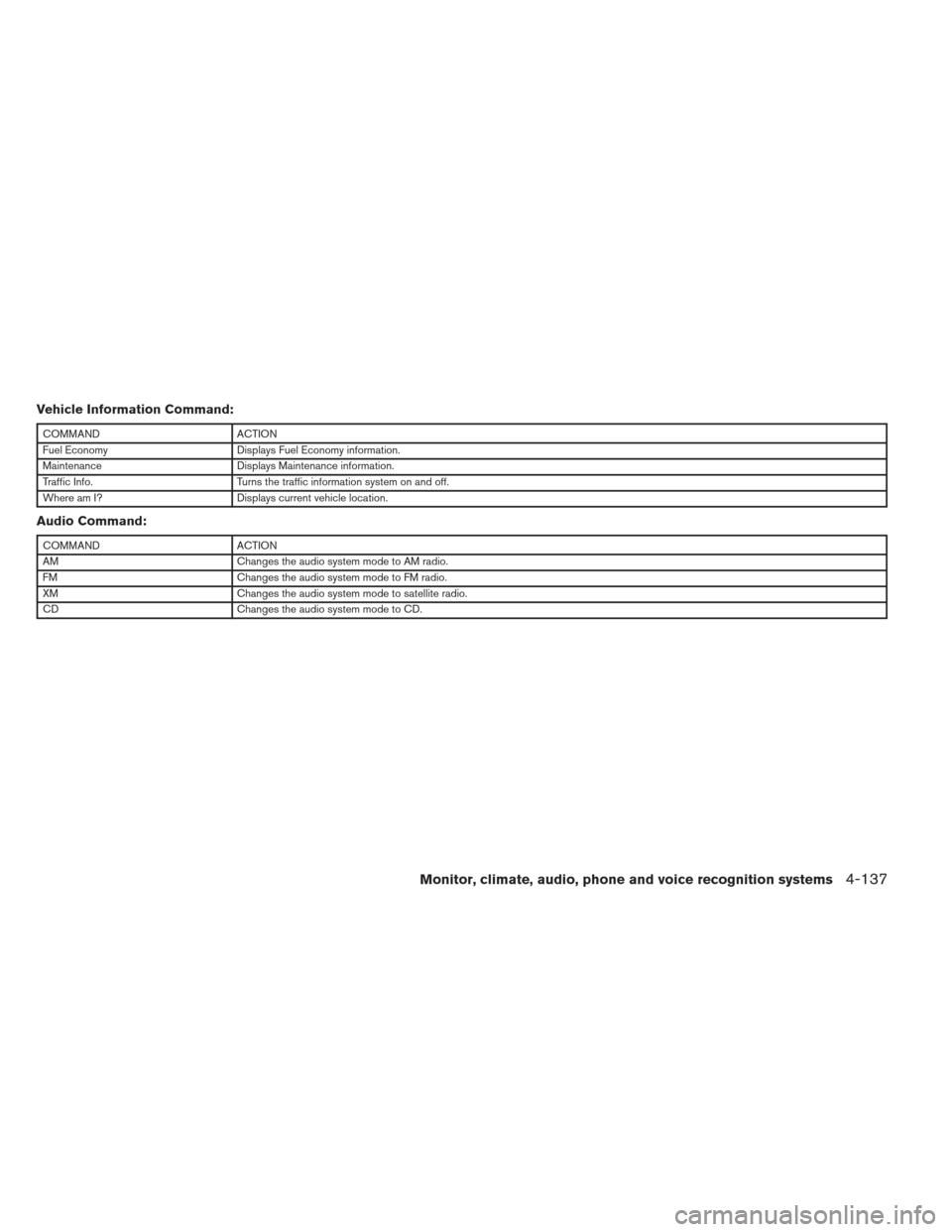
Vehicle Information Command:
COMMANDACTION
Fuel Economy Displays Fuel Economy information.
Maintenance Displays Maintenance information.
Traffic Info. Turns the traffic information system on and off.
Where am I? Displays current vehicle location.
Audio Command:
COMMANDACTION
AM Changes the audio system mode to AM radio.
FM Changes the audio system mode to FM radio.
XM Changes the audio system mode to satellite radio.
CD Changes the audio system mode to CD.
Monitor, climate, audio, phone and voice recognition systems4-137
Page 297 of 444
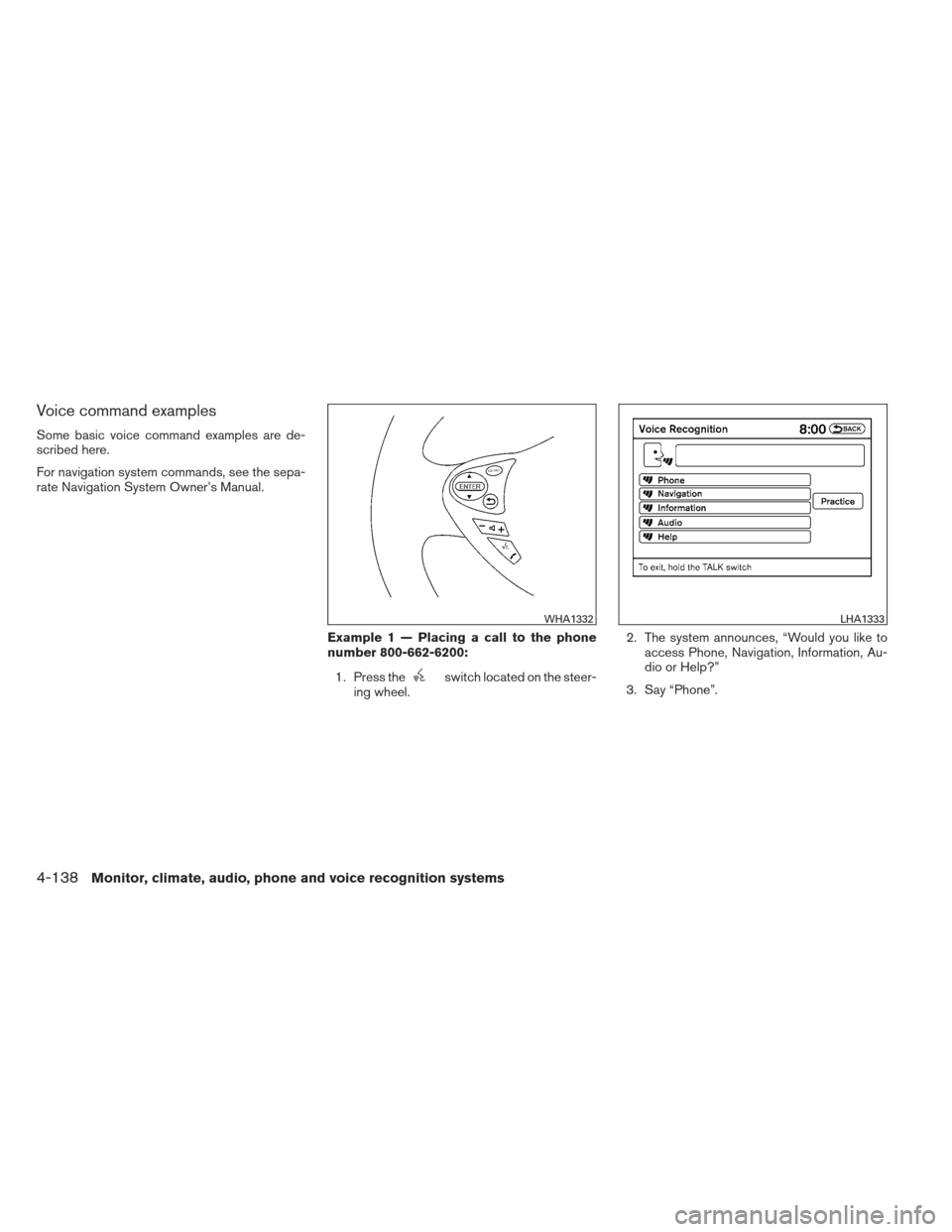
Voice command examples
Some basic voice command examples are de-
scribed here.
For navigation system commands, see the sepa-
rate Navigation System Owner’s Manual.Example 1 — Placing a call to the phone
number 800-662-6200:1. Press the
switch located on the steer-
ing wheel. 2. The system announces, “Would you like to
access Phone, Navigation, Information, Au-
dio or Help?”
3. Say “Phone”.
WHA1332LHA1333
4-138Monitor, climate, audio, phone and voice recognition systems
Page 298 of 444
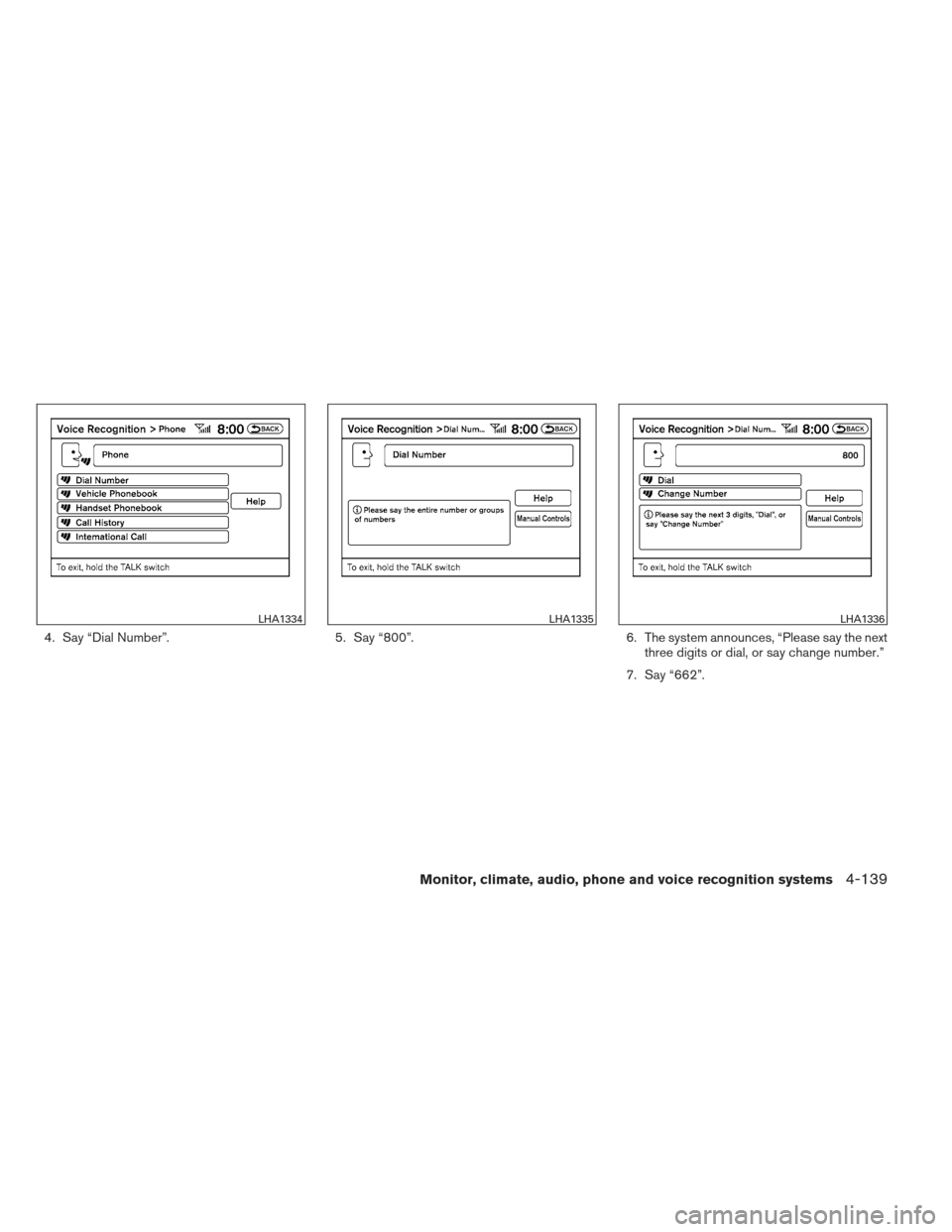
4. Say “Dial Number”.5. Say “800”.6. The system announces, “Please say the next
three digits or dial, or say change number.”
7. Say “662”.
LHA1334LHA1335LHA1336
Monitor, climate, audio, phone and voice recognition systems4-139
Page 299 of 444
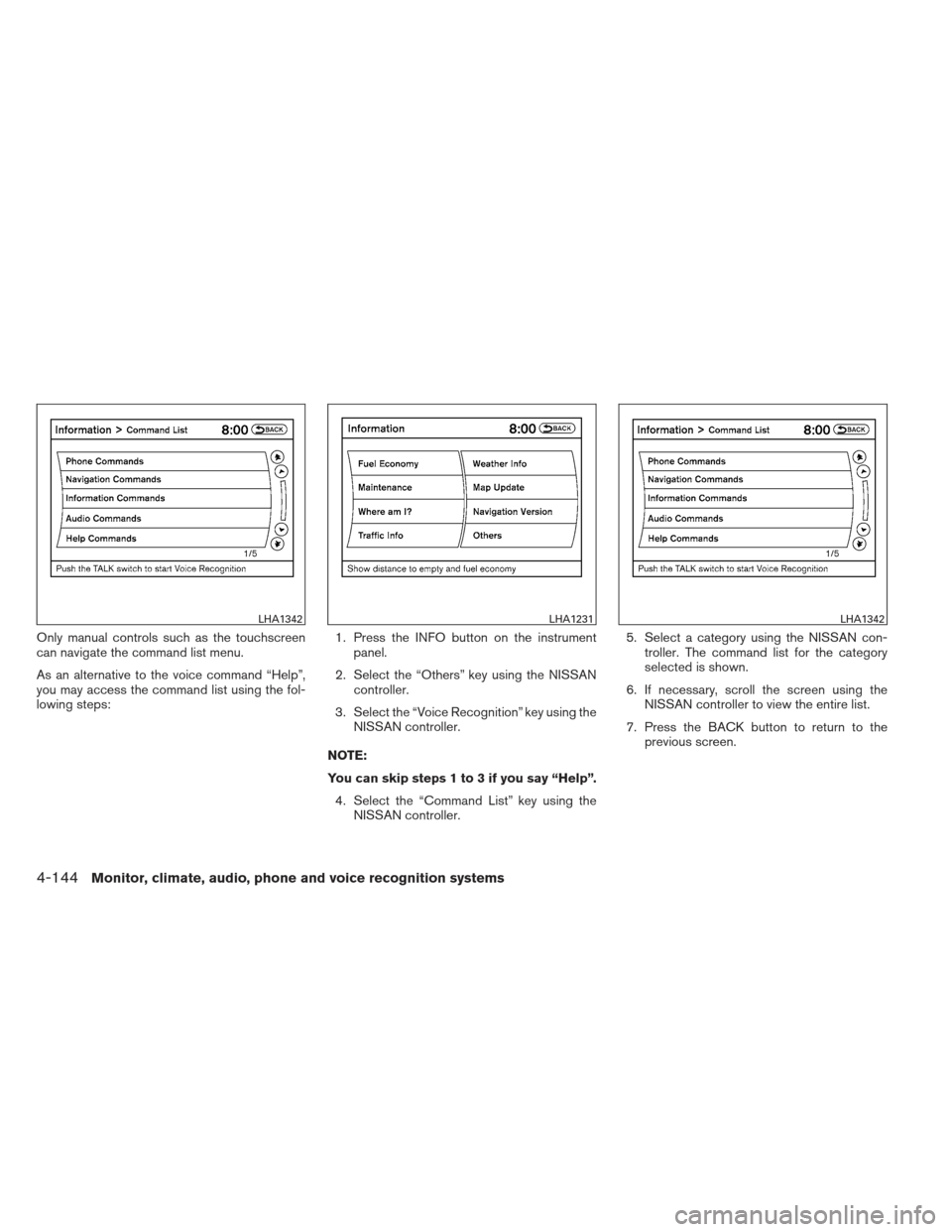
8. The system announces, “Please say the lastfour digits or say change number.”
9. Say “6200”. 10. The system announces, “Dial or Change
Number?”
11. Say “Dial”.
12. The system makes a call to 800-662- 6200.
NOTE: ● You can also speak “800-662-6200” (10
continuous digits) or “662-6200” (7 con-
tinuous digits) , if the area code is not nec-
essary. However, the 3-3-4 digit grouping is
recommended for improved recognition.
See “How to speak numbers” in this section. ●
You can only say a phone number using the
3-3-4 grouping, 7 digits, and 10 digits using
this command. Please use the “International
Call” command for all other formats, and
when special characters such as star (*) ,
pound (#) , and plus (+) need to be entered.
● If you say “Change Number” during phone
number entry, the system will automatically
request that you repeat the number using
the 3-3-4 format. In this case please say the
area code first and then follow the prompts.
● Do not add a “1” in front of the area code
when speaking phone numbers.
● If the system does not recognize your com-
mand, please try repeating the command
using a natural voice. Speaking too slowly or
too loudly may further decrease recognition
performance.
LHA1337LHA1338
4-140Monitor, climate, audio, phone and voice recognition systems
Page 300 of 444
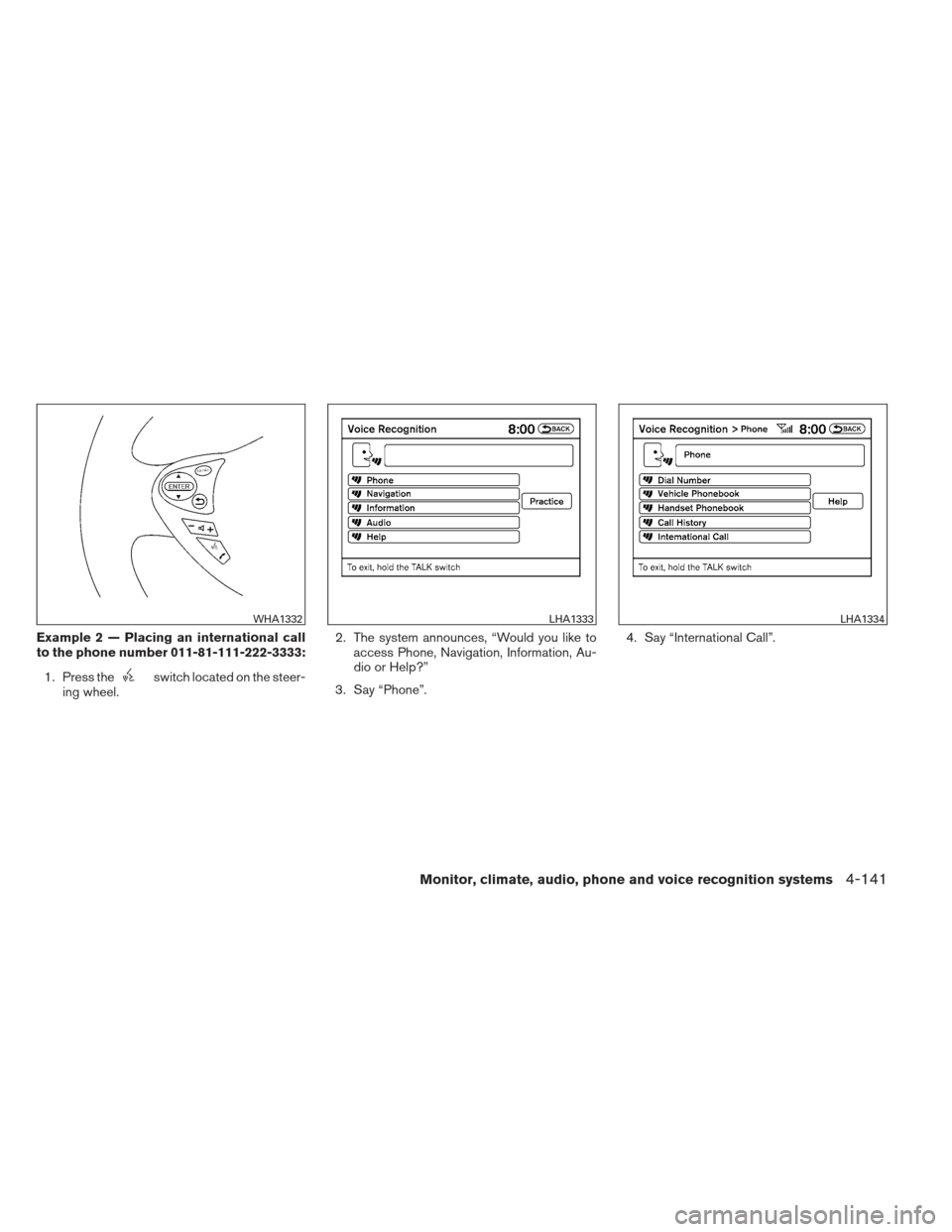
Example 2 — Placing an international call
to the phone number 011-81-111-222-3333:1. Press the
switch located on the steer-
ing wheel. 2. The system announces, “Would you like to
access Phone, Navigation, Information, Au-
dio or Help?”
3. Say “Phone”. 4. Say “International Call”.
WHA1332LHA1333LHA1334
Monitor, climate, audio, phone and voice recognition systems4-141
Page 301 of 444
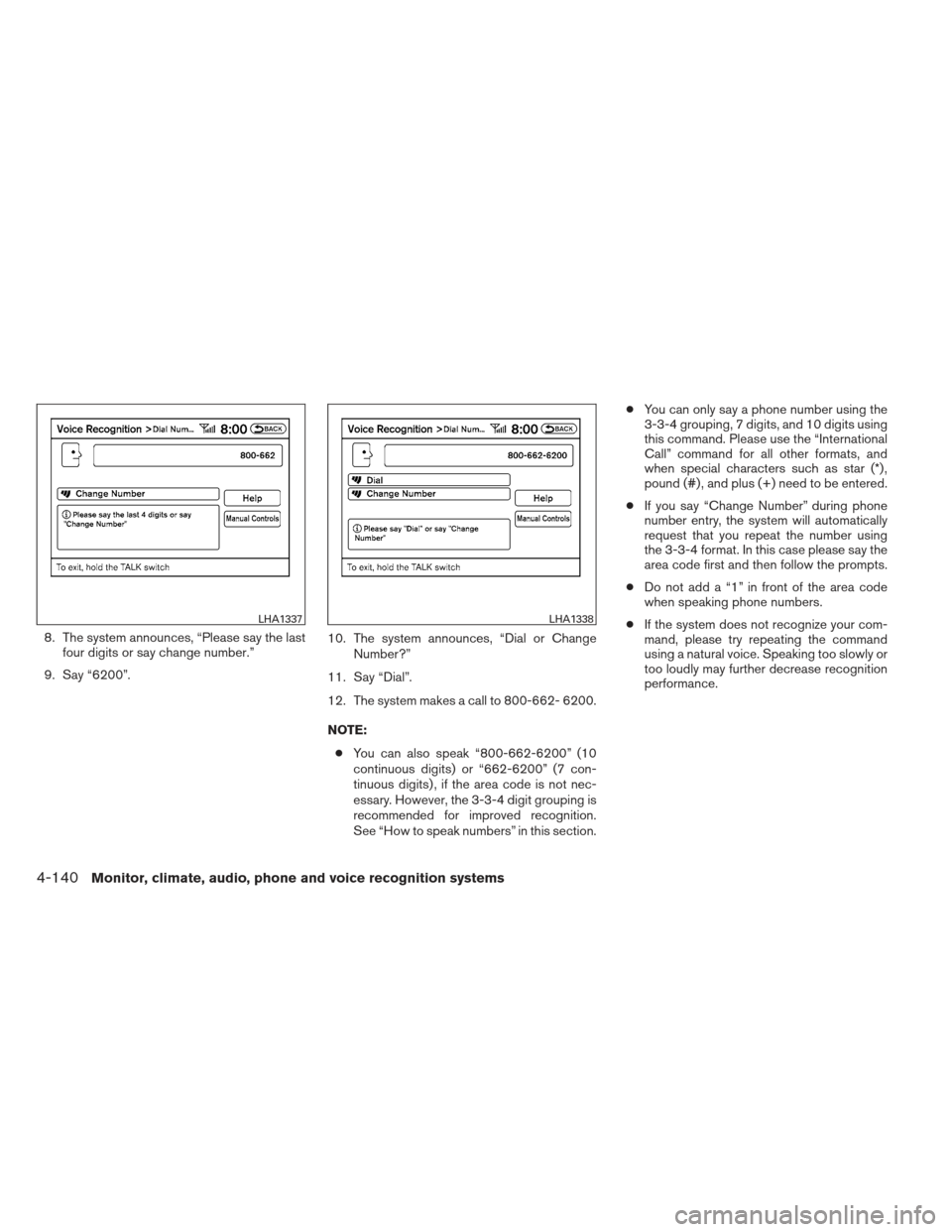
5. Say “011811112223333”.6. Say “Dial”.
7. The system makes a call to 011-81-111- 222-3333.
NOTE:
Any digit input format is available in the
International Number input process, as
well as the special characters such as star
(*) , pound (#) , and plus (+) .
NISSAN VOICE RECOGNITION
ALTERNATE COMMAND MODE
The Alternate Command Mode enables control
of the audio and display systems as well as
additional commands for the Vehicle Information,
Phone and Navigation systems. With this setting
active, the system does not announce or display
the available commands at each step.
When Alternate Command Mode is activated, an
expanded list of commands can be used after
pushing the TALK
switch. Under this
mode, the screen for Standard Mode commands
is not available on the display. Please review the
expanded command list, available when this
mode is active, as some Standard Mode com-
mands are replaced. Please see examples of
Alternate Command Mode screens.
Please note that in this mode the recognition
success rate may be affected as the number of
available commands and ways of speaking each
command are increased. You can turn this mode
ON or OFF. When this mode is activated, the
Voice Recognition Settings will change to show
more options.
LHA1339LHA1340
4-142Monitor, climate, audio, phone and voice recognition systems
Page 302 of 444
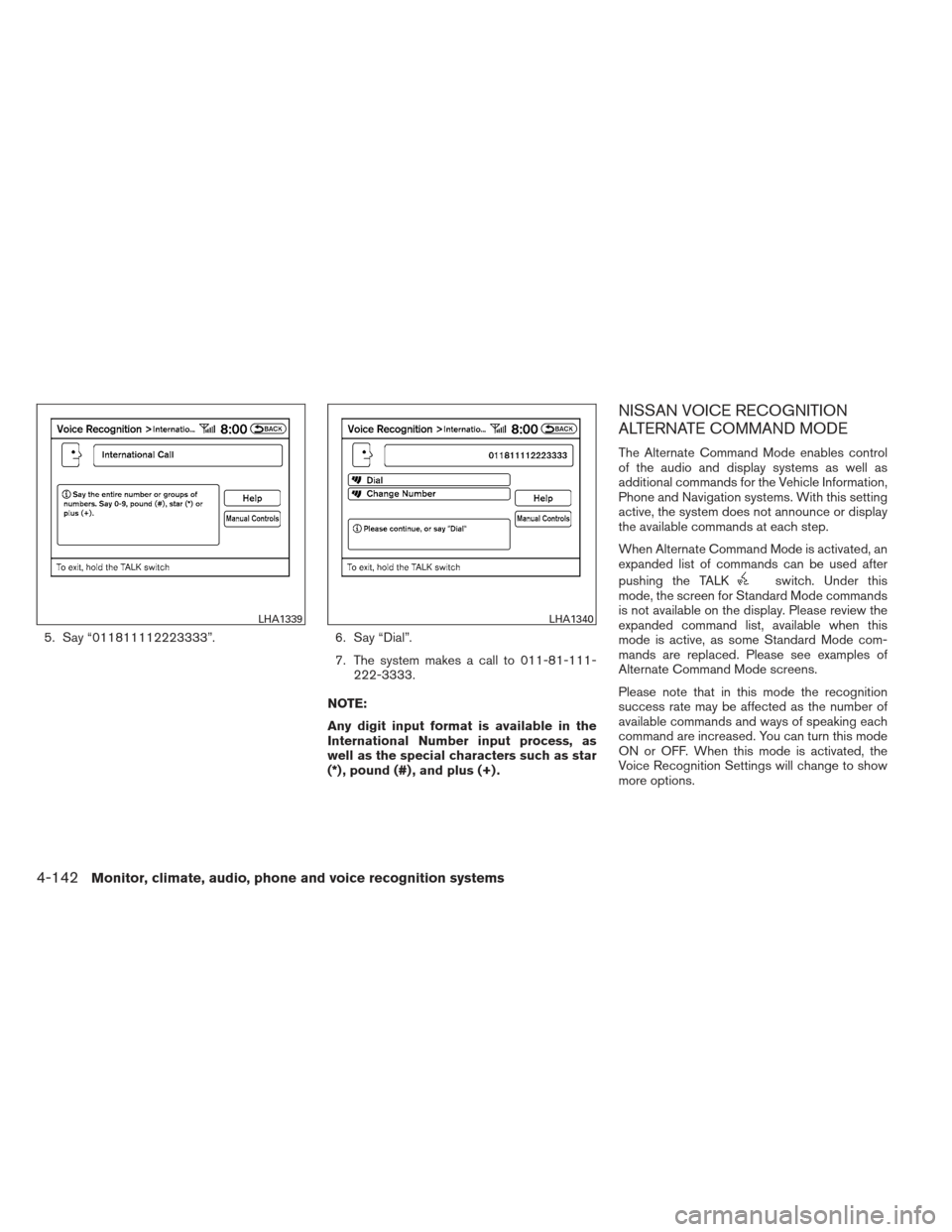
Activating Alternate Command Mode
1. Press the SETTING button on the instru-ment panel.
2. Select the “Others” key on the display.
3. Select the “Voice Recognition” key. 4. Select the “Alternate Command Mode” key.
5. The confirmation message is displayed on
the screen. Select the “OK” key to activate
the Alternate Command Mode. 6. Alternate Command Mode is activated and
the setting menu is expanded to include the
Alternate Command Mode options. See
“Settings menu” in this section for an expla-
nation of the options.
Displaying the command list
If you are controlling the system by voice com-
mands for the first time or do not know the
appropriate voice command, perform the follow-
ing procedure for displaying the voice command
list (available only in Alternate Command Mode) .
Press the
switch, listen for the tone and
say, “Help”. The system will respond by display-
ing the command list main menu.
LHA1248LHA1331LHA1341
Monitor, climate, audio, phone and voice recognition systems4-143
Page 303 of 444
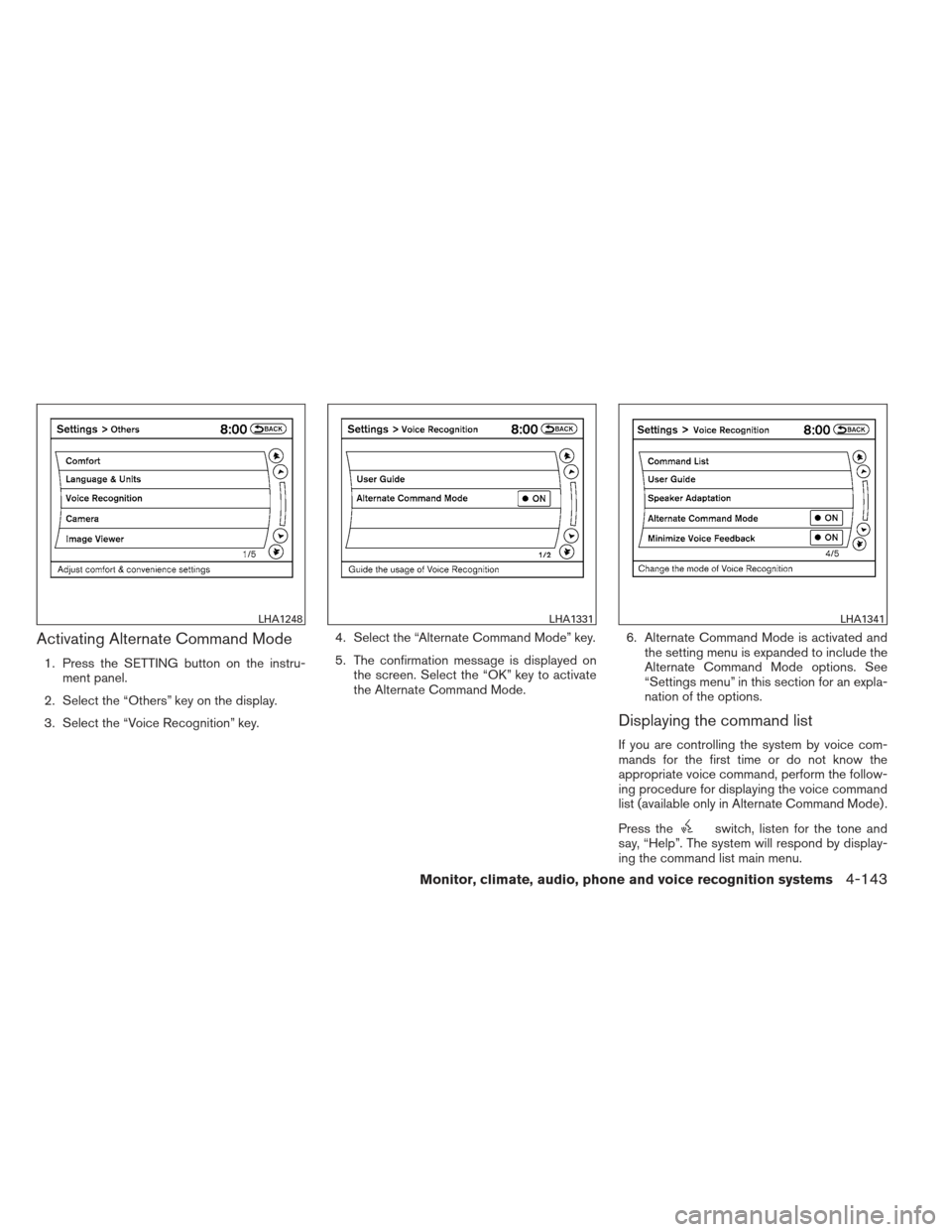
Only manual controls such as the touchscreen
can navigate the command list menu.
As an alternative to the voice command “Help”,
you may access the command list using the fol-
lowing steps:1. Press the INFO button on the instrument
panel.
2. Select the “Others” key using the NISSAN controller.
3. Select the “Voice Recognition” key using the NISSAN controller.
NOTE:
You can skip steps 1 to 3 if you say “Help”. 4. Select the “Command List” key using the NISSAN controller. 5. Select a category using the NISSAN con-
troller. The command list for the category
selected is shown.
6. If necessary, scroll the screen using the NISSAN controller to view the entire list.
7. Press the BACK button to return to the previous screen.
LHA1342LHA1231LHA1342
4-144Monitor, climate, audio, phone and voice recognition systems