2013 NISSAN LEAF USB
[x] Cancel search: USBPage 264 of 402
REPEAT:
When the RPT play button is pushed while the
CD is played, the play pattern can be changed as
follows:
(CD)
Normal↔1 Track Repeat
(CD with compressed audio files)
Normal→1 Folder Repeat→1 Track Repeat-
→Normal
RANDOM:
When the RDM play button is pushed while a CD
is being played, the play pattern can be changed
as follows:
(CD)
Normal↔1 Disc Random
(CD with compressed audio files)
Normal→1 Disc Random→1 Folder Random-
→Normal
CD EJECT:
When the CD EJECT button is pushed with a
compact disc loaded, the CD will be ejected.
When this button is pushed while the CD is being
played, the CD will be ejected. If the CD comes out and is not removed, it
will be pulled back into the slot to protect
it.
AUX IN jack:
The AUX IN jack is located on the audio unit. The
AUX IN audio jack accepts any standard analog
audio input such as from a portable cassette
tape/CD player, MP3 player or laptop computer.
CD·AUX button:
When the CD button is pushed with no
device plugged into the jack, the audio system
does not change to the AUX mode.
NISSAN strongly reommends using a stereo mini
plug cable when connecting your music device to
the audio system. Music may not play properly
when a monaural cable is used.
USB MEMORY OPERATION
Audio main operation:
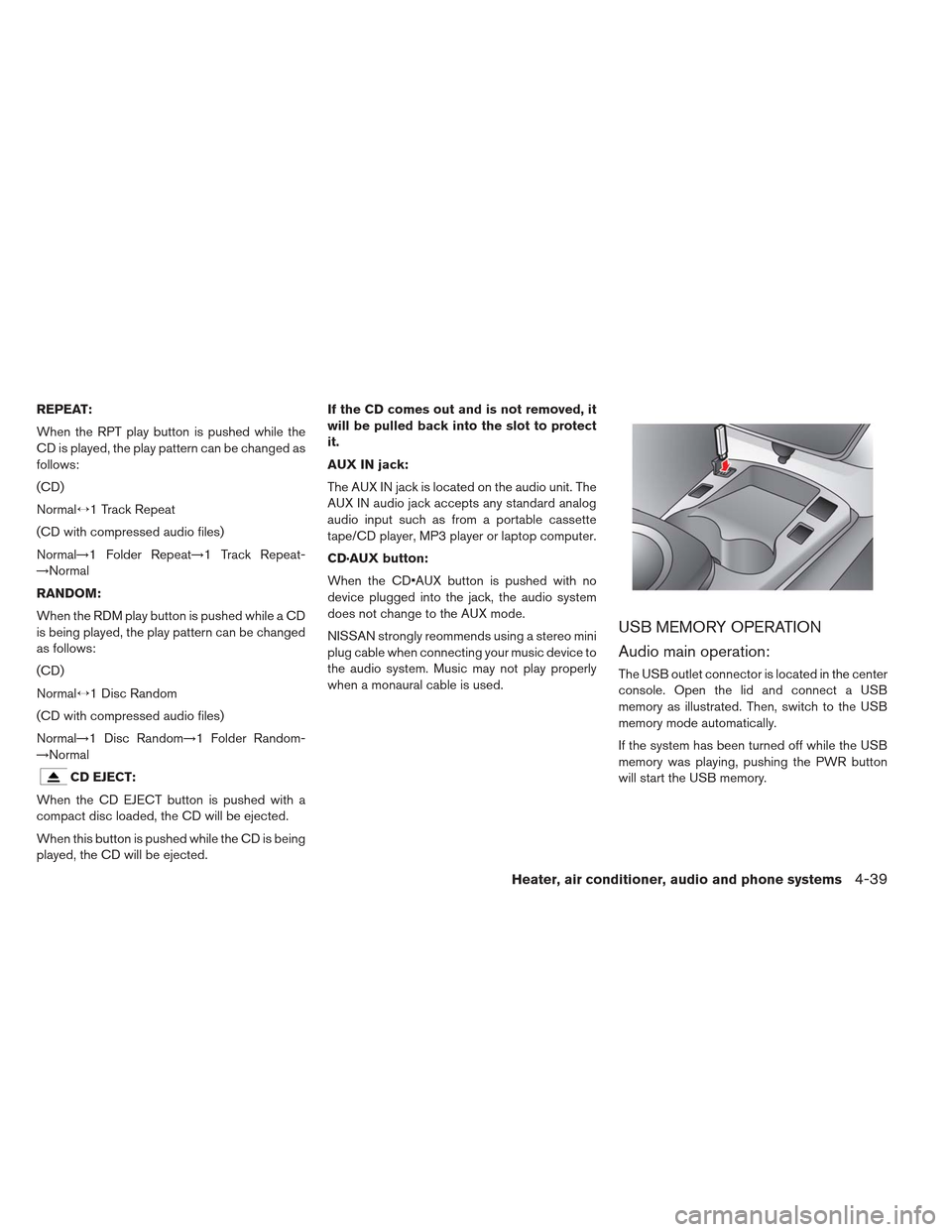
The USB outlet connector is located in the center
console. Open the lid and connect a USB
memory as illustrated. Then, switch to the USB
memory mode automatically.
If the system has been turned off while the USB
memory was playing, pushing the PWR button
will start the USB memory.
Heater, air conditioner, audio and phone systems4-39
Page 265 of 402
CAUTION
Do not force the USB device into the USB port. Inserting the USB device
tilted or up-side-down into the port
may damage the USB device and the
port. Make sure that the USB device is
connected correctly into the USB port.
(Some USB devices come with a
mark as a guide. Make sure that
the mark is facing the correct direction
before inserting the device.)
Do not locate objects near the USB
device to prevent the objects from
leaning on the USB device and the
port. Pressure from the objects may
damage the USB device and the port.
CD·AUX button:
When the CD·AUX button is pushed with the
system off and the USB memory inserted, the
system will turn on.
Next/Previous File and Fast
Forward/Rewind:
When the
orbutton is pushed for
more than 1.5 seconds while a USB memory is
being played, the USB memory will play while fast
forwarding or rewinding. When the button is re- leased, the USB memory will return to normal
play speed.
When the
orbutton is pushed for less
than 1.5 seconds while the USB memory is being
played, the next track or the beginning of the
current track on the USB memory will be played.
The multi-function controller can also be used to
select tracks when the USB memory is being
played.
Folder selection:
To change to another folder in the USB memory,
turn the folder selector.
REPEAT (RPT):
When the RPT button is pushed while the USB
memory is being played, the play pattern can be
changed as follows:
To change the play mode, push the RPT button
repeatedly and the mode will change as follows:
Normal→1 Folder Repeat→1 Track Repeat-
→Normal RANDOM (RDM):
When the RDM button is pushed while a USB
memory device is being playing, the play pattern
can be changed as follows:
To change the play mode, push the RDM button
repeatedly and the mode will change as follows:
Normal→All Random→1 Folder Random→Nor-
mal
BACK button:
When the BACK button is pushed, it returns to
the previous display.
4-40Heater, air conditioner, audio and phone systems
Page 266 of 402
IPOD® PLAYER OPERATION
Connecting iPod®:
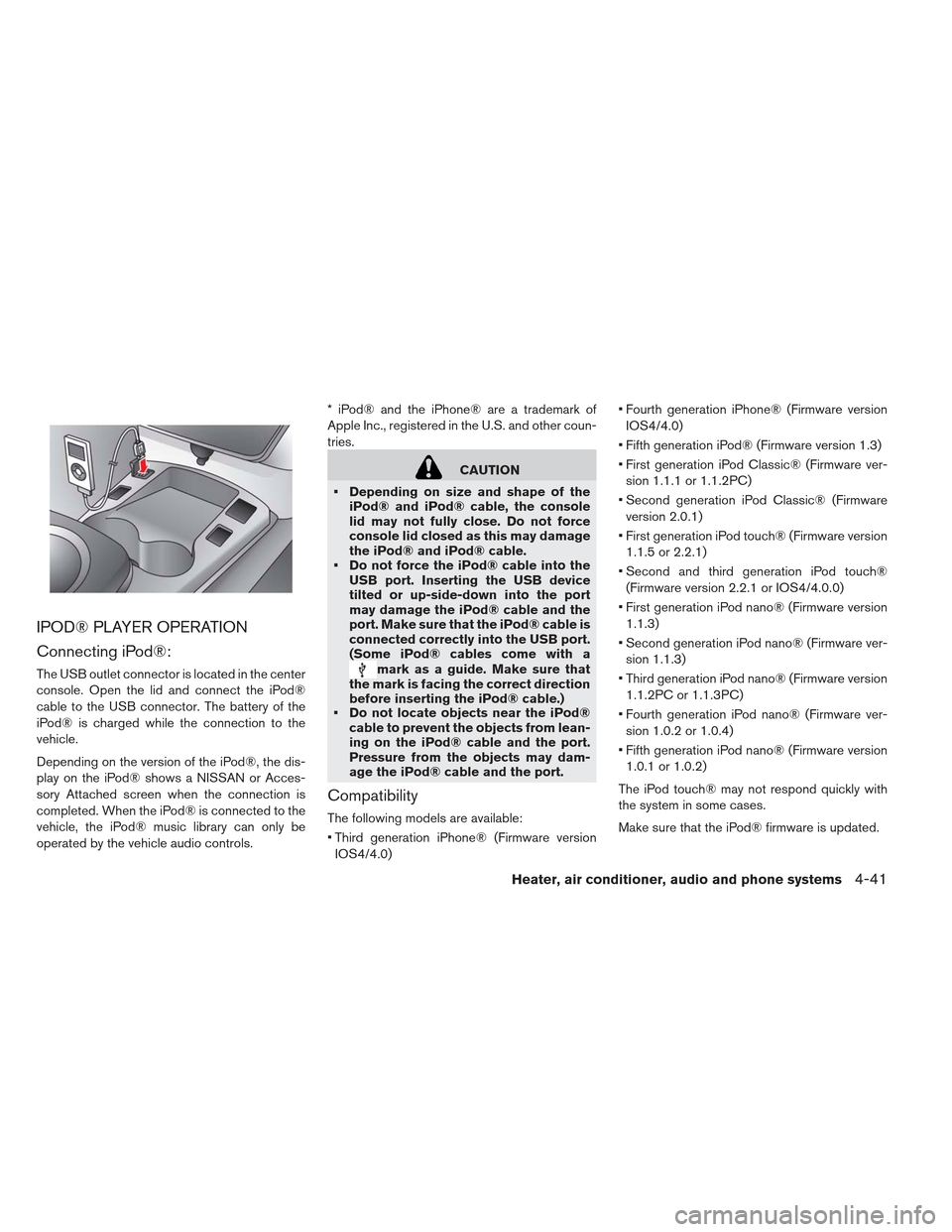
The USB outlet connector is located in the center
console. Open the lid and connect the iPod®
cable to the USB connector. The battery of the
iPod® is charged while the connection to the
vehicle.
Depending on the version of the iPod®, the dis-
play on the iPod® shows a NISSAN or Acces-
sory Attached screen when the connection is
completed. When the iPod® is connected to the
vehicle, the iPod® music library can only be
operated by the vehicle audio controls.* iPod® and the iPhone® are a trademark of
Apple Inc., registered in the U.S. and other coun-
tries.
CAUTION
Depending on size and shape of the iPod® and iPod® cable, the console
lid may not fully close. Do not force
console lid closed as this may damage
the iPod® and iPod® cable.
Do not force the iPod® cable into the USB port. Inserting the USB device
tilted or up-side-down into the port
may damage the iPod® cable and the
port. Make sure that the iPod® cable is
connected correctly into the USB port.
(Some iPod® cables come with a
mark as a guide. Make sure that
the mark is facing the correct direction
before inserting the iPod® cable.)
Do not locate objects near the iPod®
cable to prevent the objects from lean-
ing on the iPod® cable and the port.
Pressure from the objects may dam-
age the iPod® cable and the port.
Compatibility
The following models are available:
Third generation iPhone® (Firmware version
IOS4/4.0) Fourth generation iPhone® (Firmware version
IOS4/4.0)
Fifth generation iPod® (Firmware version 1.3)
First generation iPod Classic® (Firmware ver- sion 1.1.1 or 1.1.2PC)
Second generation iPod Classic® (Firmware version 2.0.1)
First generation iPod touch® (Firmware version 1.1.5 or 2.2.1)
Second and third generation iPod touch® (Firmware version 2.2.1 or IOS4/4.0.0)
First generation iPod nano® (Firmware version 1.1.3)
Second generation iPod nano® (Firmware ver- sion 1.1.3)
Third generation iPod nano® (Firmware version 1.1.2PC or 1.1.3PC)
Fourth generation iPod nano® (Firmware ver- sion 1.0.2 or 1.0.4)
Fifth generation iPod nano® (Firmware version 1.0.1 or 1.0.2)
The iPod touch® may not respond quickly with
the system in some cases.
Make sure that the iPod® firmware is updated.
Heater, air conditioner, audio and phone systems4-41
Page 268 of 402
CD CARE AND CLEANING
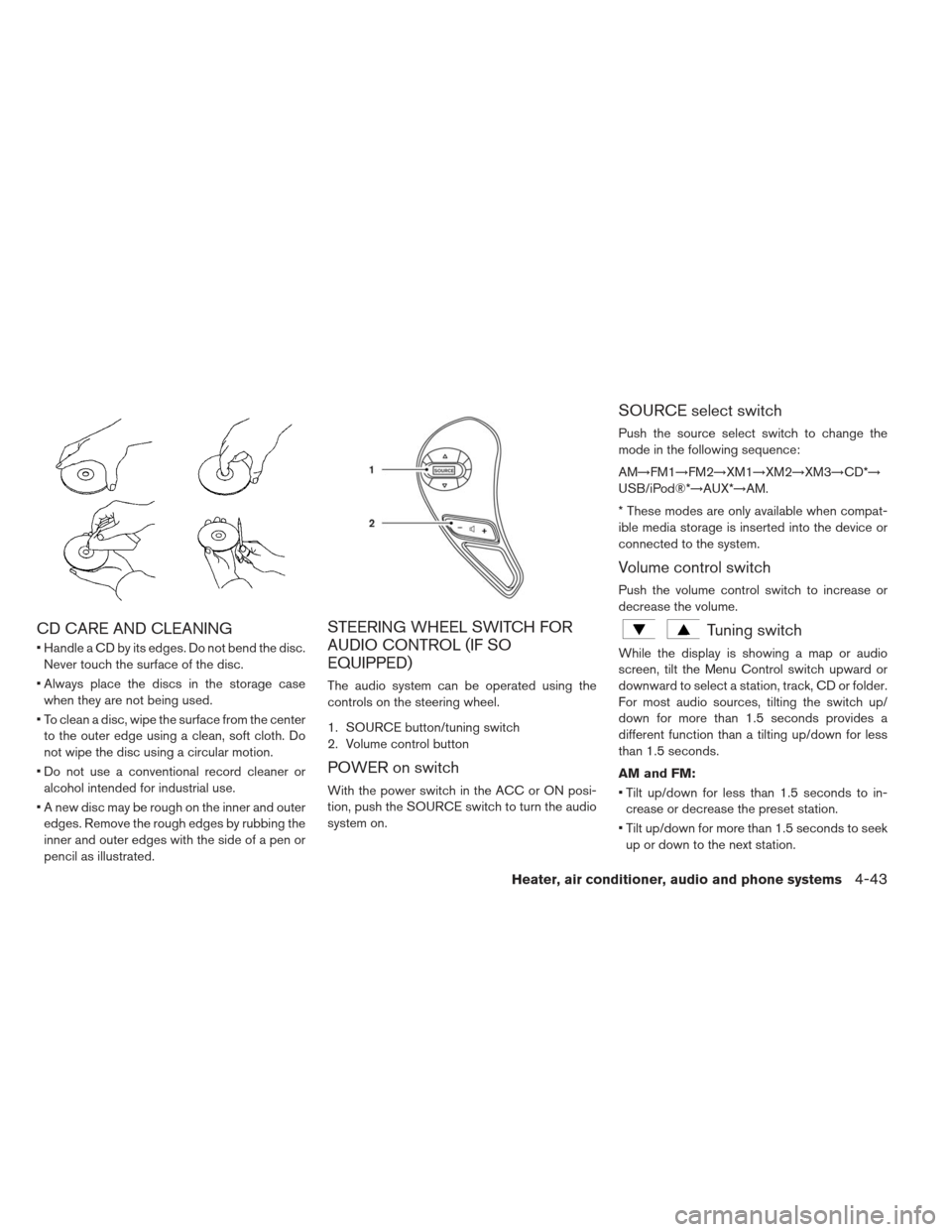
Handle a CD by its edges. Do not bend the disc.Never touch the surface of the disc.
Always place the discs in the storage case when they are not being used.
To clean a disc, wipe the surface from the center to the outer edge using a clean, soft cloth. Do
not wipe the disc using a circular motion.
Do not use a conventional record cleaner or alcohol intended for industrial use.
A new disc may be rough on the inner and outer edges. Remove the rough edges by rubbing the
inner and outer edges with the side of a pen or
pencil as illustrated.
STEERING WHEEL SWITCH FOR
AUDIO CONTROL (IF SO
EQUIPPED)
The audio system can be operated using the
controls on the steering wheel.
1. SOURCE button/tuning switch
2. Volume control button
POWER on switch
With the power switch in the ACC or ON posi-
tion, push the SOURCE switch to turn the audio
system on.
SOURCE select switch
Push the source select switch to change the
mode in the following sequence:
AM→FM1→FM2→XM1→XM2→XM3→CD*→
USB/iPod®*→AUX*→AM.
* These modes are only available when compat-
ible media storage is inserted into the device or
connected to the system.
Volume control switch
Push the volume control switch to increase or
decrease the volume.
Tuning switch
While the display is showing a map or audio
screen, tilt the Menu Control switch upward or
downward to select a station, track, CD or folder.
For most audio sources, tilting the switch up/
down for more than 1.5 seconds provides a
different function than a tilting up/down for less
than 1.5 seconds.
AM and FM:
Tilt up/down for less than 1.5 seconds to in- crease or decrease the preset station.
Tilt up/down for more than 1.5 seconds to seek up or down to the next station.
Heater, air conditioner, audio and phone systems4-43
Page 269 of 402
XM:
Tilt up/down for less than 1.5 seconds to in-crease or decrease the preset station.
Tilt up/down for more than 1.5 seconds to go to the next or previous category.
Press the ENTER button to show the XM Menu.
iPod®:
Tilt up/down for less than 1.5 seconds to in- crease or decrease the track number.
Press the iPod MENU button to show the iPod Menu.
CD:
Tilt up/down for less than 1.5 seconds to in- crease or decrease the track number.
Tilt up/down for more than 1.5 seconds to in- crease or decrease the folder number (if playing
compressed audio files) .
Press the ENTER button to show the CD Menu. USB:
Tilt up/down for less than 1.5 seconds to in-
crease or decrease the track number.
Tilt up/down for more than 1.5 seconds to in- crease or decrease the folder number.
Press the ENTER button to show the USB Menu.
ANTENNA
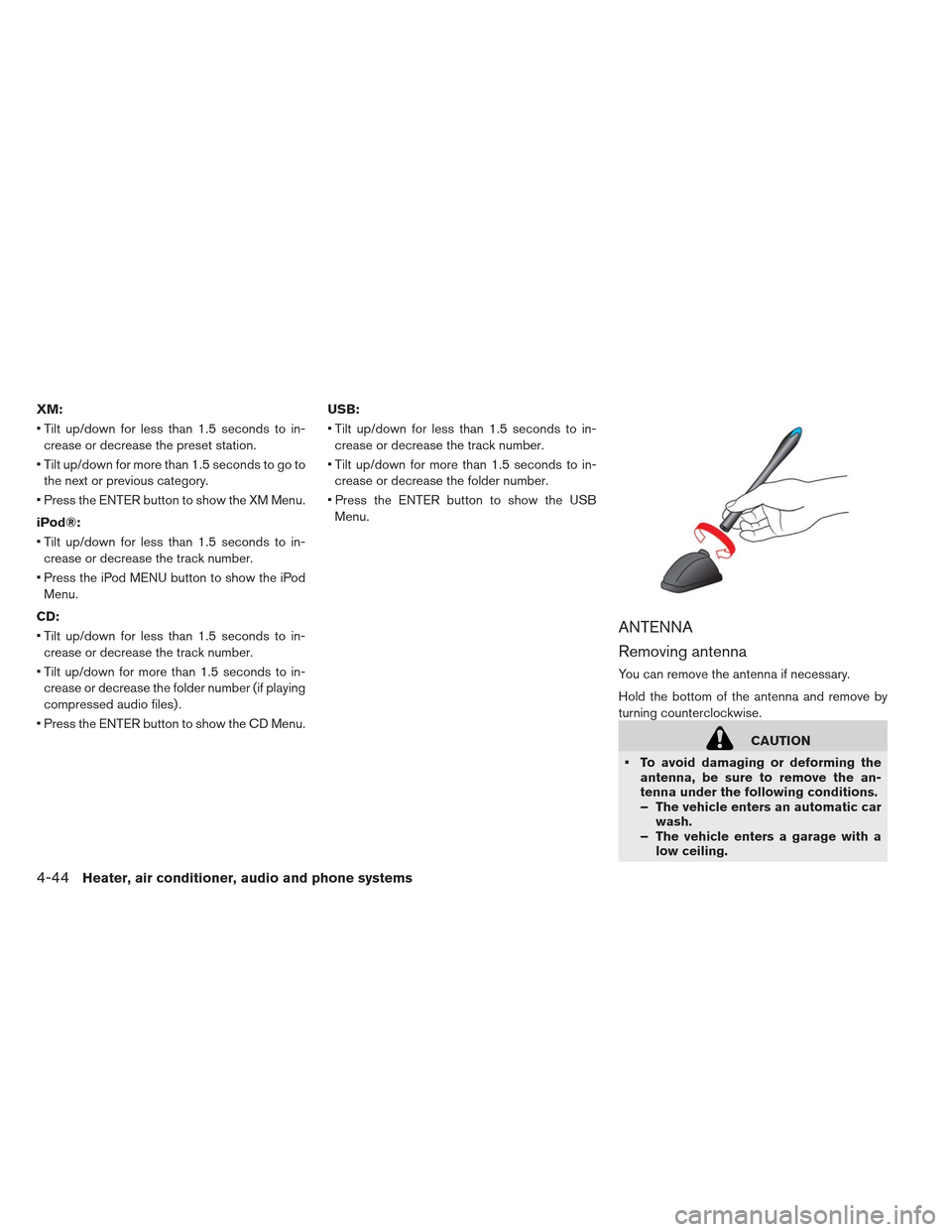
Removing antenna
You can remove the antenna if necessary.
Hold the bottom of the antenna and remove by
turning counterclockwise.
CAUTION
To avoid damaging or deforming the antenna, be sure to remove the an-
tenna under the following conditions.
– The vehicle enters an automatic carwash.
– The vehicle enters a garage with a low ceiling.
4-44Heater, air conditioner, audio and phone systems