Page 259 of 626

3-172 Features and controls
3
2. This informs you that a periodic inspection is due. Contact
an authorized Mitsubishi Motors dealer or a repair facility
of your choice to have the system checked.
At that time, when the ignition switch is switched from
the “OFF” position to the “ON” position, “PERIODIC
INSPECTION” is displayed for a few seconds on the
information screen.
3. After your vehicle is inspected at an authorized Mitsubishi
Motors dealer, it displays the time until the next periodic
inspection.
To reset The “---” display can be reset while the ignition switch is in the
“OFF” position. When the display is reset, the time until the
next periodic inspection is displayed and the warning display is
no longer displayed when the ignition switch is switched from
the “OFF” position to the “ON” position.
1. When you lightly press the multi-information meter
switch, the information screen switches to the service
reminder display screen.
BK0150900US.book 172 ページ 2012年5月7日 月曜日 午後12時9分
Page 260 of 626

Features and controls
3-173
3
2. Press and hold the multi-information meter switch (for
about 2 seconds or more) to display “ ” and make it
flash. (If there is no operation for about 10 seconds with
this indicator flashing, the display returns to the previous
screen.)
3. With this indicator flashing, if you lightly press the multi-
information meter switch, the screen switches from “---”
to “CLEAR”. After that, the time until the next periodic
inspection is shown.
NOTE�The “---” display cannot be reset while the ignition switch
is in the “ON” position.
�When “---” is displayed, after a certain distance and a cer-
tain period of time, the display is reset and the time until
the next periodic inspection is displayed.
�If you accidentally reset the display, consult an authorized
Mitsubishi Motors dealer for assistance.
CAUTION
!�The customer is responsible for making sure that
regular inspections and maintenance and periodic
inspections and maintenance are performed.
Inspections and maintenance must be performed to
prevent accidents and malfunctions.
BK0150900US.book 173 ページ 2012年5月7日 月曜日 午後12時9分
Page 261 of 626
3-174 Features and controls
3
Door ajar warning display screen (With ignition
switch in the “ON” position)
N00555700116
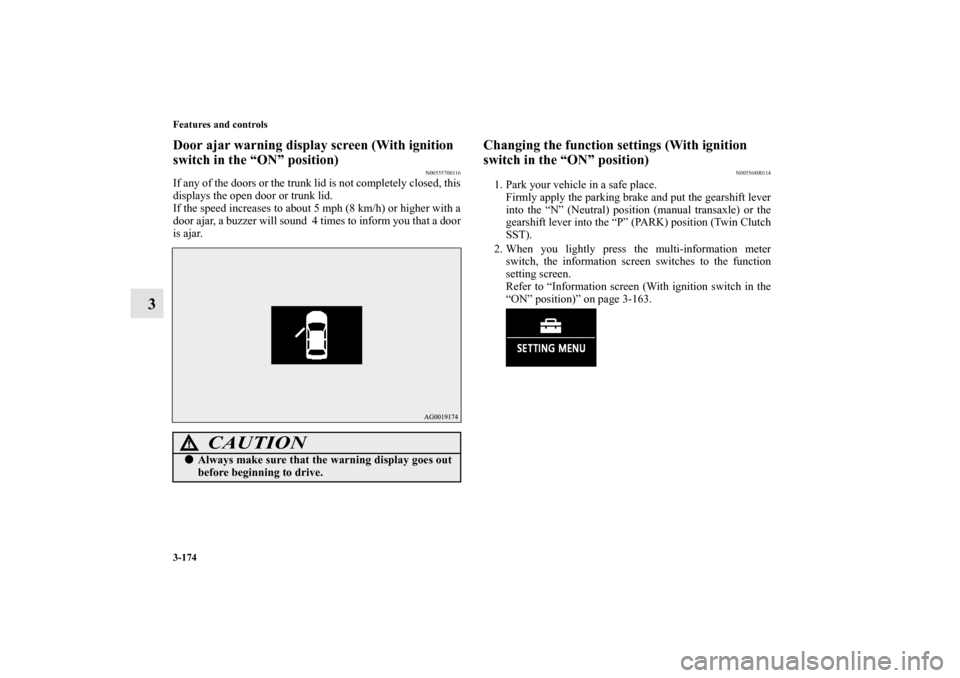
If any of the doors or the trunk lid is not completely closed, this
displays the open door or trunk lid.
If the speed increases to about 5 mph (8 km/h) or higher with a
door ajar, a buzzer will sound 4 times to inform you that a door
is ajar.
Changing the function settings (With ignition
switch in the “ON” position)
N00556800114
1. Park your vehicle in a safe place.
Firmly apply the parking brake and put the gearshift lever
into the “N” (Neutral) position (manual transaxle) or the
gearshift lever into the “P” (PARK) position (Twin Clutch
SST).
2. When you lightly press the multi-information meter
switch, the information screen switches to the function
setting screen.
Refer to “Information screen (With ignition switch in the
“ON” position)” on page 3-163.
CAUTION
!�Always make sure that the warning display goes out
before beginning to drive.
BK0150900US.book 174 ページ 2012年5月7日 月曜日 午後12時9分
Page 263 of 626

3-176 Features and controls
3
Changing the reset mode for average fuel consumption
and average speed
N00557000214
You can change the mode condition for the average fuel con-
sumption and average speed display to “Auto reset” or “Man-
ual reset.”
1. Press and hold the multi-information meter switch (for
about 2 seconds or more) to switch from the setting mode
screen to the menu screen.
Refer to “Changing the function settings (With ignition
switch in the “ON” position)” on page 3-174.
2. Lightly press the multi-information meter switch to select
“AVG” (average fuel consumption and average speed set-
ting).3. Press and hold the multi-information meter switch (for
about 2 seconds or more) to switch in sequence from A or
1 (Auto reset) → M, 2 or P (Manual reset) → A or 1 (Auto
reset).
The setting is changed to the selected reset condition.
Manual reset mode
�If you press and hold the multi-information meter switch
when the average fuel consumption and average speed are
displayed, these calculations will be reset to zero.
�When the ignition switch is turned to the “ON” position
from the “ACC” or “LOCK” position, the mode setting
changes automatically from manual to auto.
Switching to auto occurs automatically. If switching to
manual mode is done, however, the data from the last
reset is displayed.BK0150900US.book 176 ページ 2012年5月7日 月曜日 午後12時9分
Page 264 of 626
Features and controls
3-177
3
Auto reset mode
�When the average fuel consumption and average speed
are being displayed, if you hold down the multi-informa-
tion meter switch, these calculations will be reset to zero.
�When the ignition switch has been set to the “ACC” or
“LOCK” position for about 4 hours or more, the average
fuel consumption display and the average speed display
will automatically reset.NOTE�The average speed display and average fuel consumption
display can be reset separately in both auto reset mode and
manual reset mode.
�The average speed display memories and average fuel
consumption memories for auto reset mode and manual
reset mode are erased if the battery is disconnected.
�The initial (default) setting is “Auto reset mode”.
Changing the fuel consumption display unit
N00557100101
The fuel consumption display unit can be changed. The dis-
tance, speed, and amount units are also changed to match the
selected fuel consumption unit.
1. Press and hold the multi-information meter switch (for
about 2 seconds or more) to change from the setting mode
screen to the menu screen.
Refer to “Changing the function settings (With ignition
switch in the “ON” position)” on page 3-174.
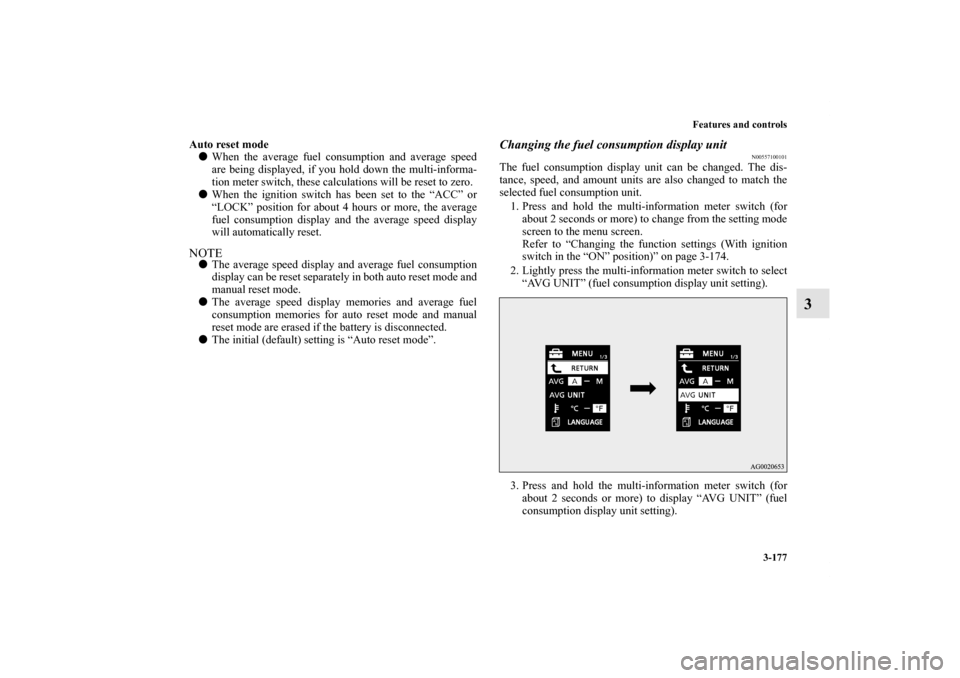
2. Lightly press the multi-information meter switch to select
“AVG UNIT” (fuel consumption display unit setting).
3. Press and hold the multi-information meter switch (for
about 2 seconds or more) to display “AVG UNIT” (fuel
consumption display unit setting).
BK0150900US.book 177 ページ 2012年5月7日 月曜日 午後12時9分
Page 265 of 626
3-178 Features and controls
3
4. Lightly press the multi-information meter switch to switch
in sequence from km/L → L/100 km → mpg (US) → mpg
(UK) → RETURN → km/L.
5. Press and hold the multi-information meter switch (for
about 2 seconds or more) to change the setting to the
selected unit.
NOTE�The display units for the driving range, the average fuel
consumption, the average speed and the momentary fuel
consumption are changed, but the units for the indicating
needle (speedometer), the odometer and the trip odometer
will remain unchanged.
�If the battery is disconnected, the memory of the unit set-
ting is erased and is automatically set to {mpg (US) or
L/100 km}.
The distance and speed units are also changed in the following
combinations to match the selected fuel consumption unit.
Fuel
economy
Distance
(driving range)
Speed
(average speed)
mpg (US) mile (s) mph
mpg (UK) mile (s) mph
km / L km km / h
L / 100 km km km / h
BK0150900US.book 178 ページ 2012年5月7日 月曜日 午後12時9分
Page 266 of 626
Features and controls
3-179
3
Changing the temperature unit
N00557200131
The temperature display unit can be switched.
1. Press and hold the multi-information meter switch (for
about 2 seconds or more) to switch from the setting mode
screen to the menu screen.
Refer to “Changing the function settings (With ignition
switch in the “ON” position)” on page 3-174.
2. Lightly press the multi-information meter switch to select
“ ” (temperature unit setting).3. Press and hold the multi-information meter switch (for
about 2 seconds or more) to change in sequence from °F
→ °C → °F.
The setting is changed to the selected temperature unit.
NOTE�If the battery is disconnected, the memory of the unit set-
ting is erased and is automatically set to °F (°C).
BK0150900US.book 179 ページ 2012年5月7日 月曜日 午後12時9分
Page 267 of 626

3-180 Features and controls
3
Changing the display language
N00557300174
The language of the multi-information display can be changed.
1. Press and hold the multi-information meter switch (for
about 2 seconds or more) to change from the setting mode
screen to the menu screen.
Refer to “Changing the function settings (With ignition
switch in the “ON” position)” on page 3-174.
2. Lightly press the multi-information meter switch to select
“LANGUAGE” (language setting).
3. Press and hold the multi-information meter switch (for
about 2 seconds or more) to display “LANGUAGE” (lan-
guage setting).
4. Lightly press the multi-information meter switch to select
the desired language.5. Press and hold the multi-information meter switch (for
about 2 seconds or more) to change the setting to the
selected language.
NOTE�If the battery is disconnected, the memory of the language
setting is erased and is automatically set to ENGLISH or
RUSSIAN.
�If “---” is selected in the language setting, a warning mes-
sage is not displayed when there is a warning display or
interrupt display.
BK0150900US.book 180 ページ 2012年5月7日 月曜日 午後12時9分

