2013 MERCEDES-BENZ SLS-CLASS start stop button
[x] Cancel search: start stop buttonPage 145 of 286
vehicle enters the blind spot monitoring
range from behind or from the side. When you
overtake a vehicle, the warning only occurs if
the difference in speed is less than
7 mph(12 km/h).
The yellow indicator lamp goes out if reverse
gear is engaged. In this event, Blind Spot
Assist is no longer active.
The brightness of the indicator/warning
lamps is adjusted automatically according to
the ambient light.
Collision warning If a vehicle is detected in the monitoring range
of Blind Spot Assist and you switch on the
corresponding turn signal, a double warning
tone sounds. Red warning lamp :flashes. If
the turn signal remains on, vehicles detected
are indicated by the flashing of red warning
lamp :. There are no further warning tones.
Switching on Blind Spot Assist X
Make sure that Blind Spot Assist
(Y page 153) is activated in the on-board
computer.
X Ensure that key position 2has been
selected with the Start/Stop button.
Warning lamps :in the exterior mirrors
light up red for approximately
1.5 seconds and then turn yellow. Driving systems
143Driving and parking Z
ProCarManuals.com
Page 157 of 286
X
Press the abutton to save the setting.
X Press the :or9 button to increase
or decrease the brightness.
Activating/deactivating surround
lighting and exterior lighting delayed
switch-off
The Locator lighting
Locator lighting function allows you
to set whether the exterior lighting should
come on when it is dark:
R for 40 seconds after unlocking the vehicle
with the SmartKey
The exterior lighting switches off if you
open the driver’s door.
R for 15 seconds after switching off the
engine and closing the doors
If the engine is switched off and then none
of the doors are opened, or if an open door
is not closed, the exterior lighting goes out
after 60 seconds.
If you activate the Locator Lighting
Locator Lighting
function, the following light up:
R the parking lamps
R the low-beam headlamps
R the license plate lamp
R the surround lighting in the exterior mirrors
X Press the =or; button on the
steering wheel to select the Settings
Settings
menu.
X Press the :or9 button to select the
Light
Light submenu.
X Press the abutton to confirm.
X Press the :or9 button to select the
Locator Lighting
Locator Lighting function.
You will see the selected setting: on onor
off
off.
X Press the abutton to save the setting. Deactivating the delayed switch-off
temporarily:
X
Select key position 0with the Start/Stop
button before leaving the vehicle.
X Select key position 2and then key position
0 again with the Start/Stop button
The delayed switch-off is deactivated.
Delayed switch-off is reactivated the next
time you start the engine.
Activating/deactivating the interior
lighting delayed switch-off
If you select key position 0with the Start/
Stop button when the Light. Delay
Light. Delay
function is activated, the interior lighting
lights up for approximately 20 seconds if it is
dark.
X Press the =or; button on the
steering wheel to select the Settings
Settings
menu.
X Press the :or9 button to select the
Light Light submenu.
X Press the abutton to confirm.
X Press the :or9 button to select the
Interior lighting delay sw. off
Interior lighting delay sw. off
function.
You will see the selected setting: Enabled Enabled
or Disabled
Disabled .
X Press the abutton to save the setting.
Vehicle
Activating/deactivating the automatic
door locking mechanism
If you select the Automatic Door Lock: Automatic Door Lock:
function, the vehicle is centrally locked above
a speed of around 9 mph(15 km/h).
i For further information on the automatic
locking feature, see (Y page 69).
X Press the =or; button on the
steering wheel to select the Settings
Settings
menu.
X Press the :or9 button to select the
Vehicle Vehicle submenu.
X Press the abutton to confirm. Displays and operation
155On-board computer and displays Z
ProCarManuals.com
Page 160 of 286
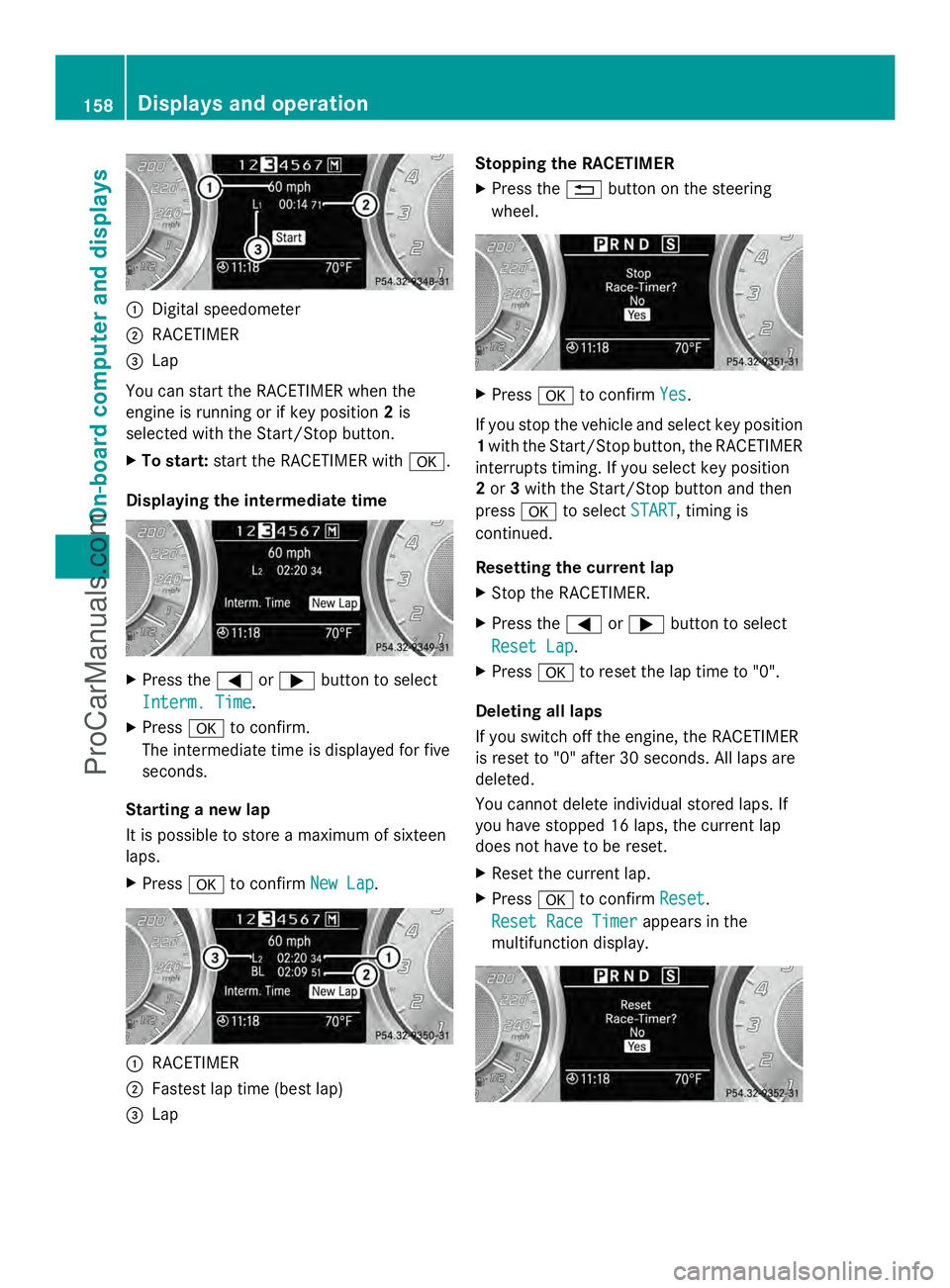
:
Digital speedometer
; RACETIMER
= Lap
You can start the RACETIMER when the
engine is running or if key position 2is
selected with the Start/Stop button.
X To start: start the RACETIMER with a.
Displaying the intermediate time X
Press the =or; button to select
Interm. Time Interm. Time.
X Press ato confirm.
The intermediate time is displayed for five
seconds.
Starting a new lap
It is possible to store a maximum of sixteen
laps.
X Press ato confirm New Lap New Lap. :
RACETIMER
; Fastest lap time (best lap)
= Lap Stopping the RACETIMER
X Press the %button on the steering
wheel. X
Press ato confirm Yes
Yes.
If you stop the vehicle and select key position
1 with the Start/Stop button, the RACETIMER
interrupts timing. If you select key position
2 or 3with the Start/Stop button and then
press ato select START START, timing is
continued.
Resetting the current lap
X Stop the RACETIMER.
X Press the =or; button to select
Reset Lap Reset Lap .
X Press ato reset the lap time to "0".
Deleting all laps
If you switch off the engine, the RACETIMER
is reset to "0" after 30 seconds. All laps are
deleted.
You cannot delete individual stored laps. If
you have stopped 16 laps, the current lap
does not have to be reset.
X Reset the current lap.
X Press ato confirm Reset
Reset .
Reset Race Timer Reset Race Timer appears in the
multifunction display. 158
Displays and operationOn-boa
rdcompu ter and displays
ProCarManuals.com
Page 164 of 286
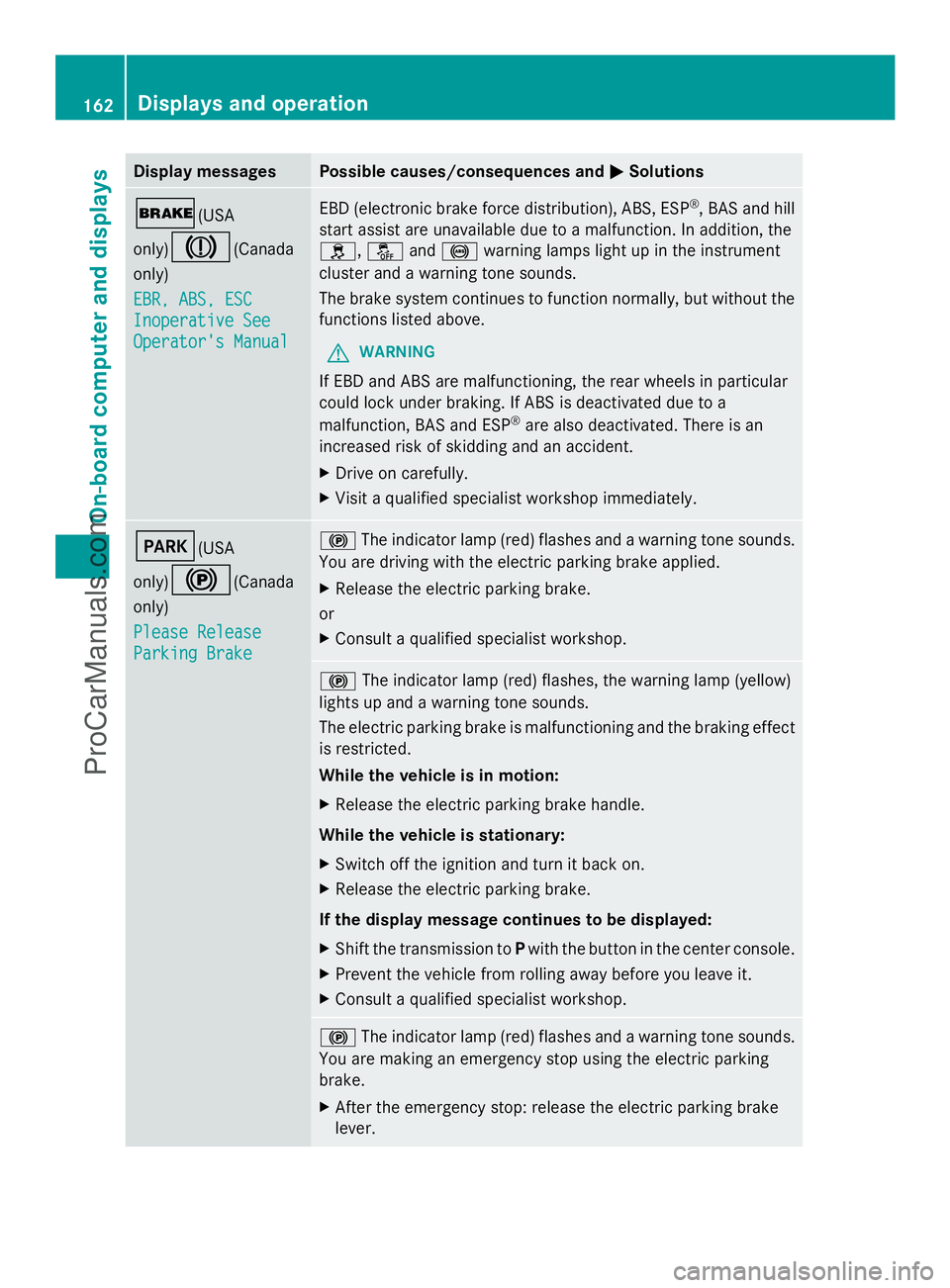
Display messages Possible causes/consequences and
M
MSolutions $(USA
only)
J(Canada
only)
EBR, ABS, ESC EBR, ABS, ESC
Inoperative See Inoperative See
Operator's Manual Operator's Manual EBD (electronic brake force distribution), ABS, ESP
®
, BAS and hill
start assist are unavailable due to a malfunction. In addition, the
h, åand! warning lamps light up in the instrument
cluster and a warning tone sounds.
The brake system continues to function normally, but without the
functions listed above.
G WARNING
If EBD and ABS are malfunctioning, the rear wheels in particular
could lock under braking. If ABS is deactivated due to a
malfunction, BAS and ESP ®
are also deactivated. There is an
increased risk of skidding and an accident.
X Drive on carefully.
X Visit a qualified specialist workshop immediately. F(USA
only)
!(Canada
only)
Please Release Please Release
Parking Brake Parking Brake !
The indicator lamp (red) flashes and a warning tone sounds.
You are driving with the electric parking brake applied.
X Release the electric parking brake.
or
X Consult a qualified specialist workshop. !
The indicator lamp (red) flashes, the warning lamp (yellow)
lights up and a warning tone sounds.
The electric parking brake is malfunctioning and the braking effect
is restricted.
While the vehicle is in motion:
X Release the electric parking brake handle.
While the vehicle is stationary:
X Switch off the ignition and turn it back on.
X Release the electric parking brake.
If the display message continues to be displayed:
X Shift the transmission to Pwith the button in the center console.
X Prevent the vehicle from rolling away before you leave it.
X Consult a qualified specialist workshop. !
The indicator lamp (red) flashes and a warning tone sounds.
You are making an emergency stop using the electric parking
brake.
X After the emergency stop: release the electric parking brake
lever. 162
Displays and operationOn-board compu
ter and displays
ProCarManuals.com
Page 185 of 286
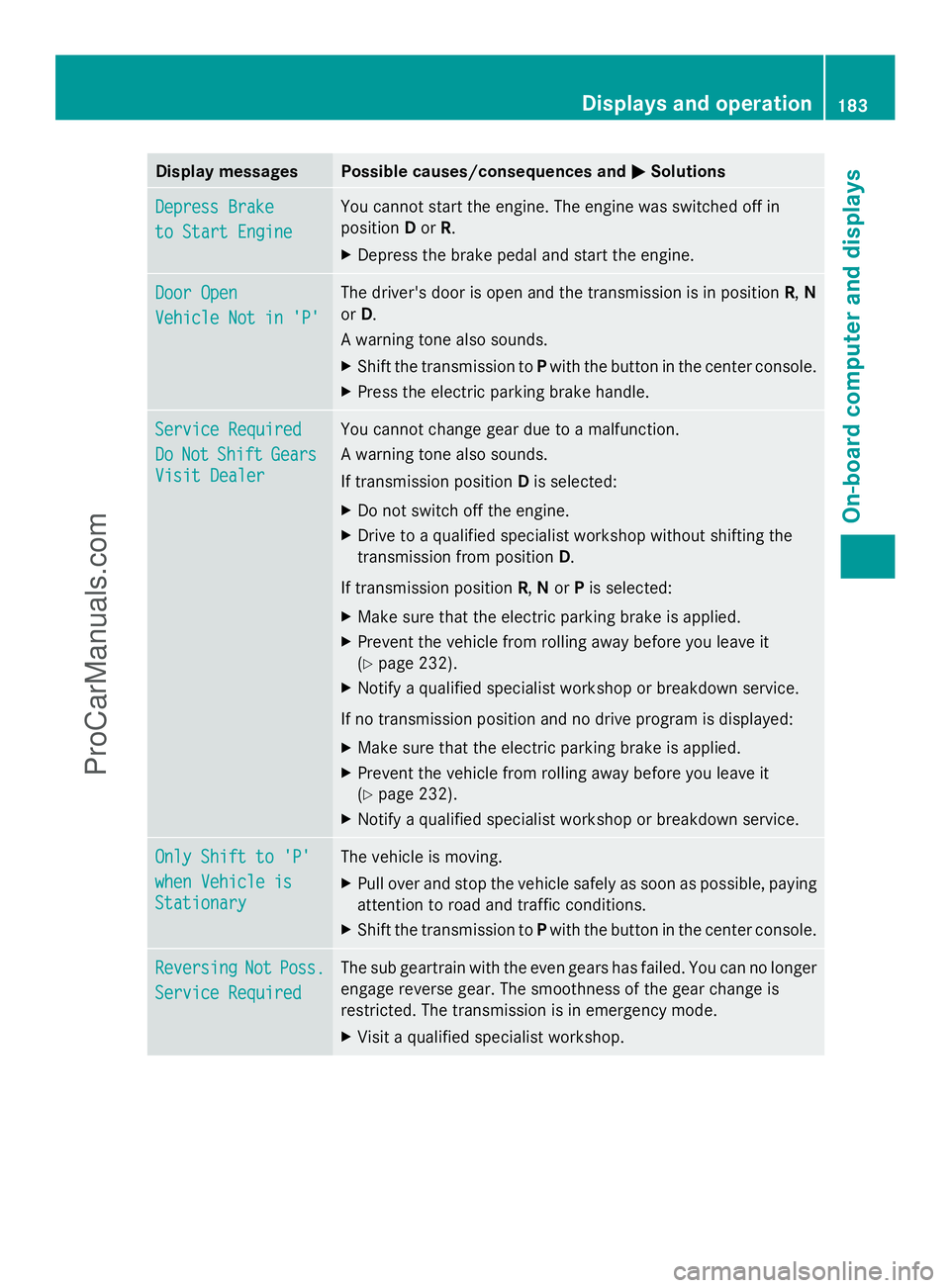
Display messages Possible causes/consequences and
M
MSolutions Depress Brake
Depress Brake
to Start Engine to Start Engine You cannot start the engine. The engine was switched off in
position
Dor R.
X Depress the brake pedal and start the engine. Door Open Door Open
Vehicle Not in 'P' Vehicle Not in 'P' The driver's door is open and the transmission is in position
R,N
or D.
A warning tone also sounds.
X Shift the transmission to Pwith the button in the center console.
X Press the electric parking brake handle. Service Required Service Required
Do Do
Not
Not Shift
Shift Gears
Gears
Visit Dealer
Visit Dealer You cannot change gear due to a malfunction.
A warning tone also sounds.
If transmission position
Dis selected:
X Do not switch off the engine.
X Drive to a qualified specialist workshop without shifting the
transmission from position D.
If transmission position R,Nor Pis selected:
X Make sure that the electric parking brake is applied.
X Prevent the vehicle from rolling away before you leave it
(Y page 232).
X Notify a qualified specialist workshop or breakdown service.
If no transmission position and no drive program is displayed:
X Make sure that the electric parking brake is applied.
X Prevent the vehicle from rolling away before you leave it
(Y page 232).
X Notify a qualified specialist workshop or breakdown service. Only Shift to 'P' Only Shift to 'P'
when Vehicle is when Vehicle is
Stationary Stationary The vehicle is moving.
X
Pull over and stop the vehicle safely as soon as possible, paying
attention to road and traffic conditions.
X Shift the transmission to Pwith the button in the center console. Reversing Reversing
Not
NotPoss.
Poss.
Service Required
Service Required The sub geartrain with the even gears has failed. You can no longer
engage reverse gear. The smoothness of the gear change is
restricted. The transmission is in emergency mode.
X
Visit a qualified specialist workshop. Displays and operation
183On-board computer and displays Z
ProCarManuals.com
Page 202 of 286
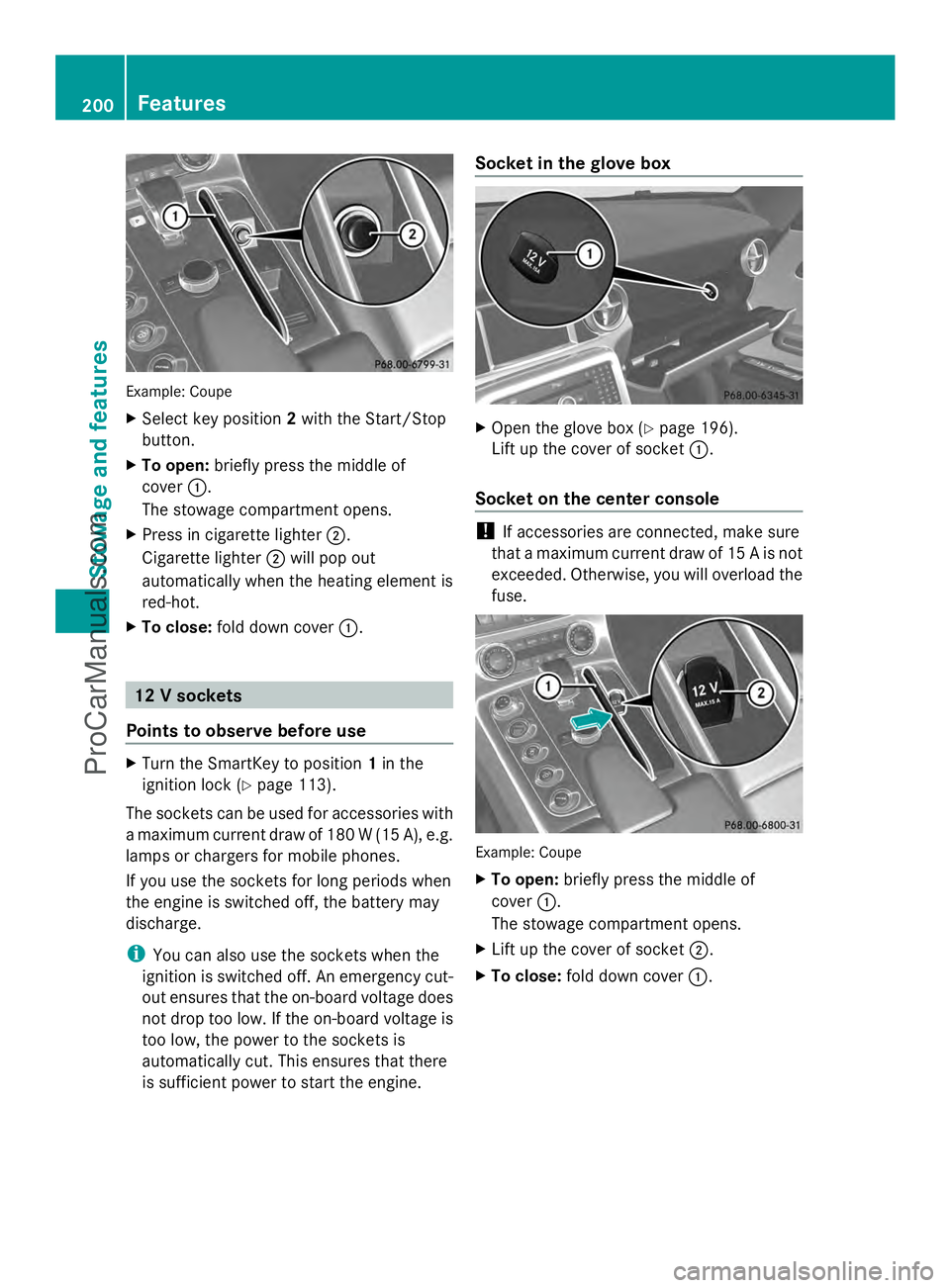
Example: Coupe
X
Select key position 2with the Start/Stop
button.
X To open: briefly press the middle of
cover :.
The stowage compartment opens.
X Press in cigarette lighter ;.
Cigarette lighter ;will pop out
automatically when the heating element is
red-hot.
X To close: fold down cover :. 12 V sockets
Points to observe before use X
Turn the SmartKey to position 1in the
ignition lock (Y page 113).
The sockets can be used for accessories with
a maximum current draw of 180 W (15 A), e.g.
lamps or chargers for mobile phones.
If you use the sockets for long periods when
the engine is switched off, the battery may
discharge.
i You can also use the sockets when the
ignition is switched off. An emergency cut-
out ensures that the on-board voltage does
not drop too low. If the on-board voltage is
too low, the power to the sockets is
automatically cut. This ensures that there
is sufficient power to start the engine. Socket in the glove box
X
Open the glove box (Y page 196).
Lift up the cover of socket :.
Socket on the center console !
If accessories are connected, make sure
that a maximum current draw of 15 A is not
exceeded. Otherwise, you will overload the
fuse. Example: Coupe
X
To open: briefly press the middle of
cover :.
The stowage compartment opens.
X Lift up the cover of socket ;.
X To close: fold down cover :.200
FeaturesSto
wage an d features
ProCarManuals.com
Page 209 of 286
pause retraction. The rear spoiler is then
extended again.
Never leave children unsupervised in the
vehicle. They could unintentionally retract the
extended rear spoiler. Someone could then
become trapped and seriously injured.
! Do not enter an automatic car wash with
the rear spoiler extended. Otherwise, the
rear spoiler may be damaged.
Only extend the rear spoiler in order to
clean it by hand. Retract it again when you
have finished cleaning it.
X Close the trunk lid.
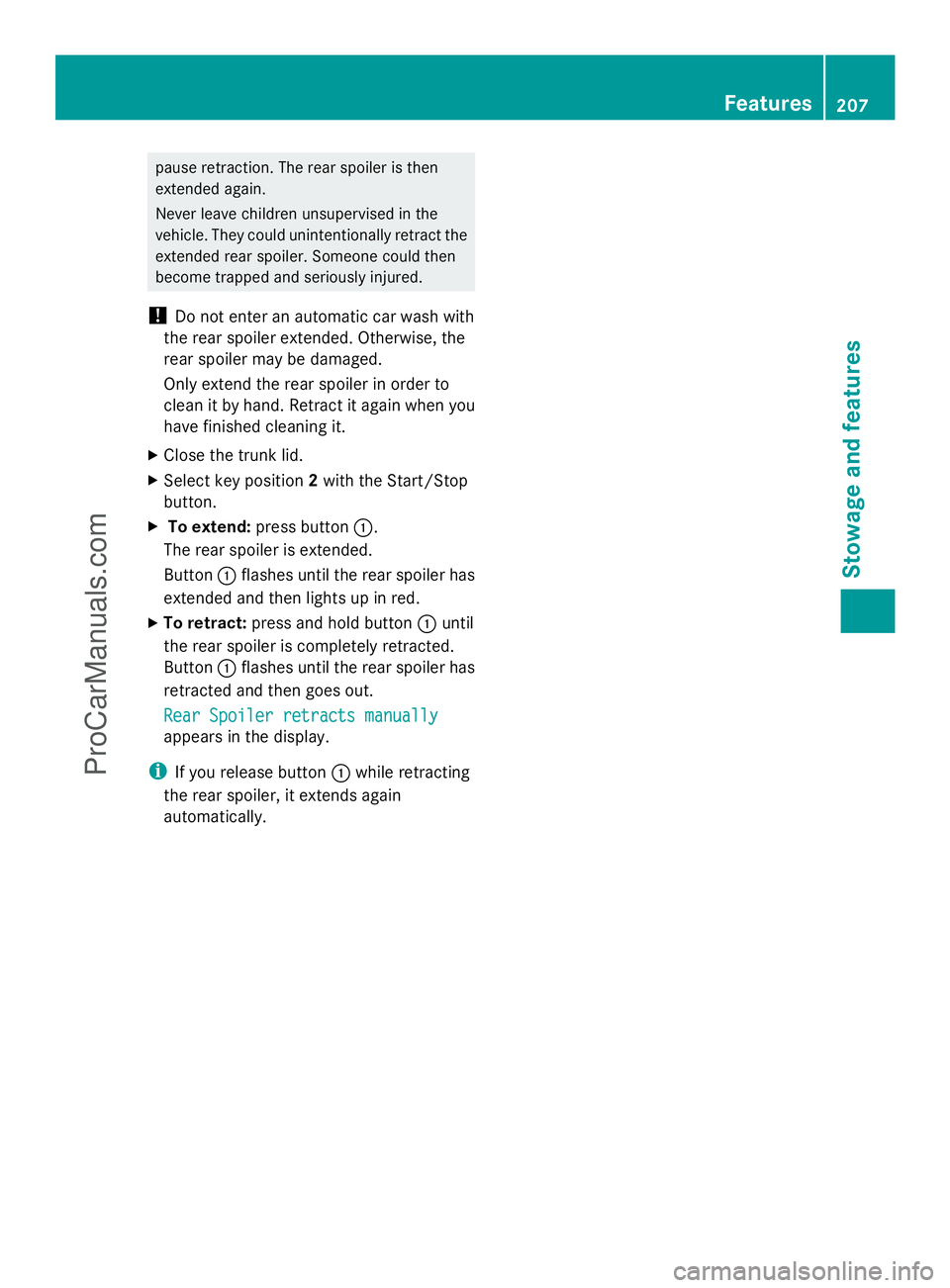
X Select key position 2with the Start/Stop
button.
X To extend: press button :.
The rear spoiler is extended.
Button :flashes until the rear spoiler has
extended and then lights up in red.
X To retract: press and hold button :until
the rear spoiler is completely retracted.
Button :flashes until the rear spoiler has
retracted and then goes out.
Rear Spoiler retracts manually
Rear Spoiler retracts manually
appears in the display.
i If you release button :while retracting
the rear spoiler, it extends again
automatically. Features
207Stowage and features Z
ProCarManuals.com
Page 211 of 286
Do not run the engine while programming the
integrated remote control. Inhalation of
exhaust gas is hazardous to your health. All
exhaust gas contains carbon monoxide (CO),
and inhaling it can cause unconsciousness
and possible death. All exhaust gas contains
carbon monoxide (CO), and inhaling it can
cause unconsciousness and possible death.
i Notes about the declaration of conformity
can be found here (Y page 21).
Programming the integrated garage
door opener on the rear-view mirror Programming buttons
G
WARNING
Only press the button on the integrated
garage door opener if there are no persons or
objects present within the sweep of the
garage door. Persons could otherwise be
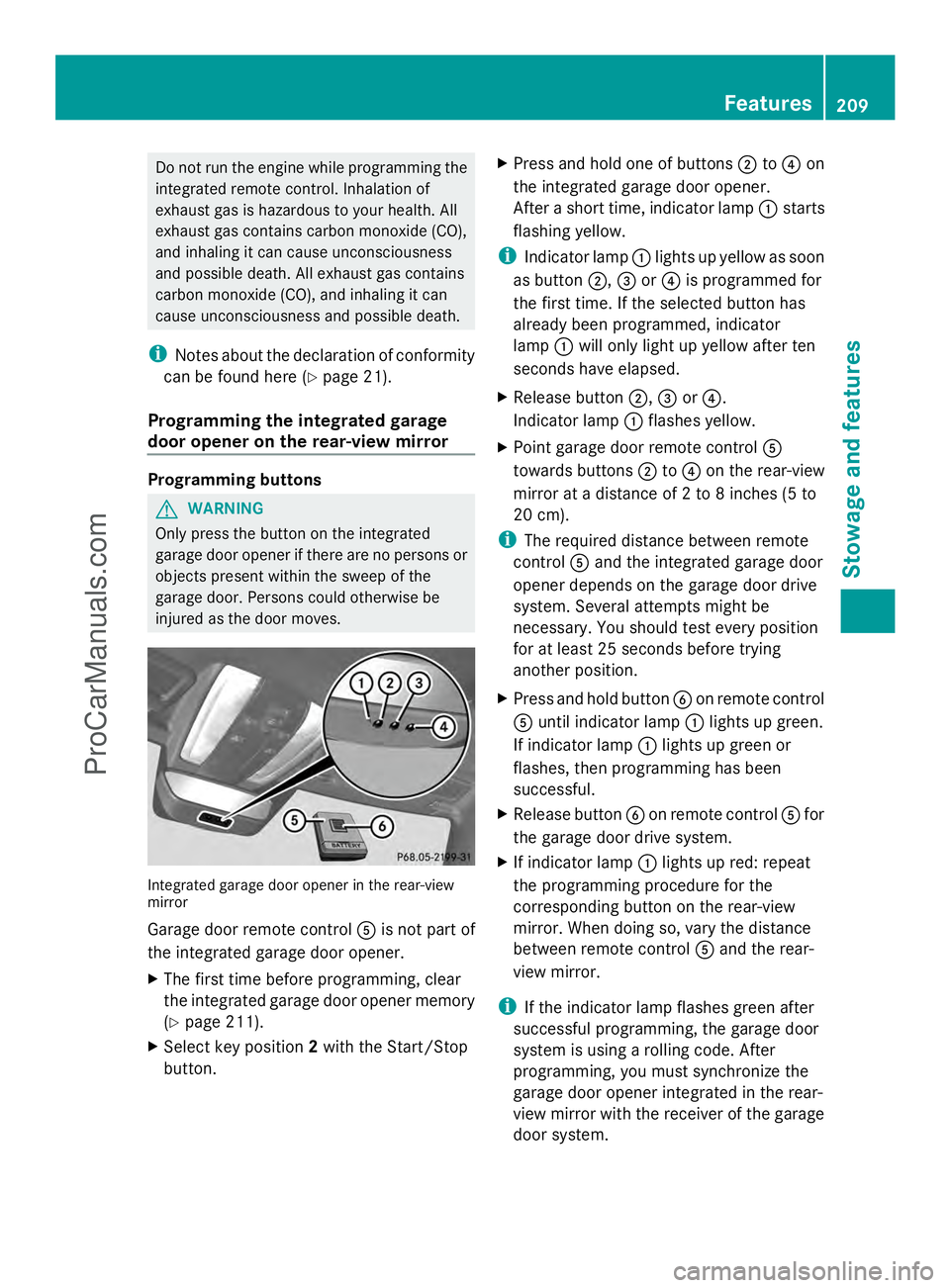
injured as the door moves. Integrated garage door opener in the rear-view
mirror
Garage door remote control
Ais not part of
the integrated garage door opener.
X The first time before programming, clear
the integrated garage door opener memory
(Y page 211).
X Select key position 2with the Start/Stop
button. X
Press and hold one of buttons ;to? on
the integrated garage door opener.
After a short time, indicator lamp :starts
flashing yellow.
i Indicator lamp :lights up yellow as soon
as button ;,=or? is programmed for
the first time. If the selected button has
already been programmed, indicator
lamp :will only light up yellow after ten
seconds have elapsed.
X Release button ;,=or?.
Indicator lamp :flashes yellow.
X Point garage door remote control A
towards buttons ;to? on the rear-view
mirror at a distance of 2 to 8 inches (5 to
20 cm).
i The required distance between remote
control Aand the integrated garage door
opener depends on the garage door drive
system. Several attempts might be
necessary. You should test every position
for at least 25 seconds before trying
another position.
X Press and hold button Bon remote control
A until indicator lamp :lights up green.
If indicator lamp :lights up green or
flashes, then programming has been
successful.
X Release button Bon remote control Afor
the garage door drive system.
X If indicator lamp :lights up red: repeat
the programming procedure for the
corresponding button on the rear-view
mirror. When doing so, vary the distance
between remote control Aand the rear-
view mirror.
i If the indicator lamp flashes green after
successful programming, the garage door
system is using a rolling code. After
programming, you must synchronize the
garage door opener integrated in the rear-
view mirror with the receiver of the garage
door system. Features
209Stowage an d features Z
ProCarManuals.com