2013 MERCEDES-BENZ SL-Class ignition
[x] Cancel search: ignitionPage 200 of 590
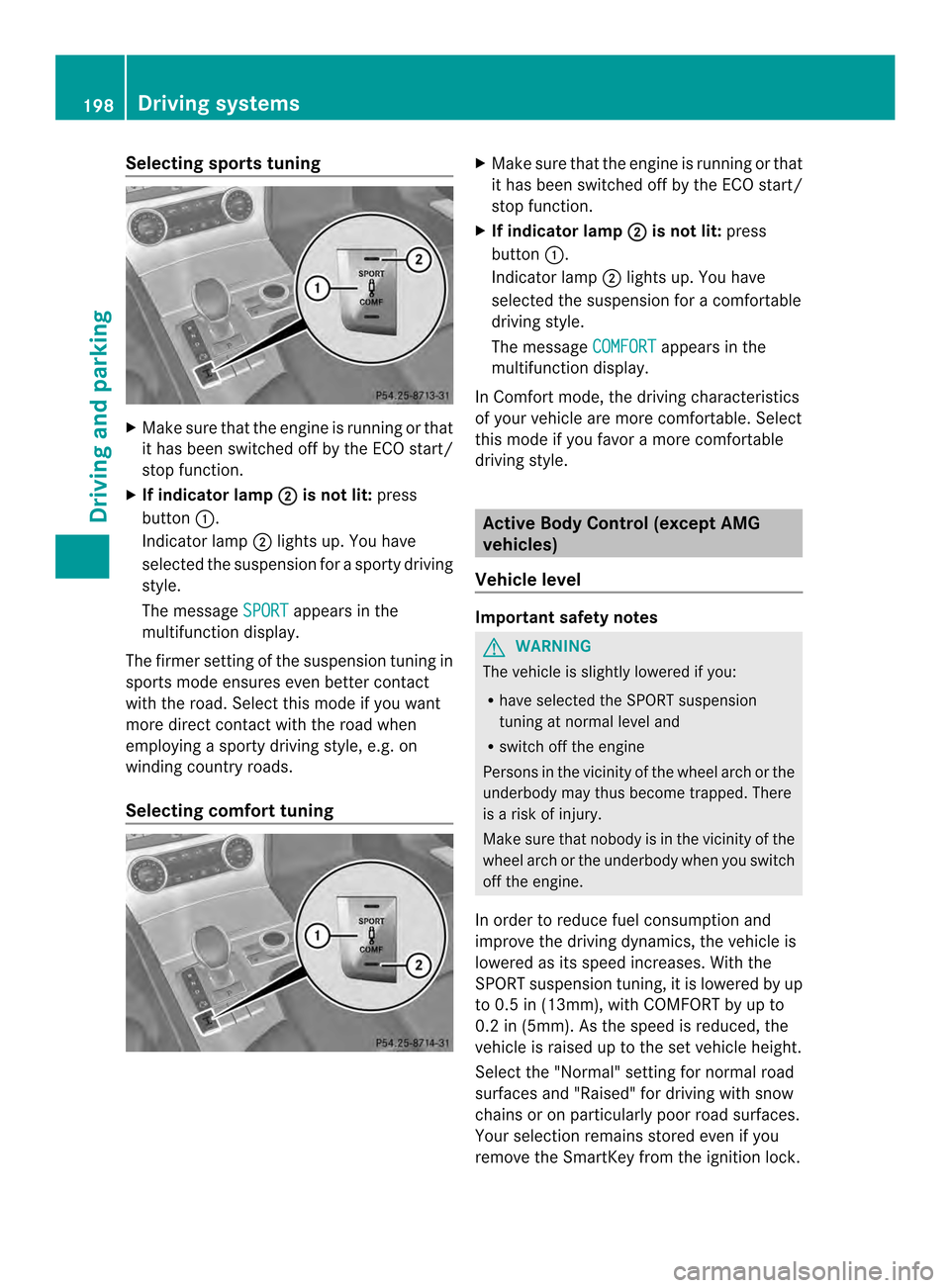
Selecting sports tuning
X
Make sure that the engine is running or that
it has been switched off by the ECO start/
stop function.
X If indicator lamp 0003 is not lit:
press
button 0002.
Indicator lamp 0003lights up. You have
selected the suspension for a sporty driving
style.
The message SPORT appears in the
multifunction display.
The firmer setting of the suspension tuning in
sports mode ensures even better contact
with the road. Select this mode if you want
more direct contact with the road when
employing a sporty driving style, e.g. on
winding country roads.
Selecting comfort tuning X
Make sure that the engine is running or that
it has been switched off by the ECO start/
stop function.
X If indicator lamp 0003 is not lit:
press
button 0002.
Indicator lamp 0003lights up. You have
selected the suspension for acomfortable
driving style.
The message COMFORT appears in the
multifunction display.
In Comfort mode, the driving characteristics
of your vehicle are more comfortable. Select
this mode if you favor amore comfortable
driving style. Active Body Control (except AMG
vehicles)
Vehicle level Important safety notes
G
WARNING
The vehicle is slightly lowered if you:
R have selected the SPORT suspension
tuning at normal level and
R switch off the engine
Persons in the vicinity of the wheel arch or the
underbody may thus become trapped. There
is a risk of injury.
Make sure that nobody is in the vicinity of the
wheel arch or the underbody when you switch
off the engine.
In order to reduce fuel consumption and
improve the driving dynamics, the vehicle is
lowered as its speed increases. With the
SPORT suspension tuning, it is lowered by up
to 0.5 in (13mm), with COMFORT by up to
0.2 in (5mm). As the speed is reduced, the
vehicle is raised up to the set vehicle height.
Select the "Normal" setting for normal road
surfaces and "Raised" for driving with snow
chains or on particularly poor road surfaces.
Your selection remains stored even if you
remove the SmartKey from the ignition lock. 198
Driving systemsDriving and parking
Page 201 of 590

Setting raised level
X
Make sure that the engine is running or that
it has been switched off by the ECO start/
stop function.
X Make sure that a speed of 75 mph
(120 km/h) is not exceeded.
X If indicator lamp 0003 is not lit:
press
button 0002.
If the engine has been switched off by the
ECO start/stop function, it is now
restarted.
Indicator lamp 0003lights up. The vehicle
height is adjusted to raised level.
Setting the normal level X
Make sure that the engine is running or that
it has been switched off by the ECO start/
stop function.
X If indicator lamp 0003 is lit:
press
button 0002.
Indicator lamp 0003goes out. The vehicle is
adjusted to normal level. The "Raised level" setting is canceled if you:
R
are driving faster than approximately
75 mph (120 km/h).
R drive for approximately three minutes at a
speed over 50 mph (80km/h).
Suspension tuning General notes
The electronically controlled ABC suspension
system features improved driving dynamics
and ride comfort.
The ABC suspension system is tuned
individually to each wheel and depends on:
R the road surface condition ,e.g. bumps
R the vehicle load
R your individual selection of the sporty or
comfort button
Your selection remains store deven if you
remove the SmartKey from the ignition lock.
Selecting sports tuning X
Make sure that the engine is running or that
it has been switched off by the ECO start/
stop function.
X If indicator lamp 0003 is not lit:
press
button 0002.
Indicator lamp 0003lights up. You have
selected the suspension for a sporty driving
style.
The ABC Active Body Control SPORT message appears in the multifunction
display. Driving systems
199Driving and parking Z
Page 202 of 590

The firmer suspension tunin
ginSport mode
ensures even better contact with the road.
Select this mode if you favor a firmer
suspension tuning.
Selecting comfor ttuning X
Make sure that the engine is running or that
it has been switched off by the ECO start/
stop function.
X If indicator lamp 0003 is not lit:
press
button 0002.
Indicator lamp 0003lights up. You have
selected the suspension for acomfortable
driving style.
The ABC Active Body Control COMFORT message appears in the
multifunction display.
In Comfort mode, the driving characteristics
of your vehicle are more comfortable. Select
this mode if you favor amore comfortable
driving style.
Driving conditions menu in the
COMAND display You can display some driving systems and
additional information in the COMAND
display.
X
Make sure that the SmartKey is in position
2in the ignition lock.
X Make sure COMAND is switched on
(Y page 294).
X Press button 0002.
The corresponding displays appear in the
COMAND display. Example: displays in the COMAND display
0002
Selection of raised level (Y page 198)
0003 Activity of ABC spring struts for roll and
pitching support
0027 Selected suspension tuning, i.e. sporty or
comfortable (Y page 199)
0026 G-FORCE (longitudinal and lateral
acceleration)
0024 Current vehicle level Active Body Control (AMG vehicles)
Vehicle level Important safety notes
The vehicle is slightly lowered when the
engine is switched off.
G
WARNING
When the vehicle is being lowered, people
could become trapped if their limbs are
between the vehicle body and the wheels or
underneath the vehicle. There is a risk of
injury. 200
Driving systemsDriving and parking
Page 205 of 590

PARKTRONIC
Important safety notes PARKTRONIC is an electronic parking aid with
ultrasonic sensors. It indicates visually and
audibly the distance between your vehicle
and an object.
PARKTRONIC is only an aid. It is not a
replacement for your attention to your
immediate surroundings. You are always
responsible for safe maneuvering, parking
and exiting a parking space. When
maneuvering, parking or pulling out of a
parking space, make sure that there are no
persons, animals or objectsint he area in
which you are maneuvering.
! When parking, pay particular attention to
objects above or below the sensors, such
as flower pots or trailer drawbars.
PARKTRONIC does not detect such objects
when they are in the immediate vicinity of
the vehicle. You could damage the vehicle
or the objects.
The sensors may not detect snow and other
objects that absorb ultrasonic waves.
Ultrasonic sources such as an automatic
car wash, the compressed-air brakes on a
truck or a pneumatic drill could cause
PARKTRONIC to malfunction.
PARKTRONIC may not function correctly on
uneven terrain.
PARKTRONIC is activated automatically when
you:
R switch on the ignition.
R shift the transmission to position D,Ror
N.
R release the electric parking brake.
PARKTRONIC is deactivated at speeds above
11 mph (18km/h). It is reactivated at lower
speeds.
PARKTRONIC monitors the area around your
vehicle using six sensors in the front bumper
and four sensors in the rear bumper. Range of the sensors General notes
PARKTRONIC does not take objects into
consideration that are:
R
below the detection range, e.g. people,
animals or objects
R above the detection range, e.g.
overhanging loads, truck overhangs or
loading ramps. 0002
Sensors in the front bumper, left-hand
side (example) Side view
Top view Driving systems
203Driving and parking Z
Page 207 of 590
R
Front area: following the sixth segment,
you will hear an intermitten twarning tone.
From the seventh segment, you will hear a
continuous warning tone for approximately
two seconds. This indicates that you have
now reached the minimum distance.
R Rear area: from the first segmen tonwards,
you will hea ranintermittent warning tone.
The interval gets shorter after each
segment. At the seventh segment, you will
hea racontinuous warning tone for
approximately two seconds. This indicates
that you have now reached the minimum
distance.
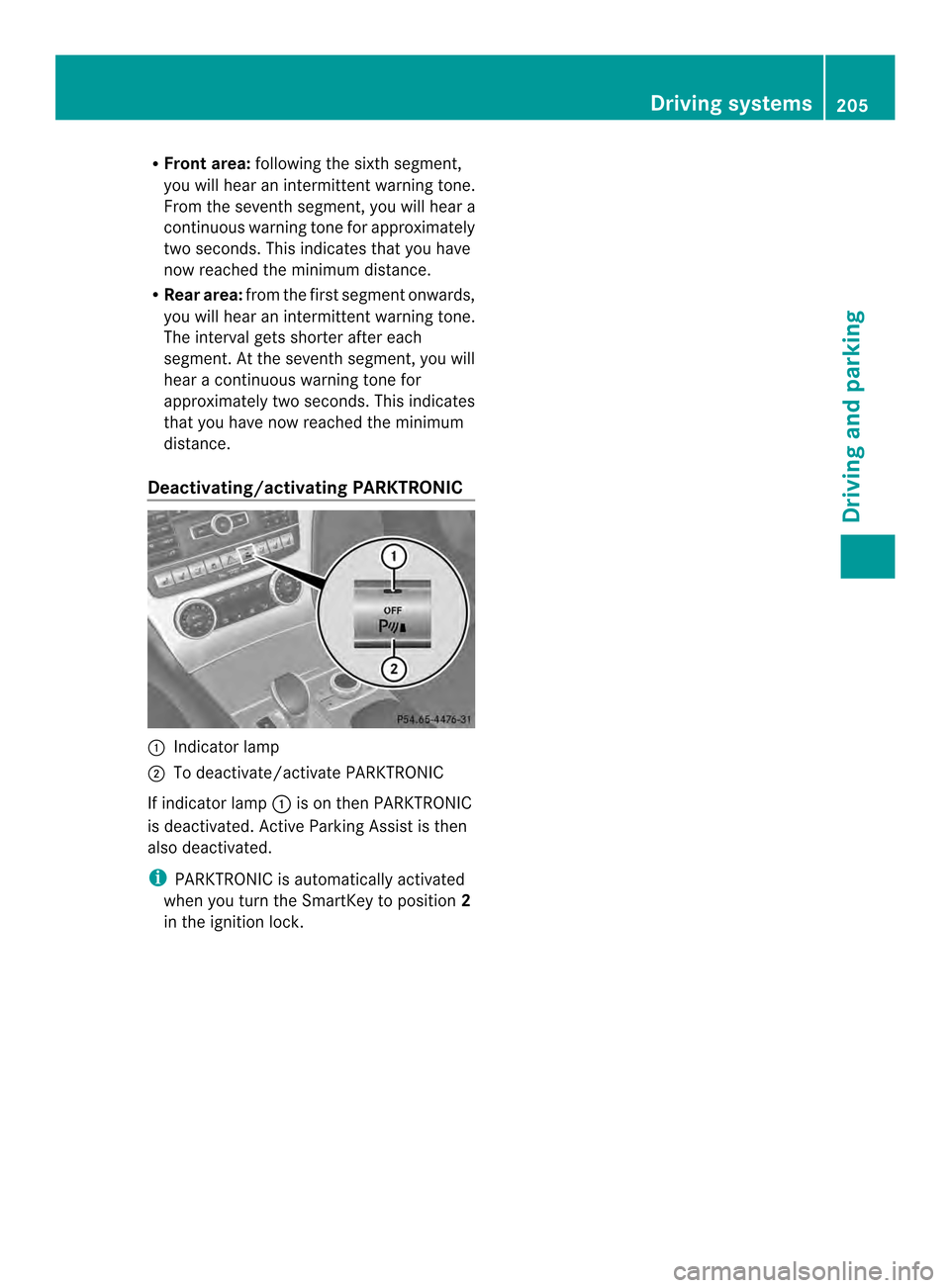
Deactivating/activating PARKTRONIC 0002
Indicator lamp
0003 To deactivate/activate PARKTRONIC
If indicator lamp 0002is on then PARKTRONIC
is deactivated. Active Parking Assist is then
also deactivated.
i PARKTRONIC is automatically activated
when you turn the SmartKey to position 2
in the ignition lock. Driving systems
205Driving and parking Z
Page 208 of 590

Problems with PARKTRONIC
Problem Possible causes/consequences and
0003 Solutions
Only the red segments
in the PARKTRONIC
warning displays are lit.
You also hear a warning
tone for approximately
two seconds.
PARKTRONIC is
deactivated after
approximately five
seconds, and the
indicator lamp in the
PARKTRONIC button
lights up. PARKTRONIC has malfunctioned and has switched off.
X
If problems persist, have PARKTRONIC checked at a qualified
specialist workshop. Only the red segments
in the PARKTRONIC
warning displays are lit.
PARKTRONIC is
deactivated after
approximately five
seconds. The PARKTRONIC sensors are dirty or there is interference.
X
Cleant he PARKTRONIC sensors (Y page 521).
X Switch the ignition back on. The problem may be caused by an external source of radio or
ultrasound waves.
X
See if PARKTRONIC functions in a different location. Active Parking Assist
Important safety notes Active Parking Assist is merely an aid. It is not
a replacement for your attention to your
immediate surroundings. You are always
responsible for safe maneuvering, parking
and exiting a parking space. When
maneuvering, parking or pulling out of a
parking space, make sure that there are no
persons, animals or objectsint
he area in
which you are maneuvering. G
WARNING
The vehicle swings out when parking and in
doing so could cross into the opposite lane.
This could result in a collision with another
road user. There is a risk of an accident.
Pay attention to other road users when
parking. Stop the vehicle if necessary or cancel the Active Parking Assist parking
procedure.
! If unavoidable, you should drive over
obstacles such as curbs slowly and not at
a sharp angle. Otherwise, you may damage
the wheels or tires.
Active Parking Assist may possibly indicate
parking spaces which are not suitable for
parking, for example:
R where parking or stopping is prohibited
R in front of driveways or entrances and exits
R on unsuitable surfaces
Parking tips:
R On narrow roads, drive as close to the
parking space as possible.
R Parking spaces that are littered, overgrown
or partially occupied by trailer drawbars
might be identified incorrectly or not at all. 206
Driving systemsDriving and parking
Page 213 of 590

Activating/deactivating the rea
rview
camera X
To activate: make sure that the SmartKey
is in position 2in the ignition lock.
X Make sure that the function "show rear
view camera display" is selected in
COMAND (Y page 314).
X Engage reverse gear.
The area behind the vehicle is shown in the
COMAN Ddisplay with guide lines.
To deactivate: the rear view camera is
deactivated if you:
R shift the transmission to position P
R drive forwards 33 ft (10 m)
R shift the transmission from Rto another
position (after 15 seconds)
R drive forwards at a speed of over 5mph
(10km/h)
Displays in the COMAND display The rear view camera may show a distorted
view of obstacles, show them incorrectly or
not at all. The rear view camera does not show
objects in the following positions:
R very close to the rear bumper
R under the rear bumper
R in the area immediately above the tailgate
handle
! Objects not at ground level may appear to
be further away than they actually are, e.g.:
R the bumper of a parked vehicle
R the drawbar of a trailer
R the ball coupling of a trailer tow hitch
R the rear section of an HGV
R a slanted post
Use the guidelines only for orientation.
Approach objects no further than the
bottom-most guideline. 0002
White guide line without turning the
steering wheel, vehicle width including
the exterior mirrors (static)
0003 Yellow guide line at a distance of
approximately 13 ft (4.0m) from the rear
of the vehicle
0027 Red guide line for the vehicle width
including the exterior mirrors, for current
steering wheel angle (dynamic)
0026 Yellow lane marking tires at current
steering wheel angle (dynamic) 0024
Yellow guide line at a distance of
approximately 3 ft (1.0 m) from the rear
of the vehicle
0025 Vehicle center axle (marker assistance)
0016 Bumper
0017 Red guide line at a distance of
approximately 10 in (0.25 m) from the
rear of the vehicle
The guide lines are shown when the
transmission is in position R.
The distance specifications only apply to
objects that are at ground level. Driving systems
211Driving and parking Z
Page 225 of 590

!
Adisplay message is shown if the coolant
temperature is too high.
If the coolant temperature is over
248 ‡(120 †), do not continue driving. The
engine will otherwise be damaged.
The coolan ttemperature gauge is in the
instrument cluster on the right-hand side
(Y page 43).
Under normal operating conditions and with
the specified coolant level, the coolant
temperature may rise to 248 ‡ (120 †). Tachometer
! Do not drive in the overrevving range, as
this could damage the engine.
The red band in the tachometer indicates the
engine's overrevving range.
The fuel supply is interrupted to protec tthe
engine when the red band is reached. Outside temperature display
You should pay special attention to road
conditions when temperatures are around
freezing point.
The outside temperature display is in the
multifunction display (Y page 224).
Changes in the outside temperature are
displayed after a short delay. Speedometer with segments
The segments in the speedometer indicate
which speed range is available.
R Cruise control activated (Y page 183):
The segments light up from the stored
speed to the maximum speed.
R DISTRONIC PLUS activated (Y page 186):
One or two segments in the set speed
range light up.
R DISTRONIC PLUS detectsav ehicle in front:The segments between the speed of the
vehicle in fron
tand the stored speed light
up. Operating the on-board computer
Overview 0002
Multifunctio ndisplay
0003 Switches on the Voice Control System;
see the separate operating instructions
0027 Right control panel
0026 Left control panel
0024 Back button
X To activat ethe on-board computer: turn
the SmartKey to position 1in the ignition
lock.
You can control the multifunction display and
the settings in the on-board computer using
the buttons on the multifunction steering
wheel. Displays and operation
223On-board computer and displays Z