2013 MERCEDES-BENZ SL-Class warning lights
[x] Cancel search: warning lightsPage 200 of 590
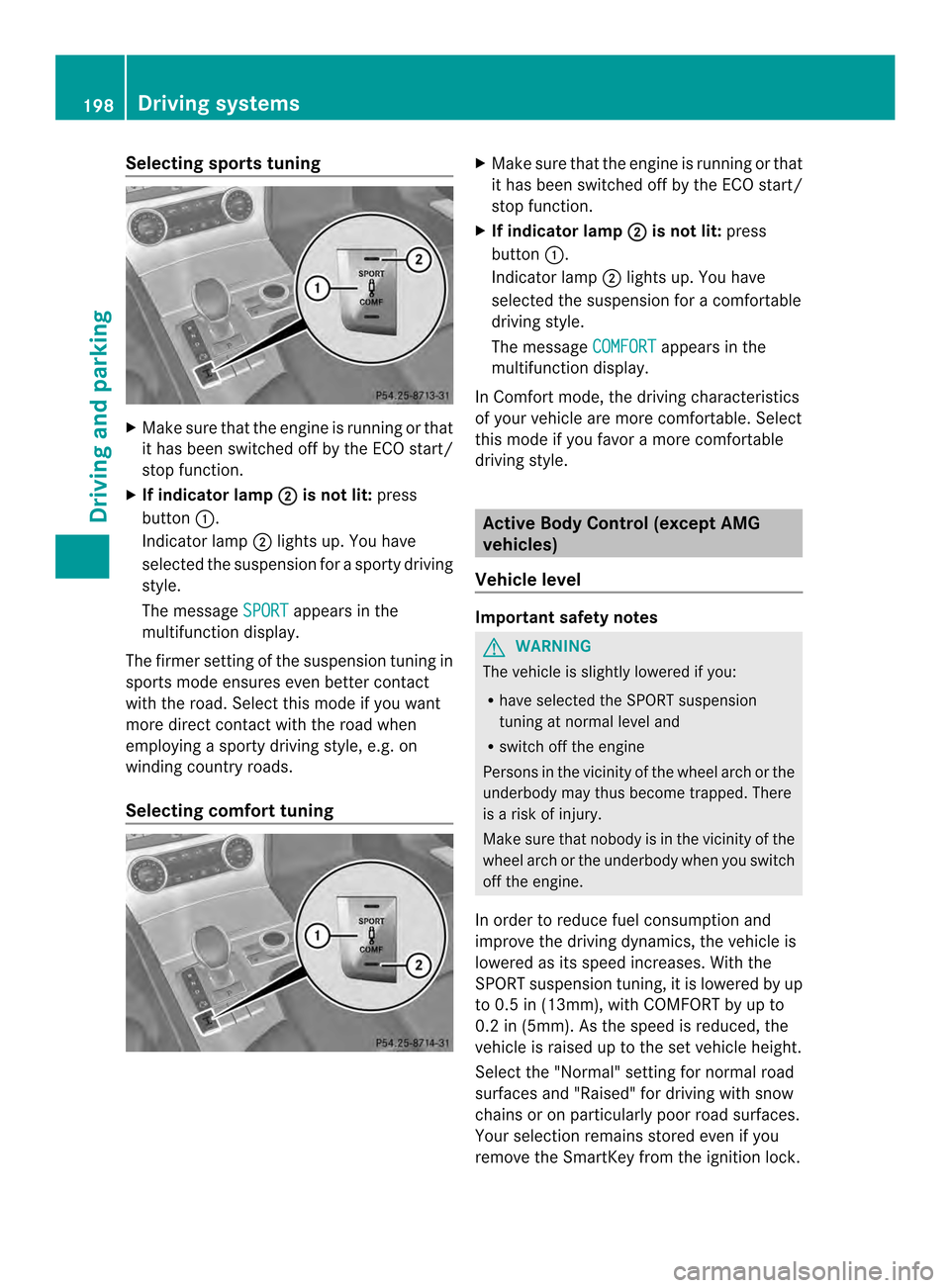
Selecting sports tuning
X
Make sure that the engine is running or that
it has been switched off by the ECO start/
stop function.
X If indicator lamp 0003 is not lit:
press
button 0002.
Indicator lamp 0003lights up. You have
selected the suspension for a sporty driving
style.
The message SPORT appears in the
multifunction display.
The firmer setting of the suspension tuning in
sports mode ensures even better contact
with the road. Select this mode if you want
more direct contact with the road when
employing a sporty driving style, e.g. on
winding country roads.
Selecting comfort tuning X
Make sure that the engine is running or that
it has been switched off by the ECO start/
stop function.
X If indicator lamp 0003 is not lit:
press
button 0002.
Indicator lamp 0003lights up. You have
selected the suspension for acomfortable
driving style.
The message COMFORT appears in the
multifunction display.
In Comfort mode, the driving characteristics
of your vehicle are more comfortable. Select
this mode if you favor amore comfortable
driving style. Active Body Control (except AMG
vehicles)
Vehicle level Important safety notes
G
WARNING
The vehicle is slightly lowered if you:
R have selected the SPORT suspension
tuning at normal level and
R switch off the engine
Persons in the vicinity of the wheel arch or the
underbody may thus become trapped. There
is a risk of injury.
Make sure that nobody is in the vicinity of the
wheel arch or the underbody when you switch
off the engine.
In order to reduce fuel consumption and
improve the driving dynamics, the vehicle is
lowered as its speed increases. With the
SPORT suspension tuning, it is lowered by up
to 0.5 in (13mm), with COMFORT by up to
0.2 in (5mm). As the speed is reduced, the
vehicle is raised up to the set vehicle height.
Select the "Normal" setting for normal road
surfaces and "Raised" for driving with snow
chains or on particularly poor road surfaces.
Your selection remains stored even if you
remove the SmartKey from the ignition lock. 198
Driving systemsDriving and parking
Page 202 of 590

The firmer suspension tunin
ginSport mode
ensures even better contact with the road.
Select this mode if you favor a firmer
suspension tuning.
Selecting comfor ttuning X
Make sure that the engine is running or that
it has been switched off by the ECO start/
stop function.
X If indicator lamp 0003 is not lit:
press
button 0002.
Indicator lamp 0003lights up. You have
selected the suspension for acomfortable
driving style.
The ABC Active Body Control COMFORT message appears in the
multifunction display.
In Comfort mode, the driving characteristics
of your vehicle are more comfortable. Select
this mode if you favor amore comfortable
driving style.
Driving conditions menu in the
COMAND display You can display some driving systems and
additional information in the COMAND
display.
X
Make sure that the SmartKey is in position
2in the ignition lock.
X Make sure COMAND is switched on
(Y page 294).
X Press button 0002.
The corresponding displays appear in the
COMAND display. Example: displays in the COMAND display
0002
Selection of raised level (Y page 198)
0003 Activity of ABC spring struts for roll and
pitching support
0027 Selected suspension tuning, i.e. sporty or
comfortable (Y page 199)
0026 G-FORCE (longitudinal and lateral
acceleration)
0024 Current vehicle level Active Body Control (AMG vehicles)
Vehicle level Important safety notes
The vehicle is slightly lowered when the
engine is switched off.
G
WARNING
When the vehicle is being lowered, people
could become trapped if their limbs are
between the vehicle body and the wheels or
underneath the vehicle. There is a risk of
injury. 200
Driving systemsDriving and parking
Page 208 of 590

Problems with PARKTRONIC
Problem Possible causes/consequences and
0003 Solutions
Only the red segments
in the PARKTRONIC
warning displays are lit.
You also hear a warning
tone for approximately
two seconds.
PARKTRONIC is
deactivated after
approximately five
seconds, and the
indicator lamp in the
PARKTRONIC button
lights up. PARKTRONIC has malfunctioned and has switched off.
X
If problems persist, have PARKTRONIC checked at a qualified
specialist workshop. Only the red segments
in the PARKTRONIC
warning displays are lit.
PARKTRONIC is
deactivated after
approximately five
seconds. The PARKTRONIC sensors are dirty or there is interference.
X
Cleant he PARKTRONIC sensors (Y page 521).
X Switch the ignition back on. The problem may be caused by an external source of radio or
ultrasound waves.
X
See if PARKTRONIC functions in a different location. Active Parking Assist
Important safety notes Active Parking Assist is merely an aid. It is not
a replacement for your attention to your
immediate surroundings. You are always
responsible for safe maneuvering, parking
and exiting a parking space. When
maneuvering, parking or pulling out of a
parking space, make sure that there are no
persons, animals or objectsint
he area in
which you are maneuvering. G
WARNING
The vehicle swings out when parking and in
doing so could cross into the opposite lane.
This could result in a collision with another
road user. There is a risk of an accident.
Pay attention to other road users when
parking. Stop the vehicle if necessary or cancel the Active Parking Assist parking
procedure.
! If unavoidable, you should drive over
obstacles such as curbs slowly and not at
a sharp angle. Otherwise, you may damage
the wheels or tires.
Active Parking Assist may possibly indicate
parking spaces which are not suitable for
parking, for example:
R where parking or stopping is prohibited
R in front of driveways or entrances and exits
R on unsuitable surfaces
Parking tips:
R On narrow roads, drive as close to the
parking space as possible.
R Parking spaces that are littered, overgrown
or partially occupied by trailer drawbars
might be identified incorrectly or not at all. 206
Driving systemsDriving and parking
Page 212 of 590

X
Stop the movement of the multifunction
steering wheel or stee ryourself.
Active Parking Assist will be canceled at
once. The Park Assist canceled message appears in the multifunction
display.
or
X Press the PARKTRONIC button on the
center console (Y page 205).
PARKTRONIC is switched off and Active
Parking Assist is immediately canceled.
The Park Assist canceled message
appears in the multifunction display.
Active Parking Assist is canceled
automatically if:
R parking using Active Parking Assist is no
longer possible.
R you are driving faster than 6mph
(10 km/h).
R a wheel spins, ESP ®
intervenes or fails. The
000B ESP warning lamp lights up in the
instrument cluster.
Aw arning tone sounds. The parking space
symbol disappears and the multifunction
display shows the Park Assist canceledmessage.
When Active Parking Assist is canceled, you
must steer again yourself.
Rear view camera
Important safety notes The rear view camera is only an aid. It is not
a replacement for your attention to your
immediate surroundings. You are always
responsible for safe maneuvering and
parking
.When maneuvering or parking, make
sure that there are no persons, animals or
objects in the area in which you are
maneuvering. Under the following circumstances, the rear
view camera will not function, or will function
in a limited manner:
R the tailgate is open
R in heavy rain, snow or fog
R at night or in very dark places
R if the camera is exposed to very bright light
R if the area is lit by fluorescent light or LED
lighting (the display may flicker)
R if there is a sudden change in temperature,
e.g. when driving into a heated garage in
winter
R if the camera lens is dirty or obstructed
R if the rear of your vehicle is damaged. In
this event, have the camera position and
setting checked at a qualified specialist
workshop.
General notes Rear view camera
0002is in the trunk lid handle.
Rear view camera 0002is an optical parking and
maneuvering aid. It shows the area behind
your vehicle with guide lines in the COMAND
display.
The area behind the vehicle is displayed as a
mirror image, as in the rear view mirror.
i The text of messages shown in the
COMAND display depends on the language
setting. The following are examples of rear
view camera messages in the COMAND
display. 210
Driving systemsDriving and parking
Page 218 of 590

If the lanes are narrow, vehicles driving in the
lane beyond the lane next to yourv ehicle may
be indicated, especially if the vehicles are not
driving in the middle of their lane. This may
be the case if there are vehicles driving at the
inner edge of their lanes.
Due to the nature of the system:
R warnings may be issued in error when
driving close to crash barriers or similar
solid lane borders.
R warnings may be interrupted when driving
alongside particularly long vehicles, e.g.
trucks, for a prolonged time.
Two Active Blind Spot Assist radar sensors
are integrated into the fron tand rea rbumpers
respectively. An additional radar sensor is
located behind the cover in the radiator grill.
Make sure that the bumpers and the cover in
the radiator grill are free of dirt, ice or slush.
The rear sensors must no tbe covered, for
example by cycle racks or overhanging cargo.
Following a severe impact or in the event of
damage to the bumpers, have the function of
the radar sensors checked at a qualified
specialist workshop. Active Blind Spot Assist
may otherwise no longer work properly.
Indicator and warning display 0002
Yellow indicator lamp/red warning lamp
Active Blind Spot Assist is not active at
speeds below approximately 20 mph
(30 km/h). Vehicles in the monitoring range
are then not indicated.
When Active Blind Spot Assist is activated,
indicator lamp 0002in the exterior mirrors lights up yellow at speeds of up to
20 mph(30km/h). At speeds above 20 mph
(30km/h), the indicator lamp goes out and
Active Blind Spot Assist is operational.
If a vehicle is detected within the monitoring
range of Blind Spot Assist at speeds above
20 mph (30km/h), warning lamp
0002on the
corresponding side lights up red. This warning
is always given when a vehicle enters the
blind spot monitoring range from behind or
from the side. When you overtake a vehicle,
the warning only occurs if the difference in
speed is less than 7mph (12km/h).
The yellow indicator lamp goes out if reverse
gear is engaged. In this event, Active Blind
Spot Assist is no longer active.
The brightness of the indicator/warning
lamps is adjusted automatically according to
the ambient light.
Visual and acoustic collision warning When you switch on the turn signals to
change lanes and a vehicle is detected in the
side monitoring range, you receive a visual
and acoustic collision warning
.You then hear
a double warning tone and red warning
lamp 0002flashes. If the turn signal remains on,
detected vehicles are indicated by the
flashing of red warning lamp 0002.There are no
further warning tones. 216
Driving systemsDriving and parking
Page 234 of 590

In the
Serv menu, you have the following
options:
R call up display messages (Y page 240)
R restart the tire pressure loss warning
system (Y page 551)
R check the tire pressure electronically
(Y page 552)
R call up the service due date Settings menu
Introduction In the
Sett. menu, you have the following
options:
R change the instrument cluster settings
(Y page 232)
R change the lights ettings (Ypage 233)
R change the vehicle settings (Y page 235)
R change the convenience settings
(Y page 235)
R restore the factory settings (Y page 232)
Restoring the factory settings X
Press the 0004or0008 button on the
steering wheel to select the Sett. menu.
X Press the 0007or0006 button to select the
Factory Setting submenu.
X Press the 000Fbutton to confirm.
The Reset All Settings? message
appears.
X Press the 0007or0006 button to select
No or
Yes .
X Press the 000Fbutton to confirm the
selection.
If you have selected Yes , the multifunction
display shows a confirmation message. For safety reasons, the
Daytime Running Lights function in the
Lights submenu is
only reset if the vehicle is stationary.
Instrument cluster Selecting the unit of measurement for
distance
The
Display Unit Speed-/Odometer: function allows you to choose whether
certain displays appear in kilometers or miles
in the multifunction display.
You can determine whether the multifunction
display shows some messages in miles or
kilometers.
X Press the 0004or0008 button on the
steering wheel to select the Settings menu.
X Press the 0007or0006 button to select the
Inst. Cluster submenu.
X Press the 000Fbutton to confirm.
X Press the 0007or0006 button to select the
Display Unit Speed-/Odometer: function.
You will see the selected setting:
km or
miles .
X Press the 000Fbutton to save the setting.
The selected unit of measuremen tfor
distance applies to:
R the digital speedometer in the Trip menu
R odometer and the trip odometer
R trip computer
R current consumption and the range
R the navigation instructions in the Navi menu
R cruise control
R DISTRONIC PLUS
R ASSYST PLUS service interval display 232
Menus and submenusOn-board computer and displays
Page 237 of 590

Vehicle
Activating/deactivating the automatic
doo rlocking mechanism
X Press the 0004or0008 button on the
steering wheel to selec tthe Settings menu.
X Press the 0007or0006 button to select the
Vehicle submenu.
X Press the 000Fbutton to confirm.
X Press 0007or0006 to select the
Automatic Door Lock function.
When the Automatic Door Lock function
is activated, the vehicle doors are displayed
in red in the multifunction display.
X Press the 000Fbutton to save the setting.
If you activate the Automatic Door Lock function, the vehicle is centrally locked above
a speed of around 9 mph (15 km/h).
For further information on the automatic
locking feature, see (Y page 92).
Activating/deactivating the acoustic
locking verification signal
If you switch on the Acoustic Lock function,
an acoustic signal sounds when you lock the
vehicle.
X Press the 0004or0008 button on the
steering wheel to select the Settingsmenu.
X Press the 0007or0006 button to select the
Vehicle submenu.
X Press the 000Fbutton to confirm.
X Press the 0007or0006 button to select the
Acoustic Lock function.
If the Acoustic Lock function is activated,
the 000D symbol in the multifunction
display lights up red.
X Press the 000Fbutton to save the setting. Activating/deactivating the radar sensor
system
X
Press the 0004or0008 button on the
steering wheel to select the Settings menu.
X Press the 0007or0006 button to select the
Vehicle submenu.
X Press 000Fto confirm.
X Press the 0006or0007 button to select
Radar Sensor (See Oper. Manual): .
You will see the selected setting Enabled or
Disabled .
X Press the 000Fbutton to save the setting.
The following systems are switched off when
the radar sensor system is deactivated:
R DISTRONIC PLUS (Y page 186)
R BAS PLUS (Y page 74)
R PRE-SAFE ®
Brake (Y page 79)
R Active Blind Spot Assist (Y page 214)
Convenience Activating/deactivating the EASY-
ENTRY/EXIT feature
G
WARNING
You must make sure no one can become
trapped or injured by the moving steering
wheel when the easy-entry/exit feature is
activated.
To stop steering wheel movement, move
steering wheel adjustment lever or press one
of the memory position buttons.
Do not leave children unattended in the
vehicle, or with access to an unlocked vehicle.
Children could open the driver's door and
unintentionally activate the easy-entry/exit
feature, which could result in an accident
and/or serious personal injury.
X Press the 0004or0008 button on the
steering wheel to select the Sett. menu.
X Press the 0007or0006 button to select the
Convenience submenu.
X Press the 000Fbutton to confirm. Menus and submenus
235On-board computer and displays Z
Page 246 of 590

Display messages Possible causes/consequences and
0003 Solutions
The red
0005(USA only)/ 000B(Canada only) indicato rlamp
flashes and a warning tone sounds.
You are using the electric parking brake for emergency braking
(Y page 176). 0005(USA
only)000B
(Canada
only)
Parking Brake See Operator's Manual The yellow
000Bwarning lamp lights up.
The electric parking brake is malfunctioning.
To apply:
X Switch the ignition off.
X Press the electric parking brake handle for at least te nseconds.
X Shift the transmission to P.
X Consult a qualified specialist workshop. The yellow
000Bwarning lamp and the red 0005(USA
only)/000B (Canada only) indicator lamp light up.
The electric parking brake is malfunctioning.
To release:
X Switch off the ignition and turn it back on.
X Release the electric parking brake manually.
or
X Release the electric parking brake automatically ( Ypage 176).
If the yellow 000Bwarning lamp remains lit or continues to flash:
X Do not drive on.
X Consult a qualified specialist workshop. 244
Display messagesOn-board computer and displays