2013 MERCEDES-BENZ GL change wheel
[x] Cancel search: change wheelPage 256 of 454
The differential lock improves the vehicle’s
traction. 4ETS (Y
page 71) controls the
balance between both wheels on an axle.
You can only activate off-road program 2
when driving at speeds below 25 mph
(40 km/h).
LOW RANGE off-road gear (vehicles
with the ON&OFFROAD package) Important safety notes
G
WARNING
If you select the LOW RANGE off-road gear on
a slippery road surface, the wheels could lose
traction:
R if you remove your foot from the
accelerator pedal when driving
R if off road ABS intervenes when braking
If the wheels lose traction. the vehicle can no
longer be steered. There is an increased
danger of skidding and accidents.
Never select the LOW RANGE off-road gear
when driving on slippery road surfaces. G
WARNING
If you do not wait for the transfer case gear
change process to complete, the transfer
case could remain in the neutral position. The
power transmission to the driven wheels is
then interrupted. There is a danger of the
vehicle rolling away unintentionally. There is
a risk of an accident.
Wait until the transfer case shift process is
completed.
Do not turn off the engine while changing gear
and do not shift the automatic transmission
to another position. General notes 0002
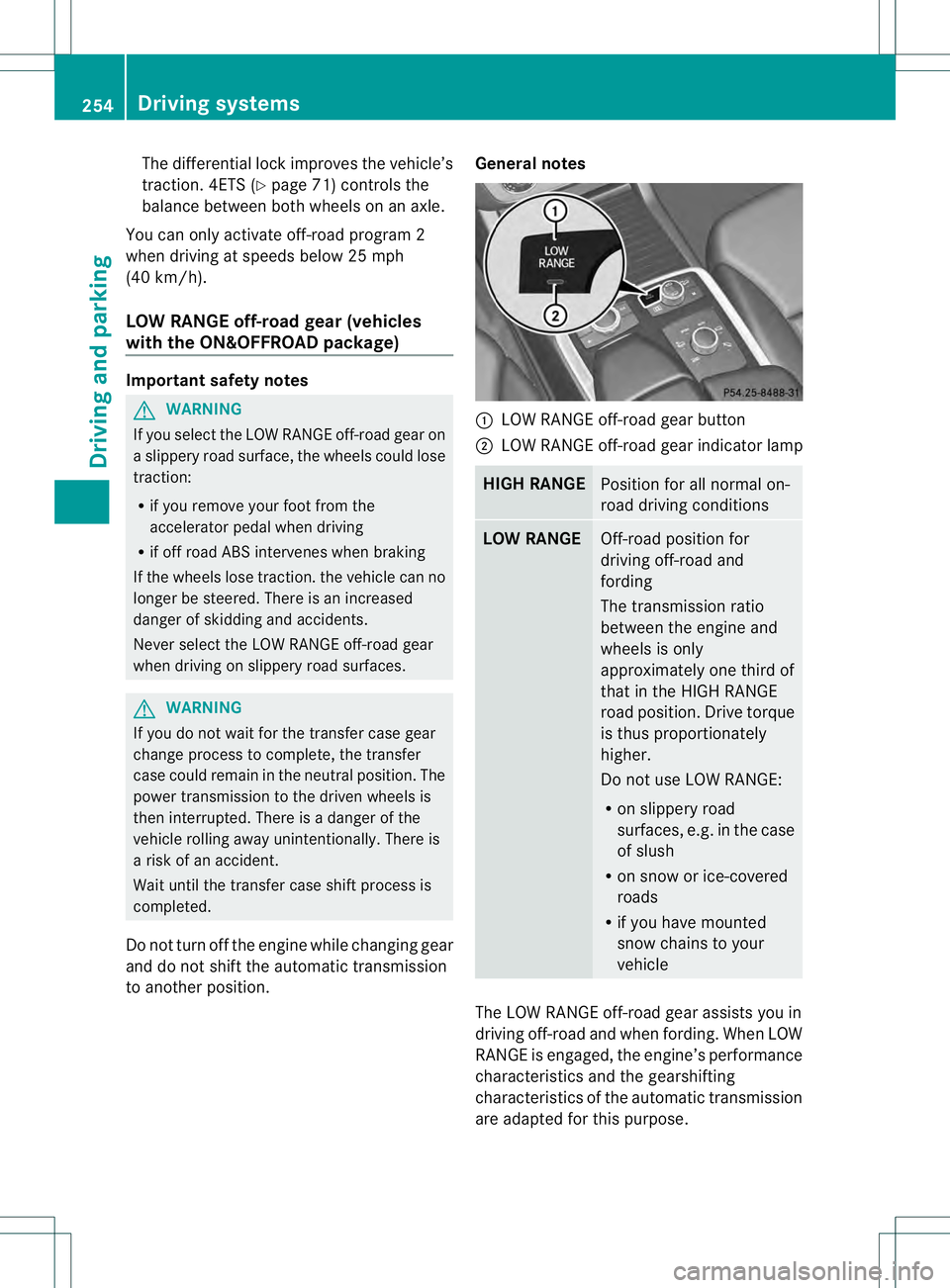
LOW RANGE off-road gear button
0003 LOW RANGE off-road gear indicator lamp HIGH RANGE
Position for all normal on-
road driving conditions
LOW RANGE
Off-road position for
driving off-road and
fording
The transmission ratio
between the engine and
wheels is only
approximately one third of
that in the HIGH RANGE
road position. Drive torque
is thus proportionately
higher.
Do not use LOW RANGE:
R
on slippery road
surfaces, e.g. in the case
of slush
R on snow or ice-covered
roads
R if you have mounted
snow chains to your
vehicle The LOW RANGE off-road gear assists you in
driving off-road and when fording. When LOW
RANGE is engaged, the engine’s performance
characteristics and the gearshifting
characteristics of the automatic transmission
are adapted for this purpose.254
Driving systemsDriving and parking
Page 258 of 454
Messages in the multifunction display
If a gearc
hange process has not been successful, the following messages may be displayed
in the multifunction display: Display messages Possible causes/consequences and
0001 Solutions
LOW RANGE Max.
Speed 40 km/h You have been driving faster than 40 km/h. Additionally, the
indicator lamp on the button in the center console blinks.
X
Drive more slowly to carry out the gear change process. LOW RANGE Shift to
Position N Briefly The transmission is in position
Dand you are driving at below
40 km/h.
X Shift the transmission to Nto complete the gear change
process. LOW RANGE Shifting
Canceled Please
Reactivate The gear change process was not carried out.
X
Ensure that all gear change conditions are fulfilled and carry out
the gear change process again. LOW RANGE Stop
Apply Parking Brake Aw
arning tone also sounds. The gear change proces shas no tbeen
completed. LOW RANGE is in the neutral position .There is no
connection between the engine and the drive wheels.
! Do not drive any further. You could otherwise damage the
vehicle's drive train.
X Stop the vehicle. Take into account the road and traffic
conditions when doing this.
X Depress the electric parking brake (Y page 184).
X Carry out the gear change process again.
If the gear change process has been carried out, the LOW RANGE
Stop Apply Parking Brake message disappears.
ON&OFFROAD menu in the COMAND
display (vehicles with the
ON&OFFROAD package) You can display some driving systems, driving
programs and additional information in the
COMAND display.
X Make sure that the SmartKey is in position
2in the ignition lock.
X Make sure that COMAND is activated, see
the separate COMAND operating
instructions.
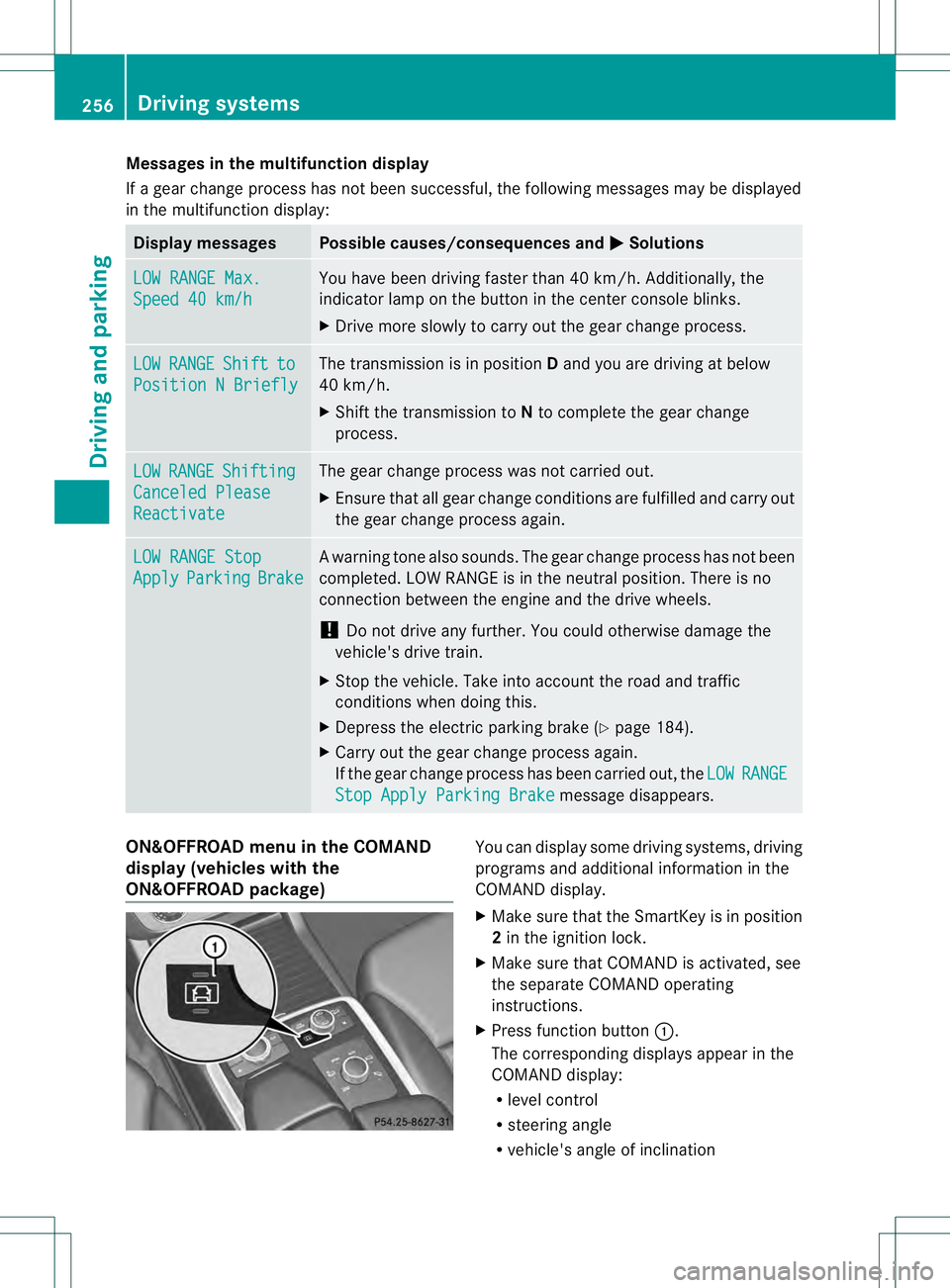
X Press function button 0002.
The corresponding displays appearint he
COMAND display:
R level control
R steering angle
R vehicle's angle of inclination 256
Driving systemsDriving and parking
Page 263 of 454
of the towing vehicle, as the latter is
equipped with an anti-lock brake system.
Doing so will result in a loss of function of
the brake systems of both the vehicle and
the trailer.
X Make sure that the automatic transmission
is set to position P.
X Apply the vehicle's electric parking brake.
X Start the engine.
X Vehicles with the AIRMATIC package:
select highway level.
X Vehicles with ADS: set ADS toAUTOor
COMF.
X Switch off the engine.
X Close all doors and the tailgate.
X Couple up the trailer.
X Establish all electrical connections.
X Check that the trailer lighting system is
working.
i Vehicles with the AIRMATIC package:
with a trailer attached, the vehicle will
always remain at highway level. When
coupling up a trailer, please observe the
following:
R Unless highway level has been set
manually, the vehicle is automatically
lowered to highway level. This is the case
if a speed of 5mph(8km/h) is reached.
R High-speed level is not available.
These restrictions apply to all accessories
powered through a connectio nto the trailer
power socket of your vehicle, e.g. a bicycle
carrier.
Observe the maximum permissible trailer
dimensions (width and length).
Most U.S. states and all Canadia nprovinces
require by law:
R Safety chains between the towing vehicle
and the trailer. The chains should be cross-
wound under the trailer drawbar. They must
be fastened to the vehicle's trailer
coupling, not to the bumper or the axle. Leave enough play in the chains to make
tight cornering possible.
R As eparate brake system for certain types
of trailer.
R As afety switch for braked trailers. Check
the specific legal requirements applicable
to your state.
If the trailer detaches from the towing
vehicle, the safety switch applies the
trailer's brakes. Towing
atrailer
There are numerous legal requirements
concerning the towing of a trailer, e.g .speed
restrictions. Make sure that your vehicle/
trailer combination complies with the local
requirements not only in your area of
residence but also at any location to which
you are traveling. The police and local
authorities can provide reliable information.
Please observe the following when towing a
trailer:
R To acquaint yourself with driving with a
trailer and with the resulting changes to
handling, you should practice cornering,
stopping and backing up in a traffic-free
location.
R Before driving, check:
-Trailer tow hitch
- Safety switch for braked trailers
- Safety chains
- Electrical connections
- Lights
- the wheels
R Adjust the exterior mirrors to provide an
unobstructed view of the rear section of the
trailer.
R If the trailer features electronically
controlled brakes, pull away the vehicle/
trailer combination carefully, manually
brake using the brake controller, and check
the brakes for correct function. Towing
atrailer
261Driving an d parking Z
Page 270 of 454
vehicle and do not stand near the vehicle until
the engine has cooled down.
! Adisplay message is shown if the coolant
temperature is too high.
If the coolant temperature is over
248 ‡(120 †), do not continue driving. The
engine will otherwise be damaged.
The coolan ttemperature gauge is in the
instrument cluster on the right-hand side
(Y page 33).
Under normal operating conditions and with
the specified coolant level, the coolant
temperature may rise to 248 ‡ (120 †). Tachometer
! Do not drive in the overrevving range, as
this could damage the engine.
The red band in the tachometer indicates the
engine's overrevving range.
The fuel supply is interrupted to protec tthe
engine when the red band is reached. Outside temperature display
You should pay special attention to road
conditions when temperatures are around
freezing point.
The outside temperature display is in the
multifunction display (Y page 269).
Changes in the outside temperature are
displayed after a short delay. Speedometer with segments
The segments in the speedometer indicate
which speed range is available.
R Cruise control activated (Y page 195):
The segments light up from the stored
speed to the maximum speed.
R DISTRONIC PLUS activated (Y page 198):One or two segments in the set speed
range light up.
R DISTRONIC PLUS detectsav ehicle in front:
The segments between the speed of the
vehicle in fron tand the stored speed light
up. Operating the on-board computer
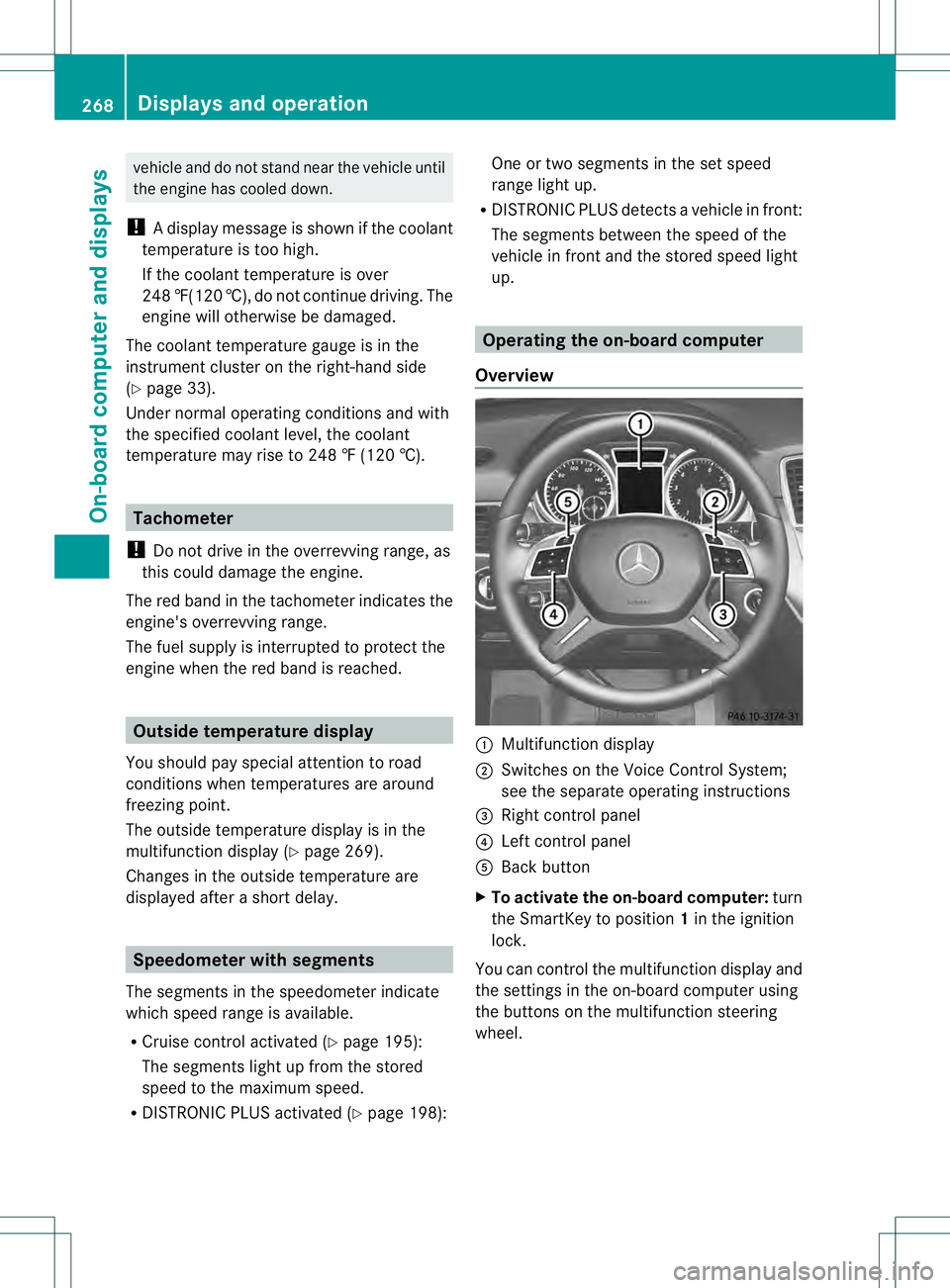
Overview 0002
Multifunctio ndisplay
0003 Switches on the Voice Control System;
see the separate operating instructions
0021 Right control panel
0020 Left control panel
001E Back button
X To activat ethe on-board computer: turn
the SmartKey to position 1in the ignition
lock.
You can control the multifunction display and
the settings in the on-board computer using
the buttons on the multifunction steering
wheel. 268
Displays and operationOn-board computer and displays
Page 274 of 454
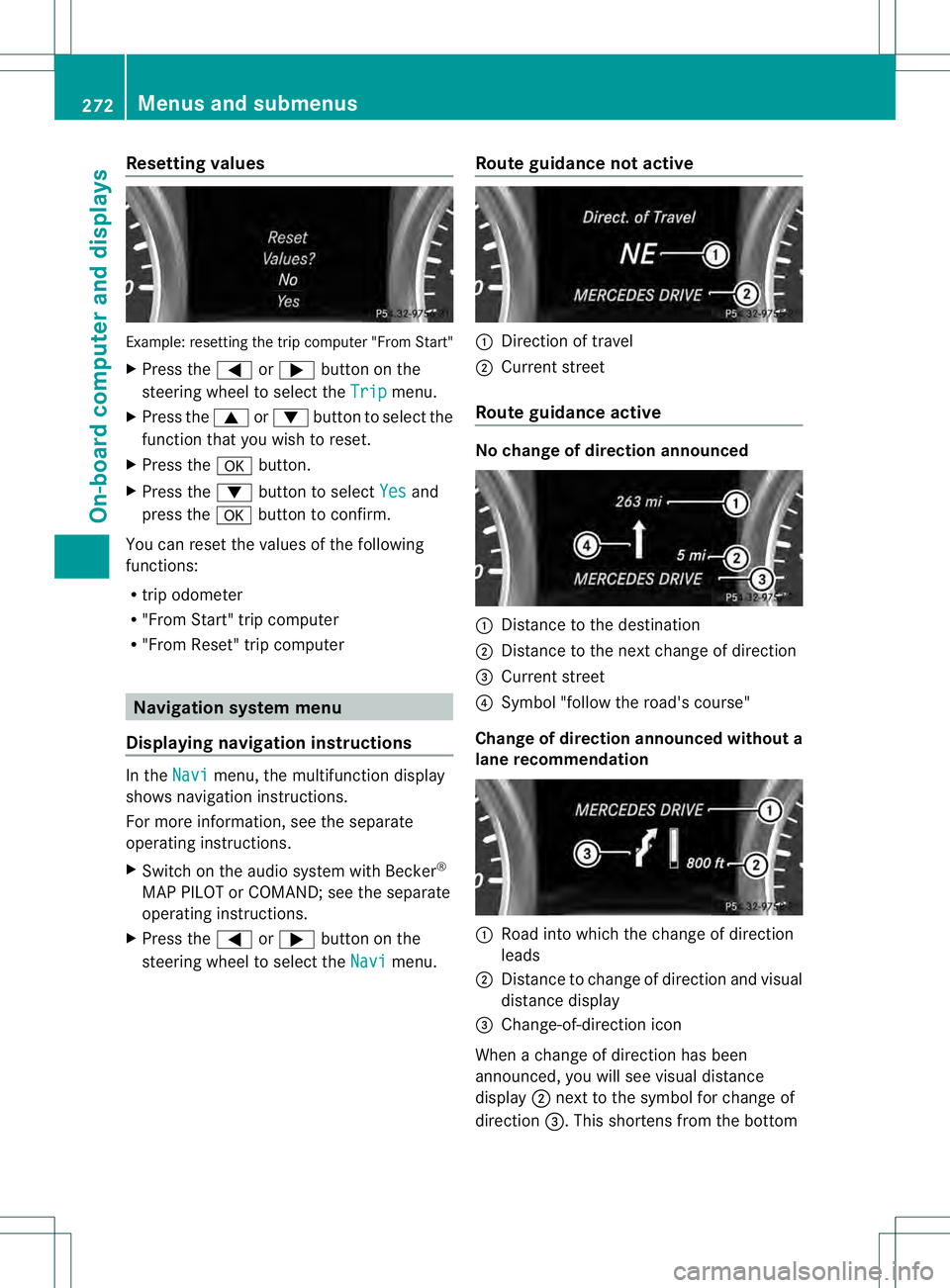
Resetting values
Example: resetting the trip computer "From Start"
X
Press the 0002or0005 button on the
steering wheel to select the Trip menu.
X Press the 0003or0004 button to select the
function that you wish to reset.
X Press the 000Bbutton.
X Press the 0004button to select Yes and
press the 000Bbutton to confirm.
You can reset the values of the following
functions:
R trip odometer
R "From Start" trip computer
R "Fro mReset" trip computer Navigation system menu
Displaying navigation instructions In the
Navi menu, the multifunction display
shows navigation instructions.
For more information, see the separate
operating instructions.
X Switch on the audio system with Becker ®
MAP PILOT or COMAND; see the separate
operating instructions.
X Press the 0002or0005 button on the
steering wheel to select the Navi menu.Route guidance not active 0002
Direction of travel
0003 Current street
Route guidance active No change of direction announced
0002
Distance to the destination
0003 Distance to the next change of direction
0021 Current street
0020 Symbol "follow the road's course"
Change of direction announced without a
lane recommendation 0002
Road into which the change of direction
leads
0003 Distance to change of direction and visual
distance display
0021 Change-of-direction icon
When a change of direction has been
announced, you will see visual distance
display 0003next to the symbol for change of
direction 0021.This shortens from the bottom 272
Menus and submenusOn-board computer and displays
Page 275 of 454
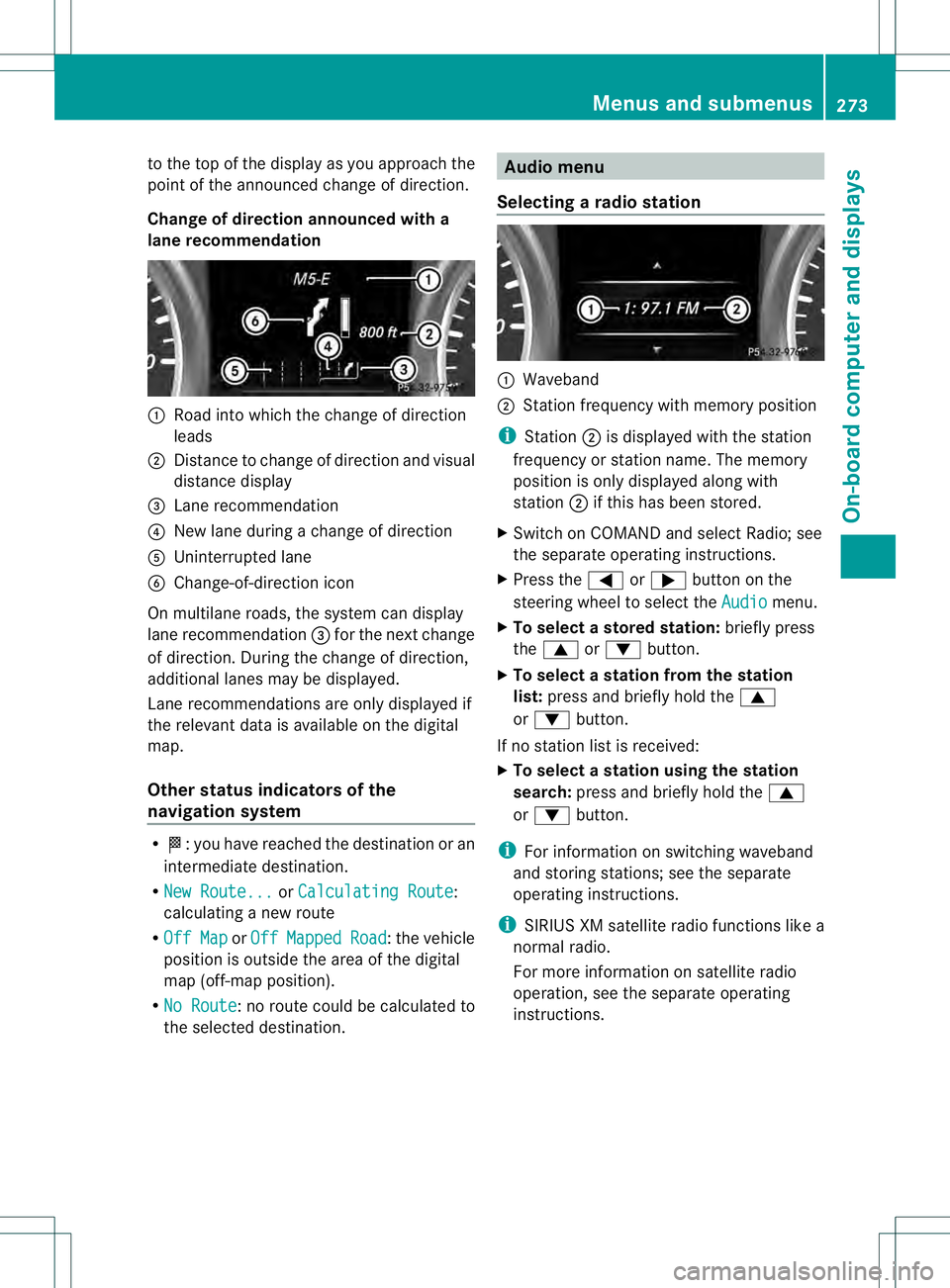
to the top of the display as you approach the
point of the announced change of direction.
Change of direction announced with a
lane recommendation 0002
Road into which the change of direction
leads
0003 Distance to change of directio nand visual
distance display
0021 Lane recommendation
0020 New lane during a change of direction
001E Uninterrupted lane
001F Change-of-direction icon
On multilane roads, the system can display
lane recommendation 0021for the next change
of direction. During the change of direction,
additional lanes may be displayed.
Lane recommendations are only displayed if
the relevant data is availabl eonthe digital
map.
Other status indicators of the
navigation system R
0001:y ou have reached the destination or an
intermediate destination.
R New Route... or
Calculating Route :
calculating a new route
R Off Map or
Off Mapped Road :t
he vehicle
position is outside the area of the digital
map (off-map position).
R No Route :n
o route could be calculated to
the selected destination. Audio menu
Selecting aradio station 0002
Waveband
0003 Station frequency with memory position
i Station 0003is displayed with the station
frequency or station name. The memory
position is only displayed along with
station 0003if this has bee nstored.
X Switch on COMAND and select Radio; see
the separate operating instructions.
X Press the 0002or0005 button on the
steering wheel to select the Audio menu.
X To select astore dstation: briefly press
the 0003 or0004 button.
X To select a station from the station
list: press and briefly hold the 0003
or 0004 button.
If no statio nlist is received:
X To select astation using the station
search: press and briefly hold the 0003
or 0004 button.
i For informatio nonswitching waveband
and storing stations; see the separate
operating instructions.
i SIRIUS XM satellite radio functions like a
normal radio.
For more informatio nonsatellite radio
operation, see the separate operating
instructions. Menus and submenus
273On-board computer and displays Z
Page 276 of 454
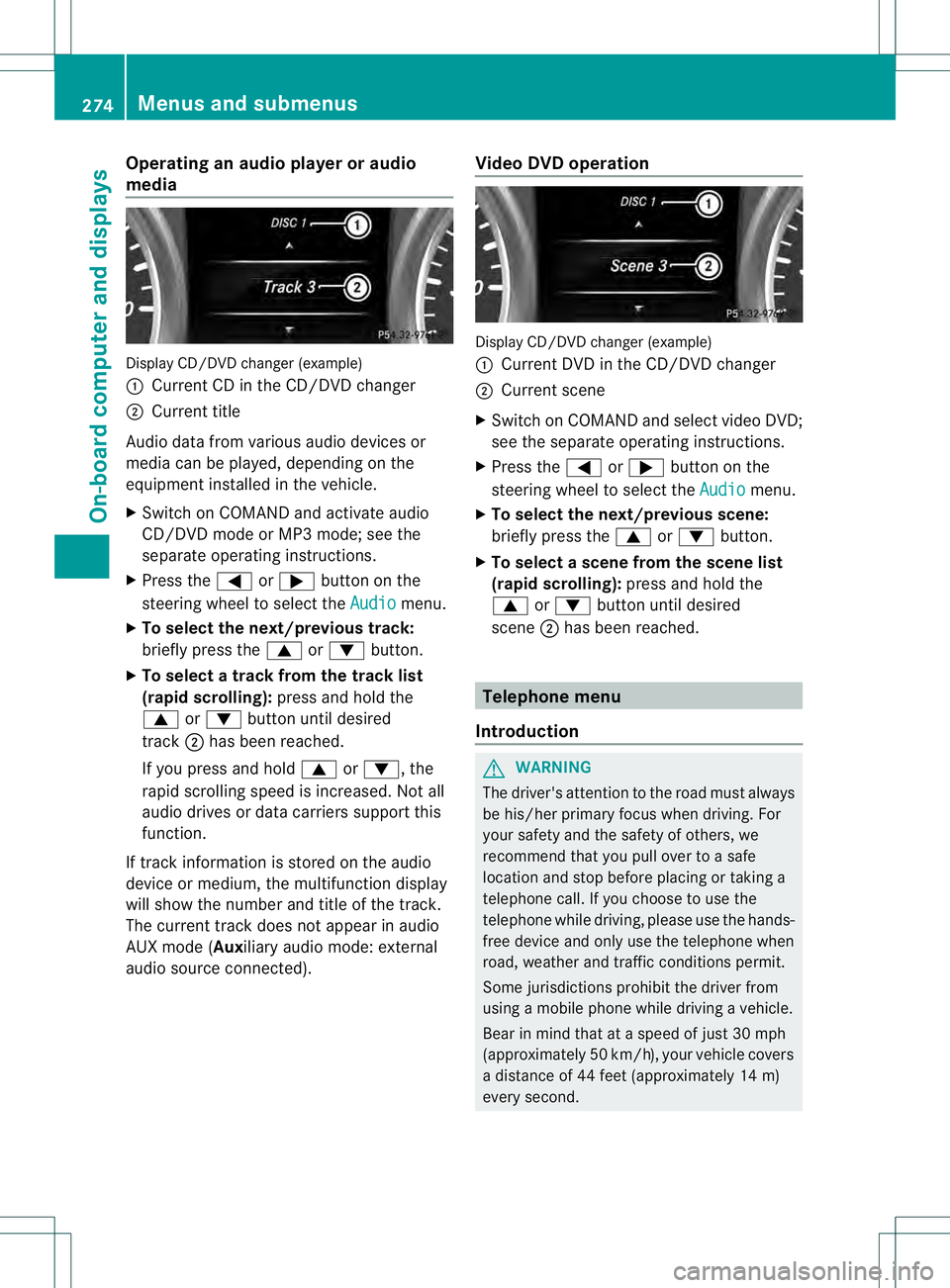
Operating an audio player or audio
media
Display CD/DVD changer (example)
0002
Current CD in the CD/DVD changer
0003 Current title
Audio data from various audio devices or
media can be played, depending on the
equipment installed in the vehicle.
X Switch on COMAND and activate audio
CD/DVD mode or MP3 mode; see the
separate operating instructions.
X Press the 0002or0005 button on the
steering wheel to select the Audio menu.
X To select the next/previous track:
briefly press the 0003or0004 button.
X To select a track from the track list
(rapid scrolling): press and hold the
0003 or0004 button until desired
track 0003has been reached.
If you press and hold 0003or0004, the
rapid scrolling speed is increased. Not all
audio drives or data carriers support this
function.
If track information is stored on the audio
device or medium, the multifunction display
will show the number and title of the track.
The curren ttrack does not appear in audio
AUX mode (Auxiliary audio mode: external
audio source connected). Video DVD operation Display CD/DVD changer (example)
0002
Current DVD in the CD/DVD changer
0003 Current scene
X Switch on COMAND and select video DVD;
see the separate operating instructions.
X Press the 0002or0005 button on the
steering wheel to select the Audio menu.
X To selectt he next/previous scene:
briefly press the 0003or0004 button.
X To selectas cene from the scene list
(rapid scrolling): press and hold the
0003 or0004 buttonuntil desired
scene 0003has been reached. Telephone menu
Introduction G
WARNING
The driver's attentio nto the road must always
be his/her primary focus when driving. For
your safety and the safety of others, we
recommend that you pull over to a safe
location and stop before placing or taking a
telephone call. If you choose to use the
telephone while driving, please use the hands-
free device and only use the telephone when
road, weather and traffic conditions permit.
Some jurisdictions prohibit the driver from
using a mobile phone while driving a vehicle.
Bear in mind that at a speed of just 30 mph
(approximately 50 km/h) , your vehicle covers
a distance of 44 feet (approximately 14 m)
every second. 274
Menus and submenusOn-board computer and displays
Page 338 of 454
Useful information
i This Operator's Manual describes all
models and all standard and optional
equipment of your vehicle available at the
time of publication of the Operator's
Manual. Country-specific differences are
possible. Please note that your vehicle may
not be equipped with all features
described. This also applies to safety-
related systems and functions.
i Read the information on qualified
specialist workshops: (Y page 28).Stowage areas
Loading guidelines
G
WARNING
If objects, luggage or loads are not secured or
not secured sufficiently, they could slip, tip
over or be flung around and thereby hit vehicle
occupants. There is a risk of injury,
particularly in the even tofsudden braking or
a sudde nchange in direction.
Always store objects so that they cannot be
flung around. Secure objects, luggage or
loads against slipping or tipping before the
journey. G
WARNING
Combustion engines emit poisonous exhaust
gases such as carbon monoxide. If the tailgate
is open when the engine is running,
particularly if the vehicle is moving, exhaust
fumes could enter the passenger
compartment. There is a risk of poisoning.
Turn off the engine before opening the
tailgate. Never drive with the tailgate open.
The gross vehicle weight (GVW) is the vehicle
weight including fuel, vehicle tool kit, spare
wheel, installed accessories, vehicle
occupants and luggage/cargo.
The gross load limit and the gross vehicle
weight rating (GVWR) for your vehicle must never be exceeded. The gross load limit and
the GVWR are specified on the vehicle
identification plate on the B-pillar of the
driver's door (Y
page 412).
The load must also be distributed so that the
weight on each axle never exceeds the gross
axle weight rating (GAWR) for the front and
rear axles. The specifications for GVWR and
GAWR are on the vehicle identification plate
on the B-pillar of the driver's door
(Y page 412).
Observe the notes on the loading the vehicle
(Y page 412).
The handling characteristics of a laden
vehicle are dependent on the distribution of
the load within the vehicle. For this reason,
you should observe the following notes when
transporting a load:
R Never exceed the maximum permissible
gross vehicle weight or the gross axle
weight rating of the vehicle (including
occupants).
R The cargo compartment is the preferred
place to carry objects.
R Position heavy loads as far forwards as
possible and as low down in the cargo
compartmenta s possible.
R The load must not protrude above the
upper edge of the seat backrests.
R Always place the load against the rear or
front seat backrests. Make sure that the
seat backrests are securely locked into
place.
R Always place the load behind unoccupied
seats if possible.
R Use the cargo tie down rings and the parcel
nets to transport loads and luggage.
R Use cargo tie-down rings and fastening
materials appropriate for the weight and
size of the load.
R Hook in the cargo net when loading.
R Secure the load with sufficiently strong and
wear-resistant tie-downs. pad sharp edges
for protection. 336
Stowage areasStowage and features