2013 LINCOLN MKZ ECU
[x] Cancel search: ECUPage 75 of 474

PASSIVE ANTI-THEFT
SYSTEM
Note:
The system is not compatible
with non-Ford aftermarket remote start
systems. Use of these systems may
result in vehicle starting problems and
a loss of security protection.
Note: Metallic objects, electronic
devices or a second coded key on the
same key chain may cause vehicle
starting problems if they are too close
to the key when starting the engine.
Prevent these objects from touching
the coded key while starting the engine.
Switch the ignition off, move all objects
on the key chain away from the coded
key and restart the engine if a problem
occurs.
Note: Do not leave a duplicate coded
key in the vehicle. Always take your
keys and lock all doors when leaving
the vehicle.
SecuriLock®
The system is an engine
immobilization system. It is designed
to help prevent the engine from being
started unless a coded key
programmed to your vehicle is used.
Using the wrong key may prevent the
engine from starting. A message may
appear in the information display.
If you are unable to start the engine
with a correctly coded key, a
malfunction has happened and a
message may appear in the
information display. Automatic Arming
The vehicle is armed immediately
after switching the ignition off.
Automatic Disarming
Switching the ignition on with a coded
key disarms the vehicle.
Replacement Keys
Note:
Your vehicle comes equipped
with two intelligent access keys.
The intelligent access key functions
as a programmed key that operates
the driver door lock and activates the
intelligent access with push button
start system, as well as a remote
control.
If your programmed transmitters are
lost or stolen and you do not have an
extra coded key, you will need to have
your vehicle towed to an authorized
dealer. The key codes need to be
erased from your vehicle and new
coded keys will need to be
programmed.
Store an extra programmed key away
from the vehicle in a safe place to help
prevent any inconveniences. See your
authorized dealer to purchase
additional spare or replacement keys.
Programming a Spare Intelligent
Access Key
Note: You can program a maximum
for four intelligent access keys to your
vehicle.
72
Security
Page 76 of 474

You must have two previously
programmed intelligent access keys
inside the vehicle and the new
unprogrammed intelligent access keys
readily accessible. See your
authorized dealer to have the spare
key programmed if two previously
programmed keys are not available.
Make sure that the vehicle is off
before beginning this procedure. Make
sure that all doors are closed before
beginning and that they remain closed
throughout the procedure. Perform all
steps within 30 seconds of starting
the sequence. Stop and wait for at
least one minute before starting again
if any steps are performed out of
sequence.
Read and understand the entire
procedure before you begin.
1. Place a programmed intelligent
access key in the backup slot at
the bottom of the cupholder (after
removing the rubber covering).
2. Wait 5 seconds, then press the START/STOP button.
3. Remove the intelligent access key.
4. Within 10 seconds, place a second
programmed intelligent access key
in the backup slot and press the
START/STOP
button.
5. Wait 5 seconds, then press the START/STOP
button again.
6. Remove the intelligent access key.
7. Wait 5 seconds, then place the unprogrammed intelligent access
key in the backup slot and press
the
START/STOP button. The intelligent access key is now
programmed. Verify the remote
control functions operate and the
vehicle starts with the new intelligent
access key.
If it was not programmed successfully,
wait 10 seconds and repeat Steps 1
through 7. If you are still unsuccessful,
take your vehicle to your authorized
dealer.
ANTI-THEFT ALARM
(IF
EQUIPPED)
The system will warn you of an
unauthorized entry to your vehicle. It
will be triggered if any door, the
luggage compartment or the hood is
opened without using the key, remote
control or keyless entry keypad.
The direction indicators will flash and
the horn will sound if unauthorized
entry is attempted while the alarm is
armed.
Take all remote controls to an
authorized dealer if there is any
potential alarm problem with your
vehicle.
Arming the Alarm
The alarm is ready to arm when there
is not a key in the ignition.
Electronically lock the vehicle to arm
the alarm.
Disarming the Alarm
Disarm the alarm by any of the
following actions:
73
Security
Page 77 of 474

•
Unlock the doors or luggage
compartment with the remote
control or keyless entry keypad.
• Switch the ignition on or start the
vehicle.
• Use a key in the driver ’s door to
unlock the vehicle, then switch the
ignition on within 12 seconds.
Note: Pressing the panic button on the
remote control will stop the horn and
signal indicators, but will not disarm
the system.
74
Security
Page 114 of 474

Doors and Locks
Action
Message
Displays when the door(s) listed is not completelyclosed and the vehicle is moving.
X Door Ajar
Displays when the door(s) listed is not completely closed.
Displays when the luggage compartment is not completely closed.
Trunk Ajar
Displays when the door switches have been disabled.
Switches Inhibited
Security Mode
Displays the factory keypad code after the keypad hasbeen reset. See Keyless Entry (page 68).
Factory Keypad Code
XXXXX
Driver Alert Action
Message
Stop and rest as soon as it is safe to do so.
Driver Alert Warning
Rest Now
Take a rest break soon.
Driver Alert Warning
Rest Suggested
Engine Action
Message
Engine service is required. Contact your authorized dealer.
Engine Fault Service
Now
Displays when the engine temperature is too high. Stopthe vehicle in a safe place and allow to engine to cool.
If the problem persists, contact your authorized dealer. See
Engine Coolant Check (page 268).
High Engine Temper-
ature Stop Safely
111
Information Displays
Page 123 of 474

Action
Message
Displays when the transmission is adjusting the shift strategy.
Transmission Adapt
Mode
Displays when the transmission shift lever is lockedand unable to select gears.
Transmission Indicate
Mode Lockup On
Displays when the transmission shift lever is unlockedand free to select gears.
Transmission Indicate
Mode Lockup Off
Displays when an invalid gear has been selected.
Invalid Gear Selection
Displays when the brake pedal needs to be depressedto enable the transmission to shift from park.
Depress Brake to Shift
from Park
Displays when the neutral button N needs to be
pressed again to enter neutral hold. See Automatic
Transmission (page 165).
Press N again to Enter
Stay in Neutral Mode
Displays when neutral hold is active.
See Automatic
Transmission (page 165).
Stay in Neutral Mode
Engaged
Displays when neutral hold is active.
See General
Information (page 100).
Stay in Neutral Mode
Engaged See Manual to Disable
Displays when there is a system fault and the park
brake needs to be depressed before exiting the vehicle. See your authorized dealer.
SHIFT SYS FAULT
Confirm Park Brake
Apply Before Exiting the Vehicle
Displays when there is a system fault and the park
brake needs to be depressed before exiting the vehicle. See your authorized dealer.
SHIFT SYS FAULT
Cannot Shift Trans Use Park Brake to Secure Vehicle
See your authorized dealer.
SHIFT SYS FAULT
Service Required
Displays when there is a system fault while the vehicleis shifting to park. See your authorized dealer.
SHIFT SYS FAULT
Vehicle is Shifting to Park
120
Information Displays
Page 145 of 474
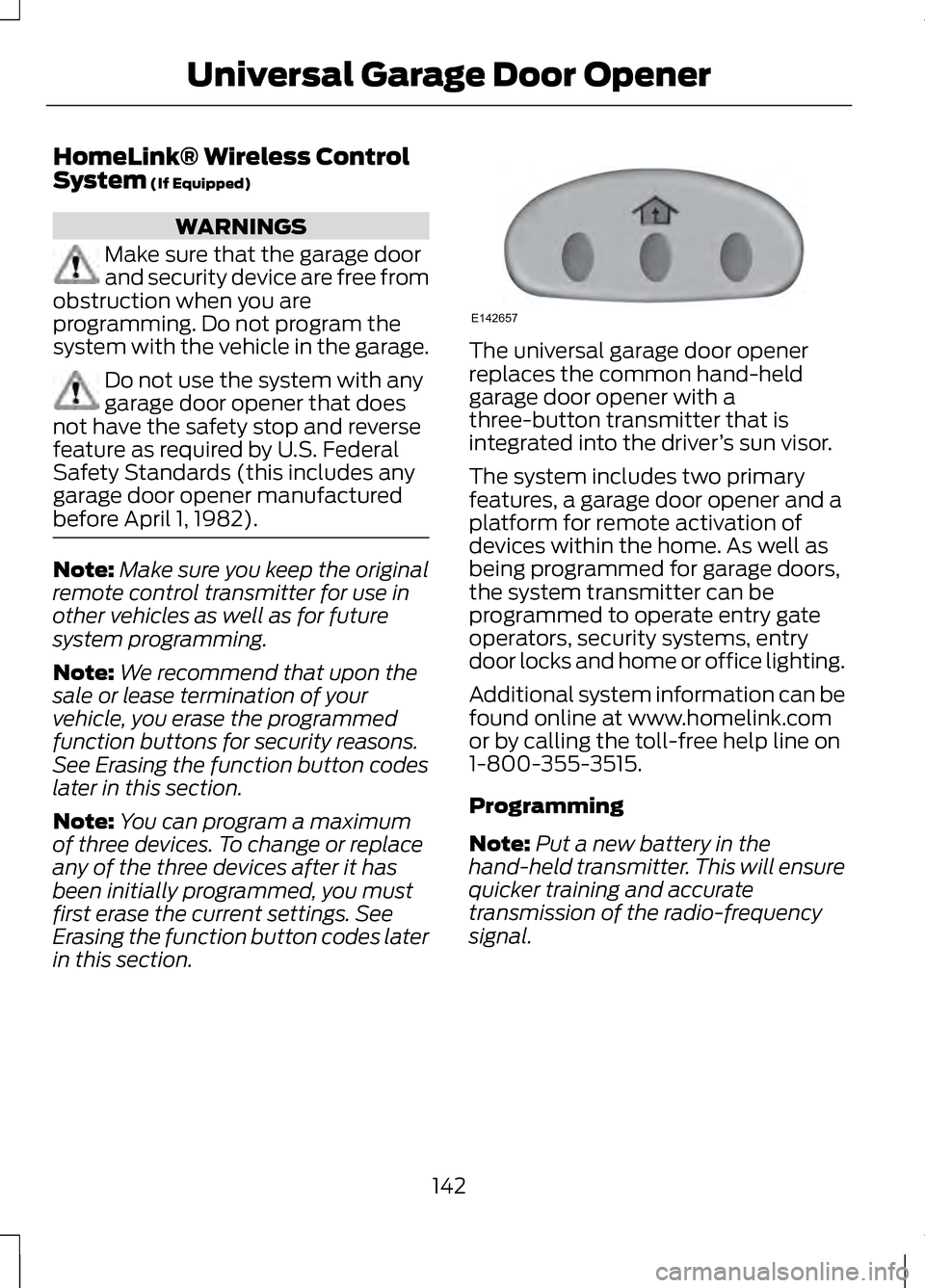
HomeLink® Wireless Control
System (If Equipped)
WARNINGS
Make sure that the garage door
and security device are free from
obstruction when you are
programming. Do not program the
system with the vehicle in the garage. Do not use the system with any
garage door opener that does
not have the safety stop and reverse
feature as required by U.S. Federal
Safety Standards (this includes any
garage door opener manufactured
before April 1, 1982). Note:
Make sure you keep the original
remote control transmitter for use in
other vehicles as well as for future
system programming.
Note: We recommend that upon the
sale or lease termination of your
vehicle, you erase the programmed
function buttons for security reasons.
See Erasing the function button codes
later in this section.
Note: You can program a maximum
of three devices. To change or replace
any of the three devices after it has
been initially programmed, you must
first erase the current settings. See
Erasing the function button codes later
in this section. The universal garage door opener
replaces the common hand-held
garage door opener with a
three-button transmitter that is
integrated into the driver
’s sun visor.
The system includes two primary
features, a garage door opener and a
platform for remote activation of
devices within the home. As well as
being programmed for garage doors,
the system transmitter can be
programmed to operate entry gate
operators, security systems, entry
door locks and home or office lighting.
Additional system information can be
found online at www.homelink.com
or by calling the toll-free help line on
1-800-355-3515.
Programming
Note: Put a new battery in the
hand-held transmitter. This will ensure
quicker training and accurate
transmission of the radio-frequency
signal.
142
Universal Garage Door OpenerE142657
Page 192 of 474

When automatic steering is finished,
the touch screen displays a message
indicating that the active park assist
process is done. The driver is
responsible for checking the parking
job and making any necessary
corrections before putting the
transmission in P (Park).
Deactivating the Park Assist
Feature
The system can be deactivated
manually by:
•
pressing the active park assist
button
• grabbing the steering wheel
• driving above approximately 20
mph (35 km/h) for 30 seconds
during an active park search •
driving above 6 mph (10 km/h)
during automatic steering
• turning off the traction control
system.
Certain vehicle conditions can also
deactivate the system, such as:
• Traction control has activated on
a slippery or loose surface.
• There is an anti-lock brake system
activation or failure.
• Something touches the steering
wheel.
If a problem occurs with the system,
a warning message is displayed,
followed by a chime. Occasional
system messages may occur in
normal operation. For recurring or
frequent system faults, contact an
authorized dealer to have your vehicle
serviced.
Troubleshooting the System The system does not look for a space
The traction control system may be off The system does not offer a particular space
Something may be contacting the front bumper or side sensors
There is not enough room on both sides of the vehicle in order to park
There is not enough space for the parking maneuver on the opposite side of
the parking space
189
Parking Aids
Page 239 of 474

DRIVING THROUGH WATER
Note:
Driving through deep water
above the recommended levels can
cause vehicle damage.
Note: Once through the water, always
dry the brakes by moving your vehicle
slowly while applying light pressure on
the brake pedal. Wet brakes do not
stop the vehicle as quickly as dry
brakes. If driving through deep or standing
water is unavoidable, proceed very
slowly. Never drive through water that
is higher than the bottom of the wheel
rims (for cars) or the bottom of the
hubs (for trucks).
When driving through water, traction
or brake capability may be limited.
Also, water may enter your engine
’s
air intake and severely damage your
engine or your vehicle may stall. FLOOR MATS
WARNINGS
Always use floor mats that are
designed to fit the foot well of
your vehicle. Only use floor mats that
leave the pedal area unobstructed.
Only use floor mats that are firmly
secured to retention posts so that
they cannot slip out of position and
interfere with the pedals or impair safe
operation of your vehicle in other
ways. Pedals that cannot move freely
can cause loss of vehicle control
and increase the risk of serious
personal injury. Always make sure that the floor
mats are properly attached to
the retention posts in the carpet that
are supplied with your vehicle. Floor
mats must be properly secured to
both retention posts to ensure mats
do not shift out of position.
236
Driving HintsE142667 E142666