Page 51 of 474

After all occupants have adjusted
their seats and put on safety belts, it’
s
very important that they continue to
sit properly. A properly seated
occupant sits upright, leaning against
the seat back, and centered on the
seat cushion, with their feet
comfortably extended on the floor.
Sitting improperly can increase the
chance of injury in a crash event. For
example, if an occupant slouches, lies
down, turns sideways, sits forward,
leans forward or sideways, or puts one
or both feet up, the chance of injury
during a crash is greatly increased.
The conditions listed above may
cause the weight of a properly seated
occupant to be incorrectly interpreted
by the front passenger sensing
system. The person in the front
passenger seat may appear heavier
or lighter due to the conditions
described in the list above. To know if the front
passenger sensing system is
operating properly, See
Crash Sensors and Airbag
Indicator (page 51).
DO NOT attempt to repair or service
the system; take your vehicle
immediately to an authorized dealer.
If it is necessary to modify an
advanced front airbag system to
accommodate a person with
disabilities, contact the Ford
Customer Relationship Center. See
Getting the Services You Need
(page
243). SIDE AIRBAGS WARNINGS
Do not place objects or mount
equipment on or near the airbag
cover, on the side of the seat backs
(of the front seats), or in front seat
areas that may come into contact
with a deploying airbag. Failure to
follow these instructions may increase
the risk of personal injury in the event
of a collision. Do not use accessory seat
covers. The use of accessory
seat covers may prevent the
deployment of the side airbags and
increase the risk of injury in an
accident. Do not lean your head on the
door. The side airbag could injure
you as it deploys from the side of the
seatback. Do not attempt to service, repair,
or modify the airbag, its fuses or
the seat cover on a seat containing an
airbag. Contact your authorized dealer
as soon as possible. If the side airbag has deployed,
the airbag will not function again.
The side airbag system (including the
seat) must be inspected and serviced
by an authorized dealer. If the airbag
is not replaced, the unrepaired area
will increase the risk of injury in a
collision. 48
Supplementary Restraints System
Page 134 of 474

SITTING IN THE CORRECT
POSITION
WARNINGS
Sitting improperly, out of
position or with the seat back
reclined too far can take weight off
the seat cushion and affect the
decision of the passenger sensing
system, resulting in serious injury or
death in the event of a collision.
Always sit upright against your seat
back, with your feet on the floor. Do not recline the seat back as
this can cause the occupant to
slide under the safety belt, resulting
in serious injury in the event of a
collision. Do not place objects higher than
the seat back to reduce the risk
of serious injury in the event of a
collision or during heavy braking. When you use them properly, the seat,
head restraint, safety belt and air bags
will provide optimum protection in the
event of a collision. We recommend that you follow these
guidelines:
•
Sit in an upright position with the
base of your spine as far back as
possible.
• Do not recline the seat back more
than 30 degrees.
• Adjust the head restraint so that
the top of it is level with the top of
your head and as far forward as
possible. Make sure that you
remain comfortable.
• Keep sufficient distance between
yourself and the steering wheel.
We recommend a minimum of 10
inches (25 centimeters) between
your breastbone and the air bag
cover.
• Hold the steering wheel with your
arms slightly bent.
• Bend your legs slightly so that you
can press the pedals fully.
• Position the shoulder strap of the
safety belt over the center of your
shoulder and position the lap strap
tightly across your hips.
Make sure that your driving position is
comfortable and that you can
maintain full control of your vehicle.
HEAD RESTRAINTS WARNINGS
Fully adjust the head restraint
before you sit in or operate your
vehicle. This will help minimize the risk
of neck injury in the event of a
collision. Do not adjust the head
restraint when your vehicle is moving.
131
SeatsE68595
Page 143 of 474
To remove an air filter:
1. Turn the vehicle off.
2. Push up on the outside rigid edge
of the filter and rotate
counterclockwise once the tabs
are released, then remove the
filter. To install a filter:
1. First, position the filter in its
housing making sure that the far
forward end is all the way up in the
housing.
2. Push in on the center of the outside edge of the filter and
rotate clockwise into the housing
until it clips into position. REAR SEAT ARMREST Fold the armrest down to use the
armrest and cupholder. To open the
storage lid, pull up on the latch
located between the cupholders.
Armrest pass-through
Note:
Do not exceed 80 pounds (36
kilograms) of weight on the
pass-through door.
140
SeatsE146321 E144635
Page 183 of 474

You can manually release the electric
parking brake by turning the ignition
on, pressing the brake pedal and then
pressing the electric parking brake
switch.
When the electric parking brake is
released, the brake system warning
lamp will turn off.
Driving with a Trailer
Depending on the grade and the
weight of the trailer, your vehicle and
trailer may roll backwards slightly
when you start on a slope. To prevent
this from happening, do the following:
1. Pull the switch up and hold it in
this position.
2. Drive your vehicle, then release the
switch when you notice that the
engine has developed sufficient
driving force.
Automatic release - drive away
release
Note: The driver's door must be closed
and the driver's safety belt must be
fastened before this feature will
operate.
Note: If the electric parking brake
warning lamp stays illuminated, the
electric parking brake will not
automatically release. You must
release the electric parking brake using
the electric parking brake switch.
Note: The engine must be running and
the accelerator pedal must be pressed
before the drive away release feature
will operate. The brake system warning lamp will
go off to confirm that the electric
parking brake has been released.
Note:
The electric parking brake drive
away release makes starting on a hill
easier. This feature will release the
parking brake automatically when the
vehicle has sufficient drive force to
move up the hill. To assure drive away
release when starting uphill, press the
accelerator pedal quickly.
Battery With No Charge WARNING
You will not be able to apply or
release the electric parking brake
if the battery is low or has no charge. If the battery is low or has no charge,
use jumper cables and a booster
battery.
180
Brakes
Page 222 of 474
LOAD LIMIT
Vehicle loading - with and
without a trailer
This section will guide you in the
proper loading of your vehicle,
trailer or both, to keep your loaded
vehicle weight within its design
rating capability, with or without
a trailer. Properly loading your
vehicle will provide maximum
return of vehicle design
performance. Before loading your
vehicle, familiarize yourself with
the following terms for
determining your vehicle
’s weight
ratings, with or without a trailer,
from the vehicle ’s Tire Label or
Safety Compliance Certification
Label:
Base Curb Weight - is the weight
of the vehicle including a full tank
of fuel and all standard
equipment. It does not include
passengers, cargo, or optional
equipment.
Vehicle Curb Weight -
is the
weight of your new vehicle when
you picked it up from your
authorized dealer plus any
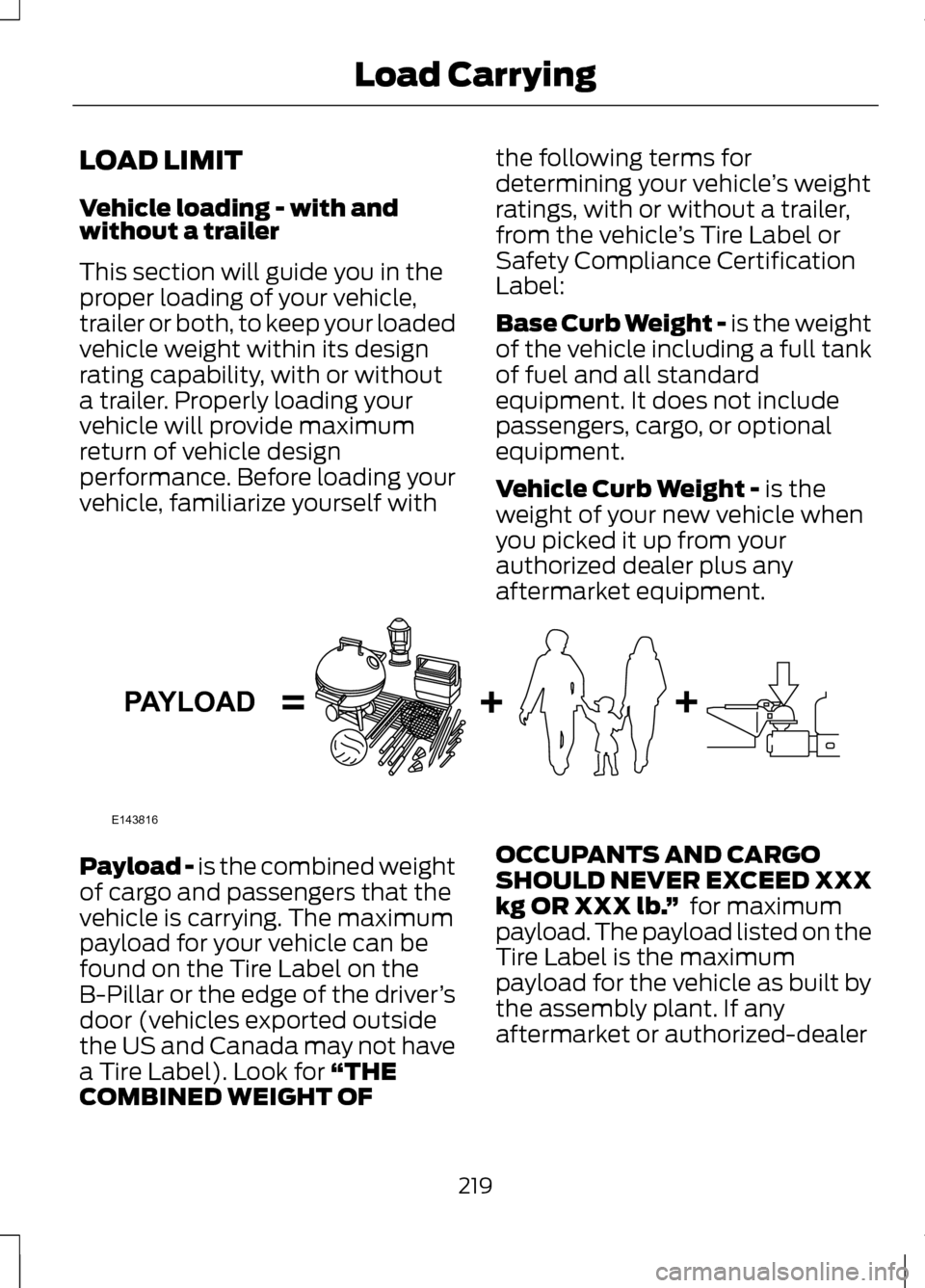
aftermarket equipment. Payload -
is the combined weight
of cargo and passengers that the
vehicle is carrying. The maximum
payload for your vehicle can be
found on the Tire Label on the
B-Pillar or the edge of the driver ’s
door (vehicles exported outside
the US and Canada may not have
a Tire Label). Look for
“THE
COMBINED WEIGHT OF OCCUPANTS AND CARGO
SHOULD NEVER EXCEED XXX
kg OR XXX lb.
” for maximum
payload. The payload listed on the
Tire Label is the maximum
payload for the vehicle as built by
the assembly plant. If any
aftermarket or authorized-dealer
219
Load CarryingE143816PAYLOAD
Page 223 of 474
installed equipment has been
installed on the vehicle, the weight
of the equipment must be
subtracted from the payload
listed on the Tire Label in order to
determine the new payload.
WARNING
The appropriate loading capacity
of your vehicle can be limited
either by volume capacity (how much
space is available) or by payload
capacity (how much weight the
vehicle should carry). Once you have
reached the maximum payload of
your vehicle, do not add more cargo,
even if there is space available.
Overloading or improperly loading
your vehicle can contribute to loss of
vehicle control and vehicle rollover. Example only:
220
Load CarryingE142516 E142517
Page 224 of 474
Cargo Weight – includes all
weight added to the Base Curb
Weight, including cargo and
optional equipment. When towing,
trailer tongue load or king pin
weight is also part of cargo weight.
GAW (Gross Axle Weight) -
is
the total weight placed on each
axle (front and rear) – including
vehicle curb weight and all
payload. GAWR (Gross Axle Weight
Rating) -
is the maximum
allowable weight that can be
carried by a single axle (front or
rear). These numbers are shown
on the Safety Compliance
Certification Label. The label
shall be affixed to either the
door hinge pillar, door-latch
post, or the door edge that
meets the door-latch post, next
to the driver's seating position.
The total load on each axle
must never exceed its GAWR.
Note: For trailer towing information
refer to the RV and Trailer Towing
Guide provided by your authorized
dealer. 221
Load CarryingE143817CARGO E143818GVW
Page 225 of 474
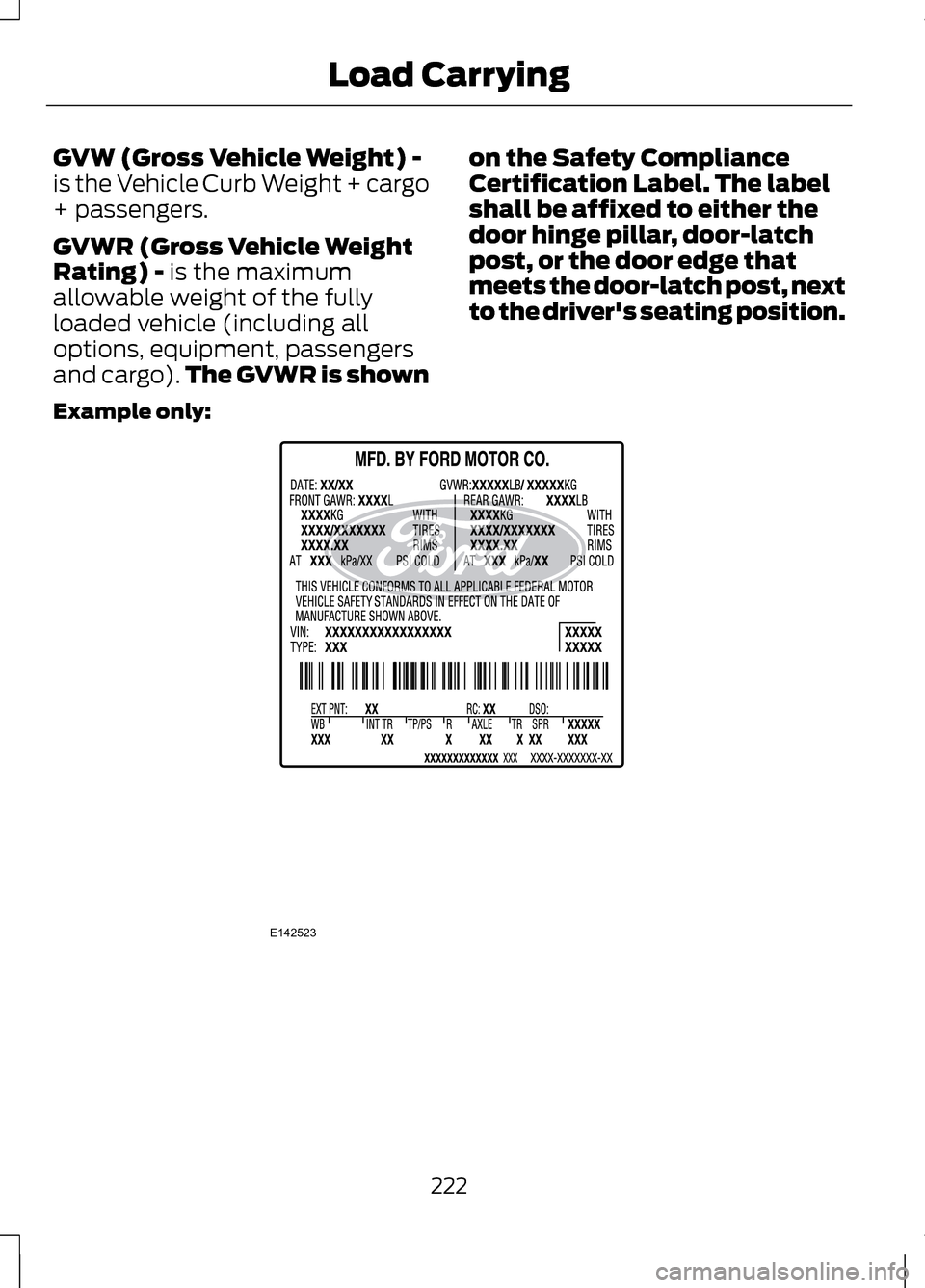
GVW (Gross Vehicle Weight) -
is the Vehicle Curb Weight + cargo
+ passengers.
GVWR (Gross Vehicle Weight
Rating) - is the maximum
allowable weight of the fully
loaded vehicle (including all
options, equipment, passengers
and cargo). The GVWR is shown on the Safety Compliance
Certification Label. The label
shall be affixed to either the
door hinge pillar, door-latch
post, or the door edge that
meets the door-latch post, next
to the driver's seating position.
Example only: 222
Load CarryingE142523