2013 LINCOLN MKZ warning
[x] Cancel search: warningPage 217 of 474

Zone coverage also decreases when
parking at shallow angles. Here, the
left sensor is mostly obstructed; zone
coverage on that side is severely
limited.
System Lights and Messages
The BLIS and cross traffic alert
systems illuminate a yellow alert
indicator in the outside mirror on the
side of the vehicle the approaching
vehicle is coming from. Note:
The alert indicator dims when
nighttime darkness is detected.
Cross traffic alert also sounds an
audible warning and a message
appears in the information display
indicating a vehicle is coming from the
right or left. Cross traffic alert works
with the reverse sensing system which
sounds its own series of tones. See
Parking Aid (page 184).
System Sensors WARNING
Just prior to the system
recognizing a blocked condition
and alerting the driver, the number of
missed objects will increase. To help
avoid injuries, NEVER use the BLIS as
a replacement for using the side and
rear view mirrors and looking over your
shoulder before changing lanes. BLIS
is not a replacement for careful driving
and only an assist. 214
Driving AidsE142441 E142442
Page 218 of 474
Note:
It is possible to get a blockage
warning with no blockage present; this
is rare and known as a false blockage
warning. A false blocked condition
either self-corrects or clears after a key
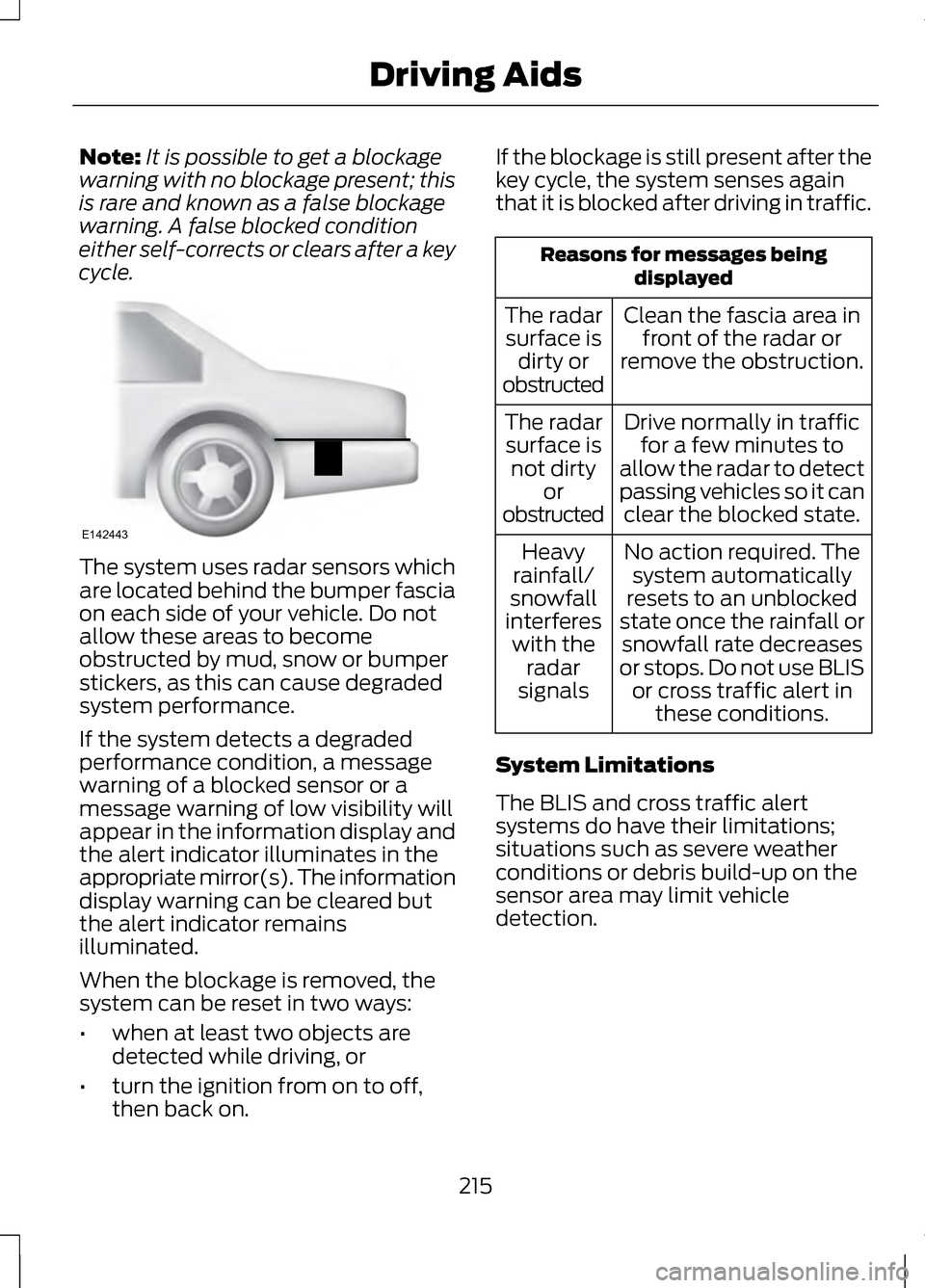
cycle. The system uses radar sensors which
are located behind the bumper fascia
on each side of your vehicle. Do not
allow these areas to become
obstructed by mud, snow or bumper
stickers, as this can cause degraded
system performance.
If the system detects a degraded
performance condition, a message
warning of a blocked sensor or a
message warning of low visibility will
appear in the information display and
the alert indicator illuminates in the
appropriate mirror(s). The information
display warning can be cleared but
the alert indicator remains
illuminated.
When the blockage is removed, the
system can be reset in two ways:
•
when at least two objects are
detected while driving, or
• turn the ignition from on to off,
then back on. If the blockage is still present after the
key cycle, the system senses again
that it is blocked after driving in traffic. Reasons for messages being
displayed
Clean the fascia area in front of the radar or
remove the obstruction.
The radar
surface is dirty or
obstructed
Drive normally in trafficfor a few minutes to
allow the radar to detect
passing vehicles so it can clear the blocked state.
The radar
surface is not dirty or
obstructed
No action required. Thesystem automatically
resets to an unblocked
state once the rainfall or snowfall rate decreases
or stops. Do not use BLIS or cross traffic alert in these conditions.
Heavy
rainfall/
snowfall
interferes with the radar
signals
System Limitations
The BLIS and cross traffic alert
systems do have their limitations;
situations such as severe weather
conditions or debris build-up on the
sensor area may limit vehicle
detection.
215
Driving AidsE142443
Page 220 of 474

STEERING
Electric Power Steering
WARNING
Obtain immediate service if a
system error is detected. You
may not notice any difference in the
feel of your steering, but a serious
condition may exist. Failure to do so
may result in loss of steering control. Note:
Your vehicle is equipped with an
electric power-assisted steering
system. There is no fluid reservoir to
check or fill.
The electric power steering system
has diagnostic checks that
continuously monitor the system to
ensure proper operation of the
electronic system. When an electronic
error is detected, a message will be
displayed in the information display.
If this happens, stop the vehicle in a
safe place, and turn off the engine.
After at least 10 seconds, reset the
system by restarting the engine, and
watch the information display for a
steering message. If a steering
message returns, or returns while
driving, take the vehicle to your dealer
to have it checked. If your vehicle loses electrical power
while you are driving (or if the ignition
is turned off), you can steer the
vehicle manually, but it takes more
effort. Extreme continuous steering
may increase the effort it takes for you
to steer. This occurs to prevent
internal overheating and permanent
damage to your steering system. If this
should occur, you will neither lose the
ability to steer the vehicle manually
nor will it cause permanent damage.
Typical steering and driving
maneuvers will allow the system to
cool and steering assist will return to
normal.
Steering Tips
If the steering wanders or pulls, check
for:
•
an improperly inflated tire
• uneven tire wear
• loose or worn suspension
components
• loose or worn steering
components
• improper vehicle alignment
A high crown in the road or high
crosswinds may also make the
steering seem to wander or pull.
217
Driving Aids
Page 223 of 474

installed equipment has been
installed on the vehicle, the weight
of the equipment must be
subtracted from the payload
listed on the Tire Label in order to
determine the new payload.
WARNING
The appropriate loading capacity
of your vehicle can be limited
either by volume capacity (how much
space is available) or by payload
capacity (how much weight the
vehicle should carry). Once you have
reached the maximum payload of
your vehicle, do not add more cargo,
even if there is space available.
Overloading or improperly loading
your vehicle can contribute to loss of
vehicle control and vehicle rollover. Example only:
220
Load CarryingE142516 E142517
Page 226 of 474

WARNING
Exceeding the Safety
Compliance Certification Label
vehicle weight rating limits could
result in substandard vehicle handling
or performance, engine, transmission
and/or structural damage, serious
damage to the vehicle, loss of control
and personal injury. GCW (Gross Combined Weight)
- is the weight of the loaded
vehicle (GVW) plus the weight of
the fully loaded trailer GCWR (Gross Combined
Weight Rating) -is the maximum
allowable weight of the vehicle
and the loaded trailer -including
all cargo and passengers - that
the vehicle can handle without
risking damage. (Important: The
towing vehicle
’s braking system is
223
Load CarryingE142524 E143819GCW
GVW
Page 227 of 474

rated for operation at GVWR, not
at GCWR.) Separate functional
brakes should be used for safe
control of towed vehicles and for
trailers where the GCW of the
towing vehicle plus the trailer
exceed the GVWR of the towing
vehicle.
The GCW must never
exceed the GCWR.
Maximum Loaded Trailer
Weight - is the highest possible
weight of a fully loaded trailer the
vehicle can tow. It assumes a
vehicle with only mandatory
options, no cargo (internal or
external), a tongue load of
10– 15% (conventional trailer) or
king pin weight of 15– 25% (fifth
wheel trailer), and driver only (150
lb. [68 kg]). Consult your
authorized dealer (or the RV
and Trailer Towing Guide
provided by your authorized
dealer) for more detailed
information.
Tongue Load or Fifth Wheel
King Pin Weight -
refers to the
amount of the weight that a trailer
pushes down on a trailer hitch. Examples:
For a 5000 lb. (2268
kg) conventional trailer, multiply
5000 by 0.10 and 0.15 to obtain a
proper tongue load range of 500
to 750 lb. (227 to 340 kg). For an
11500 lb. (5216 kg) fifth wheel
trailer, multiply by 0.15 and 0.25
to obtain a proper king pin load
range of 1725 to 2875 lb. (782 to
1304 kg). WARNINGS
Do not exceed the GVWR or the
GAWR specified on the Safety
Compliance Certification Label. Do not use replacement tires
with lower load carrying
capacities than the original tires
because they may lower the vehicle ’s
GVWR and GAWR limitations.
Replacement tires with a higher limit
than the original tires do not increase
the GVWR and GAWR limitations. Exceeding any vehicle weight
rating limitation could result in
serious damage to the vehicle and/or
personal injury. Steps for determining the
correct load limit:
1. Locate the statement "The
combined weight of occupants
and cargo should never exceed
XXX kg or XXX lb." on your
vehicle
’s placard.
2. Determine the combined weight
of the driver and passengers that
will be riding in your vehicle.
224
Load Carrying
Page 230 of 474

TOWING A TRAILER
WARNINGS
Do not exceed the GVWR or the
GAWR specified on the
certification label. Towing trailers beyond the
maximum recommended gross
trailer weight exceeds the limit of the
vehicle and could result in engine
damage, transmission damage,
structural damage, loss of vehicle
control, vehicle rollover and personal
injury. Note:
There may be electrical items
such as fuses or relays that can affect
trailer towing operation. See Fuses
(page 251).
Weight, not volume designates your
vehicle's load capacity. You cannot
necessarily use all available space
when loading a vehicle.
Towing a trailer places an additional
load on your vehicle's engine,
transmission, axle, brakes, tires and
suspension. Inspect these
components periodically during, and
after, any towing operation.
Load Placement
To help minimize how trailer
movement affects the vehicle when
driving:
• Load the heaviest items closest to
the trailer floor.
• Load the heaviest items in the
center of the left and right side
trailer tires. •
Load the heaviest items above the
trailer axles or just slightly forward
toward the trailer tongue. Do not
allow the final trailer tongue
weight to go above or below
10-15% of the loaded trailer
weight.
• Select a tow bar with the correct
rise or drop. When both the loaded
vehicle and trailer are connected,
the trailer frame should be level,
or slightly angled down toward the
vehicle, when viewed from the
side.
When driving with a trailer or payload,
a slight takeoff vibration or shudder
may be present due to the increased
payload weight. Additional
information regarding proper trailer
loading and setting your vehicle up for
towing is located in another chapter
of this manual. See Load Limit (page
219). You can also find the information
in the
RV & Trailer Towing Guide,
available at your authorized dealer.
RECOMMENDED TOWING
WEIGHTS
Note: Do not exceed the trailer weight
for your vehicle configuration listed in
the chart below.
Note: Be sure to take into
consideration trailer frontal area. Do
not exceed 20 feet 2
(1.86 meters 2
).
Note: For high altitude operation,
reduce the gross combined weight by
2% per 1000 feet (300 meters)
starting at the 1000 foot (300 meter)
elevation point.
227
Towing
Page 232 of 474

ESSENTIAL TOWING
CHECKS
Follow these guidelines to ensure safe
towing:
•
Do not tow a trailer until you drive
your vehicle at least 1000 miles
(1600 kilometers).
• Consult your local motor vehicle
laws for towing a trailer.
• Refer to the instructions included
with towing accessories for the
proper installation and adjustment
specifications.
• Service your vehicle more
frequently if you tow a trailer. Refer
to your scheduled maintenance
information.
• If you use a rental trailer, follow the
instructions the rental agency gives
you.
You can find information on load
specification terms found on the tire
label and Safety Compliance label as
well as instructions on calculating
your vehicle's load in another chapter
of this manual. See Load Limit (page
219).
Remember to account for the trailer
tongue weight as part of the vehicle
load when calculating the total
vehicle weight. Hitches
•
Do not use a hitch that either
clamps onto the bumper or
attaches to the axle.
• Distribute the trailer load so
10-15% of the total trailer weight
is on the trailer tongue.
Safety Chains
Note: Never attach safety chains to
the bumper.
Always connect the trailer ’s safety
chains to the hook retainers of the
vehicle hitch.
To connect the trailer ’s safety chains,
cross the chains under the trailer
tongue and allow enough slack for
turning tight corners. Do not allow the
chains to drag on the ground.
Trailer Brakes WARNING
Do not connect a trailer's
hydraulic brake system directly
to your vehicle's brake system. Your
vehicle may not have enough braking
power and your chances of having a
collision greatly increase. Electric brakes and manual,
automatic or surge-type trailer brakes,
when installed properly and adjusted
to the manufacturer's specifications,
are safe to use. The trailer brakes
must meet local and federal
regulations.
229
Towing