Page 530 of 910
ES350 300h_OM_OM33A01U_(U)
5295-4. Using the audio system
5
Interior features
■iPod problems
To resolve most problems encountered when using your iPod, disconnect your iPod
from the vehicle iPod connection and reset it.
For instructions on how to reset your iPod, refer to your iPod Owner’s Manual.
■Display
→P. 5 1 1
■Error messages
“ERROR”:
This indicates a problem in the iPod or its connection.
“NO MUSIC”:
This indicates that there is no music data in the iPod.
“EMPTY”:
This indicates that some available songs are not found in a selected playlist.
“UPDATE”:
This indicates that the version of the iPod is not compatible. Upgrade your iPod soft-
ware to the latest version.
Page 538 of 910
ES350 300h_OM_OM33A01U_(U)
5375-4. Using the audio system
5
Interior features
■USB memory functions
●Depending on the USB memory that is connected to the system, the device itself
may not be operable and certain functions may not be available. If the device is
inoperable or a function is unavailable due to a malfunction (as opposed to a sys-
tem specification), disconnecting the device and reconnecting it once again may
resolve the problem.
●If the USB memory still does not begin operation after being disconnected and
reconnected, format the memory.
■Display
→P. 5 1 1
■Error messages
“ERROR”:
This indicates a problem in the USB memory or its connection.
“NO MUSIC”:
This indicates that no MP3/WMA files are included in the USB memory.
Page 566 of 910
565
ES350 300h_OM_OM33A01U_(U)
5-4. Using the audio system
5
Interior features
Using the steering wheel audio switches
Radio mode:Selects a radio sta-
tion
CD mode: Selects a track, file
(MP3 and WMA) and disc
Bluetooth
® audio mode:
Selects a track and album
iPod mode:
Selects a song
USB memory mode:
Selects a file and folder
Increases/decreases volume
Turns the power on, selects an
audio source
Press when the audio system is turned off.
The audio system can be turned off by holding the switch down until you hear a
beep.
Some audio features can be controll ed using the switches on the steer-
ing wheel.
1
2
3
Turning the power on
Page 567 of 910
566
ES350 300h_OM_OM33A01U_(U)
5-4. Using the audio system
Press when the audio system is turned on. The audio source
changes as follows each time the button is pressed. If no discs are inserted
in the player, that mode will be skipped.Ty p e A :
FM1 →FM2 →SAT1 →SAT2 →SAT3 →CD player →
Bluetooth
® audio →AUX →iPod or USB memory →
AM →FM1
Ty p e B :
FM1 →FM2 →CD player →Bluetooth
® audio →AUX →
iPod or USB memory →AM →FM1
Press to increase the volume and to decrease the volume.
Hold down the button to continue increasing or decreasing the volume.
Press to select radio mode.
Press or to select a radio station.
To scan for receivable stations, press and hold or on the button until
you hear a beep.
To cancel, press either switch.
Changing the audio source
Adjusting the volume
Selecting a radio station
1
2
Page 568 of 910
ES350 300h_OM_OM33A01U_(U)
5675-4. Using the audio system
5
Interior features
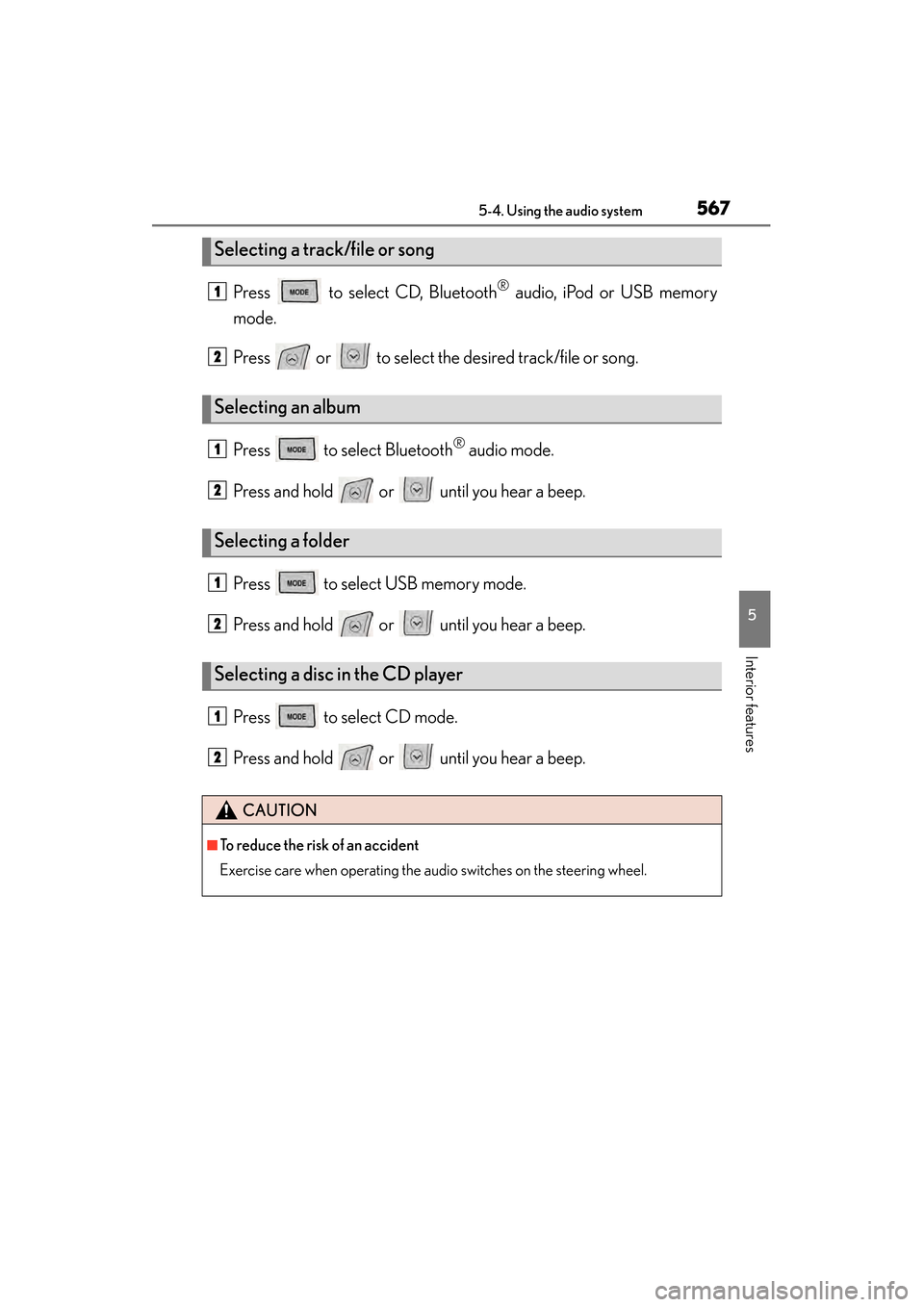
Press to select CD, Bluetooth® audio, iPod or USB memory
mode.
Press or to select the desired track/file or song.
Press to select Bluetooth
® audio mode.
Press and hold or until you hear a beep.
Press to select USB memory mode.
Press and hold or until you hear a beep.
Press to select CD mode.
Press and hold or until you hear a beep.
Selecting a track/file or song
Selecting an album
Selecting a folder
Selecting a disc in the CD player
CAUTION
■To reduce the risk of an accident
Exercise care when operating the audio switches on the steering wheel.
1
2
1
2
1
2
1
2
Page 606 of 910
ES350 300h_OM_OM33A01U_(U)
6055-5. Using the interior lights
5
Interior features
■Illuminated entry system
The lights automatically turn on/off according to “START STOP ENGINE”
<“POWER”> switch mode, the presence of the electronic key, whether the doors are
locked/unlocked, and whether the doors are opened/closed.
■To prevent 12-volt battery discharge
If the following lights remain on when the door is not fully closed and the personal/
interior light main switch is in the door position, the lights will go off automatically
after 20 minutes:
●Outer foot lights
●Personal/interior light
●Door courtesy lights
●Ornament lights (if equipped)
●Footwell lights
■Customization
Setting (e.g. the time elapsed before lights turn off) can be changed.
(Customizable features: →P. 8 5 2 )
Page 615 of 910
614
ES350 300h_OM_OM33A01U_(U)
5-7. Other interior features
Sun visors and vanity mirrors
To set the visor in the forward
position, flip it down.
To set the visor in the side posi-
tion, flip down, unhook, and swing
it to the side.
To use the side extender, place
the visor in the side position, then
slide it backward.
Slide the cover to open.
The light turns on when the cover is
opened.
Sun visors
1
2
3
Va n i t y m i r r o r s
NOTICE
■To prevent 12-volt battery discharge
Do not leave the vanity lights on for extended periods while the engine is not run-
ning .
Page 618 of 910
ES350 300h_OM_OM33A01U_(U)
6175-7. Other interior features
5
Interior features
NOTICE
■To avoid damaging the power outlets
Close the power outlet lids when the power outlets are not in use.
Foreign objects or liquids that enter the power outlets may cause a short circuit.
■To prevent blown fuse
Do not use an accessory that uses more than 12V 10A.
■To prevent 12-volt battery discharge
Do not use the power outlets longer than necessary when the engine is not running
.