Page 129 of 1168
Features of your vehicle
50
4
Speed limiter indicator (if equipped) The indicator illuminates when the speed
limit control system is enabled by move
the lever up on the steering wheel.
The indicator goes off when the lever
up again to deactivate the system.
If there is a problem with the speed limit
control system, the “---” indicator will blink. If this occurs, we recommend that the
system be checked by an authorized Kia
dealer.
For more details, refer to “Speed limit
control system” in section 5.The speed limiter indicators illuminates
on the LCD display.
Odometer (km or mi.) The odometer indicates the total dis-
tance the vehicle has been driven.
You will also find the odometer useful to
determine when periodic maintenance
should be performed.
OJD052031OJD042051
JD eng 4a(~168).qxp 7/17/2012 10:18 AM Page 50
Page 142 of 1168
463
Features of your vehicle
Speed limiter indicator (if equipped) The indicator illuminates when the speed
limit control system is enabled by move
the lever up on the steering wheel.
The indicator goes off when the lever
up again to deactivate the system.
If there is a problem with the speed limit
control system, the “---” indicator will blink.If this occurs, we recommend that the
system be checked by an authorized Kia
dealer.
For more details, refer to “Speed limit
control system” in section 5.The speed limiter indicators illuminates
on the LCD display.
Odometer (km or mi.) The odometer indicates the total dis-
tance the vehicle has been driven.
You will also find the odometer useful to
determine when periodic maintenance
should be performed.
OJD052043OJD042173
JD eng 4a(~168).qxp 7/17/2012 10:19 AM Page 63
Page 150 of 1168
471
Features of your vehicle
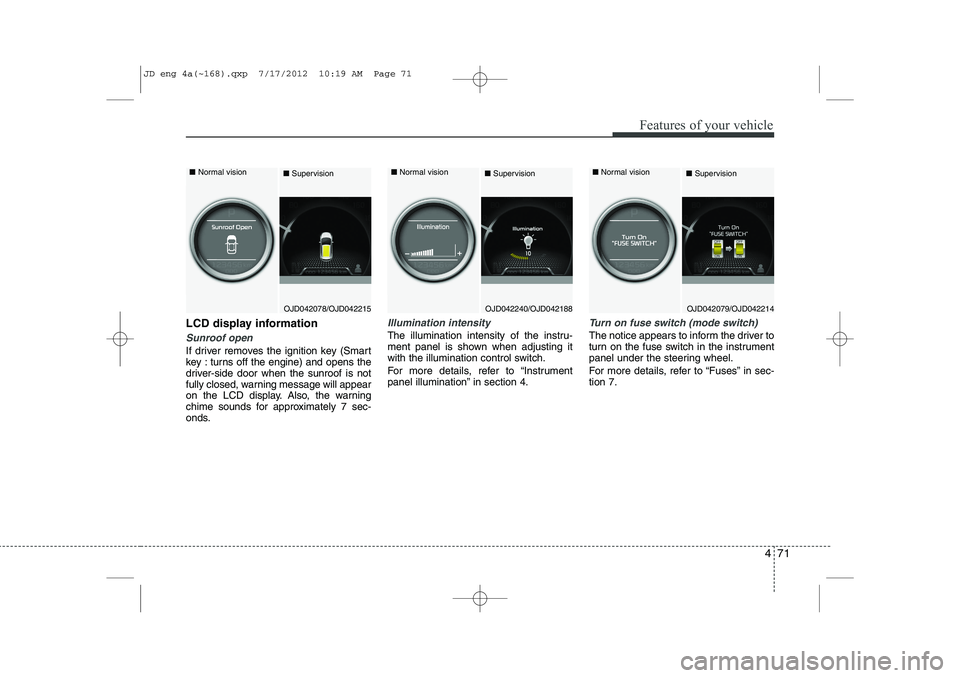
LCD display information
Sunroof open
If driver removes the ignition key (Smart
key : turns off the engine) and opens the
driver-side door when the sunroof is not
fully closed, warning message will appear
on the LCD display. Also, the warning
chime sounds for approximately 7 sec-
onds.
Illumination intensity
The illumination intensity of the instru-
ment panel is shown when adjusting it
with the illumination control switch.
For more details, refer to “Instrument
panel illumination” in section 4.
Turn on fuse switch (mode switch)
The notice appears to inform the driver to
turn on the fuse switch in the instrument
panel under the steering wheel.
For more details, refer to “Fuses” in sec- tion 7.
OJD042078/OJD042215
■
Normal vision
■SupervisionOJD042079/OJD042214
■
Normal vision
■SupervisionOJD042240/OJD042188
■
Normal vision
■Supervision
JD eng 4a(~168).qxp 7/17/2012 10:19 AM Page 71
Page 151 of 1168
Features of your vehicle
72
4
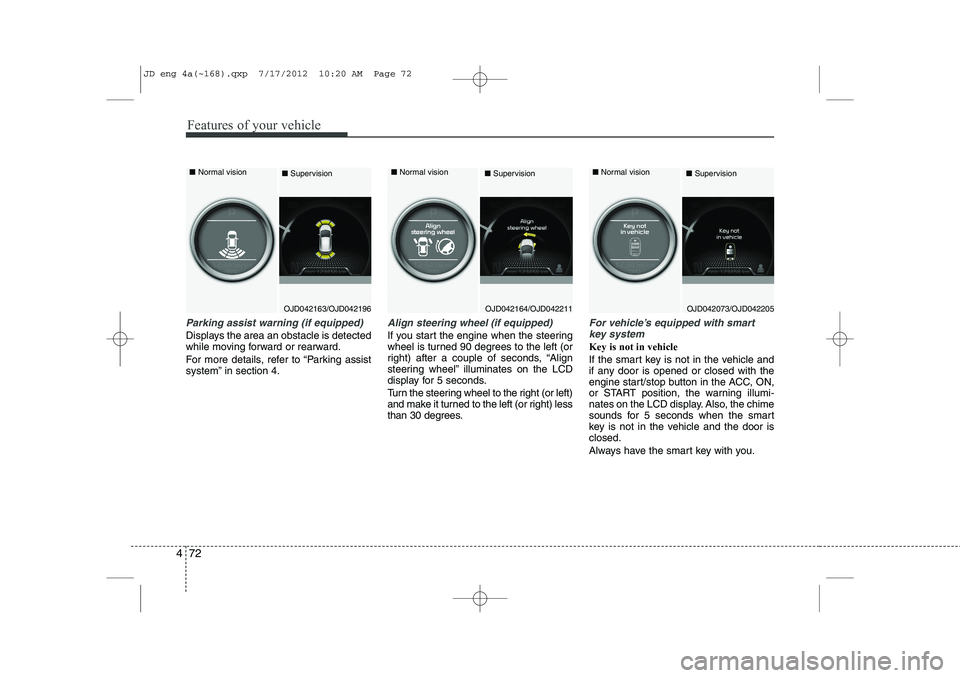
Parking assist warning (if equipped)
Displays the area an obstacle is detected
while moving forward or rearward.
For more details, refer to “Parking assist
system” in section 4.
Align steering wheel (if equipped)
If you start the engine when the steering
wheel is turned 90 degrees to the left (or
right) after a couple of seconds, “Align
steering wheel” illuminates on the LCD
display for 5 seconds.
Turn the steering wheel to the right (or left)
and make it turned to the left (or right) less
than 30 degrees.
For vehicle’s equipped with smart
key system
Key is not in vehicle
If the smart key is not in the vehicle and
if any door is opened or closed with the
engine start/stop button in the ACC, ON,
or START position, the warning illumi-
nates on the LCD display. Also, the chime
sounds for 5 seconds when the smart
key is not in the vehicle and the door isclosed.
Always have the smart key with you.
OJD042163/OJD042196
■
Normal vision
■SupervisionOJD042164/OJD042211
■
Normal vision
■SupervisionOJD042073/OJD042205
■
Normal vision
■Supervision
JD eng 4a(~168).qxp 7/17/2012 10:20 AM Page 72
Page 154 of 1168

475
Features of your vehicle
Press start button again
If you can not operate the engine
start/stop button when there is a problem
with the engine start/stop button system,
the warning illuminates for 10 seconds
and the chime sounds continuously to
indicate that you could start the engine
by pressing the engine start/stop button
once more. The chime will stop if the engine
start/stop button system works normally
or the theft alarm system is armed.
If the warning illuminates each time you
press the engine start/stop button, we
recommend that the system be checked
by an authorized Kia dealer.Shift to "P" or "N" to start the engine
If you try to start the engine with the shift
lever not in the P(Park) or N(Neutral)
position, the warning illuminates for
about 10 seconds on the LCD display.
You can also start the engine with the
shift lever in the N(Neutral) position, but
for your safety start the engine with the
shift lever in the P(Park) position.
Press start button while turn steering (if equipped)
If the steering wheel does not unlock nor-
mally when the engine start/stop button
is pressed, the warning illuminates for 10
seconds on the LCD display. Also, the
warning chime sounds once and the
engine start/stop button light blinks for 10
seconds.
When you are warned, press the engine
start/stop button while turning the steer-
ing wheel right and left.
OJD042074/OJD042206
■
Normal vision
■SupervisionOJD042077/OJD042209
■
Normal vision
■SupervisionOJD042067/OJD042199
■
Normal vision
■Supervision
JD eng 4a(~168).qxp 7/17/2012 10:20 AM Page 75
Page 155 of 1168
Features of your vehicle
76
4
Check steering wheel lock system (if equipped)
If the steering wheel does not lock nor-
mally when the engine start/stop button
changes to the OFF position, the warning
illuminates for 10 seconds on the LCD
display. Also, the warning chime sounds
for 3 seconds and the engine start/stop
button light blinks for 10 seconds. Check brake switch fuse
When the brake switch fuse is discon-
nected, the warning illuminates for 10
seconds on the LCD display.
Replace the fuse with a new one. If that
is not possible you can start the engine
by pressing the engine start/stop button
for 10 seconds in ACC.
OJD042069/OJD042201
■
Normal vision
■SupervisionOJD042076/OJD042208
■
Normal vision
■Supervision
JD eng 4a(~168).qxp 7/17/2012 10:20 AM Page 76
Page 177 of 1168
Features of your vehicle
98
4
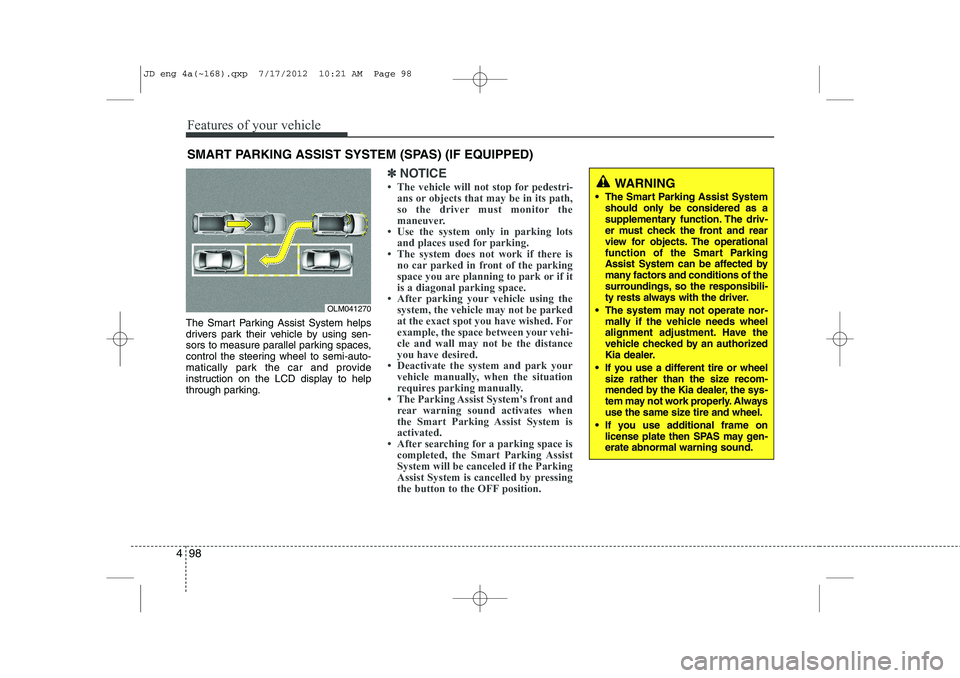
The Smart Parking Assist System helps
drivers park their vehicle by using sen-
sors to measure parallel parking spaces,
control the steering wheel to semi-auto-
matically park the car and provide
instruction on the LCD display to help
through parking.
✽✽
NOTICE
Page 181 of 1168
Features of your vehicle
102
4
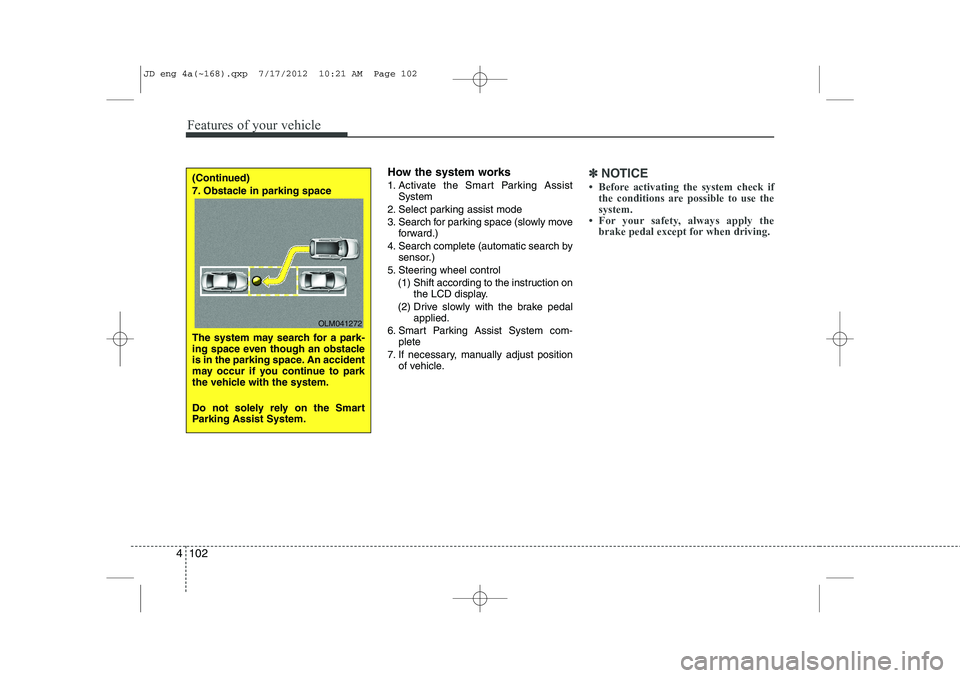
How the system works
1. Activate the Smart Parking Assist
System
2. Select parking assist mode
3. Search for parking space (slowly move forward.)
4. Search complete (automatic search by sensor.)
5. Steering wheel control
(1) Shift according to the instruction on the LCD display.
(2) Drive slowly with the brake pedal applied.
6. Smart Parking Assist System com- plete
7. If necessary, manually adjust position of vehicle.✽✽ NOTICE