2013 KIA CEED USB port
[x] Cancel search: USB portPage 858 of 1168
![KIA CEED 2013 Owners Manual 4 195
Features of your vehicle
All Random
Press the key Set [ A.RDM] through the TUNEknob or
key.
Plays all songs within the currently play-
ing category in random order.
Information
Press the k](/manual-img/2/57944/w960_57944-857.png "KIA CEED 2013 Owners Manual 4 195
Features of your vehicle
All Random
Press the key Set [ A.RDM] through the TUNEknob or
key.
Plays all songs within the currently play-
ing category in random order.
Information
Press the k")
4 195
Features of your vehicle
All Random
Press the key Set [ A.RDM] through the TUNEknob or
key.
Plays all songs within the currently play-
ing category in random order.
Information
Press the key Set [ Info] through the
TUNEknob or
key.
Displays information of the current song.
Search
Press the key Set [ Search] through the TUNEknob or
key.
Some iPod models may not support communication protocol and files may
not properly play.
Supported iPod models:
- iPod Mini ®
- iPod 4th(Photo) ~ 6th(Classic) genera- tion
- iPod Nano ®
1st~4th generation
- iPod Touch ®
1st~2nd generation The order of search or playback of
songs in the iPod can be different from the order searched in the audio system.
If the iPod is disabled due to its own malfunction, reset the iPod. (Reset:
Refer to iPod manual)
An iPod may not operate normally on low battery.
Some iPod devices, such as the iPhone, can be connected through the
-interface. The device must have audio
Bluetooth®Wireless Technology capa-
bility (such as for stereo headphone
Bluetooth®Wireless Technology ). The
device can play, but it will not be con-
trolled by the audio system.
To use iPod features within the audio, use the cable provided upon purchasing an
iPod device.
Skipping or improper operation may occur depending on the characteristics of your
iPod/Phone device.
If your iPhone is connected to both the
Bluetooth®Wireless Technology and
USB, the sound may not be properly
played. In your iPhone, select the Dockconnector or
Bluetooth®Wireless
Technology to change the sound output
(source). When connecting iPod with the iPod
Power Cable, insert the connector to the
multimedia socket completely. If not
inserted completely, communications
between iPod and audio may be inter-
rupted.
When adjusting the sound effects of the iPod and the audio system, the sound
effects of both devices will overlap and
might reduce or distort the quality of thesound.
Deactivate (turn off) the equalizer func- tion of an iPod when adjusting the audio
system’s volume, and turn off the
equalizer of the audio system whenusing the equaliz
er of an iPod.
When not using iPod with car audio, detach the iPod cable from iPod. Otherwise, iPod
may remain in accessory mode, and may
not work properly.
5
MENU
4
MENU
3
MENU
JD RHD 4b(169~).QXP 7/21/2012 1:00 PM Page 195
Page 861 of 1168

Features of your vehicle
198
4
Bluetooth®Wireless Technology
AUDIO
Before using
Bluetooth®Wireless
Technology
audio features
Bluetooth®Wireless Technology audio
may not be supported depending on
the compatibility of your
Bluetooth®
Wireless Technologymobile phone.
In order to use
Bluetooth®Wireless
Technologyaudio, you must first pair and
connect the Bluetooth®Wireless
Technologymobile phone.
Bluetooth®Wireless Technologyaudio
can be used only when the [Audio
Streaming] of Phone is turned .
❈ Setting
Bluetooth®Wireless TechnologyAudio Streaming : Press the
key Select [Phone] through the tune
knob or key Select [Audio
Streaming] through the TUNE
knob Set
/
Starting Bluetooth®Wireless
Technology
Audio
Press the key to change the mode in order of CD ➟USB ➟AUX ➟My
Music ➟BT Audio.
If BT Audio is selected,
Bluetooth®
Wireless Technology audio will start play-
ing.
❈ Audio may not automatically start play-
ing in some mobile phones.
Using the
Bluetooth®Wireless
Technologyaudio features
Play / Stop
Press the TUNE knob to play and pause the current song. ❈ The previous song / next song / play /
pause functions may not be supported
in some mobile phones. Changing Song/File
Whilst song (file) is playing key
Press the key : Plays the
current song from the beginning.
❈ If the key is pressed again
within 1 second, the previous song is
played.
Whilst song (file) is playing key
Press the key : Plays the
next song.SEEK
SEEK
TRACK
TRACK
TRACK
MEDIA
OffOn
3
SETUP
On
JD RHD 4b(169~).QXP 7/21/2012 1:00 PM Page 198
Page 869 of 1168

Features of your vehicle
206
4
Audio CD Audio CD
Track Audio CD song order
Reading Media Reading Media
Not supported Not supported file format
Empty iPod Empty iPod, iPod don't have
playable data
Communication ErrorCommunication error between
audio and iPod or usb
Delete Delete the paired phone or files
in MY MUSIC
Del.All Delete all files
Del.Sel Select files to delete
Return Return menu
List List files or paired phones
Select Files Select Files
Memory is full, Memory is full, Delete
files
Over 6000 files. can Over 6000 files. can not be
copied
Over 1000 same files Over 1000 same files can not
be copied
System will automatiSystem will automatically
switchoff after 1 hour with igni-
tion off
Battery discharge Battery discharge
Start the engine
Setup Setup
Display Setup display mode
Mode Pop up This function is used to select
popup menu on or off
Scroll text This function is used to display characters longer than the LCD
text displays
Song Info Setup display information being
played
Folder/File Display Folder/file name, file
currently being played
Album/Artist/Song Display Album/Artist/Song
name, file currently being played
Sound Setup sound mode
Audio Settings Setup Audio settings that con- sist BASS,Middle,Treble,Fader
and Balance
PowerBass This function is used to improve
bass sound quality
Speed Dependent Vol.Automatically adjust the volume
according to the car speed
Volume Dialogue Adjust volume level of Dialogue Bass Bass is sound of low frequency.
It can be adjusted sound by
user
Middle Middle is sound of middle fre- quency. It can be adjusted
sound by user
Treble
Treble is sound of high frequency. It
can be adjusted sound by user
cally switchoff after 1 hour with ignition off
Delete files not be copied
can not be copied
Start the engine
JD RHD 4b(169~).QXP 7/21/2012 1:00 PM Page 206
Page 1157 of 1168
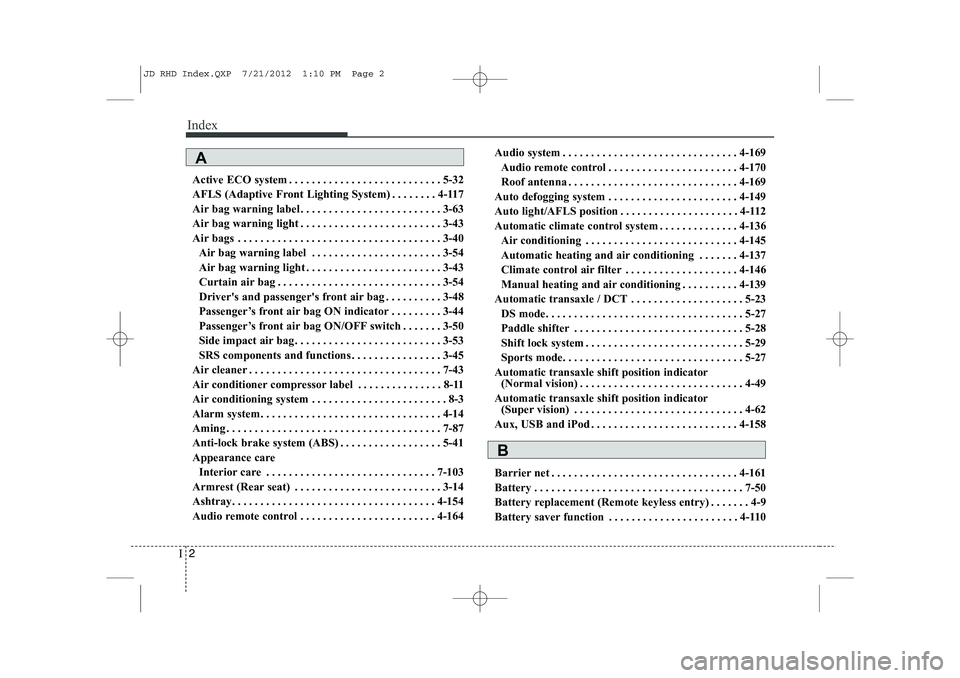
Index
2
I
Active ECO system . . . . . . . . . . . . . . . . . . . . . . . . . . . 5-32
AFLS (Adaptive Front Lighting System) . . . . . . . . 4-117
Air bag warning label . . . . . . . . . . . . . . . . . . . . . . . . . 3-63
Air bag warning light . . . . . . . . . . . . . . . . . . . . . . . . . 3-43
Air bags . . . . . . . . . . . . . . . . . . . . . . . . . . . . . . . . . . . . 3-40
Air bag warning label . . . . . . . . . . . . . . . . . . . . . . . 3-54
Air bag warning light . . . . . . . . . . . . . . . . . . . . . . . . 3-43
Curtain air bag . . . . . . . . . . . . . . . . . . . . . . . . . . . . . 3-54
Driver's and passenger's front air bag . . . . . . . . . . 3-48
Passenger’s front air bag ON indicator . . . . . . . . . 3-44
Passenger’s front air bag ON/OFF switch . . . . . . . 3-50
Side impact air bag. . . . . . . . . . . . . . . . . . . . . . . . . . 3-53
SRS components and functions . . . . . . . . . . . . . . . . 3-45
Air cleaner . . . . . . . . . . . . . . . . . . . . . . . . . . . . . . . . . . 7-43
Air conditioner compressor label . . . . . . . . . . . . . . . 8-11
Air conditioning system . . . . . . . . . . . . . . . . . . . . . . . . 8-3
Alarm system. . . . . . . . . . . . . . . . . . . . . . . . . . . . . . . . 4-14
Aming . . . . . . . . . . . . . . . . . . . . . . . . . . . . . . . . . . . . . . 7-87
Anti-lock brake system (ABS) . . . . . . . . . . . . . . . . . . 5-41
Appearance care Interior care . . . . . . . . . . . . . . . . . . . . . . . . . . . . . . 7-103
Armrest (Rear seat) . . . . . . . . . . . . . . . . . . . . . . . . . . 3-14
Ashtray. . . . . . . . . . . . . . . . . . . . . . . . . . . . . . . . . . . . 4-154
Audio remote control . . . . . . . . . . . . . . . . . . . . . . . . 4-164 Audio system . . . . . . . . . . . . . . . . . . . . . . . . . . . . . . . 4-169
Audio remote control . . . . . . . . . . . . . . . . . . . . . . . 4-170
Roof antenna . . . . . . . . . . . . . . . . . . . . . . . . . . . . . . 4-169
Auto defogging system . . . . . . . . . . . . . . . . . . . . . . . 4-149
Auto light/AFLS position . . . . . . . . . . . . . . . . . . . . . 4-112
Automatic climate control system . . . . . . . . . . . . . . 4-136 Air conditioning . . . . . . . . . . . . . . . . . . . . . . . . . . . 4-145
Automatic heating and air conditioning . . . . . . . 4-137
Climate control air filter . . . . . . . . . . . . . . . . . . . . 4-146
Manual heating and air conditioning . . . . . . . . . . 4-139
Automatic transaxle / DCT . . . . . . . . . . . . . . . . . . . . 5-23 DS mode. . . . . . . . . . . . . . . . . . . . . . . . . . . . . . . . . . . 5-27
Paddle shifter . . . . . . . . . . . . . . . . . . . . . . . . . . . . . . 5-28
Shift lock system . . . . . . . . . . . . . . . . . . . . . . . . . . . . 5-29
Sports mode. . . . . . . . . . . . . . . . . . . . . . . . . . . . . . . . 5-27
Automatic transaxle shift position indicator (Normal vision) . . . . . . . . . . . . . . . . . . . . . . . . . . . . . 4-49
Automatic transaxle shift position indicator (Super vision) . . . . . . . . . . . . . . . . . . . . . . . . . . . . . . 4-62
Aux, USB and iPod . . . . . . . . . . . . . . . . . . . . . . . . . . 4-158
Barrier net . . . . . . . . . . . . . . . . . . . . . . . . . . . . . . . . . 4-161
Battery . . . . . . . . . . . . . . . . . . . . . . . . . . . . . . . . . . . . . 7-50
Battery replacement (Remote keyless entry) . . . . . . . 4-9
Battery saver function . . . . . . . . . . . . . . . . . . . . . . . 4-110
A
B
JD RHD Index.QXP 7/21/2012 1:10 PM Page 2