Page 121 of 1168

Features of your vehicle
42
4
Inside rearview mirror
Adjust the rearview mirror so that the
center view through the rear window is
seen. Make this adjustment before you
start driving.
Day/night rearview mirror
(if equipped)
Make this adjustment before you start
driving and while the day/night lever is in
the day position.
Pull the day/night lever toward you to
reduce glare from the headlights of vehi-
cles behind you during night driving.
Remember that you lose some rearviewclarity in the night position.
Electric chromic mirror (ECM)
(if equipped)
The electric rearview mirror automatical- ly controls the glare from the headlights
of the car behind you in nighttime or low
light driving conditions. The sensormounted in the mirror senses the light
level around the vehicle, and automati-cally controls the headlight glare from
vehicles behind you.
When the engine is running, the glare is
automatically controlled by the sensor
mounted in the rearview mirror.
Whenever the shift lever is shifted into R
(Reverse), the mirror will automatically
go to the brightest setting in order to
improve the drivers view behind the vehi-
cle.
MIRRORS
WARNING -
Rear visibility
Do not place objects in the rear
seat or cargo area which would
interfere with your vision out the
rear window.
CAUTION
When cleaning the mirror, use a paper towel or similar materialdampened with glass cleaner. Do not spray glass cleaner directly on
the mirror as that may cause the liq- uid cleaner to enter the mirror hous-ing.
WARNING
Do not adjust the rearview mirror
while the vehicle is moving. This
could result in loss of control, and
an accident which could cause
death, serious injury or property
damage.
WARNING
Do not modify the inside mirror and
do not install a wide mirror. It could
result in injury, during an accident
or deployment of the air bag.
OMD040031
D
DDDaaaayyyy
NNNNiiiigggghhhhtttt
JD eng 4a(~168).qxp 7/17/2012 10:18 AM Page 42
Page 122 of 1168

443
Features of your vehicle
To operate the electric rearview mirror:
Press the ON/OFF button (1) to turnthe automatic dimming function on.
The mirror indicator light will illuminate.
Press the ON/OFF button to turn the
automatic dimming function off. The
mirror indicator light will turn off.
The mirror defaults to the ON position whenever the ignition switch is turnedon. Outside rearview mirror
Be sure to adjust mirror angles before
driving.
Your vehicle is equipped with both left-
hand and right-hand outside rearview
mirrors. The mirrors can be adjusted
remotely with the remote switch. The mir-
ror heads can be folded back to prevent
damage during an automatic car wash or
when passing in a narrow street.
OMD040032
IndicatorWARNING -
Rearview mir-
rors
The outside rearview mirror is convex. Objects seen in the mir-
ror are closer than they appear.
Use your interior rearview mirror or direct observation to deter-
mine the actual distance of fol-
lowing vehicles when changinglanes.
CAUTION
Do not scrape ice off the mirror
face; this may damage the surface
of the glass. If ice should restrict movement of the mirror, do notforce the mirror for adjustment. To remove ice, use a deicer spray, or a
sponge or soft cloth with very warmwater.
CAUTION
If the mirror is jammed with ice, do not adjust the mirror by force. Usean approved spray de-icer (not radi-
ator antifreeze) to release thefrozen mechanism or move the vehicle to a warm place and allow
the ice to melt.
WARNING
Do not adjust or fold the outside
rearview mirrors while the vehicle
is moving. This could result in loss
of control, and an accident which
could cause death, serious injury
or property damage.
JD eng 4a(~168).qxp 7/17/2012 10:18 AM Page 43
Page 125 of 1168
Features of your vehicle
46
4
INSTRUMENT CLUSTER (NORMAL VISION)
1. Tachometer
2. Speedometer
3. Fuel gauge
4. Warning and indicator lights (if equipped)
5. Turn signal indicators
6. LCD display
OJD042036
* The actual cluster in the vehicle may differ
from the illustration.
For more details, refer to "Gauges" in the
following pages.
JD eng 4a(~168).qxp 7/17/2012 10:18 AM Page 46
Page 128 of 1168
449
Features of your vehicle
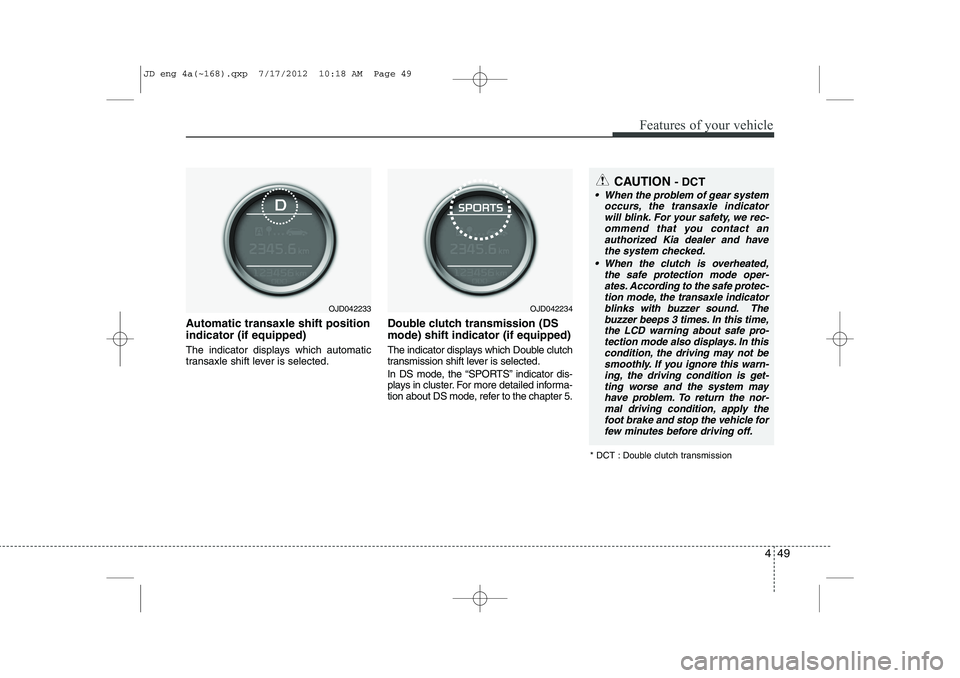
Automatic transaxle shift position indicator (if equipped)
The indicator displays which automatic
transaxle shift lever is selected.Double clutch transmission (DS mode) shift indicator (if equipped)
The indicator displays which Double clutch
transmission shift lever is selected.
In DS mode, the “SPORTS” indicator dis-
plays in cluster. For more detailed informa-
tion about DS mode, refer to the chapter 5.
OJD042233OJD042234
* DCT : Double clutch transmission
CAUTION - DCT
When the problem of gear system
occurs, the transaxle indicator
will blink. For your safety, we rec- ommend that you contact anauthorized Kia dealer and havethe system checked.
When the clutch is overheated, the safe protection mode oper-ates. According to the safe protec- tion mode, the transaxle indicator
blinks with buzzer sound. The buzzer beeps 3 times. In this time,the LCD warning about safe pro- tection mode also displays. In this
condition, the driving may not be smoothly. If you ignore this warn-ing, the driving condition is get-
ting worse and the system mayhave problem. To return the nor- mal driving condition, apply thefoot brake and stop the vehicle for
few minutes before driving off.
JD eng 4a(~168).qxp 7/17/2012 10:18 AM Page 49
Page 133 of 1168

Features of your vehicle
54
4
Elapsed time
This mode indicates the total time trav-
eled since the last driving time reset.
Even if the vehicle is not in motion, the
driving time keeps going while the engine
is running.
The meter’s working range is from 0:00~99:59.
Pressing the button for more than 1
second, when the driving time is being
displayed, clears the driving time to zero(0:00).
Engine coolant temperature gauge
This gauge shows the temperature of the
engine coolant when the ignition switchis ON.
Do not continue driving with an overheat-
ed engine. If your vehicle overheats, refer
to “If the engine overheats” in section 6.
CAUTION
If the gauge pointer moves beyond
the normal range area toward the
“130°C”, it indicates overheatingthat may damage the engine.
WARNING
Never remove the radiator cap
when the engine is hot. The enginecoolant is under pressure and
could cause severe burns. Wait
until the engine is cool before
adding coolant to the reservoir.
OJD042057OJD042058
JD eng 4a(~168).qxp 7/17/2012 10:18 AM Page 54
Page 138 of 1168
459
Features of your vehicle
INSTRUMENT CLUSTER (SUPERVISION)
1. Tachometer
2. Speedometer
3. Fuel gauge
4. Warning and indicator lights (if equipped)
5. Turn signal indicators
6. LCD displayOJD042038L
* The actual cluster in the vehicle may differ
from the illustration.
For more details, refer to "Gauges" in the
following pages.
JD eng 4a(~168).qxp 7/17/2012 10:18 AM Page 59
Page 141 of 1168
Features of your vehicle
62
4
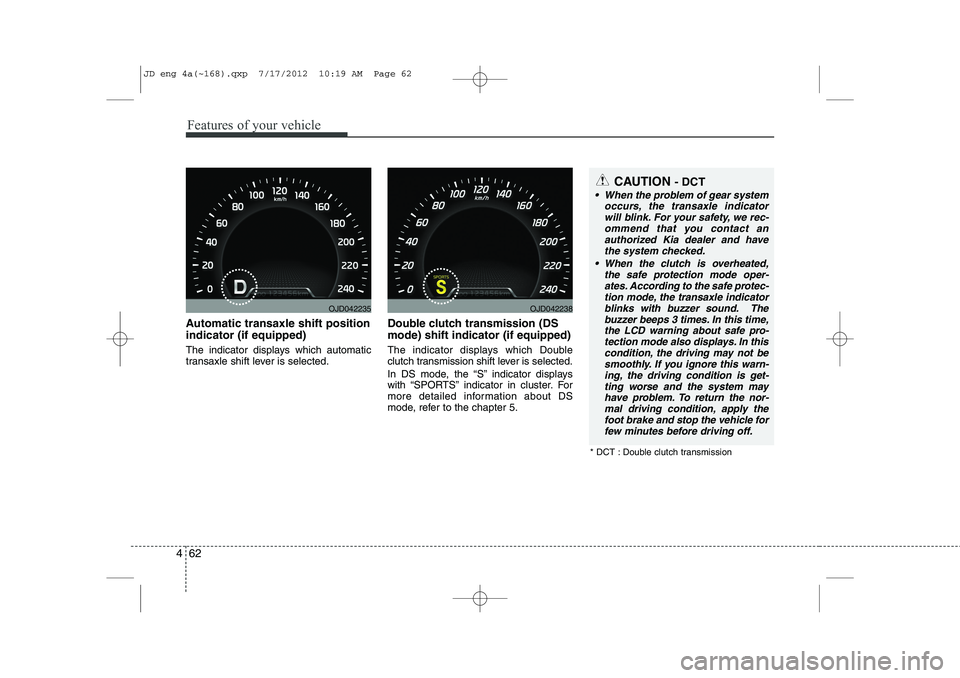
Automatic transaxle shift position indicator (if equipped)
The indicator displays which automatic
transaxle shift lever is selected. Double clutch transmission (DS mode) shift indicator (if equipped)
The indicator displays which Double
clutch transmission shift lever is selected.
In DS mode, the “S” indicator displays
with “SPORTS” indicator in cluster. For
more detailed information about DS
mode, refer to the chapter 5.
OJD042235OJD042238
CAUTION
- DCT
When the problem of gear system
occurs, the transaxle indicator
will blink. For your safety, we rec- ommend that you contact anauthorized Kia dealer and havethe system checked.
When the clutch is overheated, the safe protection mode oper-ates. According to the safe protec- tion mode, the transaxle indicator
blinks with buzzer sound. The buzzer beeps 3 times. In this time,the LCD warning about safe pro- tection mode also displays. In this
condition, the driving may not be smoothly. If you ignore this warn-ing, the driving condition is get-
ting worse and the system mayhave problem. To return the nor- mal driving condition, apply thefoot brake and stop the vehicle for
few minutes before driving off.
* DCT : Double clutch transmission
JD eng 4a(~168).qxp 7/17/2012 10:19 AM Page 62
Page 143 of 1168
Features of your vehicle
64
4
Trip computer
The trip computer is a microcomputer-
controlled driver information system that
displays information related to driving
when the ignition switch is in the ONposition. Press the button for less than 1 sec-
ond to select any group as follows :
OJD042172
Engine coolant temperature gauge
User setting mode
Service mode
LANE DEPARTURE WARNING
SYSTEM*
Trip mode
* : if equipped
Trip mode A
Trip mode B
Driving information mode
Press the▼button for less than 1
second to select in Trip mode group
as follows :
JD eng 4a(~168).qxp 7/17/2012 10:19 AM Page 64


