Page 701 of 1168
Features of your vehicle
38
4
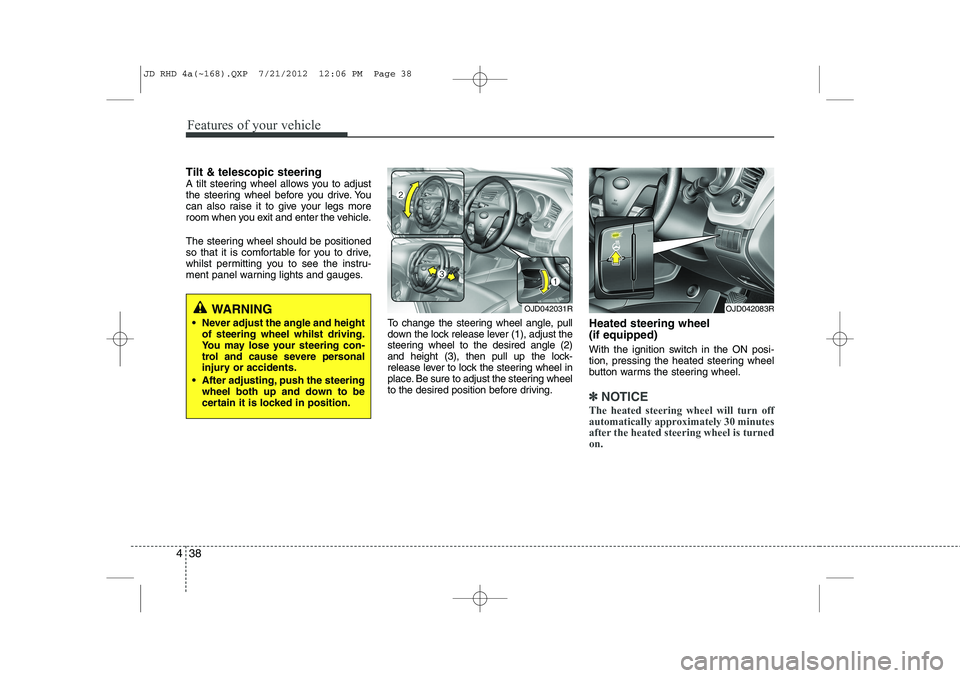
Tilt & telescopic steering
A tilt steering wheel allows you to adjust
the steering wheel before you drive. You
can also raise it to give your legs more
room when you exit and enter the vehicle.
The steering wheel should be positioned
so that it is comfortable for you to drive,
whilst permitting you to see the instru-
ment panel warning lights and gauges.
To change the steering wheel angle, pull
down the lock release lever (1), adjust the
steering wheel to the desired angle (2)
and height (3), then pull up the lock-
release lever to lock the steering wheel in
place. Be sure to adjust the steering wheel
to the desired position before driving.Heated steering wheel (if equipped)
With the ignition switch in the ON posi-
tion, pressing the heated steering wheel
button warms the steering wheel.
✽✽
NOTICE
The heated steering wheel will turn off
automatically approximately 30 minutes
after the heated steering wheel is turnedon.
WARNING
Never adjust the angle and height of steering wheel whilst driving.
You may lose your steering con-
trol and cause severe personal
injury or accidents.
After adjusting, push the steering wheel both up and down to be
certain it is locked in position.OJD042031ROJD042083R
JD RHD 4a(~168).QXP 7/21/2012 12:06 PM Page 38
Page 702 of 1168
439
Features of your vehicle
Horn
To sound the horn, press the horn sym-
bol on your steering wheel.
Check the horn regularly to be sure it
operates properly.
✽✽NOTICE
To sound the horn, press the area indi-
cated by the horn symbol on your steer-
ing wheel (see illustration). The horn
will operate only when this area is
pressed.
OJD042032
CAUTION
Do not strike the horn severely to operate it, or hit it with your fist. Do not press on the horn with a sharp-pointed object.
OJD042165/OJD042166/OJD042189/OJD042190
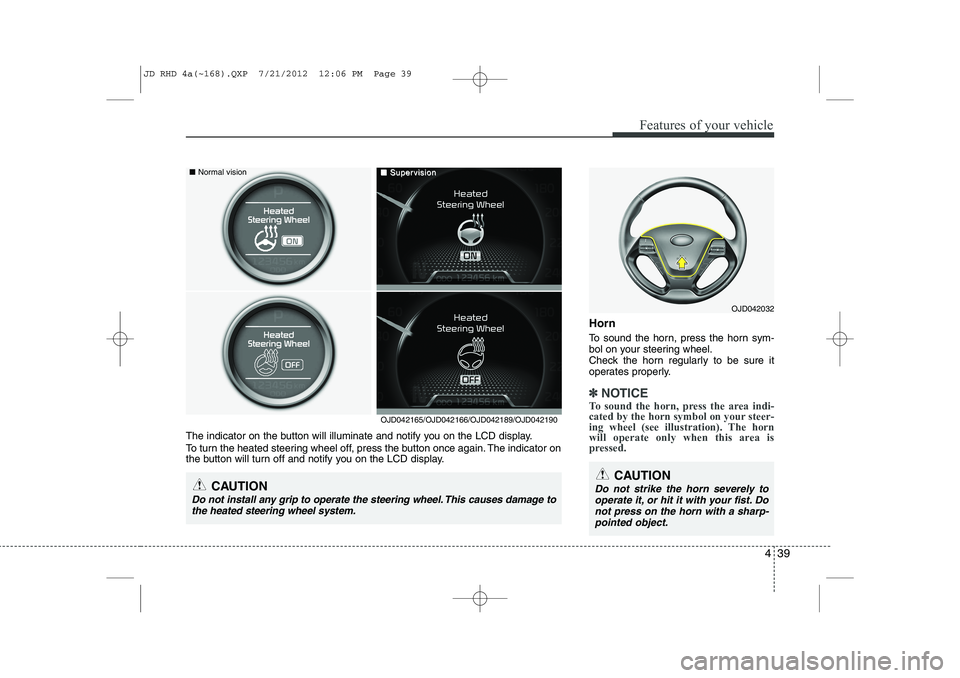
The indicator on the button will illuminate and notify you on the LCD display.
To turn the heated steering wheel off, press the button once again. The indicator on
the button will turn off and notify you on the LCD display.
CAUTION
Do not install any grip to operate the steering wheel. This causes damage to the heated steering wheel system.
■ Normal vision■■SuperSupervisionvision
JD RHD 4a(~168).QXP 7/21/2012 12:06 PM Page 39
Page 703 of 1168
Features of your vehicle
40
4
Flex steering wheel (if equipped)
The flex steering wheel controls steering
effort as driver's preference or road con-dition.
You can select the desired steering mode
by pressing the steering mode button.
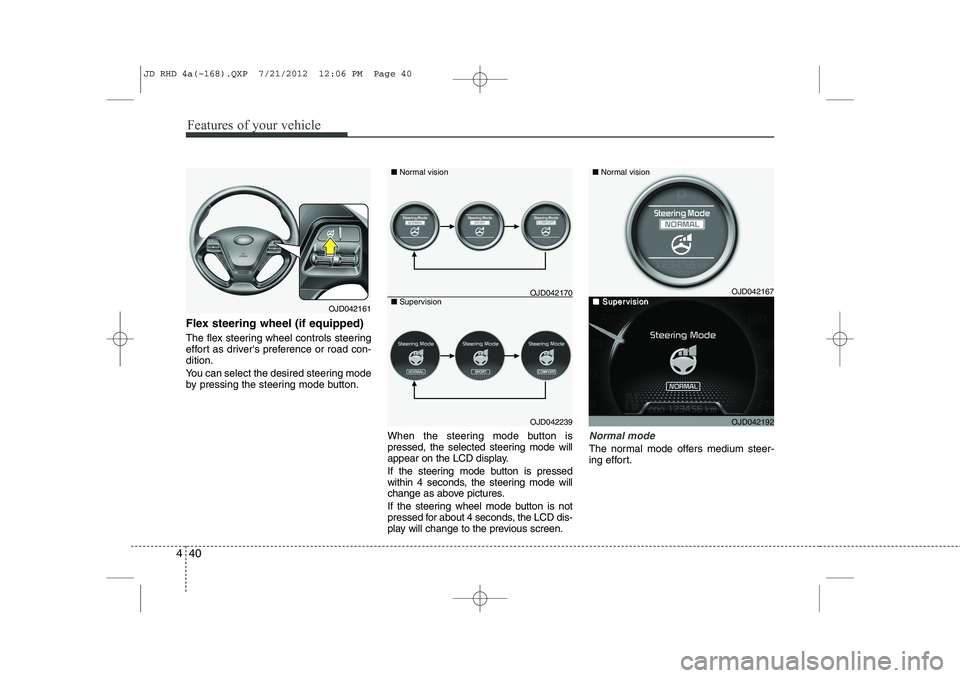
When the steering mode button is
pressed, the selected steering mode will
appear on the LCD display.
If the steering mode button is pressed
within 4 seconds, the steering mode will
change as above pictures.
If the steering wheel mode button is not
pressed for about 4 seconds, the LCD dis-
play will change to the previous screen.
Normal mode
The normal mode offers medium steer-
ing effort.
OJD042161
OJD042239
■
Normal vision
■ Supervision
OJD042167
OJD042192
■ Normal vision
■■SuperSupervisionvisionOJD042170
JD RHD 4a(~168).QXP 7/21/2012 12:06 PM Page 40
Page 704 of 1168
441
Features of your vehicle
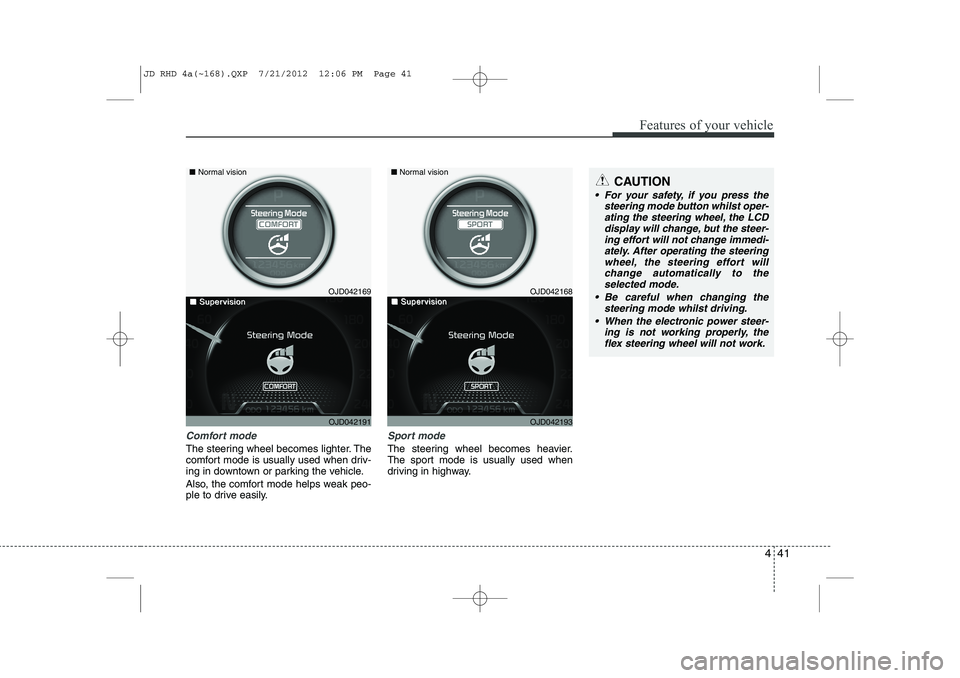
Comfort mode
The steering wheel becomes lighter. The
comfort mode is usually used when driv-
ing in downtown or parking the vehicle.
Also, the comfort mode helps weak peo-
ple to drive easily.
Sport mode
The steering wheel becomes heavier.
The sport mode is usually used when
driving in highway.
CAUTION
For your safety, if you press thesteering mode button whilst oper-
ating the steering wheel, the LCDdisplay will change, but the steer-ing effort will not change immedi- ately. After operating the steering
wheel, the steering effort will change automatically to theselected mode.
Be careful when changing the steering mode whilst driving.
When the electronic power steer- ing is not working properly, theflex steering wheel will not work.
OJD042169
OJD042191
■
Normal vision
■■SuperSupervisionvisionOJD042168
OJD042193
■Normal vision
■■SuperSupervisionvision
JD RHD 4a(~168).QXP 7/21/2012 12:06 PM Page 41
Page 713 of 1168
Features of your vehicle
50
4
Speed limiter indicator (if equipped) The indicator illuminates when the speed
limit control system is enabled by move
the lever up on the steering wheel.
The indicator goes off when the lever
up again to deactivate the system.
If there is a problem with the speed limit
control system, the “---” indicator will blink. If this occurs, we recommend that the
system be checked by an authorised Kia
dealer.
For more details, refer to “Speed limit
control system” in section 5.The speed limiter indicators illuminates
on the LCD display.
Odometer (km or mi.) The odometer indicates the total dis-
tance the vehicle has been driven.
You will also find the odometer useful to
determine when periodic maintenance
should be performed.
OJD052031ROJD042051N
JD RHD 4a(~168).QXP 7/21/2012 12:07 PM Page 50
Page 726 of 1168
463
Features of your vehicle
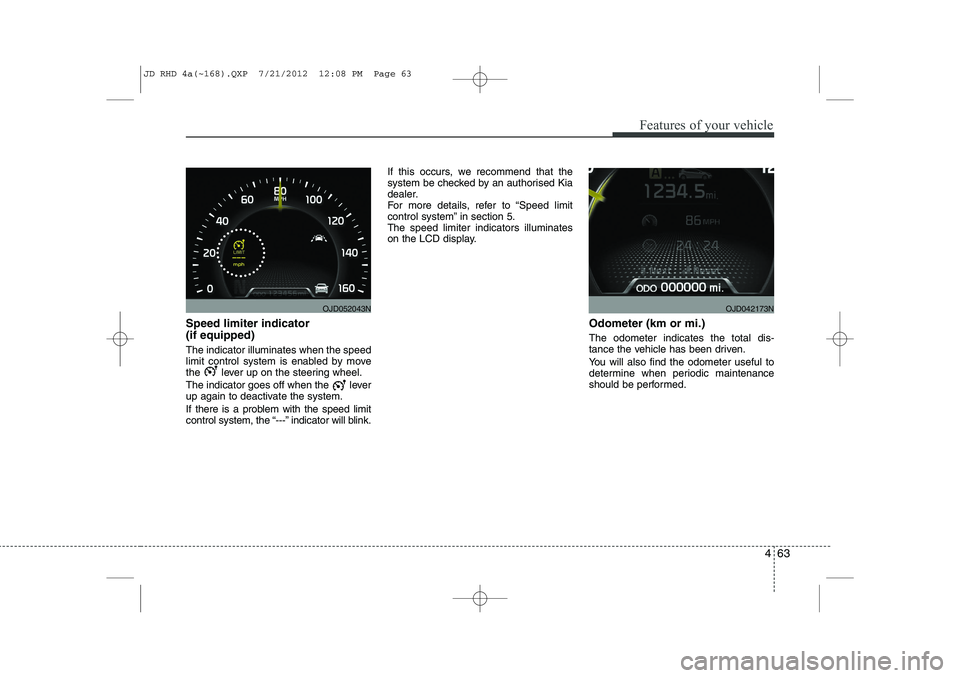
Speed limiter indicator (if equipped) The indicator illuminates when the speed
limit control system is enabled by move
the lever up on the steering wheel.
The indicator goes off when the lever
up again to deactivate the system.
If there is a problem with the speed limit
control system, the “---” indicator will blink.If this occurs, we recommend that the
system be checked by an authorised Kia
dealer.
For more details, refer to “Speed limit
control system” in section 5.The speed limiter indicators illuminates
on the LCD display.
Odometer (km or mi.) The odometer indicates the total dis-
tance the vehicle has been driven.
You will also find the odometer useful to
determine when periodic maintenance
should be performed.
OJD052043NOJD042173N
JD RHD 4a(~168).QXP 7/21/2012 12:08 PM Page 63
Page 734 of 1168
471
Features of your vehicle
LCD display information
Sunroof open
If driver removes the ignition key (Smart
key : turns off the engine) and opens the
driver-side door when the sunroof is not
fully closed, warning message will appear
on the LCD display. Also, the warning
chime sounds for approximately 7 sec-
onds.
Illumination intensity
The illumination intensity of the instru-
ment panel is shown when adjusting it
with the illumination control switch.
For more details, refer to “Instrument
panel illumination” in section 4.
Turn on fuse switch (mode switch)
The notice appears to inform the driver to
turn on the fuse switch in the instrument
panel under the steering wheel.
For more details, refer to “Fuses” in sec- tion 7.
OJD042078/OJD042215
■
Normal vision
■SupervisionOJD042079/OJD042214
■
Normal vision
■SupervisionOJD042240/OJD042188
■
Normal vision
■Supervision
JD RHD 4a(~168).QXP 7/21/2012 12:08 PM Page 71
Page 735 of 1168

Features of your vehicle
72
4
Parking assist warning (if equipped)
Displays the area an obstacle is detected
whilst moving forward or rearward.
For more details, refer to “Parking assist
system” in section 4.
Align steering wheel (if equipped)
If you start the engine when the steering
wheel is turned 90 degrees to the left (or
right) after a couple of seconds, “Align
steering wheel” illuminates on the LCD
display for 5 seconds.
Turn the steering wheel to the right (or left)
and make it turned to the left (or right) less
than 30 degrees.
For vehicle’s equipped with smart
key system
Key is not in vehicle
If the smart key is not in the vehicle and
if any door is opened or closed with the
engine start/stop button in the ACC, ON,
or START position, the warning illumi-
nates on the LCD display. Also, the chime
sounds for 5 seconds when the smart
key is not in the vehicle and the door isclosed.
Always have the smart key with you.
OJD042163/OJD042196
■
Normal vision
■SupervisionOJD042164/OJD042211
■
Normal vision
■SupervisionOJD042073/OJD042205
■
Normal vision
■Supervision
JD RHD 4a(~168).QXP 7/21/2012 12:09 PM Page 72