Page 182 of 655
To Deactivate
A soft tap on the brake pedal, pushing the CANCEL
button, or normal brake pressure while slowing the
vehicle will deactivate Electronic Speed Control without
erasing the set speed memory. Pressing the ON/OFF
button or turning the ignition switch OFF erases the set
speed memory.
To Resume Speed
To resume a previously set speed, push the RES (+)
button and release. Resume can be used at any speed
above 20 mph (32 km/h). To Vary The Speed Setting
When the Electronic Speed Control is set, you can in-
crease speed by pushing the RES (+) button. If the button
is continually pressed, the set speed will continue to
increase until the button is released, then the new set
speed will be established.
Pressing the RES (+) button once will result i na1mph
(1.6 km/h) increase in set speed. Each subsequent tap of
the button results in an increase of 1 mph (1.6 km/h).
To decrease speed while the Electronic Speed Control is
set, push the SET (-) button. If the button is continually
held in the SET (-) position, the set speed will continue to
decrease until the button is released. Release the button
when the desired speed is reached, and the new set speed
will be established.180 UNDERSTANDING THE FEATURES OF YOUR VEHICLE
Page 241 of 655
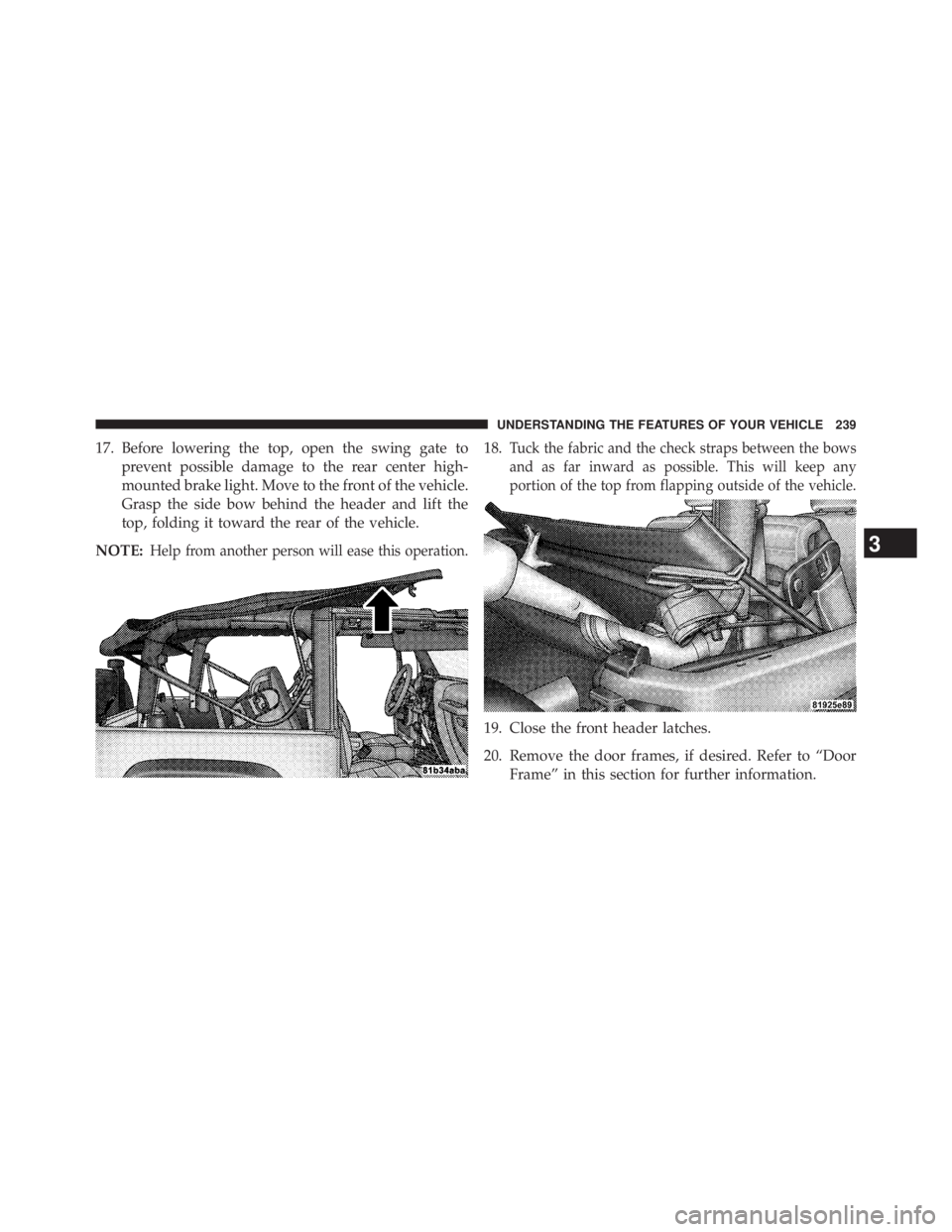
17. Before lowering the top, open the swing gate to
prevent possible damage to the rear center high-
mounted brake light. Move to the front of the vehicle.
Grasp the side bow behind the header and lift the
top, folding it toward the rear of the vehicle.
NOTE: Help from another person will ease this operation. 18. Tuck the fabric and the check straps between the bows
and as far inward as possible. This will keep any
portion of the top from flapping outside of the vehicle.
19. Close the front header latches.
20. Remove the door frames, if desired. Refer to “Door
Frame” in this section for further information. 3 UNDERSTANDING THE FEATURES OF YOUR VEHICLE 239
Page 271 of 655
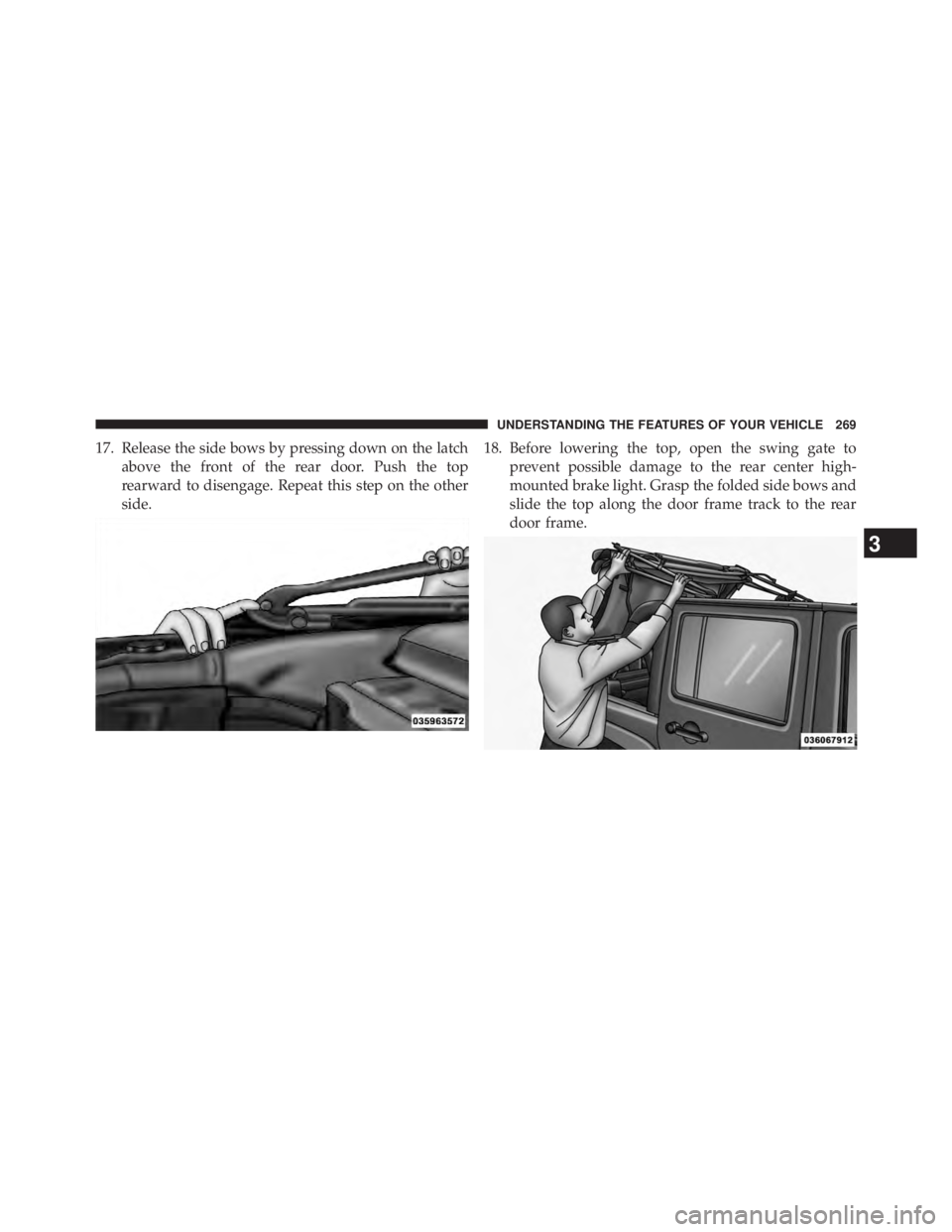
17. Release the side bows by pressing down on the latch
above the front of the rear door. Push the top
rearward to disengage. Repeat this step on the other
side. 18. Before lowering the top, open the swing gate to
prevent possible damage to the rear center high-
mounted brake light. Grasp the folded side bows and
slide the top along the door frame track to the rear
door frame.
3 UNDERSTANDING THE FEATURES OF YOUR VEHICLE 269
Page 304 of 655
11. Brake Warning Light
This light monitors various brake functions,
including brake fluid level and parking brake
application. If the brake light turns on it may
indicate that the parking brake is applied, that
the brake fluid level is low, or that there is a problem with
the anti-lock brake system reservoir.
If the light remains on when the parking brake has been
disengaged, and the fluid level is at the full mark on the
master cylinder reservoir, it indicates a possible brake
hydraulic system malfunction or that a problem with the
Brake Booster has been detected by the Anti-Lock Brake
System (ABS) / Electronic Stability Control (ESC) system.
In this case, the light will remain on until the condition
has been corrected. If the problem is related to the brake
booster, the ABS pump will run when applying the brake
and a brake pedal pulsation may be felt during each stop. The dual brake system provides a reserve braking capac-
ity in the event of a failure to a portion of the hydraulic
system. A leak in either half of the dual brake system is
indicated by the Brake Warning Light, which will turn on
when the brake fluid level in the master cylinder has
dropped below a specified level.
The light will remain on until the cause is corrected.
NOTE: The light may flash momentarily during sharp
cornering maneuvers, which change fluid level condi-
tions. The vehicle should have service performed, and
the brake fluid level checked.
If brake failure is indicated, immediate repair is necessary.
WARNING!Driving a vehicle with the red brake light on is
dangerous. Part of the brake system may have failed. (Continued)302 UNDERSTANDING YOUR INSTRUMENT PANEL
Page 305 of 655

WARNING! (Continued)It will take longer to stop the vehicle. You could have
a collision. Have the vehicle checked immediately.
Vehicles equipped with the Anti-Lock Brake System
(ABS), are also equipped with Electronic Brake Force
Distribution (EBD). In the event of an EBD failure, the
Brake Warning Light will turn on along with the ABS
Light. Immediate repair to the ABS system is required.
Operation of the Brake Warning Light can be checked by
turning the ignition switch from the OFF position to the
ON/RUN position. The light should illuminate for ap-
proximately two seconds. The light should then turn off
unless the parking brake is applied or a brake fault is
detected. If the light does not illuminate, have the light
inspected by an authorized dealer. The light also will turn on when the parking brake is
applied with the ignition switch in the ON/RUN posi-
tion.
NOTE: This light shows only that the parking brake is
applied. It does not show the degree of brake application.
12. Anti-Lock Brake (ABS) Light
After the ignition is turned on, the Anti-Lock
Brake System (ABS) light illuminates to indicate
function check at vehicle start-up. If the light remains on
after start-up or comes on and stays on at road speeds, it
may indicate that the ABS has detected a malfunction or
has become inoperative. The system reverts to standard
non-anti-lock brakes.
If both the Brake Warning Light and the ABS Warning Light
are on, see an authorized dealer immediately. Refer to
“Anti-Lock Brake System” in “Starting And Operating”.
4 UNDERSTANDING YOUR INSTRUMENT PANEL 303
Page 336 of 655

Hill Start Assist (HSA) — If Equipped
When on is selected, the HSA system is active. Refer to
“Electronic Brake Control System” in “Starting And
Operating” for system function and operating informa-
tion. To make your selection, press and release the
SELECT button until “On” or “Off” appears.
Display Units In
The EVIC can be changed between English and Metric
units of measure. The units apply to the Outside Tem-
perature, Average Fuel Economy, and Distance to Empty.
To make your selection, press and release the SELECT
button until “U.S.” or � METRIC � appears.
Nav–Turn By Turn — If Equipped
When on enables display of Navigation System street
name, turn direction, and distance to turn information in
the EVIC. To make your selection, press and release the
SELECT button until “On” or “Off” appears. Display Fuel Saver — If Equipped
The “ECO” message is located in the compass / outside
temperature / audio information / ECO display. If
Display Fuel Saver is selected as ON, only the ECO
message will display in the audio information / ECO line
of the display. If Display Fuel Saver is selected as OFF,
only the audio information will display in the audio
information / ECO line of the display when the audio
system is on. To make your selection, press and release
the SELECT button until “ON” or “OFF” appears.
Compass Variance
Refer to “Compass Display” for more information.
Calibrate Compass
Refer to “Compass Display” for more information.334 UNDERSTANDING YOUR INSTRUMENT PANEL
Page 407 of 655
STARTING AND OPERATINGCONTENTS � STARTING PROCEDURES ............... .410
▫ Manual Transmission – If Equipped ....... .410
▫ Automatic Transmission – If Equipped ..... .410
▫ Normal Starting .......................411
▫ Extreme Cold Weather (Below –20°F
Or 29°C) ..........................411
▫ If Engine Fails To Start .................411
▫ After Starting ....................... .413
� ENGINE BLOCK HEATER — IF EQUIPPED . . .413 � MANUAL TRANSMISSION — IF EQUIPPED . .414
▫ Shifting ............................ .415
▫ Downshifting ....................... .416
▫ Reverse Shifting ..................... .417
� AUTOMATIC TRANSMISSION
— IF EQUIPPED ...................... .418
▫ Key Ignition Park Interlock .............. .419
▫ Brake/Transmission Shift Interlock System . . .419
▫ Five-Speed Automatic Transmission ....... .420
▫ Gear Ranges ........................ .421
5
Page 408 of 655
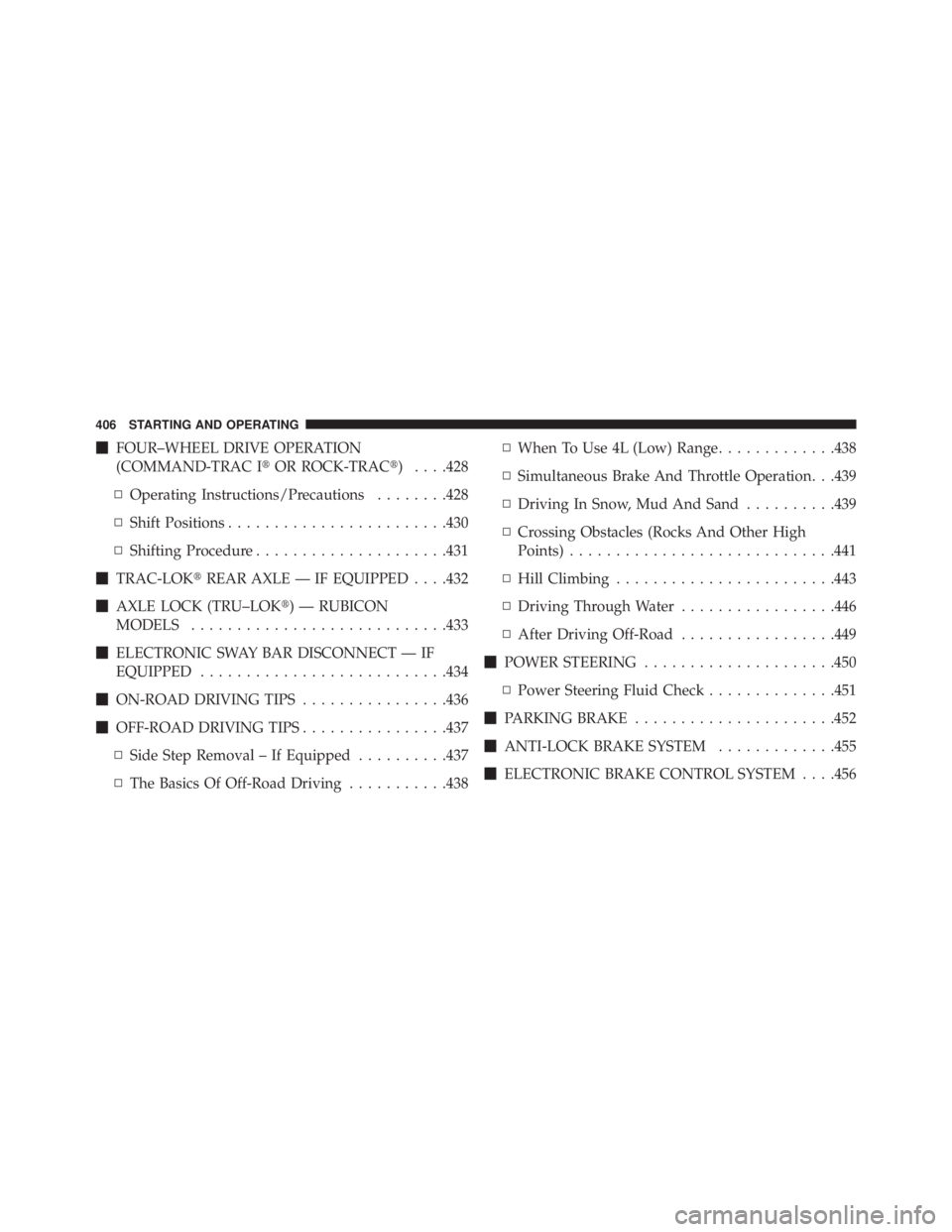
� FOUR–WHEEL DRIVE OPERATION
(COMMAND-TRAC I � OR ROCK-TRAC � ) . . . .428
▫ Operating Instructions/Precautions ....... .428
▫ Shift Positions ....................... .430
▫ Shifting Procedure .................... .431
� TRAC-LOK � REAR AXLE — IF EQUIPPED . . . .432
� AXLE LOCK (TRU–LOK � ) — RUBICON
MODELS ........................... .433
� ELECTRONIC SWAY BAR DISCONNECT — IF
EQUIPPED .......................... .434
� ON-ROAD DRIVING TIPS ............... .436
� OFF-ROAD DRIVING TIPS ............... .437
▫ Side Step Removal – If Equipped ......... .437
▫ The Basics Of Off-Road Driving .......... .438 ▫ When To Use 4L (Low) Range ............ .438
▫ Simultaneous Brake And Throttle Operation. . .439
▫ Driving In Snow, Mud And Sand ......... .439
▫ Crossing Obstacles (Rocks And Other High
Points) ............................ .441
▫ Hill Climbing ....................... .443
▫ Driving Through Water ................ .446
▫ After Driving Off-Road ................ .449
� POWER STEERING .................... .450
▫ Power Steering Fluid Check ............. .451
� PARKING BRAKE ..................... .452
� ANTI-LOCK BRAKE SYSTEM ............ .455
� ELECTRONIC BRAKE CONTROL SYSTEM . . . .456406 STARTING AND OPERATING