2013 Hyundai Equus normal mode
[x] Cancel search: normal modePage 235 of 479
Features of your vehicle
146 4
• When using the air conditioning
system, you may notice clear water
dripping (or even puddling) on the
ground under the passenger side
of the vehicle. This is a normal sys-
tem operation characteristic.
• Operating the air conditioning sys-
tem in the recirculated air position
provides maximum cooling, how-
ever, continual operation in this
mode may cause the air inside the
vehicle to become stale.
• During cooling operation, you may
occasionally notice a misty air flow
because of rapid cooling and
humid air intake. This is a normal
system operation characteristics.Climate control air filter
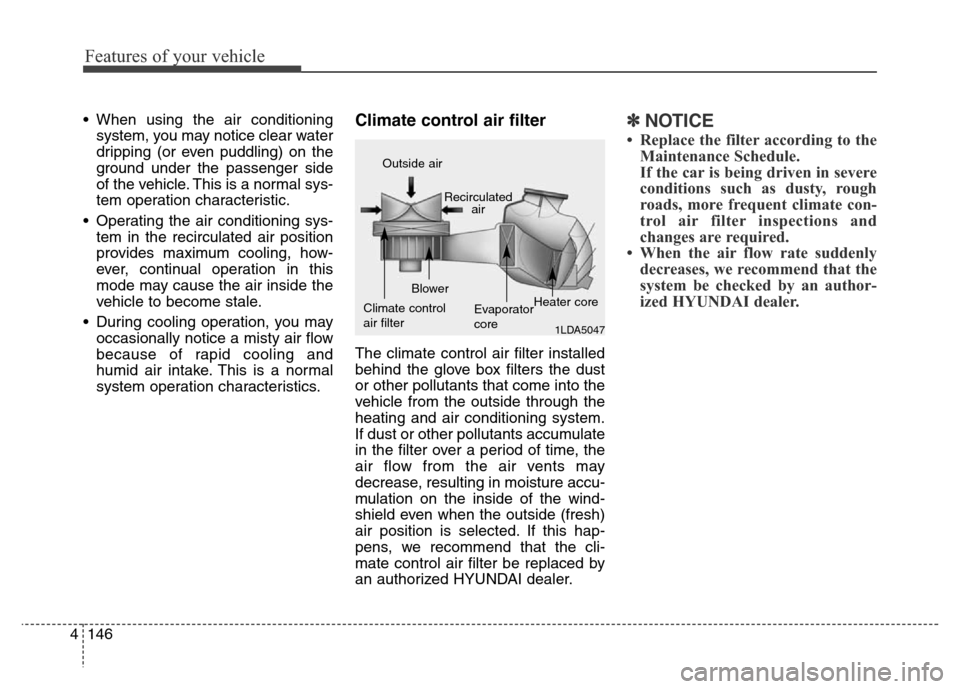
The climate control air filter installed
behind the glove box filters the dust
or other pollutants that come into the
vehicle from the outside through the
heating and air conditioning system.
If dust or other pollutants accumulate
in the filter over a period of time, the
air flow from the air vents may
decrease, resulting in moisture accu-
mulation on the inside of the wind-
shield even when the outside (fresh)
air position is selected. If this hap-
pens, we recommend that the cli-
mate control air filter be replaced by
an authorized HYUNDAI dealer.
✽NOTICE
• Replace the filter according to the
Maintenance Schedule.
If the car is being driven in severe
conditions such as dusty, rough
roads, more frequent climate con-
trol air filter inspections and
changes are required.
• When the air flow rate suddenly
decreases, we recommend that the
system be checked by an author-
ized HYUNDAI dealer.
1LDA5047
Outside air
Recirculated
air
Climate control
air filterBlower
Evaporator
coreHeater core
Page 272 of 479
![Hyundai Equus 2013 Owners Manual 515
Driving your vehicle
When you turn off the vehicle in [N]
gear, if you open the drivers door or
front passengers door, the gear is
automatically changed to [P].D (Drive)
This is the normal forwa](/manual-img/35/14642/w960_14642-271.png "Hyundai Equus 2013 Owners Manual 515
Driving your vehicle
When you turn off the vehicle in [N]
gear, if you open the drivers door or
front passengers door, the gear is
automatically changed to [P].D (Drive)
This is the normal forwa")
515
Driving your vehicle
When you turn off the vehicle in [N]
gear, if you open the driver's door or
front passenger's door, the gear is
automatically changed to [P].D (Drive)
This is the normal forward driving
position. The transmission will auto-
matically shift through a 8-gear
sequence, providing the best fuel
economy and power.
For extra power when passing anoth-
er vehicle or climbing grades,
depress the accelerator fully, at
which time the transmission will
automatically downshift to the lower
gear.
To shift into [D], depress the brake
pedal and press the [UNLOCK] but-
ton of shift lever. And then move the
shift lever to backward.
To shift into [D], from [N] you must
depress the brake pedal.
✽NOTICE
Always come to a complete stop
before shifting into D (Drive).
Manual mode
Whether the vehicle is stationary or
in motion, sports mode is selected by
pushing the shift lever from the D
(Drive) position into the manual gate.
To return to D (Drive) range opera-
tion, push the shift lever back into the
main gate.
In manual mode, moving the shift
lever backwards and forwards will
allow you to make gearshifts rapidly.
Up (+) : Push the lever forward
once to shift up one gear.
Down (-) : Pull the lever backwards
once to shift down one
gear.
OVI053106L
+ (UP)
- (DOWN)
Manual mode
WARNING
Do not drive with the shift lever
in N (Neutral).
The engine brake will not work
and lead to an accident.
Page 273 of 479

Driving your vehicle
16 5
✽NOTICE
• In manaul mode, the driver must
execute upshifts in accordance
with road conditions, taking care
to keep the engine speed below the
red zone.
• In manaul mode, only the 8 for-
ward gears can be selected. To
reverse or park the vehicle, move
the shift lever to the R (Reverse)
or P (Park) position as required.
• In manaul mode, downshifts are
made automatically when the
vehicle slows down. When the
vehicle stops, 1st gear is automati-
cally selected.
• In manaul mode, when the engine
rpm approaches the red zone shift
points are varied to upshift auto-
matically.
• To maintain the required levels of
vehicle performance and safety,
the system may not execute cer-
tain gearshifts when the shift lever
is operated.
(Continued)(Continued)
• When driving on a slippery road,
push the shift lever forward into
the +(up) position. This causes the
transmission to shift into the 2nd
gear which is better for smooth
driving on a slippery road. Push
the shift lever to the -(down) side
to shift back to the 1st gear.
Shift lock system (if equipped)
For your safety, the automatic trans-
mission has a shift lock system
which prevents shifting the transmis-
sion from P (Park) into R (Reverse)
unless the brake pedal is depressed.
To shift the transmission from P
(Park) into R (Reverse) or D (Drive) :
1. Depress and hold the brake pedal.
2. Start the engine or turn the ignition
switch to the ON position.
3. Move the shift lever to R (Reverse)
or D (Drive) with pressing
[UNLOCK] button.
If the brake pedal is repeatedly
depressed and released with the
shift lever in the P (Park) position, a
chattering noise near the shift lever
may be heard. This is a normal con-
dition.
Page 287 of 479
Driving your vehicle
30 5
When the EPB (electric parking
brake) is not released
If the EPB does not release normal-
ly, we recommend that you contact
an authorized HYUNDAI dealer by
loading the vehicle on a flatbed tow
truck and have the system checked.
AUTO HOLD (if equipped)
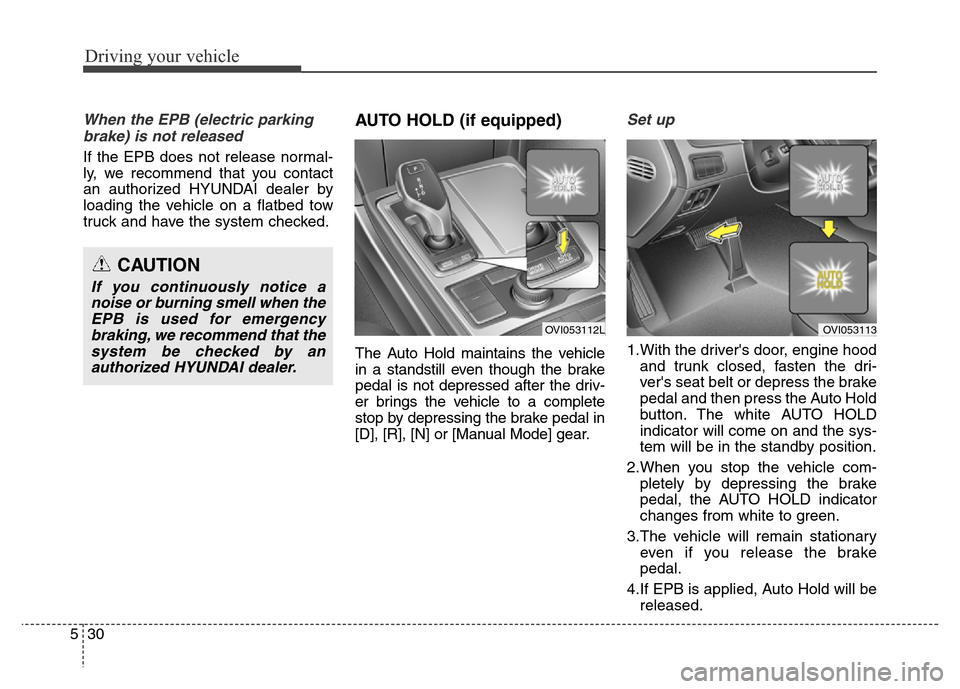
The Auto Hold maintains the vehicle
in a standstill even though the brake
pedal is not depressed after the driv-
er brings the vehicle to a complete
stop by depressing the brake pedal in
[D], [R], [N] or [Manual Mode] gear.
Set up
1.With the driver's door, engine hood
and trunk closed, fasten the dri-
ver's seat belt or depress the brake
pedal and then press the Auto Hold
button. The white AUTO HOLD
indicator will come on and the sys-
tem will be in the standby position.
2.When you stop the vehicle com-
pletely by depressing the brake
pedal, the AUTO HOLD indicator
changes from white to green.
3.The vehicle will remain stationary
even if you release the brake
pedal.
4.If EPB is applied, Auto Hold will be
released.
CAUTION
If you continuously notice a
noise or burning smell when the
EPB is used for emergency
braking, we recommend that the
system be checked by an
authorized HYUNDAI dealer.
OVI053112LOVI053113
Page 301 of 479
Driving your vehicle
44 5
DRIVE mode / SNOW mode
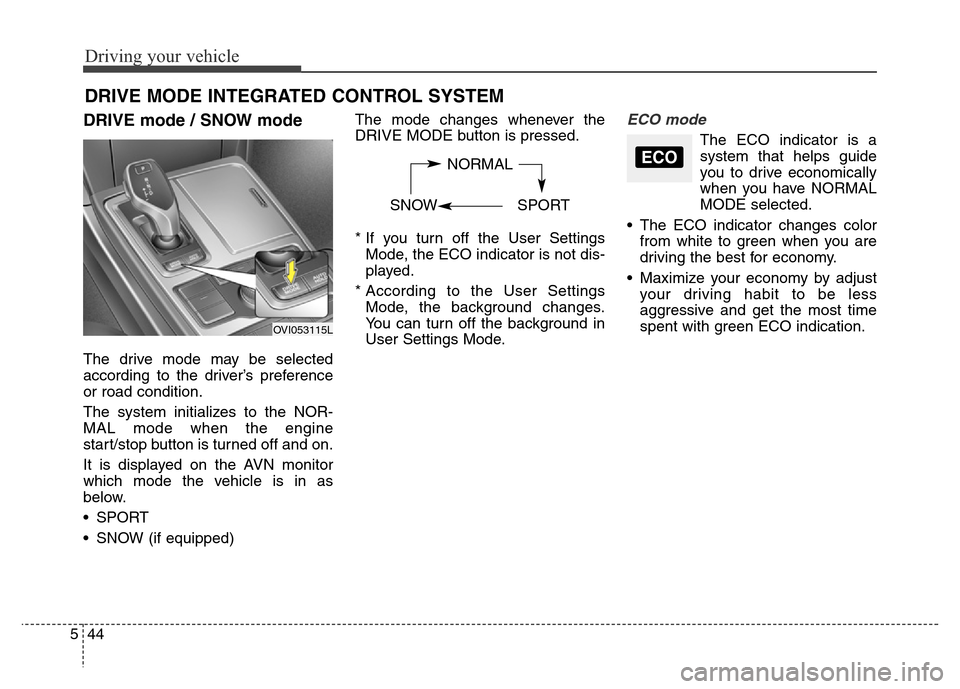
The drive mode may be selected
according to the driver’s preference
or road condition.
The system initializes to the NOR-
MAL mode when the engine
start/stop button is turned off and on.
It is displayed on the AVN monitor
which mode the vehicle is in as
below.
• SPORT
• SNOW (if equipped)The mode changes whenever the
DRIVE MODE button is pressed.
* If you turn off the User Settings
Mode, the ECO indicator is not dis-
played.
* According to the User Settings
Mode, the background changes.
You can turn off the background in
User Settings Mode.
ECO mode
The ECO indicator is a
system that helps guide
you to drive economically
when you have NORMAL
MODE selected.
• The ECO indicator changes color
from white to green when you are
driving the best for economy.
• Maximize your economy by adjust
your driving habit to be less
aggressive and get the most time
spent with green ECO indication.
DRIVE MODE INTEGRATED CONTROL SYSTEM
NORMAL
SNOW SPORTECO
OVI053115L
Page 302 of 479
545
Driving your vehicle
SPORT mode
SPORT mode focuses on dynamic
driving by automatically controlling
the steering wheel, engine and
transaxle system.
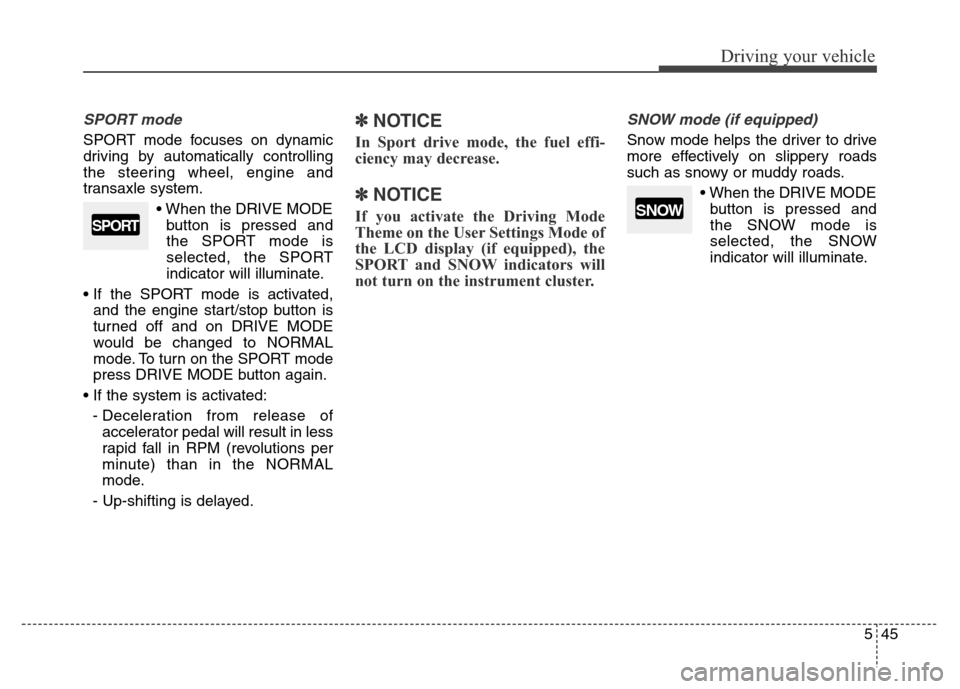
• When the DRIVE MODE
button is pressed and
the SPORT mode is
selected, the SPORT
indicator will illuminate.
• If the SPORT mode is activated,
and the engine start/stop button is
turned off and on DRIVE MODE
would be changed to NORMAL
mode. To turn on the SPORT mode
press DRIVE MODE button again.
• If the system is activated:
- Deceleration from release of
accelerator pedal will result in less
rapid fall in RPM (revolutions per
minute) than in the NORMAL
mode.
- Up-shifting is delayed.
✽ NOTICE
In Sport drive mode, the fuel effi-
ciency may decrease.
✽ NOTICE
If you activate the Driving Mode
Theme on the User Settings Mode of
the LCD display (if equipped), the
SPORT and SNOW indicators will
not turn on the instrument cluster.
SNOW mode (if equipped)
Snow mode helps the driver to drive
more effectively on slippery roads
such as snowy or muddy roads.
• When the DRIVE MODE
button is pressed and
the SNOW mode is
selected, the SNOW
indicator will illuminate.
SPORTSNOW
Page 303 of 479
Driving your vehicle
46 5
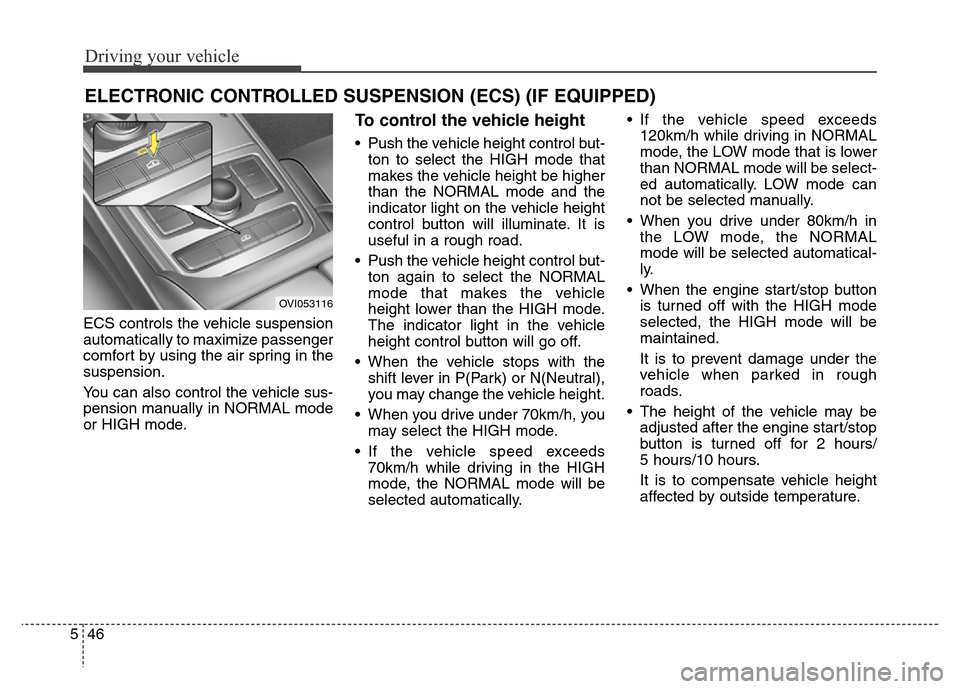
ECS controls the vehicle suspension
automatically to maximize passenger
comfort by using the air spring in the
suspension.
You can also control the vehicle sus-
pension manually in NORMAL mode
or HIGH mode.
To control the vehicle height
• Push the vehicle height control but-
ton to select the HIGH mode that
makes the vehicle height be higher
than the NORMAL mode and the
indicator light on the vehicle height
control button will illuminate. It is
useful in a rough road.
• Push the vehicle height control but-
ton again to select the NORMAL
mode that makes the vehicle
height lower than the HIGH mode.
The indicator light in the vehicle
height control button will go off.
• When the vehicle stops with the
shift lever in P(Park) or N(Neutral),
you may change the vehicle height.
• When you drive under 70km/h, you
may select the HIGH mode.
• If the vehicle speed exceeds
70km/h while driving in the HIGH
mode, the NORMAL mode will be
selected automatically.• If the vehicle speed exceeds
120km/h while driving in NORMAL
mode, the LOW mode that is lower
than NORMAL mode will be select-
ed automatically. LOW mode can
not be selected manually.
• When you drive under 80km/h in
the LOW mode, the NORMAL
mode will be selected automatical-
ly.
• When the engine start/stop button
is turned off with the HIGH mode
selected, the HIGH mode will be
maintained.
It is to prevent damage under the
vehicle when parked in rough
roads.
• The height of the vehicle may be
adjusted after the engine start/stop
button is turned off for 2 hours/
5 hours/10 hours.
It is to compensate vehicle height
affected by outside temperature.
ELECTRONIC CONTROLLED SUSPENSION (ECS) (IF EQUIPPED)
OVI053116
Page 304 of 479
547
Driving your vehicle
✽ NOTICE
• When you drive over 70km/h, you
may not select the HIGH mode.
• Do not operate ECS when the air
filter of the compressor in the
lower part of the vehicle sinks
under the water.
In draft of water into the compres-
sor may happen, and ECS may not
operate normally.
ECS (electronic controlled
suspension) malfunction
warning message
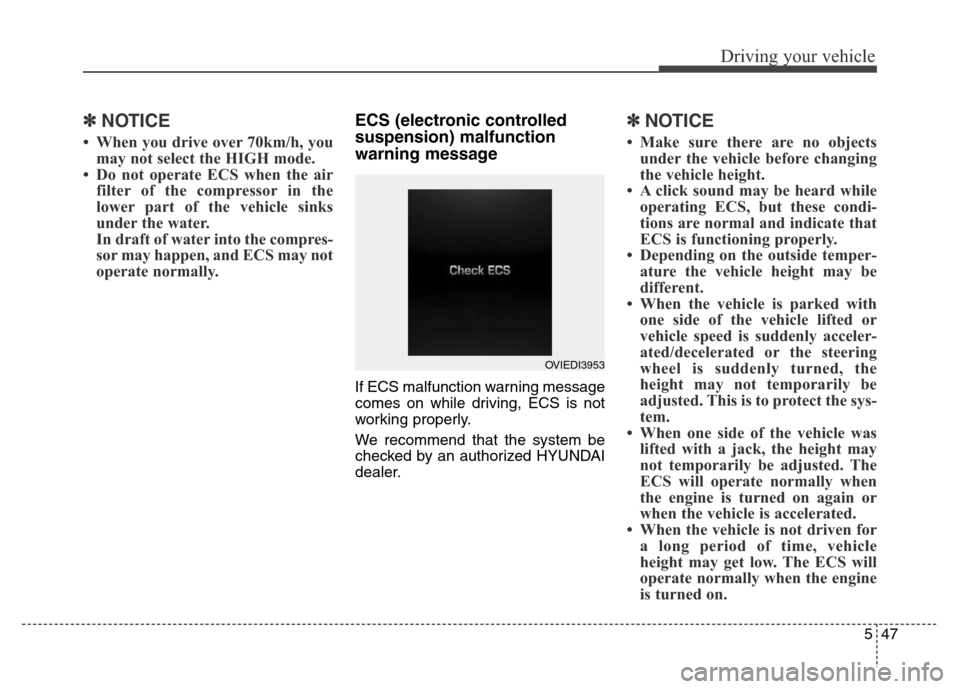
If ECS malfunction warning message
comes on while driving, ECS is not
working properly.
We recommend that the system be
checked by an authorized HYUNDAI
dealer.
✽ NOTICE
• Make sure there are no objects
under the vehicle before changing
the vehicle height.
• A click sound may be heard while
operating ECS, but these condi-
tions are normal and indicate that
ECS is functioning properly.
• Depending on the outside temper-
ature the vehicle height may be
different.
• When the vehicle is parked with
one side of the vehicle lifted or
vehicle speed is suddenly acceler-
ated/decelerated or the steering
wheel is suddenly turned, the
height may not temporarily be
adjusted. This is to protect the sys-
tem.
• When one side of the vehicle was
lifted with a jack, the height may
not temporarily be adjusted. The
ECS will operate normally when
the engine is turned on again or
when the vehicle is accelerated.
• When the vehicle is not driven for
a long period of time, vehicle
height may get low. The ECS will
operate normally when the engine
is turned on.
OVIEDI3953