Page 296 of 479
539
Driving your vehicle
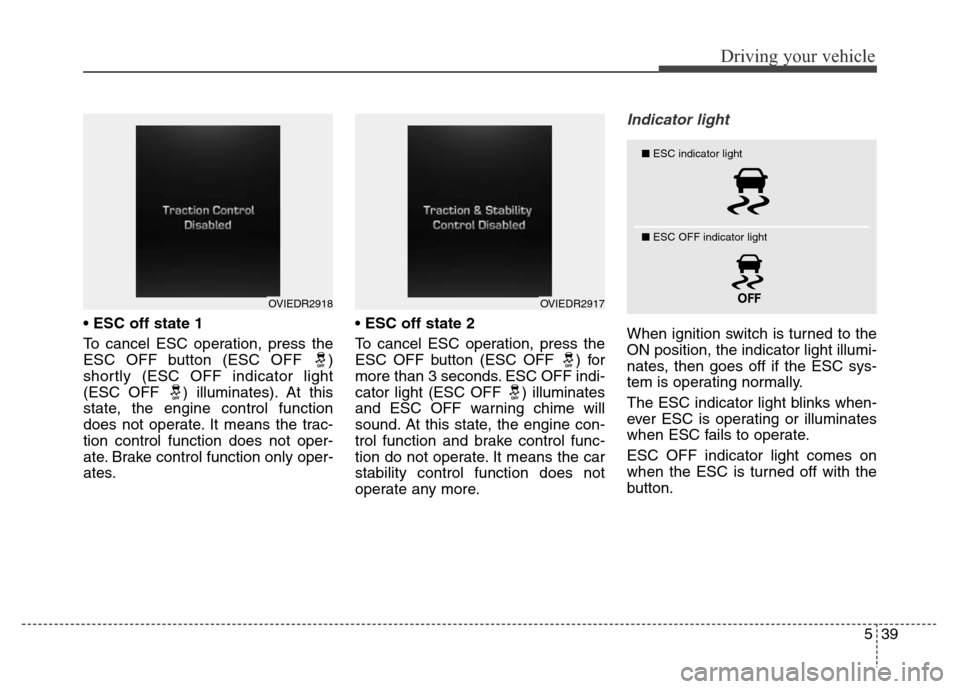
• ESC off state 1
To cancel ESC operation, press the
ESC OFF button (ESC OFF )
shortly (ESC OFF indicator light
(ESC OFF ) illuminates). At this
state, the engine control function
does not operate. It means the trac-
tion control function does not oper-
ate. Brake control function only oper-
ates.•ESC off state 2
To cancel ESC operation, press the
ESC OFF button (ESC OFF ) for
more than 3 seconds. ESC OFF indi-
cator light (ESC OFF ) illuminates
and ESC OFF warning chime will
sound. At this state, the engine con-
trol function and brake control func-
tion do not operate. It means the car
stability control function does not
operate any more.
Indicator light
When ignition switch is turned to the
ON position, the indicator light illumi-
nates, then goes off if the ESC sys-
tem is operating normally.
The ESC indicator light blinks when-
ever ESC is operating or illuminates
when ESC fails to operate.
ESC OFF indicator light comes on
when the ESC is turned off with the
button.
OVIEDR2918OVIEDR2917
■ESC indicator light
■ ESC OFF indicator light
Page 316 of 479
559
Driving your vehicle
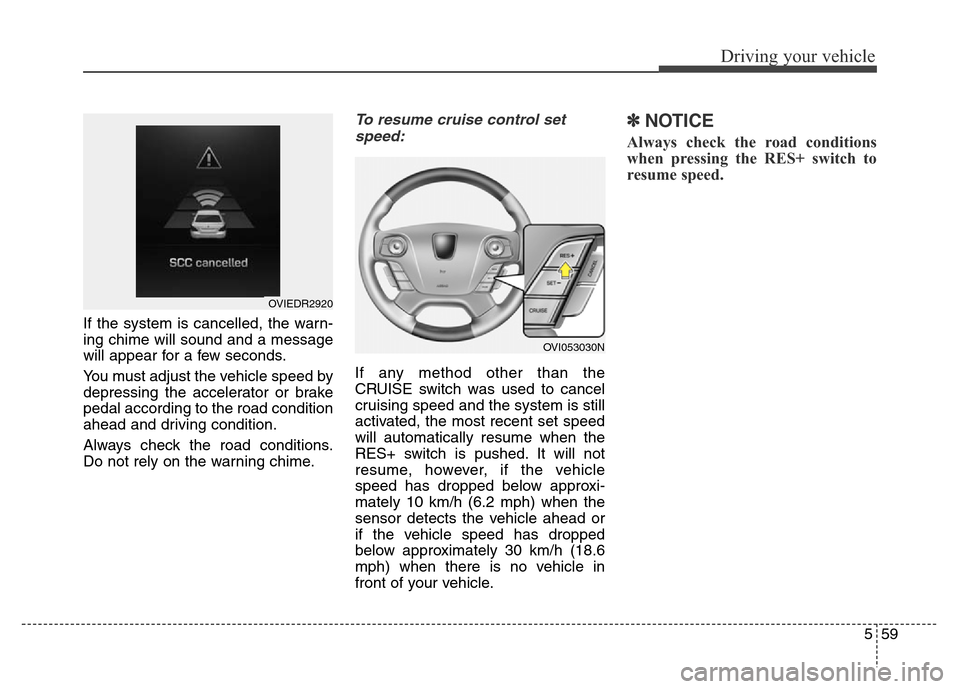
If the system is cancelled, the warn-
ing chime will sound and a message
will appear for a few seconds.
You must adjust the vehicle speed by
depressing the accelerator or brake
pedal according to the road condition
ahead and driving condition.
Always check the road conditions.
Do not rely on the warning chime.
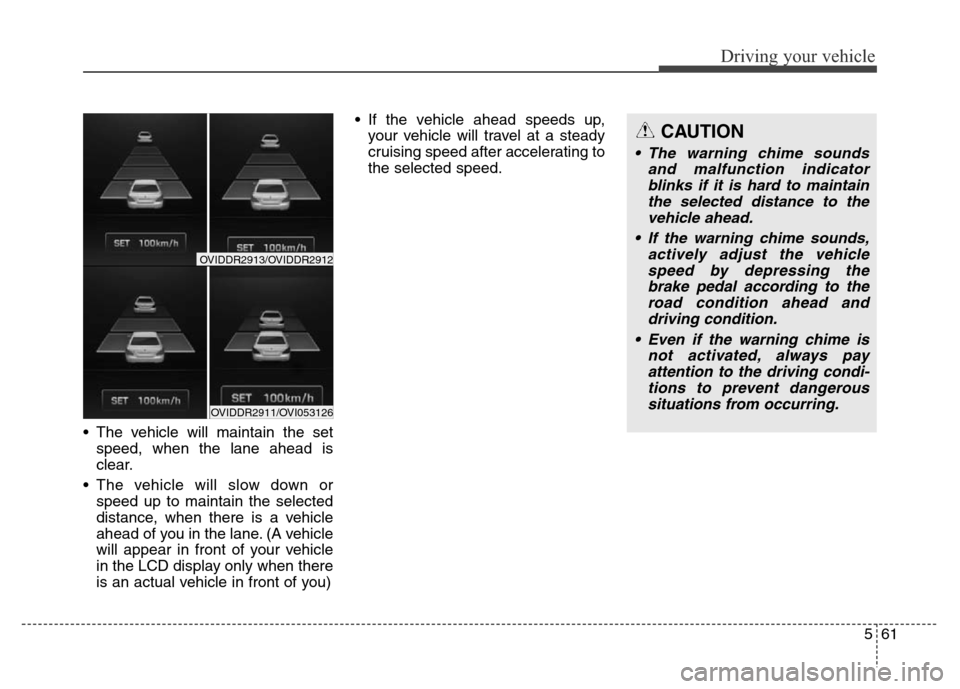
To resume cruise control set
speed:
If any method other than the
CRUISE switch was used to cancel
cruising speed and the system is still
activated, the most recent set speed
will automatically resume when the
RES+ switch is pushed. It will not
resume, however, if the vehicle
speed has dropped below approxi-
mately 10 km/h (6.2 mph) when the
sensor detects the vehicle ahead or
if the vehicle speed has dropped
below approximately 30 km/h (18.6
mph) when there is no vehicle in
front of your vehicle.
✽NOTICE
Always check the road conditions
when pressing the RES+ switch to
resume speed.
OVIEDR2920
OVI053030N
Page 318 of 479
561
Driving your vehicle
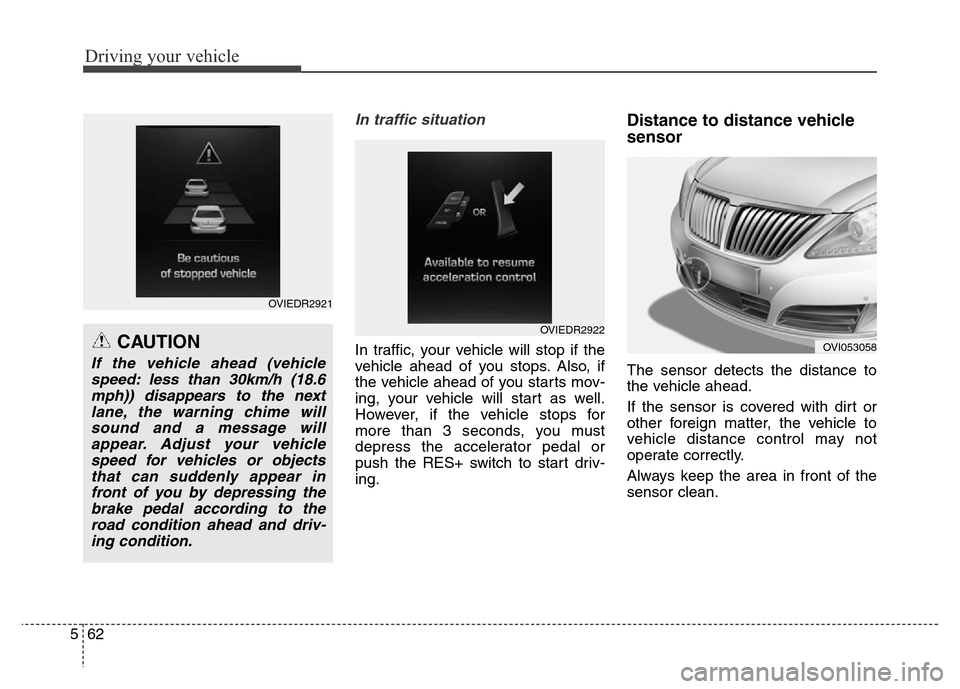
• The vehicle will maintain the set
speed, when the lane ahead is
clear.
• The vehicle will slow down or
speed up to maintain the selected
distance, when there is a vehicle
ahead of you in the lane. (A vehicle
will appear in front of your vehicle
in the LCD display only when there
is an actual vehicle in front of you) • If the vehicle ahead speeds up,
your vehicle will travel at a steady
cruising speed after accelerating to
the selected speed.
CAUTION
• The warning chime sounds
and malfunction indicator
blinks if it is hard to maintain
the selected distance to the
vehicle ahead.
• If the warning chime sounds,
actively adjust the vehicle
speed by depressing the
brake pedal according to the
road condition ahead and
driving condition.
• Even if the warning chime is
not activated, always pay
attention to the driving condi-
tions to prevent dangerous
situations from occurring.
OVIDDR2911/OVI053126
OVIDDR2913/OVIDDR2912
Page 319 of 479
Driving your vehicle
62 5
In traffic situation
In traffic, your vehicle will stop if the
vehicle ahead of you stops. Also, if
the vehicle ahead of you starts mov-
ing, your vehicle will start as well.
However, if the vehicle stops for
more than 3 seconds, you must
depress the accelerator pedal or
push the RES+ switch to start driv-
ing.
Distance to distance vehicle
sensor
The sensor detects the distance to
the vehicle ahead.
If the sensor is covered with dirt or
other foreign matter, the vehicle to
vehicle distance control may not
operate correctly.
Always keep the area in front of the
sensor clean.
CAUTION
If the vehicle ahead (vehicle
speed: less than 30km/h (18.6
mph)) disappears to the next
lane, the warning chime will
sound and a message will
appear. Adjust your vehicle
speed for vehicles or objects
that can suddenly appear in
front of you by depressing the
brake pedal according to the
road condition ahead and driv-
ing condition.
OVIEDR2921
OVIEDR2922
OVI053058
Page 327 of 479
Driving your vehicle
70 5
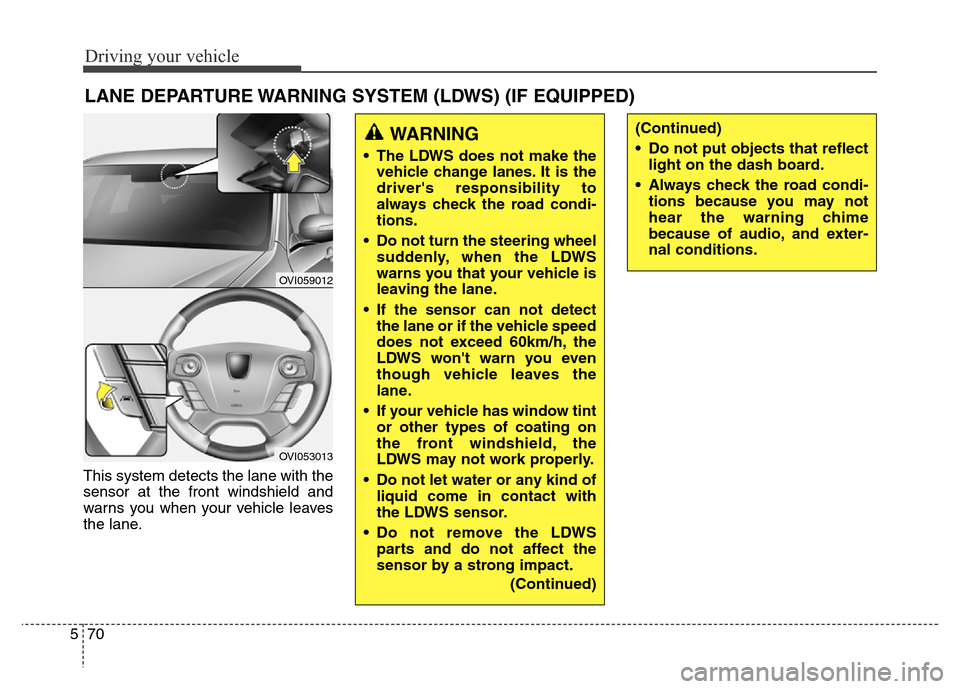
This system detects the lane with the
sensor at the front windshield and
warns you when your vehicle leaves
the lane.
LANE DEPARTURE WARNING SYSTEM (LDWS) (IF EQUIPPED)
OVI059012
OVI053013
WARNING
• The LDWS does not make the
vehicle change lanes. It is the
driver's responsibility to
always check the road condi-
tions.
• Do not turn the steering wheel
suddenly, when the LDWS
warns you that your vehicle is
leaving the lane.
• If the sensor can not detect
the lane or if the vehicle speed
does not exceed 60km/h, the
LDWS won't warn you even
though vehicle leaves the
lane.
• If your vehicle has window tint
or other types of coating on
the front windshield, the
LDWS may not work properly.
• Do not let water or any kind of
liquid come in contact with
the LDWS sensor.
• Do not remove the LDWS
parts and do not affect the
sensor by a strong impact.
(Continued)
(Continued)
• Do not put objects that reflect
light on the dash board.
• Always check the road condi-
tions because you may not
hear the warning chime
because of audio, and exter-
nal conditions.
Page 339 of 479

Driving your vehicle
82 5
Warning type
• If the vehicle detected by sensors
approaches your vehicle, the warn-
ing is chime and the warning light
will blink on the outside rearview
mirror.
• If the detected vehicle is got out
from sensing range, behind your
vehicle, moving opposite direction
away from your vehicle or moving
slow, the warning is cancelled.
• The system operating is not work-
ing properly due to other factors or
circumstances, always pay atten-
tion to your surrounding.❈If your vehicle's left or right side
bumper is blinded by barrier or
vehicles, the system sensing abili-
ty may be deteriorated.
OVI053132
WARNING
• The warning light on the out-
side rearview mirror and the
head up display will illuminate
whenever a vehicle is detect-
ed at the rear side by the sys-
tem.
To avoid accidents, do not
focus only on the warning
light and neglect to see the
surrounding of the vehicle.
• Drive safely even though the
vehicle is equipped with a
BSD (Blind spot detection)
system. Do not solely rely on
the system but check for your-
self before changing lanes.
The system may not alert the
driver in some conditions so
always check the surround-
ings while driving.
CAUTION
• The system may not work
properly if the bumper has
been replaced or if a repair
work has been done near the
sensor.
• The detection area differs
according to the roads width.
If the road is narrow the sys-
tem may detect other vehicles
in the next lane.
• On the contrary, if the road is
very wide the system may not
detect other vehicles.
• The system may turn off due
to strong electromagnetic
waves.