2013 Hyundai Azera table
[x] Cancel search: tablePage 150 of 403
Features of your vehicle
74 4
Non-operational conditions of
parking assist system
Parking assist system may not oper-
ate normally when:
1. Moisture is frozen on the sensor. (It will
operate normally when moisture
melts.)
2. Sensor is covered with foreign matter,
such as snow or water, or the sensor
cover is blocked. (It will operate nor-
mally when the material is removed or
the sensor is no longer blocked.)
3. Sensor is stained with foreign matter
such as snow or water. (Sensing range
will return to normal when removed.)
4.The parking assist button is off.
There is a possibility of parking
assist system malfunction when:
1. Driving on uneven road surfaces such
as unpaved roads, gravel, bumps, or
gradient.
2. Objects generating excessive noise
such as vehicle horns, loud motorcycle
engines, or truck air brakes can inter-
fere with the sensor.
3. Heavy rain or water spray.
4. Wireless transmitters or mobile
phones present near the sensor.
5. Sensor is covered with snow.
Detecting range may decrease when:
1. Outside air temperature is extremely
hot or cold.
2. Undetectable objects smaller than 1 m
and narrower than 14 cm in diameter.
The following objects may not be rec-
ognized by the sensor:
1. Sharp or slim objects such as ropes,
chains or small poles.
2. Objects, which tend to absorb sensor
frequency such as clothes, spongy
material or snow.
CAUTION
• This system can only sense
objects within the range and loca-
tion of the sensors;
It can not detect objects in other
areas where sensors are not
installed. Also, small or slim
objects, such as poles or objects
located between sensors may not
be detected by the sensors.
Always visually check behind the
vehicle when backing up.
• Be sure to inform any drivers of
the vehicle that may be unfamiliar
with the system regarding the
systems capabilities and limita-
tions.
Page 174 of 403
Features of your vehicle
98 4
Operation Tips
• To keep dust or unpleasant fumes from
entering the vehicle through the venti-
lation system, temporarily set the air
intake control to the recirculated air
position. Be sure to return the control
to the fresh air position when the irrita-
tion has passed to keep fresh air in the
vehicle. This will help keep the driver
alert and comfortable.
• Air for the heating/cooling system is
drawn in through the grilles just ahead
of the windshield. Care should be
taken that these are not blocked by
leaves, snow, ice or other obstructions.
• To prevent interior fog on the wind-
shield, set the air intake control to the
fresh air position and fan speed to the
desired position, turn on the air condi-
tioning system, and adjust the temper-
ature control to desired temperature.Air conditioning
HYUNDAI Air Conditioning Systems are
filled with environmentally friendly
R-134a refrigerant.
1. Start the engine. Press the air condi-
tioning button.
2. Set the mode to the position.
3. Set the air intake control to the outside
air or recirculated air position.
4. Adjust the fan speed control and tem-
perature control to maintain maximum
comfort.
• When maximum cooling is desired, set
the temperature control to the extreme
left position, set the mode control to
the MAX A/C position, then set the fan
speed control to the highest speed.✽NOTICE
• When using the air conditioning sys-
tem, monitor the temperature gauge
closely while driving up hills or in
heavy traffic when outside tempera-
tures are high. Air conditioning sys-
tem operation may cause engine over-
heating. Continue to use the blower
fan but turn the air conditioning sys-
tem off if the temperature gauge indi-
cates engine overheating.
• When opening the windows in humid
weather air conditioning may create
water droplets inside the vehicle.
Since excessive water droplets may
cause damage to electrical equipment,
air conditioning should only be used
with the windows closed.
Page 185 of 403
4109
Features of your vehicle
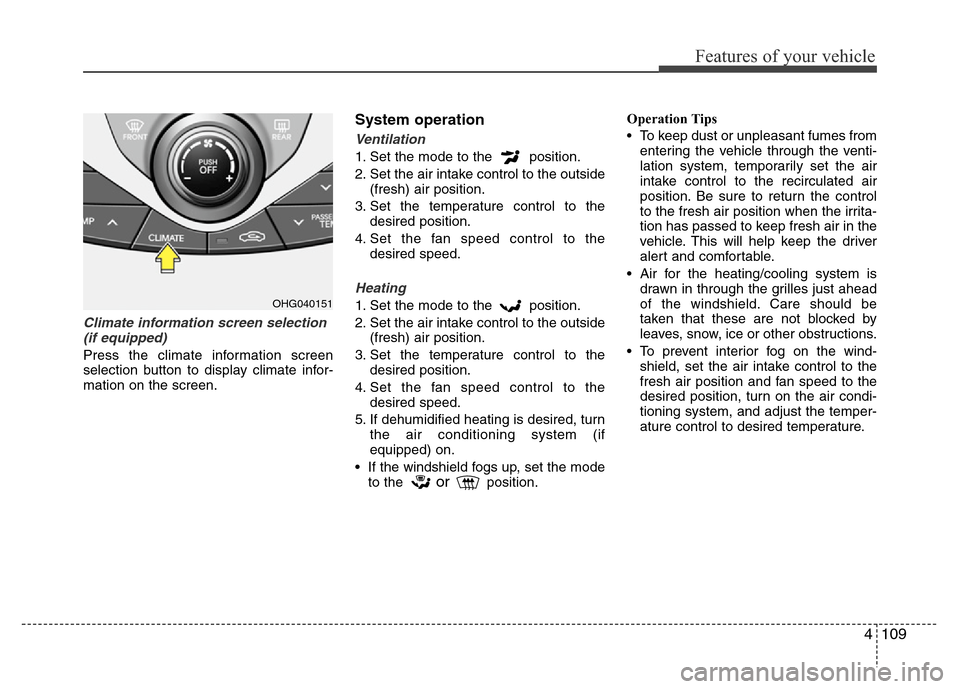
Climate information screen selection
(if equipped)
Press the climate information screen
selection button to display climate infor-
mation on the screen.
System operation
Ventilation
1. Set the mode to the position.
2. Set the air intake control to the outside
(fresh) air position.
3. Set the temperature control to the
desired position.
4. Set the fan speed control to the
desired speed.
Heating
1. Set the mode to the position.
2. Set the air intake control to the outside
(fresh) air position.
3. Set the temperature control to the
desired position.
4. Set the fan speed control to the
desired speed.
5. If dehumidified heating is desired, turn
the air conditioning system (if
equipped) on.
• If the windshield fogs up, set the mode
to the
orposition.Operation Tips
• To keep dust or unpleasant fumes from
entering the vehicle through the venti-
lation system, temporarily set the air
intake control to the recirculated air
position. Be sure to return the control
to the fresh air position when the irrita-
tion has passed to keep fresh air in the
vehicle. This will help keep the driver
alert and comfortable.
• Air for the heating/cooling system is
drawn in through the grilles just ahead
of the windshield. Care should be
taken that these are not blocked by
leaves, snow, ice or other obstructions.
• To prevent interior fog on the wind-
shield, set the air intake control to the
fresh air position and fan speed to the
desired position, turn on the air condi-
tioning system, and adjust the temper-
ature control to desired temperature.
OHG040151
Page 203 of 403
4127
Features of your vehicle
Aux, USB and iPod®port
(if equipped)
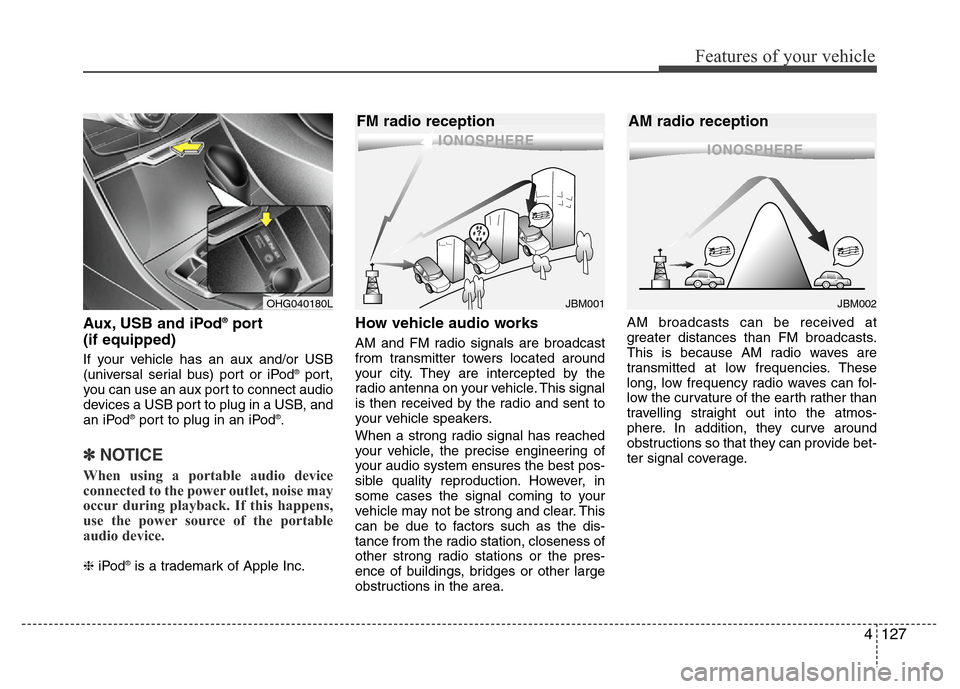
If your vehicle has an aux and/or USB
(universal serial bus) port or iPod®port,
you can use an aux port to connect audio
devices a USB port to plug in a USB, and
an iPod
®port to plug in an iPod®.
✽NOTICE
When using a portable audio device
connected to the power outlet, noise may
occur during playback. If this happens,
use the power source of the portable
audio device.
❈iPod®is a trademark of Apple Inc.
How vehicle audio works
AM and FM radio signals are broadcast
from transmitter towers located around
your city. They are intercepted by the
radio antenna on your vehicle. This signal
is then received by the radio and sent to
your vehicle speakers.
When a strong radio signal has reached
your vehicle, the precise engineering of
your audio system ensures the best pos-
sible quality reproduction. However, in
some cases the signal coming to your
vehicle may not be strong and clear. This
can be due to factors such as the dis-
tance from the radio station, closeness of
other strong radio stations or the pres-
ence of buildings, bridges or other large
obstructions in the area.AM broadcasts can be received at
greater distances than FM broadcasts.
This is because AM radio waves are
transmitted at low frequencies. These
long, low frequency radio waves can fol-
low the curvature of the earth rather than
travelling straight out into the atmos-
phere. In addition, they curve around
obstructions so that they can provide bet-
ter signal coverage.
JBM002
AM radio reception
JBM001
FM radio reception
OHG040180L
Page 229 of 403
Driving your vehicle
6 5
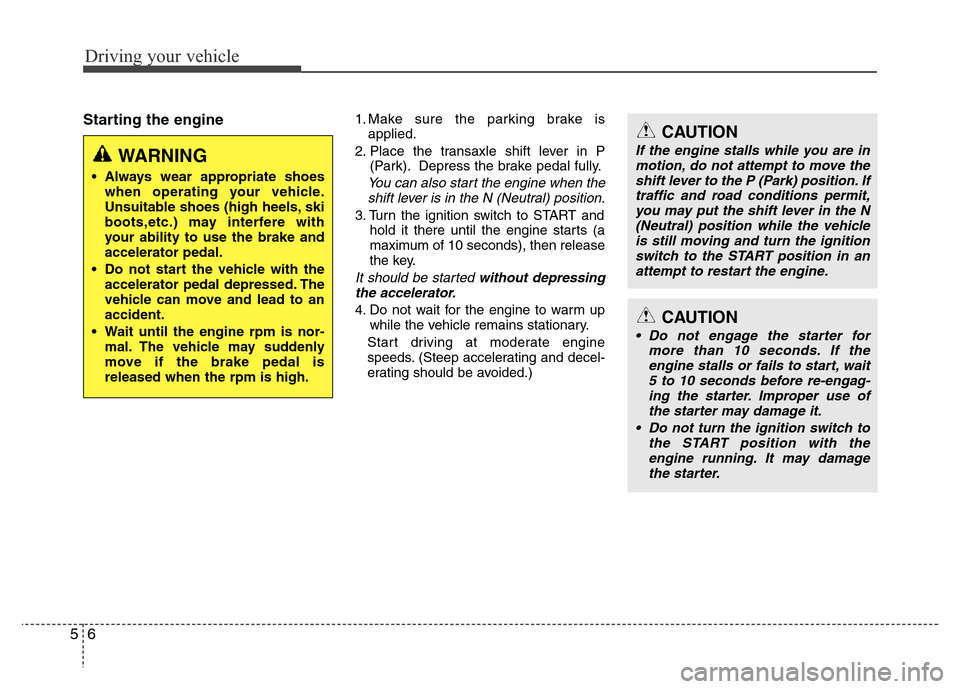
Starting the engine1. Make sure the parking brake is
applied.
2. Place the transaxle shift lever in P
(Park). Depress the brake pedal fully.
You can also start the engine when the
shift lever is in the N (Neutral) position.
3. Turn the ignition switch to START and
hold it there until the engine starts (a
maximum of 10 seconds), then release
the key.
It should be started without depressing
the accelerator.
4. Do not wait for the engine to warm up
while the vehicle remains stationary.
Start driving at moderate engine
speeds. (Steep accelerating and decel-
erating should be avoided.)
WARNING
• Always wear appropriate shoes
when operating your vehicle.
Unsuitable shoes (high heels, ski
boots,etc.) may interfere with
your ability to use the brake and
accelerator pedal.
• Do not start the vehicle with the
accelerator pedal depressed. The
vehicle can move and lead to an
accident.
• Wait until the engine rpm is nor-
mal. The vehicle may suddenly
move if the brake pedal is
released when the rpm is high.
CAUTION
If the engine stalls while you are in
motion, do not attempt to move the
shift lever to the P (Park) position. If
traffic and road conditions permit,
you may put the shift lever in the N
(Neutral) position while the vehicle
is still moving and turn the ignition
switch to the START position in an
attempt to restart the engine.
CAUTION
• Do not engage the starter for
more than 10 seconds. If the
engine stalls or fails to start, wait
5 to 10 seconds before re-engag-
ing the starter. Improper use of
the starter may damage it.
• Do not turn the ignition switch to
the START position with the
engine running. It may damage
the starter.
Page 233 of 403
Driving your vehicle
10 5
Starting the engine✽ NOTICE - Kick down mecha-
nism (if equipped)
If your vehicle is equipped with a kick
down mechanism in the accelerator
pedal, it prevents you from driving at
full throttle unintentionally by making
the driver require increased effort to
depress the accelerator pedal. However,
if you depress the pedal more than
approximately 80%, the vehicle can be
at full throttle and the accelerator pedal
will be easier to depress. This is not a
malfunction but a normal condition.
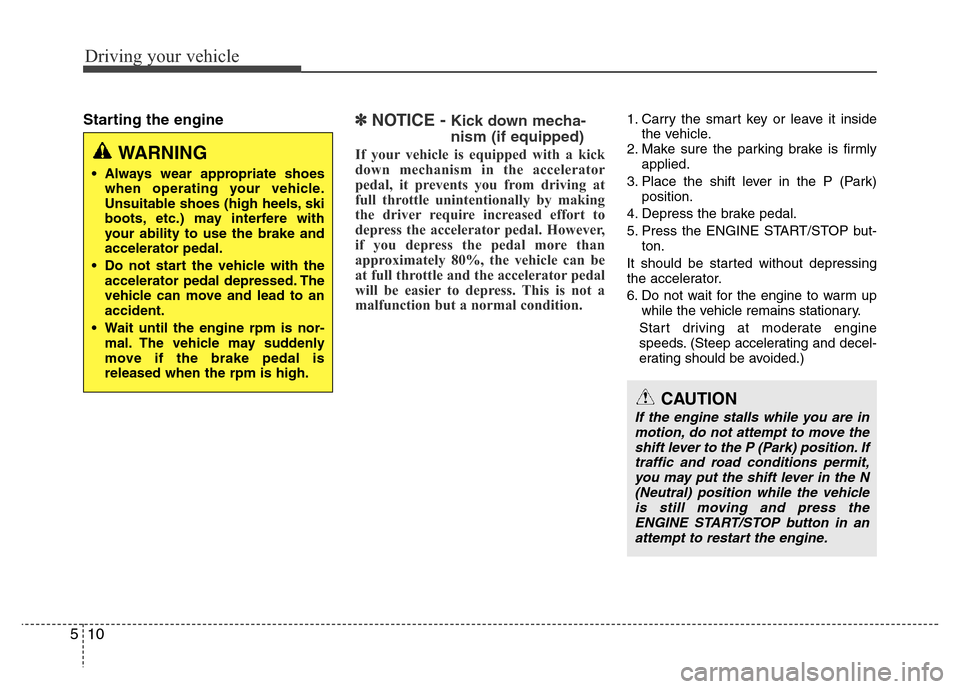
1. Carry the smart key or leave it inside
the vehicle.
2. Make sure the parking brake is firmly
applied.
3. Place the shift lever in the P (Park)
position.
4. Depress the brake pedal.
5. Press the ENGINE START/STOP but-
ton.
It should be started without depressing
the accelerator.
6. Do not wait for the engine to warm up
while the vehicle remains stationary.
Start driving at moderate engine
speeds. (Steep accelerating and decel-
erating should be avoided.)
WARNING
• Always wear appropriate shoes
when operating your vehicle.
Unsuitable shoes (high heels, ski
boots, etc.) may interfere with
your ability to use the brake and
accelerator pedal.
• Do not start the vehicle with the
accelerator pedal depressed. The
vehicle can move and lead to an
accident.
• Wait until the engine rpm is nor-
mal. The vehicle may suddenly
move if the brake pedal is
released when the rpm is high.
CAUTION
If the engine stalls while you are in
motion, do not attempt to move the
shift lever to the P (Park) position. If
traffic and road conditions permit,
you may put the shift lever in the N
(Neutral) position while the vehicle
is still moving and press the
ENGINE START/STOP button in an
attempt to restart the engine.
Page 305 of 403
What to do in an emergency
18 6
TPMS (Tire Pressure
Monitoring System)
malfunction indicator
The TPMS malfunction indicator will
illuminate after it blinks for approxi-
mately one minute when there is a
problem with the Tire Pressure
Monitoring System. If the system is
able to correctly detect an underinfla-
tion warning at the same time as sys-
tem failure then the TPMS malfunc-
tion indicator remains illuminated
after blinking for approximately 1
minute and the low tire pressure posi-
tion telltale will illuminate e.g. if Front
Left sensor fails, the TPMS malfunc-
tion indicator remains illuminated
after blinking for approximately 1
minute, but if the Front Right, Rear
Left, or Rear Right tire is under-inflat-
ed, the low tire pressure position tell-
tales may illuminate together with the
TPMS malfunction indicator.
Have the system checked by an
authorized HYUNDAI dealer as soon
as possible to determine the cause
of the problem.
WARNING - Low pressure
damage
Significantly low tire pressure
makes the vehicle unstable and
can contribute to loss of vehicle
control and increased braking
distances.
Continued driving on low pres-
sure tires can cause the tires to
overheat and fail.CAUTION
• The TPMS malfunction indica-
tor may blink for approximate-
ly 1 minute and then remain
continuously illuminated if the
vehicle is moving around elec-
tric power supply cables or
radios transmitter such as at
police stations, government
and public offices, broadcast-
ing stations, military installa-
tions, airports, or transmitting
towers, etc. This can interfere
with normal operation of the
Tire Pressure Monitoring
System (TPMS).
• The TPMS malfunction indica-
tor may blink for approximate-
ly 1 minute and then remain
continuously illuminated if
snow chains are used or some
separate electronic devices
such as notebook computer,
mobile charger, remote starter
or navigation etc., are used in
the vehicle. This can interfere
with normal operation of the
Tire Pressure Monitoring
System (TPMS).
Page 308 of 403
621
What to do in an emergency
Towing service
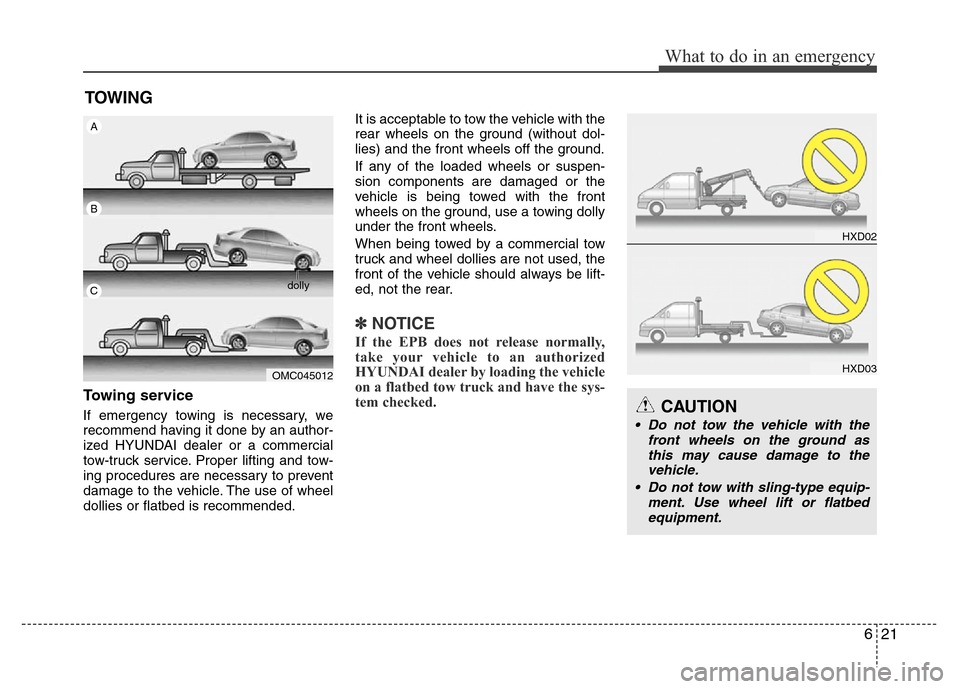
If emergency towing is necessary, we
recommend having it done by an author-
ized HYUNDAI dealer or a commercial
tow-truck service. Proper lifting and tow-
ing procedures are necessary to prevent
damage to the vehicle. The use of wheel
dollies or flatbed is recommended.It is acceptable to tow the vehicle with the
rear wheels on the ground (without dol-
lies) and the front wheels off the ground.
If any of the loaded wheels or suspen-
sion components are damaged or the
vehicle is being towed with the front
wheels on the ground, use a towing dolly
under the front wheels.
When being towed by a commercial tow
truck and wheel dollies are not used, the
front of the vehicle should always be lift-
ed, not the rear.
✽NOTICE
If the EPB does not release normally,
take your vehicle to an authorized
HYUNDAI dealer by loading the vehicle
on a flatbed tow truck and have the sys-
tem checked.
HXD02
HXD03
CAUTION
• Do not tow the vehicle with the
front wheels on the ground as
this may cause damage to the
vehicle.
• Do not tow with sling-type equip-
ment. Use wheel lift or flatbed
equipment.
OMC045012
A
B
Cdolly
TOWING