Page 166 of 573
165
uuAudio SystemuUSB Adapter Cable
Features
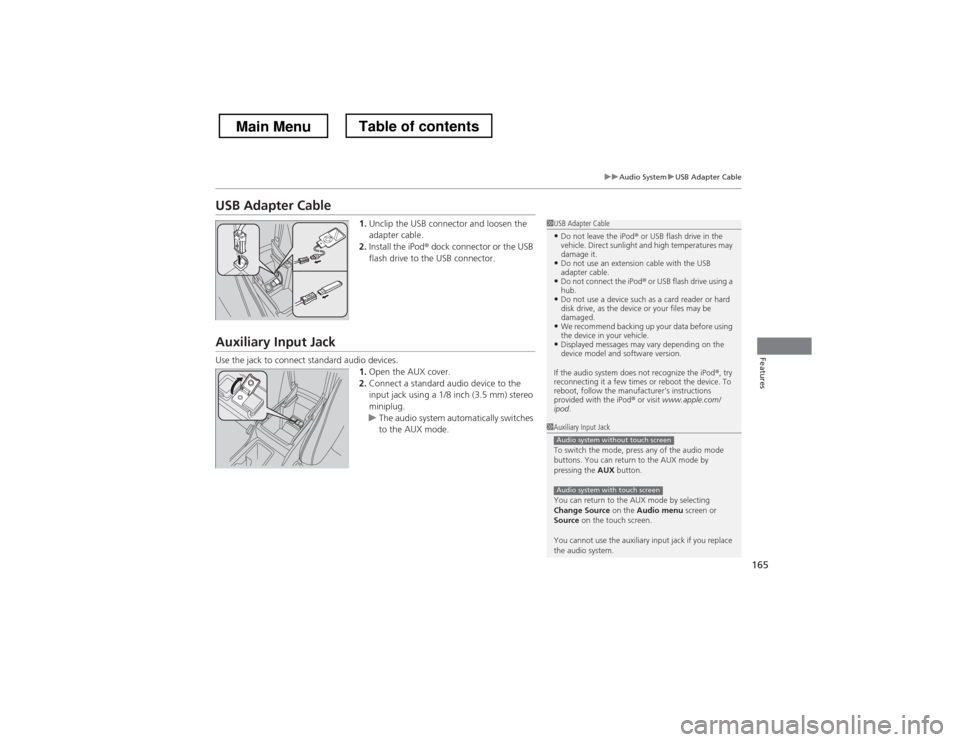
USB Adapter Cable1.Unclip the USB connector and loosen the
adapter cable.
2. Install the iPod ® dock connector or the USB
flash drive to the USB connector.
Auxiliary Input Jack
Use the jack to connect standard audio devices. 1.Open the AUX cover.
2. Connect a standard audio device to the
input jack using a 1/8 inch (3.5 mm) stereo
miniplug.
uThe audio system automatically switches
to the AUX mode.
1USB Adapter Cable
• Do not leave the iPod ® or USB flash drive in the
vehicle. Direct sunlight and high temperatures may damage it.
• Do not use an extension cable with the USB
adapter cable.
• Do not connect the iPod ® or USB flash drive using a
hub.
• Do not use a device such as a card reader or hard
disk drive, as the device or your files may be damaged.
• We recommend backing up your data before using
the device in your vehicle.
• Displayed messages may vary depending on the
device model and software version.
If the audio system does not recognize the iPod ®, try
reconnecting it a few times or reboot the device. To
reboot, follow the manufacturer's instructions provided with the iPod ® or visit www.apple.com/
ipod .
1Auxiliary Input Jack
To switch the mode, press any of the audio mode
buttons. You can return to the AUX mode by
pressing the AUX button.
You can return to the AUX mode by selecting
Change Source on the Audio menu screen or
Source on the touch screen.
You cannot use the auxiliary input jack if you replace
the audio system.
Audio system without touch screen
Audio system with touch screen
Main MenuTable of contents
Page 225 of 573
224
uuAudio System Basic OperationuVoice Control Operation
Features
Voice Control Operation
Your vehicle has a voice control system that allows hands-free operation of most of
the navigation system functions.
The voice control system uses the (Talk) and (hang-up/back) buttons on the
steering wheel and a microphone near the map lights on the ceiling.
To achieve optimum voice recognition when using the navigation voice control system:•Make sure the correct screen is displayed for the voice command that you are
using.
• Close the windows and moonroof.
• Adjust the dashboard and side vents so air does not blow onto the microphone
on the ceiling.
• Speak clearly in a clear, natural speaking voice without pausing between words.
• Reduce any background noise if possible. The system may misinterpret your
command if more than one person is speaking at the same time.
• Refer to the Voice Help feature.
2 Refer to the navigation System Manual
■Voice Recognition
1Voice Control Operation
When you press the button, a helpful prompt asks
what you would like to do. Press and release the
button again to bypass this prompt and give a command.
1Voice Recognition
The voice control system can only be used from the
driver’s seat because the microphone unit removes
noises from the front passenger’s side.
Main MenuTable of contents
Page 279 of 573
uuGeneral Information on the Audio SystemuRecommended CDs
278
Features
■ Protecting CDs
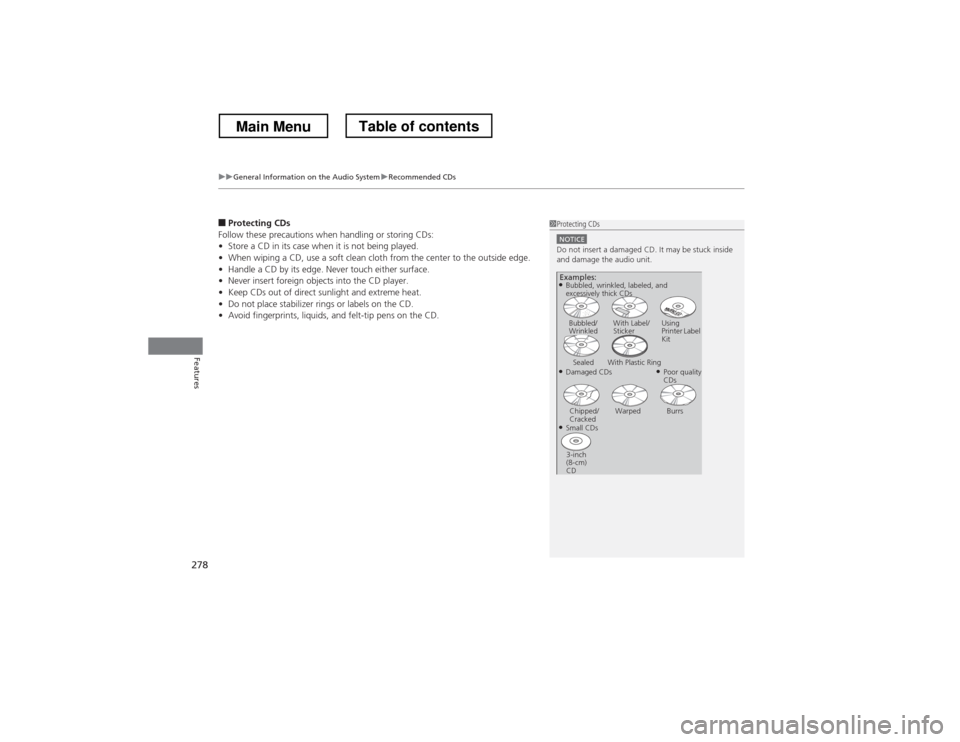
Follow these precautions when handling or storing CDs: • Store a CD in its case when it is not being played.
• When wiping a CD, use a soft clean cloth from the center to the outside edge.
• Handle a CD by its edge. Never touch either surface.
• Never insert foreign objects into the CD player.
• Keep CDs out of direct sunlight and extreme heat.
• Do not place stabilizer rings or labels on the CD.
• Avoid fingerprints, liquids, and felt-tip pens on the CD.1Protecting CDs
NOTICEDo not insert a damaged CD. It may be stuck inside
and damage the audio unit.
Examples:
● Damaged CDsBubbled/
Wrinkled
With Label/Sticker Using
Printer Label Kit
Sealed With Plastic Ring ●Poor quality
CDs
Chipped/
Cracked Warped Burrs
● Small CDs
3-inch
(8-cm) CD
●
Bubbled, wrinkled, labeled, and
excessively thick CDs
Main MenuTable of contents
Page 298 of 573
297
uuCustomized Features*u
Continued
Features
*1:Default SettingSetup
Group Customizable Features Description Selectable Settings
Vehicle
Settings Keyless
Access
Setup
Door Unlock Mode
Changes which doors unlock when you grab the
driver’s door handle. Driver Door Only
*1
/
All Doors
Keyless Access Light Flash Causes some exterior lights to blink when you
unlock/lock the doors.
On
*1
/Off
Keyless Access Beep Sets the beeper sound or not when you grab
either front door handle. On
*1
/Off
Lighting Setup Interior Light Dimming
Time
Changes the length of time the interior lights stay
on after you close the doors. 60seconds
/
30seconds *1
/
15seconds
Headlight Auto Off Timer Changes the length of time the exterior lights
stay on after you close the driver’s door. 60seconds
/
30seconds /
15seconds *1
/
0seconds
Auto Light Sensitivity Changes the timing for the headlights to come on. Max
/High /Mid *1
/
Low /Min
Main MenuTable of contents
Page 309 of 573

308
uuCustomized Features*u
Features
*1:Default SettingSetup
Group Customizable Features Description Selectable Settings
Vehicle
Settings Driving
Position
Setup
Memory Position Link
Changes the driver’s seat and door mirror
positions to a stored setting. On
*1
/Off
Keyless
Access
Setup Door Unlock Mode
Changes which doors unlock when you grab the
driver’s door handle. Drivers Door Only
*1
/
All Doors
Keyless Access Light Flash Causes some exterior lights to blink when you
unlock/lock the doors. On
*1
/Off
Keyless Access Beep Causes the beeper to sound when you unlock/lock the doors.
On
*1
/Off
Lighting Setup Interior Light Dimming
Time
Changes the length of time the interior lights stay
on after you close the doors. 60seconds
/
30seconds *1
/
15seconds
Headlight Auto Off Timer Changes the length of time the exterior lights
stay on after you close the driver’s door. 60seconds
/
30seconds /
15seconds *1
/
0seconds
Auto Light Sensitivity Changes the timing for the headlights to come
on. Max
/High /Mid *1
/
Low /Min
Main MenuTable of contents
Page 411 of 573

410
Driving
Before Driving
Driving Preparation
Check the following items before you start driving. •Make sure there are no obstructions on the windows, door mirrors, exterior
lights, or other parts of the vehicle.
uRemove any frost, snow, or ice.uRemove any snow on the roof, as this can slip down and obstruct your field of
vision while driving. If frozen solid, remove ice once it has softened.
uWhen removing ice from around the wheels, be sure not to damage the wheel
or wheel components.
• Make sure the hood is securely closed.
uIf the hood opens while driving, your front view will be blocked.
• Make sure the tires are in good condition.
uCheck air pressure, and check for damage and excessive wear.
2 Checking and Maintaining Tires P. 497
• Make sure there are no people or objects behind or around the vehicle.
uThere are blind spots from the inside.
■Exterior Checks1Exterior Checks
NOTICEWhen doors are frozen shut, use warm water around
the door edges to melt any ice. Do not try to force
them open, as this can damage the rubber trim
around the doors. When done, wipe dry to avoid further freezing.
Do not pour warm water into the key cylinder.
You will be unable to insert key if the water freezes in
the hole.
Heat from the engine and exhaust can ignite
flammable materials left under the hood, causing a
fire. If you’ve parked your vehicle for an extended
period, inspect and remove any debris that may have
collected, such as dried grass and leaves that have
fallen or have been carried in for use as a nest by a
small animal. Also check under the hood for leftover
flammable materials after you or someone else has
performed maintenance on your vehicle.
Main MenuTable of contents
Page 417 of 573
uuTowing a TraileruTowing Preparation
416
Driving
Towing equipment varies by the size of your trailer, how much load you are towing,
and where you are towing. ■ Hitches
The hitch must be of an approved type and properly bolted to the underbody.
■ Safety chains
Always use safety chains when you tow a trailer. Leave enough slack to allow the
trailer to turn corners easily, but do not allow the chains to drag on the ground.
■ Trailer brakes
There are two common types of trailer brakes: surge and electric. Surge brakes are
common for boat trailers, since the brakes will get wet. If you choose electric brakes,
be sure they are electronically actuated. Do not attempt to attach trailer brakes to
your vehicle’s hydraulic system, as it will lower braking effectiveness and create a
potential hazard.
■ Additional towing equipment
Many states and provinces/territories require special outside mirrors when towing a
trailer. Even if mirrors are not required in your locale, you should install special
mirrors if visibility is restricted in any way.
■Towing Equipment and Accessories1Towing Equipment and Accessories
Make sure that all equipment is properly installed and
maintained, and that it meets federal, state, province/
territory, and local regulations.
Consult your trailer sales or rental agency if any other
items are recommended or required for your towing
situation.
The lighting and wiring of trailers can vary by type
and brand. If a connector is required, it should only
be installed by a qualified technician.
Main MenuTable of contents
Page 418 of 573
417
uuTowing a TraileruTowing Preparation
Driving
■Trailer light
Trailer lights and equipment must comply with federal, state, province/territory, and
local regulations. Check with your local trailer sales or rental agency for the
requirements in the area where you plan to tow.
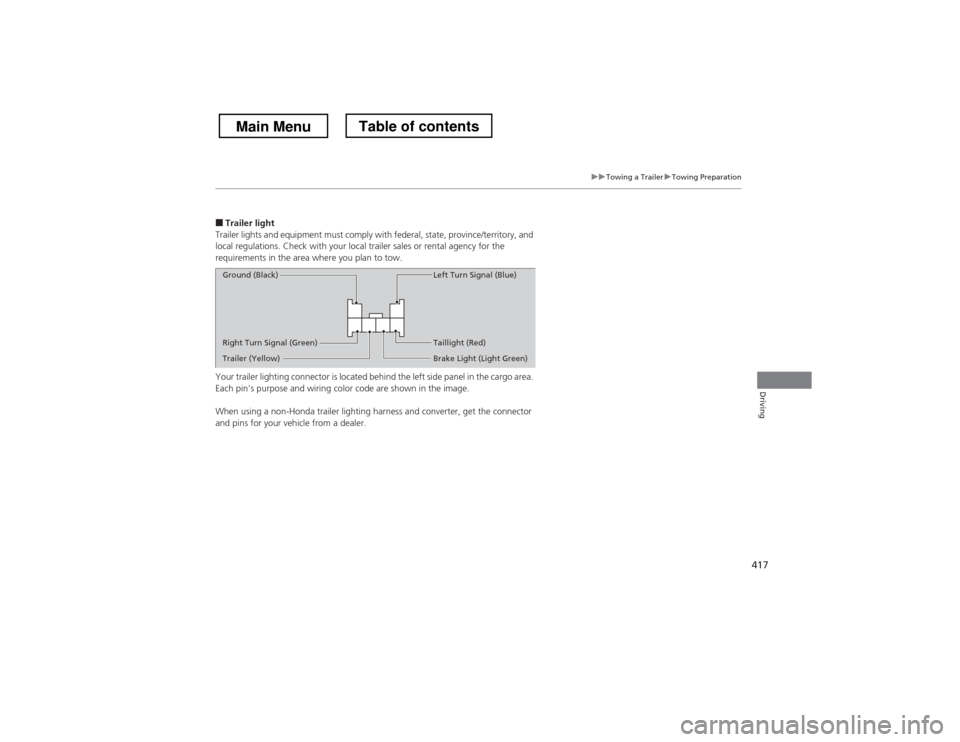
Your trailer lighting connector is located behind the left side panel in the cargo area.
Each pin’s purpose and wiring color code are shown in the image.
When using a non-Honda trailer lighting ha rness and converter, get the connector
and pins for your vehicle from a dealer.
Right Turn Signal (Green)
Ground (Black)
Left Turn Signal (Blue)
Taillight (Red)
Brake Light (Light Green)
Trailer (Yellow)
Main MenuTable of contents