Page 183 of 346
uuBluetooth® HandsFreeLink®uHFL Menus
182Features
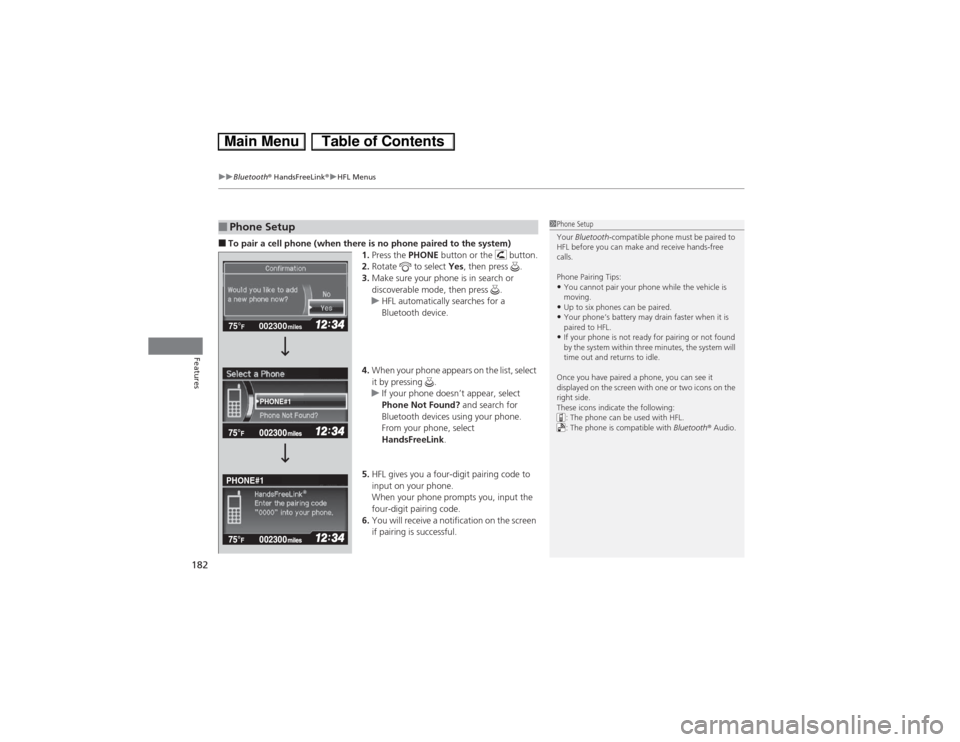
■To pair a cell phone (when there is no phone paired to the system)
1.Press the PHONE button or the button.
2.Rotate to select Yes, then press .
3.Make sure your phone is in search or
discoverable mode, then press .
uHFL automatically searches for a
Bluetooth device.
4.When your phone appears on the list, select
it by pressing .
uIf your phone doesn’t appear, select
Phone Not Found? and search for
Bluetooth devices using your phone.
From your phone, select
HandsFreeLink.
5.HFL gives you a four-digit pairing code to
input on your phone.
When your phone prompts you, input the
four-digit pairing code.
6.You will receive a notification on the screen
if pairing is successful.■Phone Setup
1Phone Setup
Your Bluetooth-compatible phone must be paired to
HFL before you can make and receive hands-free
calls.
Phone Pairing Tips:•You cannot pair your phone while the vehicle is
moving.•Up to six phones can be paired.•Your phone’s battery may drain faster when it is
paired to HFL.•If your phone is not ready for pairing or not found
by the system within three minutes, the system will
time out and returns to idle.
Once you have paired a phone, you can see it
displayed on the screen with one or two icons on the
right side.
These icons indicate the following:
: The phone can be used with HFL.
: The phone is compatible with Bluetooth® Audio.
002300 75°
F miles
PHONE#1
PHONE#1
Page 193 of 346
uuBluetooth® HandsFreeLink®uHFL Menus
192Features
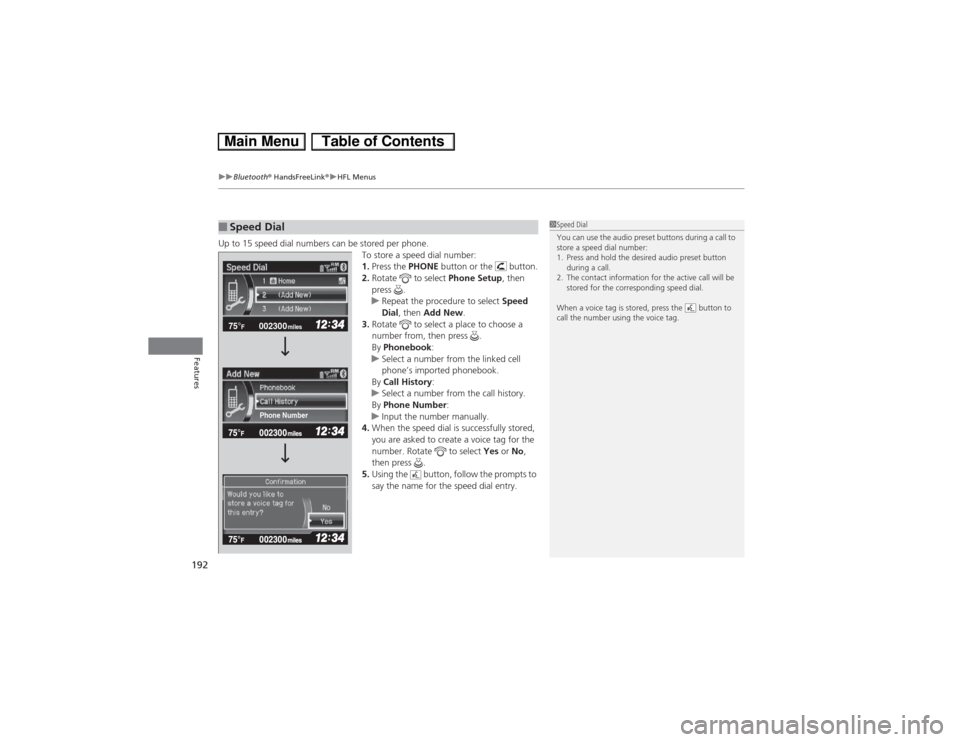
Up to 15 speed dial numbers can be stored per phone.
To store a speed dial number:
1.Press the PHONE button or the button.
2.Rotate to select Phone Setup, then
press .
uRepeat the procedure to select Speed
Dial, then Add New.
3.Rotate to select a place to choose a
number from, then press .
By Phonebook:
uSelect a number from the linked cell
phone’s imported phonebook.
By Call History:
uSelect a number from the call history.
By Phone Number:
uInput the number manually.
4.When the speed dial is successfully stored,
you are asked to create a voice tag for the
number. Rotate to select Yes or No,
then press .
5.Using the button, follow the prompts to
say the name for the speed dial entry.■Speed Dial
1Speed Dial
You can use the audio preset buttons during a call to
store a speed dial number:
1. Press and hold the desired audio preset button
during a call.
2. The contact information for the active call will be
stored for the corresponding speed dial.
When a voice tag is stored, press the button to
call the number using the voice tag.
002300 75°
F miles
Phone Number
Page 196 of 346
Continued
195
uuBluetooth® HandsFreeLink®uHFL Menus
Features
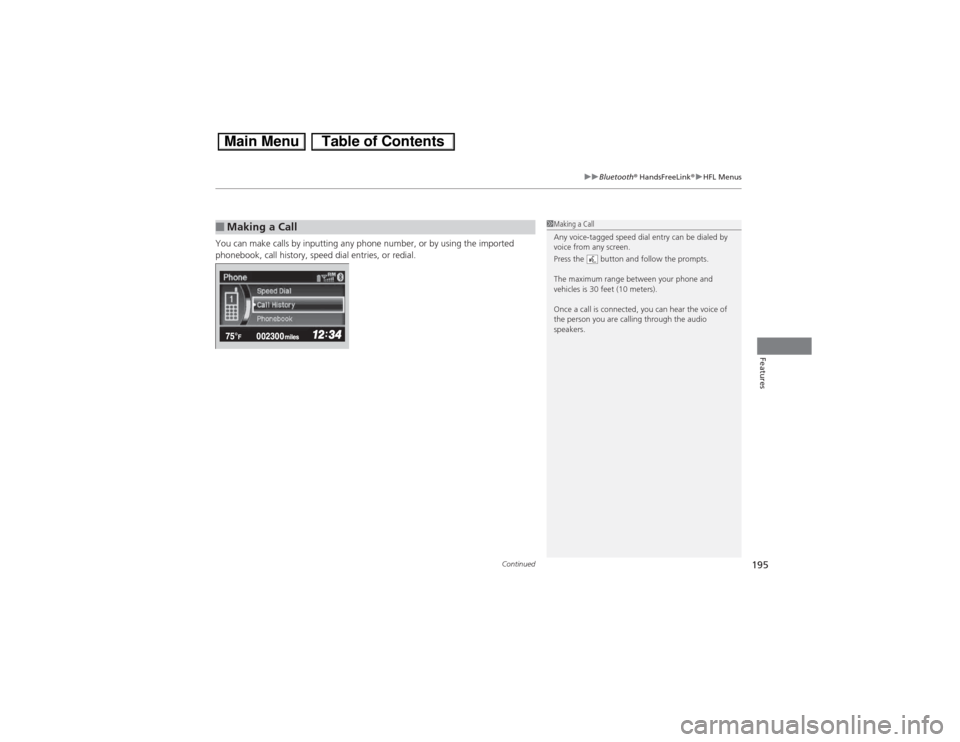
You can make calls by inputting any phone number, or by using the imported
phonebook, call history, speed dial entries, or redial.■Making a Call
1Making a Call
Any voice-tagged speed dial entry can be dialed by
voice from any screen.
Press the button and follow the prompts.
The maximum range between your phone and
vehicles is 30 feet (10 meters).
Once a call is connected, you can hear the voice of
the person you are calling through the audio
speakers.
Page 199 of 346
uuBluetooth® HandsFreeLink®uHFL Menus
198Features
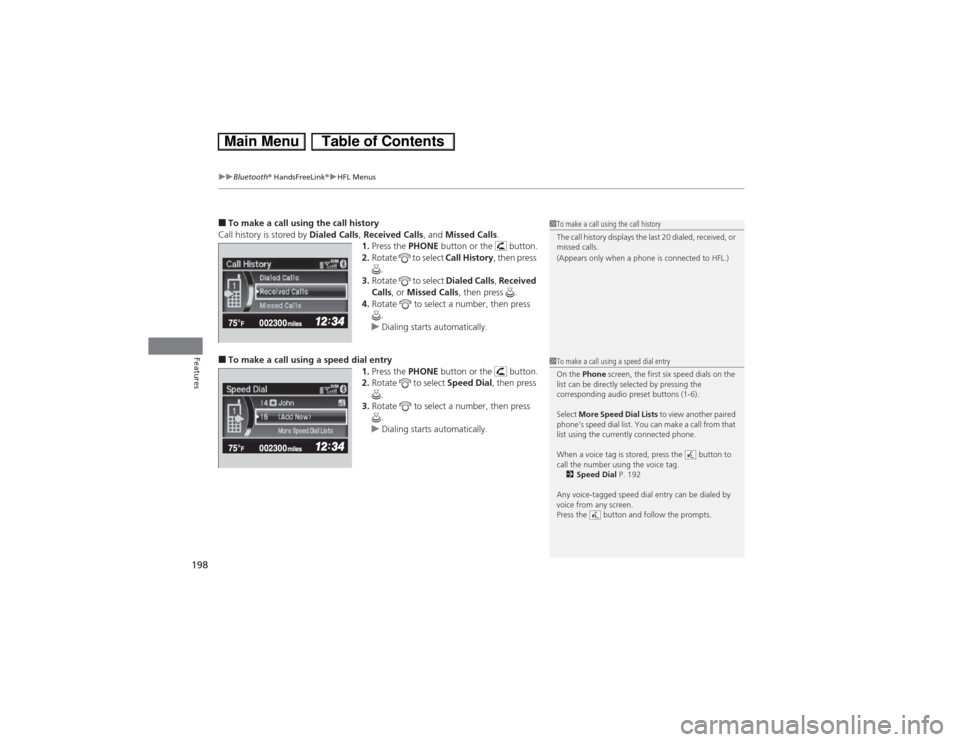
■To make a call using the call history
Call history is stored by Dialed Calls, Received Calls, and Missed Calls.
1.Press the PHONE button or the button.
2.Rotate to select Call History, then press
.
3.Rotate to select Dialed Calls, Received
Calls, or Missed Calls, then press .
4.Rotate to select a number, then press
.
uDialing starts automatically.■To make a call using a speed dial entry
1.Press the PHONE button or the button.
2.Rotate to select Speed Dial, then press
.
3.Rotate to select a number, then press
.
uDialing starts automatically.
1To make a call using the call history
The call history displays the last 20 dialed, received, or
missed calls.
(Appears only when a phone is connected to HFL.)1To make a call using a speed dial entry
On the Phone screen, the first six speed dials on the
list can be directly selected by pressing the
corresponding audio preset buttons (1-6).
Select More Speed Dial Lists to view another paired
phone’s speed dial list. You can make a call from that
list using the currently connected phone.
When a voice tag is stored, press the button to
call the number using the voice tag.
2Speed Dial P. 192
Any voice-tagged speed dial entry can be dialed by
voice from any screen.
Press the button and follow the prompts.
Page 289 of 346
288Maintenance
12 Volt BatteryChecking the 12 Volt BatteryCheck the battery condition monthly and check the terminals for corrosion.
If your vehicle’s battery is disconnected or goes dead:
•The audio system is disabled.
2Reactivating the audio system P. 146
•The clock resets.
2Setting the Clock P. 104
•The navigation system
* is disabled.
2Refer to the navigation system manual
Charging the BatteryDisconnect both battery cables to prevent damaging your vehicle’s electrical system.
Always disconnect the negative (-) cable first, and reconnect it last.
112 Volt BatteryWARNING: Battery post, terminals,
and related accessories contain lead
and lead compounds.
Wash your hands after handling.When you find corrosion, clean the battery terminals
by applying a baking powder and water solution.
Clean the terminals with a damp towel. Cloth/towel
dry the battery. Coat the terminals with grease to
help prevent future corrosion.
3
WARNING
The battery gives off explosive hydrogen
gas during normal operation.
A spark or flame can cause the battery to
explode with enough force to kill or
seriously hurt you.
When conducting any battery
maintenance, wear protective clothing and
a face shield, or have a skilled technician do
it.
* Not available on all models
Page 292 of 346
291
Continued
Maintenance
CleaningInterior CareUse a damp cloth with a mixture of mild detergent and warm water to remove dirt.
Use a clean cloth to remove detergent residue.
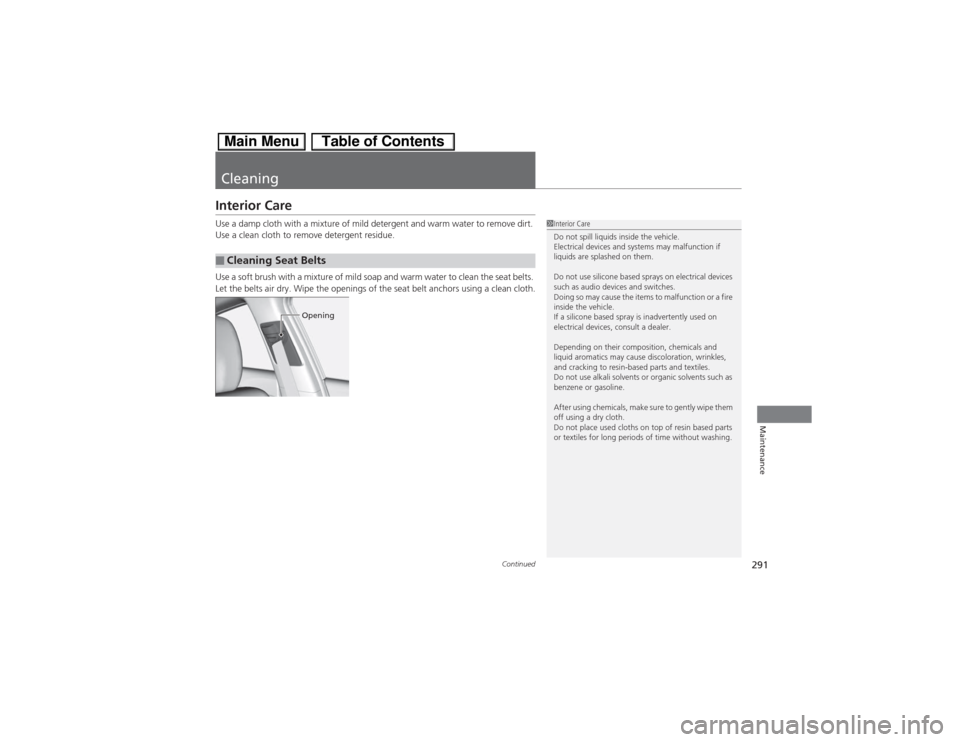
Use a soft brush with a mixture of mild soap and warm water to clean the seat belts.
Let the belts air dry. Wipe the openings of the seat belt anchors using a clean cloth.■Cleaning Seat Belts
1Interior Care
Do not spill liquids inside the vehicle.
Electrical devices and systems may malfunction if
liquids are splashed on them.
Do not use silicone based sprays on electrical devices
such as audio devices and switches.
Doing so may cause the items to malfunction or a fire
inside the vehicle.
If a silicone based spray is inadvertently used on
electrical devices, consult a dealer.
Depending on their composition, chemicals and
liquid aromatics may cause discoloration, wrinkles,
and cracking to resin-based parts and textiles.
Do not use alkali solvents or organic solvents such as
benzene or gasoline.
After using chemicals, make sure to gently wipe them
off using a dry cloth.
Do not place used cloths on top of resin based parts
or textiles for long periods of time without washing.
Opening
Page 294 of 346
293
uuCleaninguExterior Care
Continued
Maintenance
Exterior CareDust off the vehicle body after you drive.
Regularly inspect your vehicle for scratches on painted surfaces. A scratch on a
painted surface can result in body rust. If you find a scratch, promptly repair it.
Wash the vehicle regularly. Wash more frequently when driving in the following
conditions:
•If driving on roads with road salt.
•If driving in coastal areas.
•If tar, soot, bird droppings, insects, or tree sap are stuck to painted surfaces.
Make sure to follow the instructions indicated on the automated car wash:
•Remove the audio antenna.
•Fold in the door mirrors.
•Keep sufficient distance between the cleaning nozzle and the vehicle body.
•Take particular care around the windows. Standing too close may cause water to
enter the vehicle interior. Do not spray water into the engine compartment.■Washing the Vehicle■Using an Automated Car Wash■Using High Pressure Cleaners
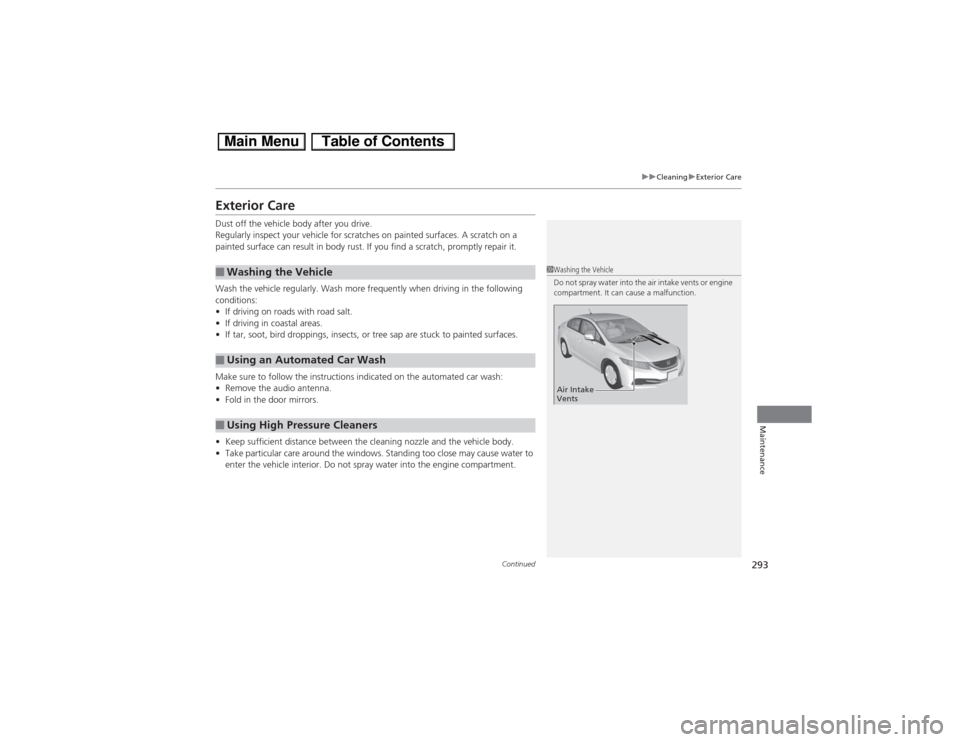
1Washing the Vehicle
Do not spray water into the air intake vents or engine
compartment. It can cause a malfunction.Air Intake
Vents
Page 313 of 346
312Handling the Unexpected
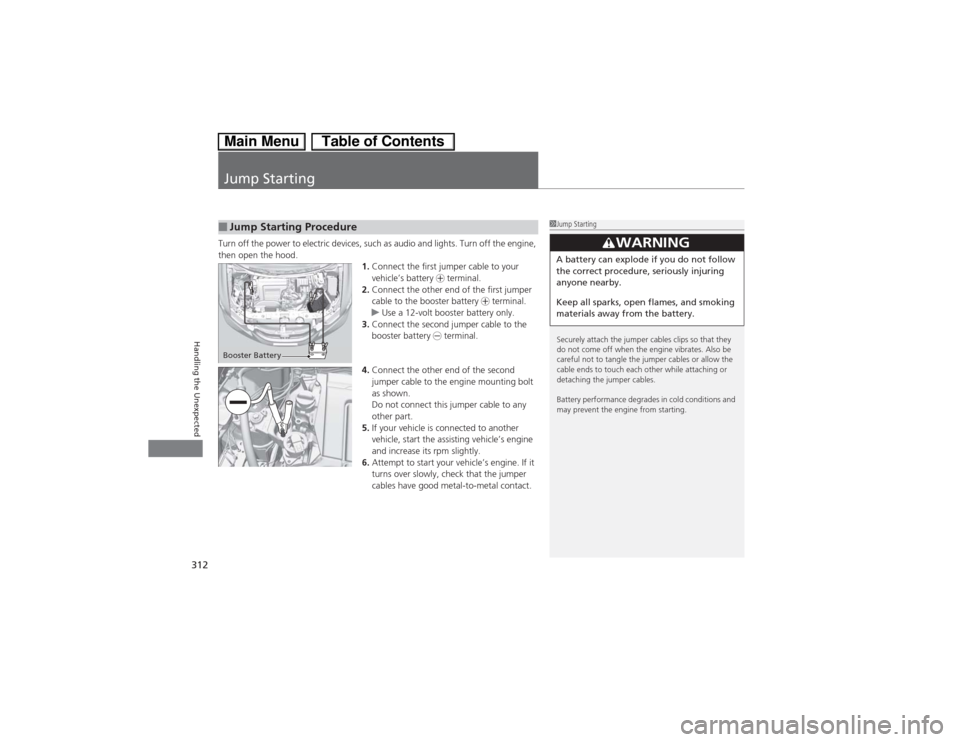
Jump StartingTurn off the power to electric devices, such as audio and lights. Turn off the engine,
then open the hood.
1.Connect the first jumper cable to your
vehicle’s battery + terminal.
2.Connect the other end of the first jumper
cable to the booster battery + terminal.
uUse a 12-volt booster battery only.
3.Connect the second jumper cable to the
booster battery - terminal.
4.Connect the other end of the second
jumper cable to the engine mounting bolt
as shown.
Do not connect this jumper cable to any
other part.
5.If your vehicle is connected to another
vehicle, start the assisting vehicle’s engine
and increase its rpm slightly.
6.Attempt to start your vehicle’s engine. If it
turns over slowly, check that the jumper
cables have good metal-to-metal contact.■Jump Starting Procedure
1Jump Starting
Securely attach the jumper cables clips so that they
do not come off when the engine vibrates. Also be
careful not to tangle the jumper cables or allow the
cable ends to touch each other while attaching or
detaching the jumper cables.
Battery performance degrades in cold conditions and
may prevent the engine from starting.
3
WARNING
A battery can explode if you do not follow
the correct procedure, seriously injuring
anyone nearby.
Keep all sparks, open flames, and smoking
materials away from the battery.
Booster Battery