Page 5 of 541
Transmission 192
Automatic transmission.................................192
All-Wheel Drive 197
All wheel drive.......................................197
Brakes 204
Brakes.............................................204
Hints on driving with anti-lock brakes......................205
Parking brake........................................205
Traction Control 206
TractionControl™ ....................................206
Stability Control 207
AdvanceTrac�........................................209
Parking Aids 210
Sensing system.......................................210
Active park assist.....................................212
Rear-view camera system...............................216
Cruise Control 220
Using cruise control...................................220
Using Adaptive Cruise Control............................221
Driving Aids 229
Blind Spot Information System (BLIS) with Cross Traffic Alert
(CTA) .............................................229
Collision warning system................................234
Steering............................................238
Table of Contents5
2013 Taurus
Owners Guide gf, 1st Printing
USA(fus)
Page 11 of 541
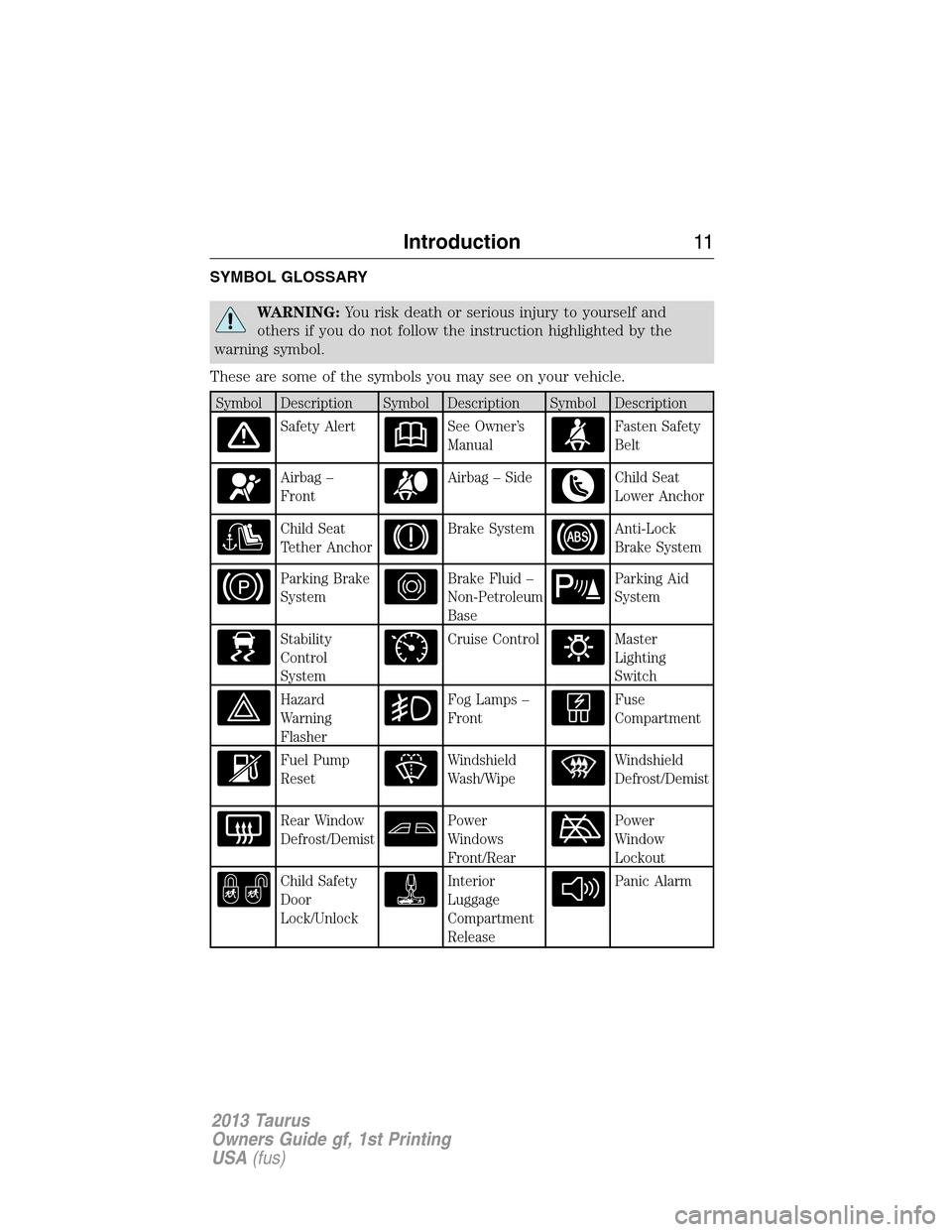
SYMBOL GLOSSARY
WARNING:You risk death or serious injury to yourself and
others if you do not follow the instruction highlighted by the
warning symbol.
These are some of the symbols you may see on your vehicle.
Symbol Description Symbol Description Symbol Description
Safety AlertSee Owner’s
ManualFasten Safety
Belt
Airbag –
FrontAirbag – SideChild Seat
Lower Anchor
Child Seat
Tether AnchorBrake SystemAnti-Lock
Brake System
Parking Brake
SystemBrake Fluid –
Non-Petroleum
BaseParking Aid
System
Stability
Control
SystemCruise ControlMaster
Lighting
Switch
Hazard
Warning
FlasherFog Lamps –
FrontFuse
Compartment
Fuel Pump
ResetWindshield
Wash/WipeWindshield
Defrost/Demist
Rear Window
Defrost/DemistPower
Windows
Front/RearPower
Window
Lockout
Child Safety
Door
Lock/UnlockInterior
Luggage
Compartment
ReleasePanic Alarm
Introduction11
2013 Taurus
Owners Guide gf, 1st Printing
USA(fus)
Page 84 of 541
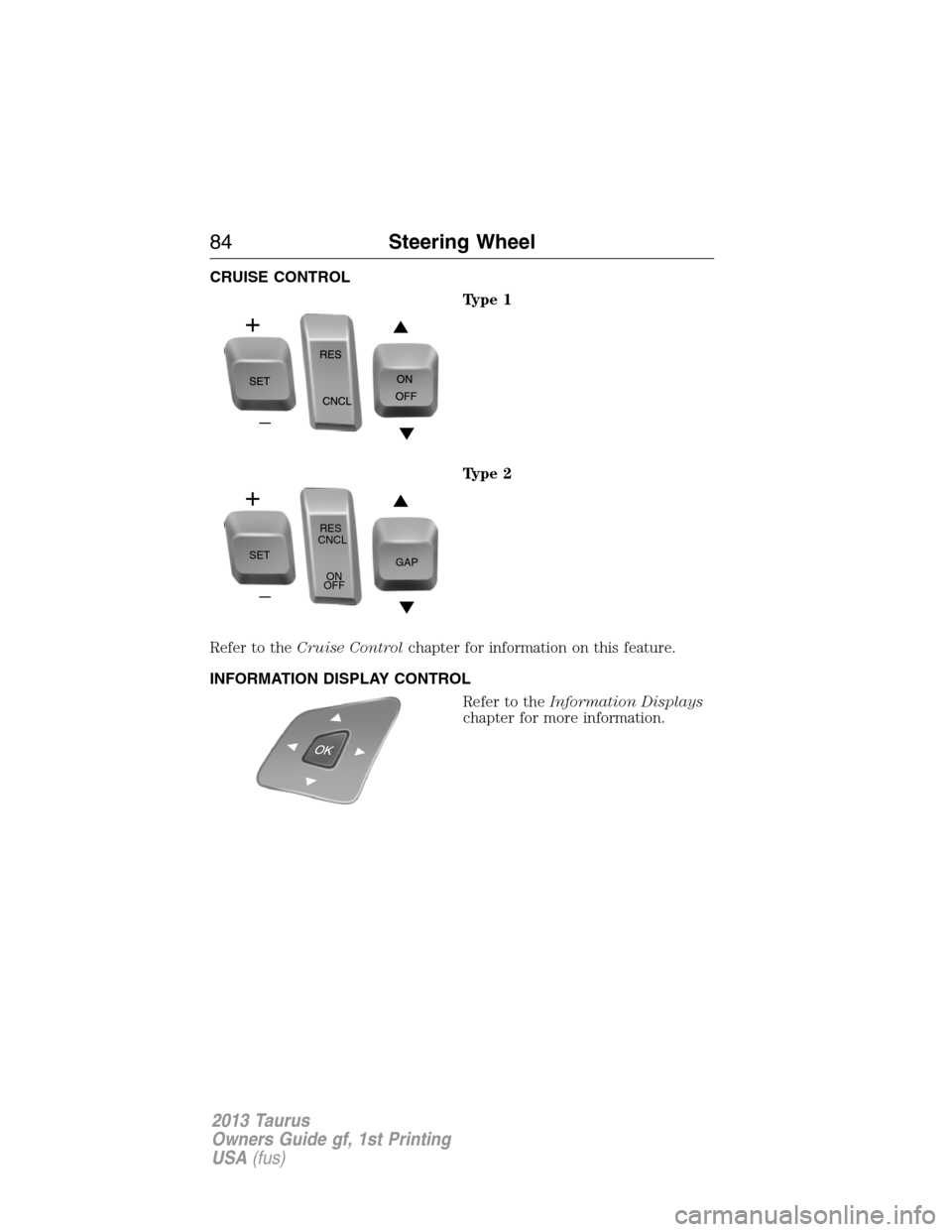
CRUISE CONTROL
Type 1
Type 2
Refer to theCruise Controlchapter for information on this feature.
INFORMATION DISPLAY CONTROL
Refer to theInformation Displays
chapter for more information.
SETRES
CNCL
ON
OFFGAP
84Steering Wheel
2013 Taurus
Owners Guide gf, 1st Printing
USA(fus)
Page 103 of 541
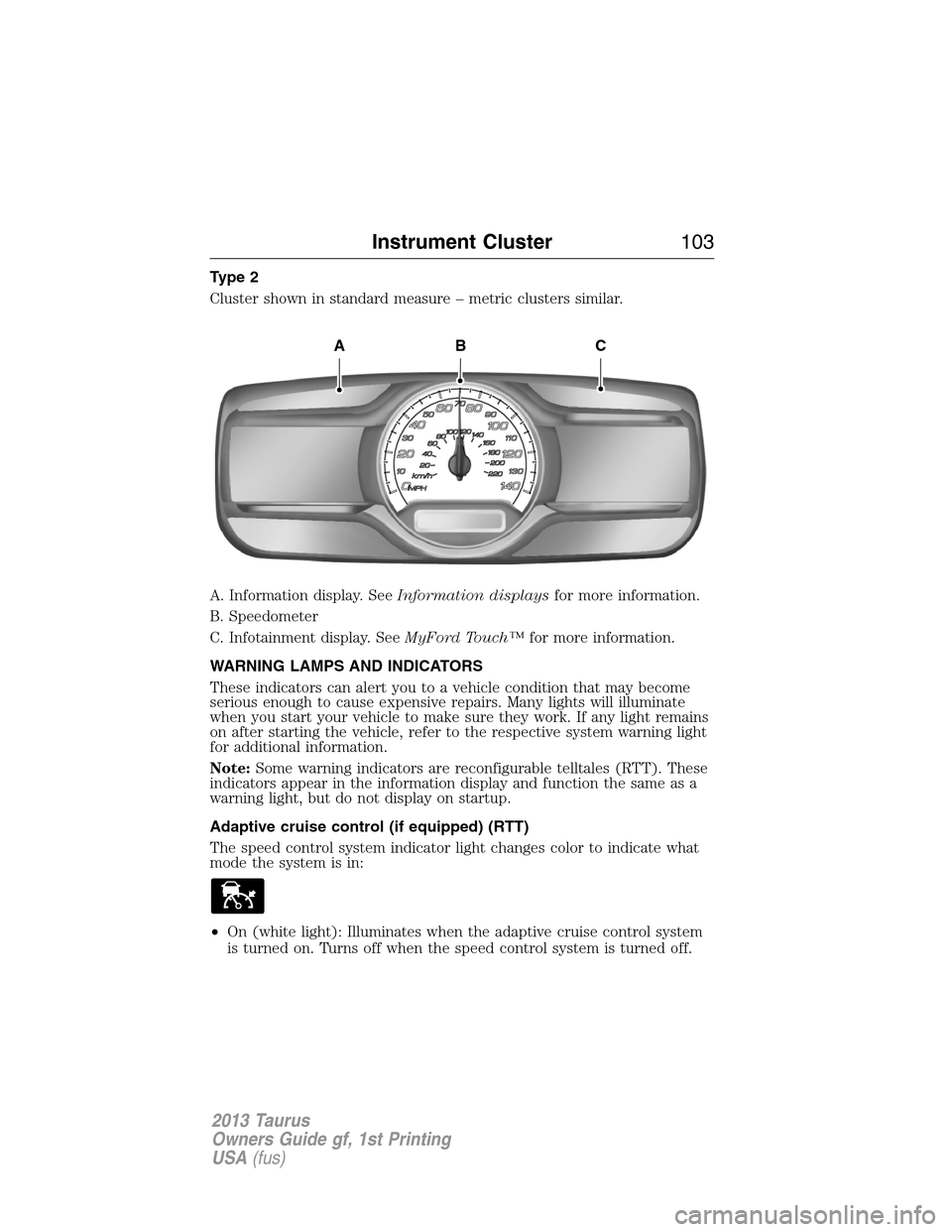
Type 2
Cluster shown in standard measure – metric clusters similar.
A. Information display. SeeInformation displaysfor more information.
B. Speedometer
C. Infotainment display. SeeMyFord Touch™for more information.
WARNING LAMPS AND INDICATORS
These indicators can alert you to a vehicle condition that may become
serious enough to cause expensive repairs. Many lights will illuminate
when you start your vehicle to make sure they work. If any light remains
on after starting the vehicle, refer to the respective system warning light
for additional information.
Note:Some warning indicators are reconfigurable telltales (RTT). These
indicators appear in the information display and function the same as a
warning light, but do not display on startup.
Adaptive cruise control (if equipped) (RTT)
The speed control system indicator light changes color to indicate what
mode the system is in:
•On (white light): Illuminates when the adaptive cruise control system
is turned on. Turns off when the speed control system is turned off.
ABC
Instrument Cluster103
2013 Taurus
Owners Guide gf, 1st Printing
USA(fus)
Page 104 of 541
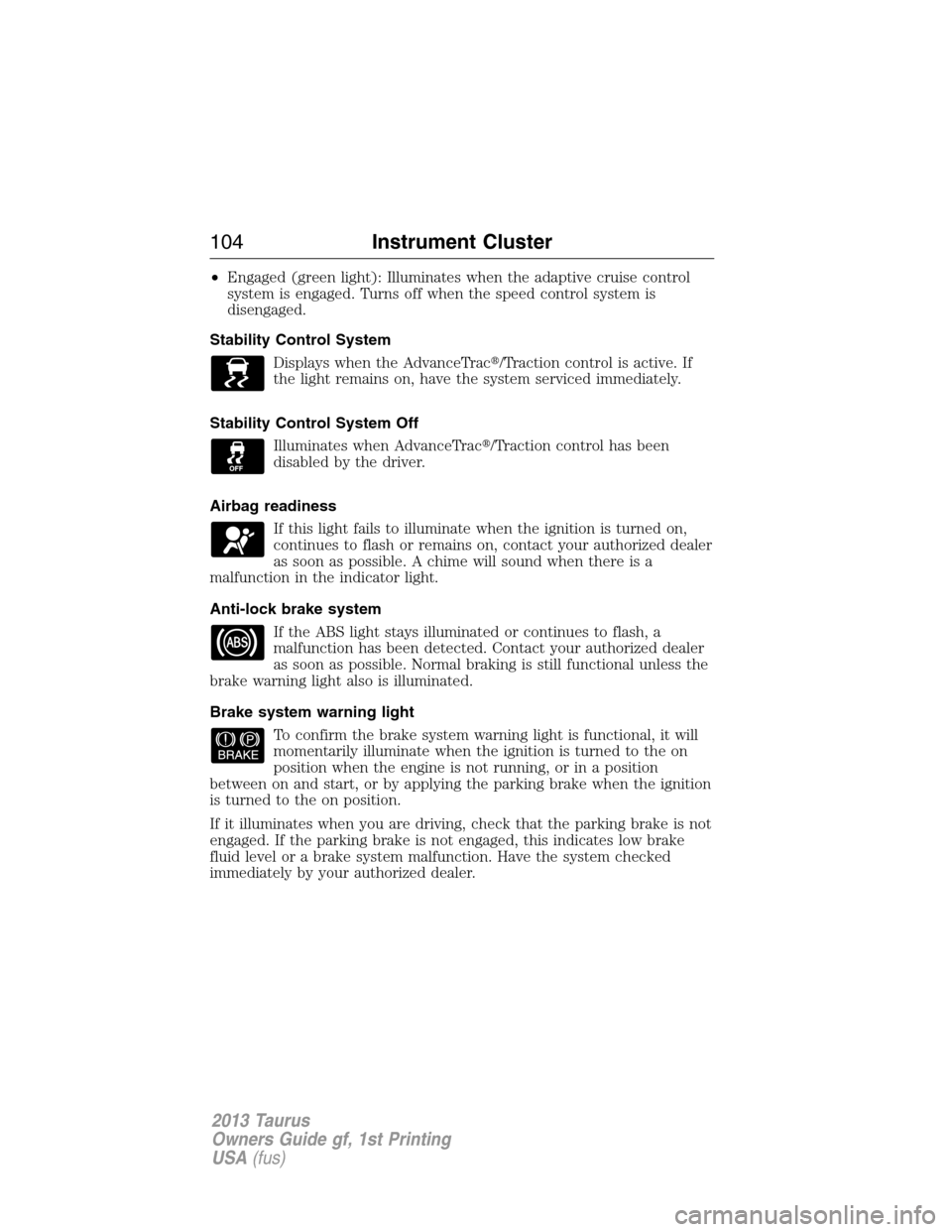
•Engaged (green light): Illuminates when the adaptive cruise control
system is engaged. Turns off when the speed control system is
disengaged.
Stability Control System
Displays when the AdvanceTrac�/Traction control is active. If
the light remains on, have the system serviced immediately.
Stability Control System Off
Illuminates when AdvanceTrac�/Traction control has been
disabled by the driver.
Airbag readiness
If this light fails to illuminate when the ignition is turned on,
continues to flash or remains on, contact your authorized dealer
as soon as possible. A chime will sound when there is a
malfunction in the indicator light.
Anti-lock brake system
If the ABS light stays illuminated or continues to flash, a
malfunction has been detected. Contact your authorized dealer
as soon as possible. Normal braking is still functional unless the
brake warning light also is illuminated.
Brake system warning light
To confirm the brake system warning light is functional, it will
momentarily illuminate when the ignition is turned to the on
position when the engine is not running, or in a position
between on and start, or by applying the parking brake when the ignition
is turned to the on position.
If it illuminates when you are driving, check that the parking brake is not
engaged. If the parking brake is not engaged, this indicates low brake
fluid level or a brake system malfunction. Have the system checked
immediately by your authorized dealer.
104Instrument Cluster
2013 Taurus
Owners Guide gf, 1st Printing
USA(fus)
Page 106 of 541

Heads up display (if equipped)
A red beam of lights will illuminate on the windshield in certain
instances when using adaptive cruise control and/or the collision
warning system. It will also illuminate momentarily when you
start your vehicle to make sure the display works.
High beams
Illuminates when the high-beam headlamps are on.
Low fuel (RTT)
Illuminates when the fuel level in the fuel tank is at or near
empty.
Low tire pressure warning
Illuminates when your tire pressure is low. If the light remains
on at start up or while driving, the tire pressure should be
checked. When the ignition is first turned to on, the light will
illuminate for 3 seconds to ensure the bulb is working. If the light does
not turn on or begins to flash, contact your authorized dealer as soon as
possible.
Low washer fluid (RTT)
Illuminates when the windshield washer fluid is low.
Park lamps
Illuminates when the park lamps are on.
Powertrain malfunction/reduced power (RTT)
Illuminates when a powertrain or an AWD fault has been
detected. Contact your authorized dealer as soon as possible.
106Instrument Cluster
2013 Taurus
Owners Guide gf, 1st Printing
USA(fus)
Page 110 of 541
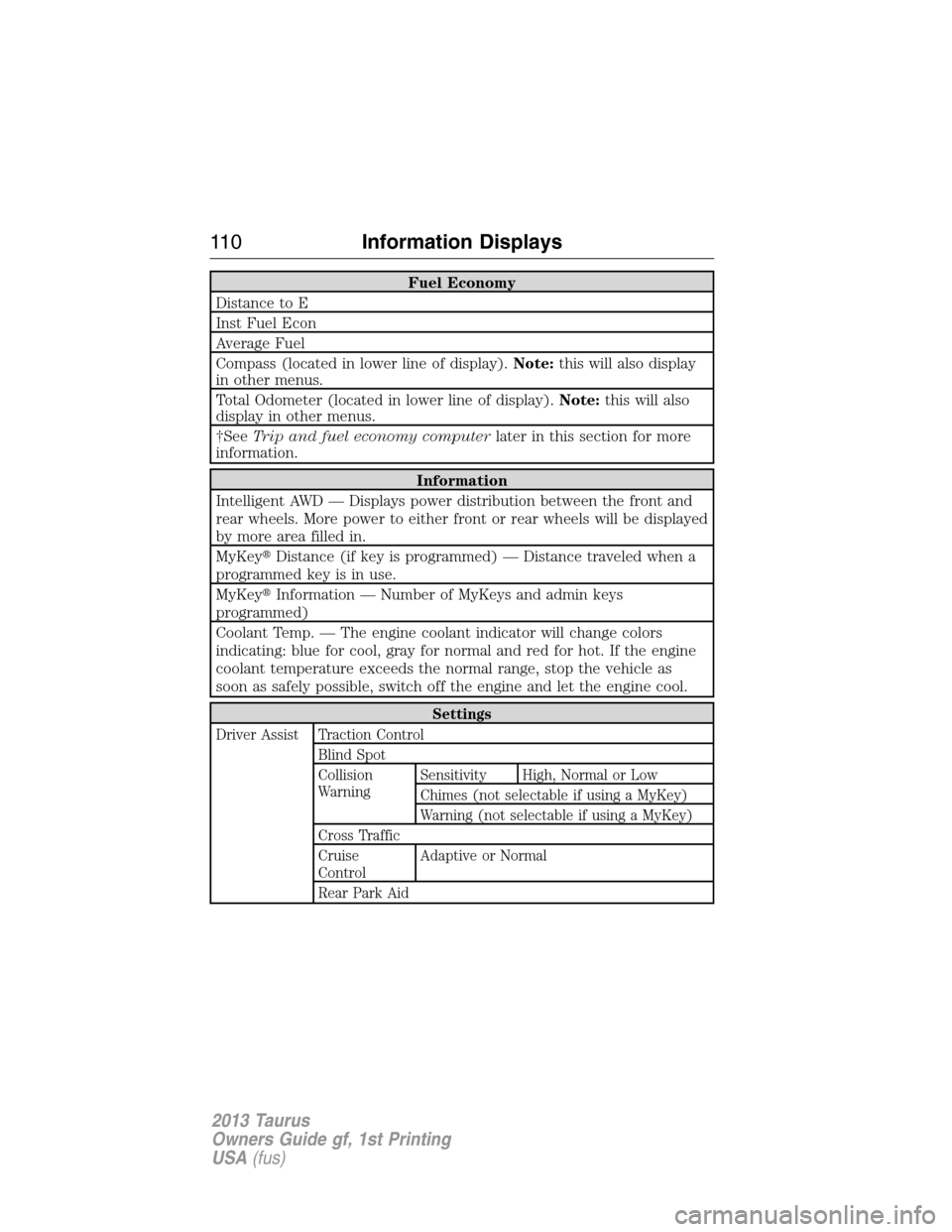
Fuel Economy
Distance to E
Inst Fuel Econ
Average Fuel
Compass (located in lower line of display).Note:this will also display
in other menus.
Total Odometer (located in lower line of display).Note:this will also
display in other menus.
†SeeTrip and fuel economy computerlater in this section for more
information.
Information
Intelligent AWD — Displays power distribution between the front and
rear wheels. More power to either front or rear wheels will be displayed
by more area filled in.
MyKey�Distance (if key is programmed) — Distance traveled when a
programmed key is in use.
MyKey�Information — Number of MyKeys and admin keys
programmed)
Coolant Temp. — The engine coolant indicator will change colors
indicating: blue for cool, gray for normal and red for hot. If the engine
coolant temperature exceeds the normal range, stop the vehicle as
soon as safely possible, switch off the engine and let the engine cool.
Settings
Driver Assist Traction Control
Blind Spot
Collision
WarningSensitivity High, Normal or Low
Chimes (not selectable if using a MyKey)
Warning (not selectable if using a MyKey)
Cross Traffic
Cruise
ControlAdaptive or Normal
Rear Park Aid
11 0Information Displays
2013 Taurus
Owners Guide gf, 1st Printing
USA(fus)
Page 117 of 541
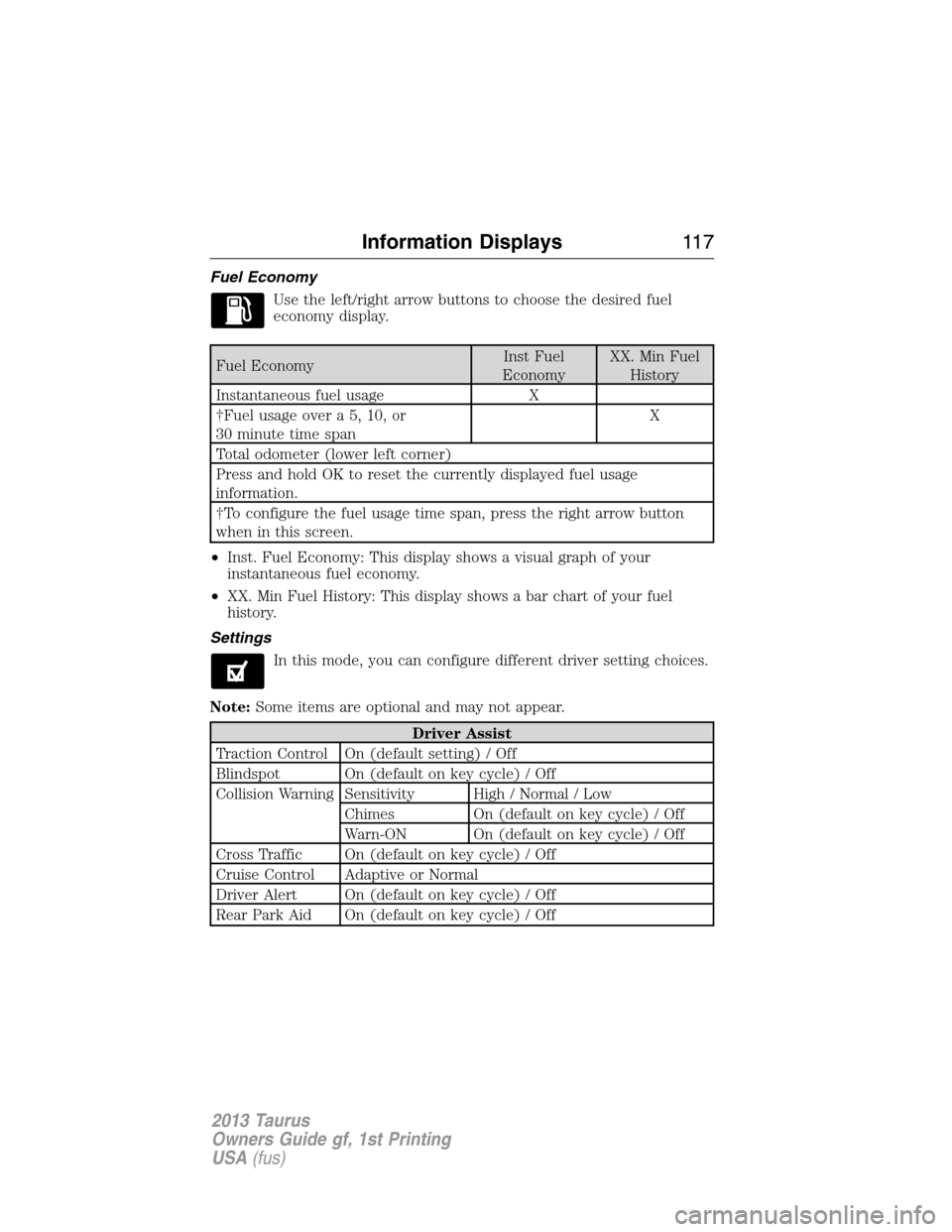
Fuel Economy
Use the left/right arrow buttons to choose the desired fuel
economy display.
Fuel EconomyInst Fuel
EconomyXX. Min Fuel
History
Instantaneous fuel usage X
†Fuel usage over a 5, 10, or
30 minute time spanX
Total odometer (lower left corner)
Press and hold OK to reset the currently displayed fuel usage
information.
†To configure the fuel usage time span, press the right arrow button
when in this screen.
•Inst. Fuel Economy: This display shows a visual graph of your
instantaneous fuel economy.
•XX. Min Fuel History: This display shows a bar chart of your fuel
history.
Settings
In this mode, you can configure different driver setting choices.
Note:Some items are optional and may not appear.
Driver Assist
Traction Control On (default setting) / Off
Blindspot On (default on key cycle) / Off
Collision Warning Sensitivity High / Normal / Low
Chimes On (default on key cycle) / Off
Warn-ON On (default on key cycle) / Off
Cross Traffic On (default on key cycle) / Off
Cruise Control Adaptive or Normal
Driver Alert On (default on key cycle) / Off
Rear Park Aid On (default on key cycle) / Off
Information Displays11 7
2013 Taurus
Owners Guide gf, 1st Printing
USA(fus)