Page 431 of 541
USB/Media issues
Issue Possible
Cause(s)Possible Solution(s)
I’m having trouble
connecting my
device.Possible device
malfunction.Try turning off the device,
resetting the device or removing
the device’s battery, then trying
again.
Make sure you are using the
manufacturer’s cable.
Make sure the USB cable is
properly inserted into the device
and the vehicle’s USB port.
Make sure that the device does
not have an auto-install program
or active security settings.
SYNC does not
recognize my
device when I
turn on the car.This is a device
limitation.Make sure you are not leaving
the device in your vehicle during
very hot or cold temperatures.
Bluetoothaudio
does not stream.This is a phone
dependent
feature, OR
The device is not
connected.Make sure the device is
connected to SYNC and that you
have pressed play on your
device.
SYNC does not
recognize music
that is on my
device.Your music files
may not contain
the proper artist,
song title, album
or genre
information, OR
The file may be
corrupted, OR
The song may
have copyright
protection which
does not allow it
to play.Make sure that all song details
are populated.
Some devices require you to
change the USB settings from
mass storage to MTP class.
SYNC�431
2013 Taurus
Owners Guide gf, 1st Printing
USA(fus)
Page 441 of 541
ACCESSING AND ADJUSTING MODES THROUGH YOUR
INFOTAINMENT DISPLAY (IF EQUIPPED)
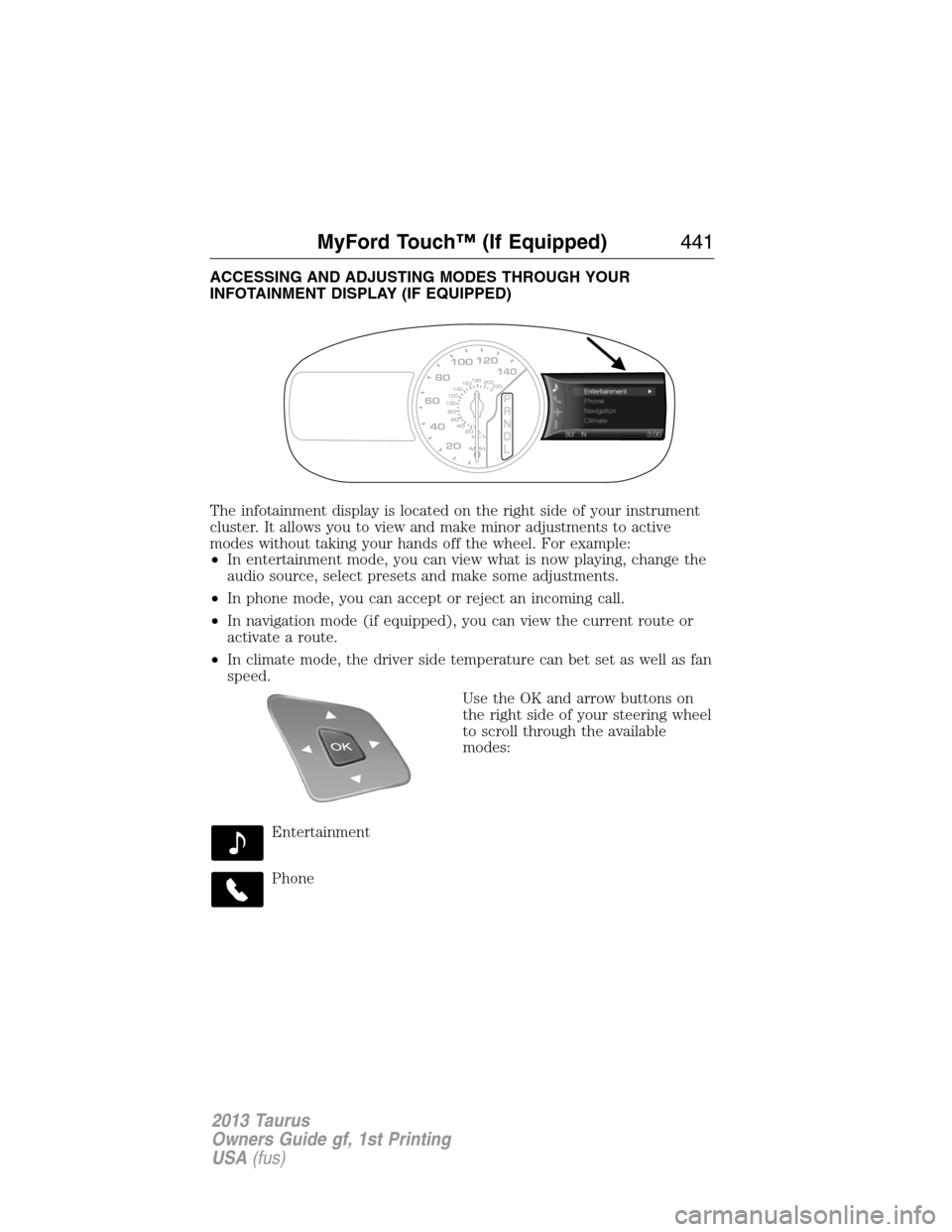
The infotainment display is located on the right side of your instrument
cluster. It allows you to view and make minor adjustments to active
modes without taking your hands off the wheel. For example:
•In entertainment mode, you can view what is now playing, change the
audio source, select presets and make some adjustments.
•In phone mode, you can accept or reject an incoming call.
•In navigation mode (if equipped), you can view the current route or
activate a route.
•In climate mode, the driver side temperature can bet set as well as fan
speed.
Use the OK and arrow buttons on
the right side of your steering wheel
to scroll through the available
modes:
Entertainment
Phone
km/h
80
60
40
20
0
20
0 40 60 80
100120140160180
200
220
100120140
MPH
MyFord Touch™ (If Equipped)441
2013 Taurus
Owners Guide gf, 1st Printing
USA(fus)
Page 443 of 541
How to Use Voice Commands with Your System
Press the voice icon; after the tone, speak your command
clearly.
Say: If you want to:
“Phone” Make calls.
“USB” Access the device connected to your USB
port.
“Bluetooth Audio” Stream audio from your phone.
“Line in” Access the device connected to the auxiliary
input jack.
“Cancel” Cancel the requested action.
“SYNC” Return to the main menu.
“Voice settings” Adjust the level of voice interaction and
feedback.
“Vehicle Health Report” Run a vehicle health report.*
“Services” Access the SYNC Services portal.*
“Mobile Apps” Access mobile applications.*
“Help” Hear a list of voice commands available in the
current mode.
*If equipped, U.S. only
These commands can be said at any time
“Main Menu”
“List of Commands”
“What can I say?”
“Next Page”
“Previous Page”
“Go Back”
“Cancel”
“Exit”
“Help”
MyFord Touch™ (If Equipped)443
2013 Taurus
Owners Guide gf, 1st Printing
USA(fus)
Page 444 of 541
What Can I Say?
To access the available voice commands for the current session, do one
of the following:
•During a voice session, press the lower left status bar of the screen,
OR
•Say “What can I say?” for an on-screen listing of the possible voice
commands associated with your current voice session, OR
•Press the voice icon; after the tone, say “Help” for an audible list of
possible voice commands.
To Access a List of Available Commands
•Press Menu > Help > Voice Command List, OR
•Press the voice icon; after the tone, speak your command clearly (if
available):
Voice command list
“List of Commands”
“Phone List of Commands ”
“Radio List of Commands”
“CD List of Commands”
“Navigation List of Commands”*
“Travel Link List of Commands”*
“Sirius Satellite List of Commands”*
“Audio List of Commands”
“USB List of Commands”
“SD Card List of Commands”
“Bluetooth Audio List of Commands”
“Browse List of Commands”
“Climate Control List of Commands”
“Voice Settings List of Commands”
“Voice Instructions List of Commands”
“Help”
*If equipped
444MyFord Touch™ (If Equipped)
2013 Taurus
Owners Guide gf, 1st Printing
USA(fus)
Page 449 of 541
LISTENING TO MUSIC
Your system offers many media options. You can access these options
using the touchscreen or voice commands.
Browse Voice Commands
When listening to any type of audio, you can browse through other
devices without having to change sources. For example, if you are
currently listening to the radio, you can browse all the artists that are
stored on your USB device.
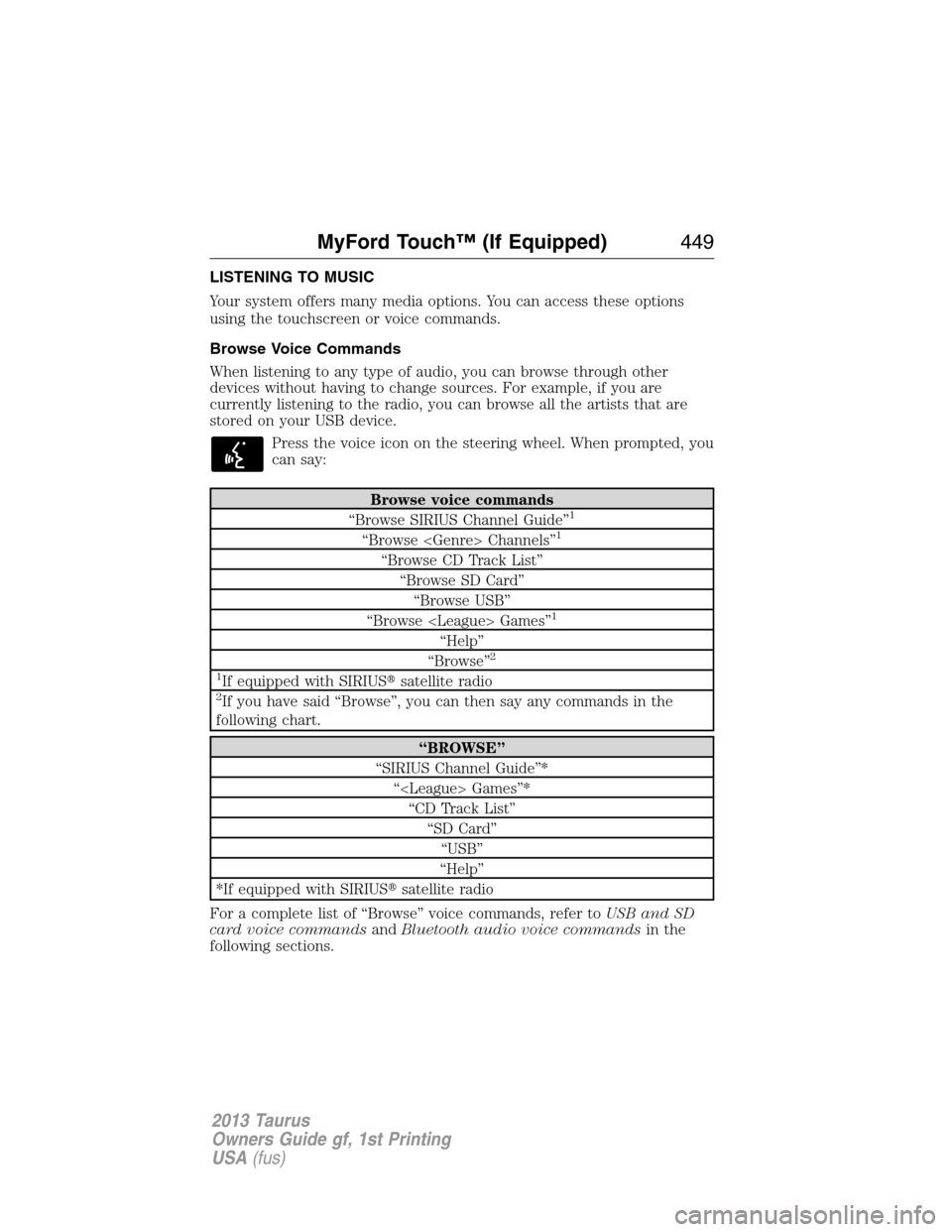
Press the voice icon on the steering wheel. When prompted, you
can say:
Browse voice commands
“Browse SIRIUS Channel Guide”1
“Browse Channels”1
“Browse CD Track List”
“Browse SD Card”
“Browse USB”
“Browse Games”
1
“Help”
“Browse”2
1
If equipped with SIRIUS�satellite radio2If you have said “Browse”, you can then say any commands in the
following chart.
“BROWSE”
“SIRIUS Channel Guide”*
“ Games”*
“CD Track List”
“SD Card”
“USB”
“Help”
*If equipped with SIRIUS�satellite radio
For a complete list of “Browse” voice commands, refer toUSB and SD
card voice commandsandBluetooth audio voice commandsin the
following sections.
MyFord Touch™ (If Equipped)449
2013 Taurus
Owners Guide gf, 1st Printing
USA(fus)
Page 451 of 541
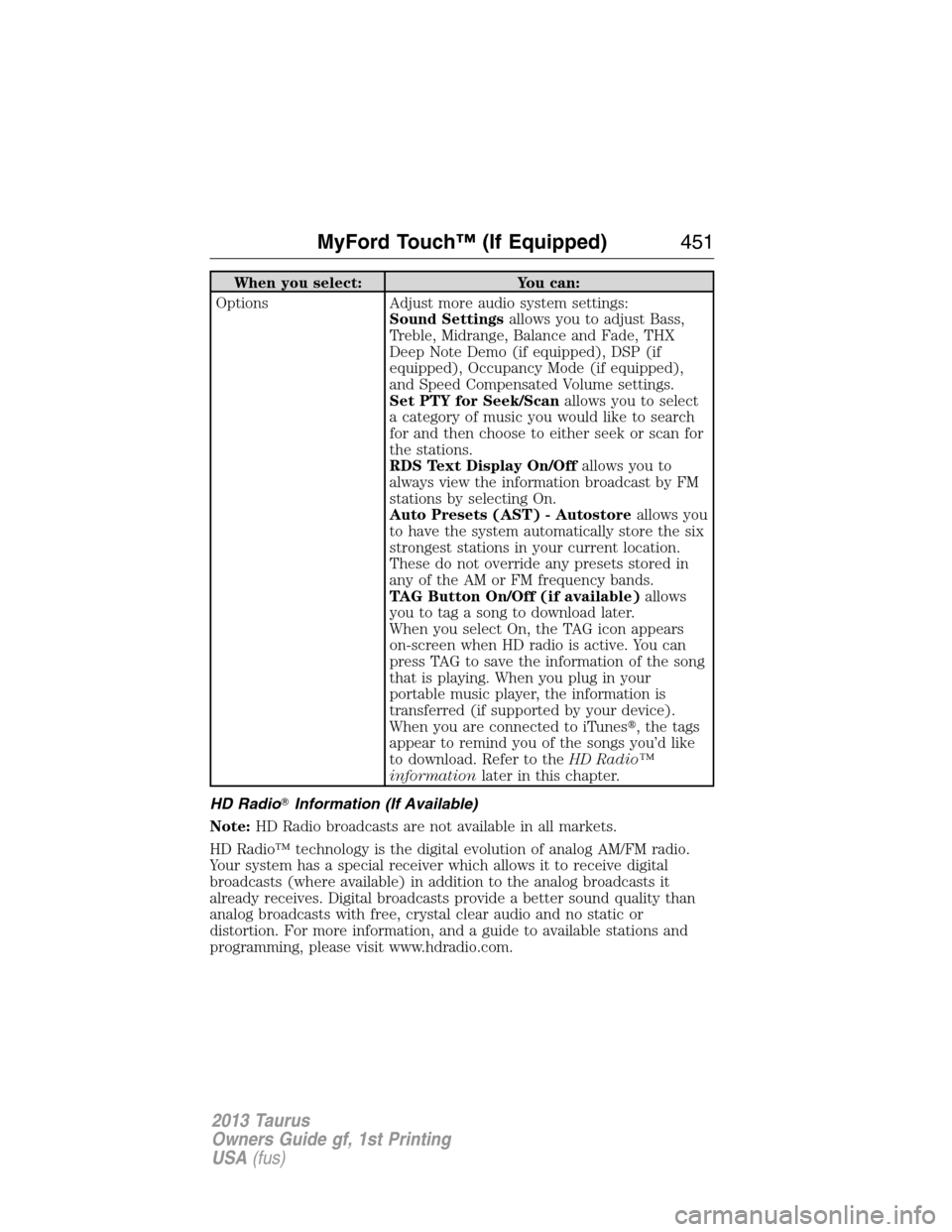
When you select: You can:
Options Adjust more audio system settings:
Sound Settingsallows you to adjust Bass,
Treble, Midrange, Balance and Fade, THX
Deep Note Demo (if equipped), DSP (if
equipped), Occupancy Mode (if equipped),
and Speed Compensated Volume settings.
Set PTY for Seek/Scanallows you to select
a category of music you would like to search
for and then choose to either seek or scan for
the stations.
RDS Text Display On/Offallows you to
always view the information broadcast by FM
stations by selecting On.
Auto Presets (AST) - Autostoreallows you
to have the system automatically store the six
strongest stations in your current location.
These do not override any presets stored in
any of the AM or FM frequency bands.
TAG Button On/Off (if available)allows
you to tag a song to download later.
When you select On, the TAG icon appears
on-screen when HD radio is active. You can
press TAG to save the information of the song
that is playing. When you plug in your
portable music player, the information is
transferred (if supported by your device).
When you are connected to iTunes�, the tags
appear to remind you of the songs you’d like
to download. Refer to theHD Radio™
informationlater in this chapter.
HD Radio�Information (If Available)
Note:HD Radio broadcasts are not available in all markets.
HD Radio™ technology is the digital evolution of analog AM/FM radio.
Your system has a special receiver which allows it to receive digital
broadcasts (where available) in addition to the analog broadcasts it
already receives. Digital broadcasts provide a better sound quality than
analog broadcasts with free, crystal clear audio and no static or
distortion. For more information, and a guide to available stations and
programming, please visit www.hdradio.com.
MyFord Touch™ (If Equipped)451
2013 Taurus
Owners Guide gf, 1st Printing
USA(fus)
Page 452 of 541
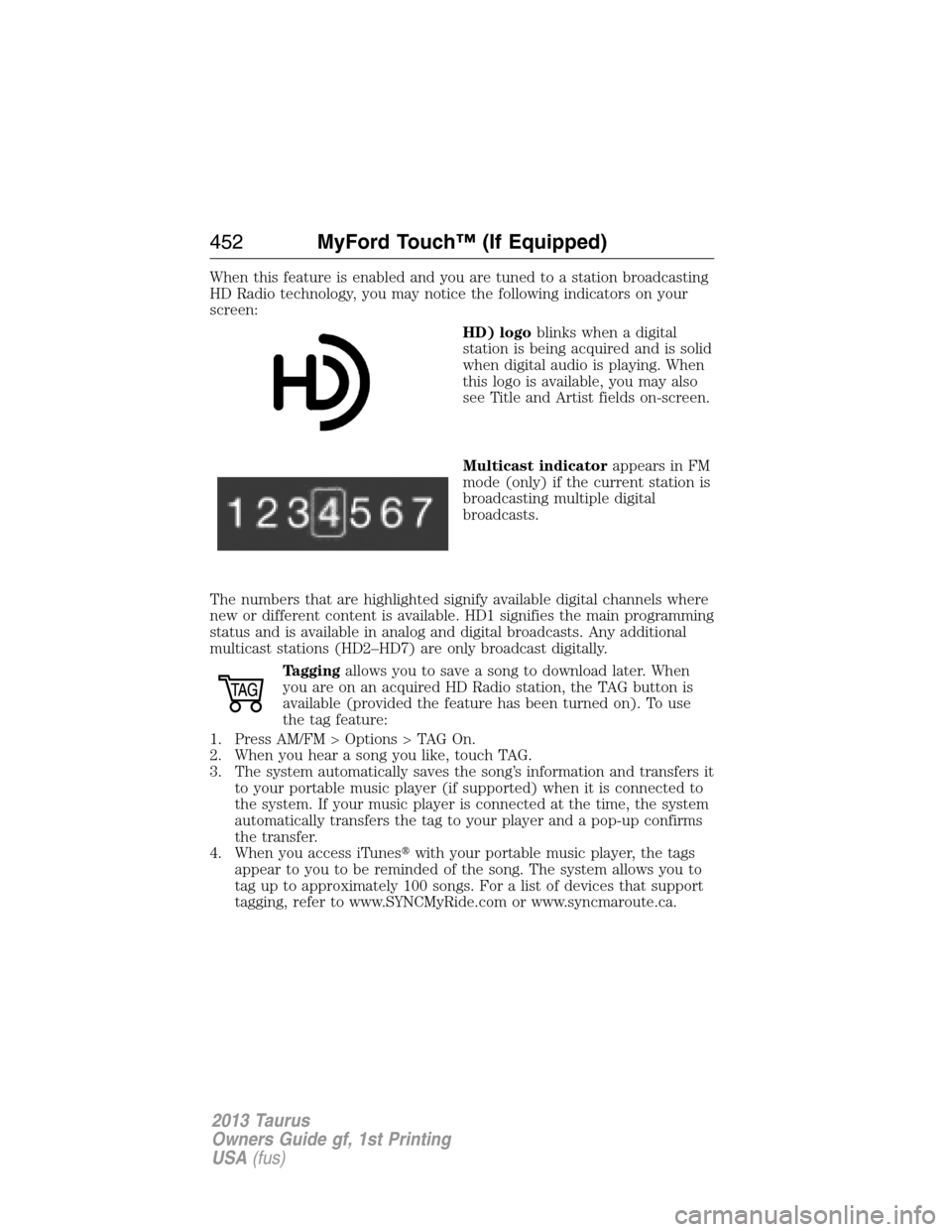
When this feature is enabled and you are tuned to a station broadcasting
HD Radio technology, you may notice the following indicators on your
screen:
HD) logoblinks when a digital
station is being acquired and is solid
when digital audio is playing. When
this logo is available, you may also
see Title and Artist fields on-screen.
Multicast indicatorappears in FM
mode (only) if the current station is
broadcasting multiple digital
broadcasts.
The numbers that are highlighted signify available digital channels where
new or different content is available. HD1 signifies the main programming
status and is available in analog and digital broadcasts. Any additional
multicast stations (HD2–HD7) are only broadcast digitally.
Taggingallows you to save a song to download later. When
you are on an acquired HD Radio station, the TAG button is
available (provided the feature has been turned on). To use
the tag feature:
1. Press AM/FM > Options > TAG On.
2. When you hear a song you like, touch TAG.
3. The system automatically saves the song’s information and transfers it
to your portable music player (if supported) when it is connected to
the system. If your music player is connected at the time, the system
automatically transfers the tag to your player and a pop-up confirms
the transfer.
4. When you access iTunes�with your portable music player, the tags
appear to you to be reminded of the song. The system allows you to
tag up to approximately 100 songs. For a list of devices that support
tagging, refer to www.SYNCMyRide.com or www.syncmaroute.ca.
452MyFord Touch™ (If Equipped)
2013 Taurus
Owners Guide gf, 1st Printing
USA(fus)
Page 453 of 541
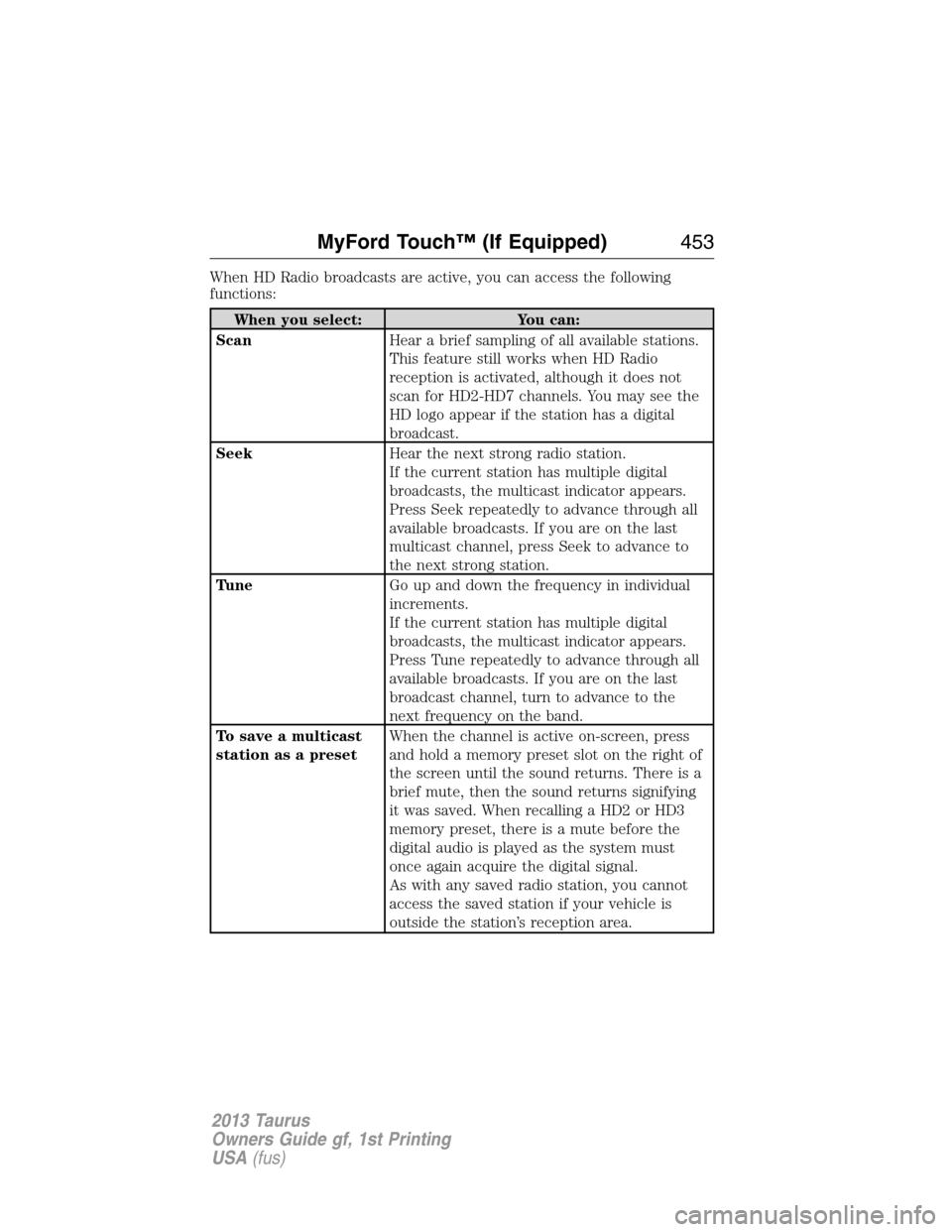
When HD Radio broadcasts are active, you can access the following
functions:
When you select: You can:
ScanHear a brief sampling of all available stations.
This feature still works when HD Radio
reception is activated, although it does not
scan for HD2-HD7 channels. You may see the
HD logo appear if the station has a digital
broadcast.
SeekHear the next strong radio station.
If the current station has multiple digital
broadcasts, the multicast indicator appears.
Press Seek repeatedly to advance through all
available broadcasts. If you are on the last
multicast channel, press Seek to advance to
the next strong station.
TuneGo up and down the frequency in individual
increments.
If the current station has multiple digital
broadcasts, the multicast indicator appears.
Press Tune repeatedly to advance through all
available broadcasts. If you are on the last
broadcast channel, turn to advance to the
next frequency on the band.
To save a multicast
station as a presetWhen the channel is active on-screen, press
and hold a memory preset slot on the right of
the screen until the sound returns. There is a
brief mute, then the sound returns signifying
it was saved. When recalling a HD2 or HD3
memory preset, there is a mute before the
digital audio is played as the system must
once again acquire the digital signal.
As with any saved radio station, you cannot
access the saved station if your vehicle is
outside the station’s reception area.
MyFord Touch™ (If Equipped)453
2013 Taurus
Owners Guide gf, 1st Printing
USA(fus)