Page 443 of 541
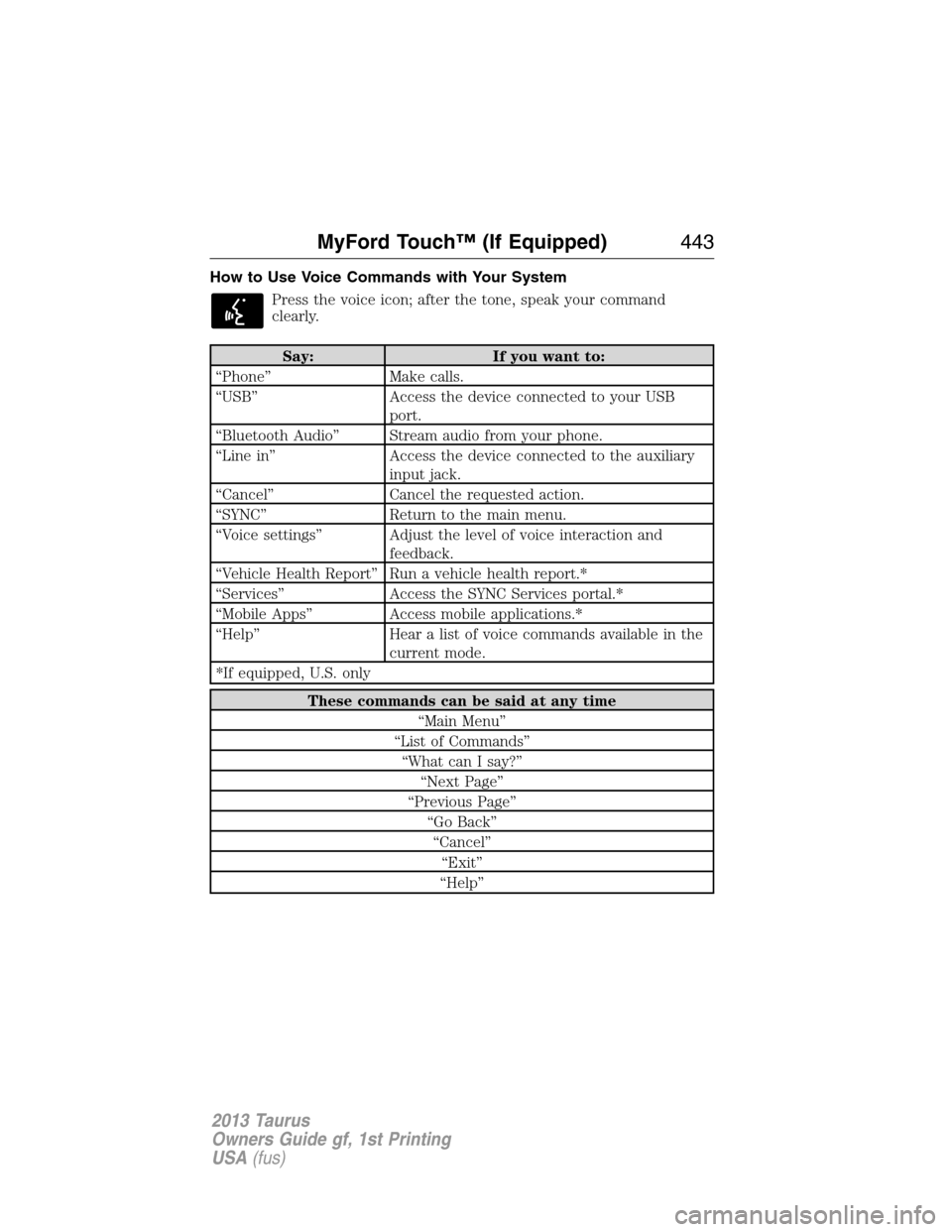
How to Use Voice Commands with Your System
Press the voice icon; after the tone, speak your command
clearly.
Say: If you want to:
“Phone” Make calls.
“USB” Access the device connected to your USB
port.
“Bluetooth Audio” Stream audio from your phone.
“Line in” Access the device connected to the auxiliary
input jack.
“Cancel” Cancel the requested action.
“SYNC” Return to the main menu.
“Voice settings” Adjust the level of voice interaction and
feedback.
“Vehicle Health Report” Run a vehicle health report.*
“Services” Access the SYNC Services portal.*
“Mobile Apps” Access mobile applications.*
“Help” Hear a list of voice commands available in the
current mode.
*If equipped, U.S. only
These commands can be said at any time
“Main Menu”
“List of Commands”
“What can I say?”
“Next Page”
“Previous Page”
“Go Back”
“Cancel”
“Exit”
“Help”
MyFord Touch™ (If Equipped)443
2013 Taurus
Owners Guide gf, 1st Printing
USA(fus)
Page 472 of 541
Bluetooth Audio
Your system allows you to stream audio over your vehicle’s speakers from
your connected, Bluetooth-enabled cellular phone.
To access, press the lower left corner on the touchscreen, then
select the BT tab.
Bluetooth Audio Voice Commands
If you are listening to a Bluetooth Audio device, press the voice
button on the steering wheel controls. When prompted, say any
of the commands in the following chart.
If you are not listening to a Bluetooth Audio device, press the voice
button and, after the tone, say “Bluetooth Audio”, then any of the
commands in the following chart.
Bluetooth audio voice commands
“Next”
“Pause”
“Play”
“Previous”
“Help”
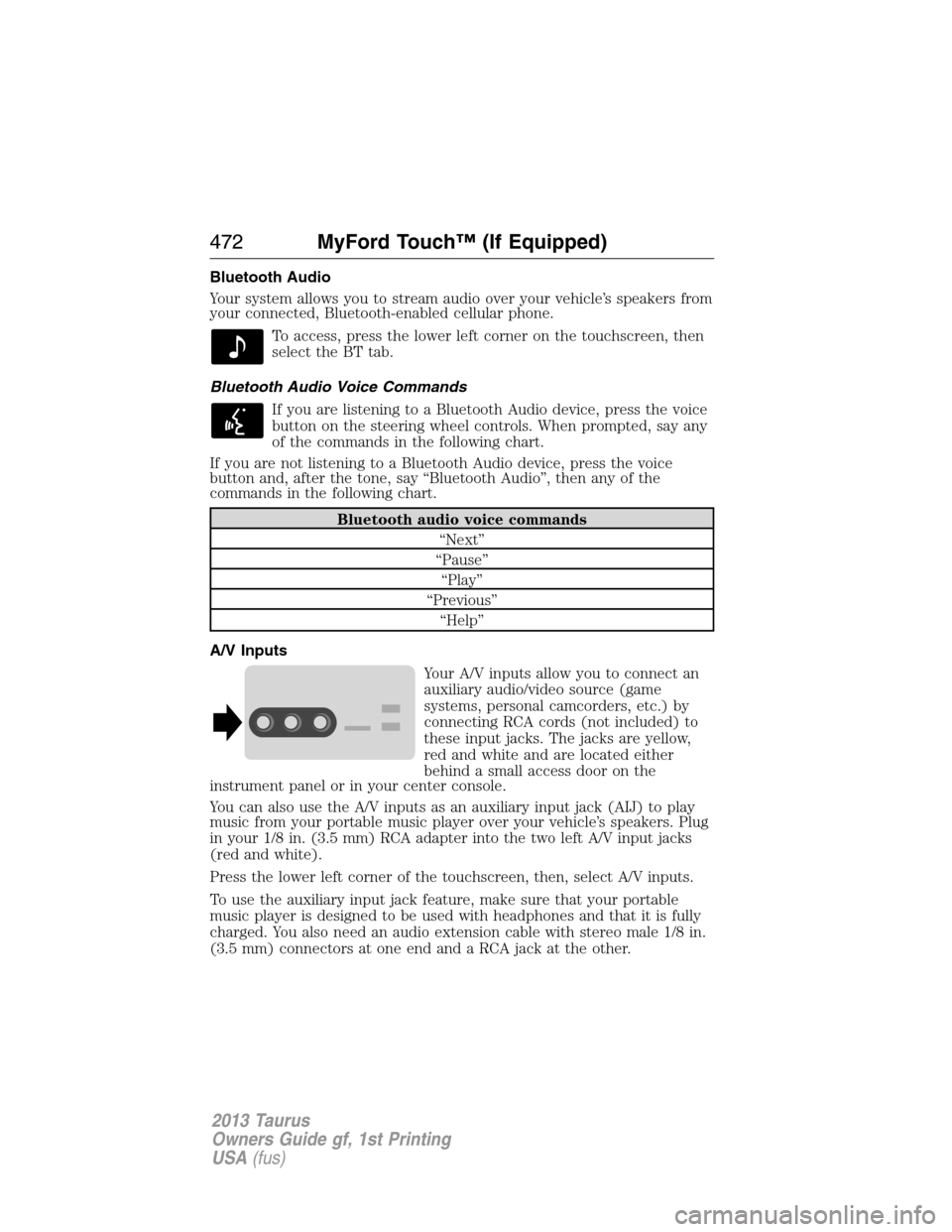
A/V Inputs
Your A/V inputs allow you to connect an
auxiliary audio/video source (game
systems, personal camcorders, etc.) by
connecting RCA cords (not included) to
these input jacks. The jacks are yellow,
red and white and are located either
behind a small access door on the
instrument panel or in your center console.
You can also use the A/V inputs as an auxiliary input jack (AIJ) to play
music from your portable music player over your vehicle’s speakers. Plug
in your 1/8 in. (3.5 mm) RCA adapter into the two left A/V input jacks
(red and white).
Press the lower left corner of the touchscreen, then, select A/V inputs.
To use the auxiliary input jack feature, make sure that your portable
music player is designed to be used with headphones and that it is fully
charged. You also need an audio extension cable with stereo male 1/8 in.
(3.5 mm) connectors at one end and a RCA jack at the other.
472MyFord Touch™ (If Equipped)
2013 Taurus
Owners Guide gf, 1st Printing
USA(fus)
Page 534 of 541
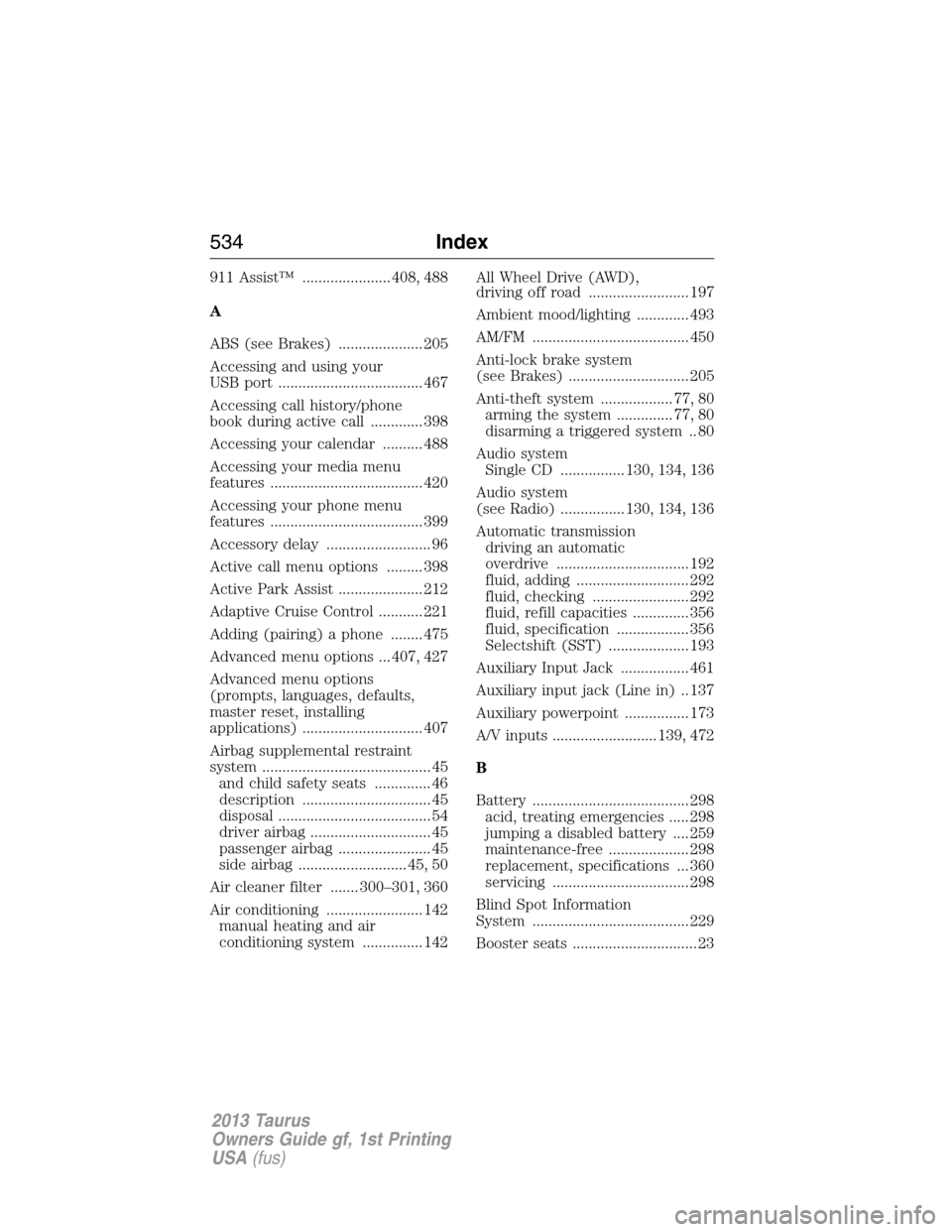
911 Assist™ ...................... 408, 488
A
ABS (see Brakes) ..................... 205
Accessing and using your
USB port .................................... 467
Accessing call history/phone
book during active call ............. 398
Accessing your calendar .......... 488
Accessing your media menu
features ...................................... 420
Accessing your phone menu
features ...................................... 399
Accessory delay .......................... 96
Active call menu options ......... 398
Active Park Assist ..................... 212
Adaptive Cruise Control ........... 221
Adding (pairing) a phone ........ 475
Advanced menu options ... 407, 427
Advanced menu options
(prompts, languages, defaults,
master reset, installing
applications) .............................. 407
Airbag supplemental restraint
system .......................................... 45
and child safety seats .............. 46
description ................................ 45
disposal ...................................... 54
driver airbag .............................. 45
passenger airbag ....................... 45
side airbag ........................... 45, 50
Air cleaner filter ....... 300–301, 360
Air conditioning ........................ 142
manual heating and air
conditioning system ............... 142All Wheel Drive (AWD),
driving off road ......................... 197
Ambient mood/lighting ............. 493
AM/FM ....................................... 450
Anti-lock brake system
(see Brakes) .............................. 205
Anti-theft system .................. 77, 80
arming the system .............. 77, 80
disarming a triggered system .. 80
Audio system
Single CD ................ 130, 134, 136
Audio system
(see Radio) ................ 130, 134, 136
Automatic transmission
driving an automatic
overdrive ................................. 192
fluid, adding ............................ 292
fluid, checking ........................ 292
fluid, refill capacities .............. 356
fluid, specification .................. 356
Selectshift (SST) .................... 193
Auxiliary Input Jack ................. 461
Auxiliary input jack (Line in) .. 137
Auxiliary powerpoint ................ 173
A/V inputs .......................... 139, 472
B
Battery ....................................... 298
acid, treating emergencies ..... 298
jumping a disabled battery .... 259
maintenance-free .................... 298
replacement, specifications ... 360
servicing .................................. 298
Blind Spot Information
System ....................................... 229
Booster seats ............................... 23
534Index
2013 Taurus
Owners Guide gf, 1st Printing
USA(fus)
Page:
< prev 1-8 9-16 17-24