2013 FORD TAURUS steering wheel
[x] Cancel search: steering wheelPage 85 of 541
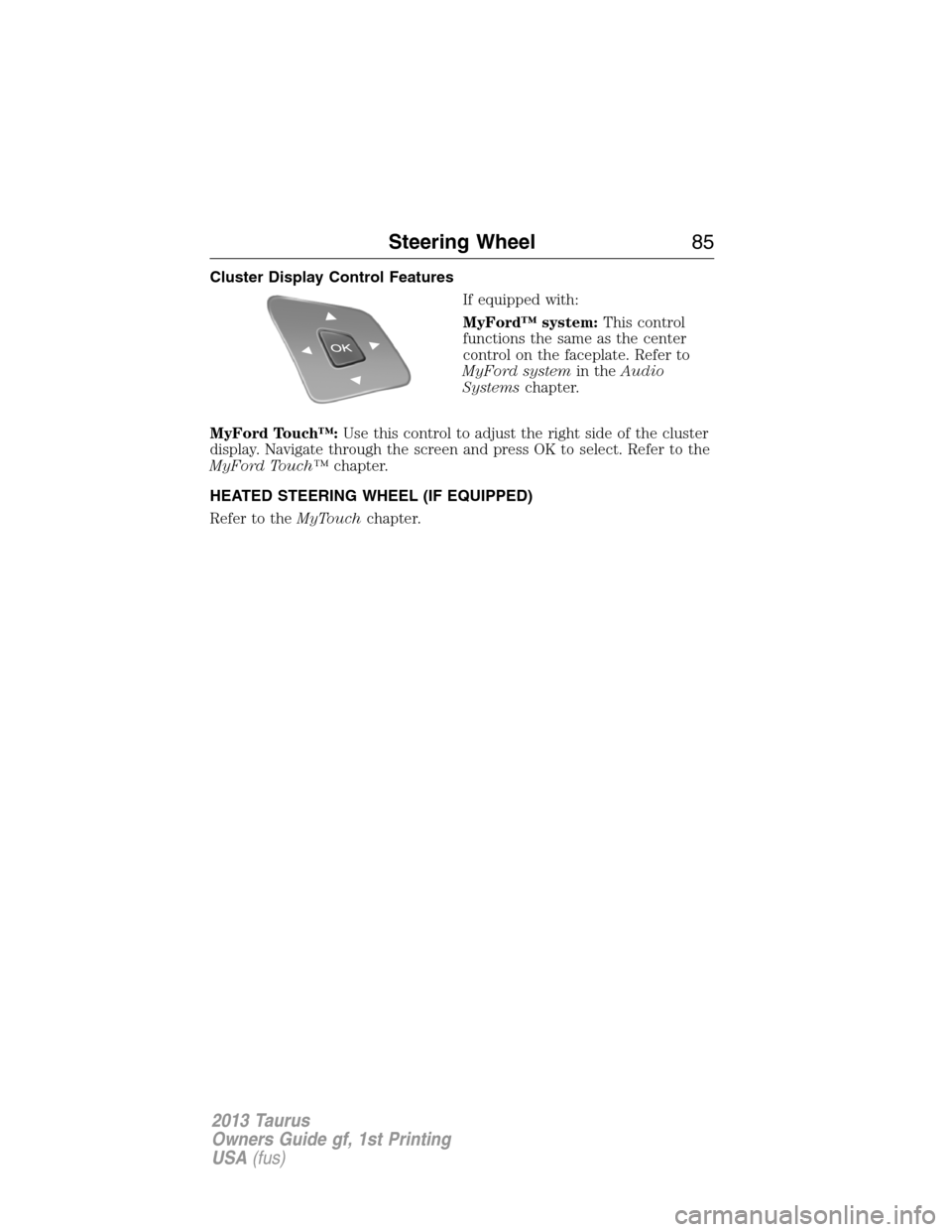
Cluster Display Control Features
If equipped with:
MyFord™ system:This control
functions the same as the center
control on the faceplate. Refer to
MyFord systemin theAudio
Systemschapter.
MyFord Touch™:Use this control to adjust the right side of the cluster
display. Navigate through the screen and press OK to select. Refer to the
MyFord Touch™chapter.
HEATED STEERING WHEEL (IF EQUIPPED)
Refer to theMyTouchchapter.
Steering Wheel85
2013 Taurus
Owners Guide gf, 1st Printing
USA(fus)
Page 109 of 541
GENERAL INFORMATION
WARNING:Driving while distracted can result in loss of vehicle
control, accident and injury. Ford strongly recommends that drivers
use extreme caution when using any device or feature that may take their
focus off the road. Your primary responsibility is the safe operation of the
vehicle. We recommend against the use of any handheld device while
driving and that you comply with all applicable laws.
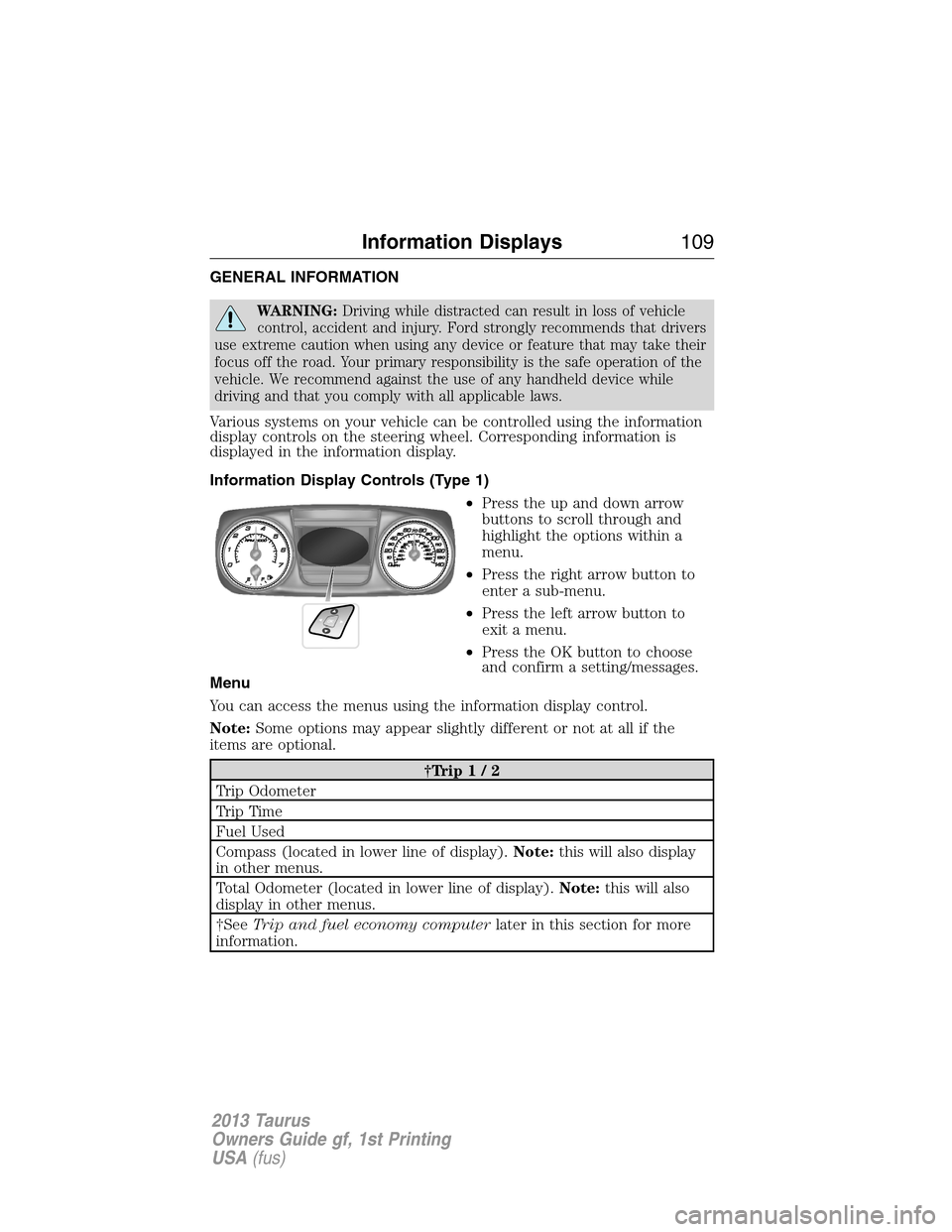
Various systems on your vehicle can be controlled using the information
display controls on the steering wheel. Corresponding information is
displayed in the information display.
Information Display Controls (Type 1)
•Press the up and down arrow
buttons to scroll through and
highlight the options within a
menu.
•Press the right arrow button to
enter a sub-menu.
•Press the left arrow button to
exit a menu.
•Press the OK button to choose
and confirm a setting/messages.
Menu
You can access the menus using the information display control.
Note:Some options may appear slightly different or not at all if the
items are optional.
†Trip1/2
Trip Odometer
Tr i p Ti m e
Fuel Used
Compass (located in lower line of display).Note:this will also display
in other menus.
Total Odometer (located in lower line of display).Note:this will also
display in other menus.
†SeeTrip and fuel economy computerlater in this section for more
information.
Information Displays109
2013 Taurus
Owners Guide gf, 1st Printing
USA(fus)
Page 127 of 541
Passenger Sensing
System MessageAction / Description
Remove Objects Near
Passenger SeatDisplayed when objects are by the passenger
seat. After the objects are moved away from
the seat, if the warning stays on or continues
to come on contact your authorized dealer as
soon as possible.
Reminder Messages Action / Description
Steering Lock Turn
Wheel to UnlockDisplays when you need to turn the steering
wheel in order to disengage the steering lock.
Shift to Park Displayed when the engine is turned off and
shift select lever is in any position other than
P (Park).
Tire Messages Action / Description
Low Tire Pressure Displays when one or more tires on your
vehicle have low tire pressure.
Tire Pressure Monitor
FaultDisplays when the tire pressure monitoring
system is malfunctioning. If the warning stays
on or continues to come on, contact your
authorized dealer.
Tire Pressure Sensor
FaultDisplayed when a tire pressure sensor is
malfunctioning, or your spare tire is in use.
For more information on how the system
operates under these conditions, refer toTi r e
Pressure Monitoring System (TPMS)in the
Wheels and tireschapter . If the warning
stays on or continues to come on, contact your
authorized dealer as soon as possible.
Service Tire Mobility
KitDisplayed when the tire mobility kit requires
service. See your authorized dealer for more
information.
Information Displays127
2013 Taurus
Owners Guide gf, 1st Printing
USA(fus)
Page 152 of 541
CABIN AIR FILTER
Note:A cabin air filter must be installed at all times to prevent foreign
objects from entering the system. Running the system without a filter in
place could result in degradation or damage to the system.
Your vehicle is equipped with a cabin air filter, which is located just in
front of the windshield under the cowl grille on the passenger side of the
vehicle.
The particulate air filtration system is designed to reduce the
concentration of airborne particles such as dust, spores and pollen in the
air being supplied to the interior of the vehicle. The particulate filtration
system gives the following benefits to customers:
•Improves the customer’s driving comfort by reducing particle
concentration
•Improves the interior compartment cleanliness
•Protects the climate control components from particle deposits
For more information regarding the interval at which you should replace
the cabin air filter, refer to theScheduled Maintenancechapter.
For additional cabin air filter information, or to replace the filter, see an
authorized dealer.
REMOTE START CLIMATE OPERATION (IF EQUIPPED)
The climate control system adjusts the cabin temperature during remote
start.
You cannot adjust the system during remote start operation. Turn the
ignition on to return the system to its previous settings. You can now
make adjustments. You will need to turn certain vehicle-dependent
features back on, such as:
•Heated seats.
•Cooled seats.
•Heated steering wheel.
•Heated mirrors.
•Rear defroster.
You can adjust the settings using the information display controls. See
theInformation Displayschapter.
152Climate Control
2013 Taurus
Owners Guide gf, 1st Printing
USA(fus)
Page 154 of 541
SITTING IN THE CORRECT POSITION
WARNING:Sitting improperly out of position or with the
seatback reclined too far can take off weight from the seat
cushion and affect the decision of the passenger sensing system,
resulting in serious injury or death in a crash. Always sit upright against
your seatback, with your feet on the floor.
WARNING:Do not recline the seatback as this can cause the
occupant to slide under the seat’s safety belt, resulting in severe
personal injury in the event of a collision.
WARNING:Do not place objects higher than the seatbacks to
reduce the risk of injury in a collision or during heavy braking or
when stopping suddenly.
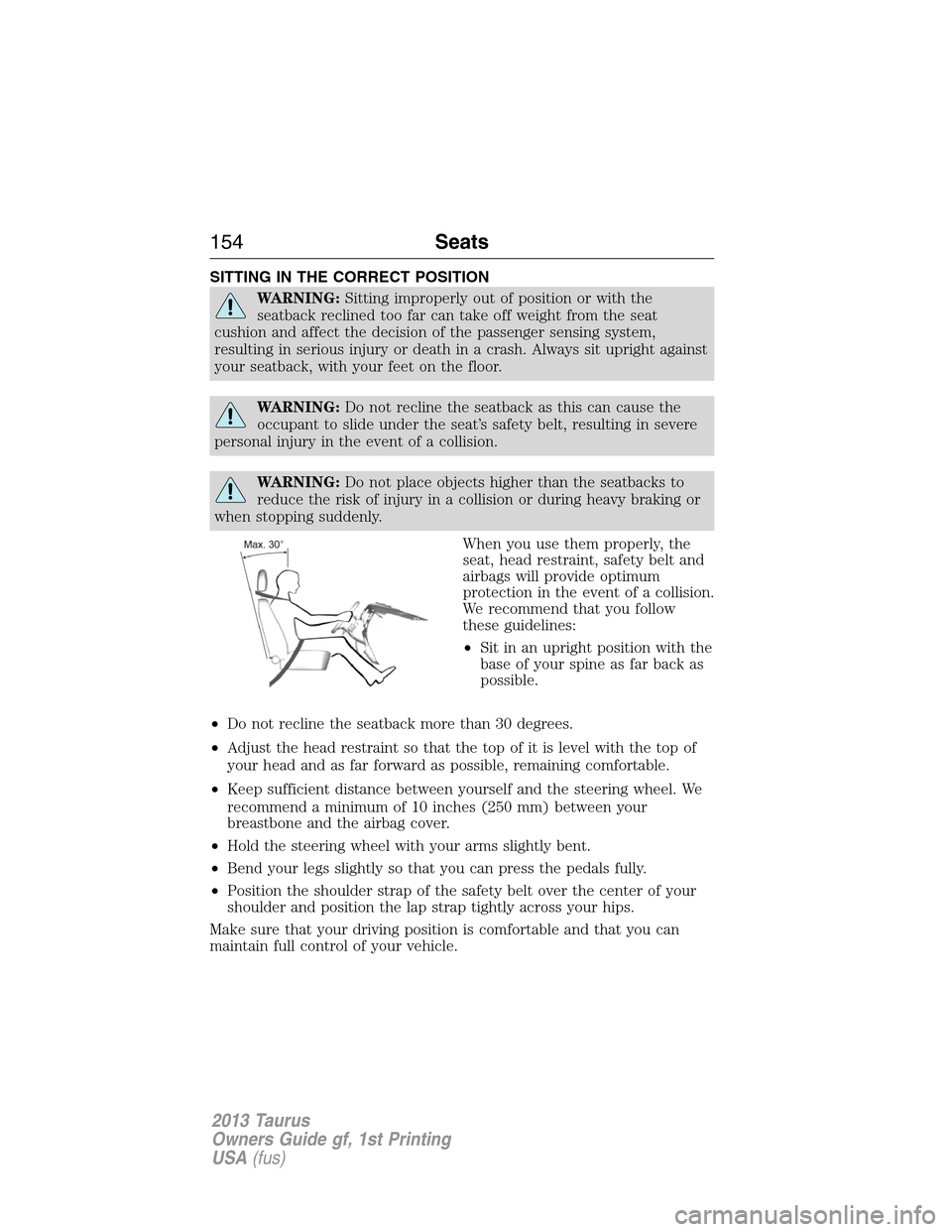
When you use them properly, the
seat, head restraint, safety belt and
airbags will provide optimum
protection in the event of a collision.
We recommend that you follow
these guidelines:
•Sit in an upright position with the
base of your spine as far back as
possible.
•Do not recline the seatback more than 30 degrees.
•Adjust the head restraint so that the top of it is level with the top of
your head and as far forward as possible, remaining comfortable.
•Keep sufficient distance between yourself and the steering wheel. We
recommend a minimum of 10 inches (250 mm) between your
breastbone and the airbag cover.
•Hold the steering wheel with your arms slightly bent.
•Bend your legs slightly so that you can press the pedals fully.
•Position the shoulder strap of the safety belt over the center of your
shoulder and position the lap strap tightly across your hips.
Make sure that your driving position is comfortable and that you can
maintain full control of your vehicle.
154Seats
2013 Taurus
Owners Guide gf, 1st Printing
USA(fus)
Page 177 of 541
IGNITION SWITCH (IF EQUIPPED)
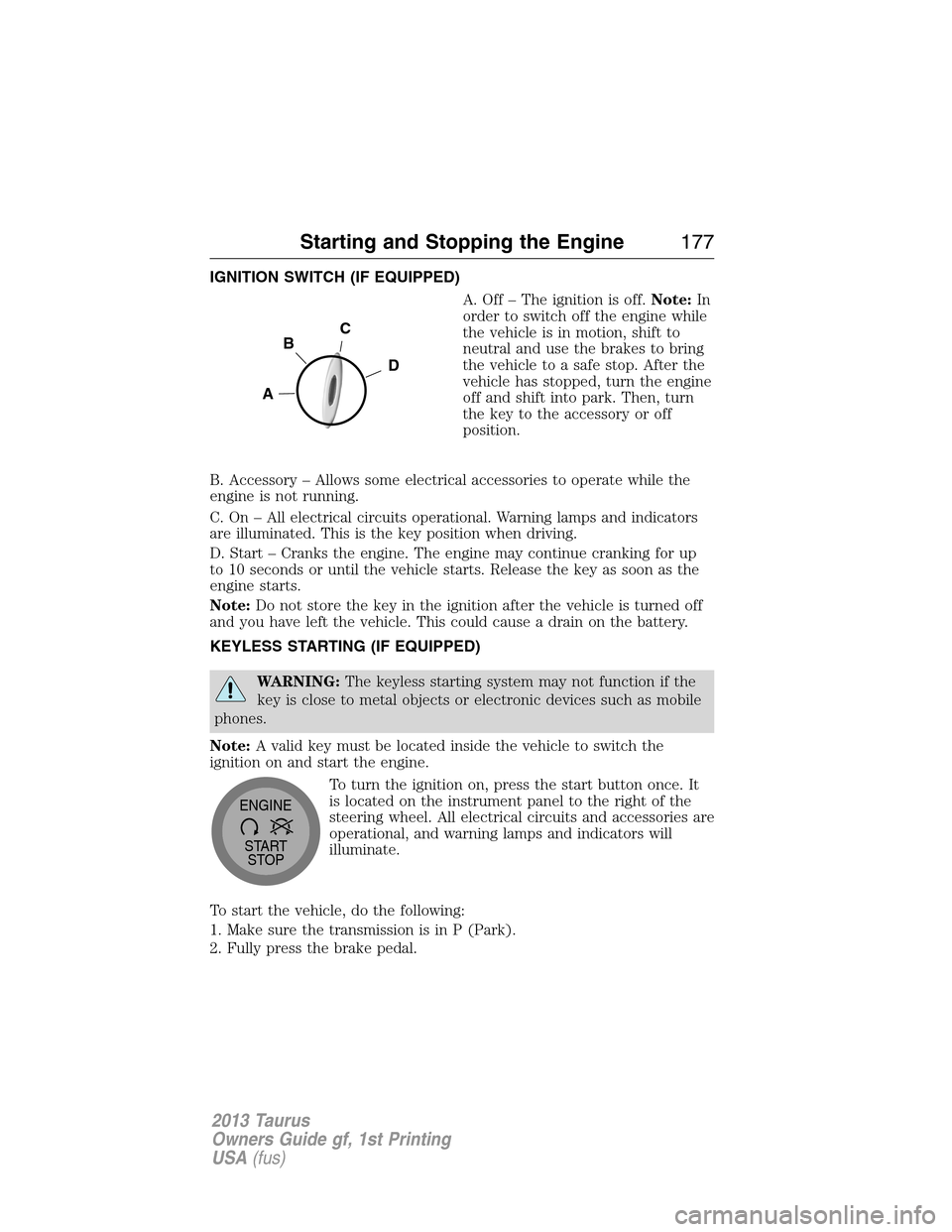
A. Off – The ignition is off.Note:In
order to switch off the engine while
the vehicle is in motion, shift to
neutral and use the brakes to bring
the vehicle to a safe stop. After the
vehicle has stopped, turn the engine
off and shift into park. Then, turn
the key to the accessory or off
position.
B. Accessory – Allows some electrical accessories to operate while the
engine is not running.
C. On – All electrical circuits operational. Warning lamps and indicators
are illuminated. This is the key position when driving.
D. Start – Cranks the engine. The engine may continue cranking for up
to 10 seconds or until the vehicle starts. Release the key as soon as the
engine starts.
Note:Do not store the key in the ignition after the vehicle is turned off
and you have left the vehicle. This could cause a drain on the battery.
KEYLESS STARTING (IF EQUIPPED)
WARNING:The keyless starting system may not function if the
key is close to metal objects or electronic devices such as mobile
phones.
Note:A valid key must be located inside the vehicle to switch the
ignition on and start the engine.
To turn the ignition on, press the start button once. It
is located on the instrument panel to the right of the
steering wheel. All electrical circuits and accessories are
operational, and warning lamps and indicators will
illuminate.
To start the vehicle, do the following:
1. Make sure the transmission is in P (Park).
2. Fully press the brake pedal.
C
D
B
A
START
STOP ENGINE
Starting and Stopping the Engine177
2013 Taurus
Owners Guide gf, 1st Printing
USA(fus)
Page 194 of 541
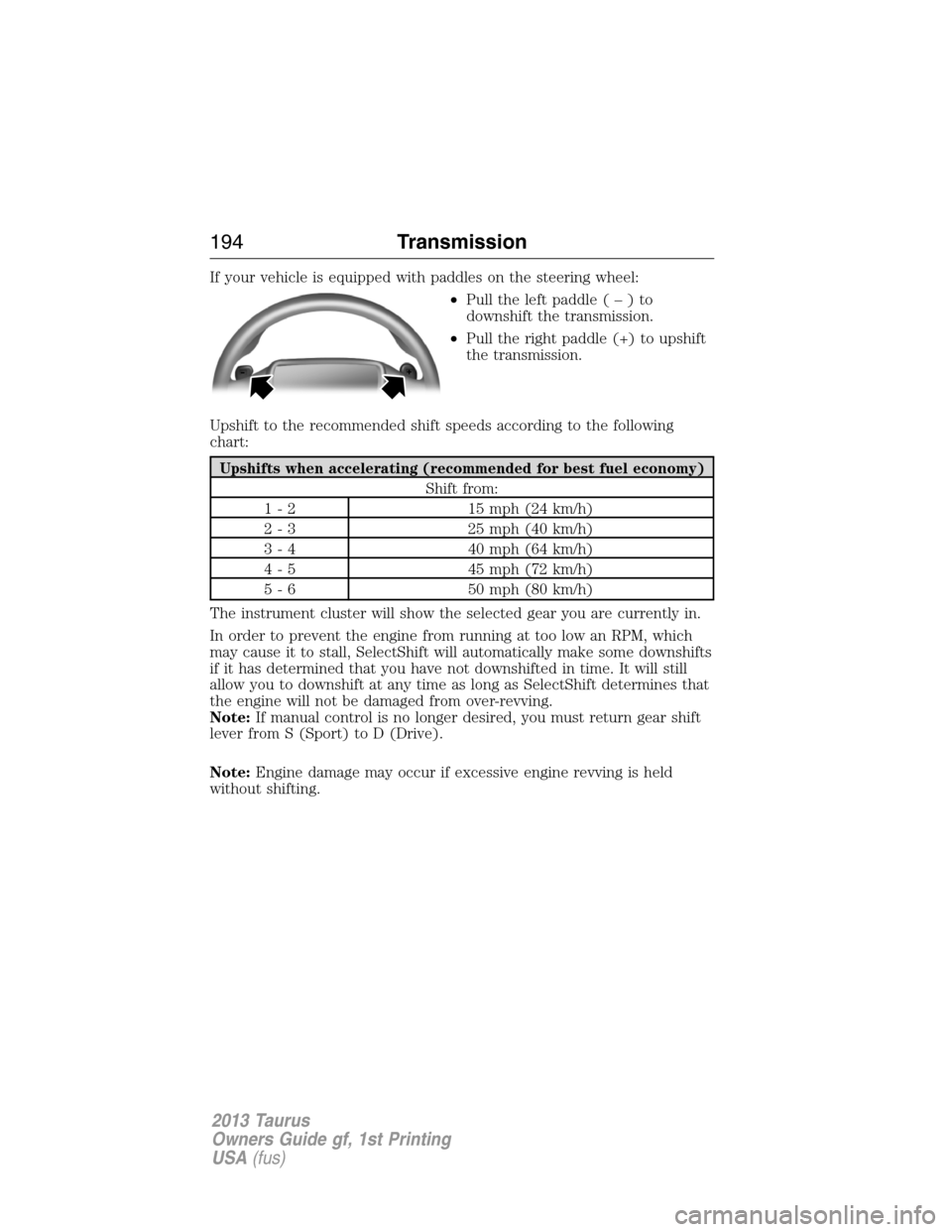
If your vehicle is equipped with paddles on the steering wheel:
•Pull the left paddle(–)to
downshift the transmission.
•Pull the right paddle (+) to upshift
the transmission.
Upshift to the recommended shift speeds according to the following
chart:
Upshifts when accelerating (recommended for best fuel economy)
Shift from:
1 - 2 15 mph (24 km/h)
2 - 3 25 mph (40 km/h)
3 - 4 40 mph (64 km/h)
4 - 5 45 mph (72 km/h)
5 - 6 50 mph (80 km/h)
The instrument cluster will show the selected gear you are currently in.
In order to prevent the engine from running at too low an RPM, which
may cause it to stall, SelectShift will automatically make some downshifts
if it has determined that you have not downshifted in time. It will still
allow you to downshift at any time as long as SelectShift determines that
the engine will not be damaged from over-revving.
Note:If manual control is no longer desired, you must return gear shift
lever from S (Sport) to D (Drive).
Note:Engine damage may occur if excessive engine revving is held
without shifting.
194Transmission
2013 Taurus
Owners Guide gf, 1st Printing
USA(fus)
Page 198 of 541
condition may be indicated by an AWD Off message in the information
display. If there is an AWD Off message in the message center from using
the spare tire, this indicator should turn off after reinstalling the repaired
or replaced normal road tire and cycling the ignition off and on. It is
recommended to reinstall the repaired or replaced road tire as soon as
possible. Major dissimilar tire sizes between the front and rear axles
could cause the AWD system to stop functioning and default to
front-wheel drive or damage the AWD system.
DRIVING IN SPECIAL CONDITIONS WITH AWD
AWD vehicles are equipped for driving on sand, snow, mud and rough
roads and have operating characteristics that are somewhat different
from conventional vehicles, both on and off the highway.
When driving at slow speeds in deep sand under high outside
temperatures, use a low gear when possible. Lower gear operation will
maximize the engine and transmission cooling capability.
Under severe operating conditions, the A/C may cycle on and off to
protect overheating of the engine.
Basic Operating Principles in Special Conditions
•Drive slower in strong crosswinds which can affect the normal steering
characteristics of your vehicle.
•Be extremely careful when driving on pavement made slippery by
loose sand, water, gravel, snow or ice.
If Your Vehicle Goes Off the Edge of the Pavement
•If your vehicle goes off the edge of the pavement, slow down, but
avoid severe brake application, ease the vehicle back onto the
pavement only after reducing your speed. Do not turn the steering
wheel too sharply while returning to the road surface.
•It may be safer to stay on the apron or shoulder of the road and slow
down gradually before returning to the pavement. You may lose
control if you do not slow down or if you turn the steering wheel too
sharply or abruptly.
•It often may be less risky to strike small objects, such as highway
reflectors, with minor damage to your vehicle rather than attempt a
sudden return to the pavement which could cause the vehicle to slide
sideways out of control or rollover. Remember, your safety and the
safety of others should be your primary concern.
198All-Wheel Drive
2013 Taurus
Owners Guide gf, 1st Printing
USA(fus)