Page 84 of 541
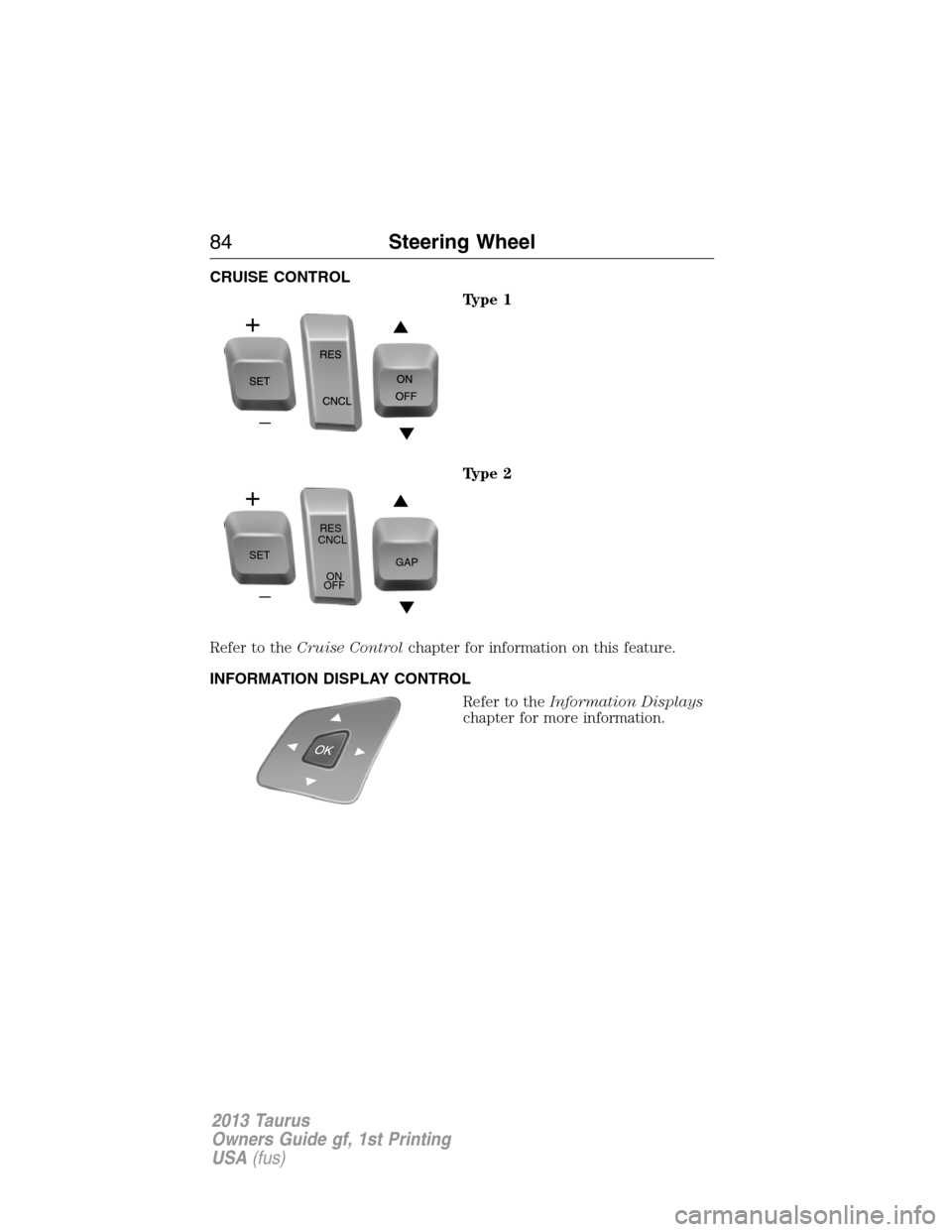
CRUISE CONTROL
Type 1
Type 2
Refer to theCruise Controlchapter for information on this feature.
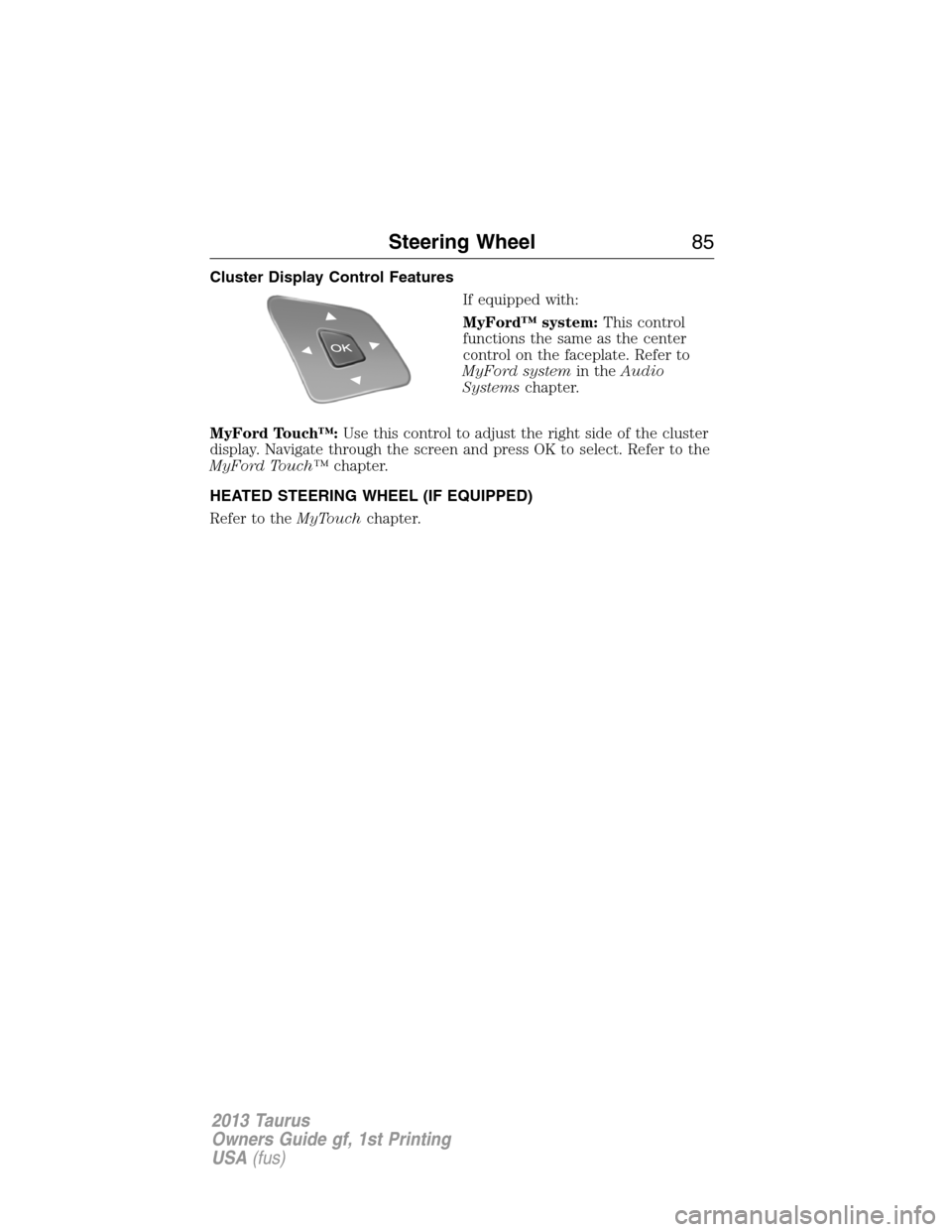
INFORMATION DISPLAY CONTROL
Refer to theInformation Displays
chapter for more information.
SETRES
CNCL
ON
OFFGAP
84Steering Wheel
2013 Taurus
Owners Guide gf, 1st Printing
USA(fus)
Page 85 of 541
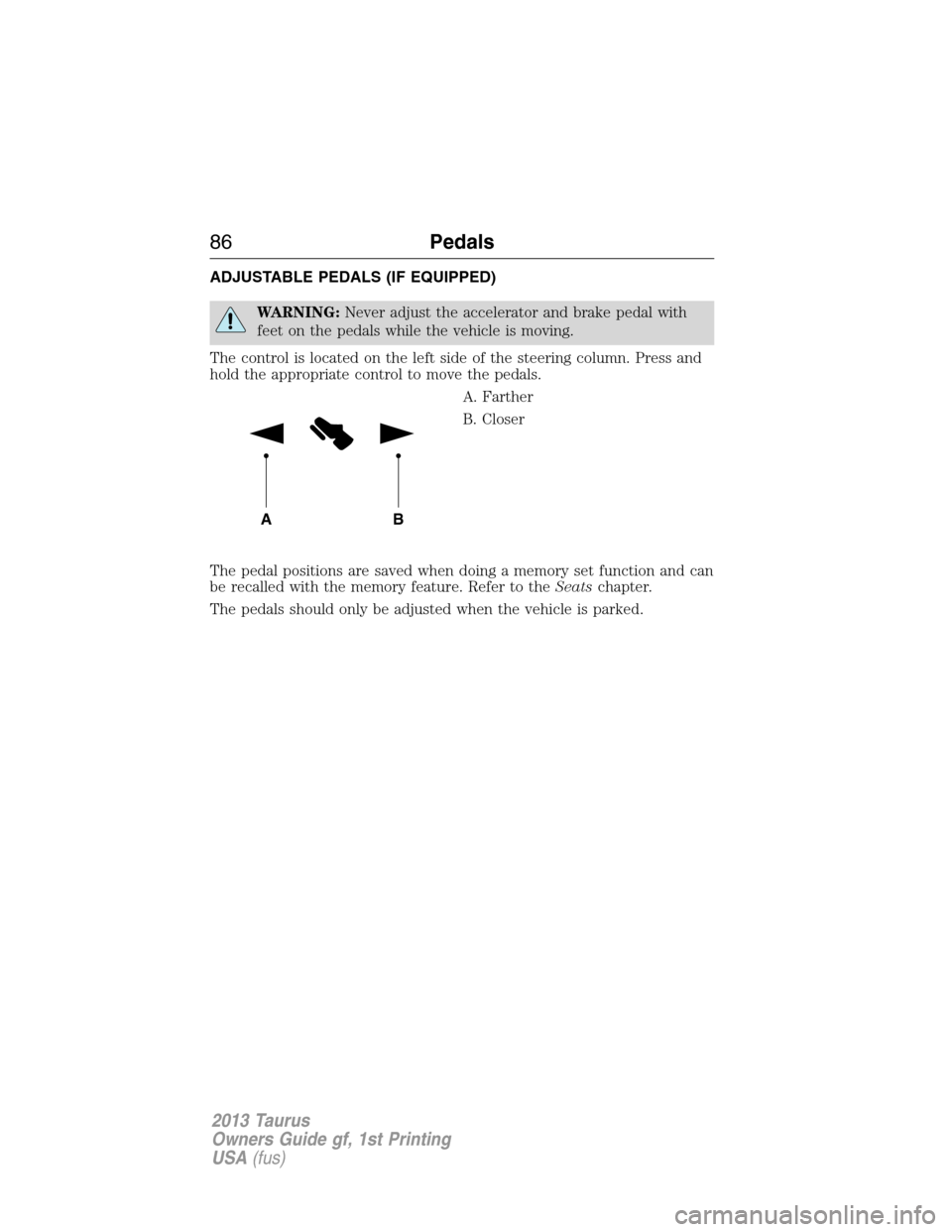
Cluster Display Control Features
If equipped with:
MyFord™ system:This control
functions the same as the center
control on the faceplate. Refer to
MyFord systemin theAudio
Systemschapter.
MyFord Touch™:Use this control to adjust the right side of the cluster
display. Navigate through the screen and press OK to select. Refer to the
MyFord Touch™chapter.
HEATED STEERING WHEEL (IF EQUIPPED)
Refer to theMyTouchchapter.
Steering Wheel85
2013 Taurus
Owners Guide gf, 1st Printing
USA(fus)
Page 86 of 541
ADJUSTABLE PEDALS (IF EQUIPPED)
WARNING:Never adjust the accelerator and brake pedal with
feet on the pedals while the vehicle is moving.
The control is located on the left side of the steering column. Press and
hold the appropriate control to move the pedals.
A. Farther
B. Closer
The pedal positions are saved when doing a memory set function and can
be recalled with the memory feature. Refer to theSeatschapter.
The pedals should only be adjusted when the vehicle is parked.
AB
86Pedals
2013 Taurus
Owners Guide gf, 1st Printing
USA(fus)
Page 109 of 541
GENERAL INFORMATION
WARNING:Driving while distracted can result in loss of vehicle
control, accident and injury. Ford strongly recommends that drivers
use extreme caution when using any device or feature that may take their
focus off the road. Your primary responsibility is the safe operation of the
vehicle. We recommend against the use of any handheld device while
driving and that you comply with all applicable laws.
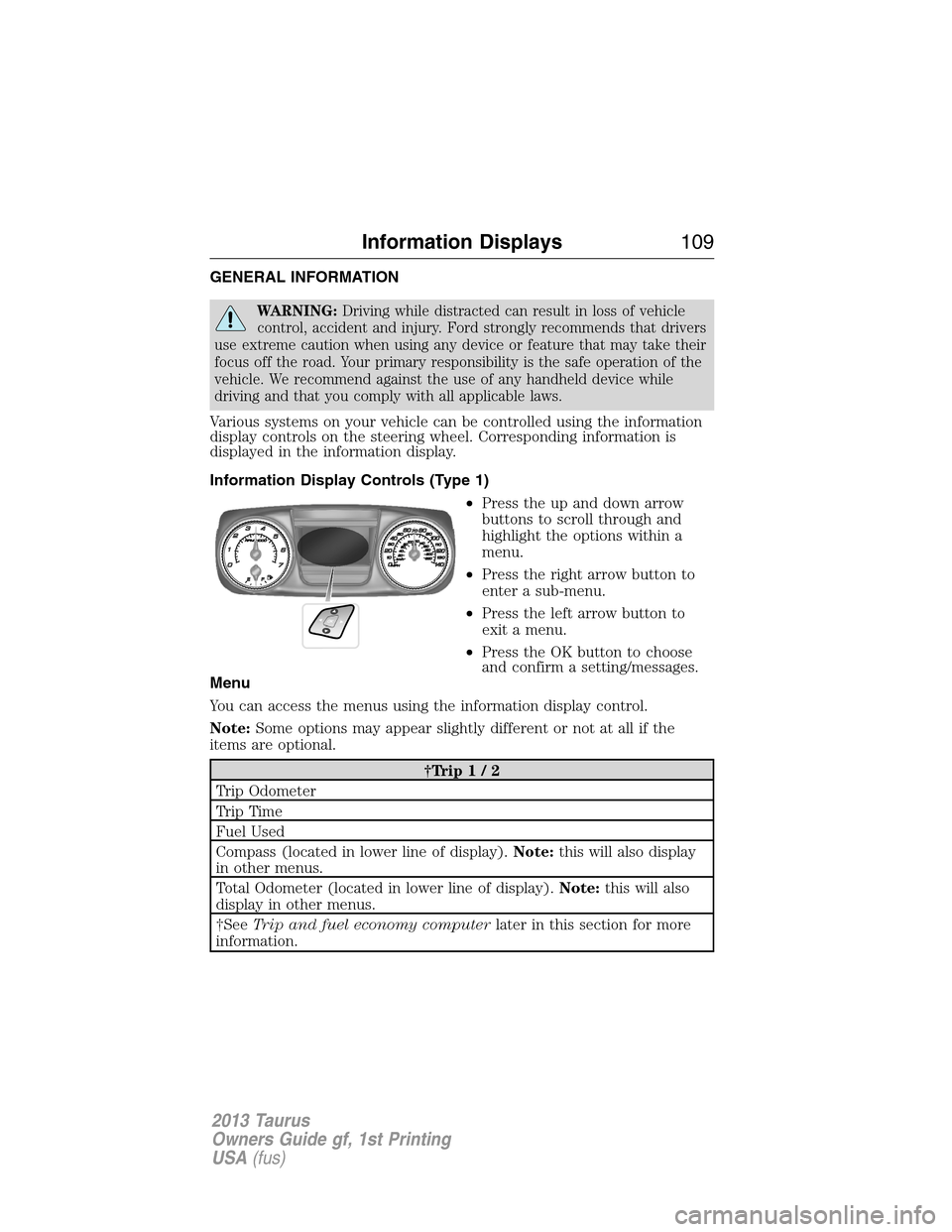
Various systems on your vehicle can be controlled using the information
display controls on the steering wheel. Corresponding information is
displayed in the information display.
Information Display Controls (Type 1)
•Press the up and down arrow
buttons to scroll through and
highlight the options within a
menu.
•Press the right arrow button to
enter a sub-menu.
•Press the left arrow button to
exit a menu.
•Press the OK button to choose
and confirm a setting/messages.
Menu
You can access the menus using the information display control.
Note:Some options may appear slightly different or not at all if the
items are optional.
†Trip1/2
Trip Odometer
Tr i p Ti m e
Fuel Used
Compass (located in lower line of display).Note:this will also display
in other menus.
Total Odometer (located in lower line of display).Note:this will also
display in other menus.
†SeeTrip and fuel economy computerlater in this section for more
information.
Information Displays109
2013 Taurus
Owners Guide gf, 1st Printing
USA(fus)
Page 125 of 541
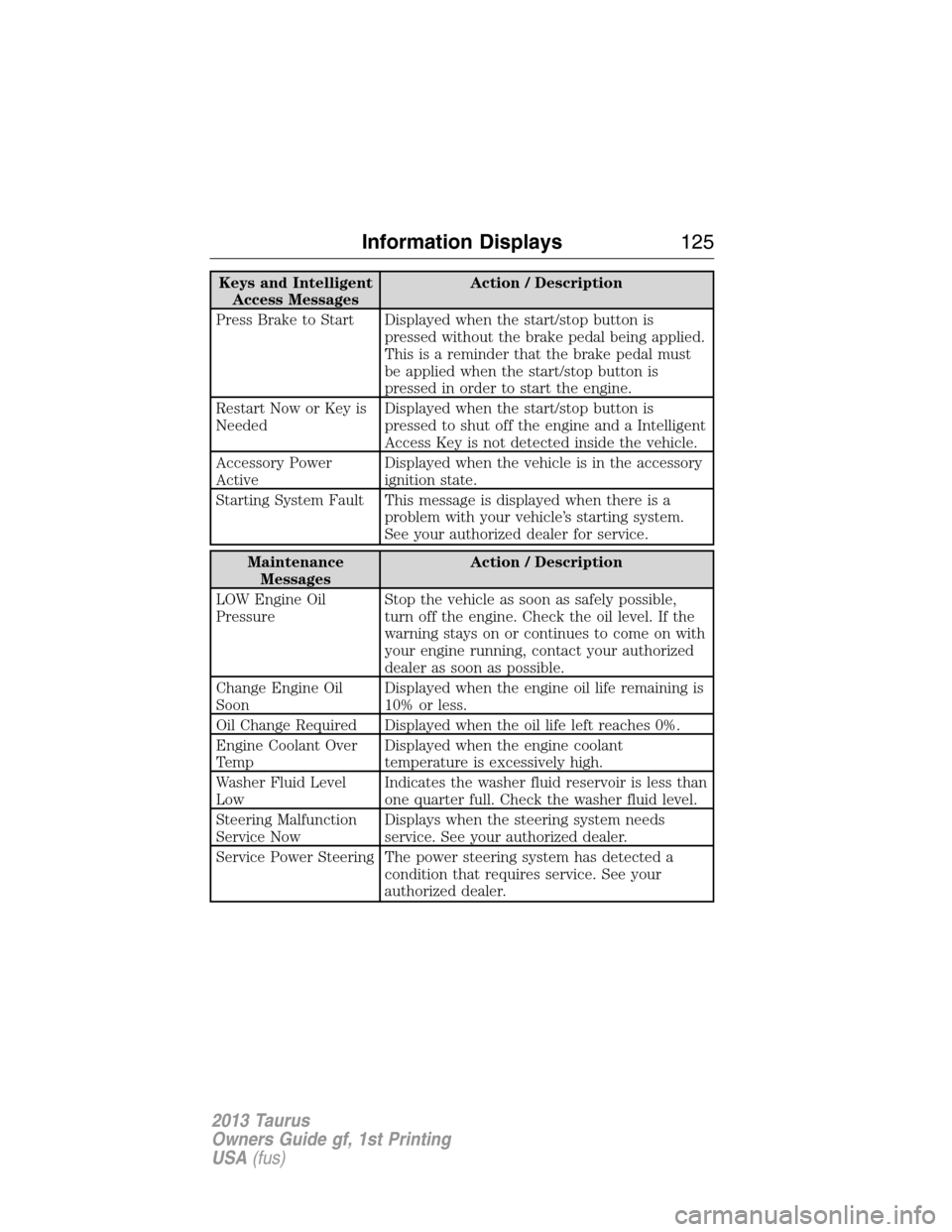
Keys and Intelligent
Access MessagesAction / Description
Press Brake to Start Displayed when the start/stop button is
pressed without the brake pedal being applied.
This is a reminder that the brake pedal must
be applied when the start/stop button is
pressed in order to start the engine.
Restart Now or Key is
NeededDisplayed when the start/stop button is
pressed to shut off the engine and a Intelligent
Access Key is not detected inside the vehicle.
Accessory Power
ActiveDisplayed when the vehicle is in the accessory
ignition state.
Starting System Fault This message is displayed when there is a
problem with your vehicle’s starting system.
See your authorized dealer for service.
Maintenance
MessagesAction / Description
LOW Engine Oil
PressureStop the vehicle as soon as safely possible,
turn off the engine. Check the oil level. If the
warning stays on or continues to come on with
your engine running, contact your authorized
dealer as soon as possible.
Change Engine Oil
SoonDisplayed when the engine oil life remaining is
10% or less.
Oil Change Required Displayed when the oil life left reaches 0%.
Engine Coolant Over
TempDisplayed when the engine coolant
temperature is excessively high.
Washer Fluid Level
LowIndicates the washer fluid reservoir is less than
one quarter full. Check the washer fluid level.
Steering Malfunction
Service NowDisplays when the steering system needs
service. See your authorized dealer.
Service Power Steering The power steering system has detected a
condition that requires service. See your
authorized dealer.
Information Displays125
2013 Taurus
Owners Guide gf, 1st Printing
USA(fus)
Page 126 of 541
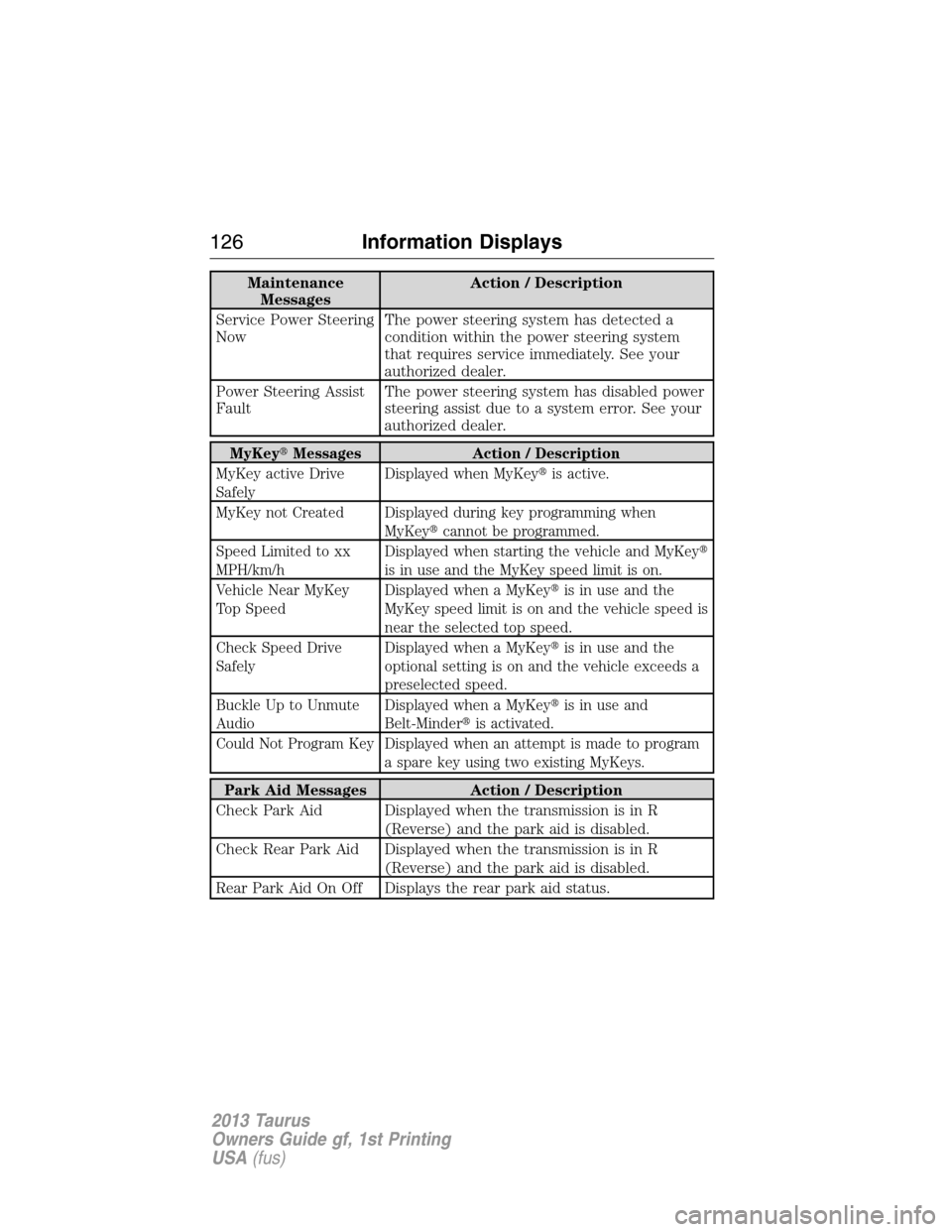
Maintenance
MessagesAction / Description
Service Power Steering
NowThe power steering system has detected a
condition within the power steering system
that requires service immediately. See your
authorized dealer.
Power Steering Assist
FaultThe power steering system has disabled power
steering assist due to a system error. See your
authorized dealer.
MyKey�Messages Action / Description
MyKey active Drive
SafelyDisplayed when MyKey�is active.
MyKey not Created Displayed during key programming when
MyKey�cannot be programmed.
Speed Limited to xx
MPH/km/hDisplayed when starting the vehicle and MyKey�
is in use and the MyKey speed limit is on.
Vehicle Near MyKey
Top SpeedDisplayed when a MyKey�is in use and the
MyKey speed limit is on and the vehicle speed is
near the selected top speed.
Check Speed Drive
SafelyDisplayed when a MyKey�is in use and the
optional setting is on and the vehicle exceeds a
preselected speed.
Buckle Up to Unmute
AudioDisplayed when a MyKey�is in use and
Belt-Minder�is activated.
Could Not Program Key Displayed when an attempt is made to program
a spare key using two existing MyKeys.
Park Aid Messages Action / Description
Check Park Aid Displayed when the transmission is in R
(Reverse) and the park aid is disabled.
Check Rear Park Aid Displayed when the transmission is in R
(Reverse) and the park aid is disabled.
Rear Park Aid On Off Displays the rear park aid status.
126Information Displays
2013 Taurus
Owners Guide gf, 1st Printing
USA(fus)
Page 127 of 541
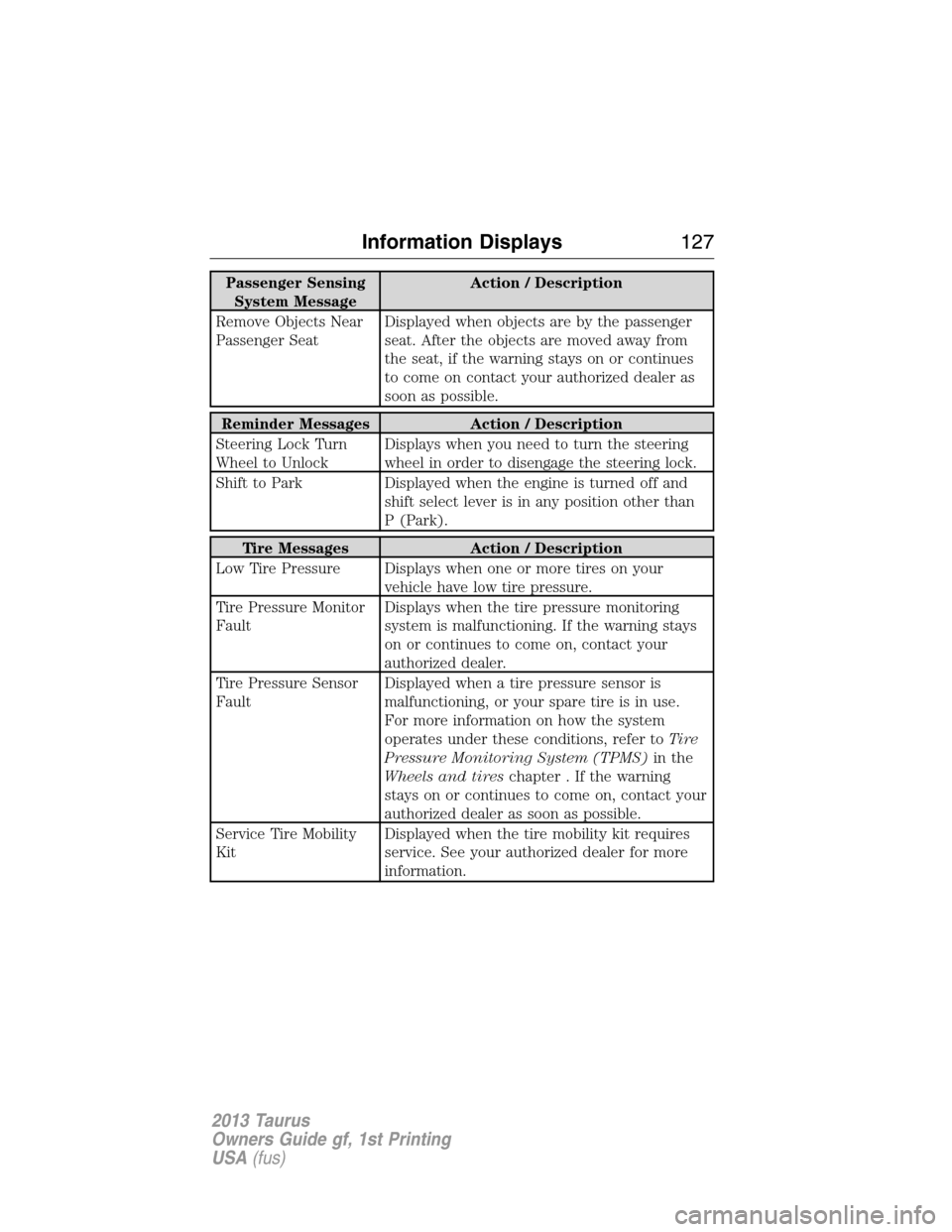
Passenger Sensing
System MessageAction / Description
Remove Objects Near
Passenger SeatDisplayed when objects are by the passenger
seat. After the objects are moved away from
the seat, if the warning stays on or continues
to come on contact your authorized dealer as
soon as possible.
Reminder Messages Action / Description
Steering Lock Turn
Wheel to UnlockDisplays when you need to turn the steering
wheel in order to disengage the steering lock.
Shift to Park Displayed when the engine is turned off and
shift select lever is in any position other than
P (Park).
Tire Messages Action / Description
Low Tire Pressure Displays when one or more tires on your
vehicle have low tire pressure.
Tire Pressure Monitor
FaultDisplays when the tire pressure monitoring
system is malfunctioning. If the warning stays
on or continues to come on, contact your
authorized dealer.
Tire Pressure Sensor
FaultDisplayed when a tire pressure sensor is
malfunctioning, or your spare tire is in use.
For more information on how the system
operates under these conditions, refer toTi r e
Pressure Monitoring System (TPMS)in the
Wheels and tireschapter . If the warning
stays on or continues to come on, contact your
authorized dealer as soon as possible.
Service Tire Mobility
KitDisplayed when the tire mobility kit requires
service. See your authorized dealer for more
information.
Information Displays127
2013 Taurus
Owners Guide gf, 1st Printing
USA(fus)
Page 152 of 541
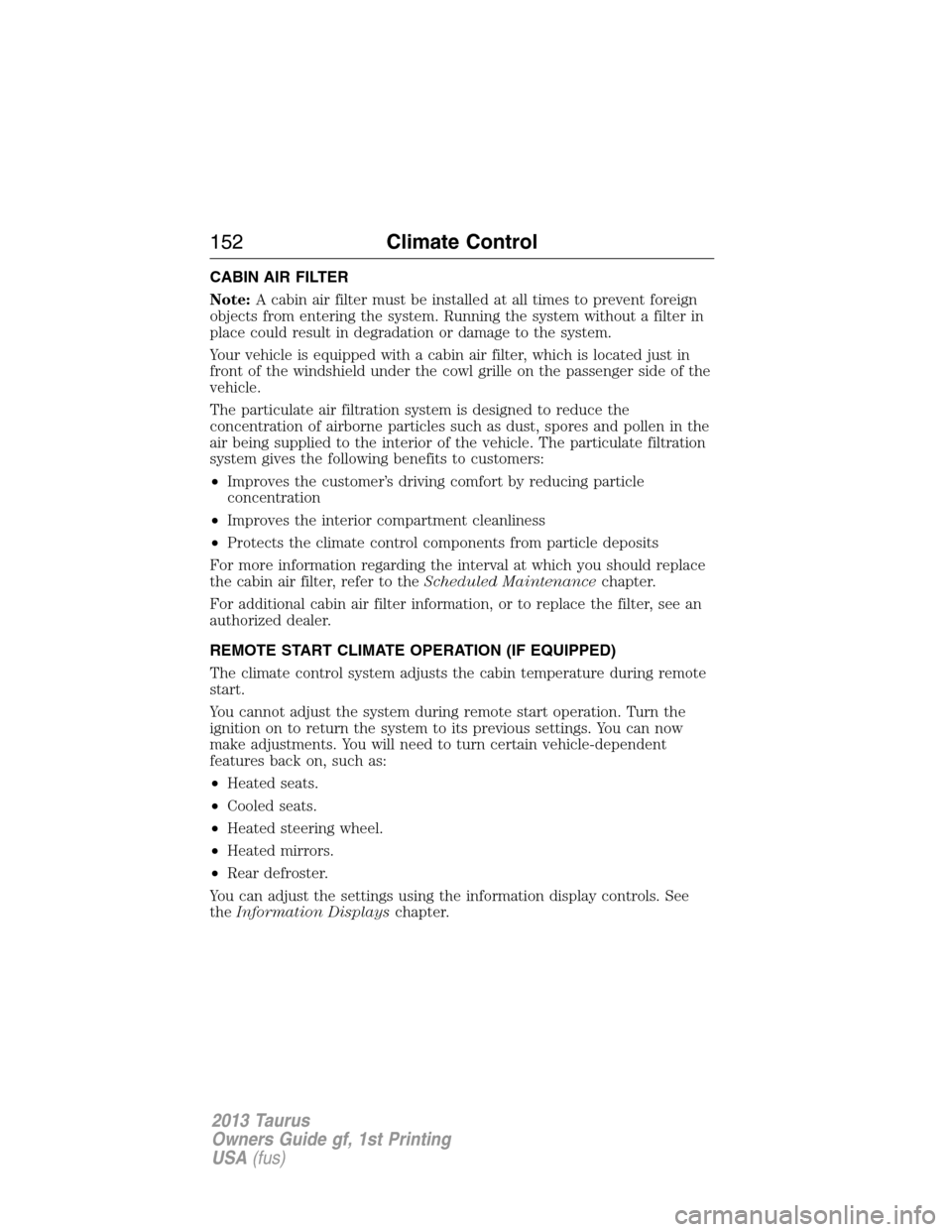
CABIN AIR FILTER
Note:A cabin air filter must be installed at all times to prevent foreign
objects from entering the system. Running the system without a filter in
place could result in degradation or damage to the system.
Your vehicle is equipped with a cabin air filter, which is located just in
front of the windshield under the cowl grille on the passenger side of the
vehicle.
The particulate air filtration system is designed to reduce the
concentration of airborne particles such as dust, spores and pollen in the
air being supplied to the interior of the vehicle. The particulate filtration
system gives the following benefits to customers:
•Improves the customer’s driving comfort by reducing particle
concentration
•Improves the interior compartment cleanliness
•Protects the climate control components from particle deposits
For more information regarding the interval at which you should replace
the cabin air filter, refer to theScheduled Maintenancechapter.
For additional cabin air filter information, or to replace the filter, see an
authorized dealer.
REMOTE START CLIMATE OPERATION (IF EQUIPPED)
The climate control system adjusts the cabin temperature during remote
start.
You cannot adjust the system during remote start operation. Turn the
ignition on to return the system to its previous settings. You can now
make adjustments. You will need to turn certain vehicle-dependent
features back on, such as:
•Heated seats.
•Cooled seats.
•Heated steering wheel.
•Heated mirrors.
•Rear defroster.
You can adjust the settings using the information display controls. See
theInformation Displayschapter.
152Climate Control
2013 Taurus
Owners Guide gf, 1st Printing
USA(fus)