Page 109 of 541
GENERAL INFORMATION
WARNING:Driving while distracted can result in loss of vehicle
control, accident and injury. Ford strongly recommends that drivers
use extreme caution when using any device or feature that may take their
focus off the road. Your primary responsibility is the safe operation of the
vehicle. We recommend against the use of any handheld device while
driving and that you comply with all applicable laws.
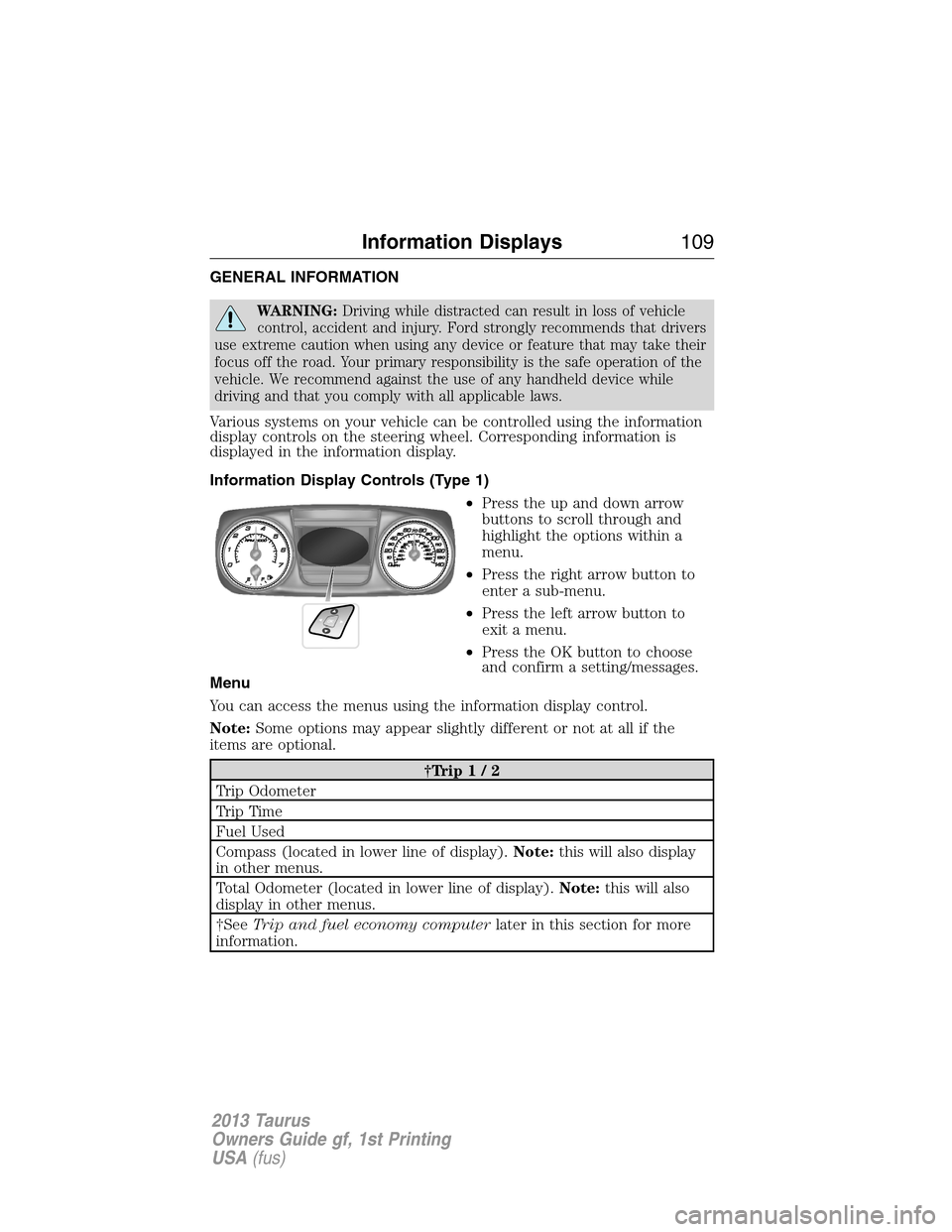
Various systems on your vehicle can be controlled using the information
display controls on the steering wheel. Corresponding information is
displayed in the information display.
Information Display Controls (Type 1)
•Press the up and down arrow
buttons to scroll through and
highlight the options within a
menu.
•Press the right arrow button to
enter a sub-menu.
•Press the left arrow button to
exit a menu.
•Press the OK button to choose
and confirm a setting/messages.
Menu
You can access the menus using the information display control.
Note:Some options may appear slightly different or not at all if the
items are optional.
†Trip1/2
Trip Odometer
Tr i p Ti m e
Fuel Used
Compass (located in lower line of display).Note:this will also display
in other menus.
Total Odometer (located in lower line of display).Note:this will also
display in other menus.
†SeeTrip and fuel economy computerlater in this section for more
information.
Information Displays109
2013 Taurus
Owners Guide gf, 1st Printing
USA(fus)
Page 112 of 541
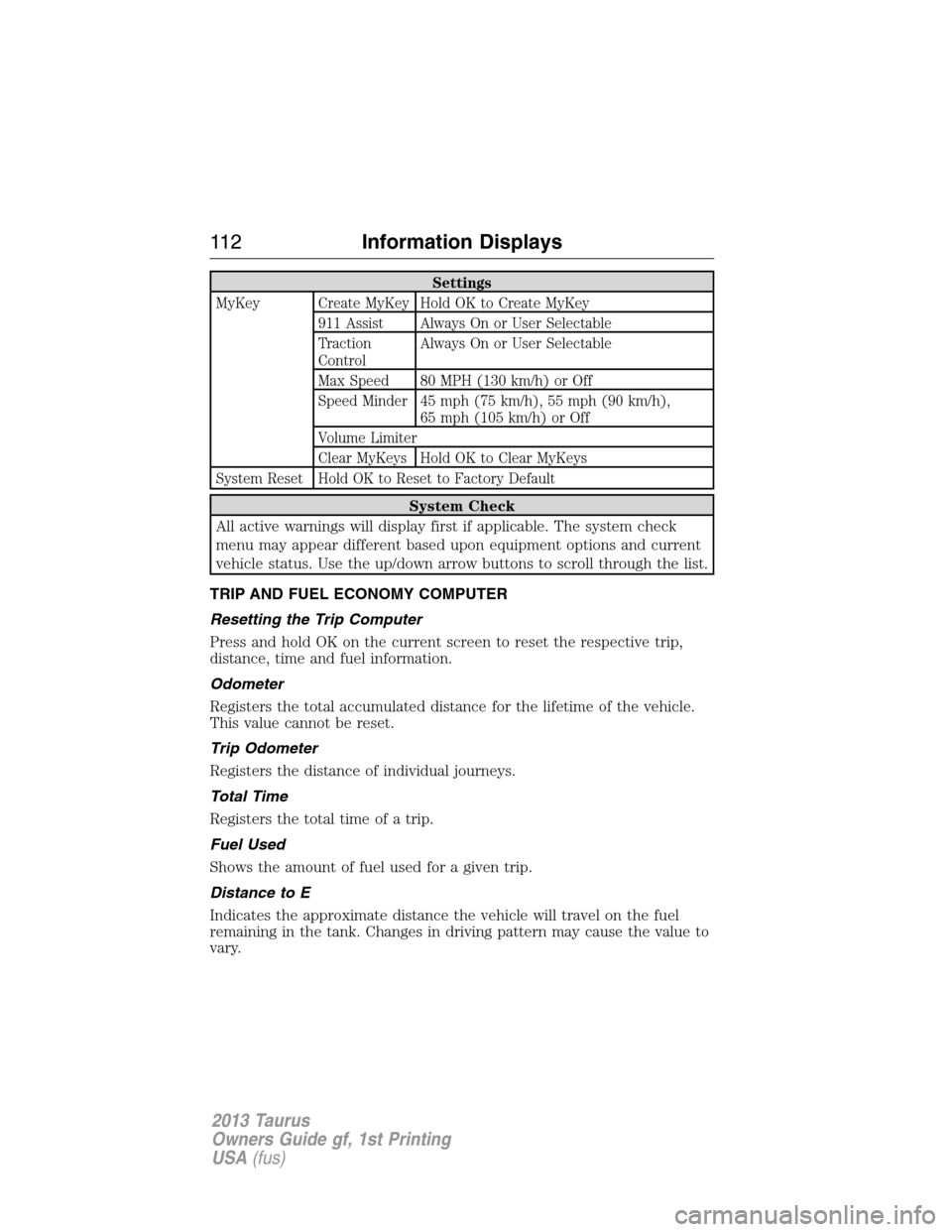
Settings
MyKey Create MyKey Hold OK to Create MyKey
911 Assist Always On or User Selectable
Traction
ControlAlways On or User Selectable
Max Speed 80 MPH (130 km/h) or Off
Speed Minder 45 mph (75 km/h), 55 mph (90 km/h),
65 mph (105 km/h) or Off
Volume Limiter
Clear MyKeys Hold OK to Clear MyKeys
System Reset Hold OK to Reset to Factory Default
System Check
All active warnings will display first if applicable. The system check
menu may appear different based upon equipment options and current
vehicle status. Use the up/down arrow buttons to scroll through the list.
TRIP AND FUEL ECONOMY COMPUTER
Resetting the Trip Computer
Press and hold OK on the current screen to reset the respective trip,
distance, time and fuel information.
Odometer
Registers the total accumulated distance for the lifetime of the vehicle.
This value cannot be reset.
Trip Odometer
Registers the distance of individual journeys.
Total Time
Registers the total time of a trip.
Fuel Used
Shows the amount of fuel used for a given trip.
Distance to E
Indicates the approximate distance the vehicle will travel on the fuel
remaining in the tank. Changes in driving pattern may cause the value to
vary.
11 2Information Displays
2013 Taurus
Owners Guide gf, 1st Printing
USA(fus)
Page 130 of 541
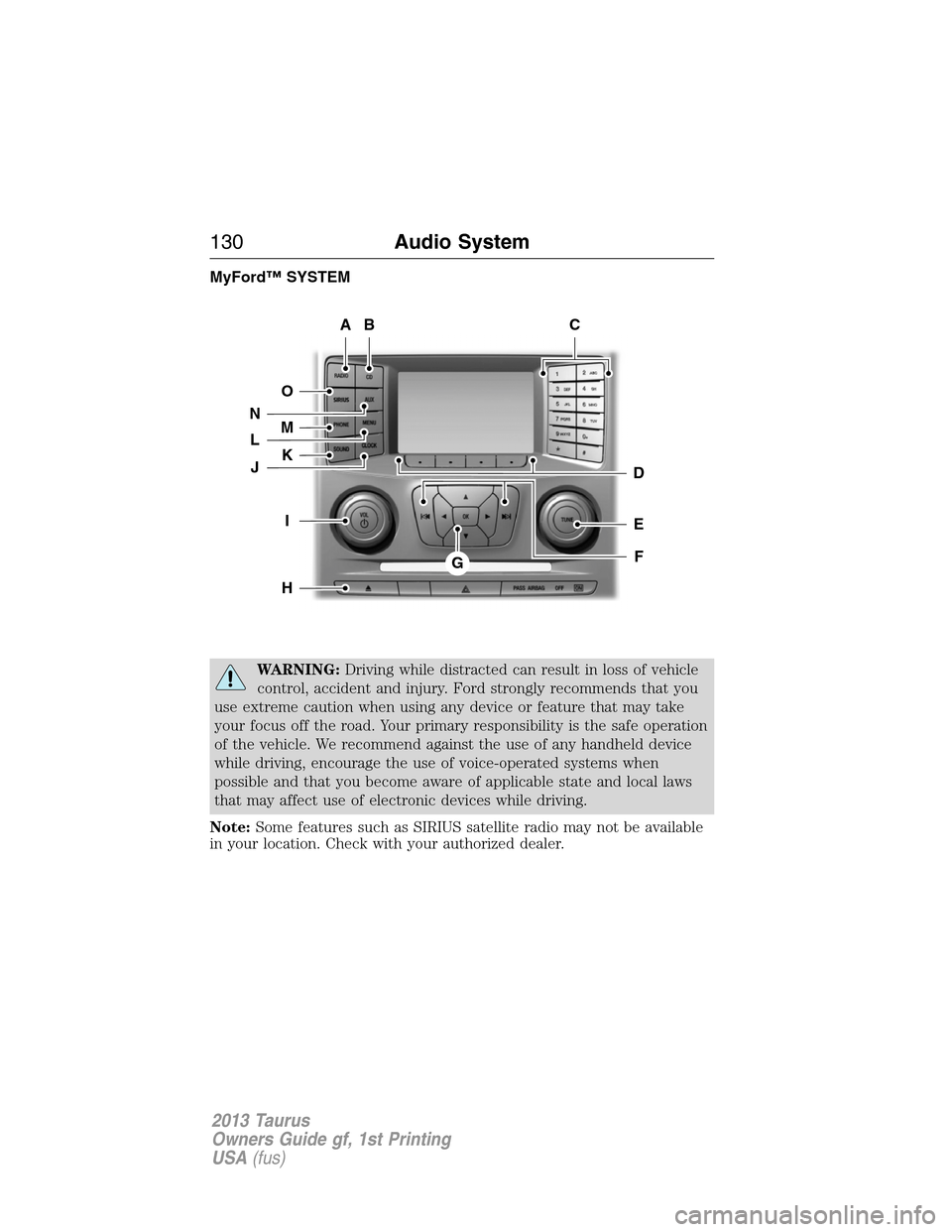
MyFord™ SYSTEM
WARNING:Driving while distracted can result in loss of vehicle
control, accident and injury. Ford strongly recommends that you
use extreme caution when using any device or feature that may take
your focus off the road. Your primary responsibility is the safe operation
of the vehicle. We recommend against the use of any handheld device
while driving, encourage the use of voice-operated systems when
possible and that you become aware of applicable state and local laws
that may affect use of electronic devices while driving.
Note:Some features such as SIRIUS satellite radio may not be available
in your location. Check with your authorized dealer.
AB
O
NMLKJ
EI
H
C
FG
D
130Audio System
2013 Taurus
Owners Guide gf, 1st Printing
USA(fus)
Page 131 of 541
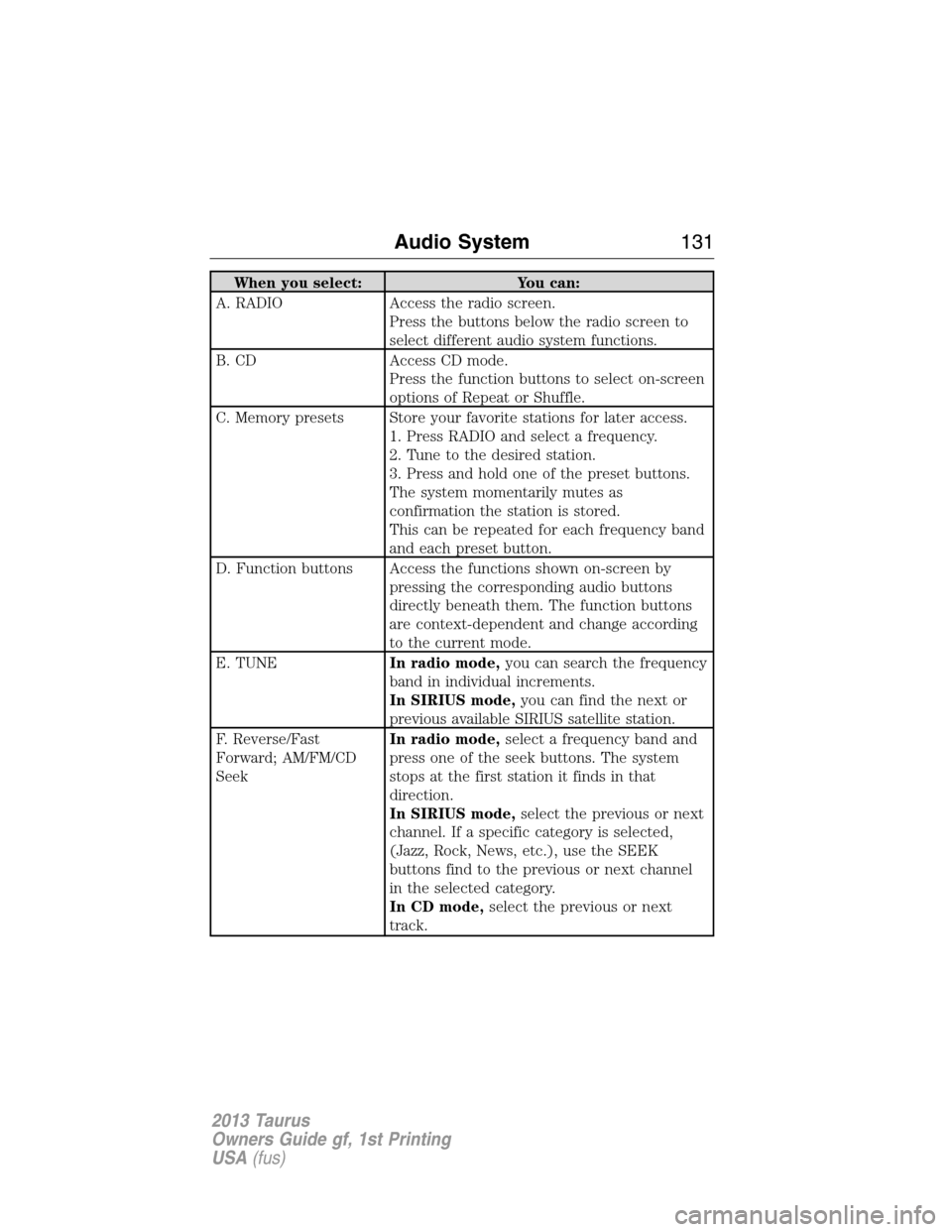
When you select: You can:
A. RADIO Access the radio screen.
Press the buttons below the radio screen to
select different audio system functions.
B. CD Access CD mode.
Press the function buttons to select on-screen
options of Repeat or Shuffle.
C. Memory presets Store your favorite stations for later access.
1. Press RADIO and select a frequency.
2. Tune to the desired station.
3. Press and hold one of the preset buttons.
The system momentarily mutes as
confirmation the station is stored.
This can be repeated for each frequency band
and each preset button.
D. Function buttons Access the functions shown on-screen by
pressing the corresponding audio buttons
directly beneath them. The function buttons
are context-dependent and change according
to the current mode.
E. TUNEIn radio mode,you can search the frequency
band in individual increments.
In SIRIUS mode,you can find the next or
previous available SIRIUS satellite station.
F. Reverse/Fast
Forward; AM/FM/CD
SeekIn radio mode,select a frequency band and
press one of the seek buttons. The system
stops at the first station it finds in that
direction.
In SIRIUS mode,select the previous or next
channel. If a specific category is selected,
(Jazz, Rock, News, etc.), use the SEEK
buttons find to the previous or next channel
in the selected category.
In CD mode,select the previous or next
track.
Audio System131
2013 Taurus
Owners Guide gf, 1st Printing
USA(fus)
Page 134 of 541
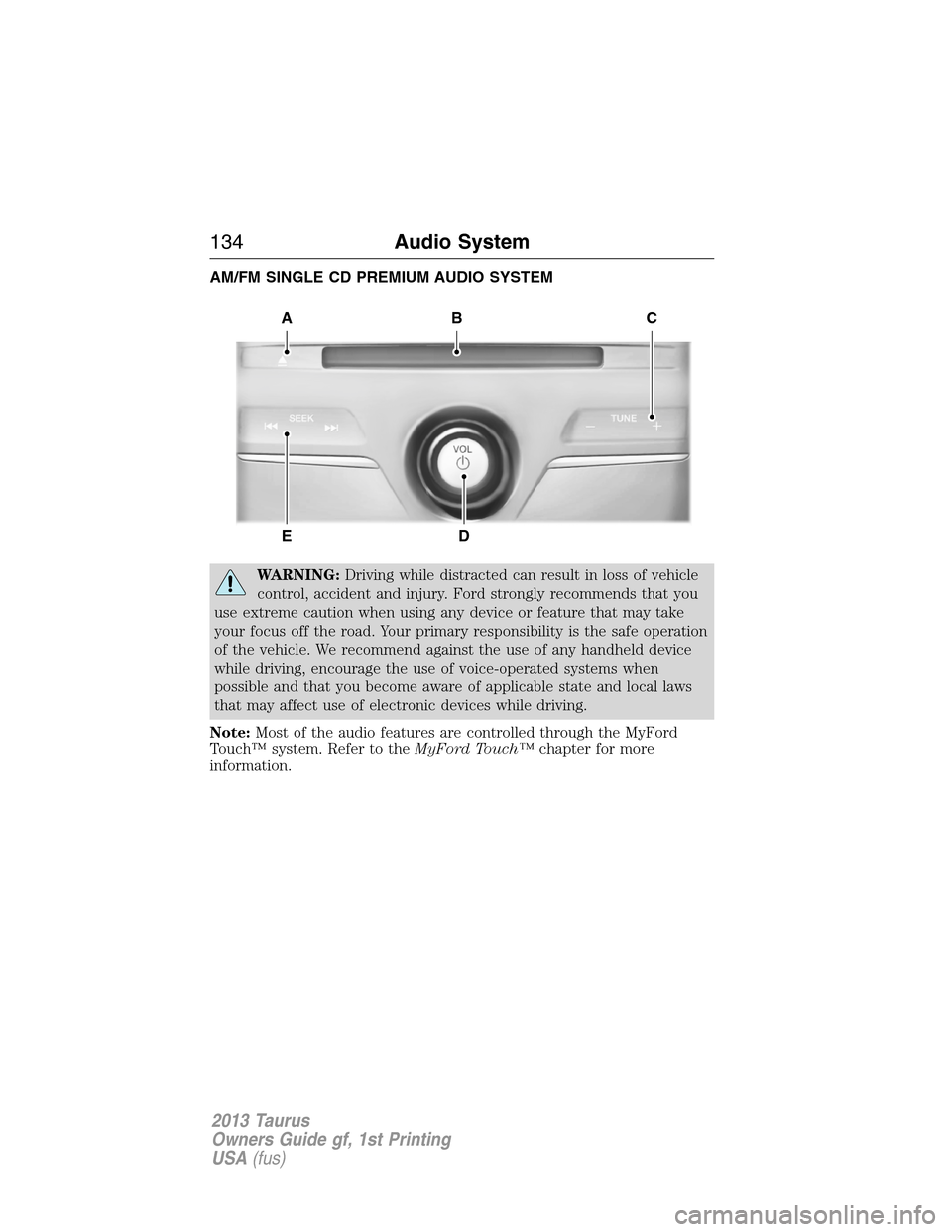
AM/FM SINGLE CD PREMIUM AUDIO SYSTEM
WARNING:Driving while distracted can result in loss of vehicle
control, accident and injury. Ford strongly recommends that you
use extreme caution when using any device or feature that may take
your focus off the road. Your primary responsibility is the safe operation
of the vehicle. We recommend against the use of any handheld device
while driving, encourage the use of voice-operated systems when
possible and that you become aware of applicable state and local laws
that may affect use of electronic devices while driving.
Note:Most of the audio features are controlled through the MyFord
Touch™ system. Refer to theMyFord Touch™chapter for more
information.
A
ED
BC
134Audio System
2013 Taurus
Owners Guide gf, 1st Printing
USA(fus)
Page 136 of 541
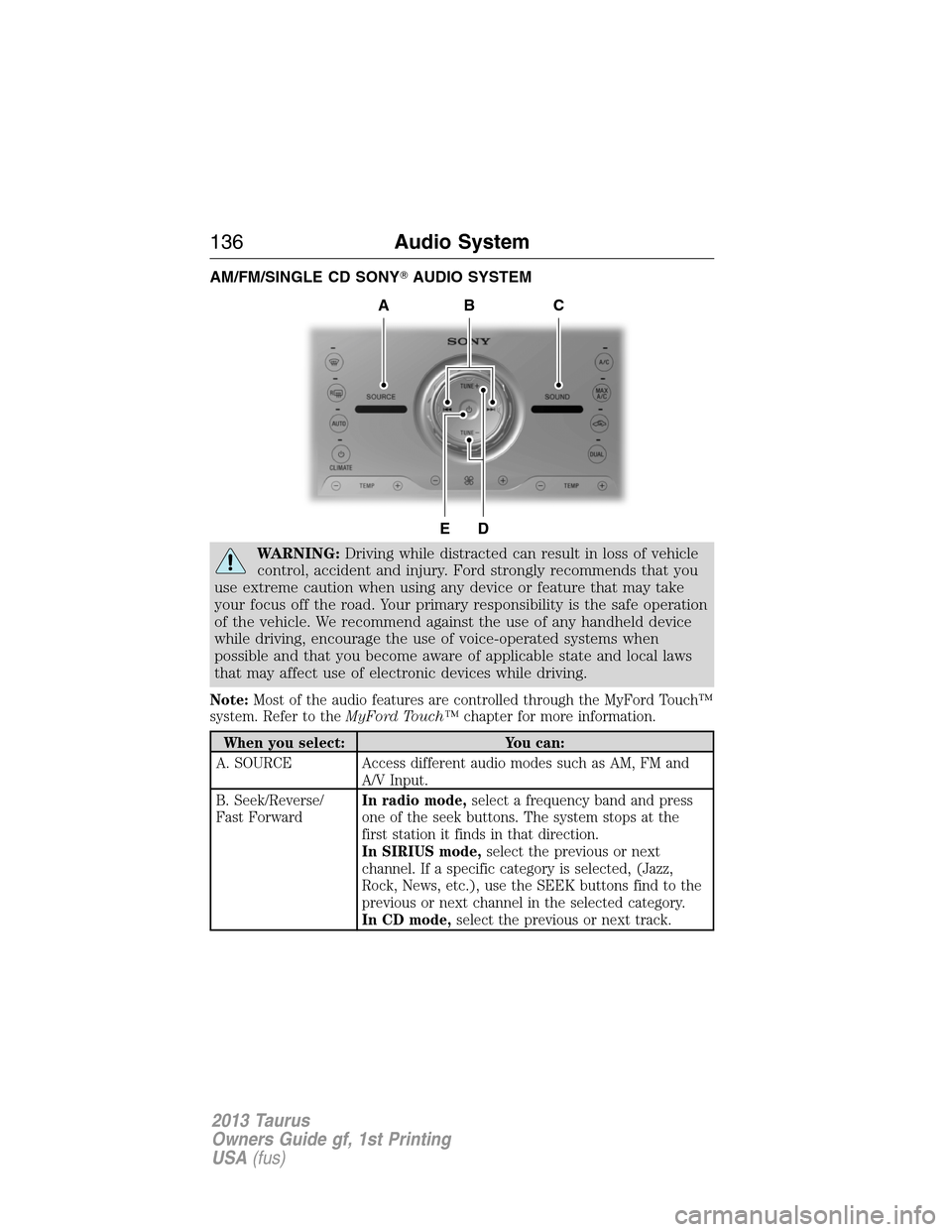
AM/FM/SINGLE CD SONY�AUDIO SYSTEM
WARNING:Driving while distracted can result in loss of vehicle
control, accident and injury. Ford strongly recommends that you
use extreme caution when using any device or feature that may take
your focus off the road. Your primary responsibility is the safe operation
of the vehicle. We recommend against the use of any handheld device
while driving, encourage the use of voice-operated systems when
possible and that you become aware of applicable state and local laws
that may affect use of electronic devices while driving.
Note:Most of the audio features are controlled through the MyFord Touch™
system. Refer to theMyFord Touch™chapter for more information.
When you select: You can:
A. SOURCE Access different audio modes such as AM, FM and
A/V Input.
B. Seek/Reverse/
Fast ForwardIn radio mode,select a frequency band and press
one of the seek buttons. The system stops at the
first station it finds in that direction.
In SIRIUS mode,select the previous or next
channel. If a specific category is selected, (Jazz,
Rock, News, etc.), use the SEEK buttons find to the
previous or next channel in the selected category.
In CD mode,select the previous or next track.
DE
ACB
136Audio System
2013 Taurus
Owners Guide gf, 1st Printing
USA(fus)
Page 137 of 541
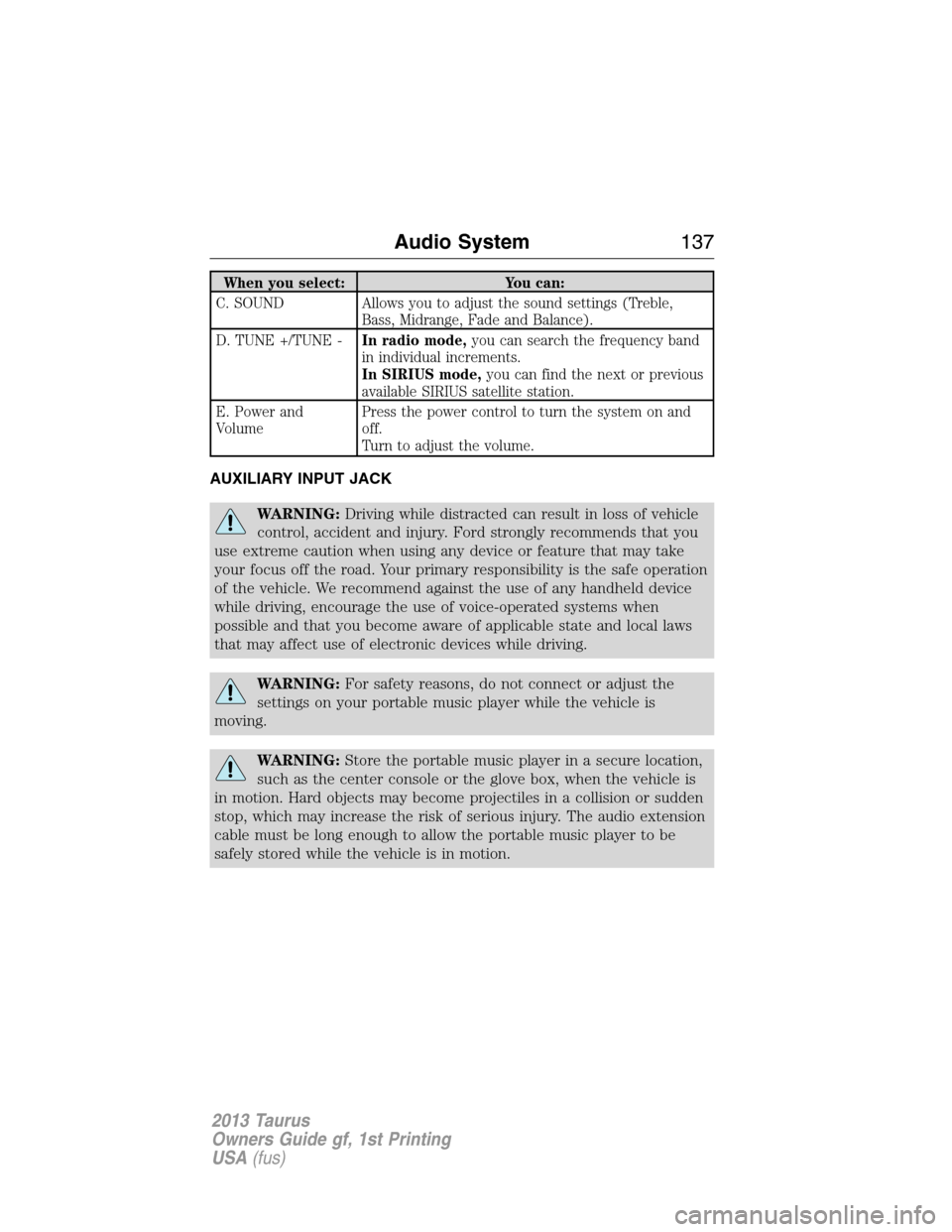
When you select: You can:
C. SOUND Allows you to adjust the sound settings (Treble,
Bass, Midrange, Fade and Balance).
D. TUNE +/TUNE -In radio mode,you can search the frequency band
in individual increments.
In SIRIUS mode,you can find the next or previous
available SIRIUS satellite station.
E. Power and
VolumePress the power control to turn the system on and
off.
Turn to adjust the volume.
AUXILIARY INPUT JACK
WARNING:Driving while distracted can result in loss of vehicle
control, accident and injury. Ford strongly recommends that you
use extreme caution when using any device or feature that may take
your focus off the road. Your primary responsibility is the safe operation
of the vehicle. We recommend against the use of any handheld device
while driving, encourage the use of voice-operated systems when
possible and that you become aware of applicable state and local laws
that may affect use of electronic devices while driving.
WARNING:For safety reasons, do not connect or adjust the
settings on your portable music player while the vehicle is
moving.
WARNING:Store the portable music player in a secure location,
such as the center console or the glove box, when the vehicle is
in motion. Hard objects may become projectiles in a collision or sudden
stop, which may increase the risk of serious injury. The audio extension
cable must be long enough to allow the portable music player to be
safely stored while the vehicle is in motion.
Audio System137
2013 Taurus
Owners Guide gf, 1st Printing
USA(fus)
Page 138 of 541
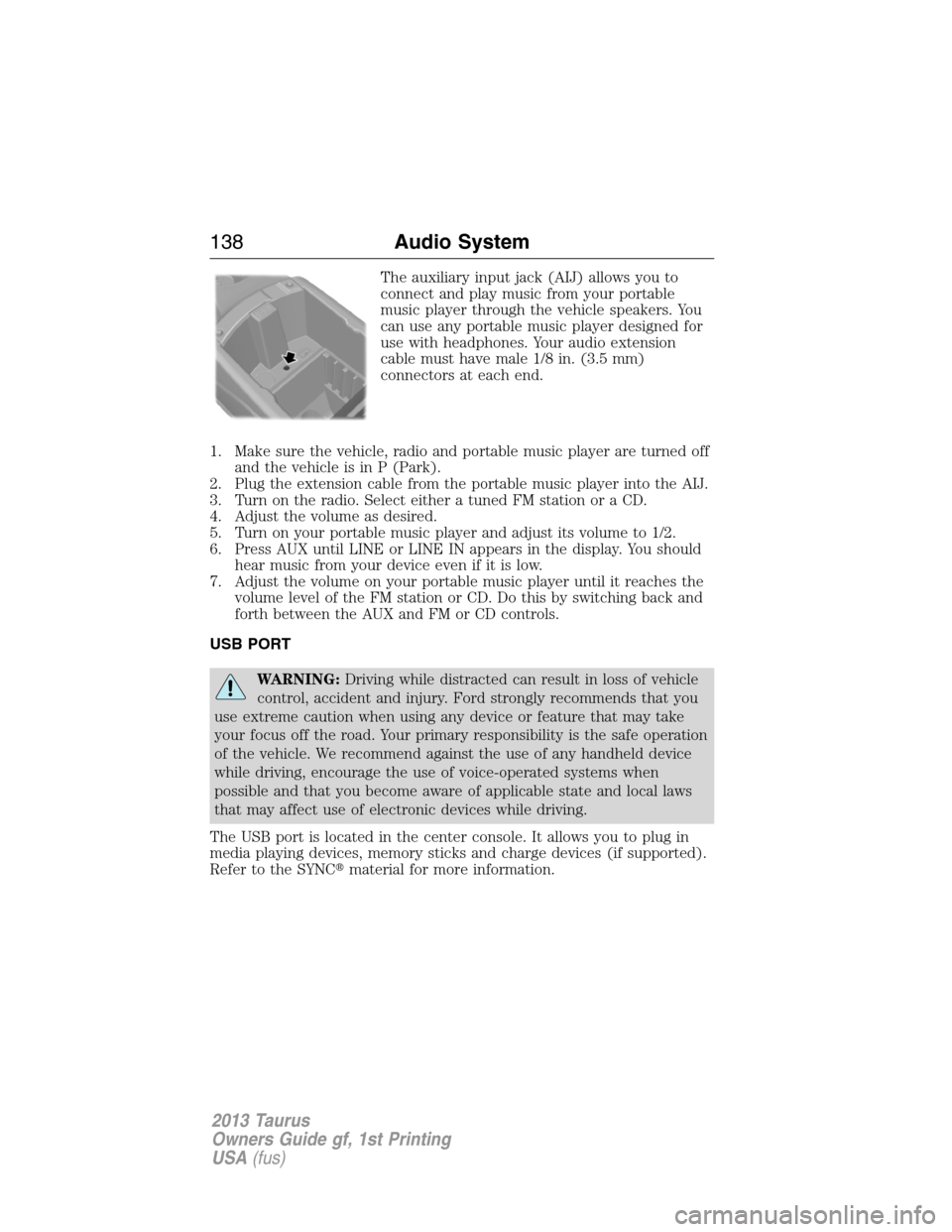
The auxiliary input jack (AIJ) allows you to
connect and play music from your portable
music player through the vehicle speakers. You
can use any portable music player designed for
use with headphones. Your audio extension
cable must have male 1/8 in. (3.5 mm)
connectors at each end.
1. Make sure the vehicle, radio and portable music player are turned off
and the vehicle is in P (Park).
2. Plug the extension cable from the portable music player into the AIJ.
3. Turn on the radio. Select either a tuned FM station or a CD.
4. Adjust the volume as desired.
5. Turn on your portable music player and adjust its volume to 1/2.
6. Press AUX until LINE or LINE IN appears in the display. You should
hear music from your device even if it is low.
7. Adjust the volume on your portable music player until it reaches the
volume level of the FM station or CD. Do this by switching back and
forth between the AUX and FM or CD controls.
USB PORT
WARNING:Driving while distracted can result in loss of vehicle
control, accident and injury. Ford strongly recommends that you
use extreme caution when using any device or feature that may take
your focus off the road. Your primary responsibility is the safe operation
of the vehicle. We recommend against the use of any handheld device
while driving, encourage the use of voice-operated systems when
possible and that you become aware of applicable state and local laws
that may affect use of electronic devices while driving.
The USB port is located in the center console. It allows you to plug in
media playing devices, memory sticks and charge devices (if supported).
Refer to the SYNC�material for more information.
138Audio System
2013 Taurus
Owners Guide gf, 1st Printing
USA(fus)