Page 3 of 475
Windows and Mirrors 95
Power windows.......................................95
Exteriormirrors.......................................97
Mirrors .............................................97
Interior mirrors.......................................99
Sun visors...........................................99
Moonroof............................................99
Instrument Cluster 102
Gauges.............................................102
Warning lamps and indicators............................103
Audible warnings and indicators..........................107
Information Displays 108
Controls............................................108
Trip computer.......................................110
Information messages..................................112
Audio System 123
AM/FMstereo........................................125
AM/FM/CD with SYNC.................................127
AM/FM/CD/SIRIUS Satellite Radio with SYNC.................130
AM/FMstereowithsingleCD ............................132
Auxiliary input jack...................................136
USBport...........................................137
Satellite radio information...............................138
Climate Control 141
Manual heating and air conditioning........................141
Dual automatic temperature control........................143
Rear window defroster.................................148
Cabin air filter.......................................149
Table of Contents3
2013 Focus(foc)
Owners Guide gf, 1st Printing
USA(fus)
Page 102 of 475
GAUGES
A. Information display. SeeInformation Displaysfor more information.
B. Speedometer
C. Engine coolant temperature gauge
D. Fuel gauge
E. Tachometer
Engine coolant temperature gauge
Shows the temperature of the engine coolant. At normal operating
temperature, the needle will remain in the center section. If the needle
enters the red section, the engine is overheating. Stop the engine, switch
the ignition off and determine the cause once the engine has cooled
down.
Note:Do not restart the engine until the cause of overheating has been
resolved.
WARNING:Never remove the coolant reservoir cap while the
engine is running or hot.
0 20406080
10 0
12 0
14 0
110
1013 0
15 0
10 012 0
14 0
16 0
18 0
0 20 40
306080
200
220
240
5070
90
102Instrument Cluster
2013 Focus(foc)
Owners Guide gf, 1st Printing
USA(fus)
Page 119 of 475
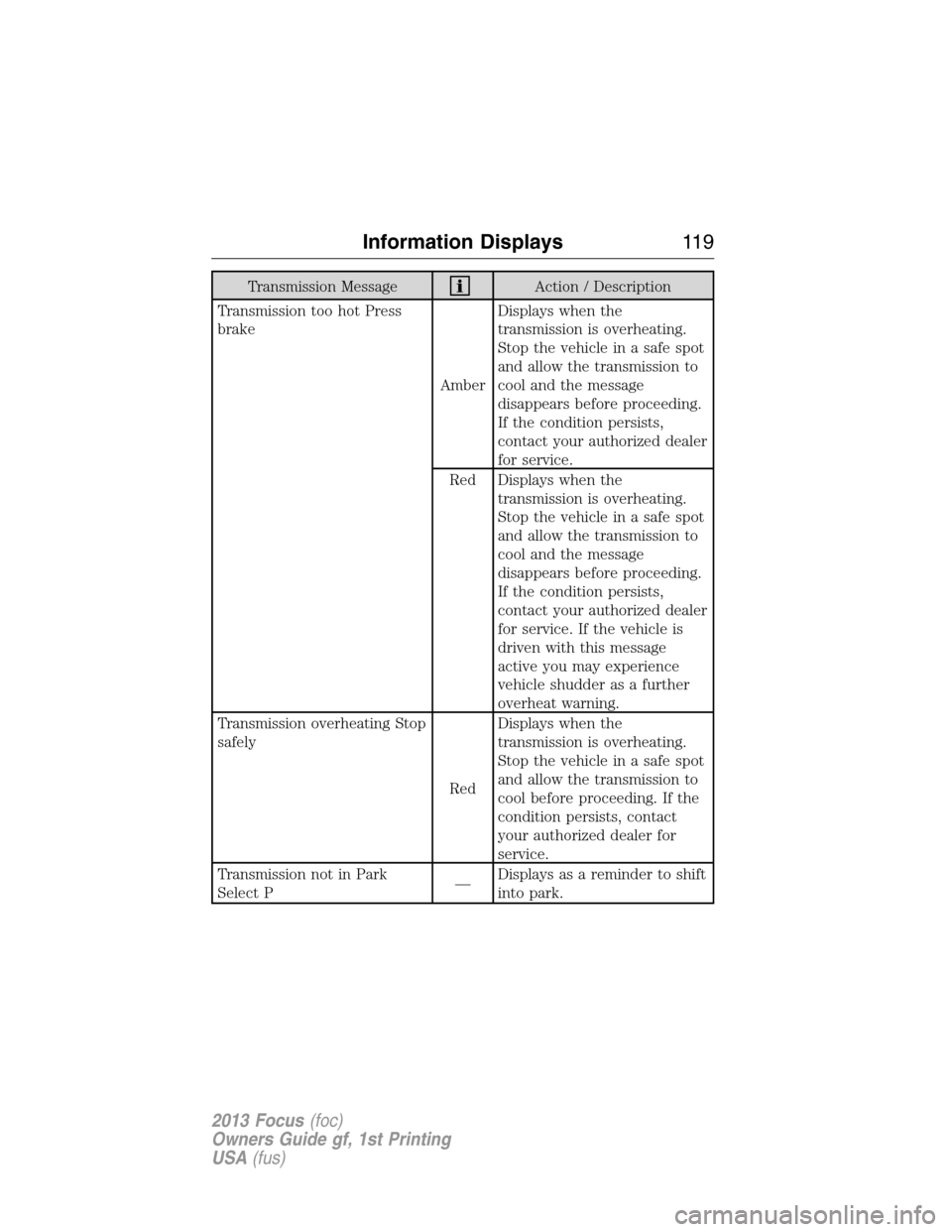
Transmission MessageAction / Description
Transmission too hot Press
brake
AmberDisplays when the
transmission is overheating.
Stop the vehicle in a safe spot
and allow the transmission to
cool and the message
disappears before proceeding.
If the condition persists,
contact your authorized dealer
for service.
Red Displays when the
transmission is overheating.
Stop the vehicle in a safe spot
and allow the transmission to
cool and the message
disappears before proceeding.
If the condition persists,
contact your authorized dealer
for service. If the vehicle is
driven with this message
active you may experience
vehicle shudder as a further
overheat warning.
Transmission overheating Stop
safely
RedDisplays when the
transmission is overheating.
Stop the vehicle in a safe spot
and allow the transmission to
cool before proceeding. If the
condition persists, contact
your authorized dealer for
service.
Transmission not in Park
Select P—Displays as a reminder to shift
into park.
Information Displays11 9
2013 Focus(foc)
Owners Guide gf, 1st Printing
USA(fus)
Page 120 of 475
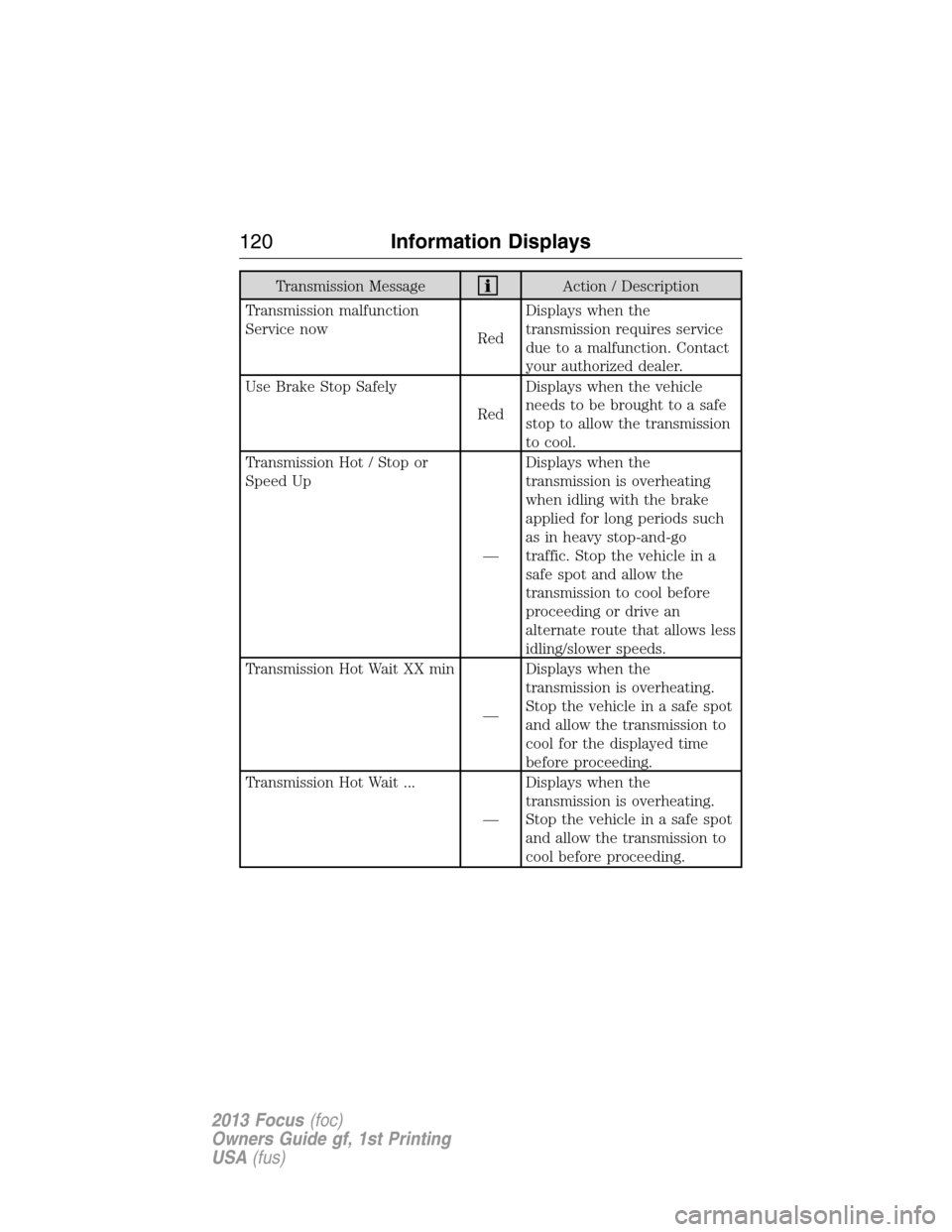
Transmission MessageAction / Description
Transmission malfunction
Service now
RedDisplays when the
transmission requires service
due to a malfunction. Contact
your authorized dealer.
Use Brake Stop Safely
RedDisplays when the vehicle
needs to be brought to a safe
stop to allow the transmission
to cool.
Transmission Hot / Stop or
Speed Up
—Displays when the
transmission is overheating
when idling with the brake
applied for long periods such
as in heavy stop-and-go
traffic. Stop the vehicle in a
safe spot and allow the
transmission to cool before
proceeding or drive an
alternate route that allows less
idling/slower speeds.
Transmission Hot Wait XX min
—Displays when the
transmission is overheating.
Stop the vehicle in a safe spot
and allow the transmission to
cool for the displayed time
before proceeding.
Transmission Hot Wait ...
—Displays when the
transmission is overheating.
Stop the vehicle in a safe spot
and allow the transmission to
cool before proceeding.
120Information Displays
2013 Focus(foc)
Owners Guide gf, 1st Printing
USA(fus)
Page 121 of 475
Transmission MessageAction / Description
Transmission Ready
—Displays after an transmission
overheating event and the
transmission has cooled
enough to allow proper
transmission function.
Transmission limited function
Check handbook AmberDisplays when certain
transmission features are
disabled.
Transmission warming up
Please wait
—Displays when the
transmission needs a warming
period before it will operate
properly.
Tire pressure Monitoring
System (TPMS) MessageAction / Description
Low Tire Pressure
AmberDisplays when one or more
tires on your vehicle have low
tire pressure. Refer to
Inflating Your Tiresin the
Tires, Wheels and Loading
chapter.
Tire Pressure Monitor Fault
AmberDisplays when the tire
pressure monitoring system is
malfunctioning. If the warning
stays on or continues to come
on, contact your authorized
dealer.
Information Displays121
2013 Focus(foc)
Owners Guide gf, 1st Printing
USA(fus)
Page 144 of 475
J.Air conditioning:Press to switch the air conditioning on or off. Air
conditioning cools your vehicle using outside air. To improve air
conditioning when starting your vehicle, drive with the windows slightly
open for two to three minutes.
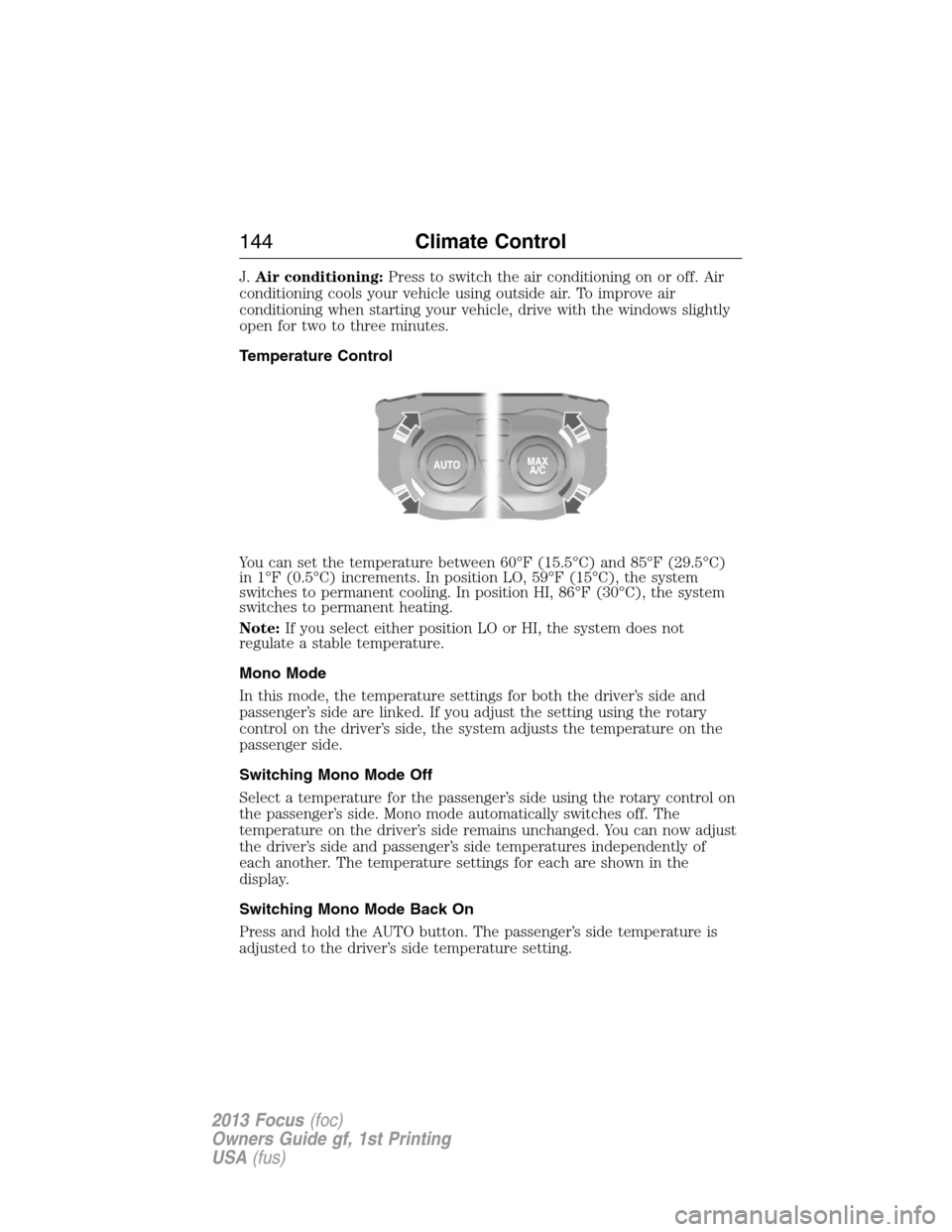
Temperature Control
You can set the temperature between 60°F (15.5°C) and 85°F (29.5°C)
in 1°F (0.5°C) increments. In position LO, 59°F (15°C), the system
switches to permanent cooling. In position HI, 86°F (30°C), the system
switches to permanent heating.
Note:If you select either position LO or HI, the system does not
regulate a stable temperature.
Mono Mode
In this mode, the temperature settings for both the driver’s side and
passenger’s side are linked. If you adjust the setting using the rotary
control on the driver’s side, the system adjusts the temperature on the
passenger side.
Switching Mono Mode Off
Select a temperature for the passenger’s side using the rotary control on
the passenger’s side. Mono mode automatically switches off. The
temperature on the driver’s side remains unchanged. You can now adjust
the driver’s side and passenger’s side temperatures independently of
each another. The temperature settings for each are shown in the
display.
Switching Mono Mode Back On
Press and hold the AUTO button. The passenger’s side temperature is
adjusted to the driver’s side temperature setting.
144Climate Control
2013 Focus(foc)
Owners Guide gf, 1st Printing
USA(fus)
Page 146 of 475
Heating the Interior Quickly
Vehicles with Manual Climate
ControlVehicles with Automatic
Climate Control
1 Adjust the fan speed to the
highest speed setting.Press the high fan speed button
control.
2 Adjust the temperature control
to the highest setting.Adjust the temperature control
to the highest setting.
3 Adjust the air distribution
control to the footwell air vents
position.Press the footwell button to
distribute air to the footwell air
vents.
Recommended Settings for Heating
Vehicles with Manual Climate
ControlVehicles with Automatic
Climate Control
1 Adjust the fan speed to the
second speed setting.Press the slow fan speed button.
2 Adjust the temperature control
to the midway point of the hot
settings.Adjust the temperature control
to the midway point of the hot
settings.
3 Adjust the air distribution
control to the footwell and
windshield air vents position.Press the footwell and
windshield air distribution
buttons.
4 Close the instrument panel air
vents. Open the side air vents
and direct them toward the side
windows.
146Climate Control
2013 Focus(foc)
Owners Guide gf, 1st Printing
USA(fus)
Page 158 of 475
HEATED SEATS (IF EQUIPPED)
WARNING:Persons who are unable to feel pain to the skin
because of advanced age, chronic illness, diabetes, spinal cord
injury, medication, alcohol use, exhaustion, or other physical conditions,
must exercise care when using the seat heater. The seat heater may
cause burns even at low temperatures, especially if used for long
periods of time. Do not place anything on the seat that insulates against
heat, such as a blanket or cushion, because this may cause the seat
heater to overheat. Do not puncture the seat with pins, needles, or
other pointed objects because this may damage the heating element
which may cause the seat heater to overheat. An overheated seat may
cause serious personal injury.
Note:Do not do the following:
•Place heavy objects on the seat
•Operate the seat heater if water or any other liquid is spilled on the
seat. Allow the seat to dry thoroughly.
•Operate the heated seats unless the engine is running. Doing so could
drain the vehicle’s battery.
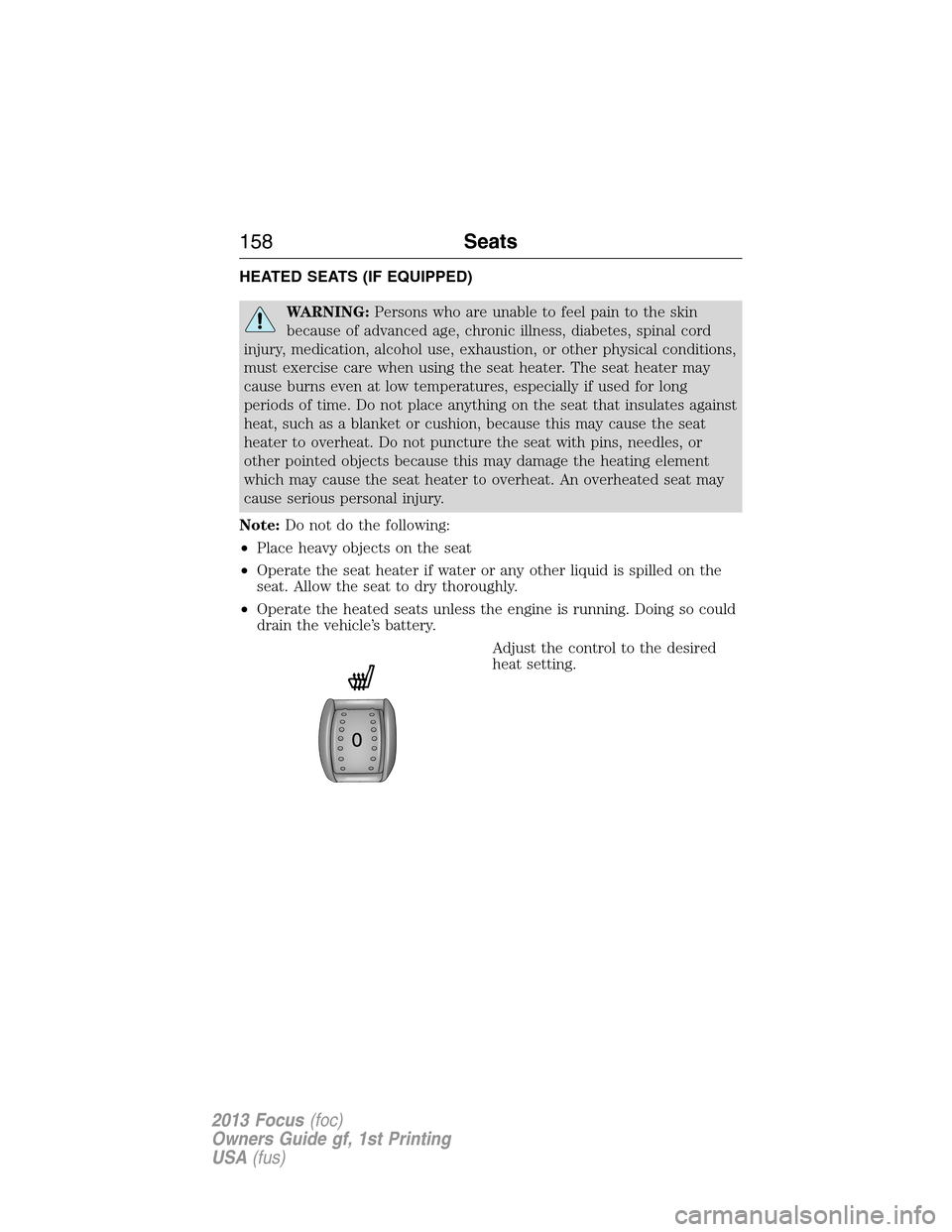
Adjust the control to the desired
heat setting.
158Seats
2013 Focus(foc)
Owners Guide gf, 1st Printing
USA(fus)