Page 63 of 475

Sounding a Panic Alarm (If Equipped)
Note:The panic alarm will only operate when the ignition is off.
Press the button to activate the alarm. Press the button again
or turn the ignition on to deactivate.
Remote Start (If Equipped)
WARNING:To avoid exhaust fumes, do not use remote start if
your vehicle is parked indoors or areas that are not well
ventilated.
Note:Do not use remote start if your vehicle is low on fuel.
Your vehicle has remote start if the transmitter has this button.
The remote start feature allows you to start the vehicle from outside the
vehicle. The transmitter has an extended operating range.
Vehicles with automatic climate control can be configured to operate
when the vehicle is remote started. Refer to theClimate Control
chapter for more information.
Many states and provinces have restrictions for the use of remote start.
Check your local and state or provincial laws for specific requirements
regarding remote start systems.
The remote start system will not work if:
•the ignition is on
•the alarm system is triggered
•the feature has been disabled
•the hood is not closed
•two remote vehicle starts have already been attempted within the last
hour
•the vehicle is not inP
•the vehicle battery voltage is too low
•the service engine soon indicator was on the last time the vehicle was
driven.
Keys and Remote Control63
2013 Focus(foc)
Owners Guide gf, 1st Printing
USA(fus)
Page 66 of 475
PRINCIPLES OF OPERATION
MyKey�allows you to program keys with restricted driving modes to
promote good driving habits. All but one of the keys programmed to the
vehicle can be activated with these restricted modes. Any keys that have
not been programmed are referred to as an administrator key or admin
key which can be used to:
•create a restricted key
•program optional MyKey settings
•clear all MyKey features altogether.
Once a key has been programmed, you can access the following
information using the information display control:
•How many admin keys and MyKeys are programmed to the vehicle.
•The total distance the vehicle has been driven with a MyKey.
For vehicles equipped with Intelligent Access (push button start), when
both a MyKey and an Admin Intelligent Access key (fob) are present, the
admin fob will be recognized by the vehicle to start the engine.
Standard Settings
These settings cannot be changed.
•Belt-Minder. This cannot be disabled and the five–minute timer does
not expire. The audio system is muted when MyKey Belt-Minder is
activated.
•Early low fuel. Warnings are displayed in the information display
control followed by an audible tone when the fuel tank is at
one-eighth tank or less.
•Driver assist features, if equipped on your vehicle, are forced on:
parking aid, blind spot information system (BLIS) with cross traffic
alert and the collision warning system.
Optional Settings
These settings can be configured right after a MyKey is first created or
changed afterward with an admin key.
•Vehicle speed limit of 80 mph (130 km/h). Visual warnings are
displayed followed by an audible tone when vehicle speed has reached
80 mph (130 km/h).
•Vehicle speed warning of 45, 55 or 65 mph (75, 90, or 105 km/h).
Visual warnings are displayed followed by an audible tone when the
preselected vehicle speed is exceeded.
66MyKey
2013 Focus(foc)
Owners Guide gf, 1st Printing
USA(fus)
Page 78 of 475
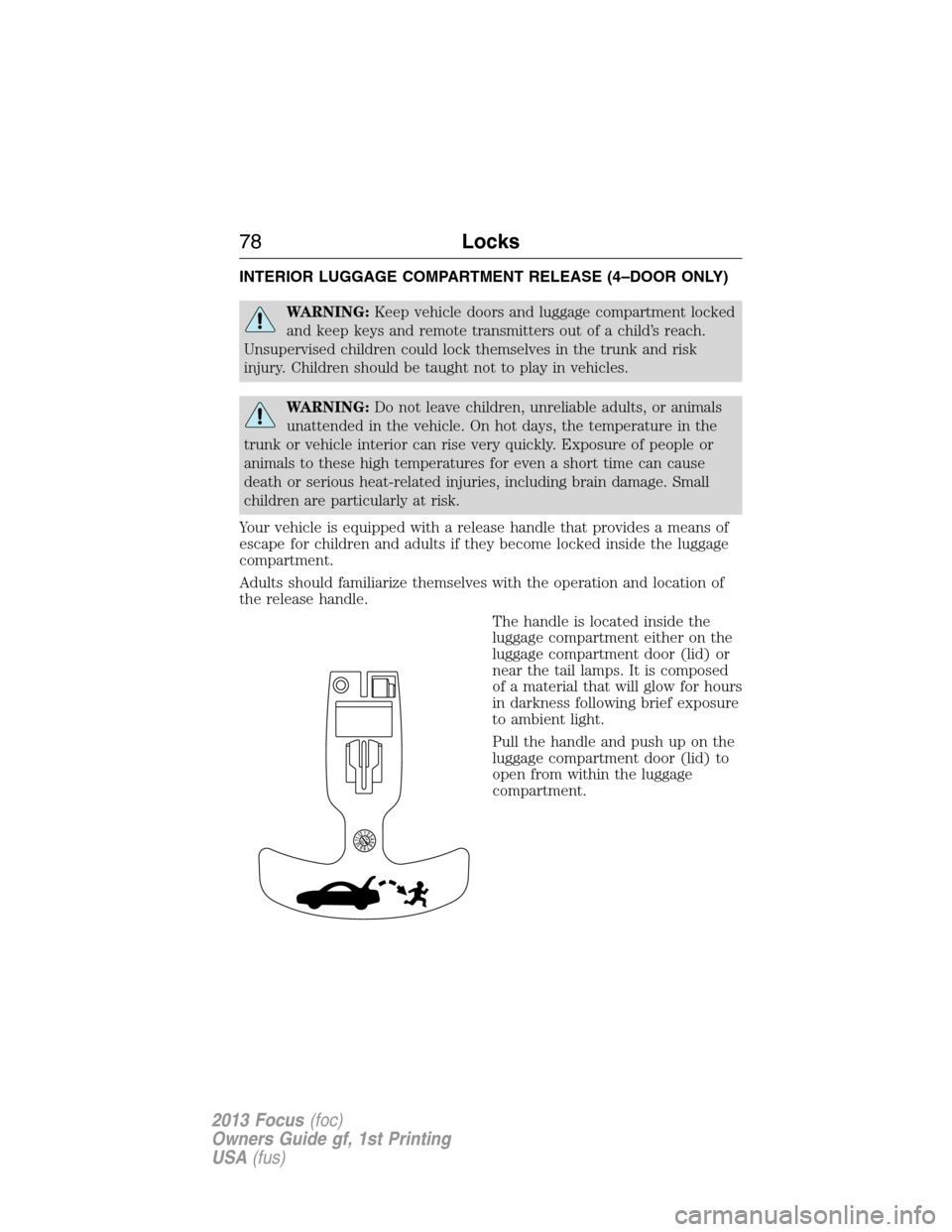
INTERIOR LUGGAGE COMPARTMENT RELEASE (4–DOOR ONLY)
WARNING:Keep vehicle doors and luggage compartment locked
and keep keys and remote transmitters out of a child’s reach.
Unsupervised children could lock themselves in the trunk and risk
injury. Children should be taught not to play in vehicles.
WARNING:Do not leave children, unreliable adults, or animals
unattended in the vehicle. On hot days, the temperature in the
trunk or vehicle interior can rise very quickly. Exposure of people or
animals to these high temperatures for even a short time can cause
death or serious heat-related injuries, including brain damage. Small
children are particularly at risk.
Your vehicle is equipped with a release handle that provides a means of
escape for children and adults if they become locked inside the luggage
compartment.
Adults should familiarize themselves with the operation and location of
the release handle.
The handle is located inside the
luggage compartment either on the
luggage compartment door (lid) or
near the tail lamps. It is composed
of a material that will glow for hours
in darkness following brief exposure
to ambient light.
Pull the handle and push up on the
luggage compartment door (lid) to
open from within the luggage
compartment.
78Locks
2013 Focus(foc)
Owners Guide gf, 1st Printing
USA(fus)
Page 82 of 475
ADJUSTING THE STEERING WHEEL
WARNING:Do not adjust the steering wheel when your vehicle
is moving.
Note:Make sure that you are sitting in the correct position. SeeSitting
in the Correct Positionin theSeatschapter.
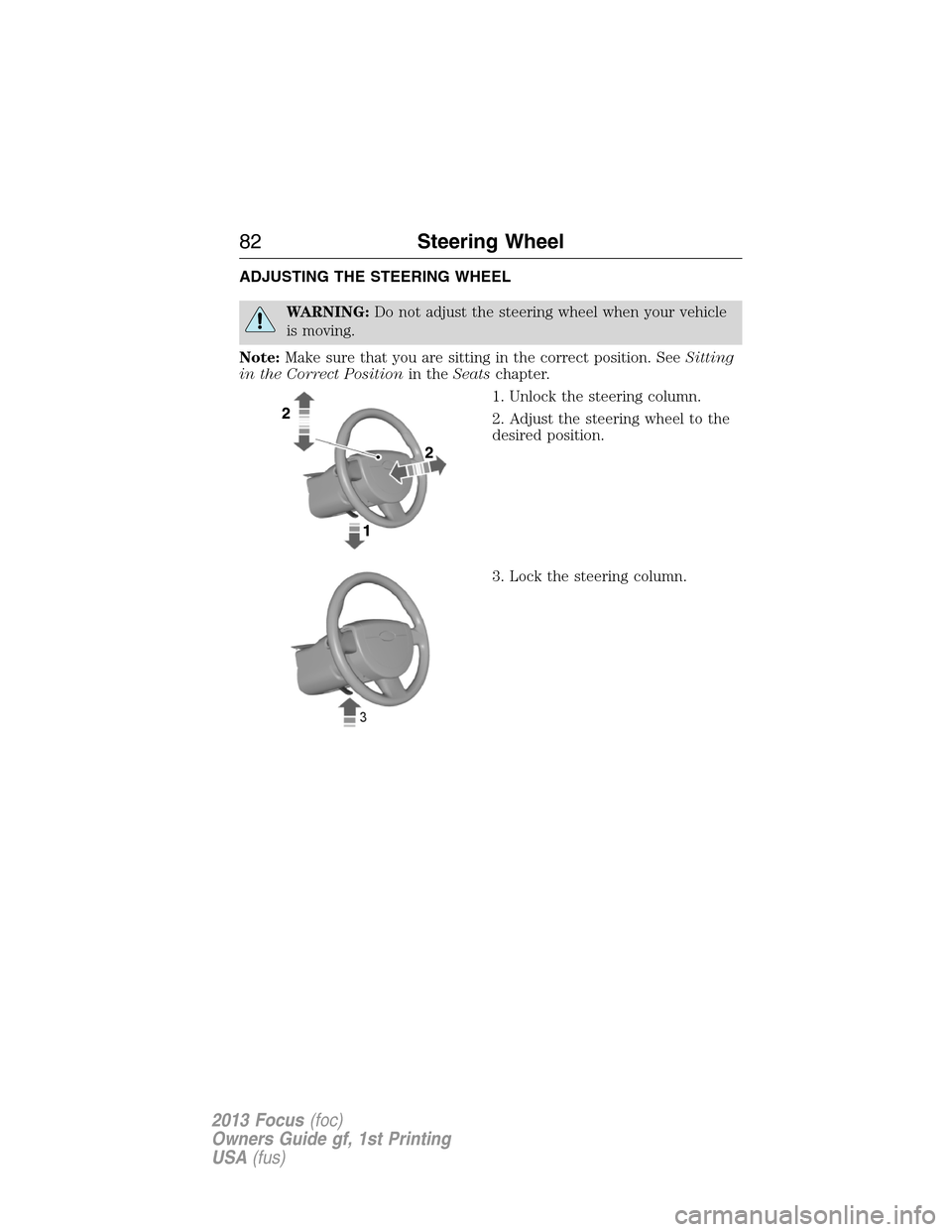
1. Unlock the steering column.
2. Adjust the steering wheel to the
desired position.
3. Lock the steering column.
82Steering Wheel
2013 Focus(foc)
Owners Guide gf, 1st Printing
USA(fus)
Page 91 of 475

Vehicles Without Front Fog Lamps
A. Press repeatedly or press and
holdtodim.
B. Press repeatedly or press and
hold to brighten.
HEADLAMP EXIT DELAY
After you switch the ignition off, you can switch the headlamps on by
pulling the direction indicator lever toward you. You will hear a short
tone. The headlamps will switch off automatically after three minutes
with any door open or 30 seconds after the last door has been closed.
You can cancel this feature by pulling the direction indicator toward you
again or switching the ignition on.
DAYTIME RUNNING LAMPS (IF EQUIPPED)
WARNING:Always remember to switch your headlamps on in
low light situations or during inclement weather. The system does
not activate the tail lamps and may not provide adequate lighting
during these conditions. Failure to activate your headlamps under these
conditions may result in a collision.
The system switches the headlamps on in daylight conditions.
To switch the system on, switch the ignition on, and switch the lighting
control to the off, autolamp, or parking lamp positions.
AB
A
Lighting91
2013 Focus(foc)
Owners Guide gf, 1st Printing
USA(fus)
Page 95 of 475
POWER WINDOWS
WARNING:Do not leave children unattended in the vehicle and
do not let them play with the power windows. They may
seriously injure themselves.
WARNING:When closing the power windows, you should verify
they are free of obstructions and make sure that children and
pets are not in the proximity of the window openings.
Note:You may hear a rumbling noise when one or both of the rear
windows are open. Lower a front window slightly to reduce this noise.
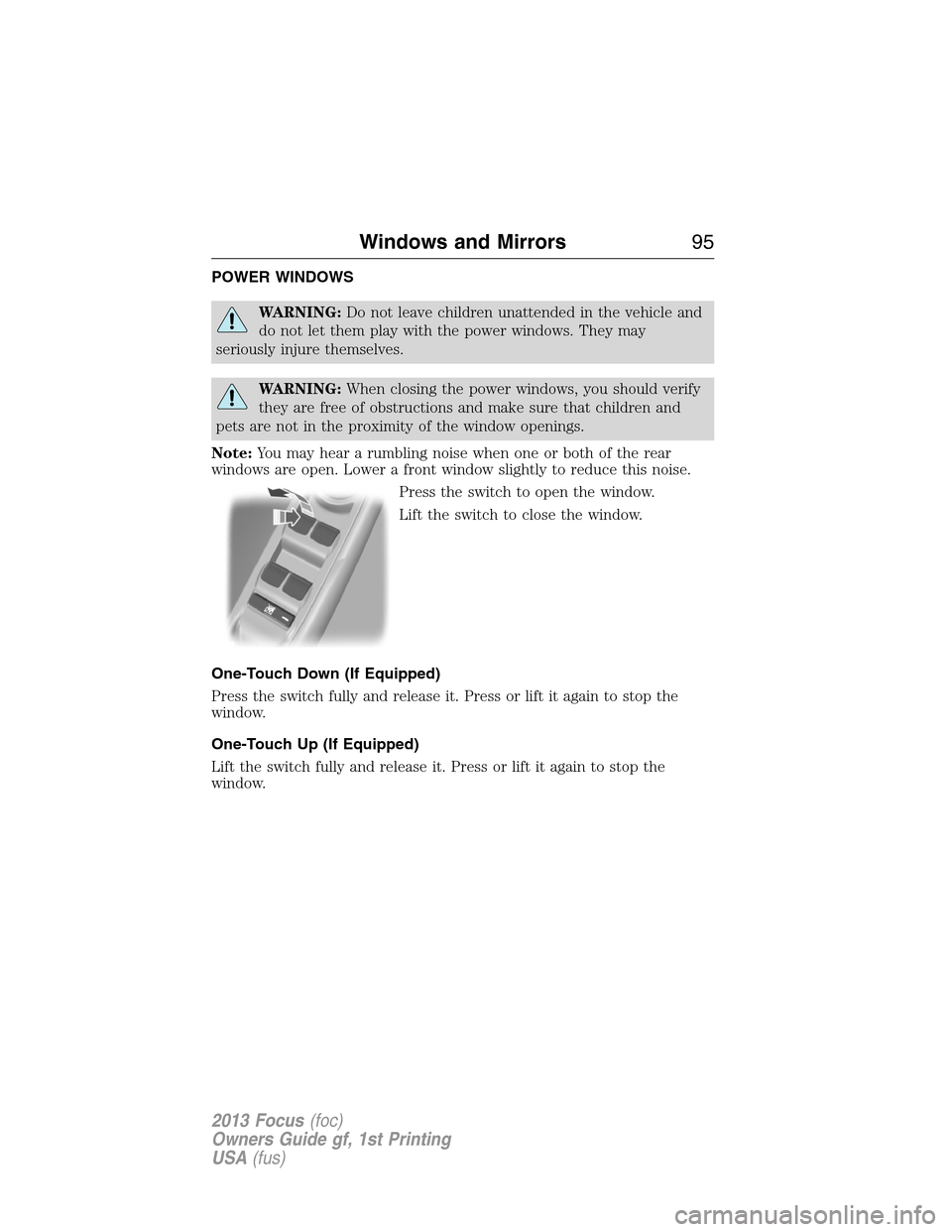
Press the switch to open the window.
Lift the switch to close the window.
One-Touch Down (If Equipped)
Press the switch fully and release it. Press or lift it again to stop the
window.
One-Touch Up (If Equipped)
Lift the switch fully and release it. Press or lift it again to stop the
window.
Windows and Mirrors95
2013 Focus(foc)
Owners Guide gf, 1st Printing
USA(fus)
Page 96 of 475
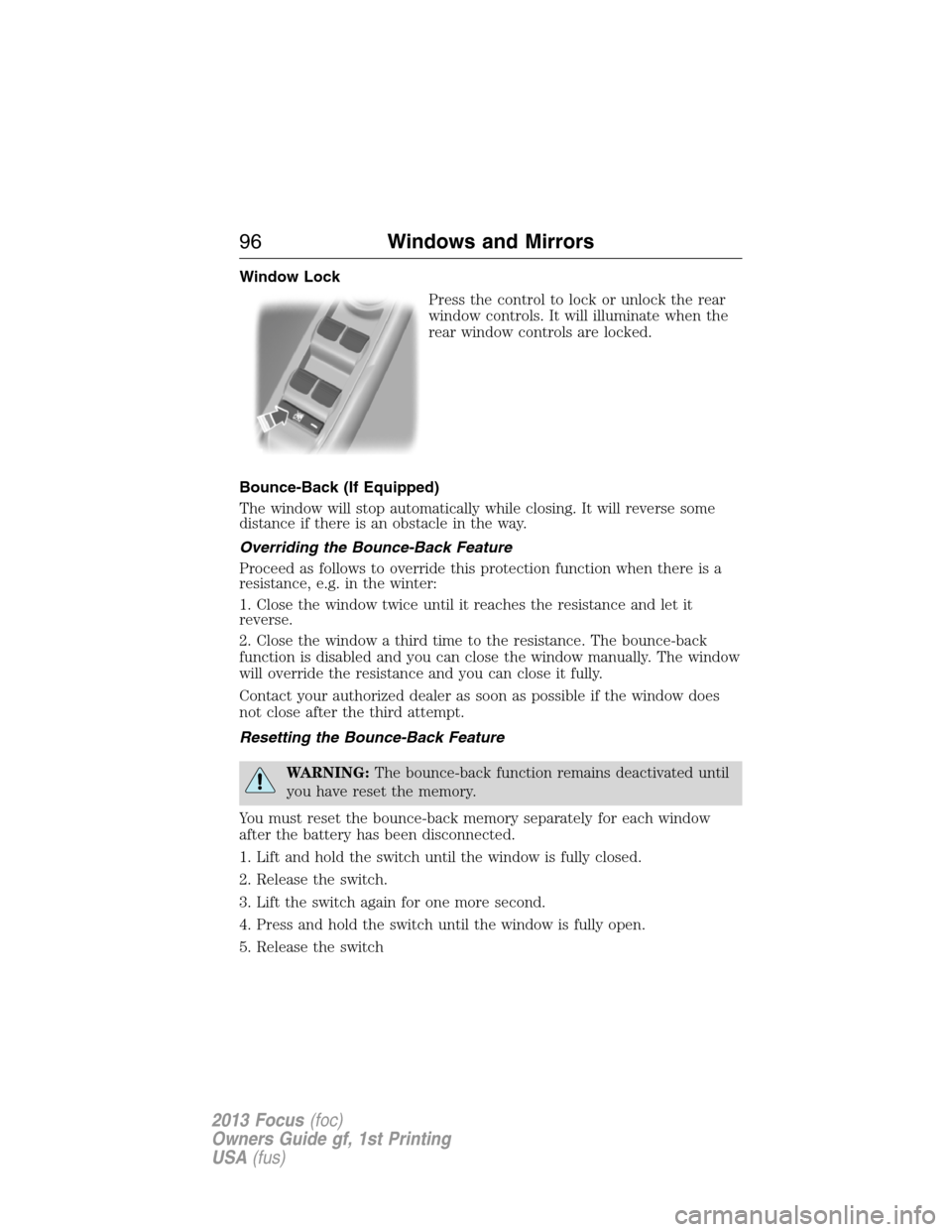
Window Lock
Press the control to lock or unlock the rear
window controls. It will illuminate when the
rear window controls are locked.
Bounce-Back (If Equipped)
The window will stop automatically while closing. It will reverse some
distance if there is an obstacle in the way.
Overriding the Bounce-Back Feature
Proceed as follows to override this protection function when there is a
resistance, e.g. in the winter:
1. Close the window twice until it reaches the resistance and let it
reverse.
2. Close the window a third time to the resistance. The bounce-back
function is disabled and you can close the window manually. The window
will override the resistance and you can close it fully.
Contact your authorized dealer as soon as possible if the window does
not close after the third attempt.
Resetting the Bounce-Back Feature
WARNING:The bounce-back function remains deactivated until
you have reset the memory.
You must reset the bounce-back memory separately for each window
after the battery has been disconnected.
1. Lift and hold the switch until the window is fully closed.
2. Release the switch.
3. Lift the switch again for one more second.
4. Press and hold the switch until the window is fully open.
5. Release the switch
96Windows and Mirrors
2013 Focus(foc)
Owners Guide gf, 1st Printing
USA(fus)
Page 97 of 475
6. Lift and hold the switch until the window is fully closed.
7. Open the window and then try to close it automatically.
8. Reset and repeat the procedure if the window does not close
automatically.
Accessory Delay (If Equipped)
You can use the window switches for several minutes after the you
switch the ignition off, or until either front door is opened.
EXTERIOR MIRRORS
Power Exterior Mirrors
WARNING:Do not adjust the mirror while the vehicle is in
motion.
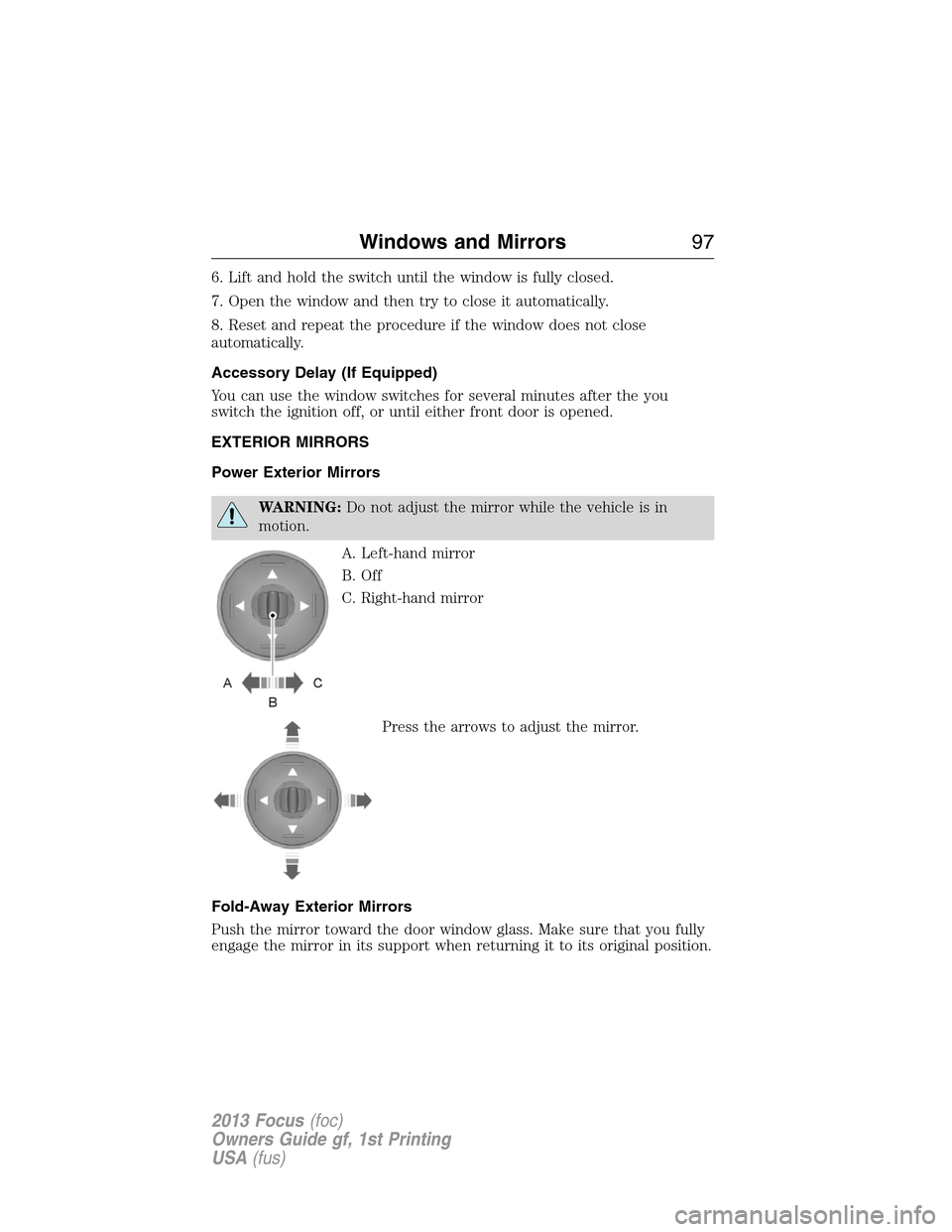
A. Left-hand mirror
B. Off
C. Right-hand mirror
Press the arrows to adjust the mirror.
Fold-Away Exterior Mirrors
Push the mirror toward the door window glass. Make sure that you fully
engage the mirror in its support when returning it to its original position.
Windows and Mirrors97
2013 Focus(foc)
Owners Guide gf, 1st Printing
USA(fus)