Page 85 of 475
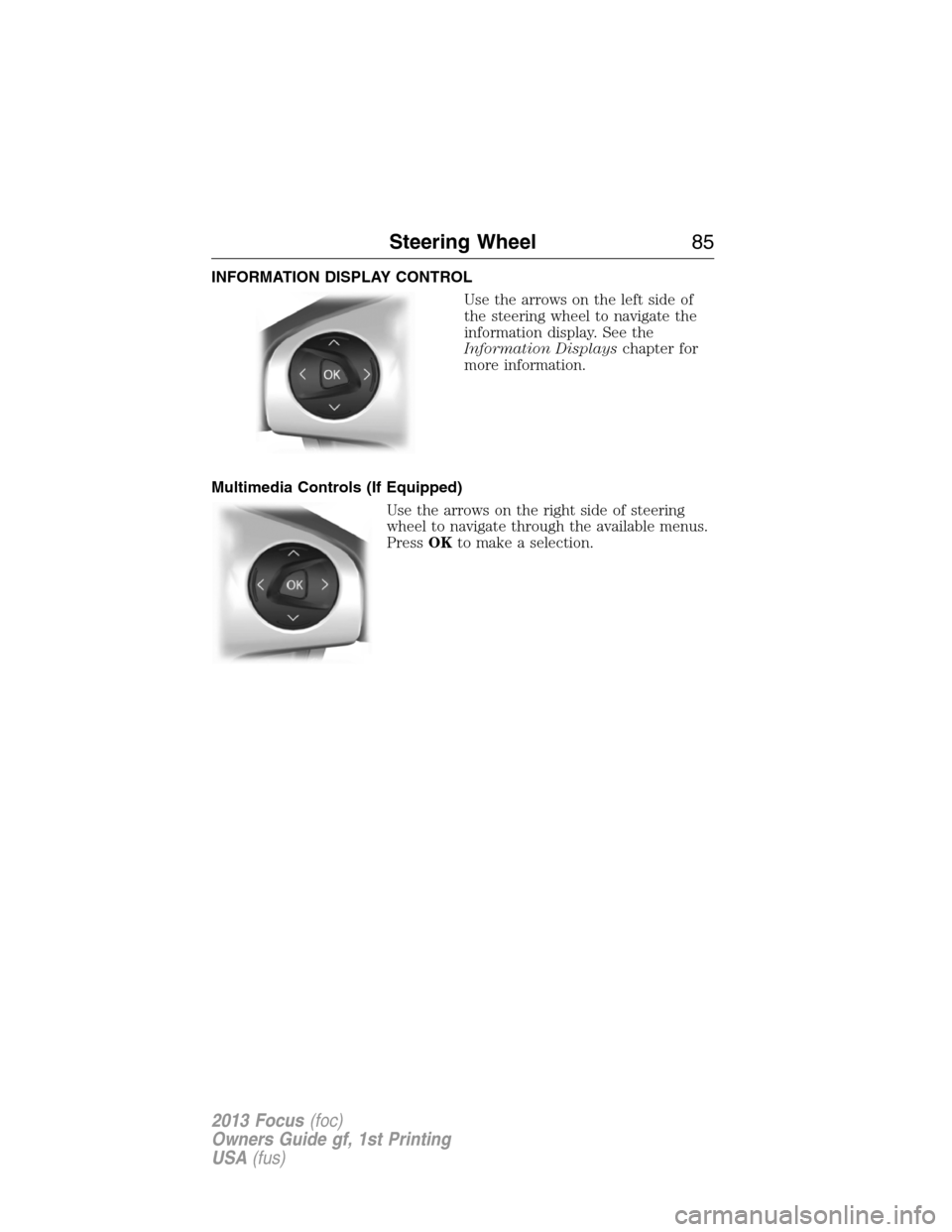
INFORMATION DISPLAY CONTROL
Use the arrows on the left side of
the steering wheel to navigate the
information display. See the
Information Displayschapter for
more information.
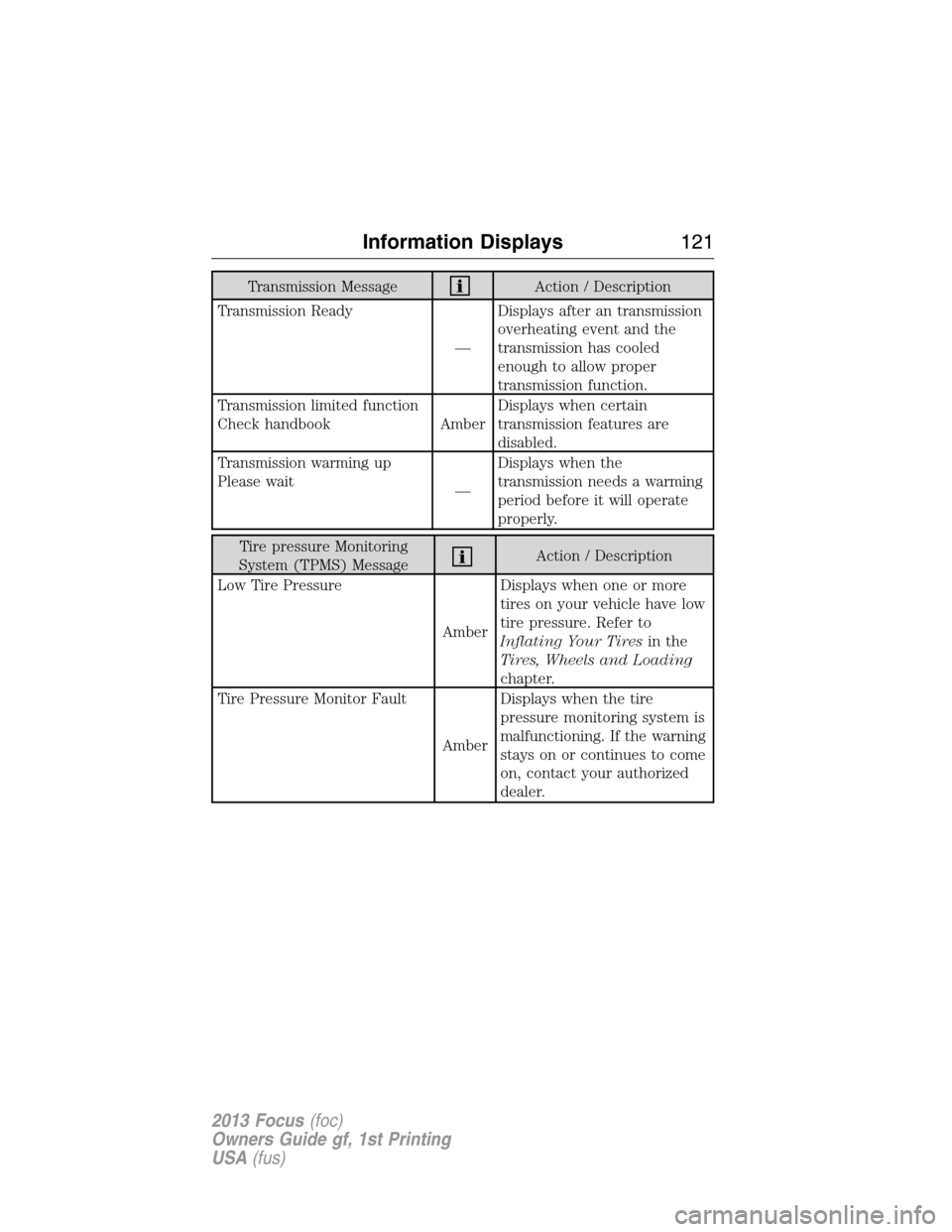
Multimedia Controls (If Equipped)
Use the arrows on the right side of steering
wheel to navigate through the available menus.
PressOKto make a selection.
Steering Wheel85
2013 Focus(foc)
Owners Guide gf, 1st Printing
USA(fus)
Page 108 of 475
GENERAL INFORMATION
WARNING:Driving while distracted can result in loss of vehicle
control, accident and injury. Ford strongly recommends that drivers
use extreme caution when using any device or feature that may take their
focus off the road. Your primary responsibility is the safe operation of the
vehicle. We recommend against the use of any handheld device while
driving and that you comply with all applicable laws.
Various systems on your vehicle can be controlled using the information
display controls on the steering wheel. Corresponding information is
displayed in the information display.
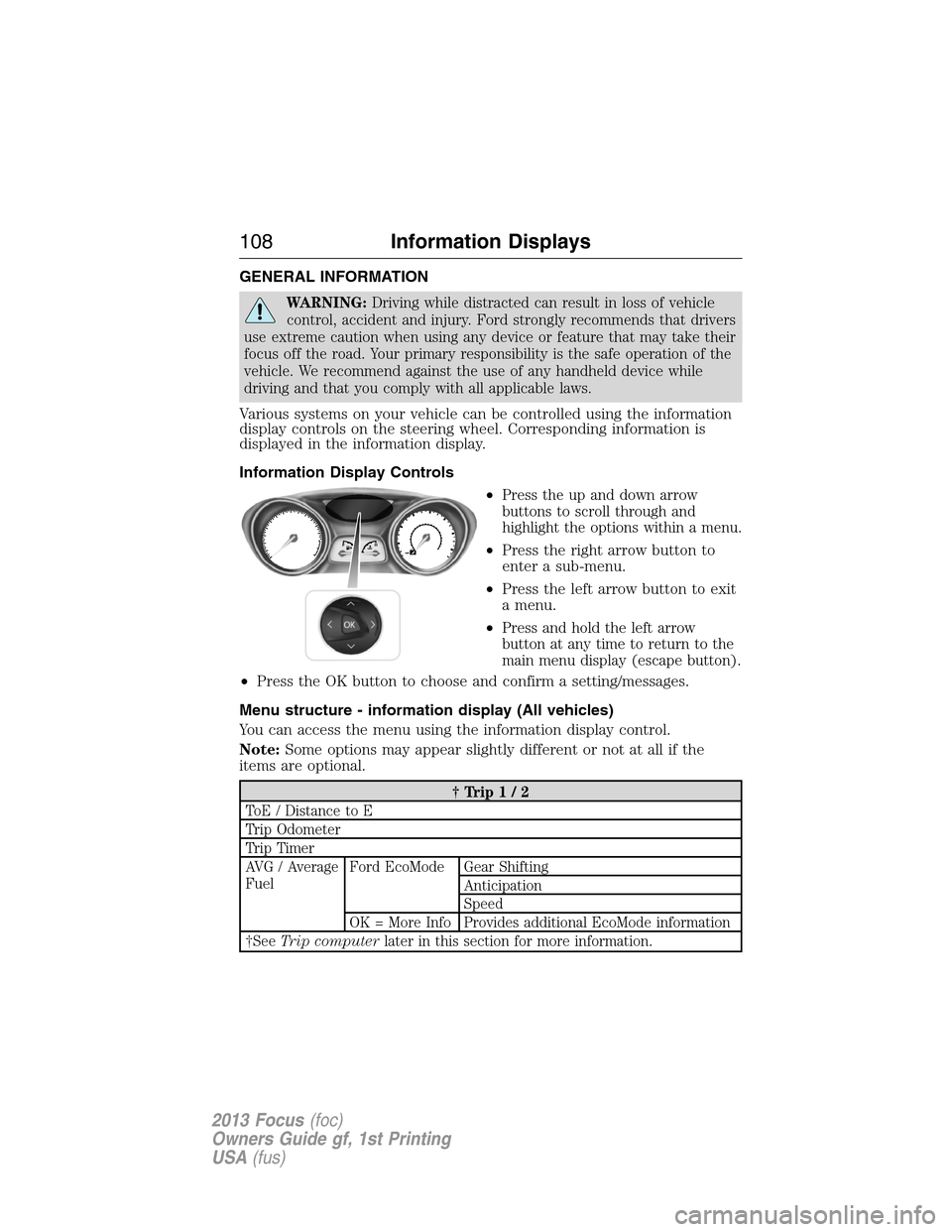
Information Display Controls
•
Press the up and down arrow
buttons to scroll through and
highlight the options within a menu.
•Press the right arrow button to
enter a sub-menu.
•Press the left arrow button to exit
a menu.
•
Press and hold the left arrow
button at any time to return to the
main menu display (escape button).
•Press the OK button to choose and confirm a setting/messages.
Menu structure - information display (All vehicles)
You can access the menu using the information display control.
Note:Some options may appear slightly different or not at all if the
items are optional.
†Trip1/2
ToE / Distance to E
Trip Odometer
Trip Timer
AVG / Average
FuelFord EcoMode Gear Shifting
Anticipation
Speed
OK = More Info Provides additional EcoMode information
†SeeTrip computerlater in this section for more information.
108Information Displays
2013 Focus(foc)
Owners Guide gf, 1st Printing
USA(fus)
Page 114 of 475

Engine MessageAction / Description
Engine malfunction Service
now AmberEngine service is required.
Contact your authorized
dealer.
High engine temperature Stop
safely
RedDisplays when the engine
temperature is too high. Stop
the vehicle in a safe place and
allow to engine to cool. If the
problem persists, contact your
authorized dealer.
Fuel MessageAction / Description
Fuel Level LOW
AmberDisplays when the fuel level is
low.
Check Fuel Fill Inlet
AmberDisplayed when the fuel fill
inlet may not be properly
closed.
Hill Start Assist MessageAction / Description
Hill start assist not available
AmberDisplays when hill start assist
is not available. Contact your
authorized dealer.
Keyless Vehicle MessageAction / Description
Steering lock engaged. Turn
steering wheel
—Displays when you need to
turn the steering wheel in
order to disengage the
steering lock.
Steering malfunction Service
nowAmberContact your authorized
dealer.
Steering malfunction Stop
safely RedStop the vehicle in a safe
place. Contact your authorized
dealer.
11 4Information Displays
2013 Focus(foc)
Owners Guide gf, 1st Printing
USA(fus)
Page 121 of 475
Transmission MessageAction / Description
Transmission Ready
—Displays after an transmission
overheating event and the
transmission has cooled
enough to allow proper
transmission function.
Transmission limited function
Check handbook AmberDisplays when certain
transmission features are
disabled.
Transmission warming up
Please wait
—Displays when the
transmission needs a warming
period before it will operate
properly.
Tire pressure Monitoring
System (TPMS) MessageAction / Description
Low Tire Pressure
AmberDisplays when one or more
tires on your vehicle have low
tire pressure. Refer to
Inflating Your Tiresin the
Tires, Wheels and Loading
chapter.
Tire Pressure Monitor Fault
AmberDisplays when the tire
pressure monitoring system is
malfunctioning. If the warning
stays on or continues to come
on, contact your authorized
dealer.
Information Displays121
2013 Focus(foc)
Owners Guide gf, 1st Printing
USA(fus)
Page 122 of 475
Tire pressure Monitoring
System (TPMS) MessageAction / Description
Tire Pressure Sensor Fault
AmberDisplays when a tire pressure
sensor is malfunctioning, or
your spare tire is in use. For
more information on how the
system operates under these
conditions, refer to
Understanding Your Tire
Pressure Monitoring System
(TPMS)in theTires, Wheels
and Loadingchapter. If the
warning stays on or continues
to come on, contact your
authorized dealer.
Traction Control /
AdvanceTrac�MessageAction / Description
Traction control off
—Displays when the traction
control system has been
switched off.
122Information Displays
2013 Focus(foc)
Owners Guide gf, 1st Printing
USA(fus)
Page 151 of 475
SITTING IN THE CORRECT POSITION
WARNING:Sitting improperly out of position or with the seat
back reclined too far can take off weight from the seat cushion
and affect the decision of the passenger sensing system, resulting in
serious injury or death in a crash. Always sit upright against your seat
back, with your feet on the floor.
WARNING:Do not recline the seat back as this can cause the
occupant to slide under the seat’s safety belt, resulting in severe
personal injury in the event of a collision.
WARNING:Do not place objects higher than the seat backs to
reduce the risk of injury in a collision or during heavy braking or
when stopping suddenly.
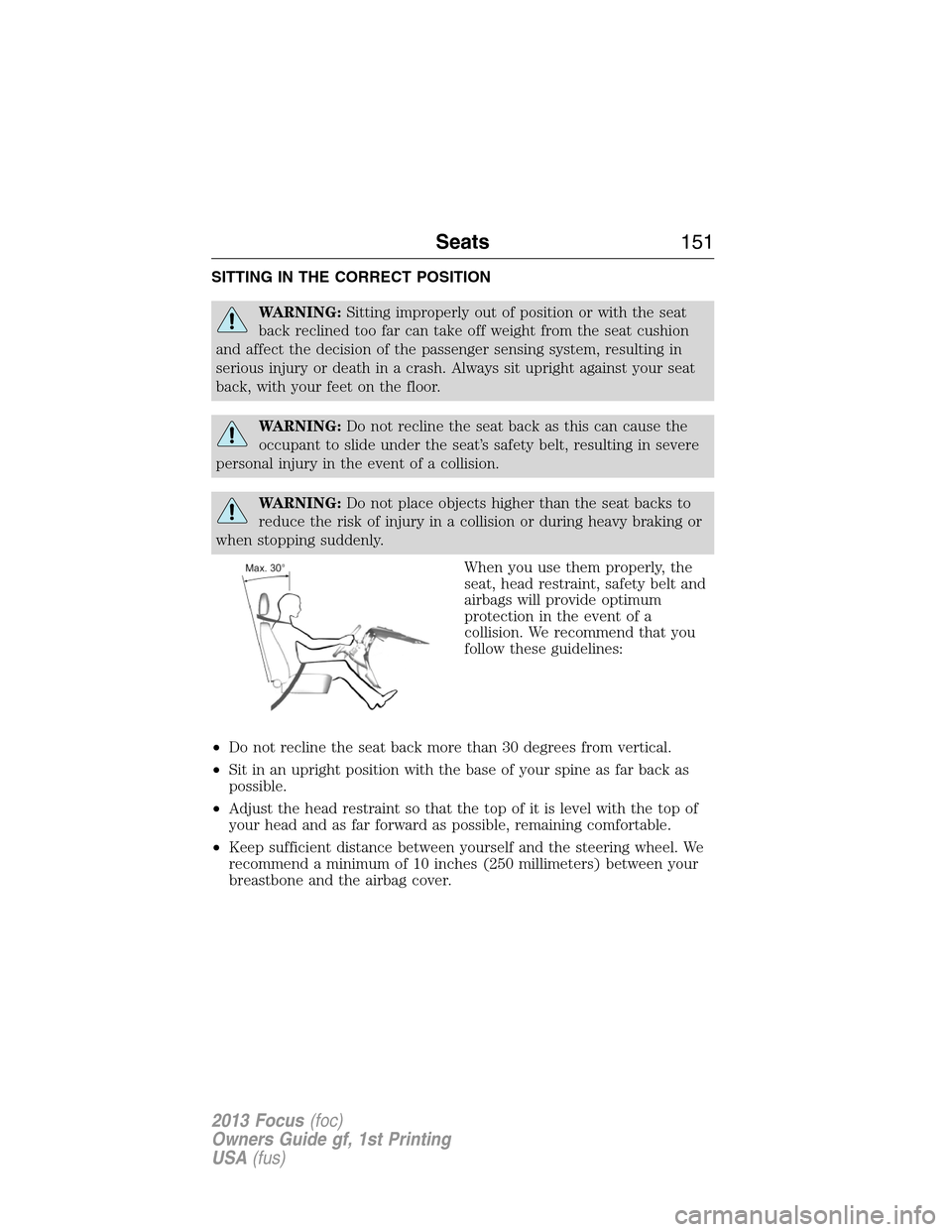
When you use them properly, the
seat, head restraint, safety belt and
airbags will provide optimum
protection in the event of a
collision. We recommend that you
follow these guidelines:
•Do not recline the seat back more than 30 degrees from vertical.
•Sit in an upright position with the base of your spine as far back as
possible.
•Adjust the head restraint so that the top of it is level with the top of
your head and as far forward as possible, remaining comfortable.
•Keep sufficient distance between yourself and the steering wheel. We
recommend a minimum of 10 inches (250 millimeters) between your
breastbone and the airbag cover.
Seats151
2013 Focus(foc)
Owners Guide gf, 1st Printing
USA(fus)
Page 152 of 475
•Hold the steering wheel with your arms slightly bent.
•Bend your legs slightly so that you can press the pedals fully.
•Position the shoulder strap of the safety belt over the center of your
shoulder and position the lap strap tightly across your hips.
Make sure that your driving position is comfortable and that you can
maintain full control of your vehicle.
HEAD RESTRAINTS
WARNING:To minimize the risk of neck injury in the event of a
crash, the driver and passenger occupants should not sit in
and/or operate the vehicle, until the head restraint is placed in its
proper position. The driver should never adjust the head restraint while
the vehicle is in motion.
WARNING:The adjustable head restraint is a safety device.
Whenever possible, it should be installed and properly adjusted
when the seat is occupied.
WARNING:Install the head restraint properly to minimize the
risk of neck injury in the event of a crash.
Note:Adjust the seatback to an upright driving position before adjusting
any head restraint. Adjust the head restraint so that the top of it is level
with the top of your head and as far forward as possible, remaining
comfortable. For occupants of extremely tall stature, adjust the head
restraint to its highest position.
152Seats
2013 Focus(foc)
Owners Guide gf, 1st Printing
USA(fus)
Page 164 of 475

IGNITION SWITCH (IF EQUIPPED)
Note:When you switch the ignition off and leave your vehicle, do not
leave your key in the ignition. This could discharge your vehicle battery.
Note:To switch the engine off when your vehicle is moving, move the
transmission selector lever to positionN.Use the brakes to bring your
vehicle to a safe stop. After your vehicle has stopped, switch the engine
off and move the transmission selector lever to positionP.Turn the key
to position 0 or 1.
0 (Off):The ignition is off.
I (Accessory):Allows the electrical accessories, such as the radio, to
operate.
II (On):All electrical circuits are operational. Warning lamps and
indicators illuminate. This is the key position when driving.
III (Start):Cranks the engine. Release the key as soon as the engine
starts.
KEYLESS STARTING (IF EQUIPPED)
WARNING:The keyless starting system may not function if the key
is close to metal objects or electronic devices such as mobile phones.
Note:A valid key must be located inside the vehicle to switch the
ignition on and start the engine.
The start button is located on the instrument panel near the steering wheel.
Ignition On Mode
To switch the ignition on, press the start button. All
electrical circuits and accessories are operational, and
warning lamps and indicators illuminate.
START
STOP ENGINE
164Starting and Stopping the Engine
2013 Focus(foc)
Owners Guide gf, 1st Printing
USA(fus)