Page 145 of 386
INTERIOR MIRROR
WARNING:Do not adjust the mirror when your vehicle is
moving.
Note:Do not clean the housing or glass of any mirror with harsh
abrasives, fuel or other petroleum or ammonia based cleaning products.
You can adjust the interior mirror to your preference. Some mirrors also
have a second pivot point. This lets you move the mirror head up or
down and from side to side.
Pull the tab below the mirror toward you to reduce glare at night.
Auto-Dimming Mirror (If Equipped)
Note:Do not block the sensors on the front and back of the mirror.
Mirror performance may be affected. A rear center passenger or raised
rear center head restraint may also block light from reaching the sensor.
The mirror will dim automatically to reduce glare when bright lights are
detected from behind your vehicle. It will automatically return to normal
reflection when you select reverse gear to make sure you have a clear
view when backing up.
EXTERIOR MIRRORS
Power side view mirrors
WARNING:Do not adjust the mirror while the vehicle is in
motion.
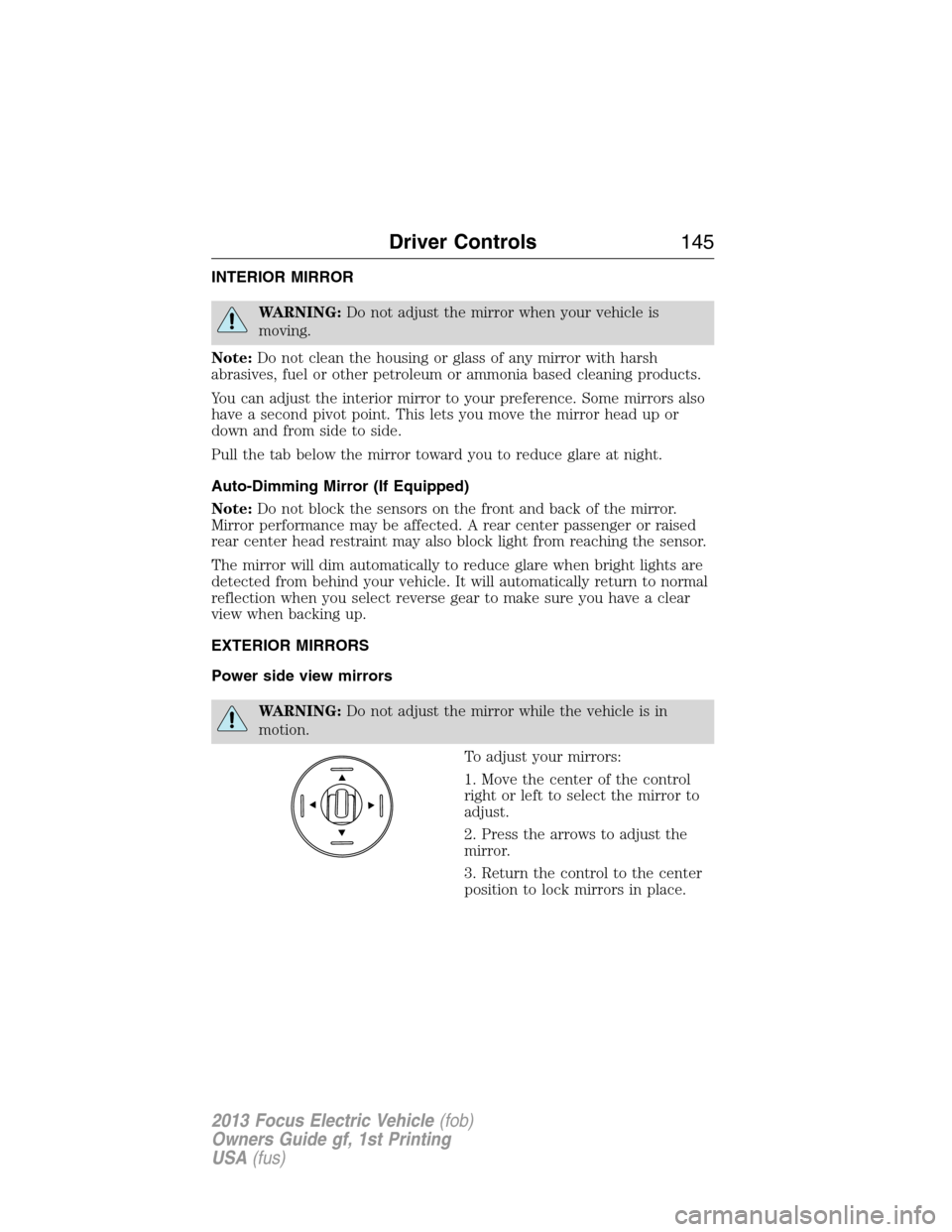
To adjust your mirrors:
1. Move the center of the control
right or left to select the mirror to
adjust.
2. Press the arrows to adjust the
mirror.
3. Return the control to the center
position to lock mirrors in place.
Driver Controls145
2013 Focus Electric Vehicle(fob)
Owners Guide gf, 1st Printing
USA(fus)
Page 147 of 386
Using speed control
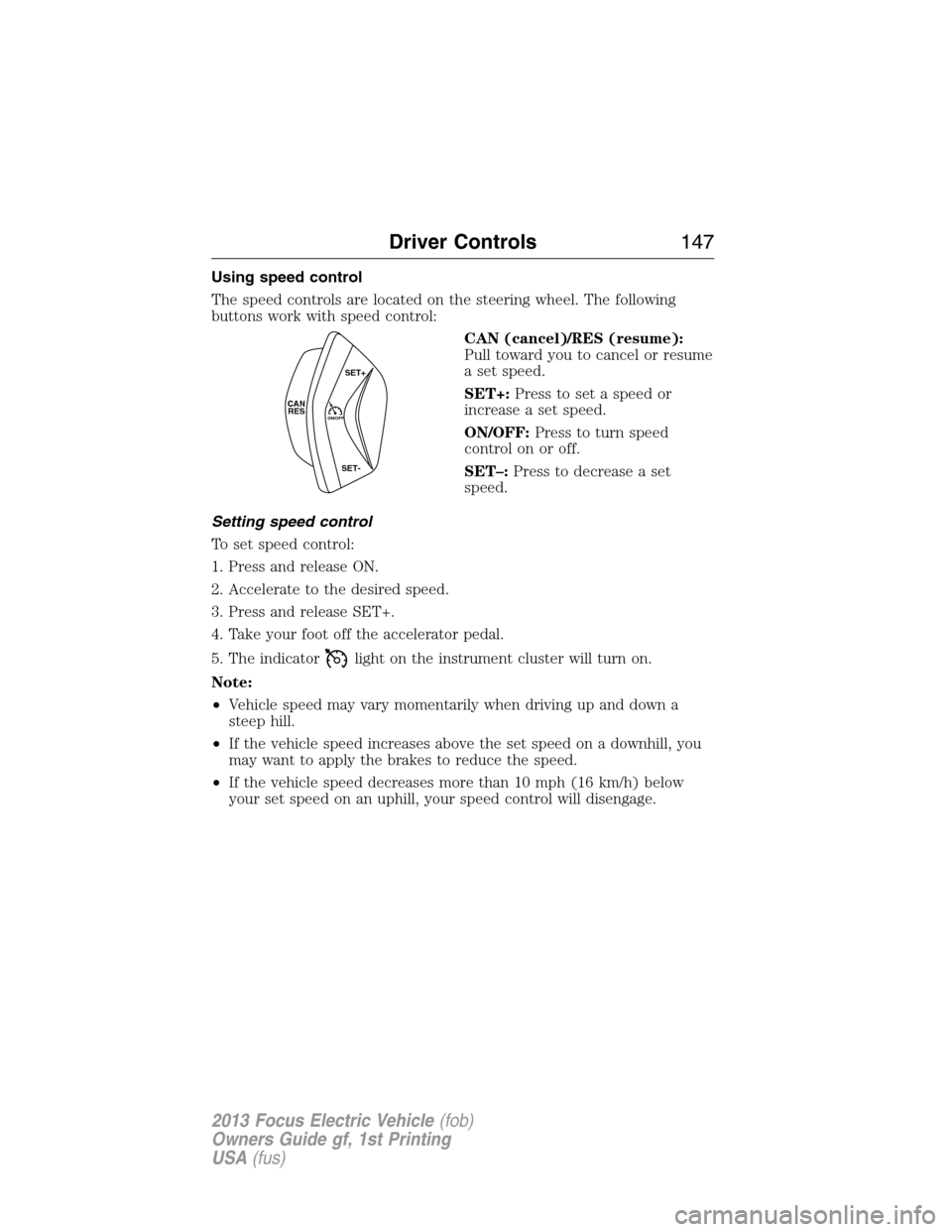
The speed controls are located on the steering wheel. The following
buttons work with speed control:
CAN (cancel)/RES (resume):
Pull toward you to cancel or resume
a set speed.
SET+:Press to set a speed or
increase a set speed.
ON/OFF:Press to turn speed
control on or off.
SET–:Press to decrease a set
speed.
Setting speed control
To set speed control:
1. Press and release ON.
2. Accelerate to the desired speed.
3. Press and release SET+.
4. Take your foot off the accelerator pedal.
5. The indicator
light on the instrument cluster will turn on.
Note:
•Vehicle speed may vary momentarily when driving up and down a
steep hill.
•If the vehicle speed increases above the set speed on a downhill, you
may want to apply the brakes to reduce the speed.
•If the vehicle speed decreases more than 10 mph (16 km/h) below
your set speed on an uphill, your speed control will disengage.
CAN
RESON/OFF
SET+
SET-
Driver Controls147
2013 Focus Electric Vehicle(fob)
Owners Guide gf, 1st Printing
USA(fus)
Page 148 of 386
Disengaging speed control
Pull CAN toward you and release or tap the brake pedal. Disengaging the
speed control will not erase previous set speed.
Resuming a set speed
Pull RES toward you and release. This will automatically return the
vehicle to the previously set speed.
Increasing speed while using speed control
To set a higher speed:
•Press and hold SET+ until you get to the desired speed, then release.
You can also use SET+ to operate the tap-up function. Press and
release SET+ to increase the vehicle set speed in approximately
1 mph (2 km/h) increments.
•Use the accelerator pedal to get to the desired speed, then press and
release SET+.
Reducing speed while using speed control
To reduce a set speed:
•Press and hold SET– until you get to the desired speed, then release.
You can also us SET– to operate the tap-down function. Press and
release SET– to decrease the vehicle set speed in approximately
1 mph (2 km/h) increments.
•Press the brake pedal until the desired vehicle speed is reached, then
press and release SET+.
Turning off speed control
To turn off the speed control, press and release OFF or turn off the
ignition.
Note:When you turn off the speed control or the ignition, your speed
control set speed memory is erased.
148Driver Controls
2013 Focus Electric Vehicle(fob)
Owners Guide gf, 1st Printing
USA(fus)
Page 149 of 386
STEERING WHEEL CONTROLS
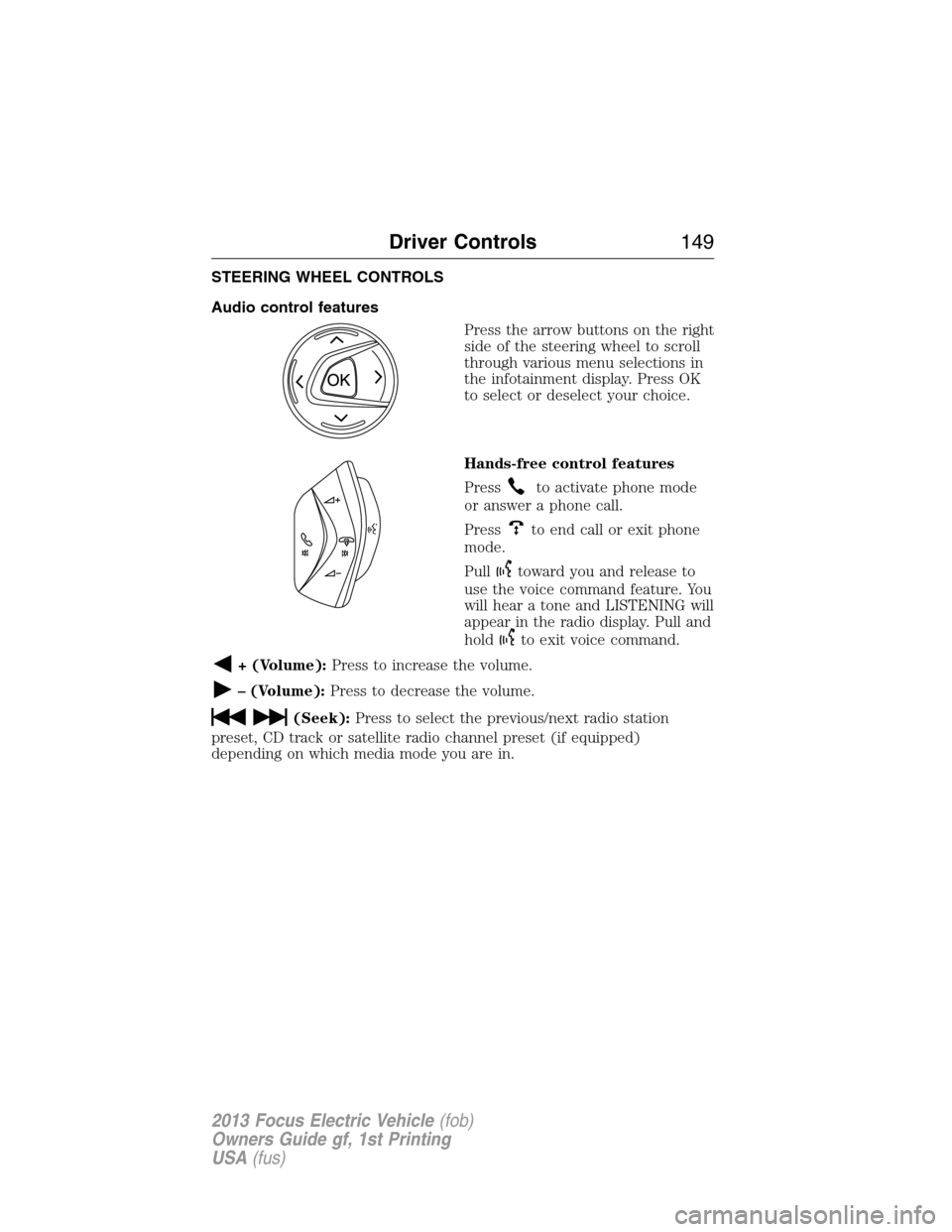
Audio control features
Press the arrow buttons on the right
side of the steering wheel to scroll
through various menu selections in
the infotainment display. Press OK
to select or deselect your choice.
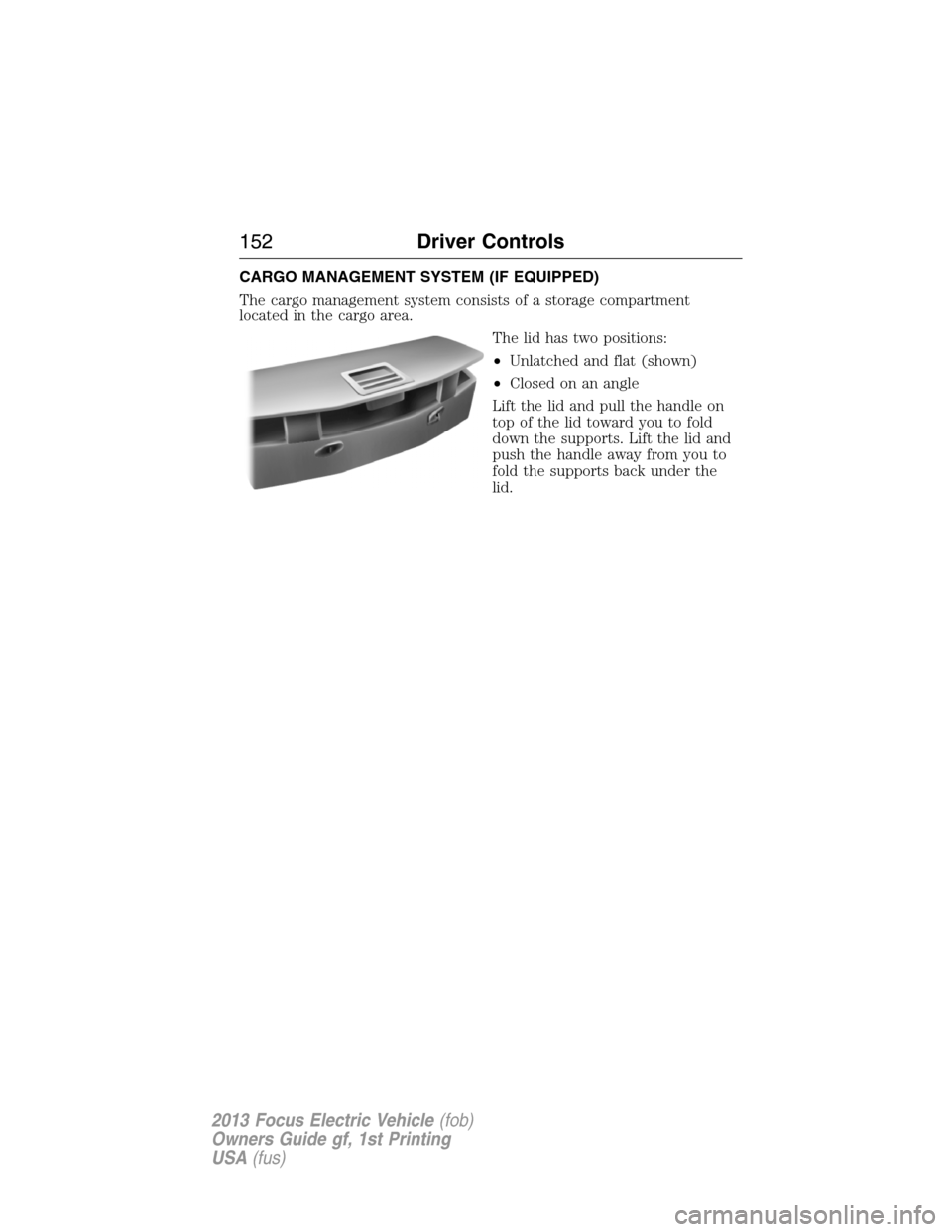
Hands-free control features
Press
to activate phone mode
or answer a phone call.
Press
to end call or exit phone
mode.
Pull
toward you and release to
use the voice command feature. You
will hear a tone and LISTENING will
appear in the radio display. Pull and
hold
to exit voice command.
+ (Volume):Press to increase the volume.
– (Volume):Press to decrease the volume.
(Seek):Press to select the previous/next radio station
preset, CD track or satellite radio channel preset (if equipped)
depending on which media mode you are in.
Driver Controls149
2013 Focus Electric Vehicle(fob)
Owners Guide gf, 1st Printing
USA(fus)
Page 152 of 386
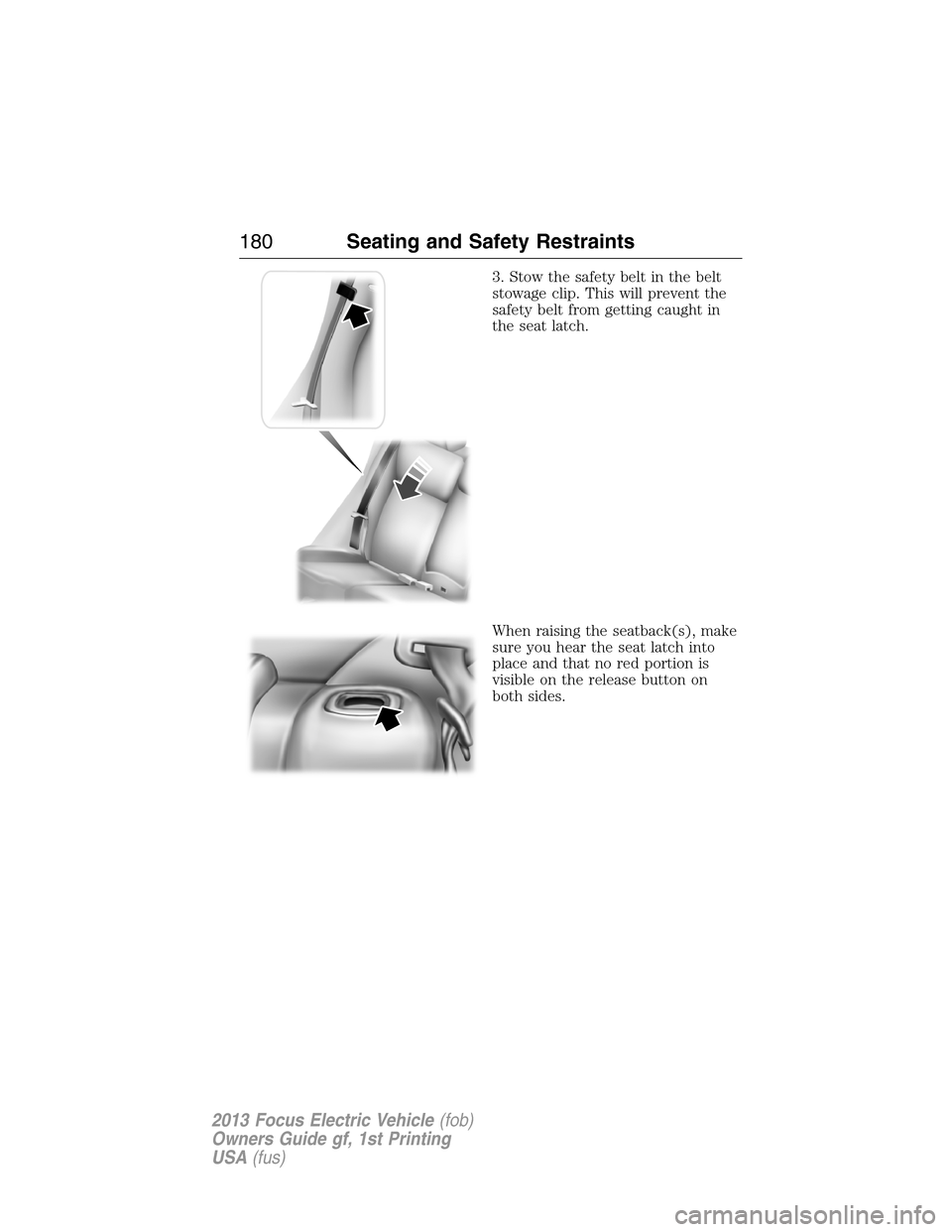
CARGO MANAGEMENT SYSTEM (IF EQUIPPED)
The cargo management system consists of a storage compartment
located in the cargo area.
The lid has two positions:
•Unlatched and flat (shown)
•Closed on an angle
Lift the lid and pull the handle on
top of the lid toward you to fold
down the supports. Lift the lid and
push the handle away from you to
fold the supports back under the
lid.
152Driver Controls
2013 Focus Electric Vehicle(fob)
Owners Guide gf, 1st Printing
USA(fus)
Page 161 of 386
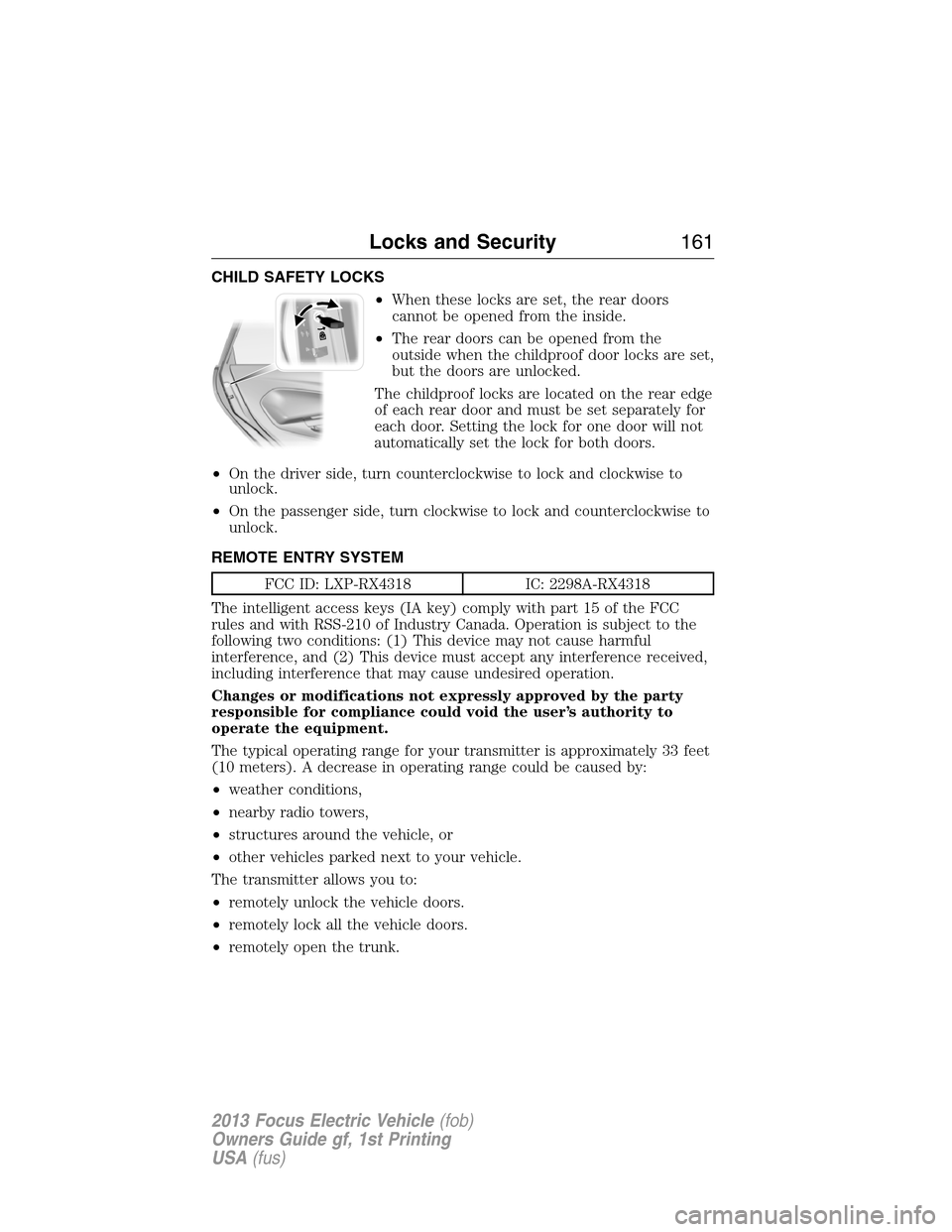
CHILD SAFETY LOCKS
•When these locks are set, the rear doors
cannot be opened from the inside.
•The rear doors can be opened from the
outside when the childproof door locks are set,
but the doors are unlocked.
The childproof locks are located on the rear edge
of each rear door and must be set separately for
each door. Setting the lock for one door will not
automatically set the lock for both doors.
•On the driver side, turn counterclockwise to lock and clockwise to
unlock.
•On the passenger side, turn clockwise to lock and counterclockwise to
unlock.
REMOTE ENTRY SYSTEM
FCC ID: LXP-RX4318 IC: 2298A-RX4318
The intelligent access keys (IA key) comply with part 15 of the FCC
rules and with RSS-210 of Industry Canada. Operation is subject to the
following two conditions: (1) This device may not cause harmful
interference, and (2) This device must accept any interference received,
including interference that may cause undesired operation.
Changes or modifications not expressly approved by the party
responsible for compliance could void the user’s authority to
operate the equipment.
The typical operating range for your transmitter is approximately 33 feet
(10 meters). A decrease in operating range could be caused by:
•weather conditions,
•nearby radio towers,
•structures around the vehicle, or
•other vehicles parked next to your vehicle.
The transmitter allows you to:
•remotely unlock the vehicle doors.
•remotely lock all the vehicle doors.
•remotely open the trunk.
Locks and Security161
2013 Focus Electric Vehicle(fob)
Owners Guide gf, 1st Printing
USA(fus)
Page 169 of 386
Note:Large metallic objects, electronic devices that are used to
purchase gasoline or similar items, or a second coded key on the same
key chain may cause vehicle starting issues. You need to prevent these
objects from touching the coded key while starting the vehicle. These
objects will not cause damage to the coded key, but may cause a
momentary issue if they are too close to the key when starting the
vehicle. If a problem occurs, turn the ignition off, remove all objects on
the key chain away from the coded key and restart the vehicle.
Note: Do not leave a duplicate coded key in the vehicle. Always
take your keys and lock all doors when leaving the vehicle.
Automatic Arming
The vehicle is armed immediately after switching the ignition off.
Automatic Disarming
Switching the ignition on with a coded key disarms the vehicle.
Replacement of intelligent access keys
Note:Your vehicle comes equipped with two intelligent access keys.
The intelligent access key functions as both a programmed key that
operates the driver door lock, activates intelligent access with push
button start systems as well as a remote keyless entry transmitter. A
maximum of eight intelligent access keys can be programmed to your
vehicle.
If your intelligent access keys are lost or stolen and you don’t have an
extra coded key, you will need to have your vehicle towed to an
authorized dealer. The key codes need to be erased from your vehicle
and new coded keys will need to be programmed.
Replacing coded keys can be very costly. Store an extra programmed key
away from the vehicle in a safe place to help prevent any
inconveniences. Please visit an authorized dealer to purchase additional
spare or replacement keys.
PERIMETER ALARM SYSTEM
The perimeter anti-theft system will warn you in the event of an
unauthorized entry to your vehicle.
If there is any potential perimeter anti-theft problem with your vehicle,
ensureALL remote entry transmittersare taken to the authorized
dealer to aid in troubleshooting.
Locks and Security169
2013 Focus Electric Vehicle(fob)
Owners Guide gf, 1st Printing
USA(fus)
Page 180 of 386
3. Stow the safety belt in the belt
stowage clip. This will prevent the
safety belt from getting caught in
the seat latch.
When raising the seatback(s), make
sure you hear the seat latch into
place and that no red portion is
visible on the release button on
both sides.
180Seating and Safety Restraints
2013 Focus Electric Vehicle(fob)
Owners Guide gf, 1st Printing
USA(fus)