Page 97 of 558

WINDSHIELD WASHERS
Note:Do not operate the wipers on a dry windshield. This may scratch
the glass, damage the wiper blades or cause the wiper motor to burn out.
Always use the windshield washer before wiping a dry windshield.
Note:Do not operate the washer when the washer reservoir is empty.
This may cause the washer pump to overheat.
Press the end of the stalk to
activate the washer.
•A brief press causes a single wipe without washer fluid.
•A quick press and hold causes the wipers to swipe three times with
washer fluid.
•A long press and hold will activate the wipers and washer fluid for up
to 10 seconds.
A wipe will occur a few seconds after washing to clear any remaining
washer fluid.
REAR-WINDOW WIPER AND WASHERS
Rotate the control to select:
2 — Intermittent operation
(shortest pause between wipes).
1 — Intermittent operation (longest
pause between wipes).
0 — Off.
Rotate and hold the control to
either the top or bottom position to activate the rear washer. The control
will return to the 2 or 0 position when you release it.
The rear wiper will automatically turn on to intermittent when you shift
into R (Reverse) if the front wipers are activated. This feature may be
enabled or disabled in the information display.
Wipers and Washers97
2013 Flex(471)
Owners Guide gf, 1st Printing
USA(fus)
Page 103 of 558

POWER WINDOWS
WARNING:Do not leave children unattended in the vehicle and
do not let children play with the power windows. They may
seriously injure themselves.
WARNING:When closing the power windows, you should verify
they are free of obstructions and make sure that children and
pets are not in the proximity of the window openings.
Press or lift the switches to operate
the windows.
•Press the switch to the first
detent and hold to open the
window.
•Lift the switch to the first detent
and hold to close the window.
Rear Window Buffeting
You may hear a wind throb or buffeting noise when one or both of the
rear windows are open. This noise can be reduced by lowering a front
window approximately 2–3 inches (5–8 centimeters).
One-Touch Up or Down (Driver’s Window)
This feature automatically opens or closes the window.
Press or lift the switch completely and release. The window will fully
open or close. Press or lift it again to stop the window.
Bounce-Back
The window will stop automatically while closing and reverse some
distance if there is an obstacle in the way.
Overriding the Bounce-Back Feature
Pull up the window switch and hold within two seconds of the window
reaching the bounce-back position. The window will travel up with no
bounce-back protection. The window will stop if the switch is released
before the window is fully closed.
AUTO
Windows and Mirrors103
2013 Flex(471)
Owners Guide gf, 1st Printing
USA(fus)
Page 104 of 558
Window Lock
A. Unlock
B. Lock
Press the control to lock or unlock the rear window controls.
Accessory Delay
You can use the window switches for several minutes after you turn the
ignition off, or until either front door is opened.
EXTERIOR MIRRORS
Power Exterior Mirrors
WARNING:Do not adjust the mirror while the vehicle is in
motion.
A. Left-hand mirror
B. Off
C. Right-hand mirror
To adjust your mirrors:
1. Select the mirror you want to adjust.
2. Move the control in the direction you want to tilt the mirror.
3. Return the control to the center position to lock mirrors in place.
Fold-Away Exterior Mirrors
Push the mirror toward the door window glass. Make sure that you fully
engage the mirror in its support when returning it to its original position.
AB
B
AC
104Windows and Mirrors
2013 Flex(471)
Owners Guide gf, 1st Printing
USA(fus)
Page 105 of 558

Power-Folding Mirrors (If Equipped)
Note:Activating the mirrors 10 or more times within one minute, or
repeated folding and unfolding of the mirrors while holding the control
down during full travel, may disable the system to protect motors from
overheating. Wait approximately three minutes with the vehicle running,
and up to 10 minutes with the vehicle off, for the system to reset and for
function to return to normal.
Pull the control back to fold the
mirrors in or out.
The mirrors may also be manually folded, but will need to be reset. A
mirror which has not been reset may appear to be loose. Reset the
mirror by momentarily pulling the control to fold the mirrors in. A click
will be heard indicating re-synchronization. If the click is not heard, use
the control to fold the mirrors out then in, until the click is heard. The
mirrors will operate normally until they are again manually folded.
Heated Exterior Mirror (If Equipped)
Note:Do not remove ice from the mirrors with a scraper or attempt to
readjust the mirror glass if it is frozen in place. These actions could
cause damage to the glass and mirrors.
Note:Do not clean the housing or glass of any mirror with harsh
abrasives, fuel or other petroleum-based cleaning products.
Both mirrors are heated to remove ice, mist and fog when the rear
window defroster is activated.
Memory Mirrors (If Equipped)
Mirror positions can be saved and recalled through the memory function.
Refer to theSeatschapter.
Windows and Mirrors105
2013 Flex(471)
Owners Guide gf, 1st Printing
USA(fus)
Page 106 of 558

Integrated Blind Spot Mirrors (If Equipped)
WARNING:Objects in the blind spot mirror are closer than they
appear.
Blind spot mirrors have an integrated convex mirror built into the upper
outboard corner of the exterior mirrors. They are designed to assist you
by increasing visibility along the side of your vehicle.
Check the main mirror first before a lane change, then check the blind
spot mirror. If no vehicles are present in the blind spot mirror and the
traffic in the adjacent lane is at a safe distance, signal that you are going
to change lanes. Glance over your shoulder to verify traffic is clear, and
carefully change lanes.
The approaching vehicle’s image is
small and near the inboard edge of
the main mirror when it is at a
distance. The image becomes larger
and begins to move outboard across
the main mirror as the vehicle
approaches (A). Its image will
transition from the main mirror and
begin to appear in the blind spot
mirror as the vehicle approaches (B).
The vehicle will transition to your
peripheral field of view as it leaves
the blind spot mirror (C).
Blind Spot Information System (BLIS�) with Cross Traffic Alert
(CTA) (If Equipped)
Refer toBlind Spot Information System (BLIS�) with Cross Traffic
Alert (CTA)in theDriving Aidschapter.
A
B
C
106Windows and Mirrors
2013 Flex(471)
Owners Guide gf, 1st Printing
USA(fus)
Page 107 of 558

INTERIOR MIRROR
WARNING:Do not adjust the mirror when your vehicle is
moving.
Note:Do not clean the housing or glass of any mirror with harsh
abrasives, fuel or other petroleum or ammonia based cleaning products.
You can adjust the interior mirror to your preference. Some mirrors also
have a second pivot point. This lets you move the mirror head up or down
and from side to side.
Auto-Dimming Mirror
Note:Do not block the sensors on the front and back of the mirror.
Mirror performance may be affected. A rear center passenger or raised
rear center head restraint may also block light from reaching the sensor.
The mirror will dim automatically to reduce glare when bright lights are
detected from behind your vehicle. It will automatically return to normal
reflection when you select reverse gear to make sure you have a clear
view when backing up.
SUN VISORS
Slide-On-Rod
Rotate the visor toward the side
window and extend it rearward for
extra sunlight coverage.
Retract the visor before moving it
back toward the windshield and
storing it.
Windows and Mirrors107
2013 Flex(471)
Owners Guide gf, 1st Printing
USA(fus)
Page 108 of 558
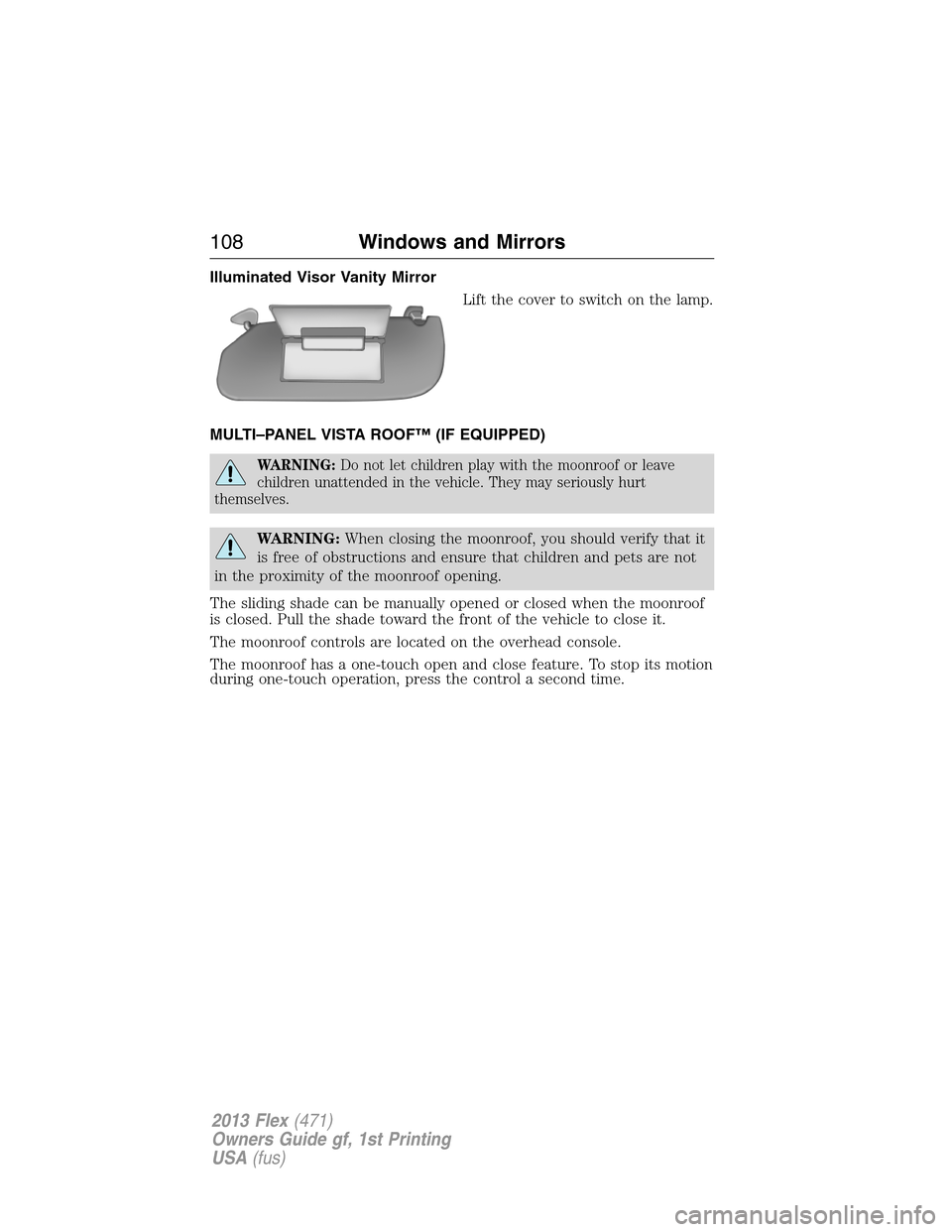
Illuminated Visor Vanity Mirror
Lift the cover to switch on the lamp.
MULTI–PANEL VISTA ROOF™ (IF EQUIPPED)
WARNING:Do not let children play with the moonroof or leave
children unattended in the vehicle. They may seriously hurt
themselves.
WARNING:When closing the moonroof, you should verify that it
is free of obstructions and ensure that children and pets are not
in the proximity of the moonroof opening.
The sliding shade can be manually opened or closed when the moonroof
is closed. Pull the shade toward the front of the vehicle to close it.
The moonroof controls are located on the overhead console.
The moonroof has a one-touch open and close feature. To stop its motion
during one-touch operation, press the control a second time.
108Windows and Mirrors
2013 Flex(471)
Owners Guide gf, 1st Printing
USA(fus)
Page 109 of 558
Opening and Closing the Moonroof
Press and release the SLIDE control
to open the moonroof.
Pull and release the SLIDE control to close the moonroof.
Bounce-Back
The moonroof automatically stops closing and reverses if an obstacle is
detected while closing.
Pull and hold the SLIDE control within two seconds of a bounce-back
event to override the function. The closing force begins to increase each
of the next three times the moonroof is closed, with bounce-back active.
Venting the Moonroof
Press and release the TILT control to vent the moonroof. Pull and hold
the TILT control to close the moonroof.
Windows and Mirrors109
2013 Flex(471)
Owners Guide gf, 1st Printing
USA(fus)