Page 118 of 576
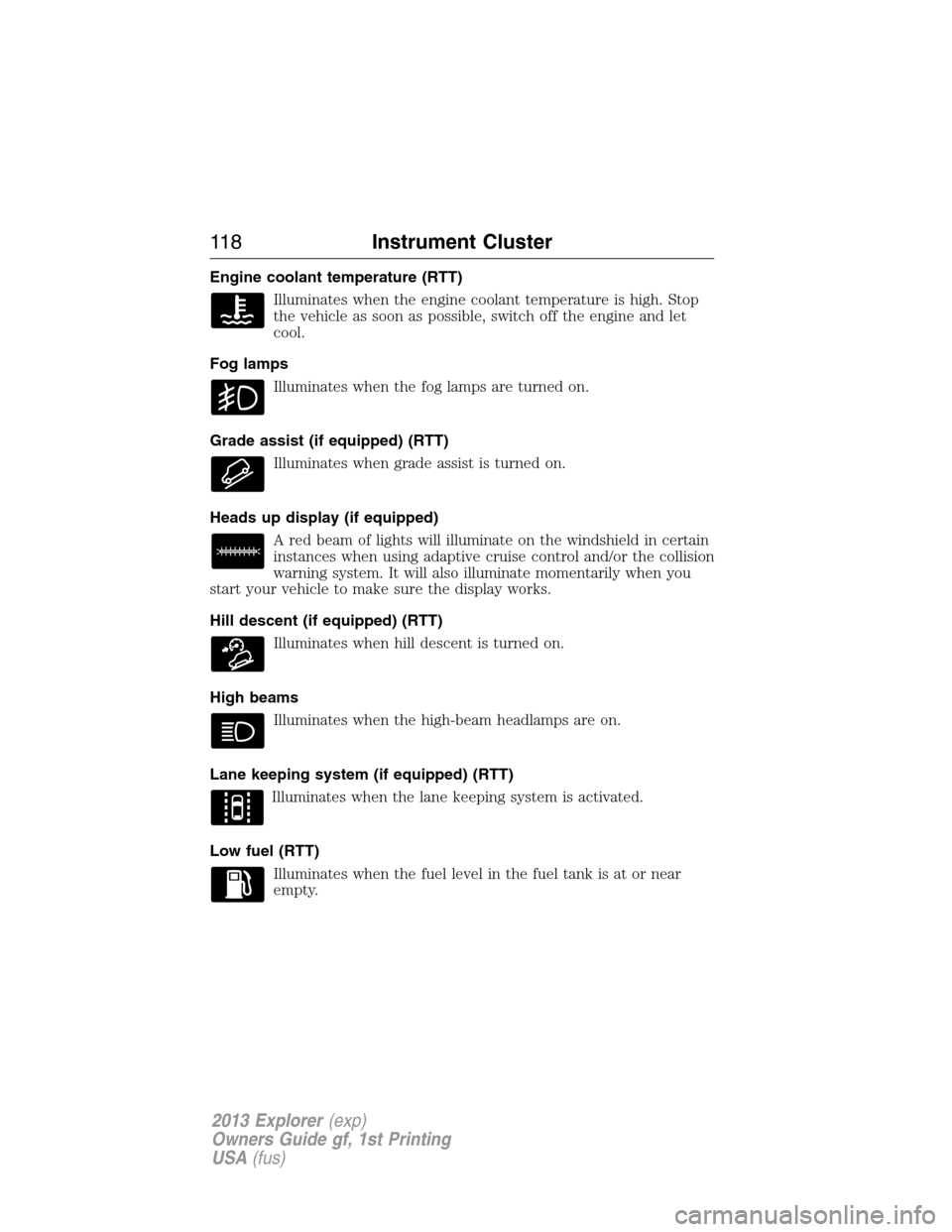
Engine coolant temperature (RTT)
Illuminates when the engine coolant temperature is high. Stop
the vehicle as soon as possible, switch off the engine and let
cool.
Fog lamps
Illuminates when the fog lamps are turned on.
Grade assist (if equipped) (RTT)
Illuminates when grade assist is turned on.
Heads up display (if equipped)
A red beam of lights will illuminate on the windshield in certain
instances when using adaptive cruise control and/or the collision
warning system. It will also illuminate momentarily when you
start your vehicle to make sure the display works.
Hill descent (if equipped) (RTT)
Illuminates when hill descent is turned on.
High beams
Illuminates when the high-beam headlamps are on.
Lane keeping system (if equipped) (RTT)
Illuminates when the lane keeping system is activated.
Low fuel (RTT)
Illuminates when the fuel level in the fuel tank is at or near
empty.
11 8Instrument Cluster
2013 Explorer(exp)
Owners Guide gf, 1st Printing
USA(fus)
Page 119 of 576
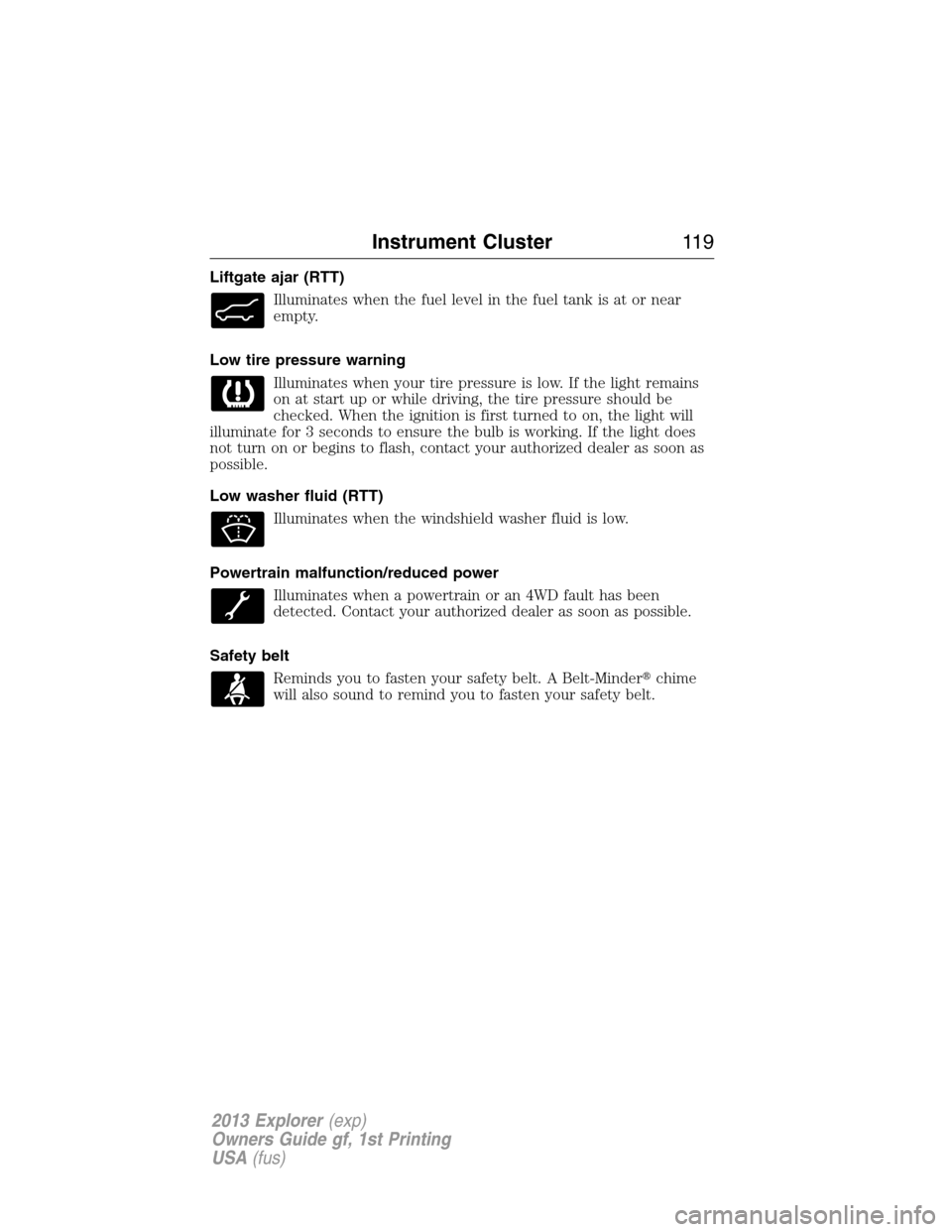
Liftgate ajar (RTT)
Illuminates when the fuel level in the fuel tank is at or near
empty.
Low tire pressure warning
Illuminates when your tire pressure is low. If the light remains
on at start up or while driving, the tire pressure should be
checked. When the ignition is first turned to on, the light will
illuminate for 3 seconds to ensure the bulb is working. If the light does
not turn on or begins to flash, contact your authorized dealer as soon as
possible.
Low washer fluid (RTT)
Illuminates when the windshield washer fluid is low.
Powertrain malfunction/reduced power
Illuminates when a powertrain or an 4WD fault has been
detected. Contact your authorized dealer as soon as possible.
Safety belt
Reminds you to fasten your safety belt. A Belt-Minder�chime
will also sound to remind you to fasten your safety belt.
Instrument Cluster11 9
2013 Explorer(exp)
Owners Guide gf, 1st Printing
USA(fus)
Page 120 of 576
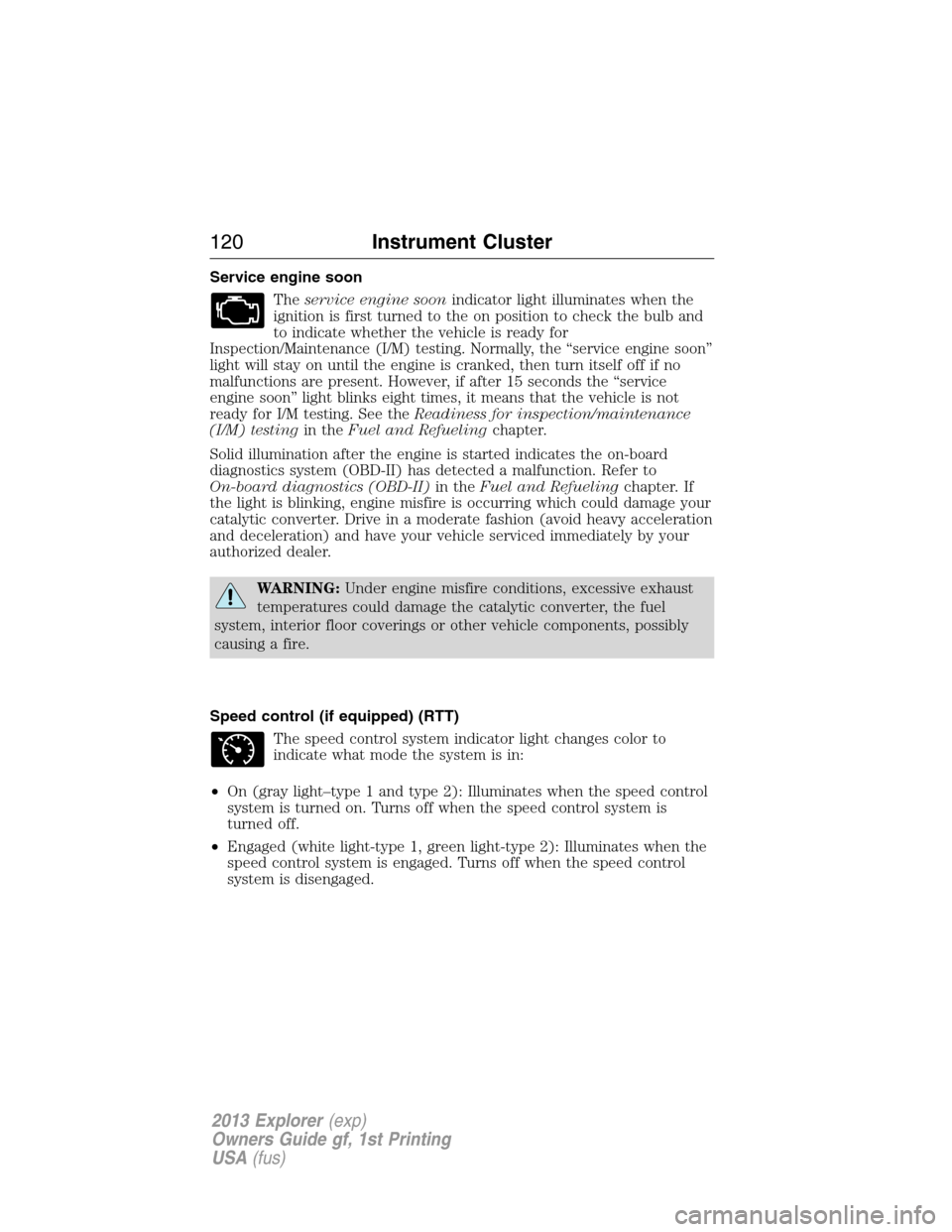
Service engine soon
Theservice engine soonindicator light illuminates when the
ignition is first turned to the on position to check the bulb and
to indicate whether the vehicle is ready for
Inspection/Maintenance (I/M) testing. Normally, the “service engine soon”
light will stay on until the engine is cranked, then turn itself off if no
malfunctions are present. However, if after 15 seconds the “service
engine soon” light blinks eight times, it means that the vehicle is not
ready for I/M testing. See theReadiness for inspection/maintenance
(I/M) testingin theFuel and Refuelingchapter.
Solid illumination after the engine is started indicates the on-board
diagnostics system (OBD-II) has detected a malfunction. Refer to
On-board diagnostics (OBD-II)in theFuel and Refuelingchapter. If
the light is blinking, engine misfire is occurring which could damage your
catalytic converter. Drive in a moderate fashion (avoid heavy acceleration
and deceleration) and have your vehicle serviced immediately by your
authorized dealer.
WARNING:Under engine misfire conditions, excessive exhaust
temperatures could damage the catalytic converter, the fuel
system, interior floor coverings or other vehicle components, possibly
causing a fire.
Speed control (if equipped) (RTT)
The speed control system indicator light changes color to
indicate what mode the system is in:
•On (gray light–type 1 and type 2): Illuminates when the speed control
system is turned on. Turns off when the speed control system is
turned off.
•Engaged (white light-type 1, green light-type 2): Illuminates when the
speed control system is engaged. Turns off when the speed control
system is disengaged.
120Instrument Cluster
2013 Explorer(exp)
Owners Guide gf, 1st Printing
USA(fus)
Page 121 of 576
Transmission Tow/Haul Feature (if equipped) (RTT)
Displays when the Tow/Haul feature has been activated. If the
light flashes steadily, have the system serviced immediately,
damage to the transmission could occur.
Turn signal
Illuminates when the left or right turn signal or the hazard
warning flasher is turned on. If the indicators stay on or flash
faster, check for a burned out bulb.
AUDIBLE WARNINGS AND INDICATORS
Key In Ignition Warning Chime
Sounds when the key is left in the ignition in the off or accessory
position and the driver’s door is opened.
Sounds when the keyless vehicle is in RUN and the driver’s door is
opened (if equipped).
Headlamps On Warning Chime
Sounds when the headlamps or parking lamps are on, the ignition is off
(the key is not in the ignition) and the driver’s door is opened.
Parking Brake On Warning Chime
Sounds when you have left the parking brake on and drive your vehicle.
If the warning chime remains on after you have released the parking
brake, have the system checked by your authorized dealer immediately.
Instrument Cluster121
2013 Explorer(exp)
Owners Guide gf, 1st Printing
USA(fus)
Page 122 of 576
GENERAL INFORMATION
WARNING:Driving while distracted can result in loss of vehicle
control, accident and injury. Ford strongly recommends that
drivers use extreme caution when using any device or feature that may
take their focus off the road. Your primary responsibility is the safe
operation of the vehicle. We recommend against the use of any
handheld device while driving and that you comply with all applicable
laws.
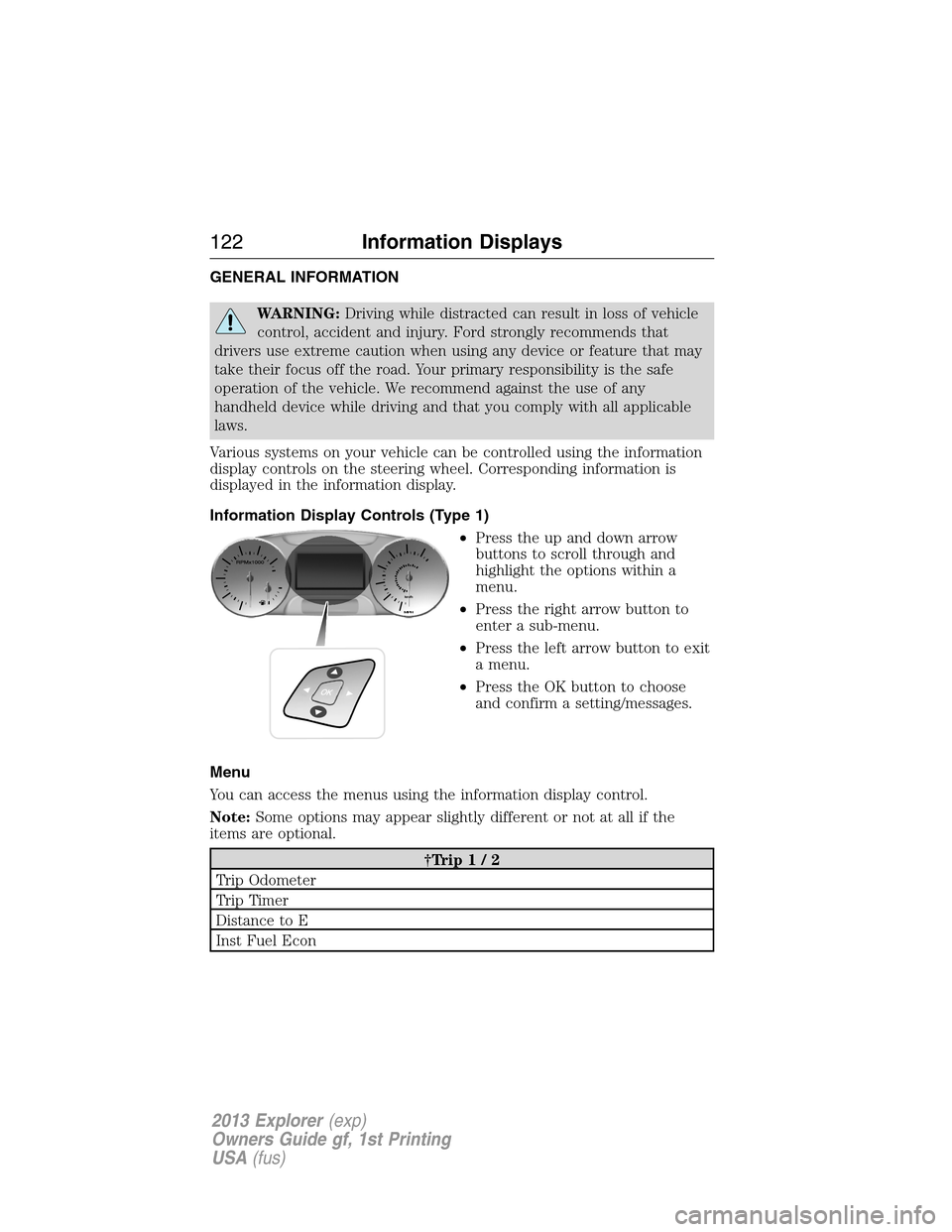
Various systems on your vehicle can be controlled using the information
display controls on the steering wheel. Corresponding information is
displayed in the information display.
Information Display Controls (Type 1)
•Press the up and down arrow
buttons to scroll through and
highlight the options within a
menu.
•Press the right arrow button to
enter a sub-menu.
•Press the left arrow button to exit
a menu.
•Press the OK button to choose
and confirm a setting/messages.
Menu
You can access the menus using the information display control.
Note:Some options may appear slightly different or not at all if the
items are optional.
†Trip1/2
Trip Odometer
Trip Timer
Distance to E
Inst Fuel Econ
122Information Displays
2013 Explorer(exp)
Owners Guide gf, 1st Printing
USA(fus)
Page 126 of 576
Information messages
SeeInformation messageslater in this chapter for more information.
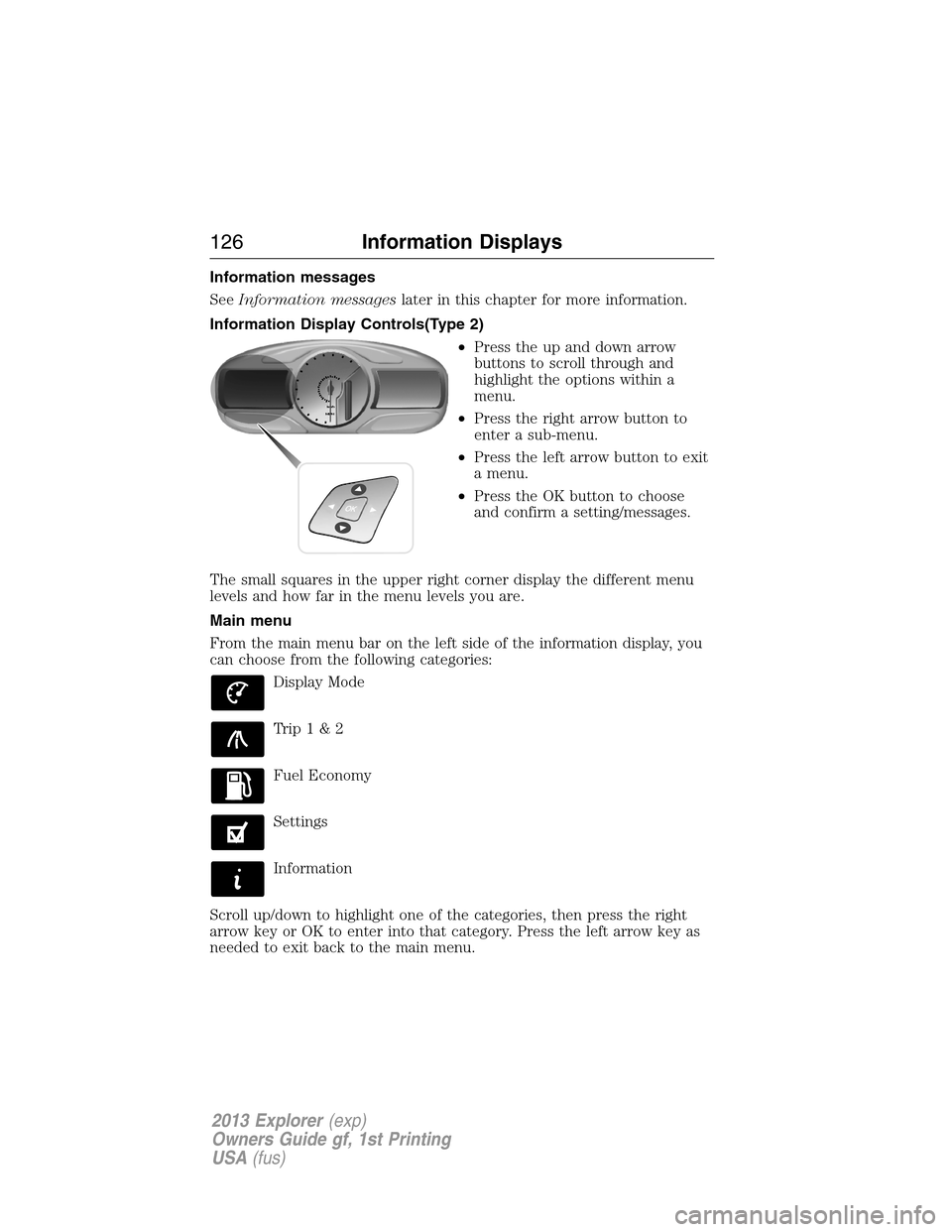
Information Display Controls(Type 2)
•Press the up and down arrow
buttons to scroll through and
highlight the options within a
menu.
•Press the right arrow button to
enter a sub-menu.
•Press the left arrow button to exit
a menu.
•Press the OK button to choose
and confirm a setting/messages.
The small squares in the upper right corner display the different menu
levels and how far in the menu levels you are.
Main menu
From the main menu bar on the left side of the information display, you
can choose from the following categories:
Display Mode
Trip1&2
Fuel Economy
Settings
Information
Scroll up/down to highlight one of the categories, then press the right
arrow key or OK to enter into that category. Press the left arrow key as
needed to exit back to the main menu.
126Information Displays
2013 Explorer(exp)
Owners Guide gf, 1st Printing
USA(fus)
Page 127 of 576
Display Mode
Use the left/right arrow buttons to choose the following display
options.
Display mode †Option 1 Option 2 Option 3 †Option 4
XXX mi (km) to empty X
Fuel gaugeXXXX
Bar tachometer X X
Round tachometer X X
Engine coolant temp
gaugeX
Intelligent 4WD X
Total odometer (lower
left corner)XXXX
†Vehicles with Intelligent 4WD only. You can choose to have only the
fuel gauge show in this mode. Refer toDisplay>Gauge Display
found in the table under theSettingssection later in this chapter.
Regardless of display mode chosen, when SelectShift Automatic™
transmission (SST) is activated, the cluster will change to the round
tachometer if not already selected. After the round tachometer
displays, other display modes with the bar tachometer can also be
chosen.
•XXX mi (km) to empty: Shows approximate fuel level before the fuel
tank reaches empty. The value is dynamic and can change (raise or
lower) depending on driving style.
•Fuel gauge: Indicates approximately how much fuel is left in the fuel
tank. The fuel gauge may vary slightly when the vehicle is in motion or
on a grade. When the fuel level becomes low (50 miles [80 km] to
empty), the level indicator will change to amber. When the fuel level
becomes critically low (0 miles [0 km] to empty), the level indicator
will change to red.
Note:When a MyKey�is in use, low fuel warnings will display earlier.
The fuel icon and arrow indicates which side of the vehicle the fuel
filler door is located.
Information Displays127
2013 Explorer(exp)
Owners Guide gf, 1st Printing
USA(fus)
Page 134 of 576
Alarm/Security
MessagesAction / Description
To Stop Alarm, Start
VehicleDisplayed when the perimeter alarm system is
armed and the vehicle is entered using the key
on the driver’s side door. In order to prevent
the perimeter alarm system from triggering,
the ignition must be turned to start or on
before the 12 second chime expires.
4WD Messages Action / Description
4WD Off Displayed when the system has been
automatically disabled to protect itself. This is
caused by operating the vehicle with the
compact spare tire installed or if the system is
overheating. The system will resume normal
function and clear this message after driving a
short distance with the road tire re-installed or
after the system is allowed to cool.
Check 4WD Displayed in conjunction with the powertrain
malfunction/reduced power light when the
system is not operating properly. If the
warning stays on or continues to come on,
contact your authorized dealer as soon as
possible.
134Information Displays
2013 Explorer(exp)
Owners Guide gf, 1st Printing
USA(fus)