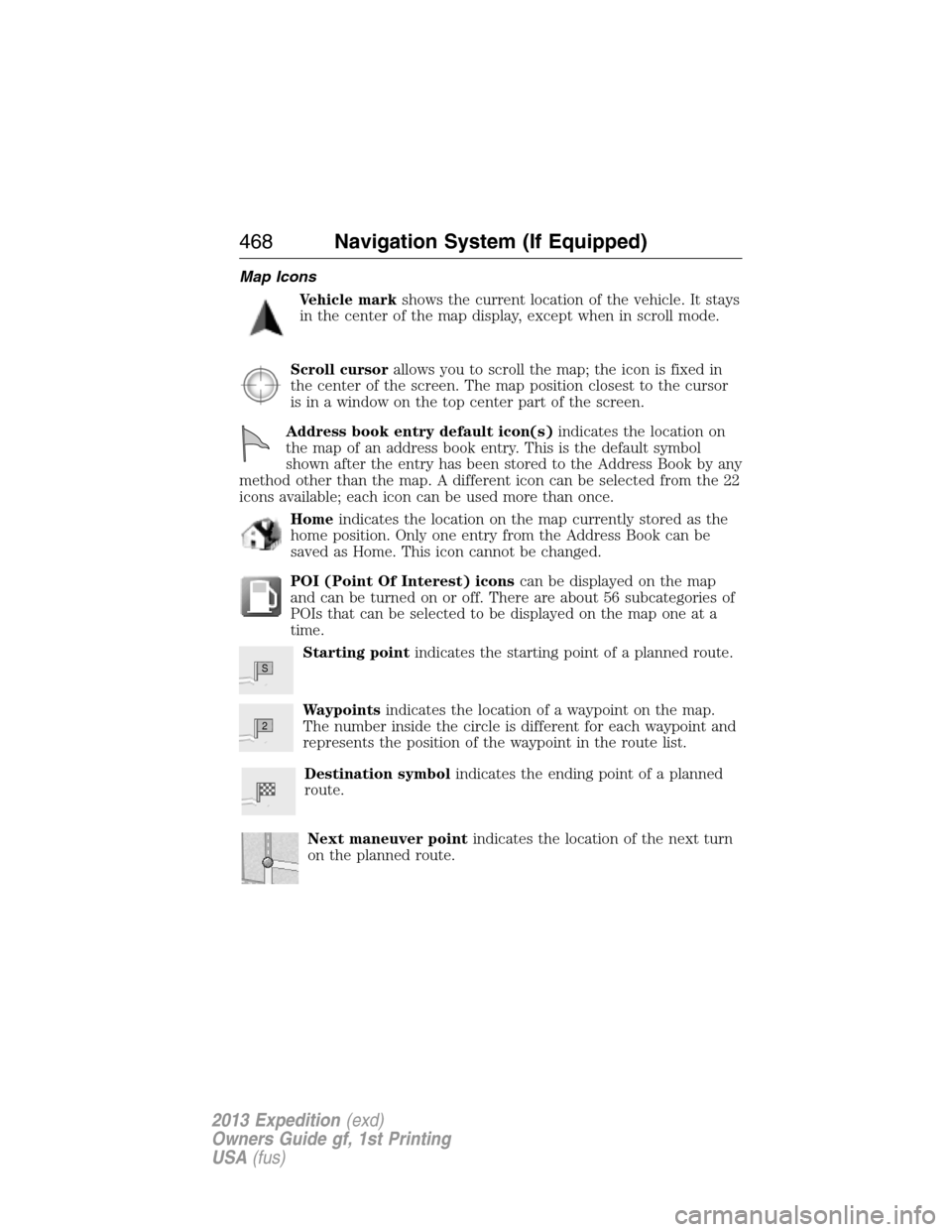
Map Icons
Vehicle markshows the current location of the vehicle. It stays
in the center of the map display, except when in scroll mode.
Scroll cursorallows you to scroll the map; the icon is fixed in
the center of the screen. The map position closest to the cursor
is in a window on the top center part of the screen.
Address book entry default icon(s)indicates the location on
the map of an address book entry. This is the default symbol
shown after the entry has been stored to the Address Book by any
method other than the map. A different icon can be selected from the 22
icons available; each icon can be used more than once.
Homeindicates the location on the map currently stored as the
home position. Only one entry from the Address Book can be
saved as Home. This icon cannot be changed.
POI (Point Of Interest) iconscan be displayed on the map
and can be turned on or off. There are about 56 subcategories of
POIs that can be selected to be displayed on the map one at a
time.
Starting pointindicates the starting point of a planned route.
Waypointsindicates the location of a waypoint on the map.
The number inside the circle is different for each waypoint and
represents the position of the waypoint in the route list.
Destination symbolindicates the ending point of a planned
route.
Next maneuver pointindicates the location of the next turn
on the planned route.
S
2
468Navigation System (If Equipped)
2013 Expedition(exd)
Owners Guide gf, 1st Printing
USA(fus)