Page 416 of 683
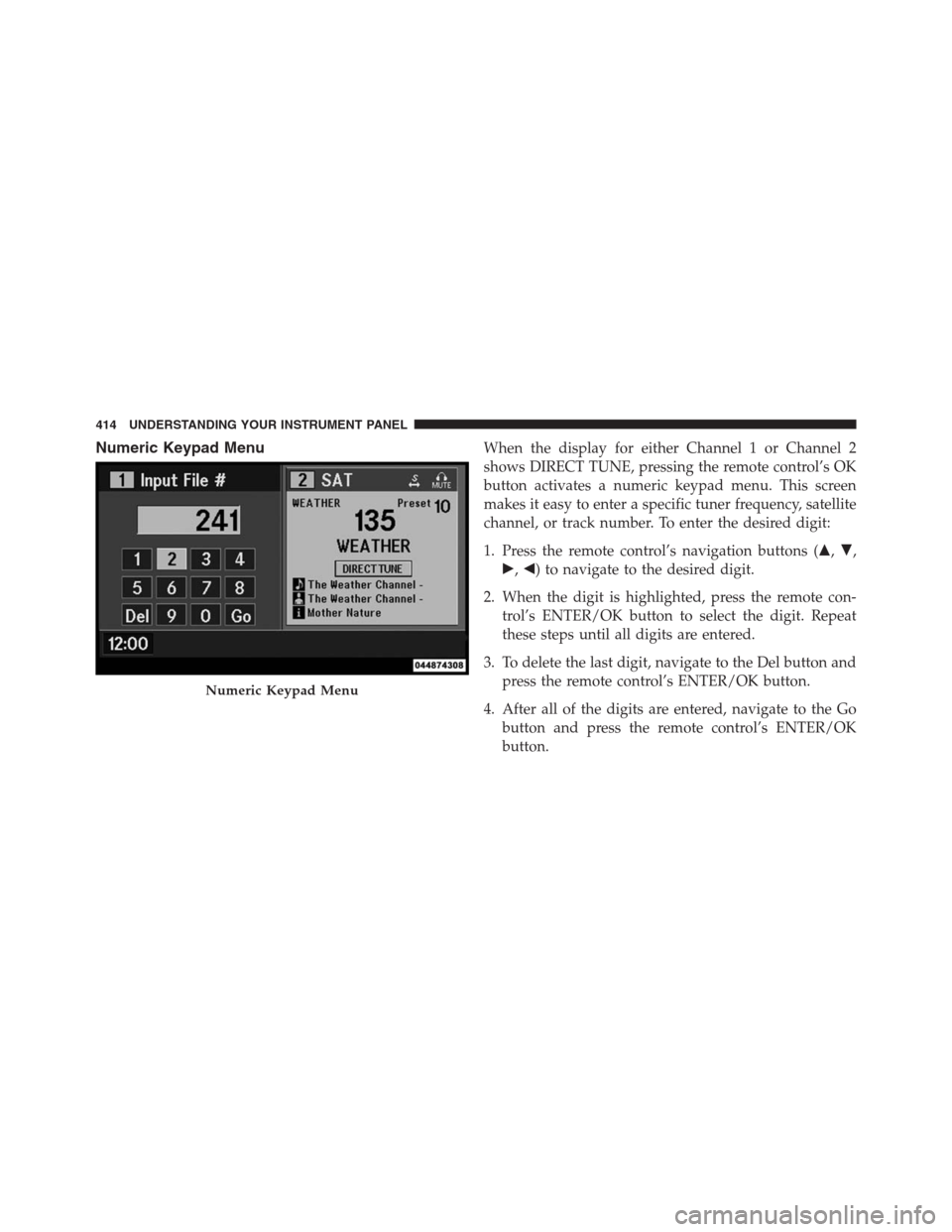
Numeric Keypad MenuWhen the display for either Channel 1 or Channel 2
shows DIRECT TUNE, pressing the remote control’s OK
button activates a numeric keypad menu. This screen
makes it easy to enter a specific tuner frequency, satellite
channel, or track number. To enter the desired digit:
1. Press the remote control’s navigation buttons (�,�,
�,�) to navigate to the desired digit.
2. When the digit is highlighted, press the remote con-
trol’s ENTER/OK button to select the digit. Repeat
these steps until all digits are entered.
3. To delete the last digit, navigate to the Del button and
press the remote control’s ENTER/OK button.
4. After all of the digits are entered, navigate to the Go
button and press the remote control’s ENTER/OK
button.
Numeric Keypad Menu
414 UNDERSTANDING YOUR INSTRUMENT PANEL
Page 417 of 683
Station List Menu
When listening to Satellite audio, pressing the remote
control’s POP UP/MENU button displays a list of all
available channels. Navigate this list using the remote
control’s navigation buttons (�,�) to find the desired
station, press the remote control’s ENTER/OK button to
tune to that station. To jump through the list more
quickly, navigate to the Page Up and Page Down icons on
the screen.
Disc Menu
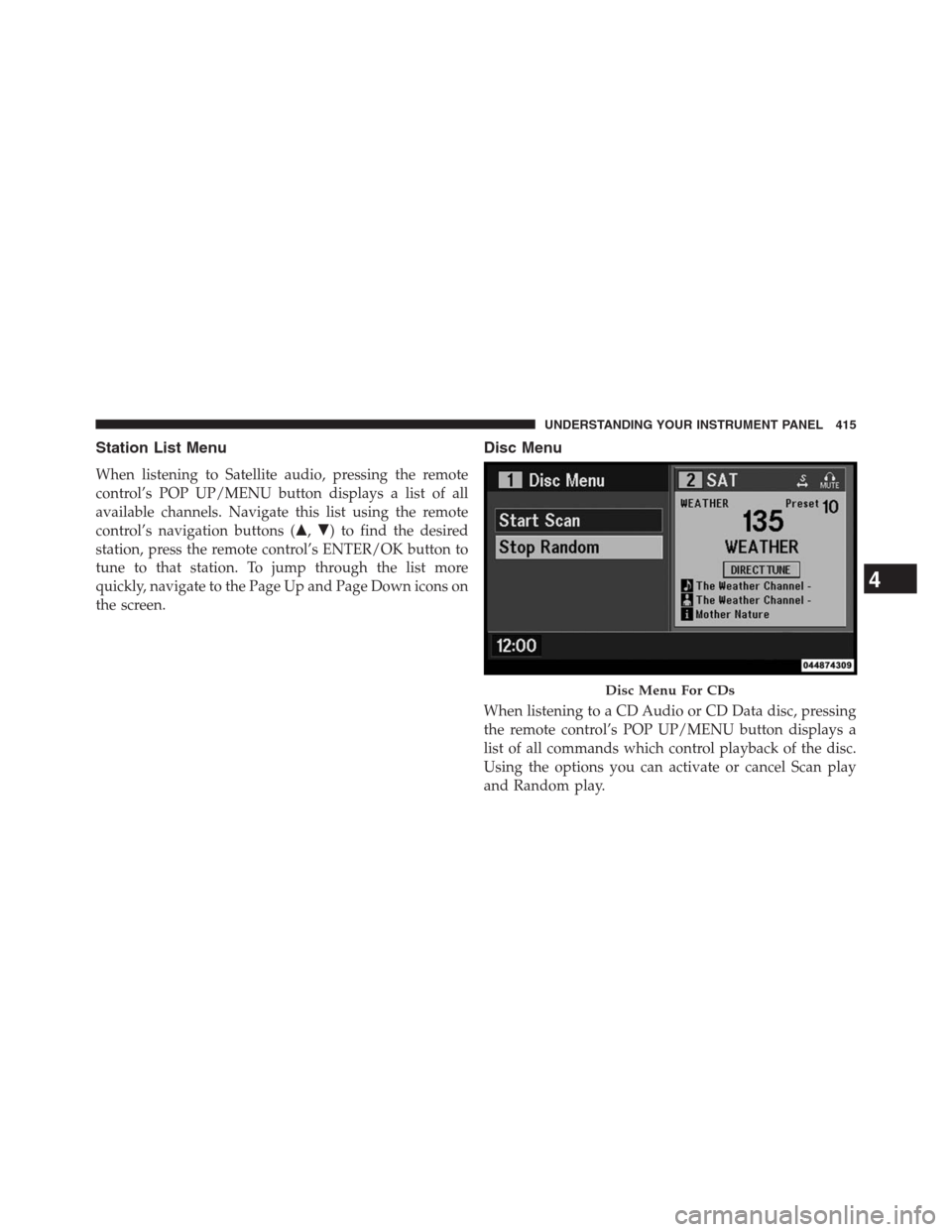
When listening to a CD Audio or CD Data disc, pressing
the remote control’s POP UP/MENU button displays a
list of all commands which control playback of the disc.
Using the options you can activate or cancel Scan play
and Random play.
Disc Menu For CDs
4
UNDERSTANDING YOUR INSTRUMENT PANEL 415
Page 418 of 683
Display Settings
When watching a video source (DVD Video with the disc
in Play mode, Aux Video, etc.), pressing the remote
control’s SETUP button activates the Display Settings
menu. These settings control the appearance of the video
on the screen. The factory default settings are already set
for optimum viewing, so there is no need to change these
settings under normal circumstances.
To change the settings, press the remote control’s navi-
gation buttons (�,�) to select an item, then press the
remote control’s navigation buttons (�,�) to change the
value for the currently selected item. To reset all values
back to the original settings, select the Default Settings
menu option and press the remote control’s ENTER/OK
button.
Disc Features control the remote DVD player’s (if equipped)
settings of DVD being watched in the remote player.
Listening To Audio With The Screen Closed
To listen to only audio portion of the channel with the
screen closed:
•Set the audio to the desired source and channel.
•Close the video screen.
•To change the current audio mode, press the remote
control’s SOURCE button. This will automatically se-
lect the next available audio mode without using the
MODE/SOURCE Select menu.
•When the screen is reopened, the video screen will
automatically turn back on and show the appropriate
display menu or media.
If the screen is closed and there is no audio heard, verify
that the headphones are turned on (the ON indicator is
illuminated) and the headphone selector switch is on the
desired channel. If the headphones are turned on, press
416 UNDERSTANDING YOUR INSTRUMENT PANEL
Page 419 of 683
the remote control’s power button to turn audio on. If
audio is still not heard, check that fully charged batteries
are installed in the headphones.
Disc Formats
The VES™ DVD player is capable of playing the follow-
ing types of discs (12 cm or 8 cm diameter):
•DVD-Video discs (MPEG-2 video compression)
(see notes about DVD Region Codes)
•DVD-Audio discs (2 channel audio output only)
•Audio Compact Discs (CDs)
•CD Data discs with MP3 and WMA compressed audio
format files
•Video CDs (MPEG-1 video compression)The Blu-Ray player is capable of the playing the follow-
ing types of discs (12 cm diameter):
•BD: BDMV (Profile 1.1), BDAV (Profile 1.1),
•DVD: DVD-Video, DVD-Audio, AVCREC, AVCHD,
DVD-VR
•CD: CD-DA, VCD, CD-TEXT
•DVD/CD: MP3, WMA, AAC, DivX (versions3–6)
profile 3.0
DVD/BD Region Codes
The VES™ DVD player and many DVD discs are coded
by geographic region. These region codes must match in
order for the disc to play. If the region code for the DVD
disc does not match the region code for the player, the
disc will stop playing and a warning will be displayed.
4
UNDERSTANDING YOUR INSTRUMENT PANEL 417
Page 422 of 683
•Other compression formats such as AAC, MP3 Pro,
Ogg Vorbis, and ATRAC3 will not play. The DVD
player will automatically skip the file and begin play-
ing the next available file.
•If you are creating your own files, the recommended
fixed bit rate for MP3 files is between 96 and 192Kbps
and the recommended fixed bit rate for WMA files is
between 64 and 192Kbps. Variable bit rates are also
supported. For both formats, the recommended
sample rate is either 44.1kHz or 48kHz.
•To change the current file, use the remote control’s or
DVD player ’s�button to advance to the next file, or
the�button to return to the start of the current or
previous file.
•To change the current directory, use the remote con-
trol’s PROG UP and Down buttons or Rewind/skip
back and fast fwd/skip forward.Disc Errors
If the DVD player is unable to read the disc, a�Disc Error�
message is displayed on the VES™ and Radio displays
and the disc is automatically ejected. A dirty, damaged, or
incompatible disc format are all potential causes for a
�Disc Error�message.
If a disc has a damaged track which results in audible or
visible errors that persists for 2.0 seconds, the DVD
player will attempt to continue playing the disc by
skipping forward 1.0 to 3.0 seconds at a time. If the end
of the disc is reached, the DVD player will return to the
beginning of the disc and attempt to play the start of the
first track.
420 UNDERSTANDING YOUR INSTRUMENT PANEL
Page 424 of 683

All of the Language settings have a special�Other�setting
to accommodate languages other than Japanese or Eng-
lish. These languages are selected using a special four-
digit code.
To enter a new language code, activate the DVD Setup
Menu. To enter DVD Setup Menu stop the DVD, enter
radio disc mode, then DVD setup and follow these
additional instructions:
•Using the remote control Up and Down cursor but-
tons, highlight the Language item you want to edit,
and then press the remote control ENTER/OK button.
•Using the remote control Down cursor button, select
the�Other�setting, then press the remote control’s
Right cursor button to begin editing the setting.
•
Using the remote control Up and Down cursor buttons,
select a digit for the current position. After selecting thedigit, press the remote control’s Right cursor button to
select the next digit. Repeat this digit selection sequence
for all four digits.
•When the entire four-digit code is entered, press the
remote control’s ENTER/OK button. If the language
code is not valid, the numbers all change back to���.
If the digits are visible after this step, then the lan-
guage code is valid.
Here is an abbreviated list of language codes. For more
language codes, please contact the dealer where the
vehicle was purchased.
Language Code Language Code
Dutch 2311 French 1517
German 1304 Italian 1819
Portuguese 2519 Spanish 1418
422 UNDERSTANDING YOUR INSTRUMENT PANEL
Page 426 of 683
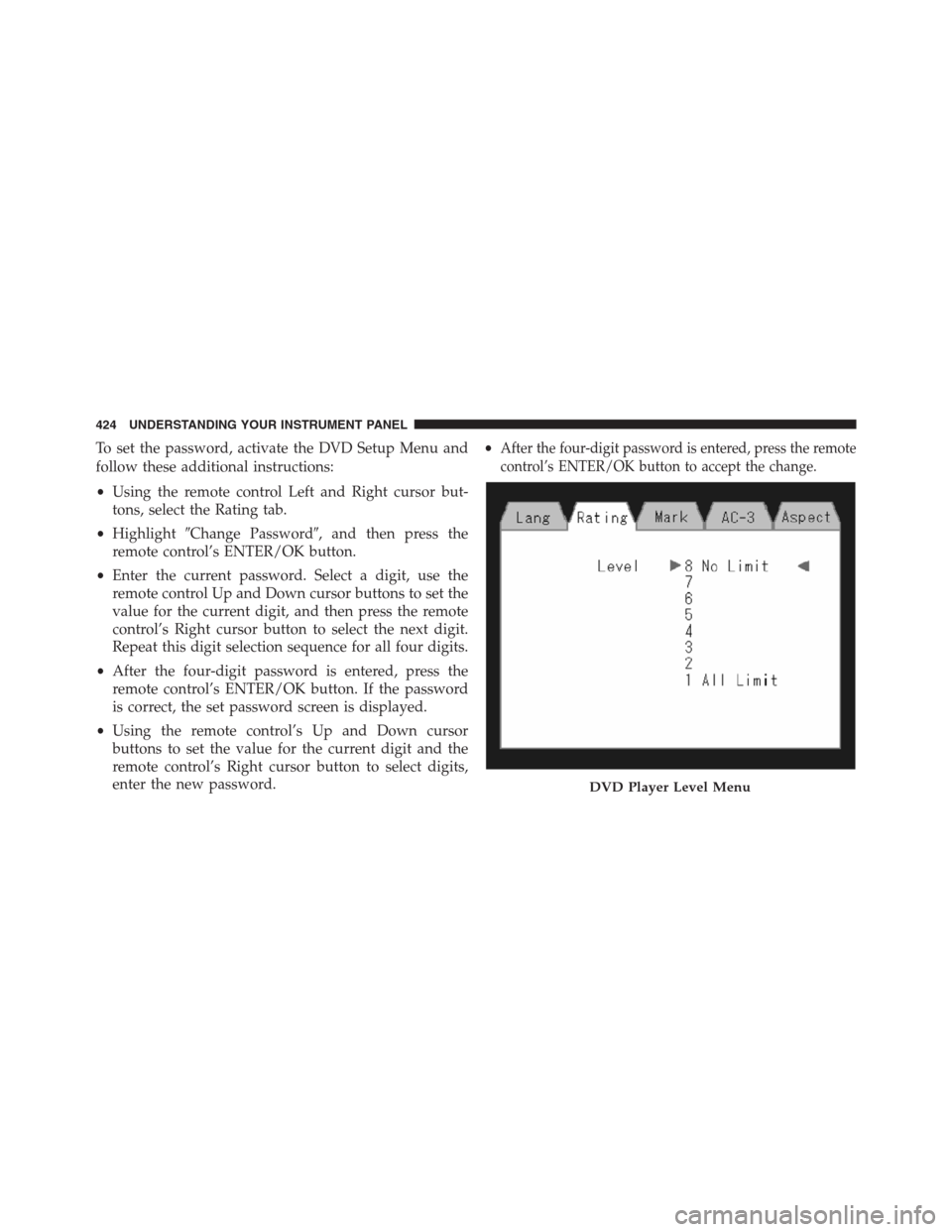
To set the password, activate the DVD Setup Menu and
follow these additional instructions:
•Using the remote control Left and Right cursor but-
tons, select the Rating tab.
•Highlight�Change Password�, and then press the
remote control’s ENTER/OK button.
•Enter the current password. Select a digit, use the
remote control Up and Down cursor buttons to set the
value for the current digit, and then press the remote
control’s Right cursor button to select the next digit.
Repeat this digit selection sequence for all four digits.
•After the four-digit password is entered, press the
remote control’s ENTER/OK button. If the password
is correct, the set password screen is displayed.
•Using the remote control’s Up and Down cursor
buttons to set the value for the current digit and the
remote control’s Right cursor button to select digits,
enter the new password.•After the four-digit password is entered, press the remote
control’s ENTER/OK button to accept the change.
DVD Player Level Menu
424 UNDERSTANDING YOUR INSTRUMENT PANEL
Page 427 of 683
To set the rating, activate the DVD Setup Menu and
follow these additional instructions:
•Using the remote control’s Left and Right cursor
buttons, select the Rating tab.
•Highlight�Change Rating�, and then press the remote
control’s ENTER/OK button.
•Enter the current password. Select a digit, use the
remote control’s Up and Down cursor buttons to set
the value for the current digit, and then press the
remote control’s Right cursor button to select the next
digit. Repeat this digit selection sequence for all four
digits.
•After the four-digit password is entered, press the
remote control’s ENTER/OK button. If the password
is correct, the Rating Level menu is displayed.•Using the remote control’s Up and Down cursor
buttons, select the new rating level, and then press the
remote control’s ENTER/OK button to accept the
change.
Product Agreement
Software
This product contains software licensed under GNU
General Public License (GPL) or GNU Lesser General
Public License (LGPL), etc. You have the right of acqui-
sition, modification, and distribution of the source code
of the GPL/LGPL software. You may download Source
Code from the following website at no charge.
URL: http://www.embedded-carmultimedia.jp/linux/
oss/download/SRC_632_34W821
4
UNDERSTANDING YOUR INSTRUMENT PANEL 425