Page 182 of 604
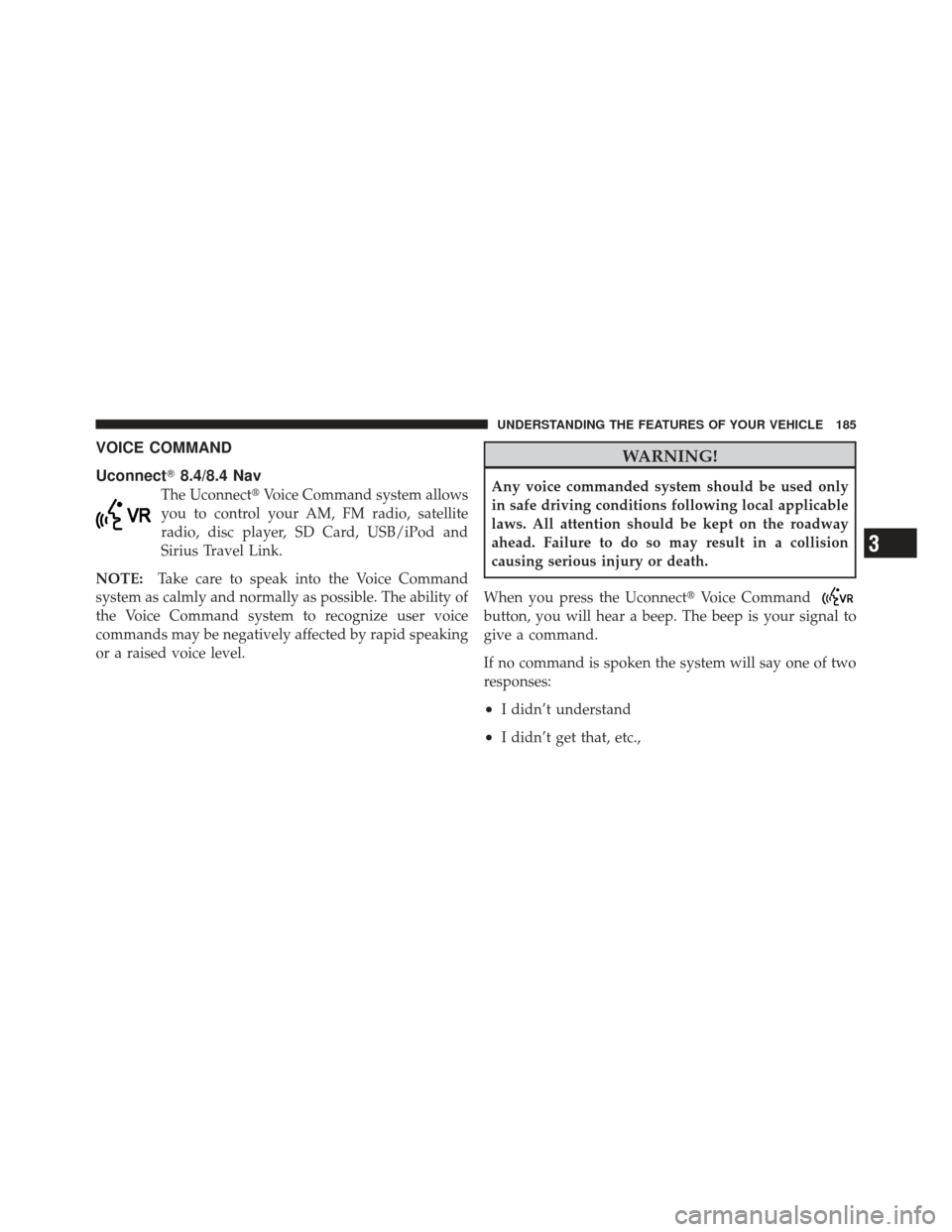
VOICE COMMAND (Uconnect�200)
Voice Command System Operation
This Voice Command system allows you to
control your AM, FM radio, satellite radio, disc
player, and a memo recorder.
NOTE: Take care to speak into the Voice Interface
System as calmly and normally as possible. The ability of
the Voice Interface System to recognize user voice com-
mands may be negatively affected by rapid speaking or a
raised voice level.
WARNING!
Any voice commanded system should be used only
in safe driving conditions following local applicable
laws. All attention should be focused on the safe
operation of the vehicle. Failure to do so may result
in a collision causing serious injury or death. When you press the Voice Command
button, you
will hear a beep. The beep is your signal to give a
command.
NOTE: If you do not say a command within a few
seconds, the system will present you with a list of
options.
If you ever wish to interrupt the system while it lists
options, press the Voice Command
button, listen
for the beep, and say your command.
Pressing the Voice Command
button while the
system is speaking is known as “barging in.” The system
will be interrupted, and after the beep, you can add or
change commands. This will become helpful once you
start to learn the options.
NOTE: At any time, you can say the words “Cancel”,
“Help” or “Main Menu”.
180 UNDERSTANDING THE FEATURES OF YOUR VEHICLE
Page 187 of 604
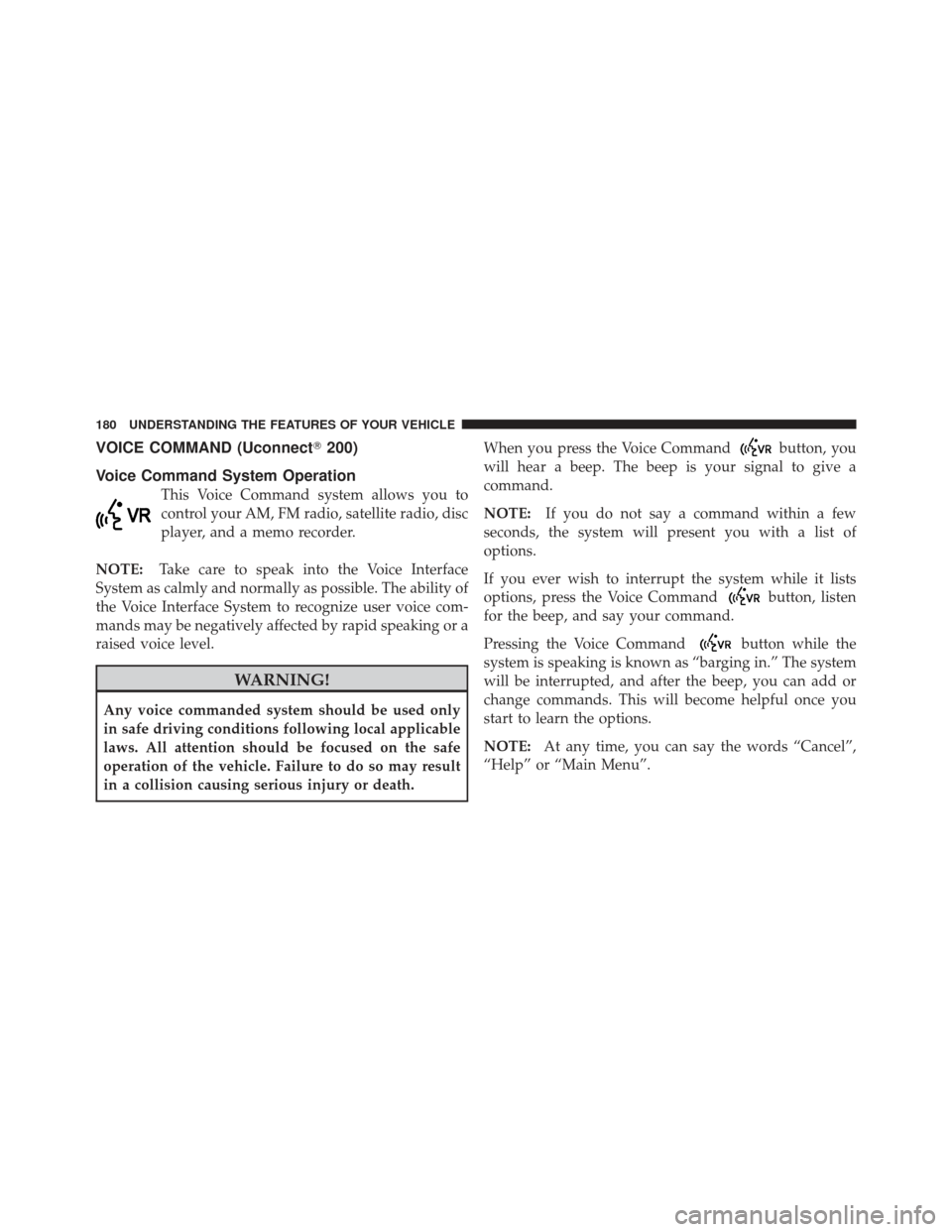
VOICE COMMAND
Uconnect�8.4/8.4 Nav
The Uconnect� Voice Command system allows
you to control your AM, FM radio, satellite
radio, disc player, SD Card, USB/iPod and
Sirius Travel Link.
NOTE: Take care to speak into the Voice Command
system as calmly and normally as possible. The ability of
the Voice Command system to recognize user voice
commands may be negatively affected by rapid speaking
or a raised voice level.
WARNING!
Any voice commanded system should be used only
in safe driving conditions following local applicable
laws. All attention should be kept on the roadway
ahead. Failure to do so may result in a collision
causing serious injury or death.
When you press the Uconnect� Voice Command
button, you will hear a beep. The beep is your signal to
give a command.
If no command is spoken the system will say one of two
responses:
•I didn’t understand
•I didn’t get that, etc.,
3
UNDERSTANDING THE FEATURES OF YOUR VEHICLE 185
Page 200 of 604

Power Seats — If Equipped
Some models may be equipped with a power driver’s
seat. The power seat switch is located on the outboard
side of the seat near the floor. Use the switch to move the
seat up, down, forward, rearward, or to tilt the seat.
Adjusting The Seat Forward Or Rearward
The seat can be adjusted both forward and rearward.
Push the seat switch forward or rearward, the seat will
move in the direction of the switch. Release the switch
when the desired position has been reached.
Adjusting The Seat Up Or Down
The height of the seats can be adjusted up or down. Pull
upward or push downward on the seat switch, the seat
will move in the direction of the switch. Release the
switch when the desired position has been reached.
WARNING!
•Adjusting a seat while driving may be dangerous.
Moving a seat while driving could result in loss of
control which could cause a collision and serious
injury or death.(Continued)
Power Seat Switch
198 UNDERSTANDING THE FEATURES OF YOUR VEHICLE
Page 203 of 604

reached the desired position. Then, using body pressure,
move forward and rearward on the seat to be sure that
the seat adjusters have latched.
WARNING!
•Adjusting a seat while driving may be dangerous.
Moving a seat while driving could result in loss of
control which could cause a collision and serious
injury or death.
•Seats should be adjusted before fastening the seat
belts and while the vehicle is parked. Serious
injury or death could result from a poorly adjusted
seat belt.
Manual Front Seat Recline Adjustment
To adjust the seatback, lift the lever located on the
outboard side of the seat, lean back to the desired
position and release the lever. To return the seatback, lift
the lever, lean forward and release the lever.
WARNING!
Do not ride with the seatback reclined so that the
shoulder belt is no longer resting against your chest.
In a collision you could slide under the seat belt,
which could result in serious injury or death.
Recline Lever
3
UNDERSTANDING THE FEATURES OF YOUR VEHICLE 201
Page 207 of 604

Head Restraints
Head restraints are designed to reduce the risk of injury
by restricting head movement in the event of a rear
impact. Head restraints should be adjusted so that the top
of the head restraint is located above the top of your ear.
WARNING!
The head restraints for all occupants must be prop-
erly adjusted prior to operating the vehicle or occu-
pying a seat. Head restraints should never be ad-
justed while the vehicle is in motion. Driving a
vehicle with the head restraints improperly adjusted
or removed could cause serious injury or death in the
event of a collision.
Active Head Restraints — Front Seats
The front driver and passenger seats are equipped with
Active Head Restraints (AHR). In the event of a rear
impact the AHRs will automatically extend forward
minimizing the gap between the back of the occupants
head and the AHR.
The AHRs will automatically return to their normal
position following a rear impact. If the AHRs do not
return to their normal position see your authorized
dealer immediately.
To raise the head restraint, pull upward on the head
restraint. To lower the head restraint, press the push
button, located at the base of the head restraint, and push
downward on the head restraint.
3
UNDERSTANDING THE FEATURES OF YOUR VEHICLE 205
Page 213 of 604
CAUTION!
To prevent possible damage, do not slam the hood to
close it. Lower the hood, until it is open approxi-
mately 6 in (15 cm), and then drop it. This should
secure both latches. Never drive your vehicle unless
the hood is fully closed, with both latches engaged.
WARNING!
Be sure the hood is fully latched before driving your
vehicle. If the hood is not fully latched, it could open
when the vehicle is in motion and block your vision.
Failure to follow this warning could result in serious
injury or death.
LIGHTS
Headlight Switch
The headlight switch is located on the left side of
the instrument panel. This switch controls the
operation of the headlights, parking lights, instru-
ment panel lights, instrument panel light dimming, inte-
rior lights and fog lights.
Headlight Switch
3
UNDERSTANDING THE FEATURES OF YOUR VEHICLE 211
Page 214 of 604

Rotate the headlight switch clockwise to the first detent
for parking light and instrument panel light operation.
Rotate the headlight switch to the second detent for
headlight, parking light and instrument panel light
operation.
Automatic Headlights — If Equipped
This system automatically turns the headlights on or off
according to ambient light levels. To turn the system on,
rotate the headlight switch counterclockwise to the
AUTO position. When the system is on, the headlight
time delay feature is also on. This means the headlights
will stay on for up to 90 seconds after you place the
ignition into the OFF position. To turn the automatic
system off, move the headlight switch out of the AUTO
position.
NOTE:The engine must be running before the head-
lights will come on in the automatic mode.
Headlights On With Wipers (Available With
Automatic Headlights Only)
When this feature is active, the headlights will turn on
approximately 10 seconds after the wipers are turned on
if the headlight switch is placed in the AUTO position. In
addition, the headlights will turn off when the wipers are
turned off if they were turned on by this feature.
NOTE: The Headlights On with Wipers feature can be
turned on or off using the Uconnect� System, refer to
“Uconnect� Settings” in “Understanding Your Instru-
ment Panel” for further information.
Headlight Time Delay
This feature provides the safety of headlight illumination
for up to 90 seconds (programmable) when leaving your
vehicle in an unlit area.
212 UNDERSTANDING THE FEATURES OF YOUR VEHICLE
Page 216 of 604

To Deactivate
1. Pull the multifunction lever toward you (or rearward
in car) to manually deactivate the system (normal opera-
tion of low beams).
2. Push back on the multifunction lever once again to
reactivate the system.
NOTE:
•SmartBeam™ can be turned on or off using the
Uconnect�System, refer to “Uconnect� Settings” in
“Understanding Your Instrument Panel” for further
information.
•Broken, muddy, or obstructed headlights and taillights
of vehicles in the field of view will cause headlights to
remain on longer (closer to the vehicle). Also, dirt,
film, and other obstructions on the windshield or
camera lens will cause the system to function
improperly.
Daytime Running Lights (DRL)
The Daytime Running Lights will come on whenever the
ignition is placed in the RUN position, the headlights are
off and the parking brake is off. The headlight switch
must be used for normal nighttime driving.
NOTE: The Daytime Running Lights can be turned on
and off using the Uconnect� System, refer to “Uconnect�
Settings” in “Understanding Your Instrument Panel” for
further information.
Lights-On Reminder
If the headlights or parking lights are on after the ignition
is placed in the OFF position, a chime will sound to alert
the driver when the driver’s door is opened.
214 UNDERSTANDING THE FEATURES OF YOUR VEHICLE