Page 175 of 699
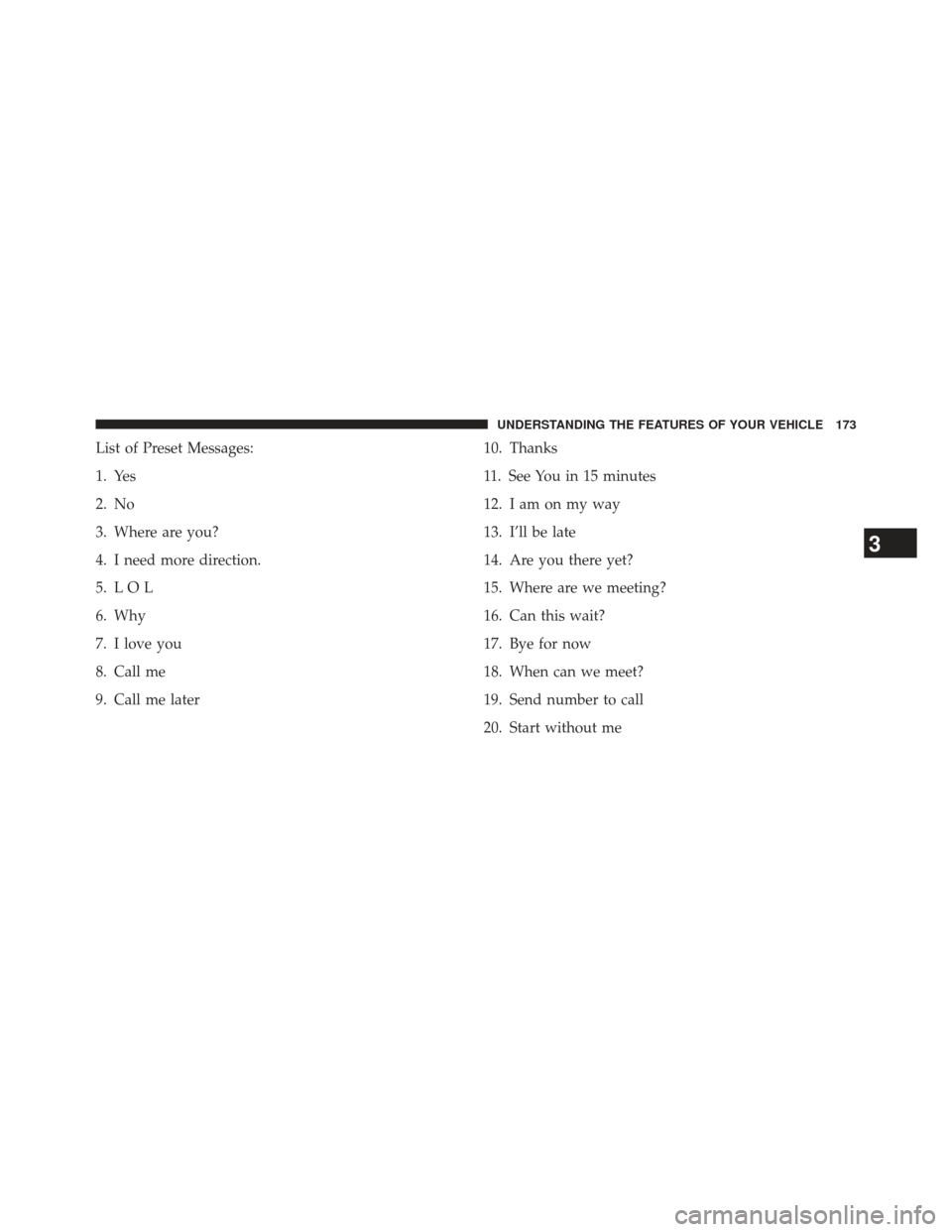
List of Preset Messages:
1. Yes
2. No
3. Where are you?
4. I need more direction.
5. L O L
6. Why
7. I love you
8. Call me
9. Call me later10. Thanks
11. See You in 15 minutes
12. I am on my way
13. I’ll be late
14. Are you there yet?
15. Where are we meeting?
16. Can this wait?
17. Bye for now
18. When can we meet?
19. Send number to call
20. Start without me
3
UNDERSTANDING THE FEATURES OF YOUR VEHICLE 173
Page 200 of 699
NOTE:
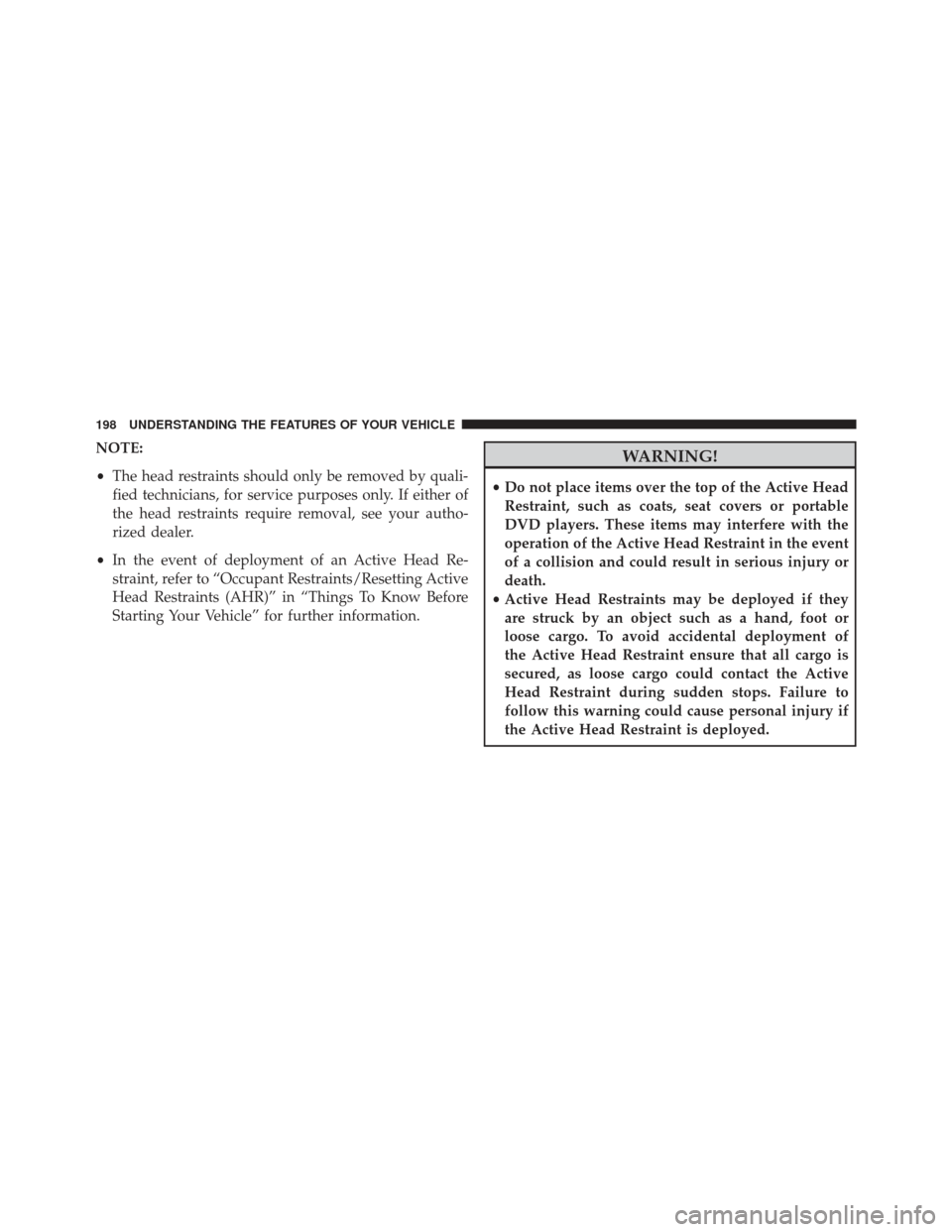
•The head restraints should only be removed by quali-
fied technicians, for service purposes only. If either of
the head restraints require removal, see your autho-
rized dealer.
• In the event of deployment of an Active Head Re-
straint, refer to “Occupant Restraints/Resetting Active
Head Restraints (AHR)” in “Things To Know Before
Starting Your Vehicle” for further information.WARNING!
• Do not place items over the top of the Active Head
Restraint, such as coats, seat covers or portable
DVD players. These items may interfere with the
operation of the Active Head Restraint in the event
of a collision and could result in serious injury or
death.
• Active Head Restraints may be deployed if they
are struck by an object such as a hand, foot or
loose cargo. To avoid accidental deployment of
the Active Head Restraint ensure that all cargo is
secured, as loose cargo could contact the Active
Head Restraint during sudden stops. Failure to
follow this warning could cause personal injury if
the Active Head Restraint is deployed.
198 UNDERSTANDING THE FEATURES OF YOUR VEHICLE
Page 219 of 699
WARNING!
To avoid serious injury or death, never operate the
vehicle with occupants in the third row seat while in
the tailgate mode.
Plastic Grocery Bag Retainer Hooks
Retainer hooks which will hold plastic grocery bag
handles are built into the seatbacks of all rear seats and
some front seats. The floor supports the partial weight of
the bagged goods.
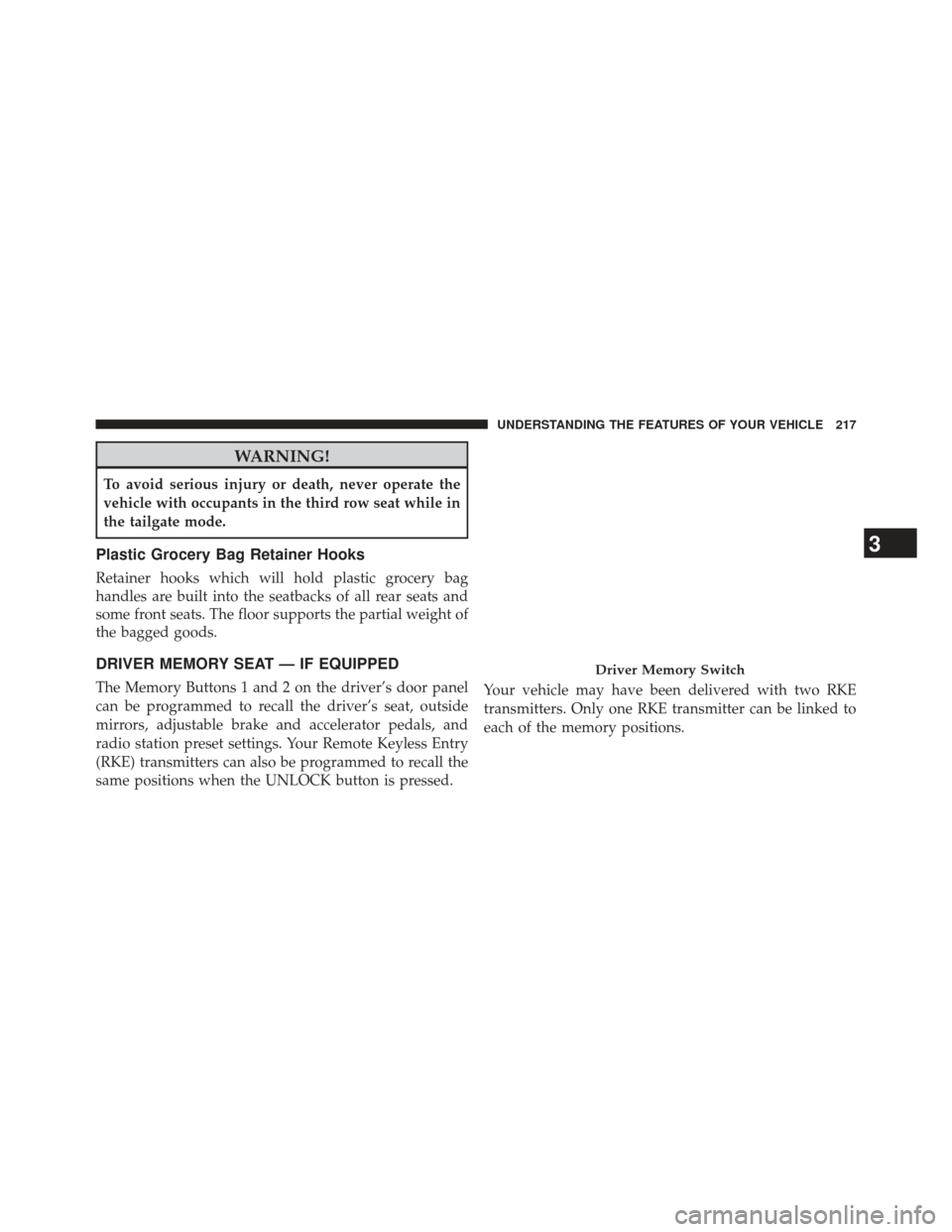
DRIVER MEMORY SEAT — IF EQUIPPED
The Memory Buttons 1 and 2 on the driver’s door panel
can be programmed to recall the driver’s seat, outside
mirrors, adjustable brake and accelerator pedals, and
radio station preset settings. Your Remote Keyless Entry
(RKE) transmitters can also be programmed to recall the
same positions when the UNLOCK button is pressed.Your vehicle may have been delivered with two RKE
transmitters. Only one RKE transmitter can be linked to
each of the memory positions.
Driver Memory Switch
3
UNDERSTANDING THE FEATURES OF YOUR VEHICLE 217
Page 220 of 699
Setting Memory Positions And Linking RKE
Transmitter To Memory
NOTE:Each time the SET (S) button and a numbered
button (1 or 2) is pressed, you erase the memory settings
for that button and store a new one.
1. Insert the ignition key and turn the ignition switch to the ON position.
2. Press the driver door MEMORY button number 1 if you are setting the memory for driver 1, or button
number 2 if you are setting the memory for driver 2.
The system will recall any stored settings. Wait for the
system to complete the memory recall before continu-
ing to Step 3.
3. Adjust the driver’s seat, recliner, and driver’s side- view mirror to the desired positions. 4. Adjust the brake and accelerator pedals to the desired
positions.
5. Turn on the radio and set the radio station presets (up to 10 AM and 10 FM stations can be set).
6. Turn the ignition switch to the OFF position and remove the key.
7. Press and release the SET (S) button located on the driver’s door.
8. Within five seconds, press and release MEMORY button 1 or 2 on the driver’s door. The next step must
be performed within 5 seconds if you desire to also use
a RKE transmitter to recall memory positions.
218 UNDERSTANDING THE FEATURES OF YOUR VEHICLE
Page 243 of 699

NOTE:In order to ensure proper operation, the Elec-
tronic Speed Control System has been designed to shut
down if multiple Speed Control functions are operated at
the same time. If this occurs, the Electronic Speed Control
System can be reactivated by pushing the Electronic
Speed Control ON/OFF button and resetting the desired
vehicle set speed.
To Activate
Push the ON/OFF button. The Cruise Indicator Light in
the instrument cluster will illuminate. To turn the system
off, push the ON/OFF button a second time. The Cruise
Indicator Light will turn off. The system should be
turned off when not in use.
WARNING!
Leaving the Electronic Speed Control system on
when not in use is dangerous. You could accidentally
set the system or cause it to go faster than you want.
You could lose control and have an accident. Always
leave the system OFF when you are not using it.
To Set A Desired Speed
Turn the Electronic Speed Control ON. When the vehicle
has reached the desired speed, press the SET (-) button
and release. Release the accelerator and the vehicle will
operate at the selected speed.
NOTE: The vehicle should be traveling at a steady speed
and on level ground before pressing the SET button.
3
UNDERSTANDING THE FEATURES OF YOUR VEHICLE 241
Page 279 of 699
POWER INVERTER — IF EQUIPPED
A 110 Volt, 150 Watt inverter outlet (if equipped) converts
DC current to AC current, and is located on the left
rear trim panel immediately behind the second row left
passenger seat.The power inverter switch is located on the instrument
panel below the climate controls.
To turn on the power outlet, press the switch once. Press
the switch a second time to turn the power outlet off.
This outlet can power cellular phones, electronics and
other low power devices requiring power up to 150 Watts.
Certain high-end video games, such as Playstation3 and
XBox360 will exceed this power limit, as will most power
tools.
The power inverter is designed with built-in overload
protection. If the power rating of 150 Watts is exceeded,
the power inverter will automatically shut down. Once
the electrical device has been removed from the outlet the
inverter should automatically reset. If the power rating
exceeds approximately 170 Watts, the power inverter
may have to be reset manually. To reset the inverter
manually press the power inverter button OFF and ON.
To avoid overloading the circuit, check the power ratings
on electrical devices prior to using the inverter.
Power Inverter Outlet
3
UNDERSTANDING THE FEATURES OF YOUR VEHICLE 277
Page 300 of 699
CAUTION!
Failure to follow these cautions can cause damage to
the heating elements:
•Use care when washing the inside of the rear
window. Do not use abrasive window cleaners on
the interior surface of the window. Use a soft cloth
and a mild washing solution, wiping parallel to the
heating elements. Labels can be peeled off after
soaking with warm water.
• Do not use scrapers, sharp instruments, or abrasive
window cleaners on the interior surface of the
window.
• Keep all objects a safe distance from the window.
LOAD LEVELING SYSTEM — IF EQUIPPED
The automatic load leveling system will provide a level-
riding vehicle under most passenger and cargo loading
conditions.
A hydraulic pump contained within the shock absorbers
raises the rear of the vehicle to the correct height. It takes
approximately 1 mile (1.6 km) of driving for the leveling
to complete depending on road surface conditions.
If the leveled vehicle is not moved for approximately
15 hours, the leveling system will bleed itself down. The
vehicle must be driven to reset the system.
ROOF LUGGAGE RACK — IF EQUIPPED
The crossbars on your vehicle are delivered stowed
within the roof rack side rails. If adding cargo, deploy the
crossbars. Distribute cargo weight evenly on the roof rack
298 UNDERSTANDING THE FEATURES OF YOUR VEHICLE
Page 309 of 699
UNDERSTANDING YOUR INSTRUMENT PANEL
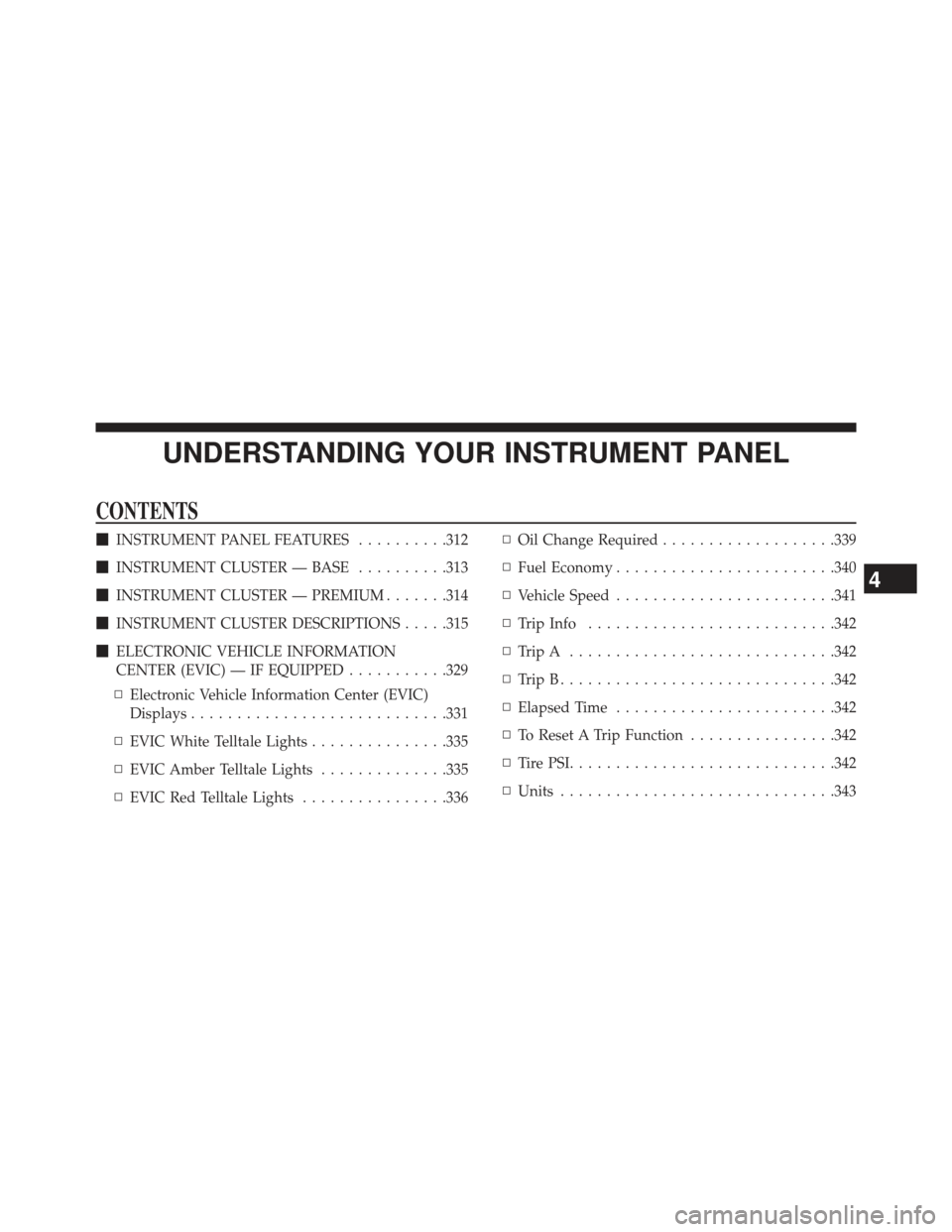
CONTENTS
�INSTRUMENT PANEL FEATURES ..........312
� INSTRUMENT CLUSTER — BASE ..........313
� INSTRUMENT CLUSTER — PREMIUM .......314
� INSTRUMENT CLUSTER DESCRIPTIONS .....315
� ELECTRONIC VEHICLE INFORMATION
CENTER (EVIC) — IF EQUIPPED ...........329
▫ Electronic Vehicle Information Center (EVIC)
Displays ........................... .331
▫ EVIC White Telltale Lights ...............335
▫ EVIC Amber Telltale Lights ..............335
▫ EVIC Red Telltale Lights ................336 ▫
Oil Change Required ...................339
▫ Fuel Economy ....................... .340
▫ Vehicle Speed ....................... .341
▫ Trip Info .......................... .342
▫ TripA ............................ .342
▫ TripB............................. .342
▫ Elapsed Time ....................... .342
▫ To Reset A Trip Function ................342
▫ TirePSI............................ .342
▫ Units ............................. .343
4