2013 CHEVROLET MALIBU turn signal
[x] Cancel search: turn signalPage 9 of 436

Black plate (3,1)Chevrolet Malibu Owner Manual - 2013 - CRC - 6/6/12
In Brief 1-3
1.Air Vents on page 8‑7.
2. Turn and Lane-Change Lever. See Turn and Lane-Change
Signals on page 6‑4.
Driver Information Center
Buttons. See Driver Information
Center (DIC) on page 5‑24.
3. Instrument Cluster on page 5‑8.
Driver Information Center (DIC)
on page 5‑24.
4. Windshield Wiper/Washer on
page 5‑3.
5. Storage Area. See Instrument
Panel Storage on page 4‑1.
6. Light Sensor. See Automatic
Headlamp System on page 6‑3.
7. Infotainment Display.
8. Infotainment on page 7‑1.
AM-FM Radio on page 7‑14.
9. CD Player on page 7‑22. 10.
Exterior Lamp Controls on
page 6‑1.
Fog Lamps on page 6‑4.
Instrument Panel Illumination
Control on page 6‑5.
11. Hood Release. See Hood on
page 10‑5.
12. Storage Compartment. See Instrument Panel Storage on
page 4‑1.
13. Data Link Connector (Out of View). See Malfunction
Indicator Lamp on page 5‑14.
14. Cruise Control on page 9‑34.
Lane Departure Warning
(LDW) on page 9‑43 (If
Equipped).
Forward Collision Alert (FCA)
System on page 9‑37 (If
Equipped).
15. Steering Wheel Adjustment on
page 5‑2. 16.
Horn on page 5‑3.
Driver Airbag. See Where Are
the Airbags? on page 3‑21.
17. Steering Wheel Controls on
page 5‑2.
18. Ignition Positions (Key Access)
on page 9‑14 orIgnition
Positions (Keyless Access) on
page 9‑16.
19. Heated Front Seats on
page 3‑8 (If Equipped).
20. Power Door Locks on
page 2‑9.
Hazard Warning Flashers on
page 6‑4.
Passenger Airbag Status
Indicator. See Passenger
Sensing System on page 3‑26.
21. Ultrasonic Parking Assist on
page 9‑39 (If Equipped).
Traction Control System (TCS)
on page 9‑32.
StabiliTrak
®System on
page 9‑33.
Page 11 of 436
Black plate (5,1)Chevrolet Malibu Owner Manual - 2013 - CRC - 6/6/12
In Brief 1-5
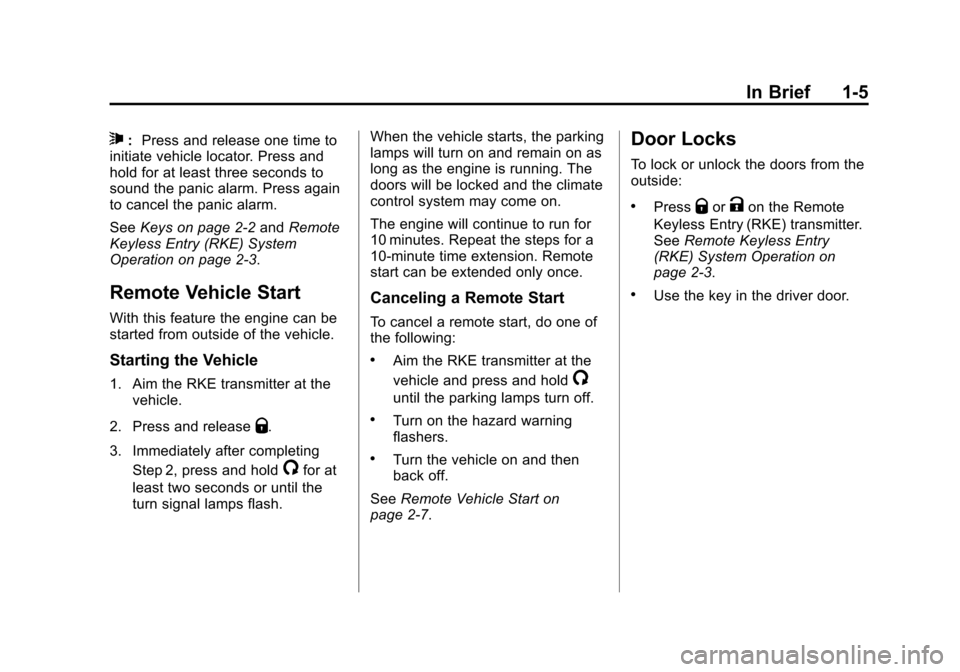
7:Press and release one time to
initiate vehicle locator. Press and
hold for at least three seconds to
sound the panic alarm. Press again
to cancel the panic alarm.
See Keys on page 2‑2 andRemote
Keyless Entry (RKE) System
Operation on page 2‑3.
Remote Vehicle Start
With this feature the engine can be
started from outside of the vehicle.
Starting the Vehicle
1. Aim the RKE transmitter at the vehicle.
2. Press and release
Q.
3. Immediately after completing Step 2, press and hold
/for at
least two seconds or until the
turn signal lamps flash. When the vehicle starts, the parking
lamps will turn on and remain on as
long as the engine is running. The
doors will be locked and the climate
control system may come on.
The engine will continue to run for
10 minutes. Repeat the steps for a
10-minute time extension. Remote
start can be extended only once.
Canceling a Remote Start
To cancel a remote start, do one of
the following:
.Aim the RKE transmitter at the
vehicle and press and hold
/
until the parking lamps turn off.
.Turn on the hazard warning
flashers.
.Turn the vehicle on and then
back off.
See Remote Vehicle Start on
page 2‑7.
Door Locks
To lock or unlock the doors from the
outside:
.PressQorKon the Remote
Keyless Entry (RKE) transmitter.
See Remote Keyless Entry
(RKE) System Operation on
page 2‑3.
.Use the key in the driver door.
Page 25 of 436
Black plate (19,1)Chevrolet Malibu Owner Manual - 2013 - CRC - 6/6/12
In Brief 1-19
SET/−:Move the thumbwheel down
to set a speed and activate cruise
control or to make the vehicle
decelerate.
See Cruise Control on page 9‑34.
Infotainment System
See the infotainment manual for
information on the radio, audio
players, phone, navigation system,
and voice or speech recognition.
It also includes information on
settings and downloadable
applications (if equipped).
Driver Information
Center (DIC)
The DIC display is in the center of
the instrument cluster. It shows the
status of many vehicle systems. The
controls for the DIC are on the turn
signal lever.
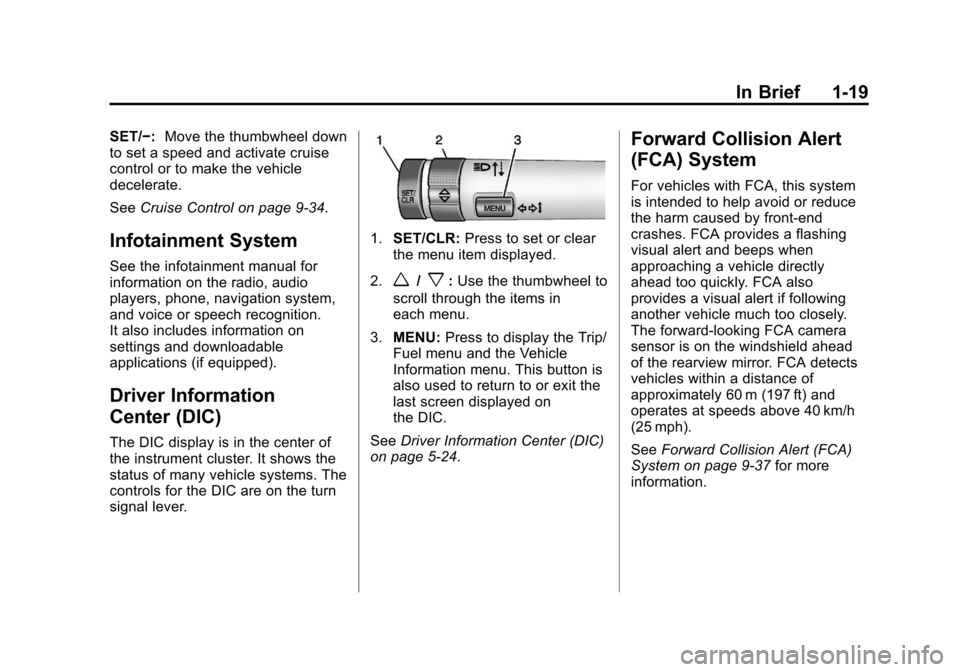
1.SET/CLR: Press to set or clear
the menu item displayed.
2.
w/x: Use the thumbwheel to
scroll through the items in
each menu.
3. MENU: Press to display the Trip/
Fuel menu and the Vehicle
Information menu. This button is
also used to return to or exit the
last screen displayed on
the DIC.
See Driver Information Center (DIC)
on page 5‑24.
Forward Collision Alert
(FCA) System
For vehicles with FCA, this system
is intended to help avoid or reduce
the harm caused by front-end
crashes. FCA provides a flashing
visual alert and beeps when
approaching a vehicle directly
ahead too quickly. FCA also
provides a visual alert if following
another vehicle much too closely.
The forward-looking FCA camera
sensor is on the windshield ahead
of the rearview mirror. FCA detects
vehicles within a distance of
approximately 60 m (197 ft) and
operates at speeds above 40 km/h
(25 mph).
See Forward Collision Alert (FCA)
System on page 9‑37 for more
information.
Page 26 of 436
Black plate (20,1)Chevrolet Malibu Owner Manual - 2013 - CRC - 6/6/12
1-20 In Brief
Lane Departure
Warning (LDW)
For vehicles with LDW, it is intended
to help avoid unintentional lane
departures. It may provide a
warning if the vehicle is crossing a
lane without using a turn signal.
LDW uses a camera sensor to
detect the lane markings. It only
operates at speeds of 56 km
(35 mph) or greater.
The LDW indicator,
@, appears
green if a lane marking is detected.
It changes to amber, flashes, and
sounds three beeps if the vehicle
crosses a detected lane marking
without using the turn signal.
To turn LDW on and off, press
@on
the center stack, forward of the shift
lever. The control indicator will light
when LDW is on.
See Lane Departure Warning (LDW)
on page 9‑43.
Rear Vision
Camera (RVC)
If available, the rear vision camera
displays a view of the area behind
the vehicle when the vehicle is
shifted into R (Reverse). The
display will appear on the radio
screen.
To clean the camera lens above the
license plate, rinse it with water and
wipe it with a soft cloth.
See Rear Vision Camera (RVC) on
page 9‑40.
Ultrasonic Parking Assist
If available, this system uses
sensors on the rear bumper to
assist with parking and avoiding
objects while in R (Reverse).
It operates at speeds less than
8 km/h (5 mph). URPA uses audible
beeps to provide distance and
system information. Keep the sensors on the vehicle's
rear bumper clean to ensure proper
operation.
See
Ultrasonic Parking Assist on
page 9‑39.
Power Outlets
The accessory power outlets can be
used to plug in electrical equipment,
such as a cell phone or MP3 player.
There are two accessory power
outlets: one on the center stack
below the climate control and one
under the armrest inside the center
console storage.
Open the protective cover to use the
accessory power outlet.
See Power Outlets on page 5‑5.
Page 31 of 436
Black plate (25,1)Chevrolet Malibu Owner Manual - 2013 - CRC - 6/6/12
In Brief 1-25
The low tire pressure warning light
alerts to a significant loss in
pressure of one of the vehicle's
tires. If the warning light comes on,
stop as soon as possible and inflate
the tires to the recommended
pressure shown on the Tire and
Loading Information label. See
Vehicle Load Limits on page 9‑10.
The warning light will remain on until
the tire pressure is corrected.
The low tire pressure warning light
may come on in cool weather when
the vehicle is first started, and then
turn off as the vehicle is driven. This
may be an early indicator that the
tire pressures are getting low and
the tires need to be inflated to the
proper pressure.The TPMS does not replace normal
monthly tire maintenance. Maintain
the correct tire pressures.
See
Tire Pressure Monitor System
on page 10‑54.Tire Sealant and
Compressor Kit
This vehicle may come with a spare
tire and tire changing equipment or
a tire sealant and compressor kit.
The kit can be used to temporarily
seal small punctures in the tread
area of the tire. See Tire Sealant
and Compressor Kit (With Pressure
Relief Button) on page 10‑68 orTire
Sealant and Compressor Kit (With
Pressure Deflation Button) on
page 10‑75.
If the vehicle came with a spare tire
and tire changing equipment, see If
a Tire Goes Flat on page 10‑66.
Engine Oil Life System
The engine oil life system calculates
engine oil life based on vehicle use
and displays the CHANGE ENGINE
OIL SOON message when it is time
to change the engine oil and filter.
The oil life system should be reset
to 100% only following an oil
change.
Resetting the Oil Life System
1. Turn the ignition to ON/RUN with the engine off.
2. Press the DIC MENU button on the turn signal lever to enter the
Vehicle Information Menu. Use
the thumbwheel to scroll through
the menu items until you reach
REMAINING OIL LIFE.
3. Press the SET/CLR button to reset the oil life at 100%.
4. Turn the ignition to LOCK/OFF.
See Engine Oil Life System on
page 10‑13.
Page 35 of 436
Black plate (3,1)Chevrolet Malibu Owner Manual - 2013 - CRC - 6/6/12
Keys, Doors, and Windows 2-3
Remote Keyless Entry
(RKE) System
SeeRadio Frequency Statement on
page 13‑21 for information
regarding Part 15 of the Federal
Communications Commission (FCC)
rules and Industry Canada
Standards RSS-GEN/210/220/310.
If there is a decrease in the RKE
operating range:
.Check the distance. The
transmitter may be too far from
the vehicle.
.Check the location. Other
vehicles or objects may be
blocking the signal.
.Check the transmitter's battery.
See “Battery Replacement” later
in this section.
.If the transmitter is still not
working correctly, see your
dealer or a qualified technician
for service.
Remote Keyless Entry
(RKE) System Operation
The transmitter functions may work
up to 20 m (65 ft) away from the
vehicle.
Keep in mind that other conditions,
such as those previously stated, can
impact the performance of the
transmitter.
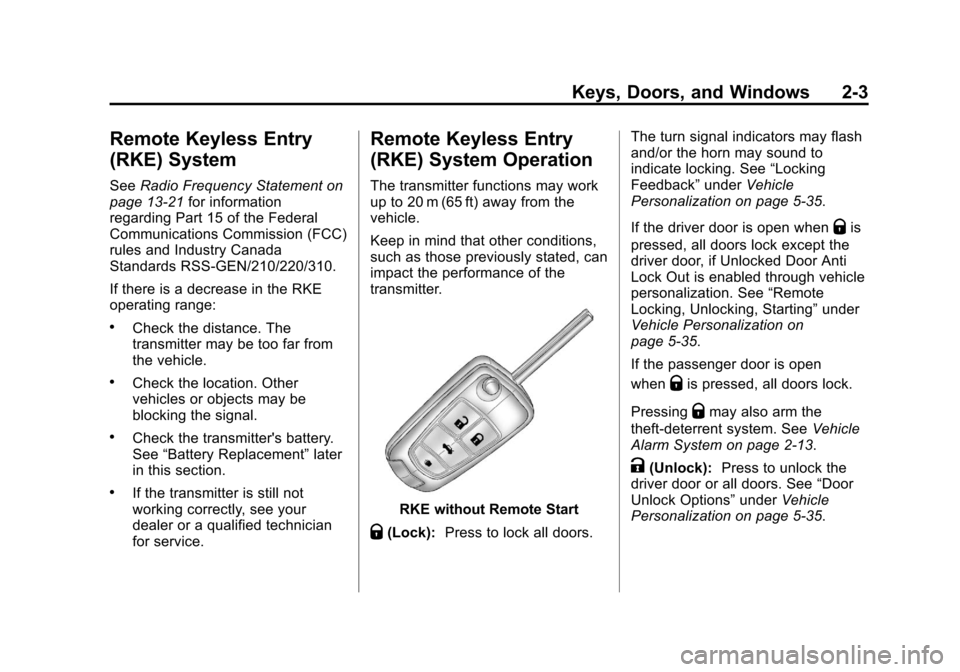
RKE without Remote Start
Q(Lock): Press to lock all doors. The turn signal indicators may flash
and/or the horn may sound to
indicate locking. See
“Locking
Feedback” underVehicle
Personalization on page 5‑35.
If the driver door is open when
Qis
pressed, all doors lock except the
driver door, if Unlocked Door Anti
Lock Out is enabled through vehicle
personalization. See “Remote
Locking, Unlocking, Starting” under
Vehicle Personalization on
page 5‑35.
If the passenger door is open
when
Qis pressed, all doors lock.
Pressing
Qmay also arm the
theft-deterrent system. See Vehicle
Alarm System on page 2‑13.
K(Unlock): Press to unlock the
driver door or all doors. See “Door
Unlock Options” underVehicle
Personalization on page 5‑35.
Page 36 of 436
Black plate (4,1)Chevrolet Malibu Owner Manual - 2013 - CRC - 6/6/12
2-4 Keys, Doors, and Windows
The turn signal indicators may flash
and/or the horn may sound to
indicate unlocking. See“Unlock
Feedback” underVehicle
Personalization on page 5‑35.
Pressing
Kwill disarm the
theft-deterrent system. See Vehicle
Alarm System on page 2‑13.
Memory seat positions may be
recalled when unlocking the vehicle.
See Memory Seats on page 3‑6 and
“Memory Remote Recall” under
Vehicle Personalization on
page 5‑35.
V (Remote Trunk Release):
Press and hold to open the trunk.
7(Vehicle Locator/Panic
Alarm): Press and release one
time to initiate vehicle locator. The
exterior lamps flash and the horn
chirps three times. Press and hold
7for at least
three seconds to sound the panic
alarm. The horn sounds and the
turn signals flash for about
30 seconds until
7is pressed again
or the vehicle is started.
/(Remote Vehicle Start): For
vehicles with this feature, press
Q
and release and then press and
hold
/within two seconds to start
the engine from outside the vehicle
using the RKE transmitter. See
Remote Vehicle Start on page 2‑7.
The buttons on the keys are
disabled when there is a key is in
the ignition, if equipped.
Keyless Access Operation
Some vehicles have the keyless
access system that lets you lock
and unlock the doors and access
the trunk without removing the RKE
transmitter from your pocket, purse, briefcase, etc. The RKE transmitter
must be within 1 m (3 ft) of the door
being unlocked. If the vehicle has
this feature, there will be a button on
the outside front door handles.
The keyless access can be
programmed to unlock all doors on
the first unlock/lock button press
from the driver door. See
Vehicle
Personalization on page 5‑35.
Keyless Unlocking/Locking from
the Driver Door
When the doors are locked and the
RKE transmitter is within 1 m (3 ft)
of the driver door handle, pressing
the lock/unlock button on the driver
door handle will unlock the driver
door. If the lock/unlock button is
pressed again within five seconds,
all passenger doors will unlock. Pull
the door handle to unlatch the door.
Page 39 of 436
Black plate (7,1)Chevrolet Malibu Owner Manual - 2013 - CRC - 6/6/12
Keys, Doors, and Windows 2-7
Remote Vehicle Start
The vehicle may have this feature
that allows the engine to be started
from outside the vehicle.
/(Remote Vehicle Start):This
button will be on the RKE
transmitter if the vehicle has remote
start.
The climate control system will use
the previous settings during a
remote start. The rear window
defogger may come on during a
remote start based on cold ambient
conditions. The rear defog indicator
light does not come on during a
remote start.
If the vehicle has heated seats, they
may come on during a remote start.
See Heated Front Seats on
page 3‑8.
Laws in some local communities
may restrict the use of remote
starters. For example, some laws
require a person using remote start to have the vehicle in view. Check
local regulations for any
requirements.
Other conditions can affect the
performance of the transmitter. See
Remote Keyless Entry (RKE)
System on page 2‑3.
Starting the Vehicle
To start the engine using the remote
start feature:
1. Aim the RKE transmitter at the
vehicle.
2. Press and release
Q.
3. Immediately after completing Step 2, press and hold
/for at
least two seconds or until the
turn signal lamps flash. The turn
signal lamps flashing confirms
the request to remote start the
vehicle has been received.
When the engine starts, the parking
lamps will turn on and remain on as
long as the engine is running. The
doors will be locked and the climate
control system may come on. The engine will continue to run for
10 minutes. Repeat the steps for a
10-minute time extension. Remote
start can be extended only once.
Start the vehicle before driving.
Extending Engine Run Time
For a 10-minute extension, repeat
Steps 1–3 while the engine is still
running. The remote start can be
extended once.
When the remote start is extended,
the second 10 minutes will start
immediately.
For example, if the engine has been
running for five minutes, and
10 minutes are added, the engine
will run for a total of 15 minutes.
A maximum of two remote starts,
or a single start with an extension,
is allowed between ignition cycles.
The vehicle's ignition must be
turned on and then back off before
the remote start procedure can be
used again.