2013 CHEVROLET MALIBU lock
[x] Cancel search: lockPage 126 of 436
Black plate (18,1)Chevrolet Malibu Owner Manual - 2013 - CRC - 6/6/12
5-18 Instruments and Controls
If this light stays on, there is a
problem with a system on the
vehicle that is causing the parking
brake system to work at a reduced
level. The vehicle can still be driven,
but should be taken to a dealer as
soon as possible. SeeParking
Brake on page 9‑29.
For vehicles with the uplevel or
eAssist cluster, this telltale displays
in the DIC screen.
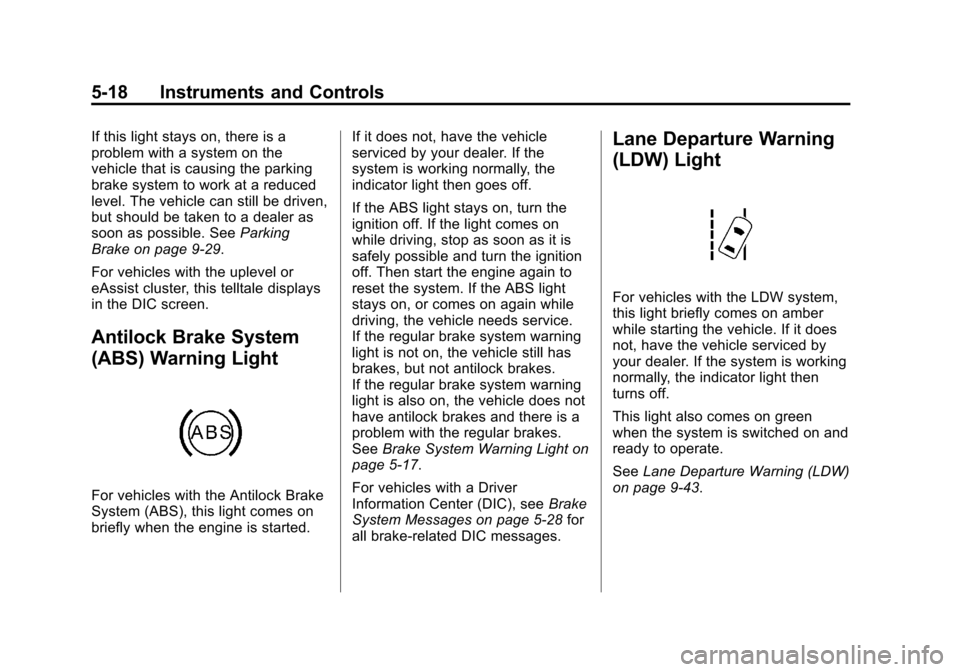
Antilock Brake System
(ABS) Warning Light
For vehicles with the Antilock Brake
System (ABS), this light comes on
briefly when the engine is started. If it does not, have the vehicle
serviced by your dealer. If the
system is working normally, the
indicator light then goes off.
If the ABS light stays on, turn the
ignition off. If the light comes on
while driving, stop as soon as it is
safely possible and turn the ignition
off. Then start the engine again to
reset the system. If the ABS light
stays on, or comes on again while
driving, the vehicle needs service.
If the regular brake system warning
light is not on, the vehicle still has
brakes, but not antilock brakes.
If the regular brake system warning
light is also on, the vehicle does not
have antilock brakes and there is a
problem with the regular brakes.
See
Brake System Warning Light on
page 5‑17.
For vehicles with a Driver
Information Center (DIC), see Brake
System Messages on page 5‑28 for
all brake-related DIC messages.
Lane Departure Warning
(LDW) Light
For vehicles with the LDW system,
this light briefly comes on amber
while starting the vehicle. If it does
not, have the vehicle serviced by
your dealer. If the system is working
normally, the indicator light then
turns off.
This light also comes on green
when the system is switched on and
ready to operate.
See Lane Departure Warning (LDW)
on page 9‑43.
Page 139 of 436
Black plate (31,1)Chevrolet Malibu Owner Manual - 2013 - CRC - 6/6/12
Instruments and Controls 5-31
message stays on, the vehicle
should be taken to your dealer for
service as soon as possible.
Fuel System Messages
FUEL LEVEL LOW
This message displays when the
vehicle is low on fuel. Refuel as
soon as possible.
TIGHTEN GAS CAP
This message displays when the
fuel cap is not on tight. Tighten the
fuel cap.
Key and Lock Messages
NO REMOTE DETECTED
This message displays when the
transmitter battery is weak on
vehicles with keyless access. See
“Starting the Vehicle with a Low
Transmitter Battery”underRemote
Keyless Entry (RKE) System
Operation on page 2‑3.
REPLACE BATTERY IN
REMOTE KEY
This message displays when the
battery in the Remote Keyless
Entry (RKE) transmitter needs
to be replaced. See “Battery
Replacement” underRemote
Keyless Entry (RKE) System
Operation on page 2‑3.
Lamp Messages
AUTOMATIC LIGHT CONTROL
ON/OFF
This message is displayed when the
automatic light control has been
turned on or off. See Automatic
Headlamp System on page 6‑3.
CHECK XXX TURN
SIGNAL LAMP
When one of the turn signals is out,
this message displays to show
which bulb needs to be replaced.
See Bulb Replacement on
page 10‑28 andReplacement Bulbs
on page 10‑36.
TURN SIGNAL ON
This message is displayed if the
turn signal has been left on. Turn off
the turn signal.
Object Detection System
Messages
LANE DEPARTURE WARNING
UNAVAILABLE
This message may appear if LDW
does not activate due to a
temporary condition.
PARK ASSIST OFF
This message displays when the
park assist system has been turned
off or when there is a temporary
condition causing the system to be
disabled. See Ultrasonic Parking
Assist on page 9‑39.
Page 143 of 436
Black plate (35,1)Chevrolet Malibu Owner Manual - 2013 - CRC - 6/6/12
Instruments and Controls 5-35
Vehicle
Personalization
The audio system controls are used
to access the personalization
menus for customizing vehicle
features.
CONFIG (Configuration):Press to
access the Configuration
Settings menu.
TUNE/MENU: Turn to scroll
through the menus. Press to enter
the menus and select the menu
items.
BACK
/: Press to exit or move
backward in a menu.
Entering the Personalization
Menus
1. Press CONFIG to access the Configuration Settings menu.
2. Turn the TUNE/MENU knob to highlight Vehicle Settings.
3. Press TUNE/MENU to select the Vehicle Settings menu. The following list of menu items will
be available:
.Climate and Air Quality
.Comfort and Convenience
.Language
.Lighting
.Power Door Locks
.Remote Locking, Unlocking,
Starting
.Return to Factory Settings
Turn the TUNE/MENU knob to
highlight the menu. Press TUNE/
MENU to select it. Each of the
menus is detailed in the following
information.
Climate and Air Quality
Select the Climate and Air Quality
menu and the following may be
displayed:
.Auto Fan Speed
.Auto Defog
.Auto Rear Defog Auto Fan Speed
This will allow you to select the
automatic fan speed. It can be
adjusted to run lower or higher than
normal.
Press TUNE/MENU when Auto Fan
Speed is highlighted to open the
menu. Turn the TUNE/MENU knob
to highlight High, Medium, or Low.
Press TUNE/MENU to confirm the
selection and move back to the
last menu.
Remote Start Heated Seats
When turned on, this feature will
turn the heated seats on when using
remote start on cold days.
Press TUNE/MENU when Remote
Start Heated Seats is highlighted.
Turn the TUNE/MENU knob to
select On or Off. Press TUNE/
MENU to confirm the selection and
move back to the last menu.
Page 145 of 436
Black plate (37,1)Chevrolet Malibu Owner Manual - 2013 - CRC - 6/6/12
Instruments and Controls 5-37
Lighting
Select the Lighting menu and the
following may be displayed:
.Vehicle Locator Lights
.Exit Lighting
Vehicle Locator Lights
This allows the vehicle locator lights
to be turned on or off. The vehicle
locator lights come on when
unlocking the vehicle with the RKE
transmitter.
Press TUNE/MENU when Vehicle
Locator Lights is highlighted. Turn
the TUNE/MENU knob to select On
or Off. Press TUNE/MENU to
confirm and go back to the
last menu.
Exit Lighting
This allows selection of how long
the exterior lamps stay on when
leaving the vehicle and it is dark
outside. Press TUNE/MENU when Exit
Lighting is highlighted. Turn the
TUNE/MENU knob to select Off,
30 Seconds, 1 Minute, or 2 Minutes.
Press TUNE/MENU to confirm and
go back to the last menu.
Power Door Locks
Select Power Door Locks and the
following may be displayed:
.Unlocked Door Anti Lock Out
.Auto Door Unlock
.Delayed Door Lock
.Auto Door Lock
Unlocked Door Anti Lock Out
When on, this feature will keep the
driver door from locking when the
door is open. If Off is selected, the
Delayed Door Lock menu will be
available and the door will lock as
programmed through this menu.
Press TUNE/MENU when Unlocked
Door Anti Lock Out is highlighted.
Turn the TUNE/MENU knob to select On or Off. Press TUNE/
MENU to confirm and go back to the
last menu.
Auto Door Unlock
This allows selection of which of the
doors will automatically unlock when
the vehicle is shifted into P (Park).
Press TUNE/MENU when Auto
Door Unlock is highlighted. Turn the
TUNE/MENU knob to select All
Doors, Driver Door, or Off. Press
TUNE/MENU to confirm and go
back to the last menu.
Delayed Door Lock
When on, this feature will delay
the locking of the doors until
five seconds after the last door is
closed. Three chimes will signal
delayed locking is in use. Press
either the power lock button or
Qon
the RKE transmitter twice to
override the delayed locking feature
and immediately lock all of the
doors.
Page 146 of 436
Black plate (38,1)Chevrolet Malibu Owner Manual - 2013 - CRC - 6/6/12
5-38 Instruments and Controls
Press TUNE/MENU when Delayed
Door Lock is highlighted. Turn the
TUNE/MENU knob to select On or
Off. Press TUNE/MENU to confirm
and go back to the last menu.
Auto Door Lock
This allows selection of which of the
doors will automatically lock when
the vehicle is shifted out of P (Park).
Press TUNE/MENU when Auto
Door Lock is highlighted. Turn the
TUNE/MENU knob to select All
Doors, Driver Door, or Off. Press
TUNE/MENU to confirm and go
back to the last menu.
Remote Locking, Unlocking,
Starting
Select Remote Locking, Unlocking,
Starting and the following may be
displayed:
.Unlock Feedback (Lights)
.Locking Feedback
.Door Unlock Options
.Memory Remote Recall
.Remote Left in Vehicle Reminder
.Relock Remote Door
.Passive Door Unlock
.Passive Door Lock
Unlock Feedback (Lights)
When on, the exterior lamps will
flash when unlocking the vehicle
with the RKE transmitter.
Press TUNE/MENU when Unlock
Feedback (Lights) is highlighted.
Turn the TUNE/MENU knob to
select On or Off. Press TUNE/
MENU to confirm and go back to the
last menu.
Locking Feedback
This allows selection of what type of
feedback is given when locking the
vehicle with the RKE transmitter. Press TUNE/MENU when Locking
Feedback is highlighted. Turn the
TUNE/MENU knob to select Lights
and Horn, Lights Only, Horn Only,
or Off. Press TUNE/MENU to
confirm and go back to the
last menu.
Door Unlock Options
This allows selection of which doors
will unlock when pressing
Kon the
RKE transmitter.
Press TUNE/MENU when Door
Unlock Options is highlighted. Turn
the TUNE/MENU knob to select All
Doors or Driver Door Only. When
set to Driver Door Only, the driver
door will unlock the first time
Kis
pressed and all doors will unlock
when
Kis pressed a second time.
When set to All Doors, all of the
doors will unlock at the first press
of
K. Press TUNE/MENU to confirm
and go back to the last menu.
Page 147 of 436
Black plate (39,1)Chevrolet Malibu Owner Manual - 2013 - CRC - 6/6/12
Instruments and Controls 5-39
Memory Remote Recall
This allows the Memory Remote
Recall feature to be turned on or off.
When on, this feature will recall the
current driver's last seat and outside
mirror positions upon unlocking the
driver door with the RKE transmitter,
and opening that door. The current
driver is identified when the RKE
transmitter is used to unlock the
driver door. If keyless access
equipped, the recall will occur upon
opening the driver door. See
“Recalling RKE Memory Positions”
underMemory Seats on page 3‑6.
Press TUNE/MENU when Memory
Remote Recall is highlighted. Turn
the TUNE/MENU knob to select On
or Off. Press TUNE/MENU to
confirm and go back to the
last menu. Remote Left in Vehicle Reminder
This allows the Remote Left in
Vehicle Reminder feature to be
turned on or off. If on, the horn will
chirp if a remote is left in the
vehicle.
Press TUNE/MENU when Remote
Left in Vehicle Reminder is
highlighted. Turn the TUNE/MENU
knob to select On or Off. Press
TUNE/MENU to confirm and go
back to the last menu.
Relock Remote Door
When on, the doors will
automatically lock after a period of
time if the vehicle is not entered or
exited.
Press TUNE/MENU when Relock
Remote Door is highlighted. Turn
the TUNE/MENU knob to select
On or Off. Press TUNE/MENU
to confirm and go back to the
last menu.Passive Door Lock
This allows selection of which doors
are unlocked by pressing the button
on the outside door handle.
Press TUNE/MENU when Passive
Door Lock is highlighted. Turn the
TUNE/MENU knob to select Off, On,
or On with Active Horn Chirp. Press
TUNE/MENU to confirm and go
back to the last menu.
Passive Door Unlock
This allows selection of which doors
are locked by pressing the button on
the outside door handle.
Press TUNE/MENU when Passive
Door Unlock is highlighted. Turn the
TUNE/MENU knob to select All
Doors or Driver Door. Press TUNE/
MENU to confirm and go back to the
last menu.
Page 166 of 436

Black plate (6,1)Chevrolet Malibu Owner Manual - 2013 - CRC - 6/6/12
7-6 Infotainment System
3.F(Home)
.See“Home Page” following
in this section.
4. SOURCE
.Press to change the audio
sources such as AM-FM
Radio, CD, and AUX.
5.
v/>(Phone/Mute)
.Press to access the Phone
menu. See Bluetooth
(Overview) on page 7‑35 or
Bluetooth (Voice
Recognition) on page 7‑40
or Bluetooth (Infotainment
Controls) on page 7‑36.
Press to mute the audio
system.
6. BACK
/
.Press to return to the
previous screen in a menu.
.If on a page accessed
directly by a faceplate
button or Home Page screen button, pressing
/BACK will go to the
previous menu.
7. TUNE/MENU
.Turn to highlight a feature.
Press to activate the
highlighted feature.
.Turn to manually select a
radio station.
8.
Z(Eject)
.Press to eject a disc from
the CD player. See CD
Player on page 7‑22.
9.
H(Clock)
.Press to set the time.
10.
p/j(Play/Pause)
.Press to start, pause, and
resume playback. See CD
Player on page 7‑22 and
MP3 on page 7‑24.
11. CD Slot 12.
©SEEK¨
.Press©to seek to the
beginning of the current or
previous track. If the track
has been playing for less
than five seconds, it
seeks the previous
track. If longer than
five seconds, the current
track starts from the
beginning.
.Press and hold©to
quickly reverse through a
track. Release the button
to return to playing speed.
See CD Player on
page 7‑22 andMP3 on
page 7‑24.
.For AM or FM, press©to
seek to the previous
strong station.
.Press¨to seek the next
track.
.Press and hold¨to fast
forward through a track.
Page 168 of 436
Black plate (8,1)Chevrolet Malibu Owner Manual - 2013 - CRC - 6/6/12
7-8 Infotainment System
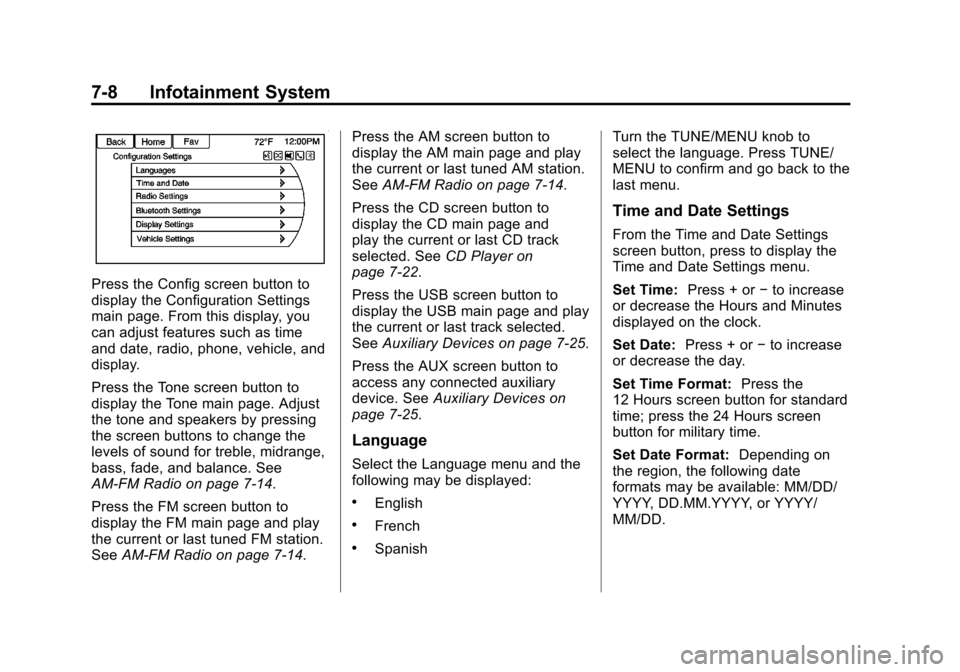
Press the Config screen button to
display the Configuration Settings
main page. From this display, you
can adjust features such as time
and date, radio, phone, vehicle, and
display.
Press the Tone screen button to
display the Tone main page. Adjust
the tone and speakers by pressing
the screen buttons to change the
levels of sound for treble, midrange,
bass, fade, and balance. See
AM-FM Radio on page 7‑14.
Press the FM screen button to
display the FM main page and play
the current or last tuned FM station.
SeeAM-FM Radio on page 7‑14. Press the AM screen button to
display the AM main page and play
the current or last tuned AM station.
See
AM-FM Radio on page 7‑14.
Press the CD screen button to
display the CD main page and
play the current or last CD track
selected. See CD Player on
page 7‑22.
Press the USB screen button to
display the USB main page and play
the current or last track selected.
See Auxiliary Devices on page 7‑25.
Press the AUX screen button to
access any connected auxiliary
device. See Auxiliary Devices on
page 7‑25.
Language
Select the Language menu and the
following may be displayed:
.English
.French
.Spanish Turn the TUNE/MENU knob to
select the language. Press TUNE/
MENU to confirm and go back to the
last menu.
Time and Date Settings
From the Time and Date Settings
screen button, press to display the
Time and Date Settings menu.
Set Time:
Press + or−to increase
or decrease the Hours and Minutes
displayed on the clock.
Set Date: Press + or−to increase
or decrease the day.
Set Time Format: Press the
12 Hours screen button for standard
time; press the 24 Hours screen
button for military time.
Set Date Format: Depending on
the region, the following date
formats may be available: MM/DD/
YYYY, DD.MM.YYYY, or YYYY/
MM/DD.